

 100% Security Verified | No Subscription Required | No Malware


 ChatGPT
 Perplexity
 Gemini
 Claude
 Grok
Grok
Cool nature video filters are perfect for hikers and travelers who want their forest and mountain clips to feel fresh, misty, and cinematic instead of overly warm or flat. With the right cool tone presets, blue nature colors pop while greens stay clean and atmospheric.
This guide highlights a curated set of cool-toned nature filters, including the Cool Nature Filter: Misty Woods preset, so you can quickly give your forest walks, foggy trails, and river shots a cohesive, moody aesthetic in Filmora.
In this article
Cool Filters for Misty Forest Trails
Cool Nature Filter: Misty Woods
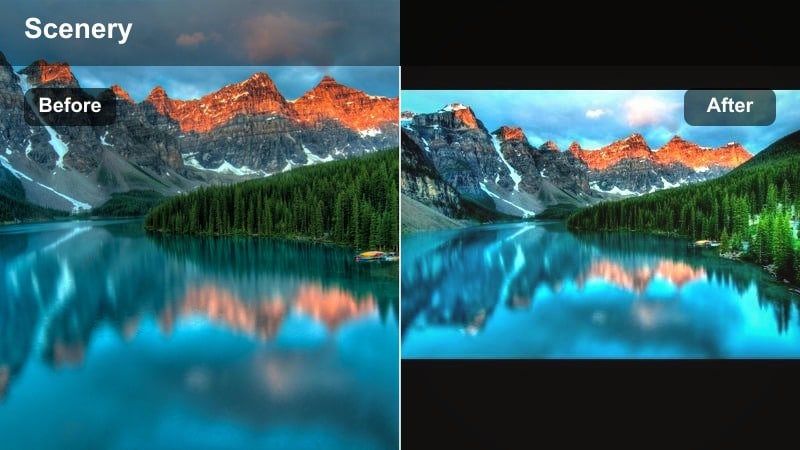
- Effect look: Soft blue haze with lifted shadows and gentle desaturation for a dreamy forest mood
- Best for: Slow forest walks, early morning hikes, foggy pine scenes, and quiet campsite b-roll
- Editing tip: Lower contrast slightly and add a subtle vignette to keep the viewer s eye on the trail path
This signature cool nature filter wraps your forest footage in a light, misty blue tone that instantly shifts bright, neutral clips into a calm, cinematic mood. Greens become softer and more atmospheric, while lifted shadows help keep tree trunks, roots, and rocks visible without breaking the dreamy vibe.
In Filmora, apply Cool Nature Filter: Misty Woods to your hiking timeline, then fine-tune contrast and vignetting so the path or subject remains the focal point. It works especially well on handheld or gimbal shots where you are walking through foggy woods, adding cohesion to mixed clips from phones, action cameras, and drones.
Use AI to Instantly Find Cool Nature Looks
Filmora s AI color tools can scan your hiking and forest footage and automatically suggest cool-toned presets that match blue nature and misty forest moods. This is ideal when you want the Misty Woods atmosphere but with a look that is tailored to your camera and lighting conditions.
Import a short sequence from your trail, run the AI color palette feature, and then save the suggested cool tone as a reusable custom look for future hikes. Over time, this helps you build a library of cool nature styles that stay consistent across different trips and devices.
 secure download

Preview Cool Nature Video Filters on Sample Footage
Before you apply a cool misty look across your entire project, test multiple Filmora filters on a single forest clip. Comparing them side by side helps you quickly see how each preset handles greens, shadows, and sky tones in your specific location.
Use split-screen preview or stack duplicate clips on the timeline with different cool filters applied. Once you see which one best captures your misty woods or foggy ridge atmosphere, you can confidently grade the rest of your hiking footage with the same style.
secure downloadSave and Share Your Cool Nature Looks as LUTs
Once you build a cool forest grade you love, Filmora lets you save it as a LUT so you can reuse the same look on future hikes, river days, and night woods adventures. This keeps your channel or travel series visually consistent, even if you switch cameras or shoot in new parks.
Export your favorite cool tone combination as a LUT, then test it on bright daytime trails, blue rivers, and twilight clips. Tweak exposure and saturation per scene while keeping the LUT as your base so every video still feels like part of the same nature story.
secure downloadFoggy Ridge Cool
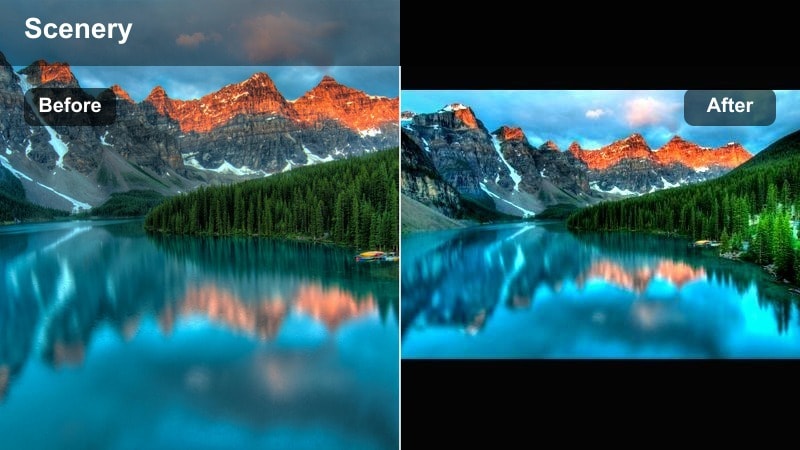
- Effect look: Muted greens, bluish highlights, and a soft veil that emphasizes distance and depth in the trees
- Best for: Overlook viewpoints, ridgeline paths, and drone sweeps over forested valleys
- Editing tip: Use keyframes to slowly increase the filter strength as the camera rises, enhancing the sense of climbing into the clouds
Foggy Ridge Cool adds a gentle blue haze that works perfectly on ridgeline and overlook shots, making distant valleys and tree layers feel more three-dimensional. By slightly muting greens and lifting blue highlights, it brings out the feeling of moisture in the air without overexposing the sky.
In Filmora, try keyframing the filter intensity so the effect grows stronger as your camera lifts, pans, or flies higher. This creates the illusion of entering thicker fog, especially in drone or action-cam clips filmed above dense forests and mountain slopes.
Evergreen Shade Cool
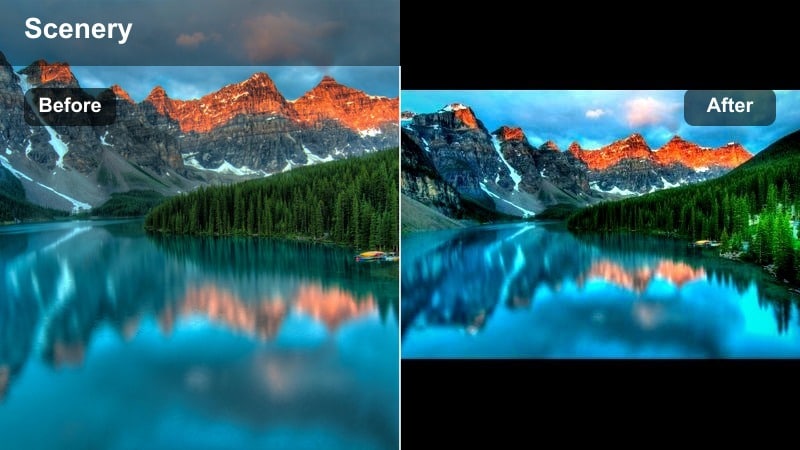
- Effect look: Deep cool shadows with slightly richer midtone greens for shaded forest floors
- Best for: Dense evergreen forests, mossy rocks, and shaded riverbanks under tree cover
- Editing tip: Raise exposure a touch to keep details in dark trunks and roots while preserving the cool mood
Evergreen Shade Cool is made for those darker, heavily wooded trails where direct sunlight barely reaches the ground. It pushes shadows towards cooler blues while preserving rich midtone greens, so moss, ferns, and needles still feel lively instead of muddy.
Apply this filter in Filmora on clips from deep woods, ravines, or shaded riversides, then gently bump up exposure or gamma to reveal detail. Combined with selective adjustments to blacks, it lets you keep a moody vibe without losing texture in tree bark, rocks, and forest floors.
Blue Nature Filters for Rivers and Lakes
Glacier Stream Cool
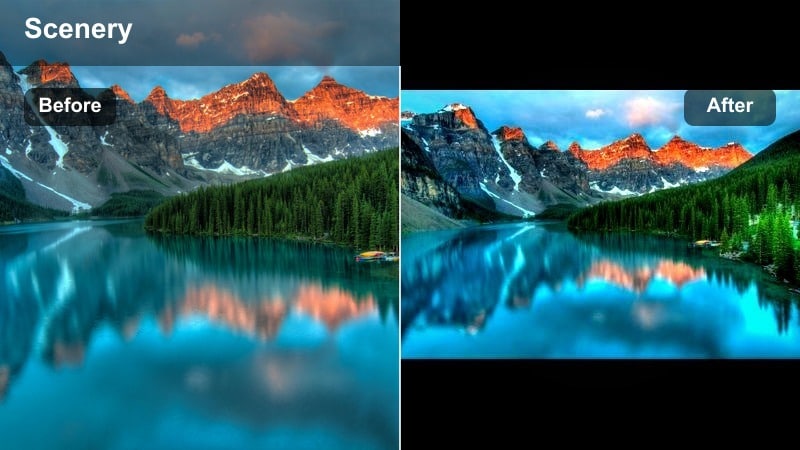
- Effect look: Crystal-blue highlights and crisp cool whites that make water look glacial and pure
- Best for: Mountain streams, waterfalls, and fast-flowing rivers in bright daylight
- Editing tip: Slow the shutter or add Filmora motion blur to streak the water slightly for a smoother glacier feel
Glacier Stream Cool turns ordinary river footage into icy, glacial-looking water with clean blue highlights and crisp whites. It is especially effective on bright mountain streams and waterfalls where you want the water to feel cold, fast, and pure.
In Filmora, pair this filter with motion blur or slightly slowed footage to smooth out choppy flows and create velvety streaks in the water. Keep saturation balanced so blues pop without overwhelming surrounding rocks and greenery, and use keyframes if light changes as you move along the river.
Mirror Lake Aqua
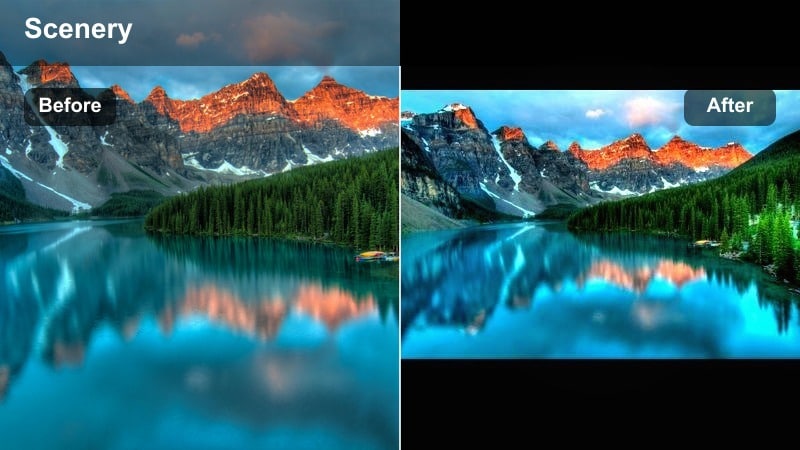
- Effect look: Soft aqua-blue tones with gentle contrast geared toward reflections on still water
- Best for: Calm alpine lakes, dockside sunrises, and reflection-heavy compositions
- Editing tip: Lower clarity slightly to melt the mirror surface and draw attention to shapes and colors over fine detail
Mirror Lake Aqua softens and cools your lake footage, adding a delicate aqua tint that emphasizes reflections and symmetry. It is ideal for calm mornings or evenings when water acts like a mirror for mountains, clouds, and treelines.
In Filmora, apply this filter to both wide establishing shots and tighter compositions of ripples or shoreline details. A slight reduction in clarity helps blend reflections into a painterly surface, while gentle contrast keeps silhouettes and horizon lines readable in your travel edits.
River Canyon Cool
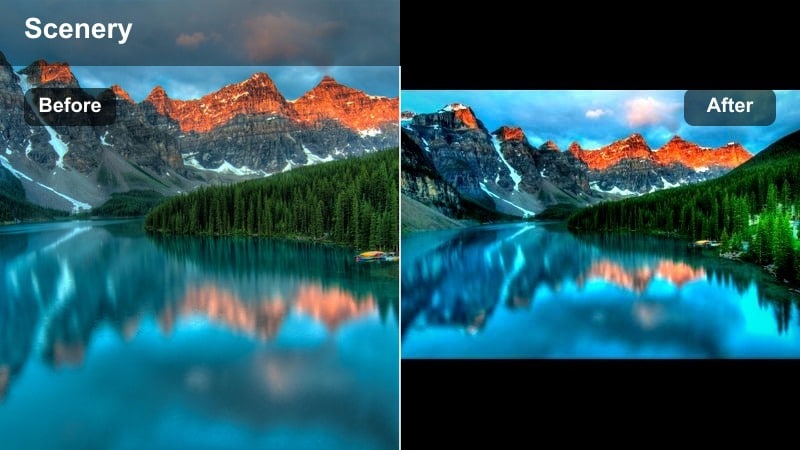
- Effect look: Cool cyan water contrasted with neutral rocks and slightly deepened shadows
- Best for: Canyon rivers, cliffside viewpoints, and rugged gorge hikes
- Editing tip: Use Filmora masks to apply stronger cool tones only to the water so canyon walls stay natural
River Canyon Cool is built to make turquoise or cyan rivers pop against the neutral tones of cliffs and rocky walls. By cooling the water while keeping rocks more natural, it helps the river become the clear visual guide through your landscape shots.
Inside Filmora, use masking to push the cool tones more aggressively on the water channel while leaving canyon walls close to their original color. This selective approach keeps the scene realistic but still stylized, perfect for drone fly-throughs or wide hike reveals.
Fresh Forest Filters for Travel Aesthetic
Fresh Forest Breeze
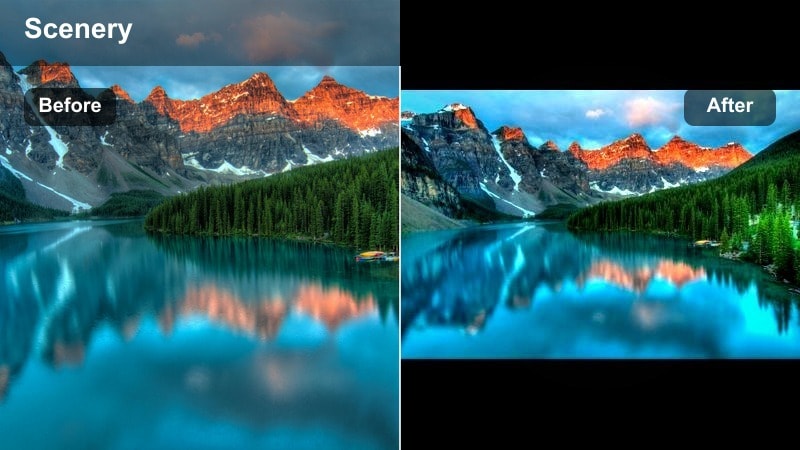
- Effect look: Bright cool greens, airy contrast, and a subtle lift in exposure for an invigorating forest feel
- Best for: Daytime hikes, leafy trails, and travel reels focused on movement through trees
- Editing tip: Increase saturation slightly on midtones to bring out backpacks, jackets, and other travel gear
Fresh Forest Breeze brightens and cools your daytime forest footage, giving greens a crisp, invigorating tone that feels perfect for energetic hike montages. It lifts exposure and adds airy contrast so leaves and foliage look lively without appearing harsh.
In Filmora, use this filter on walking shots, POV clips, and clips that follow hikers through sunlit paths. Boost midtone saturation slightly to highlight colorful gear and clothing, then match the filter intensity to the pace of your music for upbeat travel reels.
Trailhead Aesthetic Cool
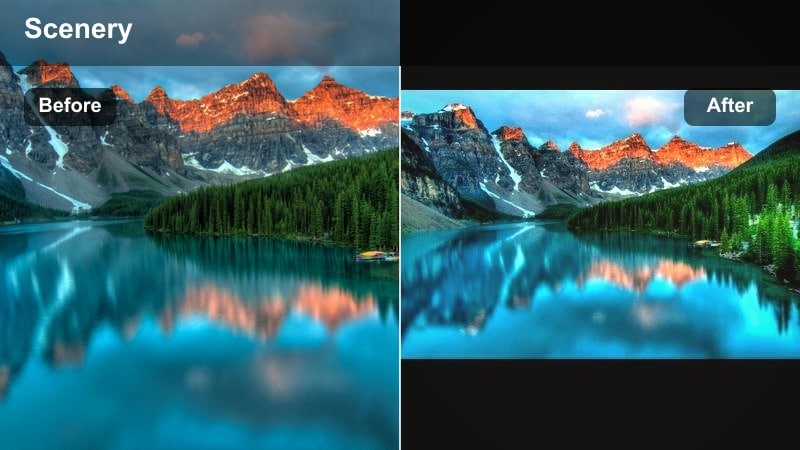
- Effect look: Slightly faded contrast, teal shadows, and soft highlights for a stylized forest aesthetic
- Best for: Intro shots at trail signs, backpack close-ups, and aesthetic packing scenes
- Editing tip: Add Filmora text overlays with simple fonts and keep filter strength consistent across all intro shots
Trailhead Aesthetic Cool gives your opening shots a stylized, teal-leaning palette that feels curated and cinematic. The slightly faded contrast and soft highlights create a gentle, filmic look that works well on signs, gear layouts, and first steps onto the trail.
Apply this filter in Filmora to all your intro and title clips, then layer in clean text overlays, maps, or timestamps. By keeping the filter strength consistent, every new hiking video on your channel can start with a familiar, branded visual identity.
Canopy Cool Soft
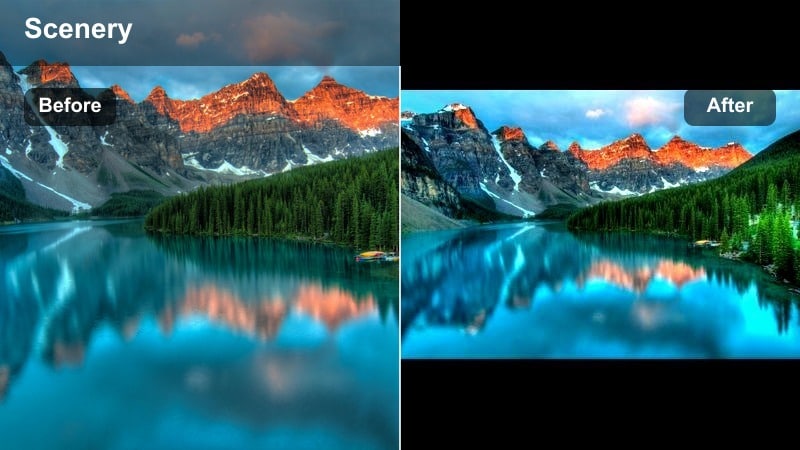
- Effect look: Softened highlights with cool tones and smoothed color transitions in tree canopies
- Best for: Upward-looking shots into treetops, slow spins, and hammock clips
- Editing tip: Reduce sharpness to avoid harsh edges in overlapping branches and leaves
Canopy Cool Soft is tuned for dreamy, upward-looking clips where the camera stares into the treetops. It cools highlights and smooths transitions between light and shadow, making overlapping branches and leaves feel gentle rather than busy.
Use this filter in Filmora on slow spins under tall trees, hammock POV shots, or resting breaks where you look straight up at the sky. Slightly reducing sharpness helps avoid harsh edges, turning these clips into smooth transitions or atmospheric moments between more action-heavy scenes.
Cool Tone Filters for Evening and Night Woods
Twilight Trail Cool
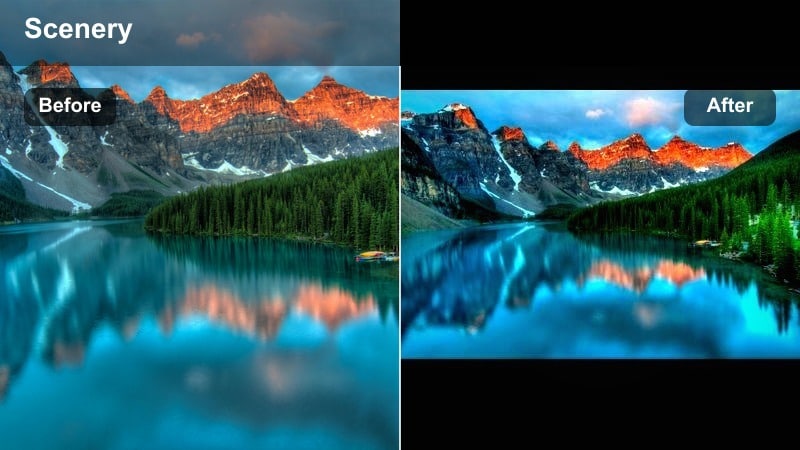
- Effect look: Deep blue shadows, softened highlights, and a slight lift in midtones for twilight visibility
- Best for: Blue-hour hikes, camp arrival shots, and sunset walk-backs through the forest
- Editing tip: Lift shadows carefully to avoid noise, and add a little film grain for a cohesive evening mood
Twilight Trail Cool adds rich blue shadows and gentle highlights that enhance the atmosphere of blue-hour forest scenes. It lifts midtones just enough that paths and silhouettes stay visible, while still preserving the sense of fading light.
When editing in Filmora, apply this filter to your evening arrival, last-light, and walk-back clips. Be conservative with exposure lifts to avoid noise, and consider adding subtle film grain so the cool tones, softness, and texture all work together to sell the twilight mood.
Campfire Cool Balance
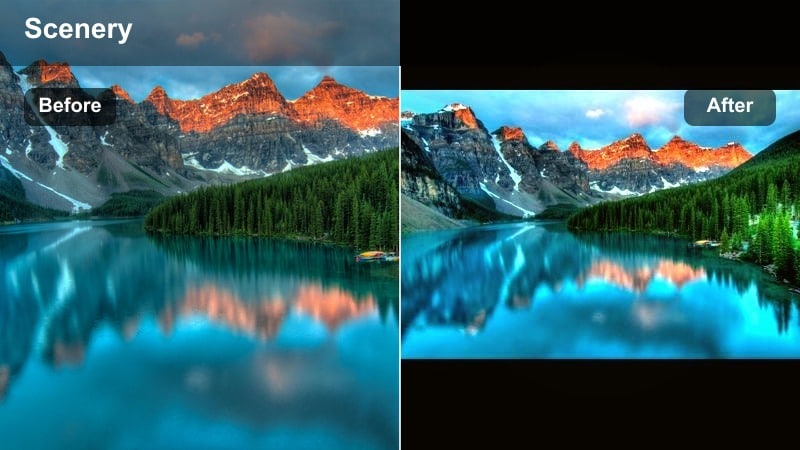
- Effect look: Cool background forest with preserved warm campfire glow on subjects
- Best for: Campfire storytelling, cooking shots, and tent scenes with lanterns
- Editing tip: Mask the fire area to keep it warm and let the filter cool everything else for contrast
Campfire Cool Balance is designed to keep your background forest cool and moody while letting the flames and lanterns stay naturally warm. This contrast between blue-toned trees and orange firelight adds depth and drama to campsite storytelling shots.
In Filmora, use masks to protect the fire and faces from heavy cooling, then let the filter work on the surrounding woods and sky. The result is a cinematic camp scene where warmth feels intentional and inviting against a cooler, darker environment.
Midnight Fir Cool
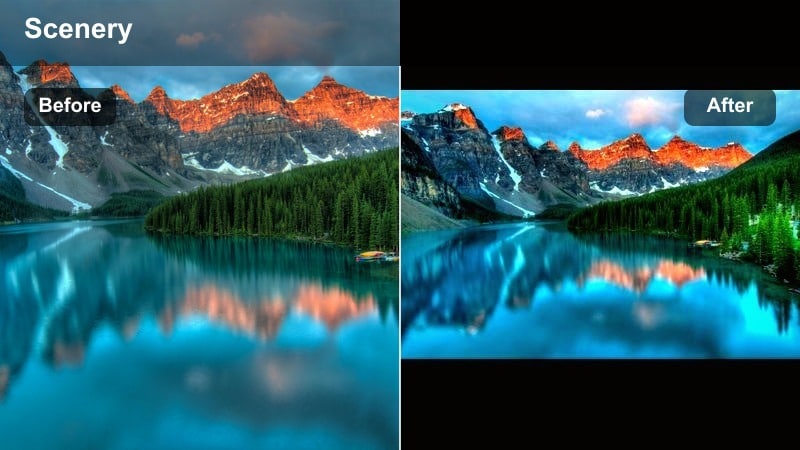
- Effect look: Dark, moody blue-greens with crushed blacks and subtle highlight glows
- Best for: Night timelapses, starry sky peeks through trees, and very dark forest paths
- Editing tip: Apply sparingly on underexposed clips, and pair with noise reduction before adding any grain
Midnight Fir Cool delivers an intense, cinematic night forest look with deep blue-greens and controlled blacks. It suits starry sky reveals through treetops, night timelapses, and the darkest parts of your hike where detail drops away into silhouette.
In Filmora, start with noise reduction and small exposure adjustments before adding this filter so you do not crush important details. Keep highlight tweaks subtle on stars and distant lights, using the cool color shift to create mood rather than relying on heavy brightening.
Tips for Using Nature Cool Filters in Filmora
- Shoot slightly flatter in-camera so cool filters have more room to shape contrast and color without crushing details.
- Film hiking routes with a mix of wide, medium, and close shots so your cool nature look feels rich and varied across the sequence.
- Use one main cool nature video filter for each trip, then fine-tune exposure and saturation per clip for consistency.
- If skin tones look too cold, selectively warm only the orange and red ranges instead of turning the whole filter down.
- Save your favorite cool forest presets as custom filters in Filmora so you can apply them with one click on new projects.
Cool nature video filters can turn simple hikes, forest walks, and riverside stops into cohesive, cinematic travel stories that highlight blue water, fresh forest air, and calm misty woods.
Experiment with a few of these cool tone presets, then refine one signature look that matches your style so every new trail or trip fits seamlessly into your hiking film collection.
secure download