

 100% Security Verified | No Subscription Required | No Malware


 ChatGPT
 Perplexity
 Gemini
 Claude
 Grok
Grok
Neon Orchid is a bold, electric purple that instantly feels futuristic, creative, and a little rebellious. It sits between magenta and violet, so it carries the passion of pink and the mystery of deep purple all at once. In color psychology, this kind of neon purple often suggests innovation, nightlife energy, and expressive individuality, which makes it a perfect hero color for modern digital creators.
On screen, Neon Orchid pops in YouTube thumbnails, gaming overlays, channel intros, and brand stingers, especially when paired with deep shadows or bright complementary accents. It can become a signature brand color for vlogs, tech channels, beauty creators, or music visuals. Below you will find carefully built Neon Orchid color palettes with HEX codes, tailored for Filmora users and any creator who wants consistent, striking color across videos, thumbnails, and social posts.
In this article
Bold And Vibrant Neon Orchid Color Palettes
Electric Night Neon
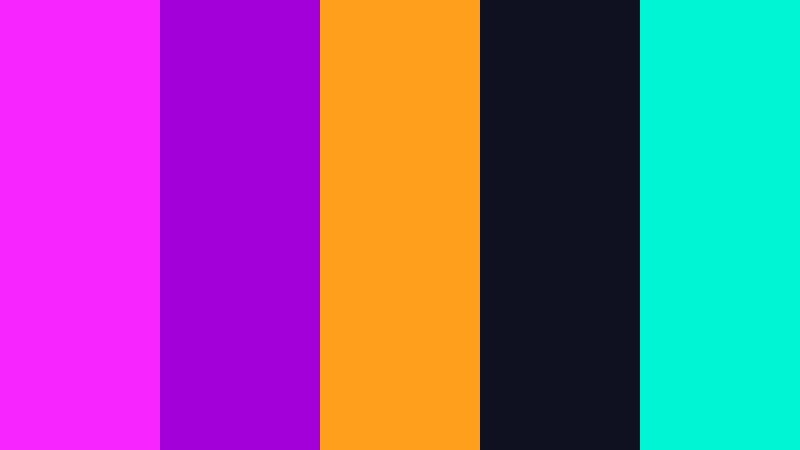
- HEX Codes: #f725ff, #a300d9, #ff9f1c, #0f1020, #00f5d4
- Mood: High-energy, futuristic, and electrifying.
- Use for: Ideal for high-impact YouTube intros, gaming overlays, and music visualizers that need to grab attention instantly.
Electric Night Neon feels like stepping into a neon city at midnight. The intense Neon Orchid shades (#f725ff and #a300d9) pulse against the deep night background (#0f1020), while the cyber accents of cyan (#00f5d4) and warm orange (#ff9f1c) create a sharp, high-contrast glow. Together, the palette looks dynamic, digital, and unapologetically bold.
Use this palette when you want your content to hit hard in the first seconds: animated titles, glitchy lower thirds, or kinetic typography for gaming, EDM, and tech content. In thumbnails, let Neon Orchid carry the main text, frame it with teal or orange strokes, and drop it on the dark base to make it pop even at small sizes. In Filmora, you can apply these HEX codes to titles, shapes, and overlays so your brand looks consistent across intros, in-video graphics, and social cutdowns.
Pro Tip: Build a Cinematic Neon Orchid Look in Filmora
To keep an Electric Night Neon vibe across a full edit, start by designing a simple style guide inside Filmora. Set your title presets with Neon Orchid for main text, Radiant Turquoise or teal accents for outlines, and the deep navy (#0f1020) as a background plate. Save these as custom presets so every intro, transition card, and end screen automatically matches your Neon Orchid brand.
You can also add subtle glow and blur effects around your Neon Orchid elements to recreate a real neon sign feel. Pair this with contrast and saturation adjustments on your footage so skin tones remain natural while your Neon Orchid overlays still look intense and crisp.
AI Color Palette
If you have a reference image for this Electric Night Neon palette, you can push the same mood across your entire video with Filmora's AI tools. Filmora's AI Color Palette feature lets you sample the colors from one still or clip and match them to other shots in a few clicks, keeping Neon Orchid and its complementary hues consistent from intro to outro.
Import a still frame that shows your ideal Neon Orchid look, then apply AI Color Palette to other clips in the timeline. The tool analyzes the image and harmonizes hue, saturation, and luminance, so your B-roll, talking-head footage, and thumbnails all share the same neon-night atmosphere.
 secure download

HSL, Color Wheels & Curves
Once your base palette is in place, refine the Neon Orchid tones with Filmora's HSL, color wheels, and curves tools. You can selectively boost the magenta and purple ranges to make Neon Orchid glow without oversaturating skin. Use color wheels to cool down shadows toward blue for a deeper night feel, while warming highlights slightly for a cinematic contrast.
With curves, you can add a subtle S-curve to enhance contrast and push the midtones where Neon Orchid usually lives. This helps your titles and light leaks stand out cleanly over darker footage. If you want a guided walkthrough, check out Filmora's tutorials on advanced color grading with HSL and curves on YouTube, then apply the same steps to your Neon Orchid projects.
secure download1000+ Video Filters & 3D LUTs
If you want fast, stylized results without manual tweaking, Filmora's video filters and 3D LUTs make it easy to lock in a Neon Orchid look. Stack glow, neon, and cinematic filters over your footage, then fine-tune intensity so your bright purples, teals, and oranges look cohesive instead of chaotic.
You can also build custom LUTs inspired by this palette and reuse them across episodes for instant brand consistency. Apply the same LUT to intros, talking-head clips, and B-roll, then layer Neon Orchid graphics and titles on top to create a recognizable, binge-worthy style.
secure downloadArcade Glow Rush
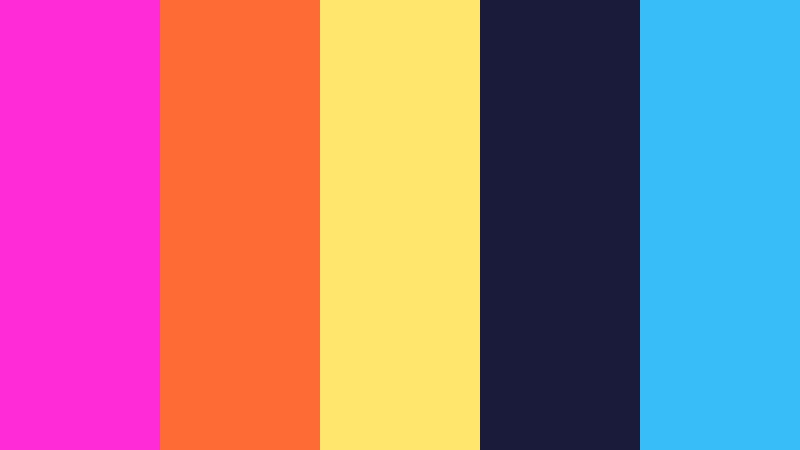
- HEX Codes: #ff2bd6, #ff6b35, #ffe66d, #1a1b3a, #38bdf8
- Mood: Playful, nostalgic, and arcade-inspired.
- Use for: Perfect for retro gaming channels, energetic vlog titles, and animated lower thirds with a throwback vibe.
Arcade Glow Rush combines hot Neon Orchid magenta (#ff2bd6) with punchy orange (#ff6b35), bright yellow (#ffe66d), and cool blue (#38bdf8) over a dark navy base (#1a1b3a). It feels like the glow of old arcade cabinets and 80s game menus updated for modern screens.
Use this palette for retro gaming intros, highlight reels, and energetic vlog titles where you want fun, nostalgic energy. In Filmora, let Neon Orchid handle your main logo or text, while orange and yellow become button colors, progress bars, and counters. The navy background keeps everything readable even when the colors are cranked up for shorts, TikToks, and YouTube thumbnails.
Festival Laser Lights
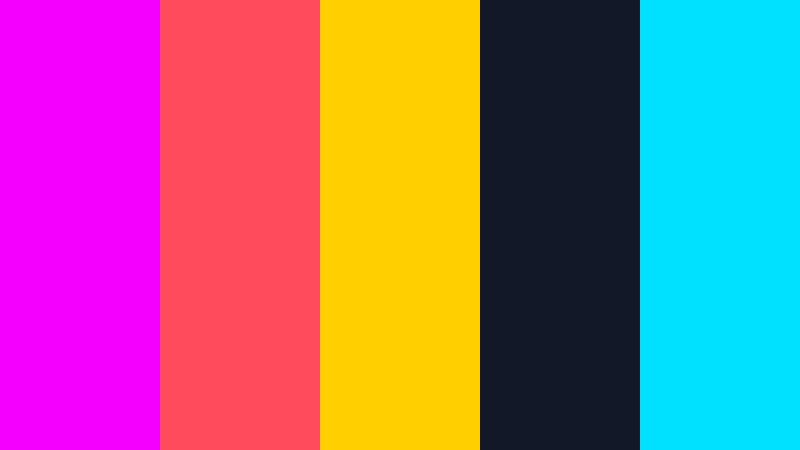
- HEX Codes: #f400ff, #ff4b5c, #ffcf00, #111827, #00e0ff
- Mood: Party-ready, intense, and euphoric.
- Use for: Great for festival recap videos, dance content, and animated social stories that need a rave-like atmosphere.
Festival Laser Lights blasts Neon Orchid (#f400ff) alongside hot pink-red (#ff4b5c), spotlight yellow (#ffcf00), and electric cyan (#00e0ff) on top of a deep charcoal night (#111827). The palette feels like lasers cutting through stage fog, filled with movement and music.
Apply this set to dance recaps, DJ set teasers, or rave-style lyric videos. In your edits, keep backgrounds dark and use Neon Orchid and cyan for strokes, waveforms, and equalizer graphics, while yellow can highlight call to action text like New Mix Out Now. For social stories and reels, animated overlays in these colors can instantly signal festival content even before the viewer reads the title.
Cyberpunk Alley Glow
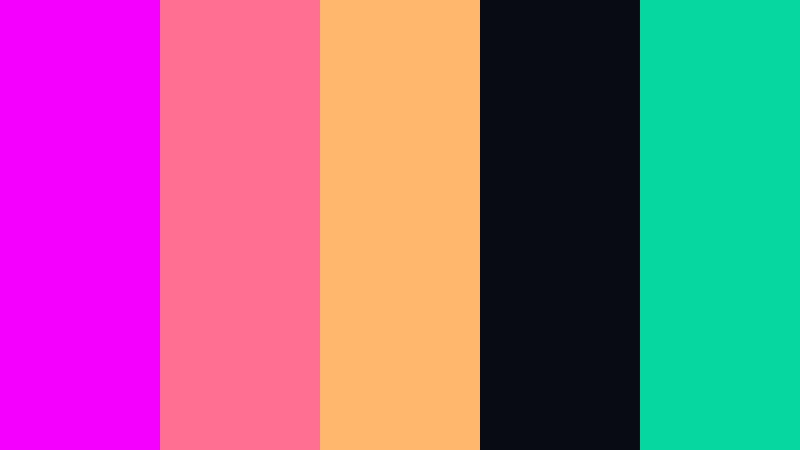
- HEX Codes: #f300ff, #ff6f91, #ffb86b, #080b12, #06d6a0
- Mood: Futuristic, edgy, and cinematic.
- Use for: Best for tech explainers, sci-fi intros, and stylized B-roll where you want a gritty yet neon-futuristic look.
Cyberpunk Alley Glow mixes intense Neon Orchid (#f300ff) with neon coral (#ff6f91), warm amber (#ffb86b), and a sharp teal green (#06d6a0) over a nearly black base (#080b12). It feels like lights reflecting off wet streets in a sci-fi city, with just enough grit to feel cinematic.
Use it for tech explainers, app launch videos, or sci-fi themed B-roll transitions. In Filmora, grade your footage slightly cooler and darker, then layer titles and HUD-style graphics in Neon Orchid and teal. Coral and amber can highlight important UI elements, chapter titles, or subscribe prompts so they stand out in thumbnails and overlay cards.
Neon Street Pop
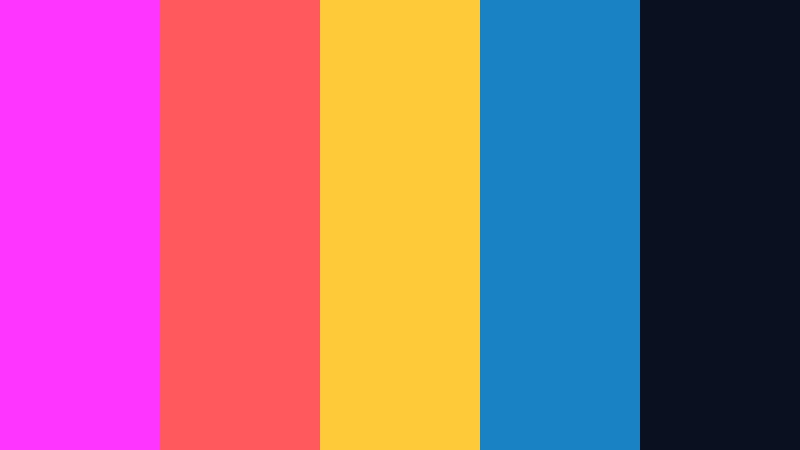
- HEX Codes: #fe34ff, #ff595e, #ffca3a, #1982c4, #0b1020
- Mood: Urban, punchy, and street-style cool.
- Use for: Use in fashion lookbooks, street vlog thumbnails, and stylized product reveals with a bold, pop-art edge.
Neon Street Pop throws vibrant Neon Orchid (#fe34ff) together with strong red (#ff595e), golden yellow (#ffca3a), and a bold blue (#1982c4) over a deep navy-black (#0b1020). It has the energy of stickers slapped onto street poles, graffiti walls, and pop-art posters.
This palette works beautifully for fashion vlogs, sneaker reveals, and city lifestyle content. Build thumbnail layouts with cutout photos outlined in Neon Orchid, then use yellow and red for price tags, calls to action, or episode numbers. In Filmora, pair this palette with fast cuts and punchy transitions to match the street-style energy.
Soft And Romantic Neon Orchid Color Palettes
Twilight Orchid Bloom
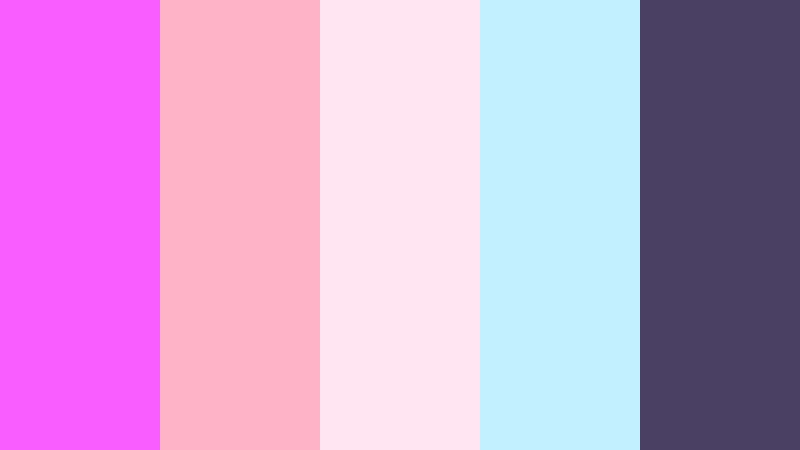
- HEX Codes: #f95dff, #ffb3c6, #ffe5f1, #c3f0ff, #4a4063
- Mood: Dreamy, romantic, and softly luminous.
- Use for: Lovely for wedding highlight reels, dreamy travel vlogs, and gentle storytelling intros.
Twilight Orchid Bloom wraps a soft Neon Orchid glow (#f95dff) in blush pink (#ffb3c6), pale rose (#ffe5f1), and powder blue (#c3f0ff), anchored by a muted violet-gray (#4a4063). It feels like the sky just after sunset, when colors are pastel but still radiant.
Try this palette for wedding highlights, romantic reels, or slow-travel stories. In Filmora, use Neon Orchid sparingly for titles or accent shapes, while the lighter tones become gentle backgrounds and frames. This keeps the overall look airy and emotional, perfect for storytelling intros and thumbnail designs that signal warmth rather than high energy.
Cotton Candy Neon Skies
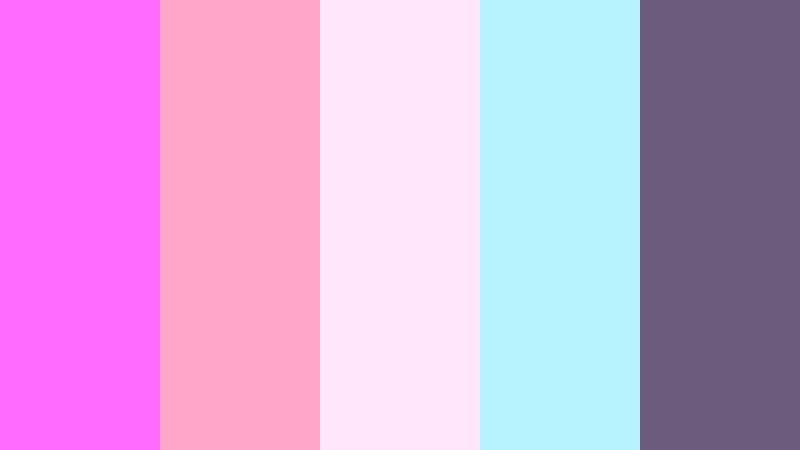
- HEX Codes: #ff6bff, #ffa6c9, #ffe6fa, #b5f4ff, #6c5b7b
- Mood: Whimsical, lighthearted, and nostalgic.
- Use for: Great for lifestyle vlogs, DIY tutorials, and playful channel branding that feels light and sweet.
Cotton Candy Neon Skies blends bright Neon Orchid (#ff6bff) with candy pinks (#ffa6c9, #ffe6fa) and soft sky blue (#b5f4ff), grounded by a dusky purple-gray (#6c5b7b). It carries the sweetness of cotton candy with a subtle neon twist.
Use this palette when you want your channel to feel soft but still on-trend, ideal for lifestyle vlogs, stationery hauls, or DIY decor tutorials. In thumbnails, let Neon Orchid outline your subject or frame text bubbles, while the lighter tones fill backgrounds so everything stays easy to read. In Filmora, this palette pairs nicely with gentle zooms and slow transitions instead of fast, glitchy effects.
Orchid Haze Serenity
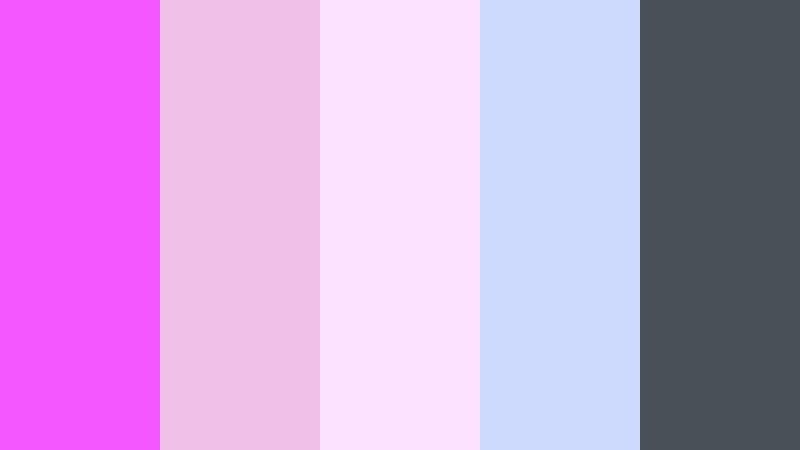
- HEX Codes: #f457ff, #f1c0e8, #fde2ff, #cddafd, #495057
- Mood: Calm, tender, and quietly confident.
- Use for: Perfect for beauty content, self-care videos, and soft-spoken voiceover edits where you want calm but modern color.
Orchid Haze Serenity uses a restrained Neon Orchid accent (#f457ff) surrounded by powdery lilac and pinks (#f1c0e8, #fde2ff) and gentle blue (#cddafd), held together by a grounded gray (#495057). The feeling is calm and modern, like a well-designed beauty brand.
Apply this palette to skincare routines, self-care checklists, or meditation and journaling content. Neon Orchid becomes the highlight color for key words and icons, while the pastels form soft panels behind text. In Filmora, use simple, clean lower thirds and minimal shapes so the calm palette sets the tone without distracting from your voiceover.
Blush Orchid Daydream
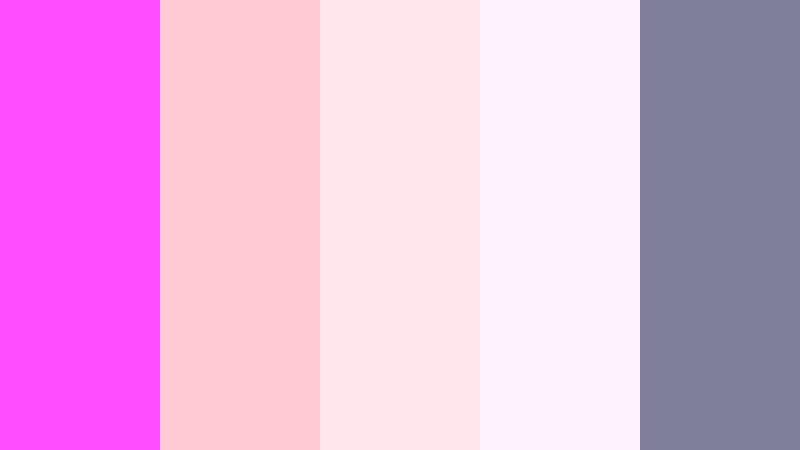
- HEX Codes: #ff4dff, #ffcad4, #ffe5ec, #fdf2ff, #7f7f9c
- Mood: Sweet, feminine, and airy.
- Use for: Use in romantic reels, stationery mockups, and cozy vlog graphics for a warm and approachable feeling.
Blush Orchid Daydream centers Neon Orchid (#ff4dff) within warm blush tones (#ffcad4, #ffe5ec) and a nearly white lavender (#fdf2ff), balanced by a soft gray-violet (#7f7f9c). It feels like soft morning light filtering into a cozy bedroom.
This palette is ideal for cozy vlogs, journaling content, or romantic reels. In design terms, Neon Orchid can highlight doodles, underlines, or small icons, while the rest of the tones keep backgrounds light and inviting. Inside Filmora, try pairing this palette with subtle film grain and slower transitions to keep the feeling gentle and intimate.
Elegant And Modern Neon Orchid Color Palettes
Orchid Noir Luxe
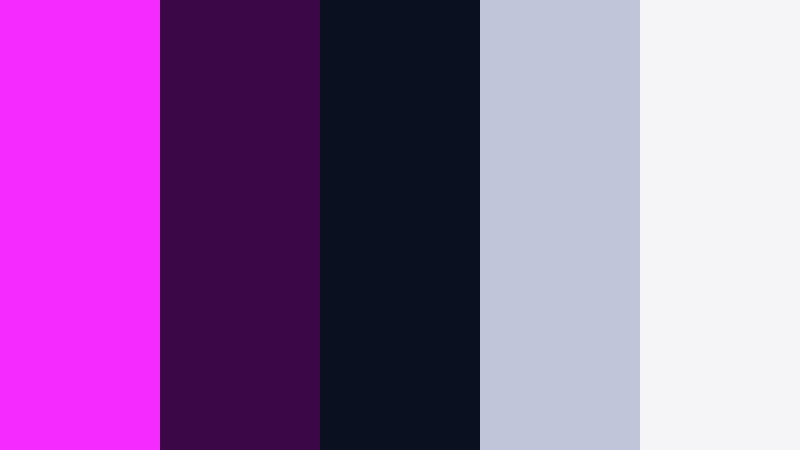
- HEX Codes: #f52aff, #3b0747, #0b1020, #c0c6d9, #f5f5f7
- Mood: Luxurious, mysterious, and high-contrast.
- Use for: Best for premium product promos, luxury tech branding, and cinematic title cards that need drama.
Orchid Noir Luxe pairs a sharp Neon Orchid (#f52aff) with deep plum (#3b0747) and near-black navy (#0b1020), softened by silvery neutrals (#c0c6d9, #f5f5f7). The contrast between vivid neon and cool grays creates a luxurious, editorial look.
Use this palette when you want your brand to feel premium and dramatic, like a high-end fragrance or cutting-edge gadget. In Filmora, lean on the light neutrals for backgrounds, use the dark shades for letterboxing or title cards, and reserve Neon Orchid for logos and key emphasis. This keeps your layouts clean but unforgettable.
Minimal Neon Accent
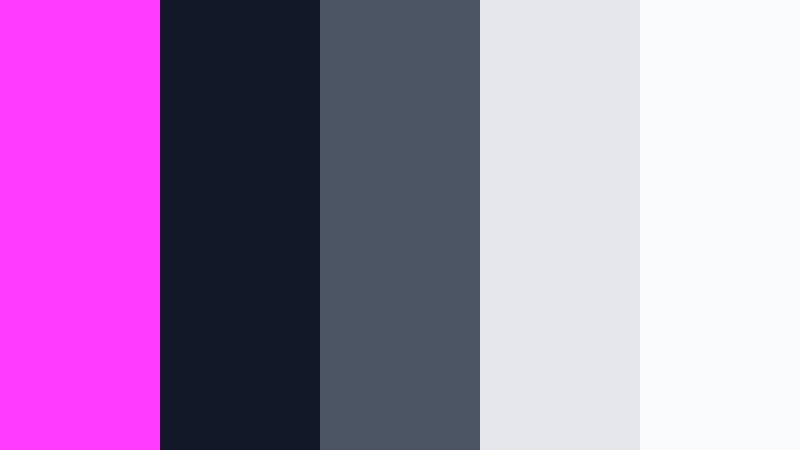
- HEX Codes: #ff3bff, #111827, #4b5563, #e5e7eb, #f9fafb
- Mood: Clean, modern, and sharply focused.
- Use for: Ideal for UI mockups, app promos, and corporate explainers that need one strong accent color.
Minimal Neon Accent is mostly composed of modern neutrals (#111827, #4b5563, #e5e7eb, #f9fafb) with a precise Neon Orchid accent (#ff3bff). This gives you a clean, corporate-ready canvas with one bold color to direct attention.
It works well for SaaS explainers, dashboard demos, and pitch videos where clarity matters. In Filmora, keep most elements gray or off-white, then use Neon Orchid only for primary buttons, progress bars, and key statistics in your thumbnails and overlays. This avoids visual clutter while still feeling fresh and modern.
Orchid Glass Gradient
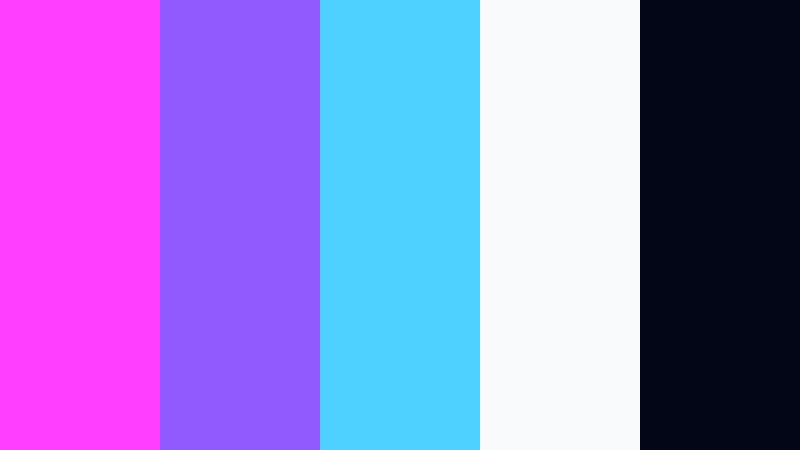
- HEX Codes: #ff3eff, #8f5bff, #4fd1ff, #f8fafc, #020617
- Mood: Sleek, futuristic, and polished.
- Use for: Perfect for gradient overlays, glassmorphism UI, and tech channel visuals with a modern, glossy feel.
Orchid Glass Gradient flows from bright Neon Orchid (#ff3eff) into electric violet (#8f5bff) and aqua (#4fd1ff), balanced by bright and dark neutrals (#f8fafc, #020617). It is designed for smooth gradients and glassmorphism effects that look right at home in tech branding.
Use this palette for tech channel intros, UI previews, and futuristic motion graphics. In Filmora, create gradient overlays that slide across your footage, blending Neon Orchid into aqua behind your logo or text. Add slight blur and transparency to emulate glass panels, and use the dark tone for underlying contrast.
Studio Spotlight Orchid
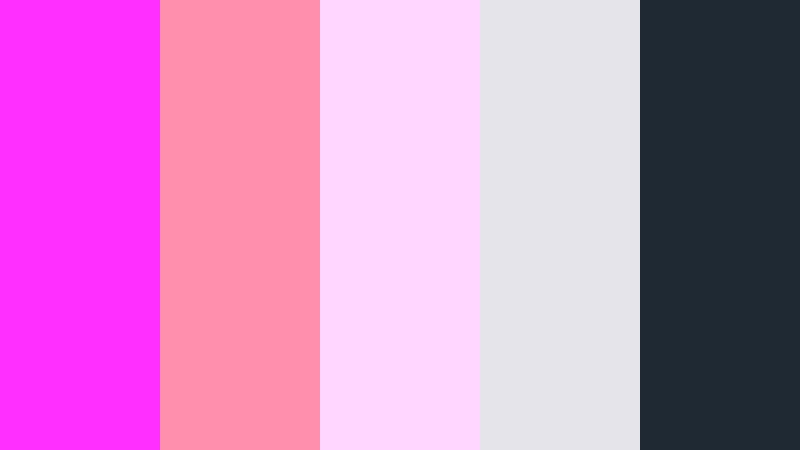
- HEX Codes: #ff2fff, #ff8fab, #ffd6ff, #e4e4ea, #1f2933
- Mood: Refined, editorial, and softly dramatic.
- Use for: Use in fashion lookbooks, studio portraits, and channel trailers where you want gallery-style minimalism with a pop.
Studio Spotlight Orchid positions Neon Orchid (#ff2fff) as the star, supported by soft pinks (#ff8fab, #ffd6ff), gallery gray (#e4e4ea), and a charcoal accent (#1f2933). It feels like a curated studio set with controlled lighting and clean backdrops.
Apply this palette to fashion lookbooks, portrait reels, or minimal channel trailers. In Filmora, build full-screen frames with light gray and pink tones, then drop in Neon Orchid for typography and graphical accents. The charcoal color is perfect for small text and icons, ensuring legibility without overwhelming the main visuals.
Pastel And Aesthetic Neon Orchid Color Palettes
Kawaii Neon Pastels
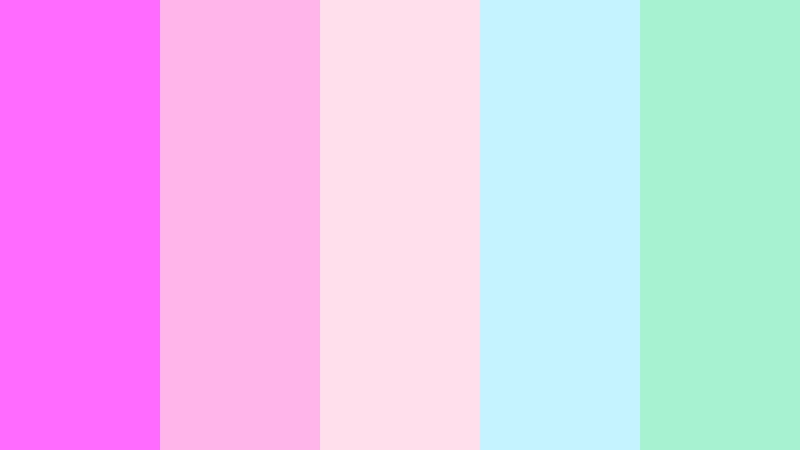
- HEX Codes: #ff6bff, #ffb5e8, #ffdfeb, #c5f4ff, #a7f3d0
- Mood: Cute, bubbly, and ultra-aesthetic.
- Use for: Great for kawaii edits, bullet journal videos, and playful channel branding aimed at younger audiences.
Kawaii Neon Pastels brings together a cheerful Neon Orchid (#ff6bff) with candy pinks (#ffb5e8, #ffdfeb), baby blue (#c5f4ff), and mint (#a7f3d0). It looks like a desk full of pastel stickers, washi tape, and doodles.
Use this palette for kawaii edits, planner spreads, or channels targeting a younger or cute-aesthetic audience. In Filmora, decorate your frames with pastel shapes, doodle animations, and hand-drawn icons in these tones. Keep Neon Orchid for headers or key icons so it anchors the look while the other colors add playful variety.
Vaporwave Orchid Dream
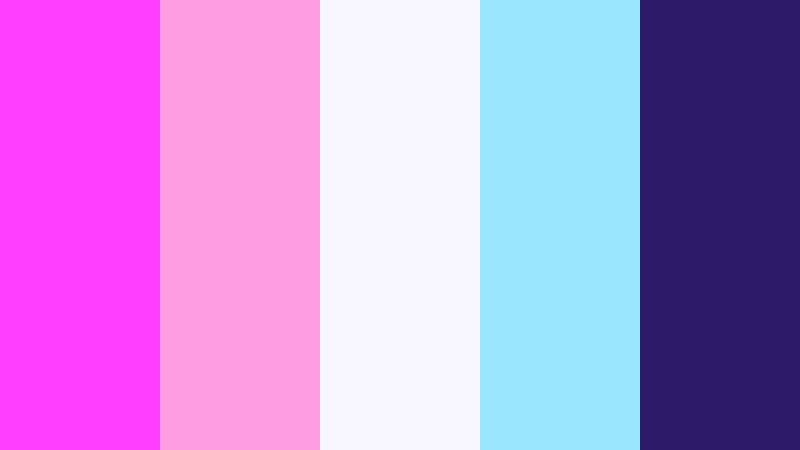
- HEX Codes: #ff3eff, #ff9de2, #f8f6ff, #9ae6ff, #2d1b69
- Mood: Retro, surreal, and internet-aesthetic.
- Use for: Perfect for lo-fi edits, vaporwave lyric videos, and nostalgic montage sequences.
Vaporwave Orchid Dream pairs Neon Orchid (#ff3eff) with hazy pink (#ff9de2), pale lilac white (#f8f6ff), and sky blue (#9ae6ff), grounded by a deep synthwave purple (#2d1b69). The palette instantly evokes vaporwave, lo-fi beats, and nostalgic internet art.
Use it for lo-fi music loops, retro lyric videos, or nostalgia edits. In Filmora, combine this palette with grain, VHS overlays, and slow zooms on static images. Neon Orchid and deep purple can handle main text and borders, while the soft pastels wash over backgrounds in gradients or soft shapes.
Cloud Studio Neon
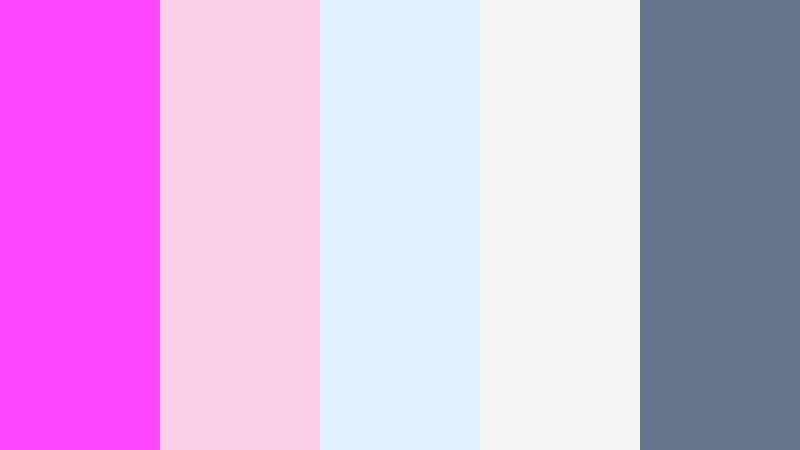
- HEX Codes: #ff47ff, #fbcfe8, #e0f2fe, #f5f5f5, #64748b
- Mood: Airy, creative, and content-creator friendly.
- Use for: Use for channel banners, tutorial slides, and educational content that should feel approachable but still on-trend.
Cloud Studio Neon combines a clear Neon Orchid accent (#ff47ff) with blush pink (#fbcfe8), baby blue (#e0f2fe), soft white-gray (#f5f5f5), and a slate accent (#64748b). It feels like a bright creator studio floating in the clouds.
This palette is perfect for tutorial channels, educational content, and creator-branding that aims to be friendly yet professional. In Filmora, use the light neutrals as slide backgrounds, Neon Orchid for headings and key icons, and slate gray for body text. This keeps your layouts readable while still giving each frame a fresh, on-trend Neon Orchid signature.
Tips for Creating Neon Orchid Color Palettes
Neon Orchid is powerful, so the key is balancing its intensity with the right neutrals, accents, and contrasts. Here are practical tips to help you combine Neon Orchid with other colors for video and design work.
- Pair Neon Orchid with dark backgrounds (navy, charcoal, deep plum) when you want a nightlife or cyberpunk vibe and strong contrast for text.
- Use soft pastels (blush, lilac, powder blue) around Neon Orchid to create romantic, dreamy looks for weddings, lifestyle vlogs, and slow-travel edits.
- Limit Neon Orchid to key elements like titles, buttons, and call to action badges so it directs attention instead of overwhelming the whole frame.
- Always check text readability: test white, black, or dark gray over Neon Orchid, and add subtle shadows or outlines in Filmora if the background is busy.
- For branding, define 1 main Neon Orchid shade and 2 to 3 supporting colors, then reuse them in every thumbnail, intro, and end screen for consistency.
- Match your footage to the palette by slightly tinting shadows or midtones toward your chosen accent colors using Filmora's color tools.
- Combine Neon Orchid with complementary teals or cyans for a techy, futuristic feel, especially in gaming and app promo content.
- When designing shorts or vertical videos, keep large flat areas of background color and use Neon Orchid for bold, short text that can be read in one glance.
Neon Orchid color palettes can transform your videos from ordinary to instantly recognizable, shaping mood, energy, and brand identity. Whether you lean into bold night-city vibes, soft pastels, or minimalist neutrals with a single neon accent, choosing the right combination signals what your content is about before viewers even hit play.
Use these 15 curated palettes as starting points, then refine them in Filmora by applying HEX codes to your titles, overlays, and backgrounds. With tools like AI Color Palette, HSL, color wheels, and filters, it is easy to keep your Neon Orchid look consistent across intros, B-roll, and social cutdowns.
Experiment with a few palettes on test thumbnails or short edits, see what your audience responds to, and then lock in a signature Neon Orchid style that makes your channel or brand stand out everywhere it appears.
secure download