

 100% Security Verified | No Subscription Required | No Malware


 ChatGPT
 Perplexity
 Gemini
 Claude
 Grok
Grok
Planetary Gold is a warm, luminous shade that instantly signals luxury, success, and optimism. On screen it feels like a sunbeam: rich enough to look premium, but bright enough to grab attention in busy feeds. Used thoughtfully, Planetary Gold can guide the eye to titles, calls to action, and key storytelling moments without overwhelming the frame.
For video creators, YouTubers, and brand designers, Planetary Gold works beautifully in intros, lower thirds, logo animations, thumbnails, and social posts. Below you will find carefully curated Planetary Gold color palettes with HEX codes. They are ready to be dropped into Filmora for cinematic grading, branded overlays, and cohesive Planetary Gold themed visuals across your entire channel.
In this article
Cinematic Planetary Gold Color Palettes
Solar Flare Cinema
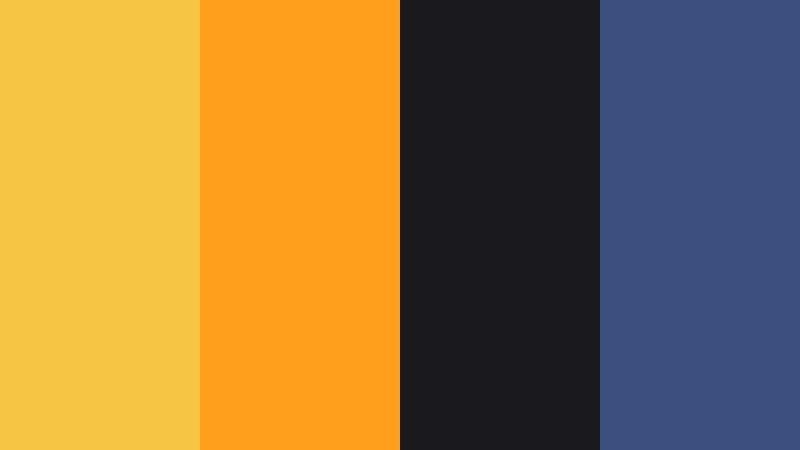
- HEX Codes: #f4c644, #ff9f1c, #1a1a1d, #3c5080
- Mood: Dramatic, high-energy, and theatrical with a blockbuster feel.
- Use for: Ideal for cinematic intros, movie-style trailers, and bold YouTube thumbnails that need immediate impact.
Solar Flare Cinema is all about spectacle. Planetary Gold (#f4c644) and blazing orange (#ff9f1c) punch through dark charcoal and navy, creating the same tension and glow you see in movie posters and big-budget trailers. The contrast is strong and graphic, perfect for big titles, countdowns, and epic teaser moments.
Use this palette when you want your video intro or thumbnail to scream cinematic. Set your title text or logo in Planetary Gold, frame it with deep #1a1a1d blacks, then add #3c5080 as a cool accent in gradients, flares, or UI lines. In Filmora, this combination works beautifully for dramatic color grading, dynamic text templates, and end screens that feel like a theatrical release.
Pro Tip: Build a Cinematic Planetary Gold Look in Filmora
To keep a Solar Flare Cinema look consistent, treat Planetary Gold as your hero color across the whole edit. In Filmora, you can sample #f4c644 for titles, callouts, and shapes, then reuse it in transitions, overlays, and animated elements so every frame feels like part of the same blockbuster universe.
Combine Planetary Gold with the deep charcoal tone in your background or vignette layers, and reserve the hottest orange for action moments, stingers, and subscribe buttons. This structure helps your audience instantly recognize your brand while still letting each scene feel dynamic and fresh.
AI Color Palette
If you have a key frame, poster, or thumbnail mockup using this Solar Flare Cinema palette, you can turn it into a reference for your entire edit. Filmora's AI Color Palette feature analyzes the colors in a reference image or clip and intelligently applies that style to other footage.
Import your hero frame graded in Planetary Gold, run AI Color Palette on your timeline clips, and the software will push your shadows toward the same deep charcoals while preserving the golden midtones and warm highlights. It is a fast way to make b-roll, talking head shots, and cutaways all share the same cinematic Planetary Gold mood.
 secure download

HSL, Color Wheels & Curves
Once your Planetary Gold look is in place, you can fine-tune it in Filmora using HSL, color wheels, and curves. Push the yellow and orange hues slightly warmer in HSL to intensify the golden flare, and deepen your blues in the color wheels to create more contrast between the warm foreground and cool background. This approach is similar to the split-toning workflows shown in Filmora's professional color grading tutorials on YouTube.
Use curves to gently lift highlights where Planetary Gold appears, creating a glossy, premium finish without blowing out details. A subtle S-curve adds punch to your shadows and midtones, making your titles and characters stand out against darker, more atmospheric scenes.
secure download1000+ Video Filters & 3D LUTs
If you want a Planetary Gold look without building it from scratch, Filmora's video filters and 3D LUTs make it easy to test different cinematic styles. You can stack warm filters, glow effects, and film-style LUTs to find a treatment that makes Planetary Gold pop while keeping skin tones natural.
Once you like a combination, save it as a preset and reuse it on intros, trailers, and shorts so your Solar Flare Cinema palette becomes part of your visual identity. This speeds up your workflow and keeps every video on brand.
secure downloadGalactic Premiere Lights

- HEX Codes: #f7cf52, #ffd166, #2d3142, #1b263b, #ffffff
- Mood: Luxurious and glamorous with a red-carpet premiere sparkle.
- Use for: Perfect for film festival bumpers, award show graphics, and premium trailer cards.
Galactic Premiere Lights mixes buttery Planetary Gold tones (#f7cf52, #ffd166) with deep inky blues and crisp white. The result feels like spotlights cutting through a dark theater, highlighting trophies, titles, and star names.
Use the golds for logos, trophy icons, and key text, while #2d3142 and #1b263b create elegant backgrounds or letterbox bars. White adds clean contrast for subtitles and credits. This palette fits award show countdowns, festival laurels, and any video where you want a VIP, red-carpet flavor.
Orbit Noir Drama
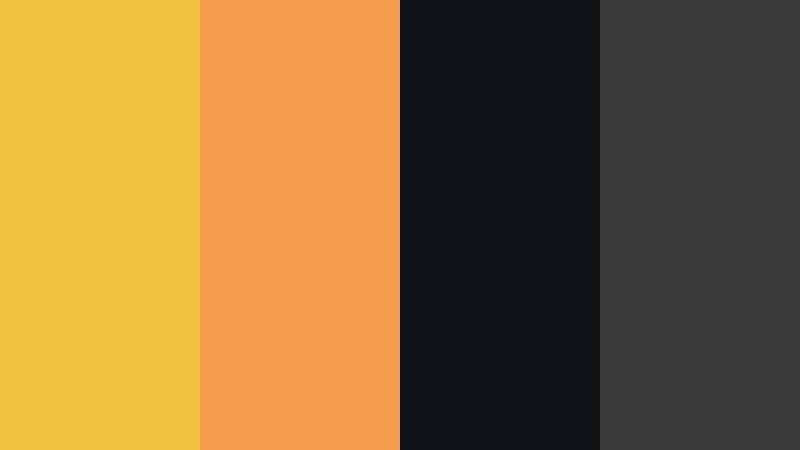
- HEX Codes: #f0c23e, #f29e4c, #111118, #3a3a3a
- Mood: Moody, intense, and stylish with a neo-noir edge.
- Use for: Great for thriller trailers, tech review channels, and dramatic title cards.
Orbit Noir Drama pairs sharp Planetary Gold highlights with near-black shadows (#111118) and cool charcoal (#3a3a3a). The accent orange (#f29e4c) keeps things warm but slightly dangerous, like sodium street lamps in a rainy city.
This is ideal for tech channels, thriller edits, and stylish product showcases. Use the dark tones as your base, then pick out UI lines, icons, and headings in Planetary Gold. In thumbnails, a single gold subject against almost-black surroundings draws the viewer in with a mysterious, premium feel.
Starlit Action Burst

- HEX Codes: #f5cc54, #ff6f3c, #0b132b, #1c2541, #ffffff
- Mood: Explosive, bold, and heroic with classic action-movie intensity.
- Use for: Best for gaming intros, high-energy sports edits, and dynamic highlight reels.
Starlit Action Burst is built for adrenaline. Planetary Gold (#f5cc54) and blazing orange-red (#ff6f3c) erupt against deep navy shadows and clean white accents. It has that superhero-poster vibe where warm highlights slice through a cool, cinematic night.
Use dark blues (#0b132b, #1c2541) as backgrounds, with gold and orange streaks for motion graphics, subscriber animations, and gameplay kill highlights. This palette makes lower thirds and kinetic typography in Filmora look like they belong in a high-budget action montage.
Celestial Title Sequence
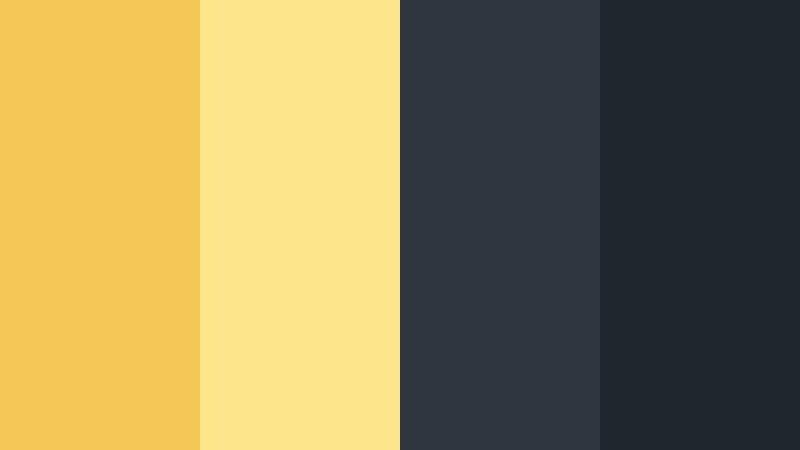
- HEX Codes: #f4c857, #fde68a, #2f3640, #1e272e
- Mood: Epic, spacious, and mysterious with a sci-fi title vibe.
- Use for: Use in opening credits, space-inspired edits, and title cards with slow cinematic reveals.
Celestial Title Sequence softens Planetary Gold into glowing gradients (#f4c857 to #fde68a) against cool, cosmic grays. It feels like distant suns slowly rising over a silent galaxy, perfect for slow, elegant title reveals.
Use the light golds for text and subtle glows, letting #2f3640 and #1e272e carry your backgrounds and letterbox bars. In Filmora, add gentle lens flares and slow zooms to match the spacious, sci-fi atmosphere of this palette.
Elegant And Modern Planetary Gold Color Palettes
Minimal Orbit Luxe
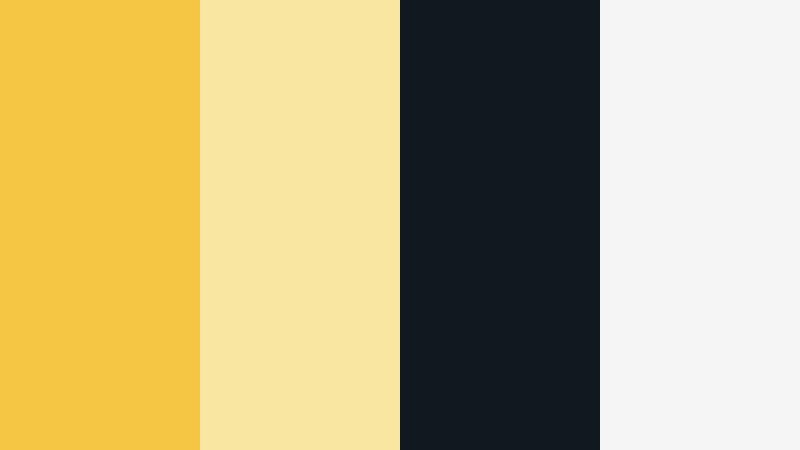
- HEX Codes: #f4c644, #f9e6a0, #101820, #f5f5f5
- Mood: Clean, refined, and minimal with a quiet luxury touch.
- Use for: Perfect for logo reveals, lower thirds, and brand intros for design-forward creators.
Minimal Orbit Luxe uses Planetary Gold as a precise accent rather than a flood. Paired with soft ivory (#f9e6a0), deep near-black (#101820), and light #f5f5f5, it feels premium and airy at the same time.
Use this palette for minimalist channel branding, understated thumbnails, and intro animations where negative space matters. Planetary Gold works best for logos, key icons, and a few lines of text, while the neutrals keep everything calm and modern.
Urban Gilded Interface

- HEX Codes: #f0c43b, #f0f0f0, #191919, #4b4b4b, #00b4d8
- Mood: Sophisticated, techy, and polished with a subtle futuristic edge.
- Use for: Great for UI overlays, app promos, and tech channel graphics.
Urban Gilded Interface combines Planetary Gold with cool grays and a bright cyan accent (#00b4d8). It feels like a sleek dashboard or premium app interface, perfect for tech explainer content.
Use #191919 and #4b4b4b for panels or HUD backgrounds, Planetary Gold for key buttons and metrics, and cyan as a contrasting accent for notifications or highlights. In your Filmora projects, this palette is ideal for animated mockups of apps, dashboards, and product UIs.
Satellite Brand Signature

- HEX Codes: #f6cd58, #fdf6e3, #30343f, #8d99ae
- Mood: Balanced, trustworthy, and professional with a stylish twist.
- Use for: Ideal for brand kits, channel banners, and presentation templates.
Satellite Brand Signature builds a professional brand feel around soft Planetary Gold (#f6cd58). Creamy off-white (#fdf6e3) keeps layouts bright, while muted blues (#30343f, #8d99ae) add a grounded, corporate tone.
This palette is perfect for long-term branding: channel art, end screens, slide decks, and content series thumbnails. Use Planetary Gold sparingly for logos and calls to action, with the blues handling headings and backgrounds for a trustworthy, modern look.
Geo Orbit Grid

- HEX Codes: #f3c341, #ffeaa7, #2d3436, #636e72
- Mood: Contemporary, geometric, and balanced with editorial flair.
- Use for: Use for motion graphics, infographic videos, and sleek explainer animations.
Geo Orbit Grid marries Planetary Gold (#f3c341) with pale apricot (#ffeaa7) and cool grays. It feels like a modern editorial layout turned into motion, clean and structured but still warm.
In infographic or explainer videos, use Planetary Gold to highlight key data points, chart bars, or keywords. The neutrals keep backgrounds calm so on-screen text stays easy to read. This palette is excellent for timeline animations and grid-based layouts in Filmora.
Warm And Inviting Planetary Gold Color Palettes
Cosmic Coffee Glow
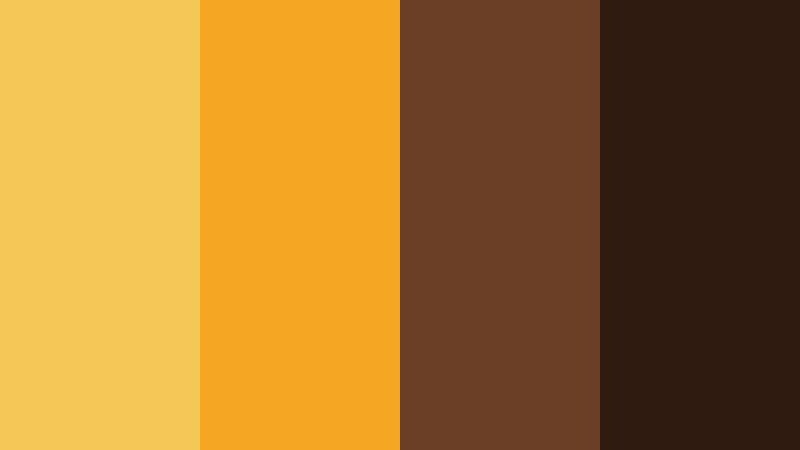
- HEX Codes: #f4c857, #f5a623, #6b3e26, #2f1b10
- Mood: Cozy, rich, and comforting with a cinematic cafe warmth.
- Use for: Great for lifestyle vlogs, coffee shop b-roll, and slow morning routines.
Cosmic Coffee Glow uses Planetary Gold and amber (#f5a623) over deep coffee browns. It instantly evokes latte foam, wood tables, and soft lamps in a cafe at golden hour.
For lifestyle vlogs and morning routines, grade your footage warmer and lean into these tones for overlays, titles, and subtle frames. Dark browns make a great base for text, while the golden hues bring warmth to hands, mugs, and interiors without looking over-saturated.
Sunbound Travel Journal

- HEX Codes: #f7cd5a, #ffb347, #f9f3dd, #247ba0
- Mood: Adventurous, sunlit, and nostalgic with postcard energy.
- Use for: Perfect for travel vlogs, destination recaps, and montage edits.
Sunbound Travel Journal wraps Planetary Gold (#f7cd5a) and warm orange (#ffb347) around sandy off-white and ocean blue (#247ba0). It feels like a stack of sun-faded postcards and film photos from your favorite trip.
Use this palette to brand your travel series: Planetary Gold for titles and map pins, blue for water shots and location labels, and the pale neutral for text blocks or scrapbook-style frames. It translates beautifully into Filmora motion graphics for itinerary reveals and destination montages.
Orbiting Harvest Hearth
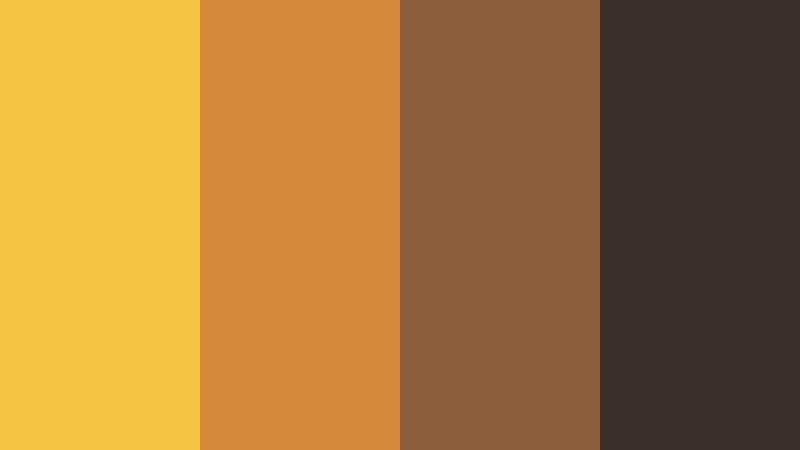
- HEX Codes: #f3c341, #d48a3a, #8b5e3c, #3a2f2a
- Mood: Earthy, grounded, and nostalgic like autumn evenings.
- Use for: Use for cozy home content, cooking channels, and seasonal promos.
Orbiting Harvest Hearth shifts Planetary Gold into an autumn palette, pairing it with amber (#d48a3a) and chestnut browns. It feels like candlelight in a kitchen, roasted vegetables, and sweaters in late afternoon light.
This palette is perfect for cooking channels, home decor reels, and fall-themed promos. Let the darker browns carry your backgrounds, then add Planetary Gold as a subtle glow in text, icons, and overlays to amplify the sense of warmth and comfort.
Golden Hour Vlog Glow
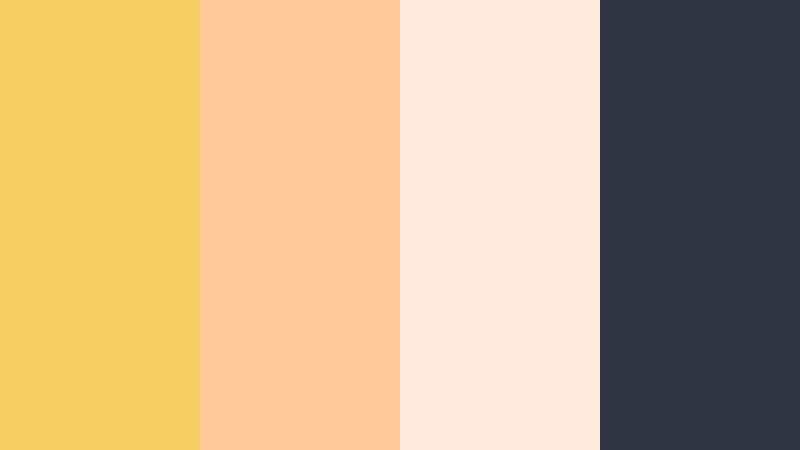
- HEX Codes: #f6cf63, #ffc999, #ffeadb, #2f3542
- Mood: Soft, flattering, and dreamy like sunset skin tones.
- Use for: Ideal for beauty videos, lifestyle vlogs, and portraits needing a golden hour filter.
Golden Hour Vlog Glow centers around soft Planetary Gold (#f6cf63) supported by peachy highlights (#ffc999) and creamy light tones (#ffeadb). A deep slate (#2f3542) grounds the palette so it never feels washed out.
Use this for flattering face shots, GRWM content, and lookbooks. In Filmora, grade your footage slightly warmer and softer, then use Planetary Gold and peach for titles, borders, and subtle light leaks. The slate tone is perfect for text that needs to stay legible over bright backgrounds.
Bold And Vibrant Planetary Gold Color Palettes
Supernova Thumbnail Pop

- HEX Codes: #f4c644, #ff3366, #2b2d42, #06d6a0
- Mood: Loud, eye-catching, and energetic with instant scroll-stopping power.
- Use for: Perfect for YouTube thumbnails, shorts covers, and bold call-to-action frames.
Supernova Thumbnail Pop turns Planetary Gold into a high-energy accent alongside neon pink (#ff3366), deep navy-gray (#2b2d42), and bright teal (#06d6a0). It is a pure click magnet palette built for speed-scrolling feeds.
Use #2b2d42 as your background so the bright colors explode off the screen. Set key words in Planetary Gold, highlight emojis or icons in neon pink, and use teal as a secondary accent. This palette is especially strong for Shorts covers, challenge videos, and high-impact CTAs.
Planetary Arcade Neon

- HEX Codes: #f1c232, #ff6f61, #1a1a40, #3f37c9, #00f5d4
- Mood: Retro, electric, and playful with 80s arcade vibes.
- Use for: Great for gaming channels, retro edits, and energetic music videos.
Planetary Arcade Neon mixes electric Planetary Gold (#f1c232) with hot coral (#ff6f61), neon cyan (#00f5d4), and vivid indigo (#3f37c9) over a dark base (#1a1a40). It feels like an 80s arcade cabinet or a synthwave album cover come to life.
Perfect for gaming intros, retro edits, and beat-synced lyric visuals, this palette thrives on moving shapes, glows, and neon strokes. In Filmora, combine it with glitch transitions and VHS textures for a fully immersive nostalgia blast.
Rocket Launch Social Burst

- HEX Codes: #f7d14f, #ff5a5f, #00a8e8, #1a1b1f
- Mood: Energetic, bold, and high-conversion focused for social campaigns.
- Use for: Use for ad creatives, promo reels, and product launch countdowns.
Rocket Launch Social Burst is built to convert. Planetary Gold (#f7d14f), coral red (#ff5a5f), and electric blue (#00a8e8) sit on a dark neutral base, creating immediate visual tension and clarity.
Use Planetary Gold for pricing, discounts, and key phrases, coral for buy buttons or limited-time labels, and blue for secondary info or trust signals. On Reels, Shorts, and story ads, this combination keeps your CTA obvious and clickable without sacrificing style.
Tips for Creating Planetary Gold Color Palettes
Planetary Gold is powerful, so the colors you pair it with will decide whether your video feels cinematic, cozy, or ultra-modern. Use these tips to build balanced palettes and keep your visuals consistent in Filmora.
- Decide the role of Planetary Gold first: main brand color, accent, or highlight for text and icons. Use it more sparingly if you want a premium, minimal feel.
- Pair Planetary Gold with deep cool tones (navy, charcoal, dark teal) for cinematic contrast that keeps bright elements from overpowering your footage.
- For lifestyle and vlog content, mix Planetary Gold with soft neutrals and warm browns to keep skin tones flattering and the overall mood inviting.
- Always check readability: if Planetary Gold is used for text, place it on very dark or very light backgrounds, and avoid mid-tone backgrounds that reduce contrast.
- Limit yourself to 3–5 main colors per palette in Filmora. Use tints and shades of those colors instead of constantly adding new hues.
- Match your grade to your branding: if your overlays and titles are Planetary Gold, nudge the midtones and highlights of your footage slightly warmer so the frame feels unified.
- Test palettes on multiple assets: thumbnails, intros, lower thirds, and end screens. If a palette looks good everywhere, it is a strong choice for long-term branding.
- Save custom color presets in Filmora so you can reuse the same Planetary Gold HEX codes and supporting colors across different projects and series.
Planetary Gold can make your content feel cinematic, luxurious, or warmly personal, depending on how you combine it with shadows, neutrals, and accent colors. Whether you are designing thumbnails, building a channel identity, or grading a full series, a clear color palette turns your visuals into a recognizable signature.
Use these 15 Planetary Gold color palettes as starting points, then refine them inside Filmora until they match your story and style. With consistent colors across intros, b-roll, and social cutdowns, every piece of content you publish will feel like part of the same polished universe.
Experiment, save your favorite looks, and let Planetary Gold be the thread that connects your brand across platforms and formats.
secure download