

 100% Security Verified | No Subscription Required | No Malware


 ChatGPT
 Perplexity
 Gemini
 Claude
 Grok
Grok
Red turquoise combines the emotional energy of red with the calm clarity of turquoise. Together they create a bold but refreshing contrast that instantly pulls the eye, whether you are designing a YouTube thumbnail, building a channel brand, or color grading a cinematic travel vlog. Red injects passion, urgency, and warmth, while turquoise adds balance, cleanliness, and a modern, digital feel.
For video creators and designers, this mix is powerful for intros, lower thirds, overlays, and entire visual identities that feel both vibrant and polished. Below you will find carefully curated red turquoise color palettes with HEX codes that work beautifully for Filmora users and other creators, so you can keep your thumbnails, titles, and edits looking cohesive from frame to frame.
In this article
Soft & Dreamy Red Turquoise Color Palettes
Coral Tide Serenity
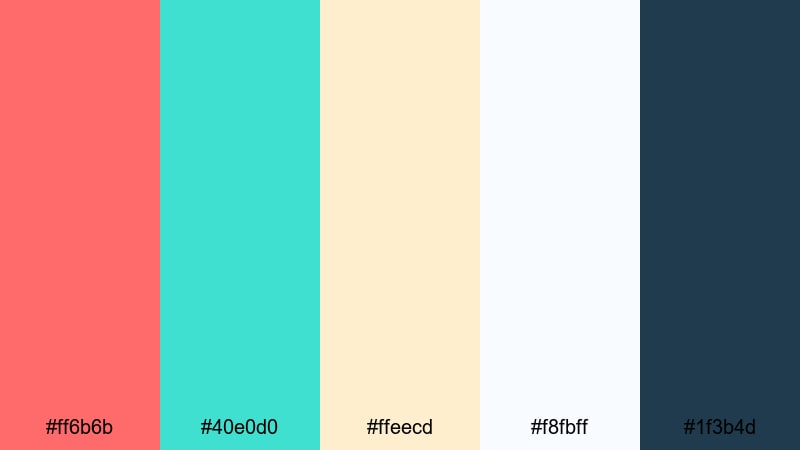
- HEX Codes: #ff6b6b, #40e0d0, #ffeecd, #f8fbff, #1f3b4d
- Mood: Gentle, calming, and romantic like a sunset over a quiet tropical bay.
- Use for: Ideal for wedding highlight videos, travel vlogs, and dreamy YouTube channel banners.
This palette blends soft coral reds with airy turquoise, creamy beige, and a touch of deep blue for contrast. It feels like golden hour at the beach, with enough warmth to feel emotional and enough cool tones to stay light and refreshing.
Use Coral Tide Serenity when you want your thumbnails, title cards, and lower thirds to communicate romance and calm. In Filmora, you can pair the coral for key elements like text and call-to-action buttons, while using the turquoise and off-whites for backgrounds and overlays in wedding montages, honeymoon vlogs, and dreamy B-roll edits.
Pro Tip: Build Romantic Red Turquoise Scenes in Filmora
To keep this soft red turquoise vibe consistent, start by saving your key HEX codes inside Filmora as custom colors. Use the coral reds for accent titles and on-screen graphics, and let the pale creams and blues fill your backgrounds and transition cards. This way, every part of your edit, from intro to end screen, feels like it belongs to the same gentle story.
You can also create a simple style guide for your project inside Filmora. Reuse the same fonts and apply your red turquoise colors to titles, subtitles, and lower thirds so your travel or wedding series looks cohesive across multiple videos and social cutdowns.
AI Color Palette
If you have a favorite frame or mood board that captures this coral-and-turquoise glow, you can turn it into a look for your entire video. Filmora's AI Color Palette feature lets you pick colors from a reference clip or image and match them across all your footage.
Simply choose your reference shot with the perfect red turquoise balance, then let AI apply similar tones to the rest of your timeline. This is ideal when you are editing a whole destination vlog or wedding recap and want every angle and camera to share the same soft, romantic atmosphere.
 secure download

HSL, Color Wheels & Curves
To refine this gentle palette, use Filmora's HSL sliders to soften strong reds into coral and shift greens slightly toward turquoise. With color wheels, you can cool down the shadows and keep highlights warm, creating that dreamy sunset balance. The curves tool lets you lift the blacks a little for a low contrast, filmic softness that suits romantic edits.
For more detail on fine-tuning tones, you can watch the built in tutorial or explore the Filmora color correction guide to see how small tweaks in saturation and luminance make red turquoise palettes feel more cinematic and cohesive.
secure download1000+ Video Filters & 3D LUTs
If you want to stylize your red turquoise look even faster, Filmora's video filters and 3D LUTs make it easy to add a cohesive mood in a single click. You can choose soft film, pastel, or travel LUTs that gently shift your reds and turquoises into a unified style.
Combine your chosen palette with a subtle filter to add grain, glow, or light leaks for more romance. This is especially helpful for wedding highlight reels or dreamy travel stories where you want the entire video to feel like one continuous memory.
secure downloadSeaside Blush Hues
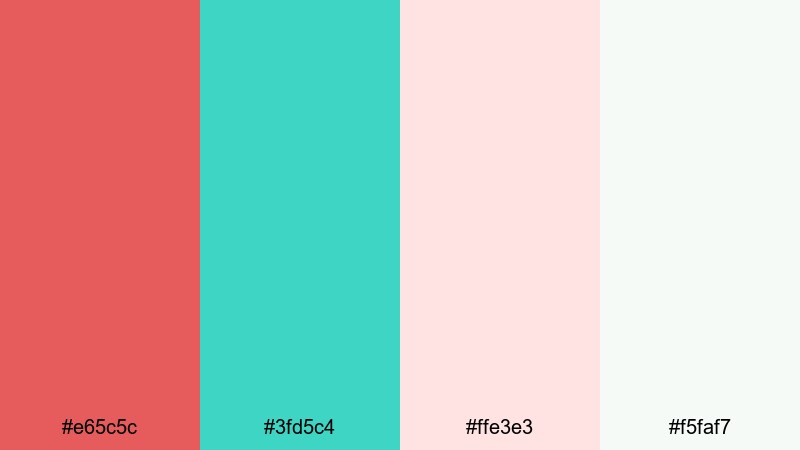
- HEX Codes: #e65c5c, #3fd5c4, #ffe3e3, #f5faf7
- Mood: Light, breezy, and slightly nostalgic with a coastal romance vibe.
- Use for: Great for lifestyle vlogs, lookbook videos, and soft product promos on social media.
Seaside Blush Hues combines gentle blush reds and seafoam turquoise with pale creams and soft greens. It feels airy and nostalgic, like flipping through sun-faded, beachside film photos.
Use this palette to design clean YouTube thumbnails, Instagram Reels covers, and lifestyle intros that feel light and approachable. In your Filmora projects, set the blush red for text and buttons, keep turquoise for accents and icons, and rely on the soft neutrals for backgrounds and frames around product shots.
Lagoon Sunset Whisper
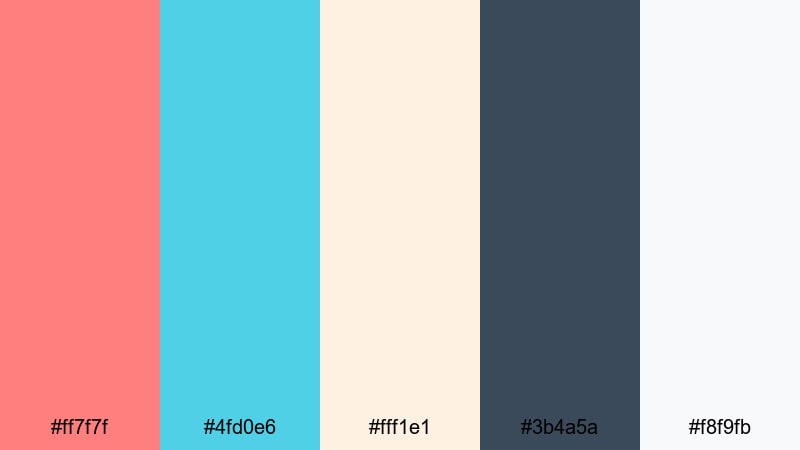
- HEX Codes: #ff7f7f, #4fd0e6, #fff1e1, #3b4a5a, #f8f9fb
- Mood: Peaceful and cinematic, balancing warmth with cool lagoon tones.
- Use for: Perfect for B-roll overlays, slow travel reels, and atmospheric title cards.
Lagoon Sunset Whisper mixes mellow sunset reds and lagoon turquoise with off-white, deep blue-gray, and a soft white highlight. The overall feel is calm and cinematic, like a slow pan across water at dusk.
This palette is ideal when you want emotional but not overly intense visuals. Assign the deeper blue-gray to text or lower thirds for clear readability, while using the red and turquoise for light flares, graphics, and transitions in slow travel montages or reflective storytelling videos edited in Filmora.
Pastel Harbor Glow
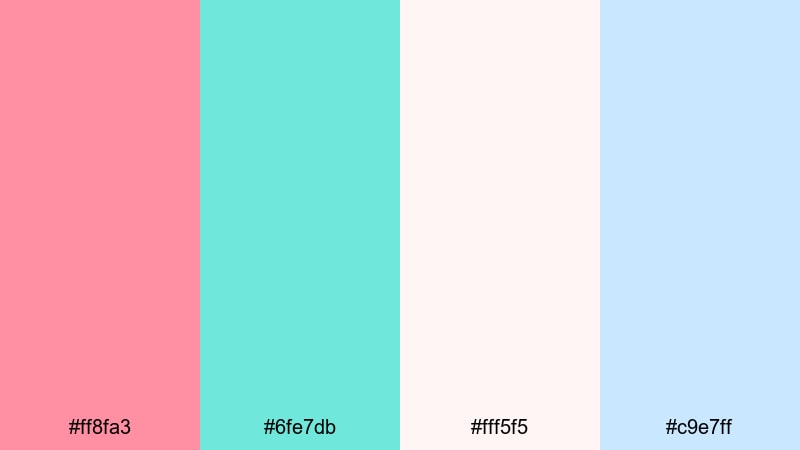
- HEX Codes: #ff8fa3, #6fe7db, #fff5f5, #c9e7ff
- Mood: Dreamy and youthful, with a pastel harbor-at-dawn atmosphere.
- Use for: Use in intro cards, end screens, and channel branding for beauty, art, or journaling content.
Pastel Harbor Glow leans fully into pastel territory, combining soft red, bright turquoise, milky whites, and powdery blue. It feels fresh, youthful, and creative, suitable for creators who want their brand to look soft but still lively.
Apply this palette to channel banners, animated intros, and end screens for beauty, art, or journaling content. In Filmora, you can color your animated shapes and motion graphics with pastel turquoise and red while keeping text mostly in white or light blue for clean legibility.
Bold & Cinematic Red Turquoise Color Palettes
Neon Surf Drama
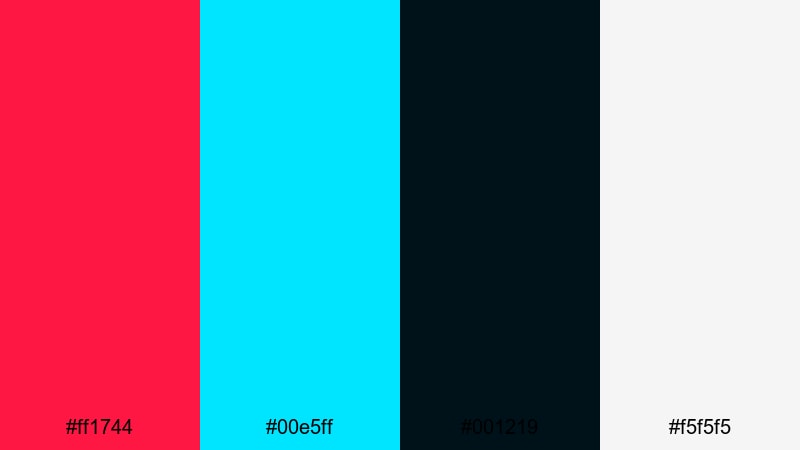
- HEX Codes: #ff1744, #00e5ff, #001219, #f5f5f5
- Mood: High contrast, edgy, and electric like a cyberpunk beach at night.
- Use for: Best for dynamic YouTube thumbnails, gaming intros, and high-energy trailers.
Neon Surf Drama throws intense neon red and bright turquoise onto a nearly black navy base with crisp white highlights. The result is high contrast, electric, and impossible to ignore, like neon lights against a dark shoreline.
Use this palette when you need your gaming intros, tech trailers, or dynamic thumbnails to jump off the screen. In Filmora, place the dark navy behind your main subject and let the neon red and turquoise outline characters, titles, and glitch graphics for a strong cyberpunk-style look.
Crimson Reef Motion
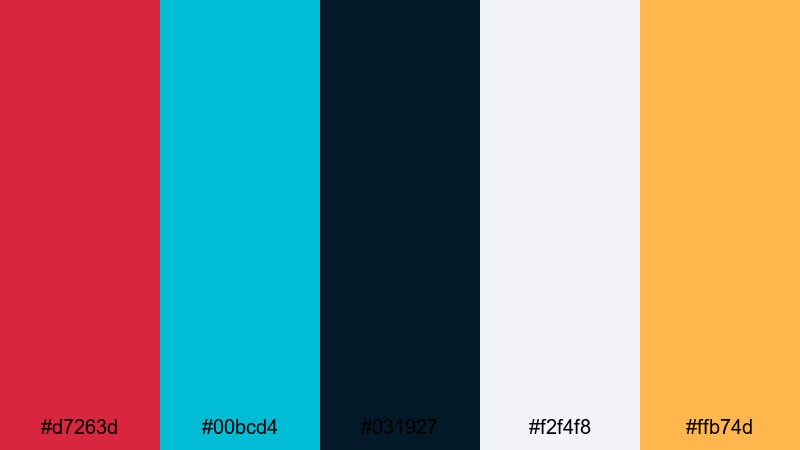
- HEX Codes: #d7263d, #00bcd4, #031927, #f2f4f8, #ffb74d
- Mood: Rich, adventurous, and cinematic with a hint of exotic warmth.
- Use for: Great for travel montage sequences, cinematic B-roll, and brand promos with a bold identity.
Crimson Reef Motion pairs deep crimson and vivid turquoise with inky navy, soft gray, and a pop of warm amber. It feels adventurous and cinematic, like night diving through coral reefs under colorful lights.
Try this palette for bold travel montages, dynamic brand promos, or storytelling edits where you want drama without losing polish. Use the crimson for key titles and transitions, turquoise for accent lines and icons, and the amber highlight sparingly for call-to-action buttons or logo details in Filmora.
Turbo Tide Energy
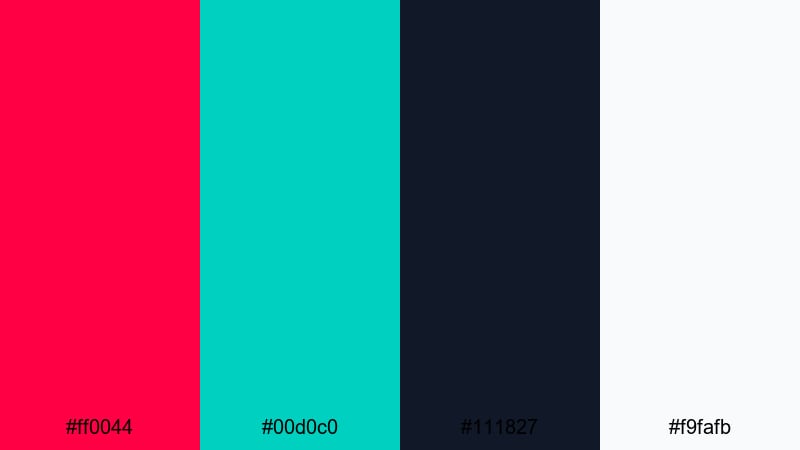
- HEX Codes: #ff0044, #00d0c0, #111827, #f9fafb
- Mood: Fast, modern, and punchy with a tech-sport flavor.
- Use for: Ideal for sports edits, fast-cut trailers, and motion graphics like glitch titles or lower thirds.
Turbo Tide Energy is all about speed, with hot red and sharp turquoise crashing against a charcoal background and fresh white accents. It gives your visuals a techy, sporty edge.
Use this palette for energetic highlight reels, workout edits, or esports content. In Filmora, animate bold red and turquoise stripes or blocks across the screen, then overlay crisp white text so your key messages remain readable even in fast cuts.
Electric Coral Stream
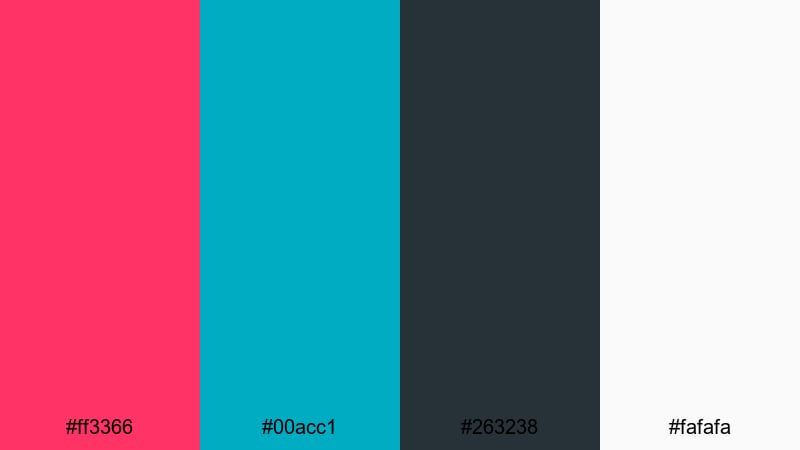
- HEX Codes: #ff3366, #00acc1, #263238, #fafafa
- Mood: Energetic yet controlled, like an urban night swim in neon light.
- Use for: Use for bold logo animations, stream overlays, and channel rebrands that need a strong personality.
Electric Coral Stream blends vibrant coral and sleek turquoise with a graphite base and soft white. It feels bold but still professional, suitable for creators who want personality without chaos.
This palette works well for streaming overlays, logo stings, and channel rebrands. Set the dark gray as your base, then use coral and turquoise to highlight webcam frames, alerts, and lower thirds in Filmora so your stream layout looks unified and modern.
Modern & Minimal Red Turquoise Color Palettes
Urban Aqua Accent
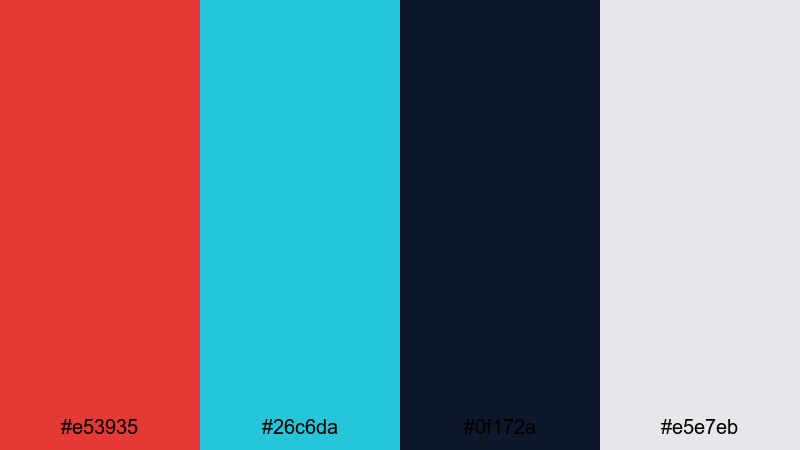
- HEX Codes: #e53935, #26c6da, #0f172a, #e5e7eb
- Mood: Clean, urban, and confident with sharp graphic contrast.
- Use for: Perfect for tech reviews, productivity channels, and modern UI-style title cards.
Urban Aqua Accent pairs a strong red and clear aqua with deep navy and cool gray. It feels like a modern dashboard or app interface, ideal for creators in tech, productivity, or design.
Use the navy and gray as your base colors for backgrounds and panels, then drop in red and aqua as accent lines, button colors, and title highlights. In Filmora, this creates clean, UI-inspired title cards and explainer layouts that feel professional and easy to read.
Studio Grid Chill
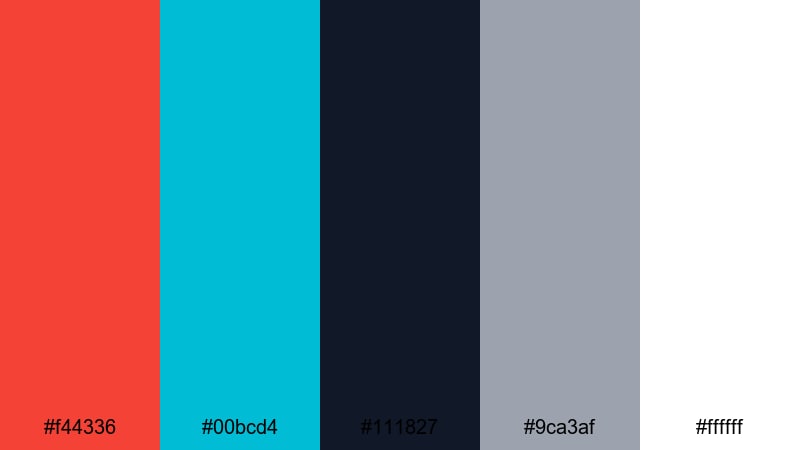
- HEX Codes: #f44336, #00bcd4, #111827, #9ca3af, #ffffff
- Mood: Balanced and professional with a cool studio vibe.
- Use for: Ideal for tutorials, SaaS promos, and portfolio reels that pair on-screen UI with talking-head shots.
Studio Grid Chill sets a bright studio red and turquoise against charcoal, cool gray, and pure white. It feels like a polished video studio interface, balancing authority and friendliness.
Apply it to tutorial layouts, software demos, and portfolio reels in Filmora. Use white or light gray for backgrounds, charcoal for headings, and red or turquoise to emphasize key stats, steps, or chapter markers so your explanations stay clear and visually consistent.
Interface Tide Clean
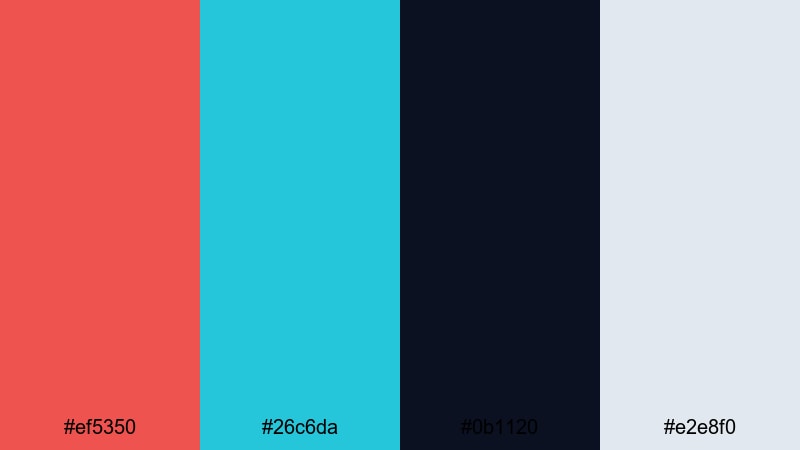
- HEX Codes: #ef5350, #26c6da, #0b1120, #e2e8f0
- Mood: Sleek, digital, and slightly futuristic, like a dashboard at night.
- Use for: Great for UI mockups in explainer videos, app demos, and minimalist openers.
Interface Tide Clean uses a softer red and bright turquoise over deep navy and pale blue-gray. It feels like a nighttime app interface or analytics dashboard, clean and controlled.
Use this palette for app demo videos, UI walk-throughs, and minimalist openers. In Filmora, place navy as your canvas, lay out panels in blue-gray, and use red and turquoise to highlight charts, notifications, and clickable elements so your viewers immediately understand where to look.
Gallery Neon Quiet
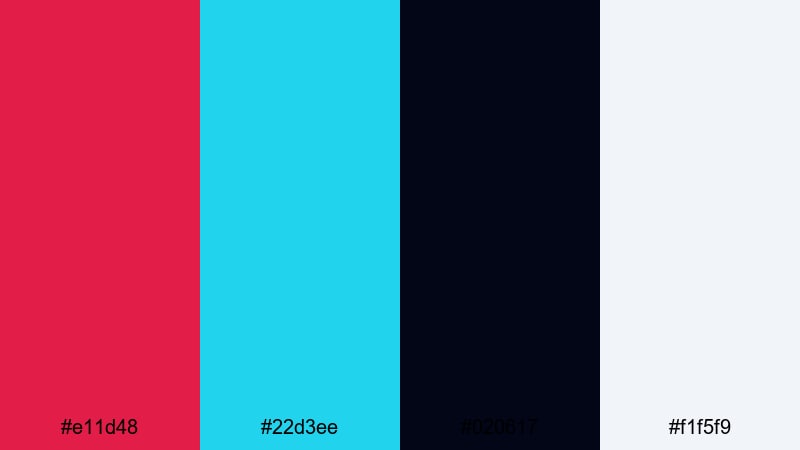
- HEX Codes: #e11d48, #22d3ee, #020617, #f1f5f9
- Mood: Artful and modern, mixing gallery calm with neon accents.
- Use for: Use for minimalist title sequences, lookbooks, and stylish product showcases.
Gallery Neon Quiet sets a deep red and icy turquoise over nearly black and soft off white. It looks like a modern gallery space with targeted neon hints, ideal for artful, design driven videos.
Try it for minimalist title sequences, fashion lookbooks, or product showcases. In Filmora, keep most of the frame dark or white, then use the red and turquoise sparingly to highlight product edges, price tags, or section titles so your palette feels curated rather than crowded.
Retro & Vintage Red Turquoise Color Palettes
Vintage Motel Waves
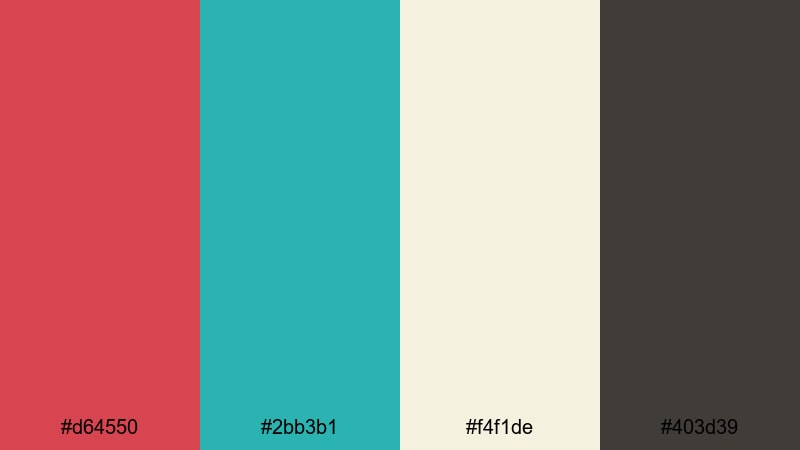
- HEX Codes: #d64550, #2bb3b1, #f4f1de, #403d39
- Mood: Nostalgic, warm, and slightly gritty like a faded roadside postcard.
- Use for: Perfect for story-driven vlogs, analog-style edits, and retro title cards.
Vintage Motel Waves combines dusty red, muted turquoise, creamy beige, and smoky brown. It feels like an old postcard from a roadside motel by the sea, warm and a little worn.
Use this palette when you want to lean into analog aesthetics, such as story driven vlogs, travel diaries, or retro inspired title cards. In Filmora, pair it with film grain, vignette, and subtle blur to reinforce that nostalgic, printed-photo mood.
Miami Tape Glow
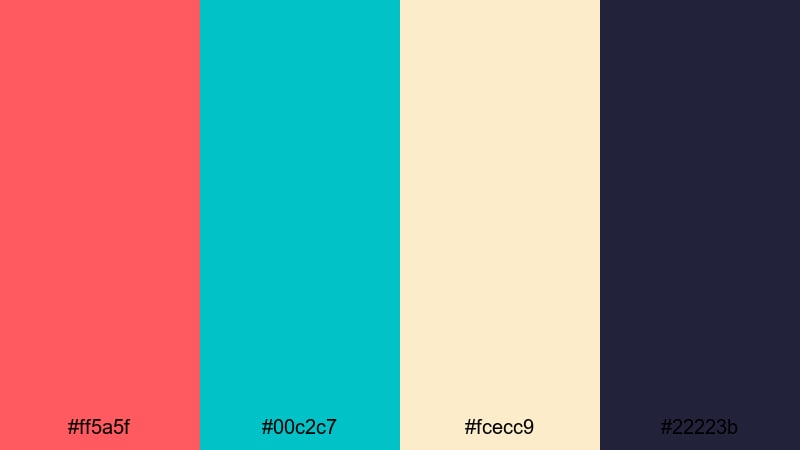
- HEX Codes: #ff5a5f, #00c2c7, #fcecc9, #22223b
- Mood: Sunny, nostalgic, and bold like 80s Miami on VHS tape.
- Use for: Use in retro intro sequences, synthwave edits, and nostalgic vlog recaps.
Miami Tape Glow matches sunset red and pool turquoise with a creamy yellow and deep indigo. It instantly calls back to 80s Miami, palm trees, and VHS colors.
Apply it to synthwave intros, retro recap videos, or music visualizers. In Filmora, use red and turquoise for neon titles and shapes, creamy tones for backgrounds, and indigo for outlines or shadows to make every frame look like a frame from a vintage tape.
Arcade Tide Throwback
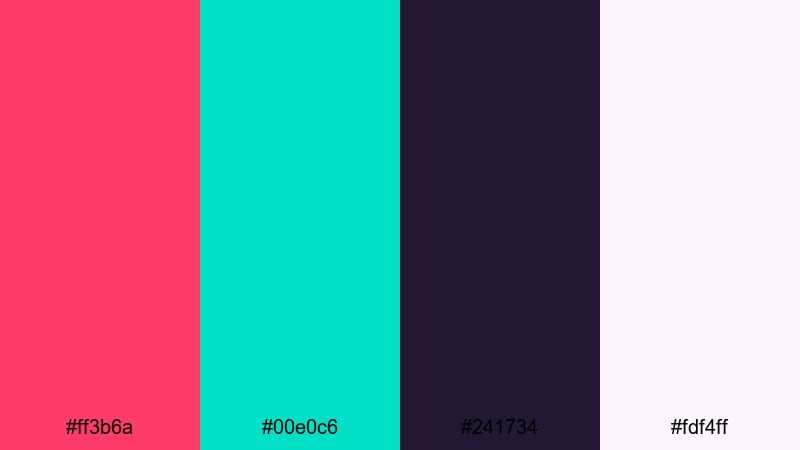
- HEX Codes: #ff3b6a, #00e0c6, #241734, #fdf4ff
- Mood: Playful and nostalgic with a neon arcade-night energy.
- Use for: Great for gaming intros, highlight reels, and fun edits with pixel or glitch effects.
Arcade Tide Throwback combines vivid arcade red and glowing turquoise with deep purple and soft pink white. The result is playful and nostalgic, like an arcade night lit by neon lights.
Use this palette for gaming highlights, retro themed edits, and glitch or pixel art sequences. In Filmora, layer in scanline overlays, pixelated transitions, and chiptune style titles colored in red and turquoise to fully sell the arcade mood.
Tips for Creating Red Turquoise Color Palettes
Red turquoise combinations can range from soft and romantic to bold and electric. A few simple guidelines will help you adapt these palettes to your own footage, branding, and design work inside Filmora or any editing tool.
- Decide on contrast level first: choose either deep navy or soft cream as your main background color, then use red and turquoise as accents so the frame does not feel overloaded.
- Protect text readability: place white, very light gray, or very dark navy behind your main titles and keep red turquoise accents around them, not directly beneath important text.
- Limit your heroes: pick one primary hero color (red or turquoise) and one secondary accent, then keep the remaining tones as neutrals to avoid visual noise.
- Match your footage temperature: if your raw clips are warm, lean into coral reds and softer turquoise; if they are cool, try sharper turquoise and deeper reds for stylish contrast.
- Use red for action, turquoise for clarity: reserve red for call-to-action buttons, alerts, or key story beats, and apply turquoise to highlight links, data, or UI details.
- Keep branding consistent: once you choose HEX codes, reuse them on thumbnails, end screens, overlays, and lower thirds across all videos so your channel becomes instantly recognizable.
- Test on mobile screens: check your color combinations on small displays to ensure text remains readable and reds do not bleed or look oversaturated.
- Save presets in Filmora: build title and color presets in Filmora with your chosen HEX values so you can apply your red turquoise style in just a few clicks across future projects.
Red turquoise color palettes are versatile enough to shape many different moods, from dreamy wedding highlights to high energy esports intros or nostalgic retro edits. By carefully balancing warm reds with cool turquoise and supportive neutrals, you can define a strong visual identity that fits your niche and audience.
Use the palettes above as starting points, then fine tune them in Filmora with AI Color Palette, HSL controls, and creative filters until they match your footage and brand perfectly. Whether you are designing thumbnails, social teasers, or full cinematic edits, consistent colors will make your work feel more professional and memorable.
Take a few of these palettes into your next project, save your favorite combinations as presets, and build a recognizable red turquoise look that your viewers will associate instantly with your name or channel.
secure download