

 100% Security Verified | No Subscription Required | No Malware


 ChatGPT
 Perplexity
 Gemini
 Claude
 Grok
Grok
Sterling Teal sits between blue and green with a soft, slightly muted character that feels both modern and calm. It suggests clarity, trust, and quiet confidence, which is why it works so well for brands, lifestyle creators, and cinematic edits that want a polished but approachable look. On screen, Sterling Teal can feel like cool sea glass or a sleek tech interface, depending on how you combine it.
For video creators, this shade is a go-to for YouTube thumbnails, channel art, intro animations, lower thirds, and overlay tints. It pairs beautifully with warm neutrals, metallic accents, and even neon contrasts. Below are 15 Sterling Teal color palettes with ready-to-use HEX codes, tailored for Filmora users who want cohesive color across vlogs, cinematic edits, reels, and branded graphics.
In this article
Soft & Calming Sterling Teal Palettes
Misty Harbor Sterling Teal

- HEX Codes: #4d9093, #b6d4d2, #f0f5f4, #7a8a8b, #294548
- Mood: Quiet, coastal, and reflective with a gentle ocean breeze feel.
- Use for: Use for slow-travel vlogs, calming B-roll sequences, and reflective storytelling titles.
Misty Harbor Sterling Teal feels like standing on a pier at dawn, wrapped in cool air and soft fog. The main Sterling Teal shade sits between pale seafoam and deeper harbor tones, while misty neutrals keep everything light, airy, and cinematic. The darker accent (#294548) adds just enough depth for titles and UI details without overpowering the frame.
This palette works especially well for soft, reflective edits: slow-travel vlogs, ambient city walks, or introspective voiceovers. Use the lighter tones for backgrounds, overlays, and text boxes, and reserve the deepest shade for key text, logo locks, or end screens. In Filmora, try applying the teal and gray tones as subtle color overlays on B-roll, then keep your thumbnails and channel banner consistent with the same HEX codes.
Pro Tip: Build a Cinematic Sterling Teal Harbor Look in Filmora
To keep a calm, maritime feel across your whole edit, turn Misty Harbor Sterling Teal into a visual thread. In Filmora, you can sample your core teal and gray tones for text, lower thirds, masks, and shapes so every element feels like it lives in the same foggy harbor world. Use the darker harbor color for title backgrounds and the soft mist tones for subtle gradient overlays on B-roll.
When you design thumbnails, intros, and social cutdowns from the same project, reuse this palette for borders, drop shadows, and small accent icons. This keeps your channel identity tight and makes even simple vlog footage feel curated and cinematic.
AI Color Palette
If you have a still frame or mood board that captures this misty teal atmosphere, Filmora's AI Color Palette feature can automatically spread that look across your entire timeline. Import your reference image, let Filmora read its Sterling Teal and harbor neutrals, then apply the palette to later clips so your edit moves smoothly from scene to scene.
This is ideal when your travel vlog was shot in mixed lighting or on different days. AI Color Palette helps you pull everything toward the same calm teal mood so your video feels cohesive on YouTube, Instagram, and beyond.
 secure download

HSL, Color Wheels & Curves
To refine your Sterling Teal look, use Filmora's HSL, color wheels, and curves controls. You can gently shift teals toward blue for a cooler, cinematic feel or toward green for a softer, coastal vibe. Adjust the color wheels to keep skin tones natural while you deepen the teal shadows and cool down the highlights for a misty, overcast look.
With curves, add a slight S-curve to boost contrast without crushing the delicate mist tones. If you want more guidance on shaping color, you can follow Filmora's tutorials that show how to balance HSL and curves for stylish, teal-focused grading.
secure download1000+ Video Filters & 3D LUTs
Once your base Sterling Teal palette feels right, you can push the style further with Filmora's filters and LUTs. Vintage LUTs can give your Misty Harbor footage a filmic fade, while modern teal-and-orange presets intensify contrast between cool shadows and warm highlights. This is a fast way to test different moods without rebuilding your grade from scratch.
Filmora's video filters and 3D LUTs make it easy to audition multiple looks on top of your Sterling Teal base, then dial back intensity until you keep the calm harbor vibe while still standing out in a crowded feed.
secure downloadMorning Spa Retreat
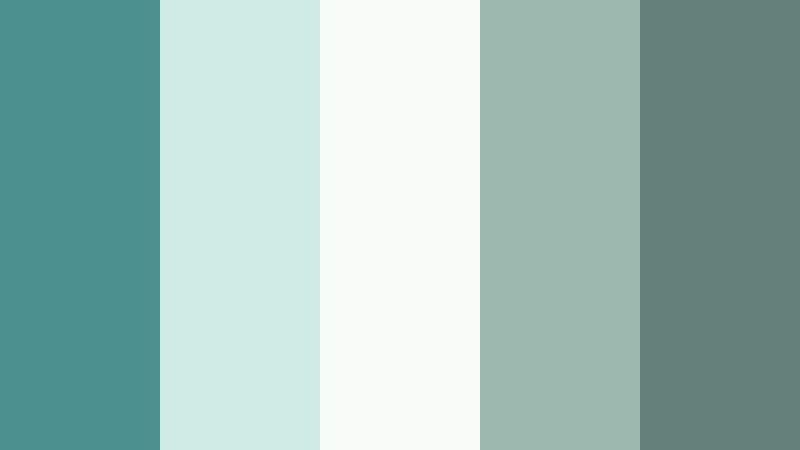
- HEX Codes: #4c8f8f, #d0ebe5, #f7fbf8, #9cb7ae, #657f7b
- Mood: Fresh, rejuvenating, and airy like a luxury spa morning.
- Use for: Use for wellness channels, skincare product demos, and minimalist title cards.
Morning Spa Retreat pairs Sterling Teal with soft mints and cloudy whites to create a clean, refreshing atmosphere. The palette feels like natural light filtering over glass tiles and fresh towels, ideal for content that wants to promise calm and self-care.
Use the brightest teal for buttons, subscribe prompts, and product callouts, while the off-whites handle thumbnails, backgrounds, and logo space. In Filmora, this palette works beautifully for wellness intros, overlay frames around vertical clips, and soft animated text for skincare routines or meditation channels.
Quiet Study Nook

- HEX Codes: #4e8f92, #e3e7e6, #f5f2ec, #a2a8a5, #626d6a
- Mood: Focused, thoughtful, and cozy with a subtle academic vibe.
- Use for: Use for study-with-me videos, productivity channels, and understated lower thirds.
Quiet Study Nook wraps Sterling Teal in warm off-whites and muted grays, creating a soft academic tone. It feels organized and calm, like a tidy desktop with natural light and a stack of notebooks just out of frame.
Use the light neutrals as backgrounds for timestamps, chapter markers, and to-do lists on screen. The deeper grays are ideal for legible text and icons, while Sterling Teal becomes your accent on progress bars, focus-session timers, and channel branding. This palette is perfect for productivity thumbnails and simple animated titles in Filmora.
Cloudy Coastal Walk
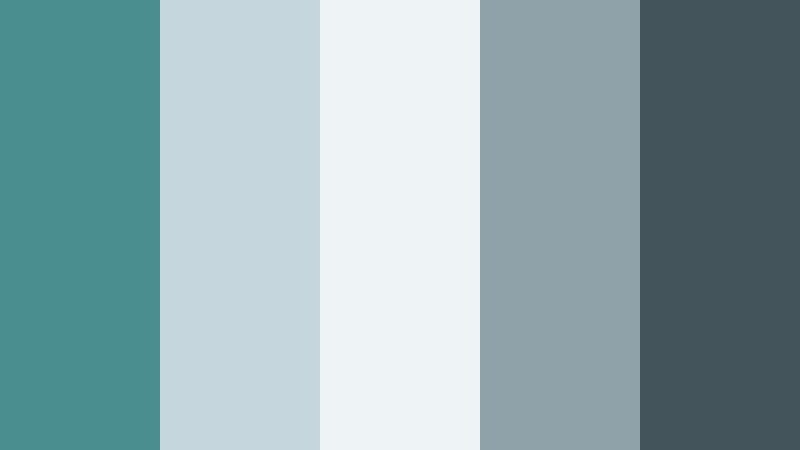
- HEX Codes: #4a8e90, #c5d7dd, #eef3f6, #8fa1a9, #43545a
- Mood: Dreamy, overcast, and cinematic like a shoreline walk before rain.
- Use for: Use for moody travel vlogs, reflective voiceovers, and subtle cinematic subtitles.
Cloudy Coastal Walk leans into muted blues and grays, giving Sterling Teal a soft, hazy frame. The palette feels like walking along the shore as clouds roll in, with gentle contrast and a slightly melancholic edge.
This scheme suits poetic travel videos, coastal B-roll, or rainy-day montages. Use the lighter tones for caption bars and simple borders, and rely on the darkest shade for thin lines, dividers, and subtitle text. In Filmora, layer a slight bluish tint over your footage and combine it with this palette for titles and graphics to maintain a cohesive, overcast mood.
Bold & Cinematic Sterling Teal Palettes
Neon Night Drive

- HEX Codes: #4a8e8f, #0e1b22, #08f7fe, #ff206e, #f5f5f5
- Mood: Edgy, cyberpunk, and high-energy with neon contrast.
- Use for: Use for tech intros, gaming highlights, and bold thumbnail designs.
Neon Night Drive throws Sterling Teal into a deep, inky night sky and cuts through it with electric cyan and hot magenta. The result is cyberpunk and high contrast, perfect for high-energy content and glitchy, animated graphics.
Use the darkest shade as your background, then let neon cyan and pink highlight key text, stats, or kill counts in gaming edits. The soft white balances things out for overlay text and UI elements. In Filmora, combine this palette with glow, lens blur, and glitch transitions to make tech reviews, synthwave edits, and gaming thumbnails pop in the feed.
Teal Noir Spotlight

- HEX Codes: #4e8f91, #101418, #1b2a30, #f6b766, #f0f0f0
- Mood: Mysterious, cinematic, and dramatic with vintage noir flair.
- Use for: Use for trailer-style openers, dramatic storytelling, and title sequences.
Teal Noir Spotlight mixes Sterling Teal with charcoal shadows and a warm spotlight gold, creating a dramatic, film-noir aesthetic. It feels mysterious and slightly vintage, like a detective story told under a single lamp.
Use the dark blues for backgrounds and letterbox bars, let Sterling Teal color your midtones and key accents, and reserve the gold for titles, logo reveals, and subtle highlight strokes. This palette is especially strong in Filmora for trailer-style openers, crime or mystery podcasts on YouTube, and cinematic thumbnails that need a touch of drama.
Urban Street Graffiti

- HEX Codes: #4f9090, #22252a, #ffb32c, #ff4e4e, #f7f7f7
- Mood: Raw, urban, and expressive with a street art punch.
- Use for: Use for music videos, skate edits, and bold channel rebrands.
Urban Street Graffiti uses Sterling Teal as a cool anchor against asphalt black and graffiti brights. The orange and red tones bring energy and rebellion, creating a palette that feels noisy, creative, and fast-paced.
Drop the dark gray-black behind bold typography, spray-paint style text, and kinetic titles. Use teal for outlines and UI, while the warm oranges and reds become splashes of paint for stickers, arrows, and overlays. In Filmora, this palette works perfectly for skate edits, music videos, dance reels, and channel rebrands that want a raw, urban edge.
Deep Sea Adventure
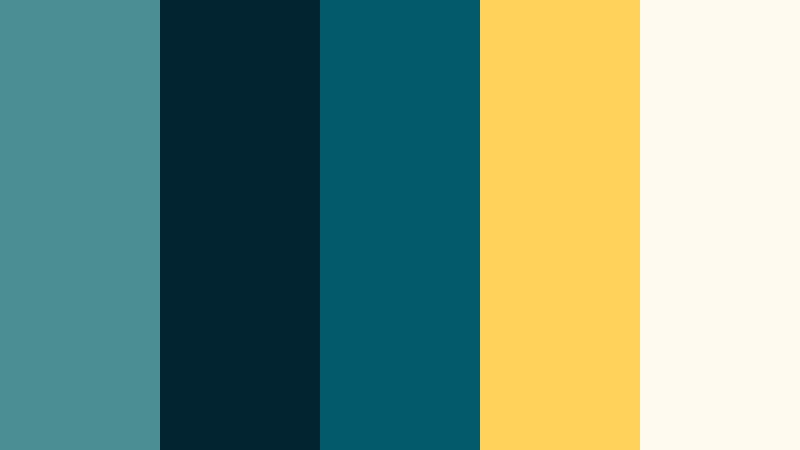
- HEX Codes: #4b8f92, #022430, #035a6b, #ffd35a, #fefaf0
- Mood: Adventurous, cinematic, and immersive like a deep ocean dive.
- Use for: Use for travel intros, documentary-style sequences, and adventure branding.
Deep Sea Adventure surrounds Sterling Teal with inky blues and a single warm golden accent, capturing the feeling of diving into the ocean with just a hint of sunlight above. It is rich, cinematic, and immersive.
Use the darkest blue for backgrounds and lower thirds that frame your footage like a documentary. Let Sterling Teal and the mid-tone blue color maps, location titles, and UI elements, while the golden accent highlights important callouts or logo marks. This palette is especially strong for travel intros, coastal documentaries, and adventure branding inside Filmora.
Elegant & Modern Sterling Teal Palettes
Teal Marble Lobby
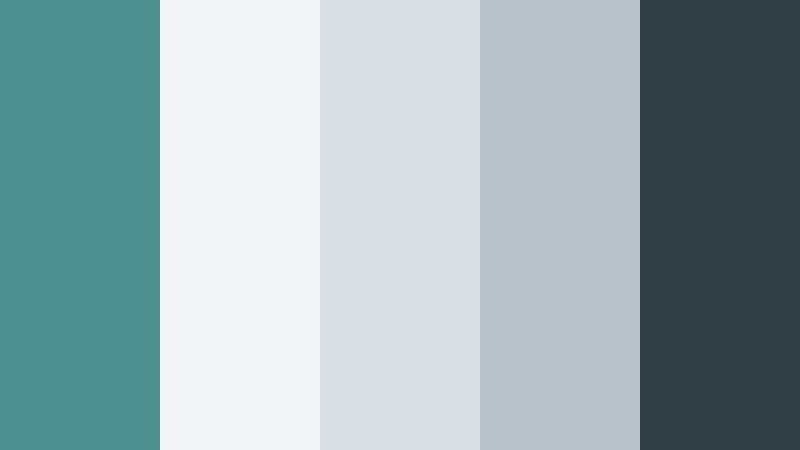
- HEX Codes: #4e8f90, #f3f4f5, #d8dfe3, #b6c2c5, #2f3f44
- Mood: Minimal, architectural, and polished like a luxury lobby.
- Use for: Use for brand identities, UI mockups, and clean explainer videos.
Teal Marble Lobby combines Sterling Teal with crisp whites and stone grays, creating a polished, gallery-ready look. It feels structured and refined, like stepping into a contemporary lobby with marble and frosted glass.
Use the paler tones for backgrounds, card designs, and slide-style layouts, then let Sterling Teal underline headings or highlight key stats. The darkest gray adds contrast for legible body text and icons. This palette is excellent for business explainers, SaaS product demos, and portfolio videos built in Filmora.
Gilded Teal Soiree
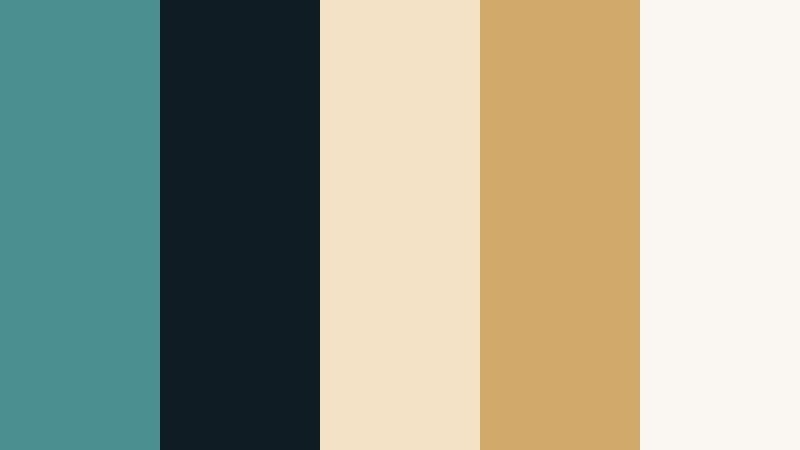
- HEX Codes: #4c8f91, #0f1c23, #f3e2c5, #d1a96a, #faf7f2
- Mood: Luxurious, refined, and evening-ready with a warm metallic glow.
- Use for: Use for event promos, wedding highlight reels, and premium product launches.
Gilded Teal Soiree pairs Sterling Teal with deep navy, champagne neutrals, and soft golds. The vibe is upscale and evening-ready, perfect for black-tie events or premium product campaigns.
Let the deep navy handle full-screen backgrounds, while teal and gold define titles, monograms, and logo animations. The champagne tones are ideal for lower thirds and subtle overlays that keep footage feeling warm and expensive. In Filmora, this palette shines for wedding highlight reels, jewelry launches, and luxury brand intros.
Modern Workspace Teal

- HEX Codes: #4f8f90, #f5f6f7, #d4d8da, #929c9f, #303b3f
- Mood: Productive, clean, and contemporary with a tech-forward edge.
- Use for: Use for SaaS demos, productivity apps, and business explainer graphics.
Modern Workspace Teal blends Sterling Teal with cool grays and soft whites, echoing a minimalist desk with a sleek monitor and clean UI. It feels efficient, tech-savvy, and distraction-free.
Use the brightest white and light grays for backgrounds and content blocks, then let teal mark CTAs, progress indicators, and important labels. The darkest gray anchors navigation, footer bars, or header strips. This palette is ideal for business-focused YouTube intros, how-to tutorials, and animated infographics inside Filmora.
Teal Velvet Lounge

- HEX Codes: #4a8f8f, #1c2730, #6e7d86, #d9d5cf, #f8f4ef
- Mood: Moody, plush, and intimate like a dim velvet lounge.
- Use for: Use for podcast covers, storytelling intros, and stylish cinematic B-roll.
Teal Velvet Lounge places Sterling Teal amid smoky blues, soft creams, and deep shadows. The palette feels plush and intimate, like a dim bar or late-night listening room.
Use the darker blues for background panels and subtle vignettes, while teal adds definition to logos and key titles. The light creams keep any text overlays readable, even on darker footage. This scheme is a great match for storytelling intros, podcast covers, and moody cinematic B-roll edited in Filmora.
Playful & Lifestyle Sterling Teal Palettes
Coastal Brunch Party
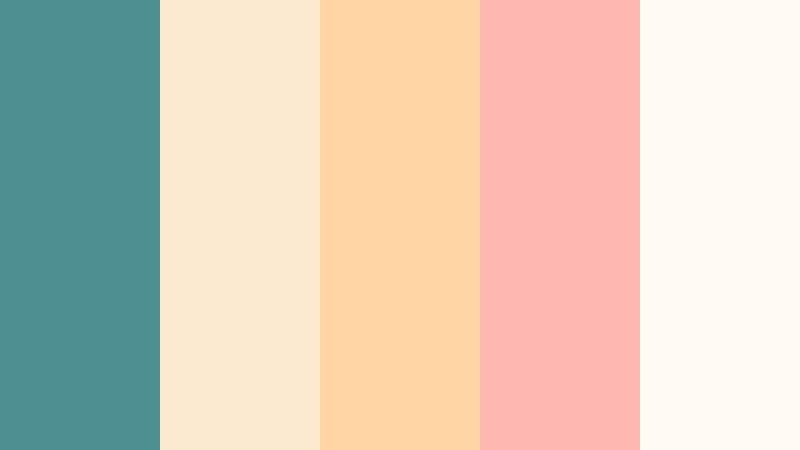
- HEX Codes: #4e8f91, #fbe9d0, #ffd6a3, #ffb7b2, #fffaf3
- Mood: Sunny, social, and inviting like a seaside brunch gathering.
- Use for: Use for lifestyle vlogs, reels, and cheerful channel refreshes.
Coastal Brunch Party sets Sterling Teal against peachy, sunlit tones and soft creams. It feels bright, friendly, and slightly nostalgic, like a weekend brunch by the ocean with warm light and pastel dishes.
Use the warm peaches and corals for accent shapes, stickers, and highlight text, while teal anchors logos and call-to-action buttons. The creamy whites are ideal for thumbnail backgrounds and lower thirds. This palette is perfect for lifestyle vlogs, food content, day-in-the-life edits, and cheerful channel refreshes in Filmora.
Teal Picnic Afternoon

- HEX Codes: #4d8f90, #f3f8df, #ffd0a1, #f58f8a, #ffffff
- Mood: Playful, outdoorsy, and carefree with a warm picnic feel.
- Use for: Use for family vlogs, travel diaries, and upbeat intro cards.
Teal Picnic Afternoon mixes Sterling Teal with soft yellows, corals, and clean white for a sunny outdoor feel. It captures the warmth of a picnic blanket, snacks, and late-afternoon light.
Use the pale yellow and white shades as open, airy backgrounds, then let teal define titles, subtitles, and simple icons. Warm coral accents can highlight important phrases or draw attention to subscribe prompts in your thumbnails. The palette works especially well for family vlogs, summer travel diaries, and upbeat intro cards made in Filmora.
Creative Studio Desk
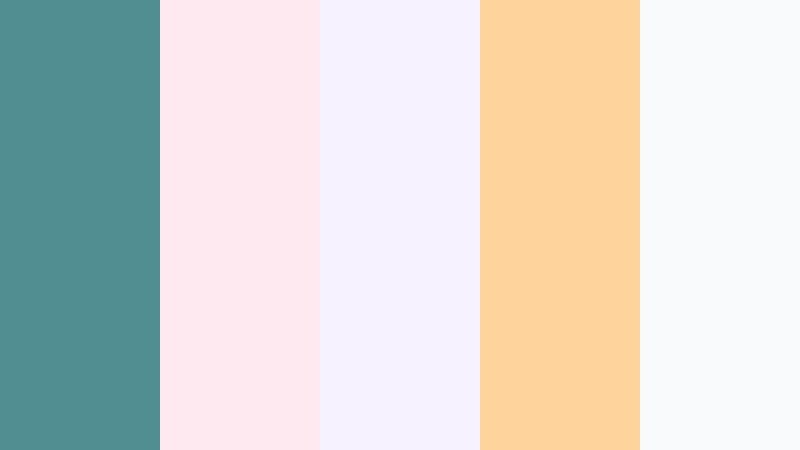
- HEX Codes: #4f8f91, #ffe9f1, #f7f2ff, #ffd39b, #f9fafb
- Mood: Artistic, lighthearted, and crafty with soft playful tones.
- Use for: Use for DIY tutorials, stationery brands, and creative channel idents.
Creative Studio Desk combines Sterling Teal with blush pink, soft lilac, and a light apricot accent. It feels cozy and handmade, like a desk scattered with markers, washi tape, and sketchbooks.
Use the pastel tones as backgrounds for step-by-step overlays, labels, and chapter markers, while teal holds your logo, headings, and icons together. The apricot accent can highlight key steps in DIY tutorials or special offers for your stationery or art brand. In Filmora, this palette is perfect for creative channel idents, craft tutorials, and friendly educational content.
Tips for Creating Sterling Teal Color Palettes
Sterling Teal is flexible enough to feel calm, bold, or luxurious depending on its companions. A few simple guidelines will help you combine it with other colors for video, thumbnails, and branding that stay readable and on-brand.
- Pair Sterling Teal with warm neutrals (beige, cream, soft gold) when you want an inviting, premium mood for weddings, events, or brand promos.
- Use deep charcoals or navy blues as backgrounds to make teal titles and UI stand out while keeping a cinematic look.
- For YouTube thumbnails, combine Sterling Teal with one strong contrast accent (neon pink, bright yellow, or coral) so key text and faces pop even on small screens.
- Check text contrast carefully: put white or very light text on dark teal, and dark charcoal text on light teal or neutral blocks to keep everything easy to read.
- Stick to 3 to 5 main colors per palette (one primary teal, one dark, one light, and one accent) to keep your brand identity clean and consistent.
- Match your palette to your footage: if your shots are already warm and sunlit, push Sterling Teal slightly toward green; if they are cooler and urban, lean toward blue.
- Reuse the same HEX codes for titles, overlays, and motion graphics across multiple videos so your audience instantly recognizes your channel style.
- Test your Sterling Teal palette on both desktop and mobile previews; tweak saturation and brightness so colors stay appealing and readable on smaller screens.
Sterling Teal can be soft and coastal, bold and neon, or sleek and professional, depending on how you pair it. The palettes above give you ready-made HEX combinations for thumbnails, intros, overlays, and brand systems that all speak the same visual language.
Bring these palettes into Filmora, sample the HEX codes for your text and graphics, and pair them with Filmora's color tools, filters, and LUTs to keep your entire edit consistent. With a clear Sterling Teal scheme guiding your choices, your videos will look more intentional, professional, and instantly recognizable.
Experiment with a few different palettes to see which version of Sterling Teal fits your story best, then build that look into your templates so every new upload feels on-brand from the first frame.
secure download