

 100% Security Verified | No Subscription Required | No Malware


 ChatGPT
 Perplexity
 Gemini
 Claude
 Grok
Grok
The Urban Street Food Market LUT filter pack is designed for content creators who want their city food vlogs and market walks to look bold, flavorful, and cinematic straight out of Filmora.
From steamy night stalls to busy daytime markets, these filters help you balance neon signs, skin tones, and colorful dishes so your urban street food stories feel immersive and alive.
In this article
Warm Golden Hour Street Stalls
Golden Glow Griddle
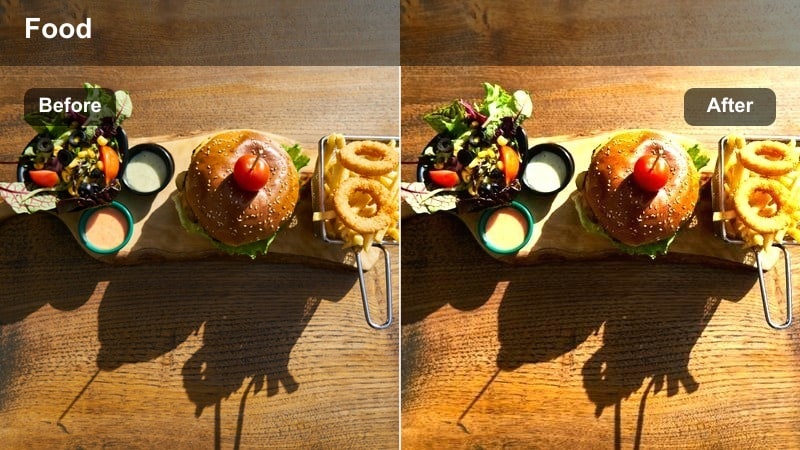
- Effect look: Soft golden warmth that wraps stalls and steam in a sunset-like glow.
- Best for: Late afternoon market walks, sizzling grills, and vendors framed by warm streetlights.
- Editing tip: Lower contrast slightly and bump saturation by 5-10% to keep food colors rich without oversaturating skin tones.
Golden Glow Griddle is ideal when your footage feels flat or overcast but you still want that inviting, late-afternoon warmth in your urban street food scenes. In Filmora, apply this LUT to instantly infuse your frames with a soft, amber glow that flatters both vendors and dishes, making steam, smoke, and grill flare-ups look like they are caught in golden hour light.
After applying the LUT, fine-tune exposure and white balance so faces remain natural while skewers, noodles, and grilled meats stay vivid. If skin starts to look too orange, nudge the temperature slightly cooler and use Filmora HSL controls to pull back oranges while keeping reds and yellows in the food punchy. This gives you a cozy, cinematic vibe that still feels true to the real market atmosphere.
Match Urban Street Food Colors With AI Tools
Combine the Urban Street Food Market LUT filters with Filmora AI color tools to balance tricky mixes of neon signs, daylight, and tungsten bulbs in a single timeline. The AI can quickly align color temperature and tint so shots from different streets or stalls still feel like one unified market experience.
When Golden Glow Griddle or other LUTs push certain tones too far, use AI color matching on a well-balanced reference clip. Filmora will help you keep vendor faces, sizzling dishes, and background storefronts consistent, even when you have filmed across multiple nights or weather conditions.
 secure download

Preview Filters on Real Street Food Footage
Before committing to a look for your next upload, test these LUT filters on short clips from your favorite stalls. In Filmora, toggle the before-and-after view to compare how steam, neon, and passing crowds change as you cycle through Golden Glow Griddle, Neon Noodle Strip, and other presets.
This approach makes it easy to spot which filter best matches your channel branding and thumbnail style. Once you find a favorite, save a custom preset so you can apply the same treatment to entire sequences with a single click.
secure downloadBuild a Street Food LUT and Filter Workflow
Think of the Urban Street Food Market LUT pack as the foundation of a repeatable color workflow in Filmora. Start with the closest matching LUT for your scene, then adjust exposure, contrast, and saturation for your specific camera and city lighting.
When you land on a look you love for day, dusk, or neon-heavy nights, save it as a custom preset and organize everything in a dedicated Urban Street Food folder. Over time, applying the same small set of presets will give your entire food series a recognizable, cinematic style that viewers instantly associate with your channel.
secure downloadSunlit Market Trails
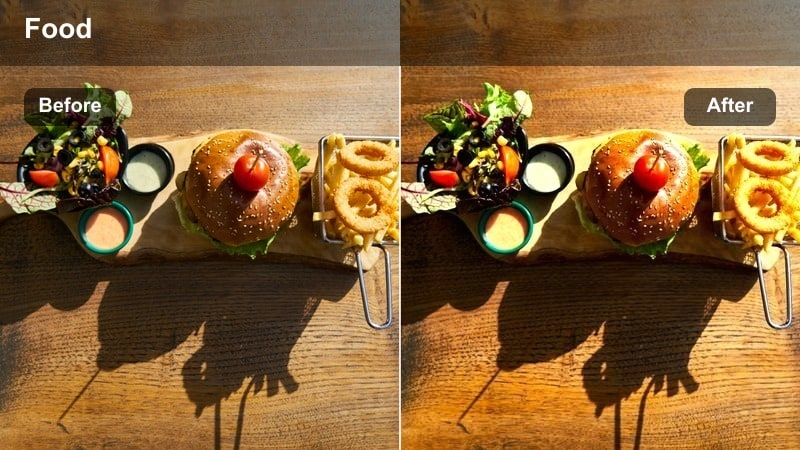
- Effect look: Bright, clean highlights with subtle haze to mimic sun streaking through narrow streets.
- Best for: Handheld walk-throughs of busy daytime markets with lots of backlight and flares.
- Editing tip: Increase shadows slightly and add a gentle vignette to guide the eye toward the food and vendor interactions.
Sunlit Market Trails is built for days when harsh daylight hits glossy signs, metal pots, and wet pavement all at once. In Filmora, this LUT lifts your highlights and adds a touch of atmospheric haze, so flares and sun streaks feel intentional rather than blown out or distracting.
To keep detail in faces and food, raise the shadows slider a little while protecting highlights with the curves tool. Add a subtle vignette around the edges of your frame so eyes naturally fall on plates being handed over, cash changing hands, and quick cooking motions that drive your story forward.
Amber Cart Lines
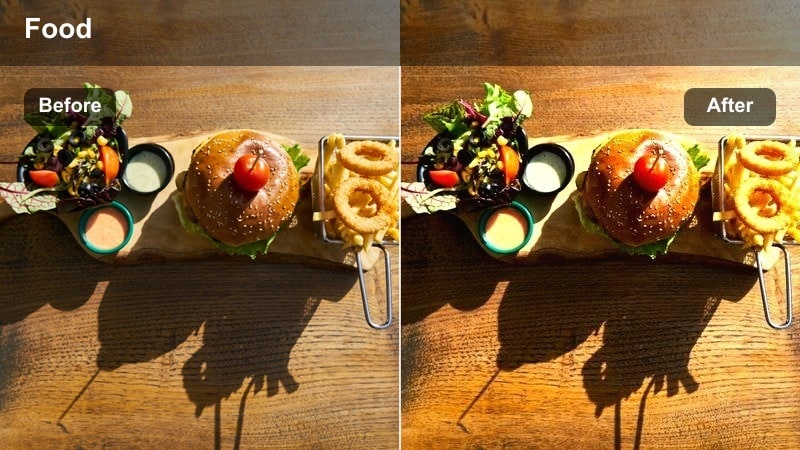
- Effect look: Rich amber tones that emphasize wooden carts, grills, and metal surfaces.
- Best for: Close-up shots of vendors cooking, serving, and arranging dishes on urban street carts.
- Editing tip: Use selective focus and slightly lower highlights to keep reflections on metal carts from blowing out.
Amber Cart Lines adds grit and character to the physical structures of the market: carts, pans, wheels, and countertops. In Filmora, it wraps these elements in rich amber tones, making textures like charred grills, weathered wood, and splattered sauces feel more tactile and cinematic.
Use this LUT when you are cutting to close-ups between wider establishing shots. Pull back highlights and whites so specular reflections on metal stay controlled, then consider shifting shadows slightly toward teal for a subtle urban contrast. This pairing gives your edit a polished, big-city food documentary flavor without needing complex grading.
Neon Night Market Vibes
Neon Noodle Strip
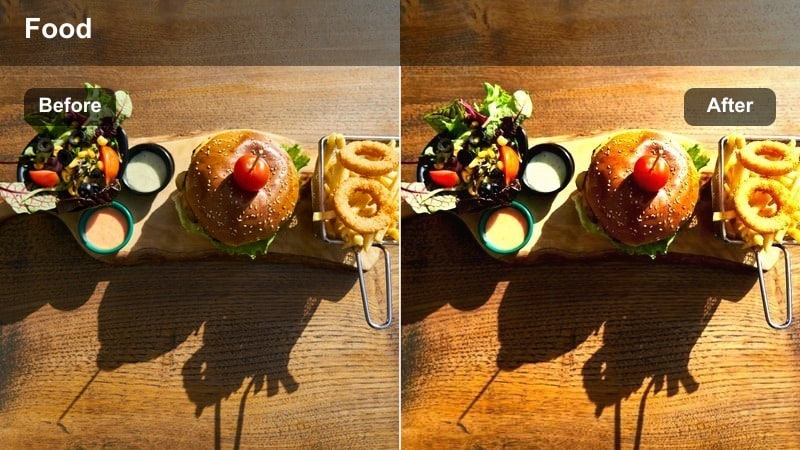
- Effect look: Punchy neon magentas and cyans with deep contrast and crisp signage.
- Best for: Night food alleys lined with bright signs, noodle stalls, and dense foot traffic.
- Editing tip: Lower saturation of reds slightly to prevent neon signs from clipping while keeping noodles and steam detailed.
Neon Noodle Strip is tuned for intense night markets where glowing signs, menu boards, and LED strips dominate the frame. In Filmora, apply this LUT when you want neon magentas and cyans to leap off the screen while keeping text on boards and wall textures readable.
Because heavy contrast can crush dark sidewalks and doorways, start with mild noise reduction on your clips, then gradually increase contrast. If reds start clipping, use HSL to desaturate red and magenta while preserving the brightness of the signs. Lift blacks a touch so faces and moving crowds remain visible beneath the strongest lights.
Midnight Snack Alley
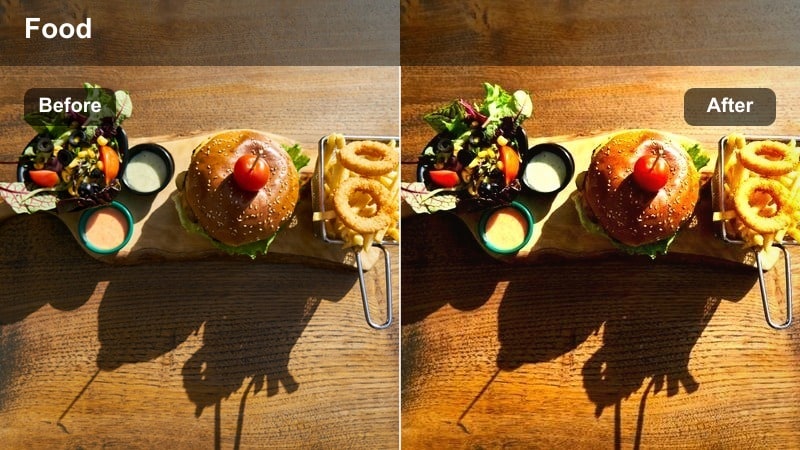
- Effect look: Moody blues and cool shadows with warm highlights around stalls for cinematic contrast.
- Best for: Slow-motion shots of vendors plating food and customers chatting under dim city lights.
- Editing tip: Shoot slightly brighter in-camera, then pull down exposure and blacks in Filmora for a richer, cinematic feel.
Midnight Snack Alley leans into cool, moody shadows while keeping pools of warm light around your stalls, giving your B-roll a cinematic, almost film-noir edge. It is perfect in Filmora for intimate late-night scenes where steam rises slowly and conversations linger in half-lit corners.
To maximize this look, shoot at a slightly higher exposure so your shadows retain detail, then in Filmora reduce overall exposure and deepen blacks until the scene feels rich but not muddy. Pair the LUT with slow motion of steam, pouring sauces, or chopsticks lifting noodles to emphasize texture and atmosphere, and gently feather any vignette so the corners darken gradually.
Electric Market Grid
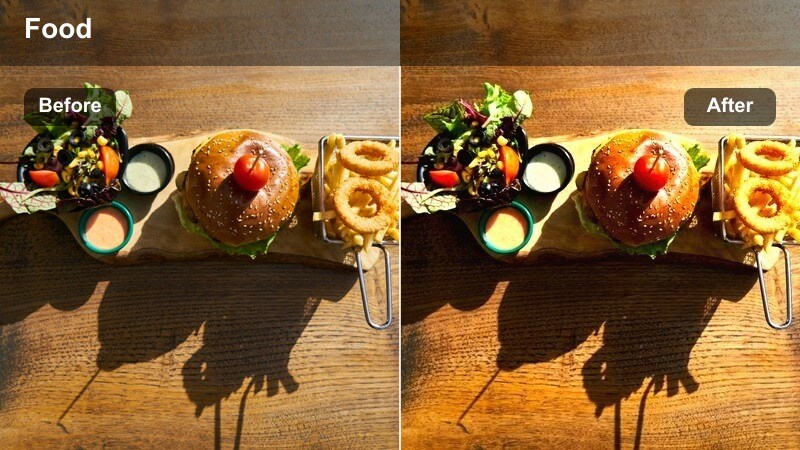
- Effect look: High-contrast, saturated urban look that makes neon, streetlights, and reflective pavements pop.
- Best for: Rainy night markets, wet streets, and shots of crowds crossing busy intersections to food areas.
- Editing tip: Boost clarity and texture slightly, but avoid over-sharpening which can exaggerate low-light noise.
Electric Market Grid is made for nights when the streets are wet and every sign, traffic light, and storefront bounces color off the ground. In Filmora, this LUT heightens contrast and saturation so reflections on pavement and umbrellas stand out, giving your night food sequences a music-video energy.
Because low-light footage can get grainy, increase clarity and texture modestly but stay conservative with sharpening tools. Use the curves panel to gently roll off highlights so neon edges do not blow out, and adjust midtones upward just enough that pedestrians, crosswalks, and food stalls remain clearly visible within the chaos.
Gritty City Corner Cafes
Concrete Snack Corner
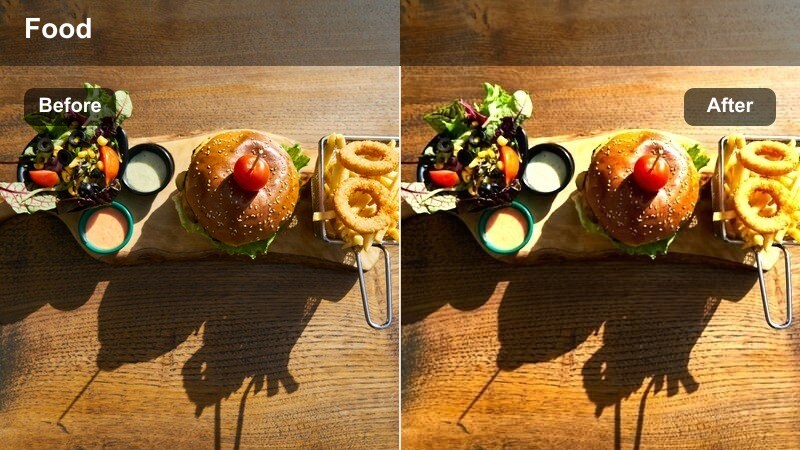
- Effect look: Muted colors with lifted blacks for a soft, documentary-style urban feel.
- Best for: Small corner stalls, sidewalk stands, and candid interactions between vendors and locals.
- Editing tip: Pull saturation back a little more if your footage includes clashing colored awnings or busy backgrounds.
Concrete Snack Corner dials down saturation and lifts blacks to create a soft, documentary look that feels grounded and realistic. In Filmora, this LUT is perfect for quieter scenes where you are capturing daily routines like prepping ingredients, counting money, or chatting with regulars at a corner stall.
If your scene has many competing colors, further reduce overall saturation and selectively tame strong hues like bright awnings or signs. Mild handheld camera movement works well with this look, so only stabilize the most jittery clips to keep a sense of presence and authenticity in your street reportage.
Smokestack Sidewalk
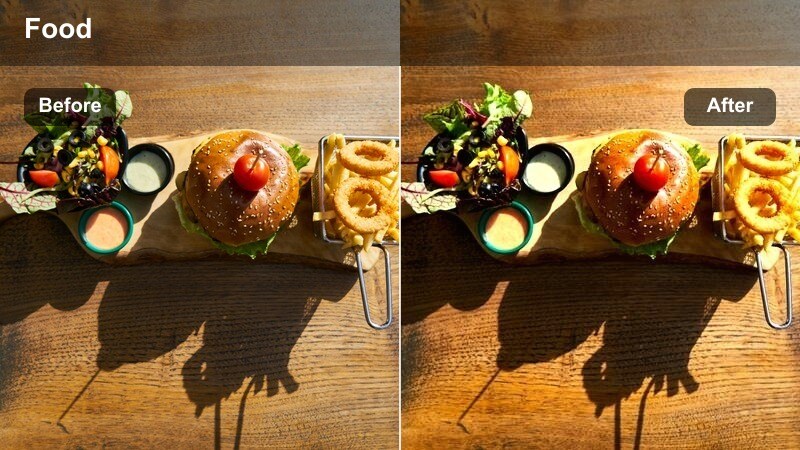
- Effect look: Cool greys and desaturated backgrounds that make steam and hot food stand out.
- Best for: Close-ups of grills, fryers, and steam rising in narrow city lanes or under overpasses.
- Editing tip: Shoot with backlight whenever possible and then lift whites in Filmora to make the steam glow.
Smokestack Sidewalk is tailored to emphasize steam, smoke, and sizzling textures against muted city backdrops. When you apply this LUT in Filmora, it cools and desaturates the environment so the white plumes of steam and the warm tones of cooked food become the immediate focus.
For the strongest effect, position your shots so steam is backlit by streetlights, storefronts, or even car headlights. In the edit, lightly raise whites and highlights to make the steam glow while keeping overall exposure controlled, and consider a bit of slow motion to let the drifting smoke feel more dramatic and cinematic.
Alleyway Lantern Mix
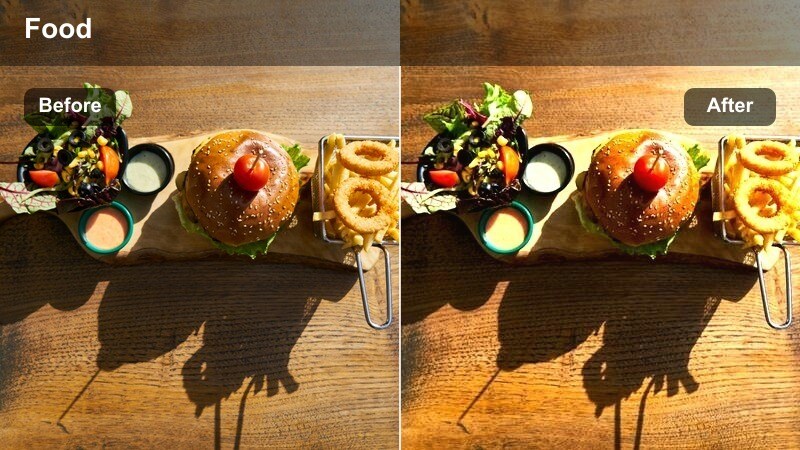
- Effect look: Soft blend of warm lantern tones and cool alley shadows for balanced urban contrast.
- Best for: Narrow alleys where light spills from small shop windows and hanging bulbs onto food stands.
- Editing tip: Adjust white balance per clip to keep lanterns warm but not yellow while maintaining neutral pavement tones.
Alleyway Lantern Mix specializes in balancing mixed lighting: warm bulbs and lanterns against cool pavement and deep alley shadows. In Filmora, this LUT lets you keep the romantic warmth of hanging lights without letting the entire frame skew yellow or orange.
Apply the LUT across your alley sequence, then adjust white balance on a clip-by-clip basis so skin tones remain natural under each light source. Check consistency as you cut between angles and tweak tint where necessary, ensuring your audience experiences a seamless walk through the lantern-lit path rather than jarring color jumps.
Crowds, Motion, and Market Energy
Rush Hour Street Bite
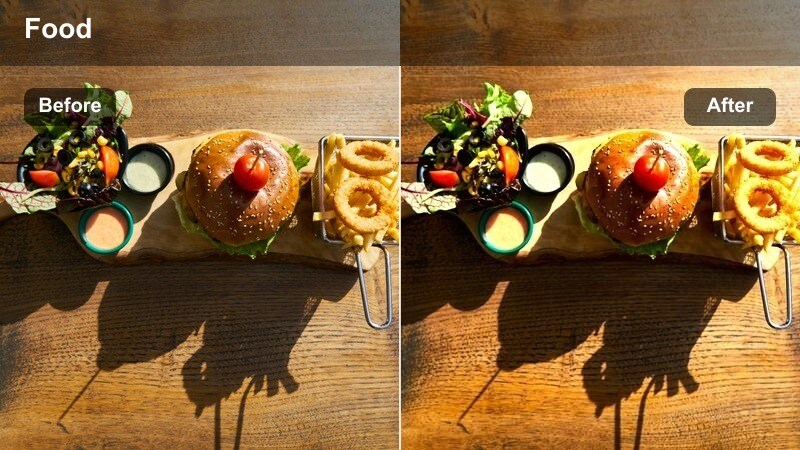
- Effect look: High-energy contrast with slightly boosted midtones to highlight busy crowds and fast movement.
- Best for: Busy intersections, overhead shots of crowds flowing around food stalls, and quick b-roll cuts.
- Editing tip: Use faster cuts and match each cut to a beat in your soundtrack to complement the filter's energetic feel.
Rush Hour Street Bite is crafted to amplify the hustle of commuters swarming toward street food after work. In Filmora, this LUT pushes contrast and midtones so faces, clothing, and street markings stay visible and dynamic even when the frame is packed with movement.
Use it on wide overheads, time-lapses, or fast B-roll sequences and cut to the beat of your music track for maximum impact. If colors start to feel overwhelming, dial back saturation slightly so signage and clothing do not steal attention from the food and stalls anchoring your story.
Metro Market Transit
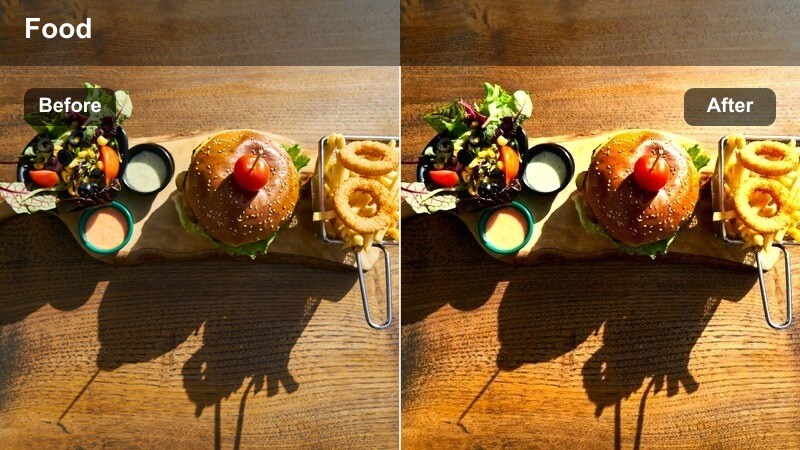
- Effect look: Cool, modern tones that tie together subway exits, sidewalks, and adjacent food stalls.
- Best for: Sequences where viewers exit a train, walk city streets, and arrive at a street food market.
- Editing tip: Use this filter across your entire transit-to-market sequence for a cohesive narrative feel.
Metro Market Transit brings a sleek, contemporary tone to the journey from subway platform to street food paradise. In Filmora, this LUT cools down the overall palette slightly and keeps contrast controlled, so tiled station walls, escalators, and sidewalks all feel like part of the same visual story.
Apply it consistently from your first transit shot through to the moment you reach the first stall, then consider switching to a warmer LUT for close-ups of cooking. This structure clearly separates the commute from the eating in your edit, giving viewers a satisfying sense of arrival while maintaining stylistic cohesion.
Handheld Market Flow
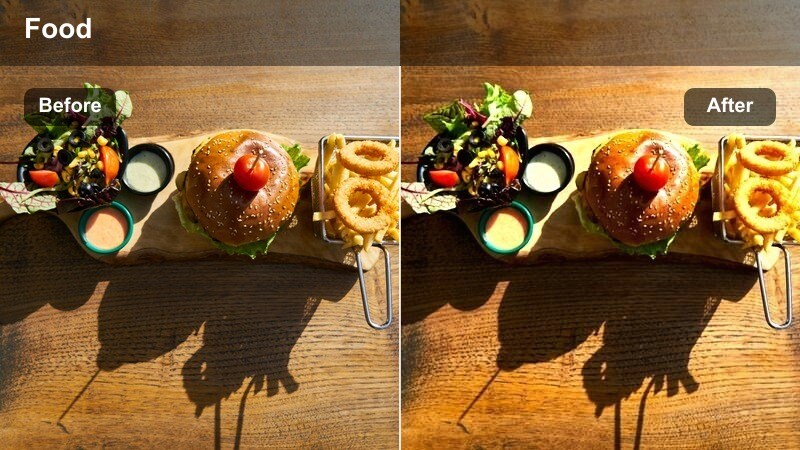
- Effect look: Slightly softened contrast with stabilized tones for handheld vlog-style walkthroughs.
- Best for: POV market tours where the camera weaves between stalls, customers, and vendors in tight spaces.
- Editing tip: Apply Filmora's stabilization first, then add this filter to keep grain and edges from warping.
Handheld Market Flow is designed for long, continuous POV walks through busy aisles, where you are dodging crowds and turning quickly to catch interesting moments. In Filmora, the LUT softens contrast slightly and keeps tones stable, making handheld motion feel more watchable and vlog-friendly.
Run stabilization on your raw clips first, then apply the LUT so the grade does not exaggerate noise or edge artifacts. Cut in close-ups of sizzling pans, plating, and tasting reactions between longer walking segments to maintain viewer engagement while preserving the immersive, first-person experience of the market.
Tips for Using Urban Street Food Market Lut Filters in Filmora
- Shoot slightly brighter than you need in crowded night markets, then pull down exposure with your chosen filter to keep detail in shadows.
- Record a short gray or white reference in the market so you can quickly correct white balance before adding the Urban Street Food Market LUT filters.
- Mix wide establishing shots of the city with tight food close-ups using the same filter to give your street food vlog a unified aesthetic.
- Keep shutter speed consistent when filming under flickering streetlights to avoid banding that becomes more visible after applying contrasty filters.
- Use Filmora AI color matching to keep skin tones looking similar across different stalls, streets, and nights when you reuse the same LUTs.
- Save customized versions of your favorite LUTs as presets in Filmora so you can apply your signature look to new projects in seconds.
- Test multiple LUTs on a short sequence before editing the full vlog to quickly lock in a look that fits your music, pacing, and thumbnail style.
- Combine LUTs with light vignettes and sharpen tools sparingly, prioritizing clean skin tones and readable signage over extreme stylization.
The Urban Street Food Market LUT filter pack gives content creators a fast way to turn raw city market footage into moody, flavorful visuals that fit modern food vlogs and reels.
Apply a few of these presets to your next market run in Filmora, tweak exposure and saturation, and you will have a repeatable look that makes every urban street food story feel cinematic and cohesive.
secure download