

 100% Security Verified | No Subscription Required | No Malware


 ChatGPT
 Perplexity
 Gemini
 Claude
 Grok
Grok
Soft, flattering studio light is the secret behind many polished YouTube videos, and the right filters can mimic premium indoor studio LUTs with just a few clicks.
The presets below are curated for content creators who film in bedrooms, home offices, and compact indoor studios, giving your YouTube footage a gentle, cinematic glow without overexposing skin or crushing shadows.
In this article
Cozy Desk Studio Setups
Soft Desk Glow
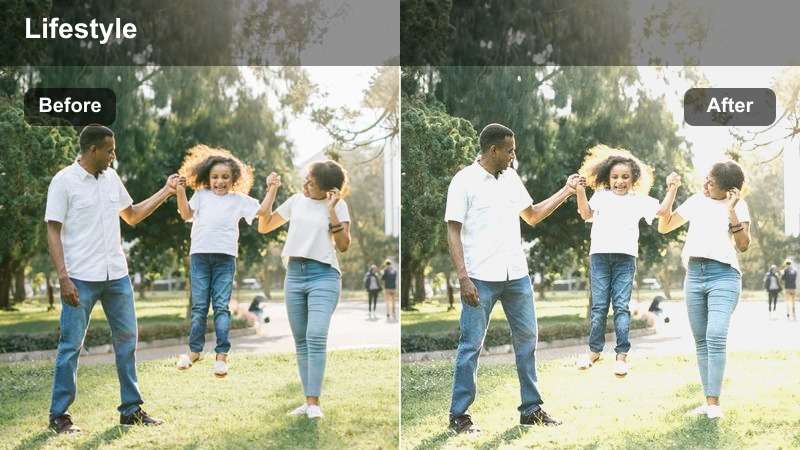
- Effect look: Creamy soft contrast with lifted shadows and smooth roll-off around skin and desktop details.
- Best for: Talking-head tutorials filmed at a computer desk with a key light and subtle RGB backlighting.
- Editing tip: Drop overall contrast slightly and increase midtone brightness to keep monitors and faces from looking harsh.
Soft Desk Glow is ideal when your main setup is a monitor, mic, and a single soft key light close to your face. It gently lifts shadows around your cheeks and desk gear so your skin tones look creamy, while small highlights from the screen and keyboard remain controlled instead of crunchy.
In Filmora, apply this filter on your talking-head clips, then open Color and lightly reduce contrast before nudging midtone exposure up. If your monitor feels too bright, pull down highlights a touch so its whites do not overpower the soft look on your face, and use a mask if you want the effect stronger on your skin than on the background.
Build a Soft Studio Look with AI Color Tools
Filmora's AI color tools help you get a balanced base grade before you start styling with soft studio filters. With one click, AI can even out exposure and white balance so your skin sits comfortably in the midtones.
Once AI has stabilized your clip, stack your favorite soft light filters on top and fine-tune intensity. This keeps your look consistent across multiple indoor shots, even if your key light or monitor brightness shifts during recording.
 secure download

Preview Soft Studio Filters in Real Time
With Filmora, you can hover over any soft studio filter in the Effects panel to preview its look on your clip instantly. This makes it easy to compare subtle differences in warmth, contrast, and softness without committing to a full render.
Load your main YouTube talking-head shot into the timeline, then quickly audition several indoor studio presets. When you find a look that flatters your skin and matches your RGB or lamp colors, apply it and fine-tune intensity to taste.
secure download1000+ Video Filters and 3D LUTs
Beyond soft indoor studio looks, Filmora includes a large library of creative filters, cinematic LUTs, and HSL tools you can combine to build a unique channel identity. These effects can push your grade toward moody, pastel, or punchy while keeping skin natural.
Start with a soft light preset for flattering faces, then layer a LUT or tweak HSL controls to match your brand colors. Save the combo as a custom preset so every new video automatically shares the same polished studio feel.
secure downloadMinimal Setup Soft
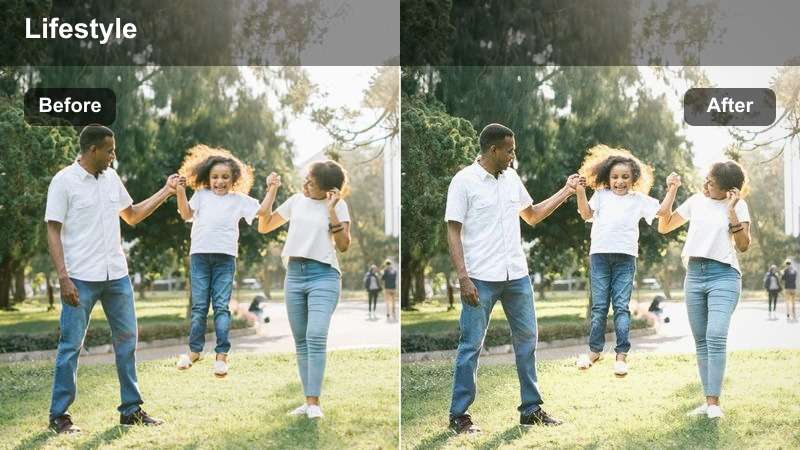
- Effect look: Clean, low-contrast indoor look with subtly softened edges and neutral color balance.
- Best for: Minimalist desk setups with white walls, a single key light, and no heavy colored lighting.
- Editing tip: Add a touch of clarity only to the subject with masking so the background stays soft and understated.
Minimal Setup Soft is designed for white-wall creators who want their videos to look fresh but not sterile. The filter slightly softens edges and eases contrast, which prevents your face from looking too stark against a bright, simple backdrop.
In Filmora, apply the filter and then use a mask to add a little extra clarity or sharpness on your face and hair while leaving the rest of the frame gentle. Keep saturation balanced so that black chairs, plants, or minimal decor do not pop too aggressively against the neutral scene.
Warm Desk Ambient
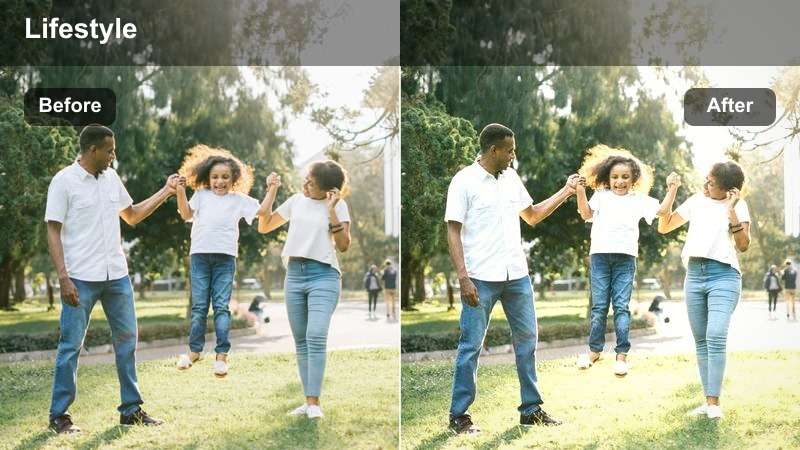
- Effect look: Soft amber warmth in the mids with gently muted highlights for a cozy desktop atmosphere.
- Best for: Chill commentary videos with warm desk lamps, bookshelves, and subtle string lights in the background.
- Editing tip: Use a vignette at low strength to guide the eye toward your face while keeping the warm ambient glow around the frame.
Warm Desk Ambient leans into the golden tones of desk lamps and fairy lights, giving your studio a relaxed late evening feel without making everything orange. Highlights stay slightly muted so bulbs and lamp shades glow softly instead of clipping.
In Filmora, combine this filter with a gentle vignette and a small reduction in orange saturation so your skin stays believable. If your background includes wood shelves or warm decor, lower their saturation a touch more than your face to keep attention centered on your expression and storytelling.
Talking-Head Studio Shots
Creamy Skin Soft
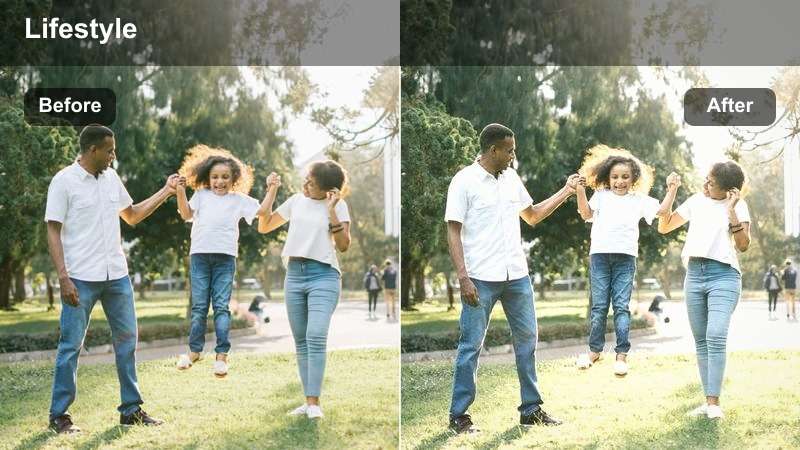
- Effect look: Delicate skin smoothing with low micro-contrast and softly rolled-off highlights around the face.
- Best for: Beauty, lifestyle, and educational talking-head videos recorded in a small indoor studio.
- Editing tip: Slightly sharpen eyes and lips after applying the filter so facial features stay crisp within the soft frame.
Creamy Skin Soft focuses on flattering faces for close-up talking-head shots. It subtly smooths skin texture and reduces micro-contrast so pores and minor blemishes are less noticeable, while keeping the overall frame natural and not plastic.
In Filmora, apply this filter early in your grade, then selectively sharpen eyes, lashes, and lips with a mask or detail controls. Adjust highlight roll-off so key light reflections on cheeks and forehead stay gentle, and keep saturation moderate so rosy tones do not become too intense in the softened image.
Neutral Pro Studio
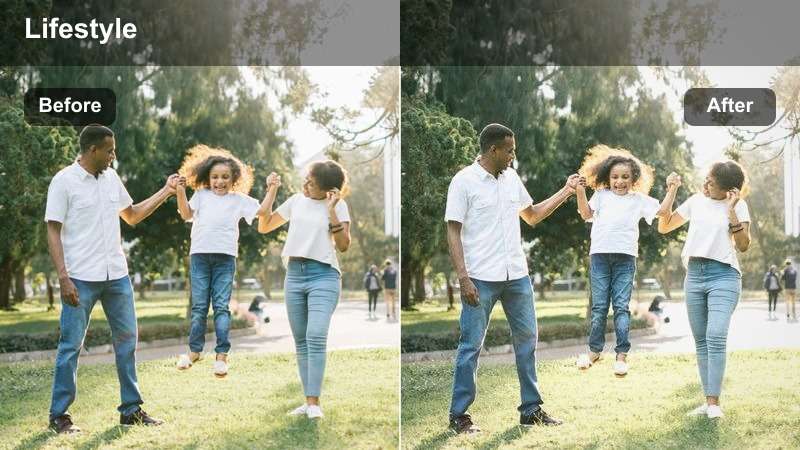
- Effect look: Balanced color and contrast with subtle softness, ideal for professional yet approachable YouTube studio shots.
- Best for: Online courses, tech explainers, and branded content recorded against indoor backdrops.
- Editing tip: Nudge saturation slightly lower in the background to keep logos and props from distracting the viewer.
Neutral Pro Studio is tuned for creators who want a clean, brand-ready look that still feels soft and friendly. Colors are kept accurate but slightly restrained, while edges are softened just enough to take the corporate edge off harsh office lighting.
In Filmora, place this filter over clips with branded sets, shelves, or on-screen graphics, then reduce saturation or brightness of the background using masks. This keeps product boxes, logos, and decor from stealing focus while your face remains the clearest, brightest element in the shot.
Soft Split Light
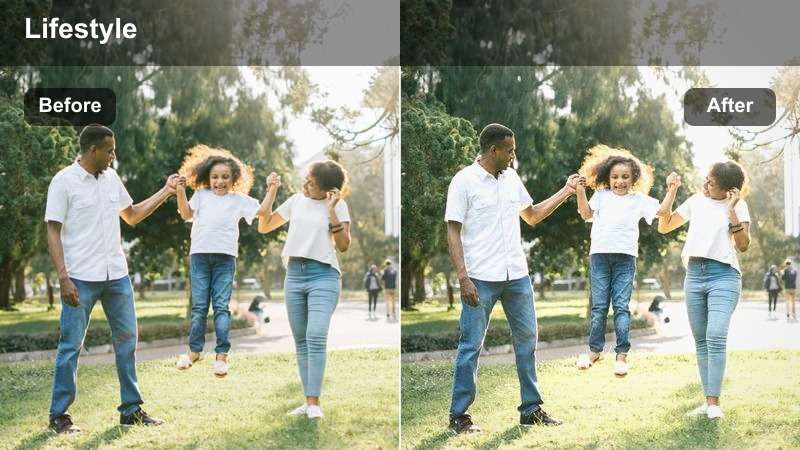
- Effect look: Gentle side-lit contrast that keeps one cheek brighter while maintaining overall softness and detail.
- Best for: Storytime videos and opinion pieces filmed with a key light off to the side in a small room.
- Editing tip: Lift the shadows slightly to avoid a dramatic look and maintain the relaxed YouTube studio vibe.
Soft Split Light works with a side-positioned key light, preserving a subtle light-to-shadow transition across your face without drifting into harsh drama. Shadow regions are lifted enough to see details in hair and clothing, keeping the image inviting.
In Filmora, apply the filter and gently raise shadows or blacks until the dark side of your face still shows texture. If your background includes lamps or windows on the bright side, tame their highlights so they do not distract from the sculpted, soft contrast on your features.
Bedroom Studio Vibes
Soft RGB Room
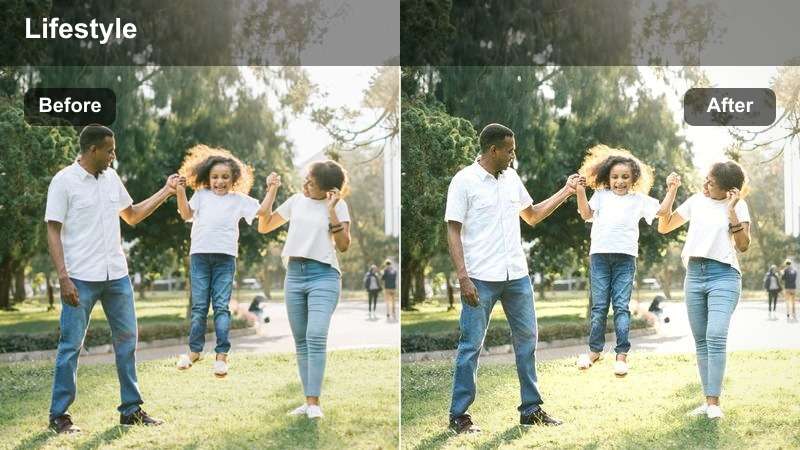
- Effect look: Muted, diffused RGB colors in the background with a clean, soft-lit subject in the foreground.
- Best for: Gaming, reaction, and streaming-style recordings in RGB-lit bedroom studios.
- Editing tip: Lower saturation in blue and magenta channels to avoid strong color spill on skin when RGB lights are intense.
Soft RGB Room is tailored for setups with LED strips, Nanoleaf panels, or PC RGB lighting in the background. It smooths and slightly desaturates strong blues and magentas so the colors read as a glow, not a distraction, while your face stays neutral and well defined.
In Filmora, apply this filter and then fine-tune the HSL panel to reduce saturation or luminance of the most intense RGB hues. Keep a separate, neutral key light on your face in-camera and use masks if needed to ensure your skin remains clean while the background still pulses softly with color.
Cozy Bedroom Soft
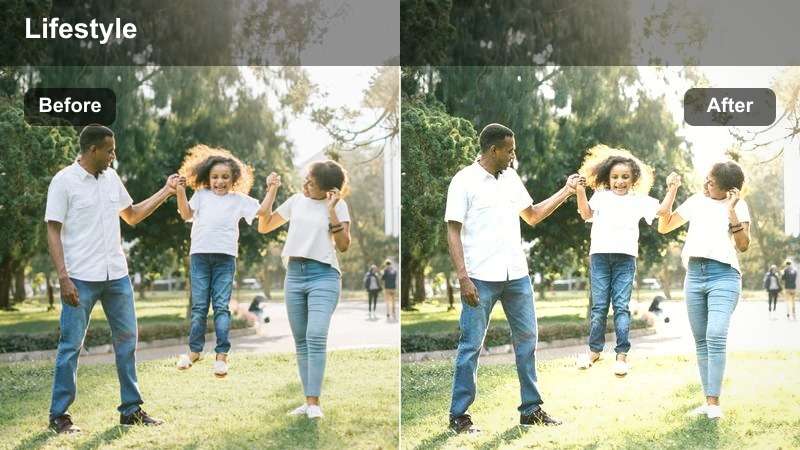
- Effect look: Warm, low-contrast tones with softened textures and gentle falloff into the corners of the frame.
- Best for: Daily vlogs, study-with-me sessions, and calm chat videos filmed in small bedrooms.
- Editing tip: Raise exposure slightly on midtones only to keep the room soft while the subject remains clearly visible.
Cozy Bedroom Soft wraps your scene in warm, relaxed tones that feel perfect for chill vlogs and intimate chats. Contrast is low and edges are subtly smoothed, which helps soften busy shelves, bedding, or fairy lights in the background.
In Filmora, combine this filter with a small boost in midtone exposure so your face stays readable even when the room is dim. Avoid pushing overall brightness too high; instead, keep highlights and saturation under control so your bedroom keeps that calm, candlelike atmosphere on both desktop and mobile screens.
Soft Study Corner
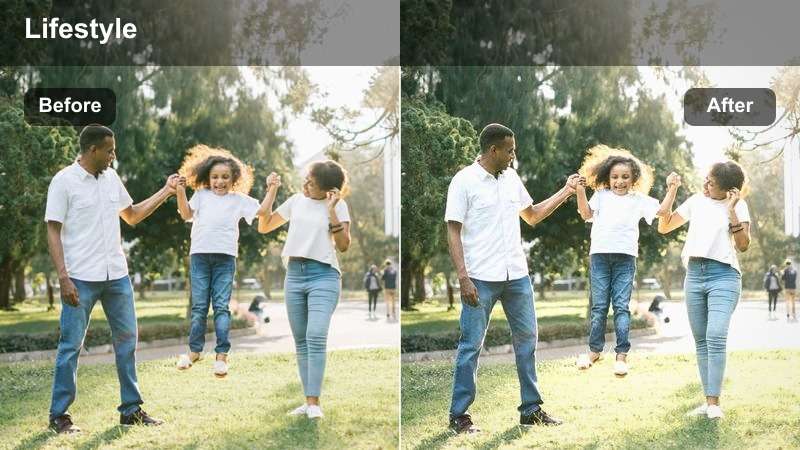
- Effect look: Gentle haze on the background with clean midtone focus on the creator at a study desk.
- Best for: Study streams, planning sessions, and productivity videos filmed in a small corner of a room.
- Editing tip: Use subtle blur or depth-of-field effects on the background to enhance separation without losing detail completely.
Soft Study Corner adds a hint of atmospheric haze to the background while keeping you, your notebook, and key desk items crisp. It is especially effective when your study corner is cramped or cluttered, as it visually pushes shelves and decor slightly farther away.
In Filmora, pair this filter with a background blur effect or depth-of-field preset at low intensity. Use masks so your face, hands, and any on-screen notes remain clear, while monitors, stacks of books, and wall decor melt into a gentle, distraction-free backdrop.
Small Office Studio Looks
Soft Business Studio
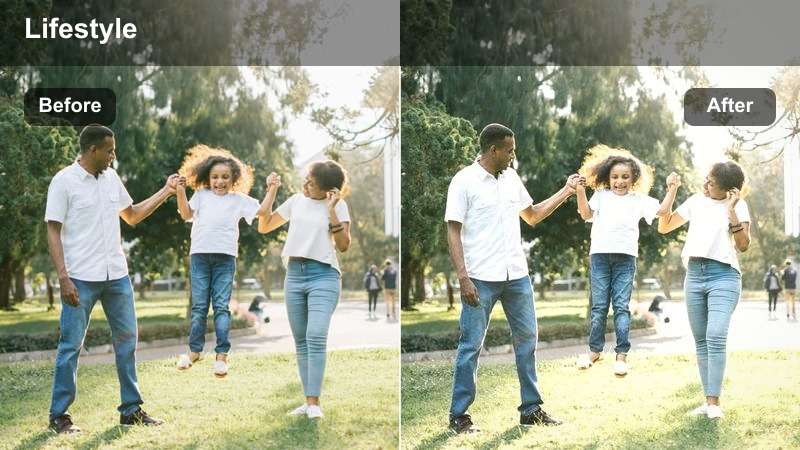
- Effect look: Subtle corporate polish with softened edges, low saturation, and clear, balanced skin tones.
- Best for: Business explainers, LinkedIn-style videos, and professional YouTube content filmed in office spaces.
- Editing tip: Increase sharpness just a bit on shirts, blazers, and text on whiteboards so the scene still feels professional.
Soft Business Studio gives office content a lighter, more welcoming feel without sacrificing clarity. Colors are gently desaturated to tone down bold branding or office clutter, while your skin tones remain accurate and well lit.
In Filmora, activate this filter, then add a slight sharpness boost to collars, blazers, and any on-screen slides or whiteboard text. Keep exposure conservative so white shirts and paper do not blow out, and consider isolating the background to soften it more than your face for an executive yet friendly presence.
Soft Boardroom Brief
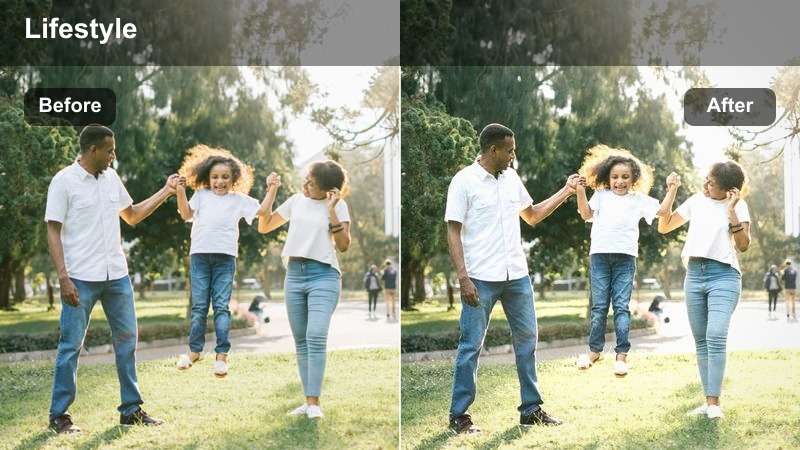
- Effect look: Even soft contrast across the frame with slightly cooler tones and relaxed highlight roll-off.
- Best for: Team update videos, remote presentations, and Q&A sessions filmed in small meeting rooms.
- Editing tip: Reduce green tint if your room uses fluorescent ceiling lights to keep skin tones clean and natural.
Soft Boardroom Brief is aimed at conference rooms lit by overhead panels or fluorescent tubes. It leans subtly cool to complement that lighting while smoothing contrast so faces, tables, and walls feel even, not clinical.
In Filmora, apply the filter, then adjust tint slightly toward magenta if your skin looks too green. You can also drop green saturation in the HSL panel to neutralize walls and tables, letting the soft, cool palette feel intentional rather than like leftover office lighting.
Soft Client Call
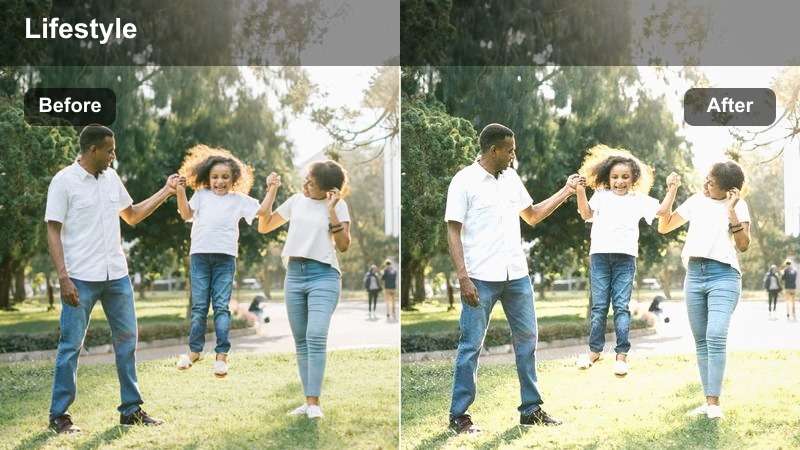
- Effect look: Subtle glow around the subject with lifted shadows and a gentle, inviting office ambiance.
- Best for: Client update recordings, remote consulting sessions, and onboarding videos filmed at a desk.
- Editing tip: Use a small radial mask on your face to add a touch of extra brightness so you stand out during screen shares.
Soft Client Call adds a mild halo-like softness and brighter midtones around your face, which is perfect for screen-recorded walk-throughs or virtual onboarding sessions. The look feels friendly but still office-appropriate, helping viewers connect with you rather than just your slides.
In Filmora, combine this filter with a radial mask centered on your face and lift exposure slightly within that mask. When mixing camera and webcam footage, apply similar softness and exposure adjustments to both so scene changes feel cohesive and your presence remains the visual anchor.
Tips for Using Youtube Indoor Studio Luts Soft Light Filters in Filmora
- Keep your key light large and close to your face so soft light filters enhance gentle shadows instead of trying to fix harsh ones.
- Match your camera white balance to your main light before editing, so Filmora filters do not have to fight strong color casts.
- Record a short test clip in each new indoor setup and try several soft filters side by side to see which matches your channel style.
- Avoid stacking too many colored lights; let one accent color dominate while filters keep the overall palette cohesive.
- Shoot at the lowest ISO you can manage, since soft filters can make digital noise more noticeable in lifted shadows.
- Add a light vignette in Filmora to subtly draw attention toward your face in talking-head or desk studio shots.
- Save your favorite indoor soft light combinations as custom Filmora presets so you can reuse them across episodes.
- After exporting, review your video on a phone and reduce filter intensity next time if the image looks overly hazy.
Soft, flattering indoor studio looks are easy to achieve when you combine intentional lighting with purpose-built Filmora filters tuned for YouTube creators.
Use these presets as a starting point, then refine warmth, contrast, and softness until your indoor studio becomes a recognizable visual signature for your channel.
secure download