

 100% Security Verified | No Subscription Required | No Malware


 ChatGPT
 Perplexity
 Gemini
 Claude
 Grok
Grok
These vibrant YouTube Shorts food filters are tailored for creators who want dishes to jump off the screen in under 60 seconds, with bold color, clean whites, and punchy contrast that stop scrolling thumbs.
Use these Filmora-ready looks to keep your food content consistent, appetizing, and on-brand, whether you shoot home cooking, street food, or fast-paced recipe Shorts in vertical format.
In this article
Bright Countertop Bites and Overhead Recipe Pops
Sunny Brunch Pop
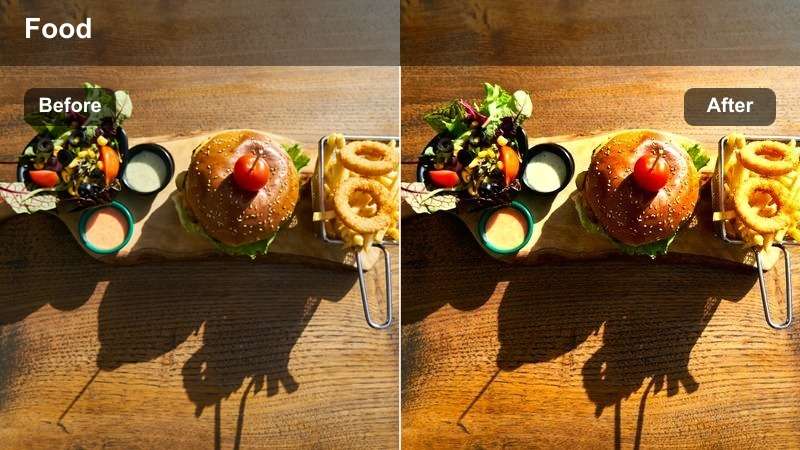
- Effect look: High-contrast, saturated brunch colors with crisp whites
- Best for: Top-down breakfast plates, smoothie bowls, and colorful brunch spreads
- Editing tip: Slightly lower highlights after applying the filter to keep eggs and plates from blowing out in bright kitchen light.
Sunny Brunch Pop is designed to make your breakfast plates glow on YouTube Shorts, boosting saturation and contrast while preserving clean whites on plates, mugs, and countertops. In Filmora, this filter works especially well on vertical top-down shots where you want berries, yolks, and greens to feel bold without losing detail.
Apply it to your primary A-roll shots, then fine-tune highlights in the Color panel so whites do not clip on bright countertops. Keep your main dish centered in the vertical frame and leave negative space for text overlays, then add a subtle speed ramp on key pour, crack, or sprinkle moments to match the upbeat, sunny mood.
Lock In a Consistent Food Aesthetic with AI-Driven Color
Filmora AI-powered color tools help you copy the Sunny Brunch Pop vibe across all your Shorts so every brunch, snack, or dessert clip looks like part of the same series. Instead of manually matching saturation and contrast, you can analyze a reference clip and reuse that palette in seconds.
Use AI Color Matching on a few standout brunch videos, save your favorite result as a reusable preset, and apply it to new Shorts to keep your channel grid visually cohesive.
 secure download

Preview Vibrant Food Filters in Real Time
Filmora real-time preview makes it easy to audition multiple vibrant filters on the same brunch or snack clip without breaking your flow. You can instantly see how different levels of warmth, contrast, and saturation affect eggs, fruit, and coffee tones.
Use split-screen or side-by-side comparisons to decide which filter best matches your channel branding before you commit it across an entire batch of Shorts.
secure downloadCombine Filters and LUTs for Signature Shorts
By stacking Filmora filters with dedicated food LUTs, you can refine both your plate colors and surrounding backgrounds in a single vertical frame. This lets you keep skin tones natural while pushing reds, greens, and yellows in the dish for maximum appetite appeal.
Once you find a mix that works for your brunch, street food, or dessert content, save it as a custom preset and apply it to every new Short so your feed feels instantly recognizable.
secure downloadCutting Board Crunch
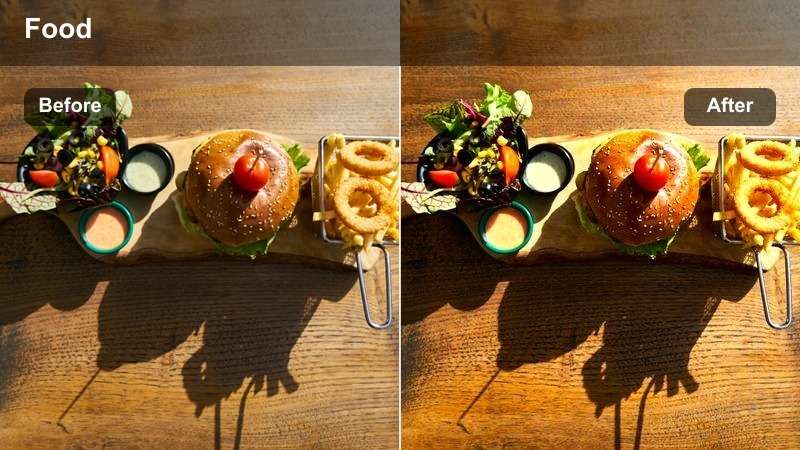
- Effect look: Sharp textures with boosted clarity and natural but vivid color
- Best for: Chopping sequences, ingredient close-ups, and quick prep steps
- Editing tip: Use tighter vertical crops on hands and ingredients so the enhanced texture becomes the focus of the Short.
Cutting Board Crunch emphasizes knife work, edges, and grain, adding clarity so every slice of onion or pepper feels satisfying. In Filmora, this is ideal for ASMR-style prep segments and vertical close-ups where you want viewers to focus on texture more than the overall kitchen.
Apply the filter, then use crop and zoom tools to reframe your footage around hands and ingredients, trimming away background clutter. Pair it with amplified knife and chopping sounds on the timeline, and cut on musical beats or sound accents to enhance the rhythmic feel of each slice.
Clean Kitchen Vibe
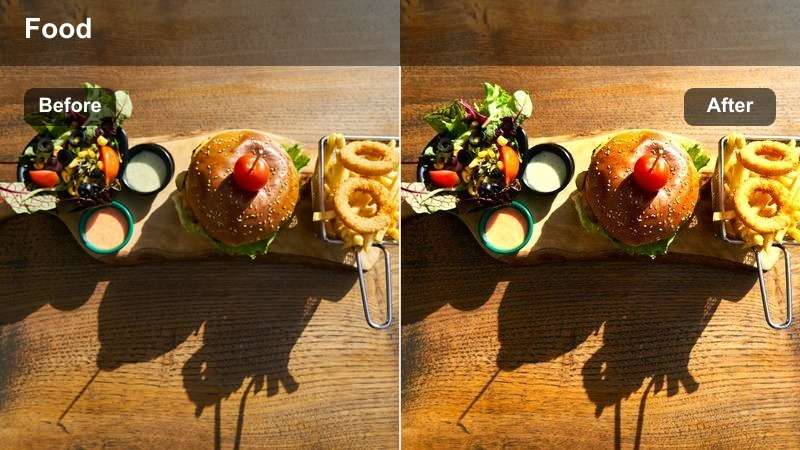
- Effect look: Soft, bright whites with clean shadows and subtle color lift
- Best for: Minimalist countertops, recipe narration, and clean kitchen walkthroughs
- Editing tip: Reduce saturation slightly if your kitchen has strong colored cabinets to keep the food as the main color accent.
Clean Kitchen Vibe gives your cooking space a modern, airy feel, brightening whites and smoothing shadows so the scene looks polished without feeling artificial. This makes it a great choice in Filmora for host-led intros, ingredient rundowns, and calm, step-by-step recipe explainers.
After adding the filter, gently pull back overall saturation or individual HSL channels if bold cabinet colors distract from the plate. Leave negative space on counters in your vertical framing, then use Filmora titles and simple motion graphics in those areas to label ingredients or steps while the food remains the visual anchor.
Street Food Energy and Takeout Color Punch
Neon Street Snack
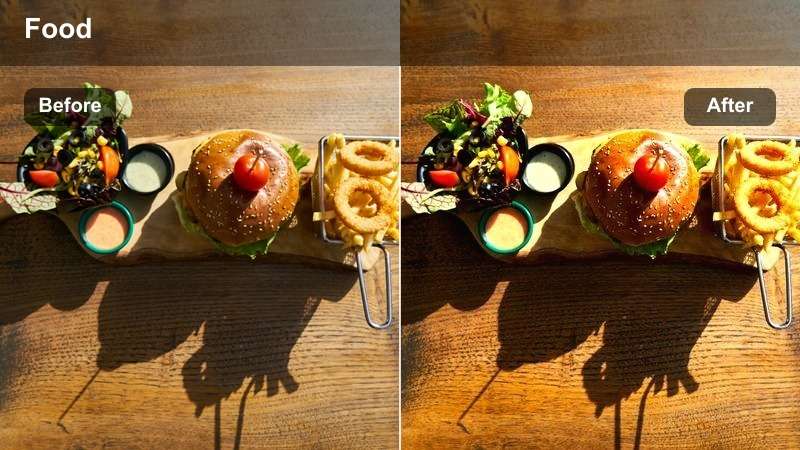
- Effect look: Bold contrast with saturated reds, yellows, and street-light highlights
- Best for: Night market food, food truck shots, and fast street snack reels
- Editing tip: Stabilize your handheld clips before applying this filter so the strong contrast does not exaggerate camera shake.
Neon Street Snack is built to turn night market and food truck footage into a vivid, high-energy experience. It deepens blacks, boosts sign and stall colors, and makes glows from lamps and neon lights more dramatic, which reads well in small YouTube Shorts previews.
In Filmora, first apply video stabilization to smooth handheld shots, then drop this filter on top to avoid jittery high-contrast edges. Cut quickly between sizzling grills, serving hands, and crowd reactions, using motion blur or whip transitions to maintain a fast, urban rhythm while the filter keeps colors intense and coherent.
Takeout Bag Pop
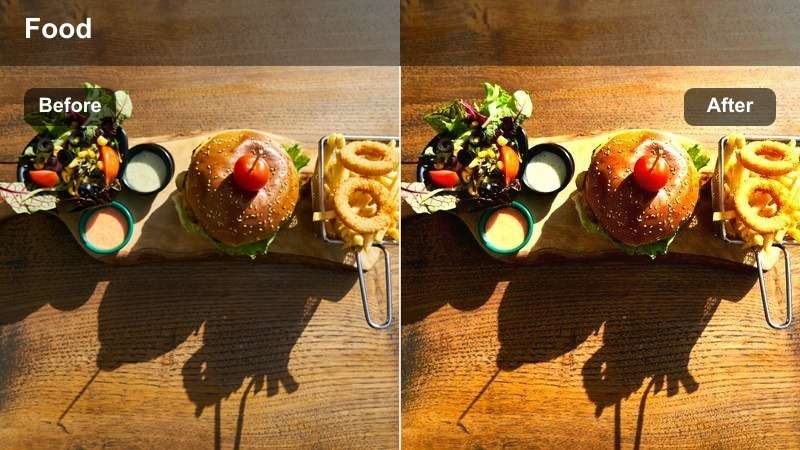
- Effect look: Warm, saturated tones that highlight packaging logos and food color
- Best for: Unboxing takeout, delivery hauls, and fast review Shorts
- Editing tip: Trim out dead time so each cut reveals a new item from the bag while the filter keeps colors consistently bold.
Takeout Bag Pop warms up your scene and makes branded bags, boxes, and sauces feel playful and bingeable. It enhances reds, oranges, and yellows in packaging and toppings, which helps your unboxing Shorts stand out in the vertical feed.
On the Filmora timeline, cut tight around each reveal so every edit introduces a new box or dish within a second or two. Combine this filter with bold on-screen ratings or quick text stickers, letting the warm color grade tie all shots together even if they were filmed on different days or in slightly different lighting.
City Window Bite
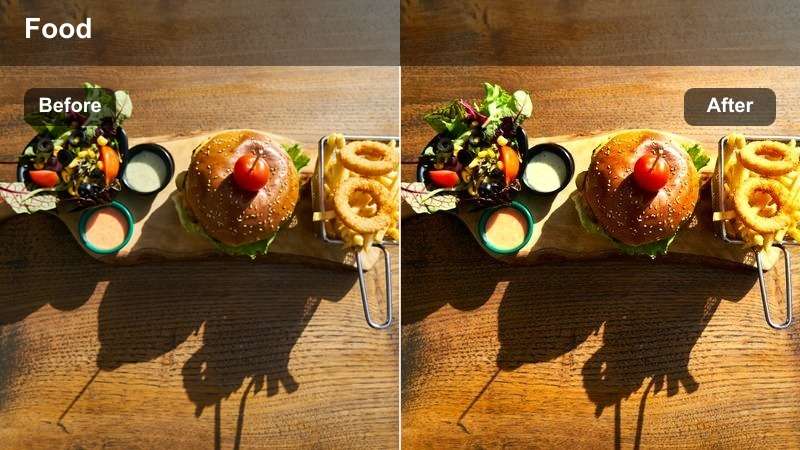
- Effect look: Balanced, punchy midtones with softly lifted shadows
- Best for: Food eaten near windows, cafe seats, or balcony snack shots in the city
- Editing tip: Face the window when filming and let this filter handle the rest so your snack and skyline both stay visible.
City Window Bite balances your foreground snack with bright city backdrops, lifting shadows so faces and food do not get lost against a window. It boosts midtones for a crisp, modern feel that works well with vlog-style YouTube Shorts.
When editing in Filmora, keep your subject turned toward the window light, then apply this filter to equalize exposure between interior and exterior. Alternate between close-ups of the food and slightly wider shots showing skyline or street activity, using the same filter on both A-roll and B-roll to keep your city food diary visually unified.
Home Cooking Comfort and Dinner Table Glow
Golden Pan Sizzle
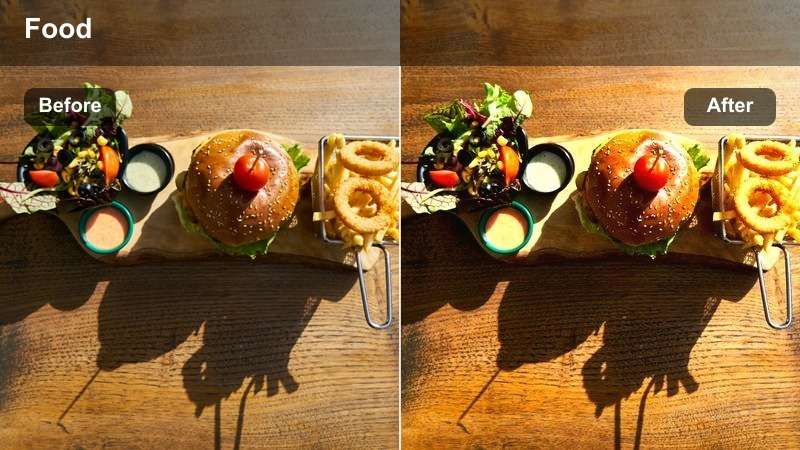
- Effect look: Rich golden highlights with boosted warmth and subtle vignette
- Best for: Stovetop cooking, sizzling pans, and close-up frying shots
- Editing tip: Slow down your best sizzle moment slightly so the golden tones and steam have time to register in a Short.
Golden Pan Sizzle adds a cozy, cinematic warmth to your stovetop shots, emphasizing golden highlights on oil, crusts, and bubbling sauces. The subtle vignette helps pull viewers eyes toward the center of the frame, which is perfect for tight vertical shots of pans and pots.
In Filmora, identify the most dramatic steam or sizzle segment, apply this filter, then use speed controls to slow that moment just enough for the details to register. Layer in sizzling sound effects and a gentle push-in keyframe zoom so the audience feels pulled into the pan while the warm grade reinforces comfort food vibes.
Cozy Dining Glow
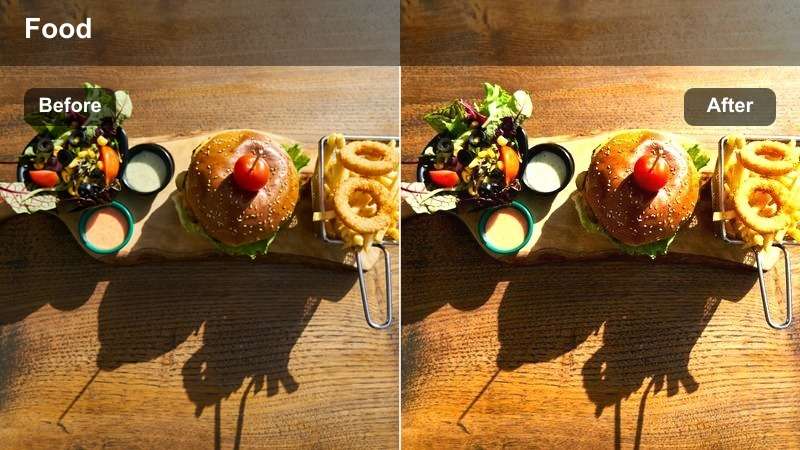
- Effect look: Softened contrast with warm midtones and gentle skin smoothing
- Best for: Family dinner tables, shared plates, and reaction bites
- Editing tip: Use this look for A-roll shots where people talk to the camera about the dish so both faces and food look warm.
Cozy Dining Glow smooths contrast and warms midtones to flatter both faces and food in the same frame. It is ideal for dining table Shorts, reaction bites, and family-style servings where atmosphere matters as much as plate detail.
Apply it to your talking clips in Filmora so on-camera hosts and guests look soft and inviting under indoor lights, then duplicate the same look on cutaway food shots for consistency. Cut between wide table views and quick close-ups of the hero dish, letting the warm tone tie together conversation, reactions, and mouthwatering details.
Fridge to Plate
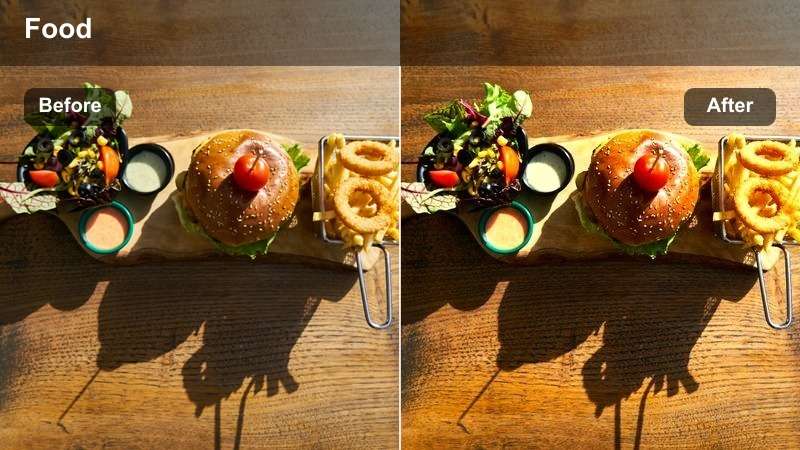
- Effect look: Clean, slightly cool whites with crisp color separation
- Best for: Ingredient pulls from the fridge, pantry hauls, and quick before-and-after cooking reveals
- Editing tip: Film your fridge and final plate in similar light so the filter can tie the whole transformation together visually.
Fridge to Plate creates a fresh, organized feel by giving your whites a slightly cool tone and separating colors clearly. This is perfect for before-and-after transformation Shorts that move from fridge or pantry shelves to plated meals.
In Filmora, apply this filter across all shots in your sequence: ingredient pulls, quick prep snippets, and the final reveal. Keep lighting consistent when filming, then use simple match cuts or push transitions between scenes; the unified color styling will make your transformation feel intentional and professional in the vertical feed.
Dessert Swirls and Colorful Drink Splashes
Frosting Swirls Vivid
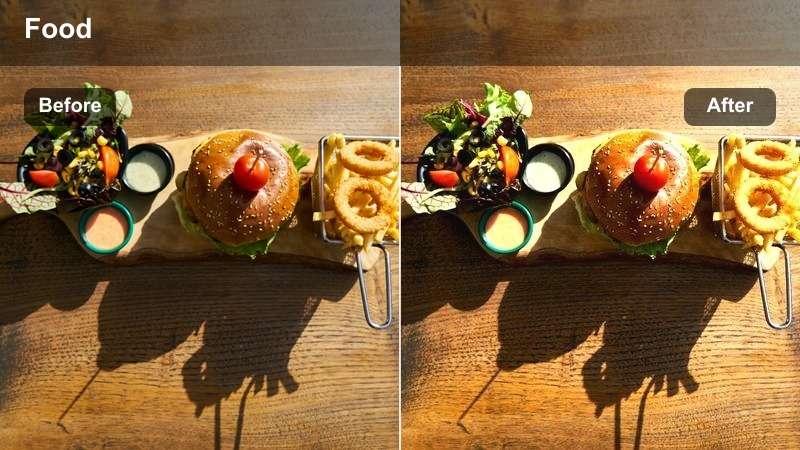
- Effect look: High saturation with bright highlights and pastel-friendly contrast
- Best for: Cupcakes, cakes, frosting close-ups, and dessert decoration Shorts
- Editing tip: Shoot slightly underexposed so this vivid filter can brighten frosting without losing swirl detail.
Frosting Swirls Vivid is tuned to make pastel and bright dessert colors pop while keeping icing texture sharp. It lifts highlights and saturation in a way that flatters sprinkles, piping, and swirls, which is ideal for macro dessert Shorts.
When editing in Filmora, slow key piping moments by recording at higher frame rates and using speed controls for smooth slow motion. After adding the filter, adjust exposure slightly if needed to protect fine frosting ridges, and sync your most dramatic swirl or sprinkle to a beat drop or sound effect for maximum impact.
Sparkling Drink Pop
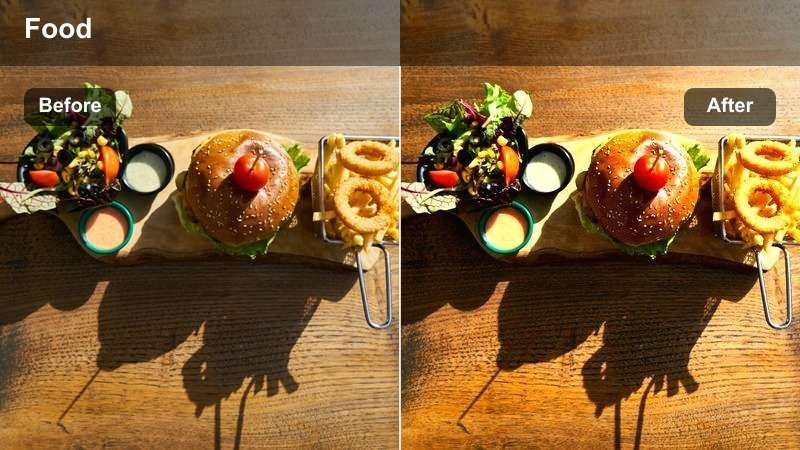
- Effect look: Crisp, cool tones with boosted clarity on bubbles and glass
- Best for: Iced coffees, sodas, mocktails, and pouring shots
- Editing tip: Use tight vertical framing around the glass and keep the background simple so the popping bubbles stay the hero.
Sparkling Drink Pop focuses on clarity and coolness, sharpening the look of bubbles, ice edges, and glass reflections. It makes drinks feel extra refreshing, which is perfect for short vertical clips of pours, stirs, and fizzing tops.
In Filmora, crop the frame tightly around the glass and use a minimal background so the eye stays on the effervescence. Start your Short right at the moment the liquid hits the ice, apply the filter, and add a subtle zoom-in during peak bubbling while layering crisp pour and fizz sounds for a highly sensory effect.
Fruit Bowl Flash
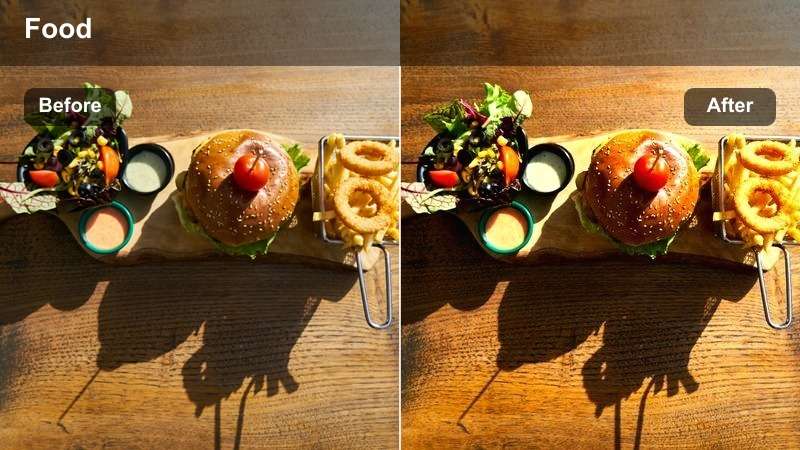
- Effect look: Punchy, vibrant saturation with slightly lifted exposure
- Best for: Fruit bowls, snack plates, and healthy breakfast Shorts
- Editing tip: Avoid mixing too many colored props so this powerful saturation enhances the fruit instead of creating chaos.
Fruit Bowl Flash is built to make natural fruit tones explode on screen, brightening exposure and pushing saturation so reds, greens, and yellows feel ultra-fresh. It works especially well on overhead or close-up vertical shots of bowls and snack plates.
Apply it in Filmora and keep your scene styling minimal: neutral bowls, simple surfaces, and limited prop colors. Add gentle motion, like a rotating plate or a hand stirring through the fruit, and cut in a couple of macro shots so viewers can appreciate the boosted detail and juicy color separation that this filter provides.
Tips for Using Youtube Shorts Food Luts Vibrant Filters in Filmora
- Shoot in consistent lighting so your vibrant food filters look natural and do not push highlights or shadows too far.
- Compose vertical frames with the dish in the center third to leave clean space above or below for captions and stickers.
- Record a few extra seconds for each recipe step so you can trim tightly to music beats without losing key actions.
- Avoid mixing several different filter styles in a single Short; stick to one filter family to tell a clear visual story.
- Test saturation on skin tones and backgrounds so the food pops while people, plates, and walls still look realistic.
- Save your favorite filter and LUT combinations as Filmora presets to keep Shorts consistent across uploads.
- Use Filmora split-screen or side-by-side previews to quickly compare looks before grading a full batch of clips.
- Stabilize handheld shots first, then apply strong contrast or clarity filters so motion feels smooth and intentional.
Using the right vibrant food filters for YouTube Shorts lets you grab attention fast, keep dishes visually consistent, and turn simple recipes into addictive bite-sized content.
Build a small toolkit of go-to Filmora filters that match your brand and apply them across every Short so viewers instantly recognize your style in the feed.
secure download