Nano Banana Pro Prompts:
Generate 4K Cinematic Portrait Images
Want to give your portraits a true big-screen feel? Explore our collection of free Nano Banana Pro cinematic portrait prompts and turn any face into a lead character. Create clean professional headshots, romantic couple close-ups, lifestyle character shots, and dramatic poster-style images in detailed 4K. Each prompt is grounded in real camera language – lens choice, lighting setup, framing, and mood – so you can copy, paste, and build scenes that look like frames from the same film.
30+ Director-style prompts for studio, street, editorial, and golden-hour portraits
4K Quality Output tailored for close-up faces and expressive lighting
Character Consistency – Keep the same “actor” across multiple shots and scenes
Loading more templates...
 Category:
 Duration:
 Aspect Ratio:
Key Features That Make Nano Banana Pro Ideal for Cinematic Portraits
Curious how Nano Banana Pro compares to Nano Banana 1 for portrait work? Powered by Google's Gemini 3 Pro Image model, Nano Banana Pro is especially strong at building series of portraits that feel like frames from the same film – with reliable character identity, 4K clarity, and more control over camera and lighting language.
Consistent “Actor” Across Every Shot
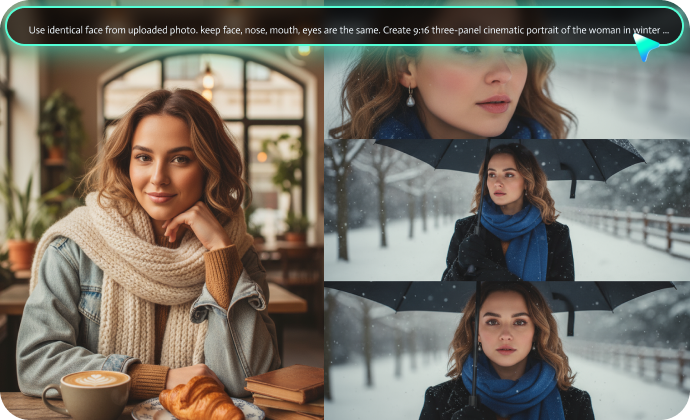
Consistent “Actor” Across Every Shot
Keep the same face across close-ups, mid-shots, and wide frames. Nano Banana Pro helps you maintain facial structure, eye color, and key features, so your portraits feel like a continuous character arc rather than random images. Ideal for cover series, campaign portraits, and storyboard-style grids.
Native 4K Resolution for Close-Ups
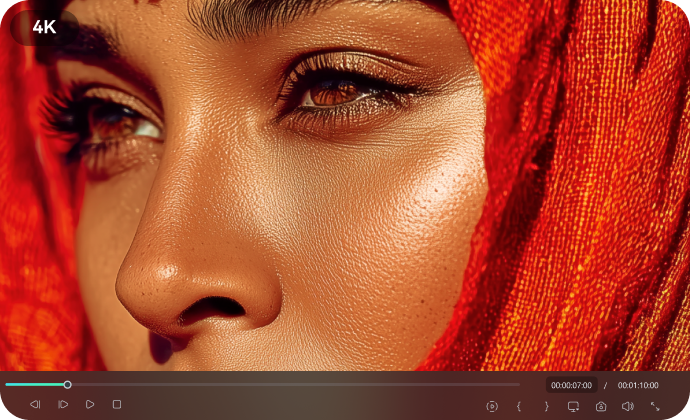
Native 4K Resolution for Close-Ups
Generate ultra-sharp portraits (up to 3840×2160) that hold up in close-ups. Skin texture, hair details, and fabric all stay clear enough for posters, streaming thumbnails, and print layouts without extra upscaling.
Understands Cinema-Style Directions
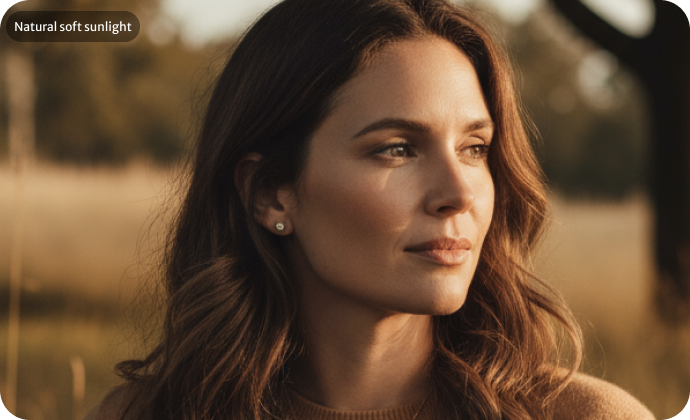
Understands Cinema-Style Directions
Nano Banana Pro reads detailed prompts that sound like a shot list: “35mm lens, soft backlight, teal-and-orange grade, shallow depth of field, gentle lens flare.” It responds well to notes about key light, fill, color palette, and framing, so you can build portraits that match a specific film reference or genre.
Flexible Portrait Editing and Variations
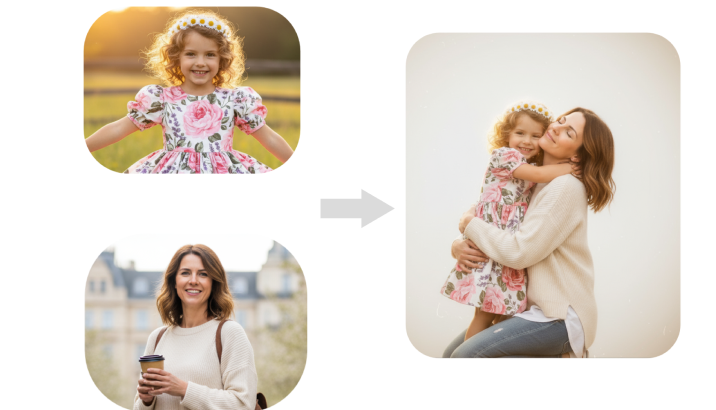
Flexible Portrait Editing and Variations
Upload a portrait and rewrite the scene in seconds. Switch backgrounds from studio to city street, shift lighting from soft daylight to harsh neon, change wardrobe, or build several moods of the same character for posters, thumbnails, and social posts.
Create High-Quality Cinematic Portraits
With AI Prompts for Nano Banana Pro
No idea where to start with cinematic portrait prompts? Our ready-made AI prompts for GEMPIX2 and Nano Banana Pro make it easy to describe lens, light, framing, and mood. Just copy the prompt, paste it into your model of choice, and get magazine-level portraits without manual tweaking.
🎬 Turn Written Shot Ideas into Portraits with Filmora Nano Banana
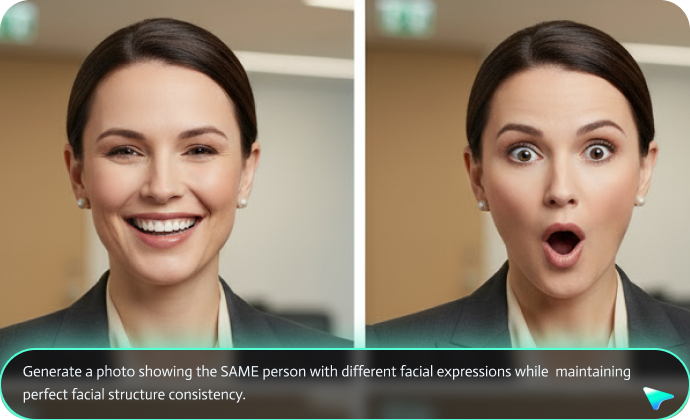
🎬 Turn Written Shot Ideas into Portraits with Filmora Nano Banana
Filmora for Mobile has not yet integrated Nano Banana Pro directly, but its AI image generator already connects to the original Nano Banana model (Nano Banana 1). You can paste your cinematic portrait prompts into Filmora's Nano Banana, generate portraits, and compare them to images created with the Nano Banana Pro model.
- Generate 4K Portraits from Prompts: Describe camera angle, lighting, wardrobe, and mood to build lifelike cinematic portraits at 3840×2160.
- Upload Reference Images: Use an existing headshot as a base and create multiple film-style looks while keeping the same face and identity.
- Fast Iteration: Move from idea to usable portrait in a few seconds, then adjust prompts to fine-tune framing or atmosphere.
A Powerful Portrait Generator and Editor All-in-One
A Powerful Portrait Generator and Editor All-in-One
After generating portraits with Nano Banana Pro cinematic prompts, Filmora gives you all the tools you need to polish them. Fine-tune facial details, frame composition, and overall mood inside the same workspace.
- AI Object Remover: Remove distracting elements, people in the background, text, and watermarks from portraits and videos.
- AI Background Remover: Cut out your subject cleanly to place them into different sets, color backdrops, or graphic layouts, then add outlines or strokes for poster designs.
- AI Face Retouch: Smooth skin gently, refine facial proportions with the slim face tool, and adjust features while keeping a natural look.
- AI Image Upscaler: Enhance portrait clarity and boost resolution on Android and iOS if you need extra detail for printing or cropping.
Create Animated Character Videos from Portraits and Prompts
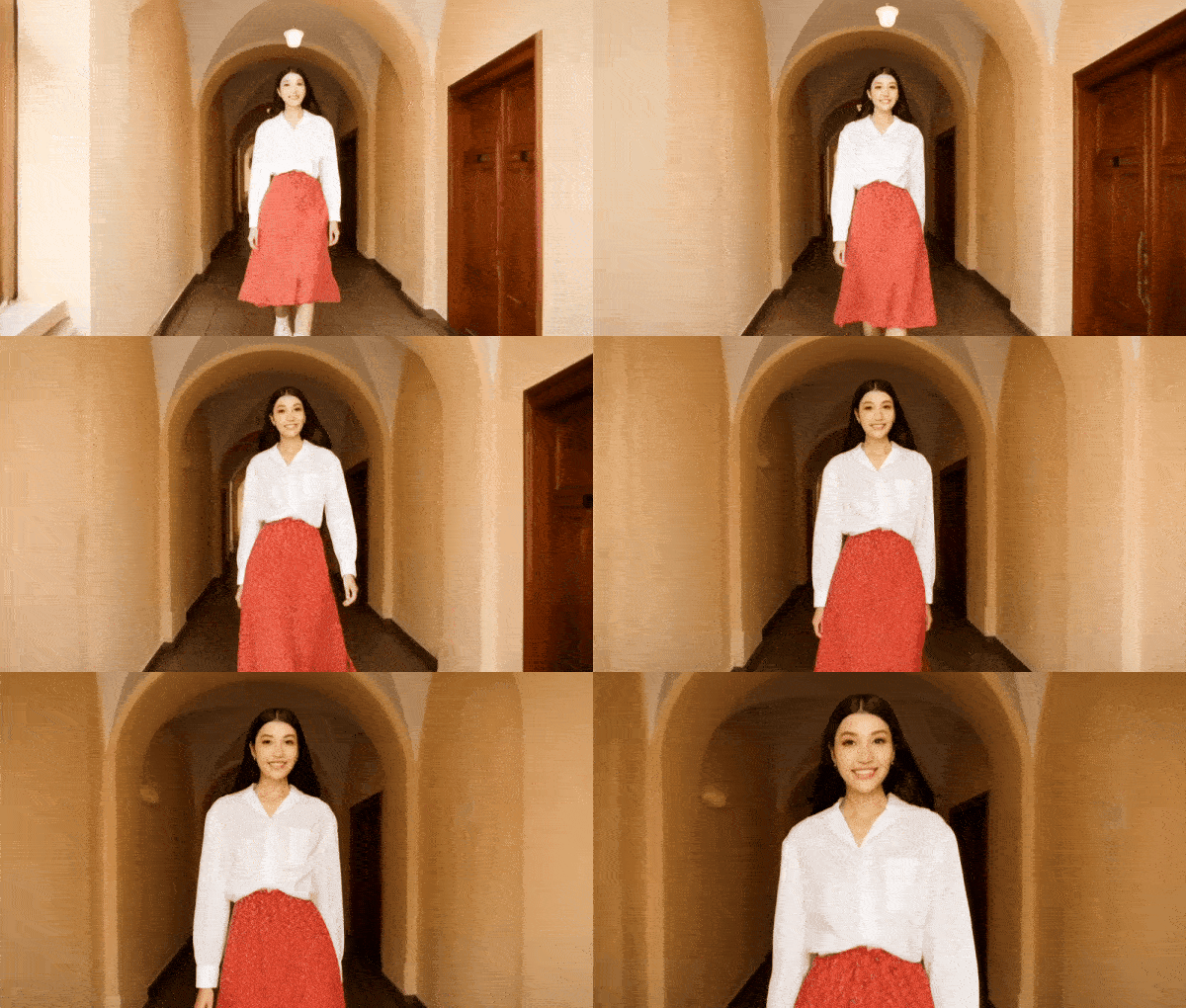
Create Animated Character Videos from Portraits and Prompts
Beyond static images, Filmora can turn your Nano Banana Pro portraits into moving shots – something Gemini does not yet support. Use the Filmora AI video generator to animate characters with natural motion and expression, based on your prompts or reference pictures.
- AI Portrait Animation: Add subtle head turns, blinks, and expressions so your cinematic portrait feels like a live frame from a film.
- AI Blends Multiple Photos into Videos: While Nano Banana Pro photo prompts can merge images into a single still, Filmora can also blend several portraits into a short animated sequence for intros, trailers, or reels.
- Rich Image-to-Video Presets: Choose from themed templates (thriller, romance, documentary, etc.) and generate a video in seconds after uploading your portrait.
As an all-in-one video editor, Filmora also provides a large library of filters, color tools, transitions, and overlays to help you build complete cinematic sequences.
FAQs About Nano Banana Pro Cinematic Portrait Prompts
- Use the same reference headshot for all variations whenever possible.
- Repeat key traits in every prompt (face shape, eye color, hairstyle, facial hair).
- Avoid changing age, ethnicity, or core face structure between prompts.
- Generate several portraits in one session so the model “remembers” your character.
[Character description] + [Pose and expression] + [Lighting setup] + [Wardrobe and styling] + [Location] + [Camera / lens] + “natural skin texture, realistic details, 4K resolution”
Some practical tips:
- Mention lighting angles such as “soft 45-degree key light” or “Rembrandt lighting.”
- Specify lens and depth of field, for example “85mm lens, shallow depth of field, soft background bokeh.”
- Ask for “visible pores and natural skin tone” instead of “flawless skin.”
- Add a clear setting such as “on a soundstage,” “in a busy subway,” or “at sunset on a rooftop.”
- Use film language like “cinematic color grade,” “high-contrast noir look,” or “pastel daylight palette.”
How to Use Nano Banana Pro Cinematic Portrait Prompts in Filmora?
Create, refine, and export cinematic portraits with Nano Banana Pro prompts and Filmora's AI tools in a few simple steps.
Step 1 Access AI Image Generator

Step 2 Enter Your Cinematic Portrait Prompt or Add a Reference Photo

Step 3 Refine and Export Your Portrait

-
Step 1: Access AI Image Generator
Open the latest version of Filmora, create a new project, and go to Stock Media > AI Media > AI Image. -
Step 2: Generate Cinematic Portraits from Text or Reference Pictures
Select the Nano Banana model, paste one of the cinematic portrait prompts, or write your own shot description. Optionally upload a reference headshot to keep the same face across different looks, then click “Generate”. -
Step 3: Download and Export Your Cinematic Portraits
Once you are happy with the portrait, save it directly or place it on the timeline for extra grading and design work, then export in the format you need.
Step 1 Open the Filmora App on iOS or Android
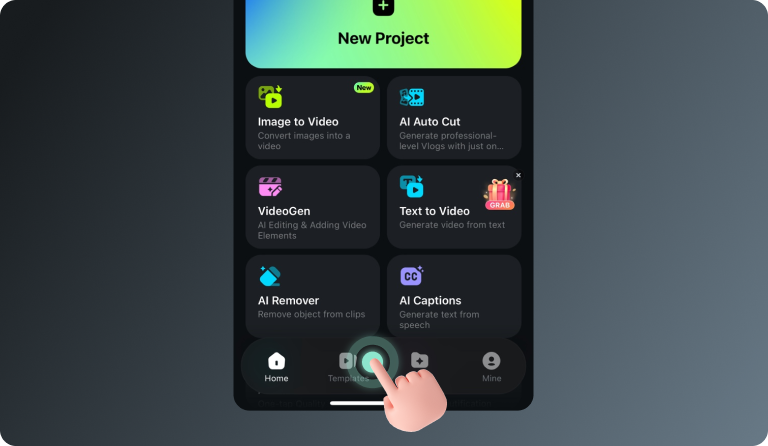
Step 2 Tap Templates and Find Cinematic Portrait Styles
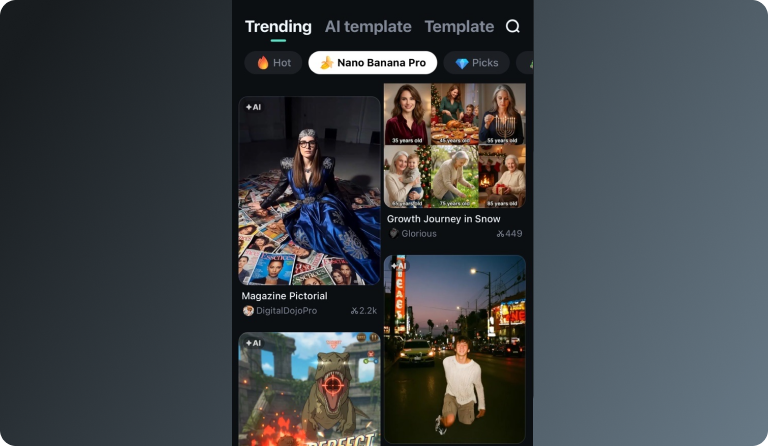
Step 3 Choose a Template and Build Your Portrait Video
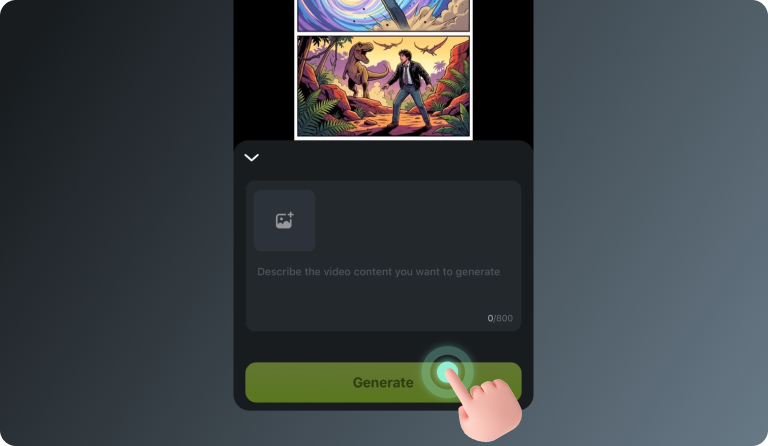
-
Step 1: Open the Filmora App on iOS or Android
Launch Filmora on your phone or tablet. Update to the latest version to access Nano Banana templates and AI features. -
Step 2: Tap Templates and Find Cinematic Portrait Styles
Go to the Templates tab and look for Nano Banana Pro or portrait-focused templates. These layouts are designed to match cinematic framing, titles, and transitions. -
Step 3: Choose a Template and Build Your Portrait Video
Select a template, tap “Use”, then insert your Nano Banana Pro portraits or add a prompt if the template supports AI generation. Filmora will assemble a short cinematic sequence with your character.
More Than a Simple Nano Banana Prompt-to-Photo Tool
Filmora is not limited to turning prompts into still portraits. Beyond generating cinematic images with Nano Banana Pro prompts, you can explore a full creative workflow in one place — from producing different portrait styles using Gemini prompts, to building short AI videos from static photos, to refining details with professional editing tools. Whether you want to craft character posters, mood frames, or dynamic sequences, Filmora gives you a flexible environment to shape your visual story.