

 100% Security Verified | No Subscription Required | No Malware


 ChatGPT
 Perplexity
 Gemini
 Claude
 Grok
Grok
Cerulean Blue sits between sky and sea on the color spectrum, giving it a calm, optimistic, and trustworthy feel. It suggests clarity, openness, and fresh air, which is why it shows up so often in tech brands, travel visuals, and minimalist interfaces. In video, it can soften harsh footage, add a coastal glow, or give your frames a clean, breathable look without feeling cold or sterile.
For creators and Filmora users, Cerulean Blue is a powerful base color for YouTube thumbnails, channel branding, vlog intros, lower thirds, and full color grades. Below you will find ready to use Cerulean Blue color palettes with HEX codes so you can copy them directly into Filmora, keep your style consistent, and build a recognizable aesthetic across all your videos and social posts.
In this article
Calm & Coastal Cerulean Blue Color Palettes
These calm and coastal Cerulean Blue palettes feel like fresh air and soft waves. They are ideal for travel vlogs, wellness channels, and any video that needs a soothing, sunlit atmosphere without losing polish.
Ocean Dawn Drift
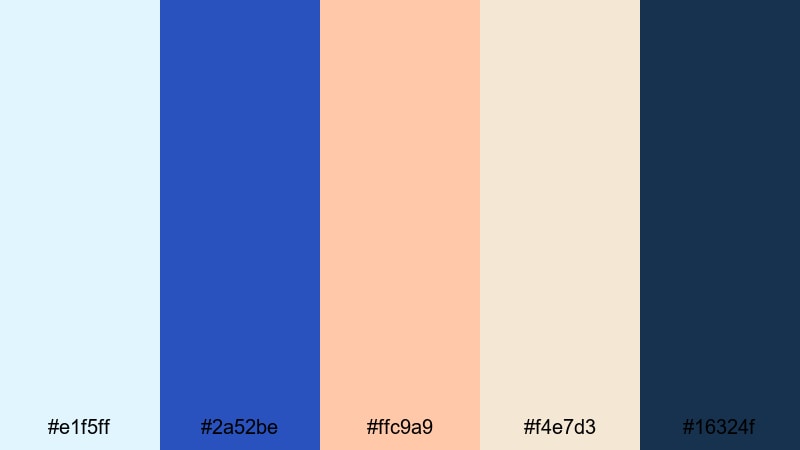
- HEX Codes: #e1f5ff, #2a52be, #ffc9a9, #f4e7d3, #16324f
- Mood: Calm, airy, and optimistic like a quiet sunrise over the ocean.
- Use for: Perfect for travel vlogs, morning routines, and cinematic B-roll where you want a fresh, coastal atmosphere.
Ocean Dawn Drift mixes pale sky blue and soft sand tones with a focused Cerulean Blue accent and a deep navy anchor. It feels like standing on the beach just after sunrise, when the light is gentle and everything looks clean and hopeful.
Use this palette in Filmora for vlog intros, soft gradient backgrounds, and lower thirds that do not distract from the story. The lighter colors are perfect for thumbnail backgrounds and text blocks, while Cerulean Blue and the deep navy (#16324f) give you enough contrast for titles, callouts, and subscribe buttons.
Pro Tip: Build a Soft Coastal Cerulean Blue Look in Filmora
To keep this sunrise inspired palette consistent, start by using Cerulean Blue for your key elements: logo stings, main titles, and important overlay shapes. Then let the pale blues and sand tones fill your background layers, frames, or subtle shapes around your footage so the color story feels intentional from intro to end screen.
In Filmora, you can create a reusable style by saving titles and overlays that already use these HEX codes. Apply the same Cerulean Blue values to your text, shapes, and motion graphics so every video in a travel or morning routine series shares the same calm coastal identity.
AI Color Palette
If you have a reference photo of an early morning beach or a color card with this palette, you can turn it into a full video look with Filmora. Filmora's AI Color Palette feature lets you sample those Cerulean Blue tones and automatically match other clips to them.
Import your reference image or hero shot, apply the AI Color Palette to similar scenes, and your B-roll, A-roll, and cutaways will share the same airy, coastal balance. This is especially useful for travel creators who shoot in changing light but still want a unified Cerulean Blue aesthetic across a whole vlog or series.
 secure download

HSL, Color Wheels & Curves
Sometimes your coastal footage might be too warm or too cool for this palette. Use Filmora's HSL and color wheels to gently push your blues toward Cerulean, desaturate any harsh yellows, and lift the shadows so they sit closer to that deep navy anchor instead of pure black.
With the curves controls and color correction tools in Filmora, you can add a soft S-curve for a more cinematic feel while keeping highlights airy. Aim to keep whites slightly tinted toward the pale blue (#e1f5ff) so your entire frame feels like it belongs to the same Ocean Dawn Drift palette.
secure download1000+ Video Filters & 3D LUTs
To stylize this coastal Cerulean Blue look even faster, explore Filmora's built in filters and LUTs. Warm film looks can add a sun kissed glow to skin while still keeping your blues fresh, and teal oriented LUTs can quickly push your water and sky into that dreamy Cerulean range.
Filmora's video filters and 3D LUTs make it easy to test several moods on the same palette: soft lifestyle, cinematic travel, or bright social media ready color. Apply a LUT, fine tune with HSL if needed, and save the combo as your go to Cerulean Blue grade for recurring series.
secure downloadSeaside Brunch Light
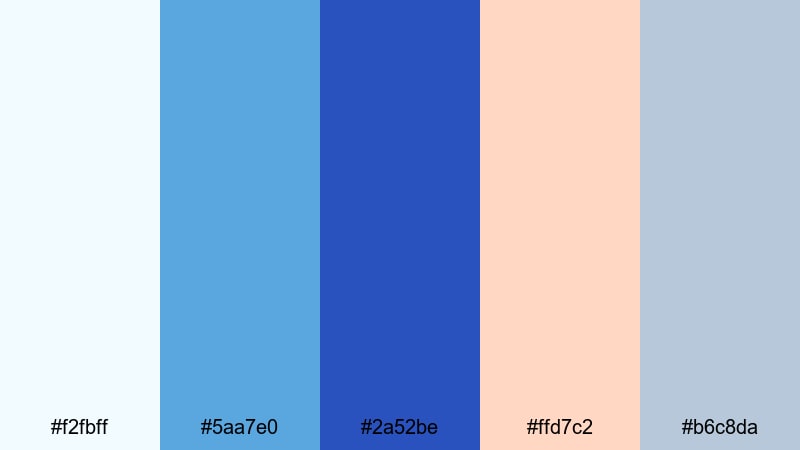
- HEX Codes: #f2fbff, #5aa7e0, #2a52be, #ffd7c2, #b6c8da
- Mood: Relaxed, friendly, and sunlit with a social coastal feel.
- Use for: Ideal for brunch vlogs, lifestyle channels, and airy thumbnail designs that need a soft but polished look.
Seaside Brunch Light combines cool Cerulean Blue with soft peach and misty neutrals, giving everything a gentle, social glow. It feels like a slow morning at a seaside cafe, bright but not overwhelming.
Use the pale blue (#f2fbff) and misty gray (#b6c8da) as safe backgrounds for text in thumbnails and story slides. Let the peachy accent (#ffd7c2) highlight calls to action, while Cerulean Blue drives buttons, icons, and key typography in your lifestyle branding and overlays.
Soft Tidal Breeze
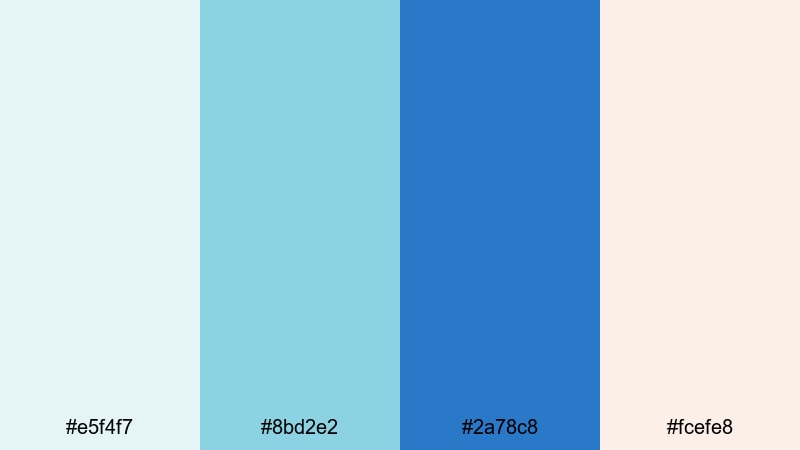
- HEX Codes: #e5f4f7, #8bd2e2, #2a78c8, #fcefe8
- Mood: Gentle, breezy, and refreshing with a hint of pastel warmth.
- Use for: Great for wellness content, daily vlogs, and subtle lower thirds that feel clean and comforting.
Soft Tidal Breeze leans into light aquas and a muted Cerulean Blue, softened by a warm off white. It feels clean, hydrating, and perfect for content about self care, routines, or quiet daily life.
Apply the aquas to gradient overlays and soft shapes behind your text in Filmora, then reserve the darker Cerulean tone (#2a78c8) for readable titles. The pastel warmth in #fcefe8 keeps skin tones from looking too cold, especially when you add simple lower thirds and chapter markers in this palette.
Harbor Mist Horizon
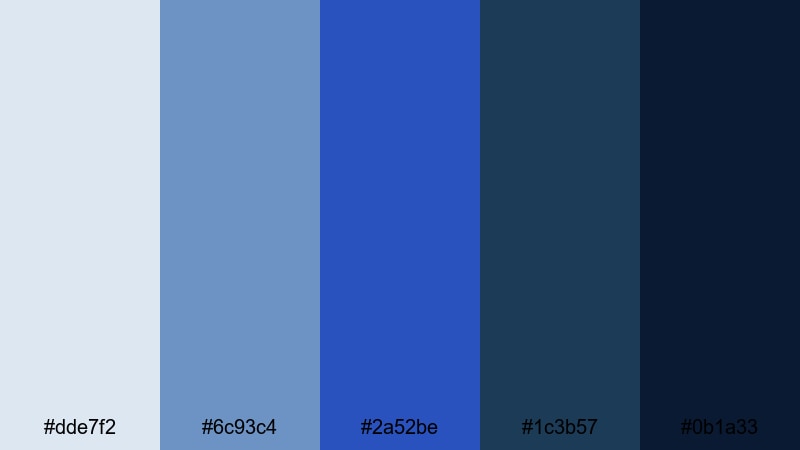
- HEX Codes: #dde7f2, #6c93c4, #2a52be, #1c3b57, #0b1a33
- Mood: Serene yet grounded, like a misty harbor at blue hour.
- Use for: Best for cinematic travel sequences, documentary-style edits, and elegant end cards with a calm, thoughtful tone.
Harbor Mist Horizon steps through a gradient of blues, from gentle haze to deep navy, with Cerulean Blue sitting right in the center. It feels tranquil but serious, ideal for reflective storytelling and cinematic edits.
Use lighter tones (#dde7f2 and #6c93c4) for clean backgrounds and data callouts, then let #1c3b57 and #0b1a33 carry your shadows, frames, and end screens. Cerulean Blue ties everything together in logos, subtitles, and accent lines so your whole project feels cohesive and filmic.
Modern & Minimal Cerulean Blue Color Palettes
These modern and minimal Cerulean Blue palettes focus on clarity, readability, and a professional feel. They are perfect for tutorials, tech reviews, SaaS explainers, and any channel that wants a clean, UI inspired look.
Nordic Interface Calm
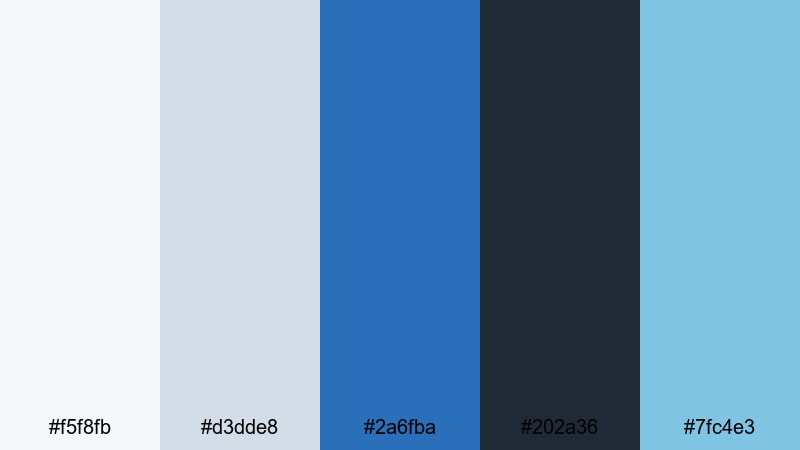
- HEX Codes: #f5f8fb, #d3dde8, #2a6fba, #202a36, #7fc4e3
- Mood: Clean, professional, and softly techy with a Scandinavian touch.
- Use for: Ideal for app demos, SaaS explainers, and channel branding that needs a modern yet friendly interface feel.
Nordic Interface Calm pairs soft grays and off whites with a controlled Cerulean Blue accent and a dark charcoal base. It feels like a modern dashboard or landing page, but warmer and more approachable.
Use #f5f8fb and #d3dde8 for backgrounds in screen recordings or slide style sequences. Highlight important UI elements or on screen text with #2a6fba and #7fc4e3, and use #202a36 for headers, body copy, and subtle borders in your Filmora titles and overlays.
Cerulean Grid Minimal
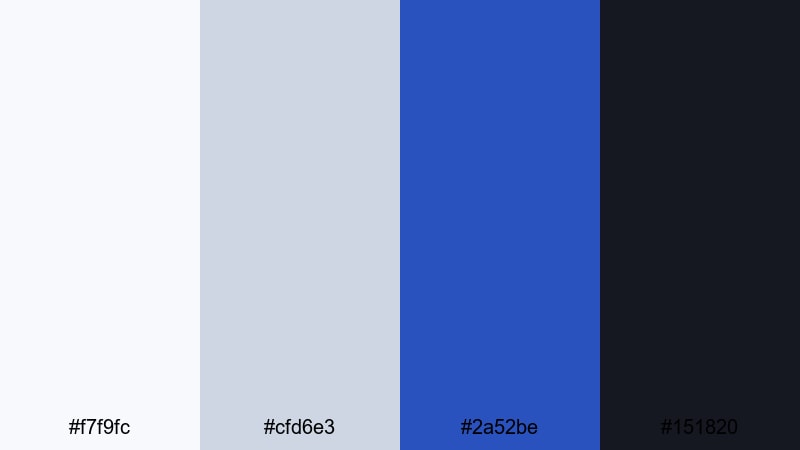
- HEX Codes: #f7f9fc, #cfd6e3, #2a52be, #151820
- Mood: Minimal, structured, and confident with sharp contrast.
- Use for: Perfect for tech reviews, tutorial slides, and minimalist thumbnails that highlight clean typography and layout.
Cerulean Grid Minimal is built for clarity: lots of negative space, a single strong blue, and a deep near black. It gives your content a confident, design focused edge without feeling busy.
Use the off whites for wide margins and clear content areas, then drop Cerulean Blue into bold titles, icons, and progress bars. #151820 makes a strong background for lower thirds, full screen text, or dark mode style thumbnails that still feel fresh thanks to the blue highlight.
Blueprint Studio Edit
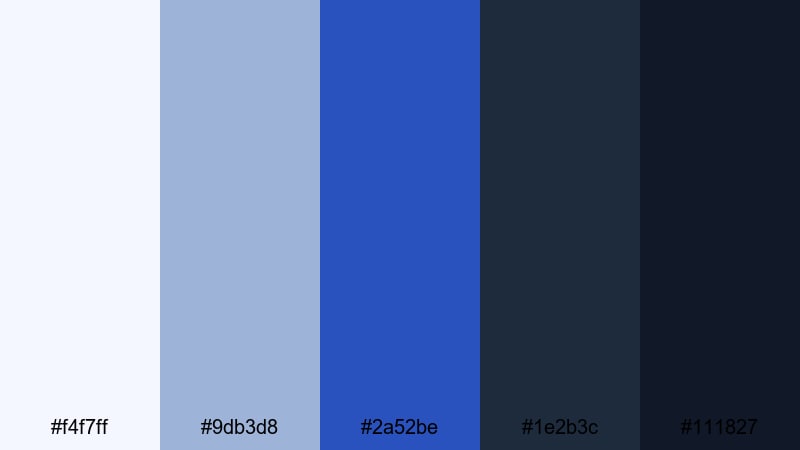
- HEX Codes: #f4f7ff, #9db3d8, #2a52be, #1e2b3c, #111827
- Mood: Focused, design-driven, and slightly industrial like a digital blueprint.
- Use for: Great for editing tutorials, motion graphics templates, and channel intros that want a studio grade, designer look.
Blueprint Studio Edit feels like a technical drawing turned into a color grade. Soft cool whites sit on top of structured blues and charcoals, with Cerulean Blue as the key accent.
Use this palette when you want to emphasize precision: wireframe elements, animated grids, or step by step overlays in Filmora. The darker tones (#1e2b3c and #111827) keep attention on your content, while #2a52be and #9db3d8 guide the eye to important labels, tools, and UI highlights.
Clean Dashboard Sky
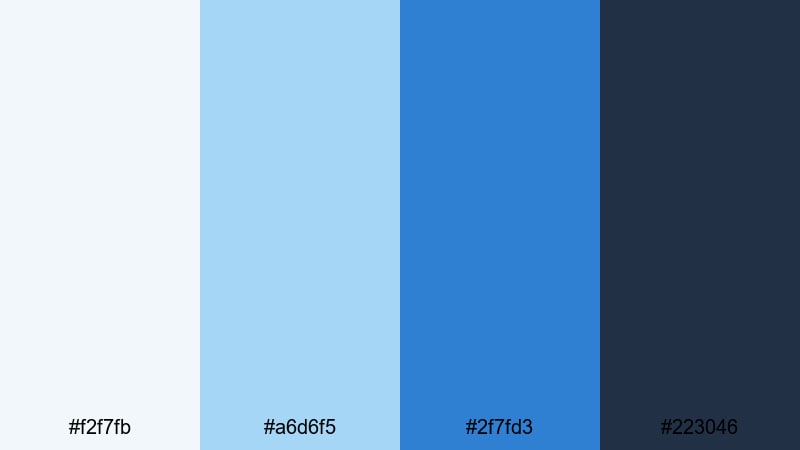
- HEX Codes: #f2f7fb, #a6d6f5, #2f7fd3, #223046
- Mood: Bright, optimistic, and efficient like a fresh analytics dashboard.
- Use for: Best for screen recordings, analytics breakdowns, and infographic style videos where clarity and simplicity matter.
Clean Dashboard Sky leans into sky blues and clear contrast, ideal for data heavy videos and productivity content. It feels organized, bright, and easy to read.
Use #f2f7fb and #a6d6f5 for chart backgrounds or infographic panels, then reserve #2f7fd3 for key metrics, labels, and progress indicators. #223046 works well for main text and axes, keeping everything sharp and legible even on mobile thumbnails.
Vibrant & Playful Cerulean Blue Color Palettes
These vibrant and playful Cerulean Blue palettes are made for energy: summer vlogs, shorts, gaming intros, and any video that should feel fun, social, and highly clickable.
Tropical Splash Intro
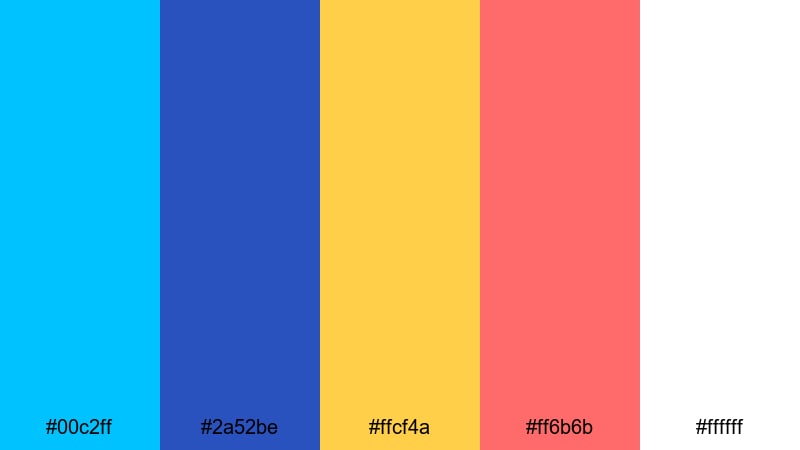
- HEX Codes: #00c2ff, #2a52be, #ffcf4a, #ff6b6b, #ffffff
- Mood: Energetic, sunny, and playful like a tropical pool party.
- Use for: Perfect for punchy intros, summer highlight reels, and bold clickable thumbnails for vlogs and shorts.
Tropical Splash Intro explodes with bright Cerulean Blue, lemon yellow, and coral red, all grounded by crisp white. It feels loud in a good way, perfect for grabbing attention in crowded feeds.
Use the bright blue (#00c2ff) and Cerulean (#2a52be) as your main brand colors in titles and frames, then add #ffcf4a and #ff6b6b as accent shapes, arrows, and callouts. White backgrounds keep everything readable so you can push saturation without losing clarity on small screens.
Creator Beach Pop
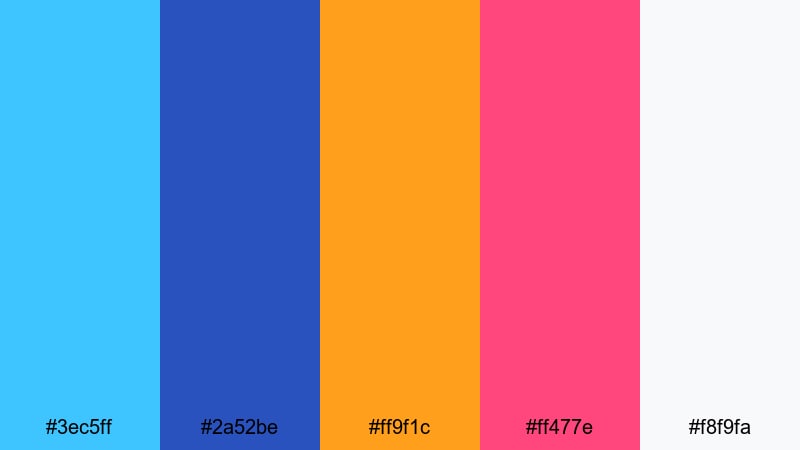
- HEX Codes: #3ec5ff, #2a52be, #ff9f1c, #ff477e, #f8f9fa
- Mood: Lively, social, and youthful with beach day energy.
- Use for: Ideal for lifestyle creators, haul videos, and upbeat channel rebrands that should feel fun and approachable.
Creator Beach Pop mixes juicy orange and pink accents with fresh Cerulean Blue and a soft off white. It gives your channel branding a friendly, sticker like look.
Use #3ec5ff and #2a52be for your main titles and icons, then drop in #ff9f1c and #ff477e for badges, sale tags, or video labels like Vlog, GRWM, or Haul. #f8f9fa keeps backgrounds clean so the colorful elements can pop in thumbnails and animated end cards.
Summer Vlog Surf
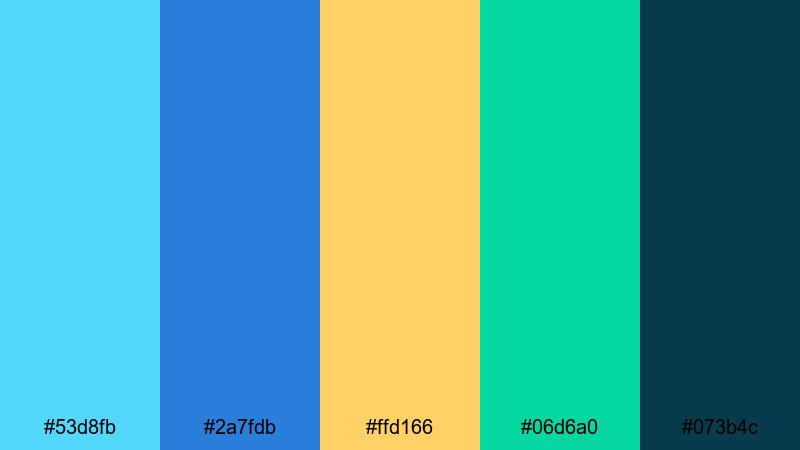
- HEX Codes: #53d8fb, #2a7fdb, #ffd166, #06d6a0, #073b4c
- Mood: Adventurous, outdoorsy, and carefree with surf trip vibes.
- Use for: Great for travel vlogs, action montages, and reels that mix ocean shots with sunny street footage.
Summer Vlog Surf alternates between vibrant teals, Cerulean Blue, golden yellow, and fresh green, anchored by a deep teal navy. It feels like a road trip where every stop is near the water.
Use #53d8fb and #2a7fdb to tie your ocean shots and titles together. Add #ffd166 to highlight timestamps, map graphics, or chapter labels in Filmora. The green (#06d6a0) and deep navy (#073b4c) are great for subtle accents, outlines, and logo details.
Electric Sky Gaming

- HEX Codes: #00a6ff, #2a52be, #7c3aed, #f97316, #020617
- Mood: Bold, neon charged, and high contrast with a cyber gaming edge.
- Use for: Perfect for gaming overlays, esports intros, and streaming layouts that need vibrant, eye catching color.
Electric Sky Gaming throws Cerulean Blue into a neon mix with electric purple and hot orange over near black. It is loud, high contrast, and designed for fast moving, high energy content.
Use #020617 as your main background in overlays and frame designs, then layer #00a6ff and #2a52be for HUD lines, panels, and logo glows. Purple and orange (#7c3aed and #f97316) work best as sparing highlights for kill feeds, alerts, and subscribe animations so the screen stays readable while still feeling intense.
Moody & Cinematic Cerulean Blue Color Palettes
These moody and cinematic Cerulean Blue palettes focus on depth, emotion, and atmosphere. They suit narrative shorts, music videos, slow travel films, and any project that leans into storytelling and dramatic lighting.
Midnight Harbor Grade
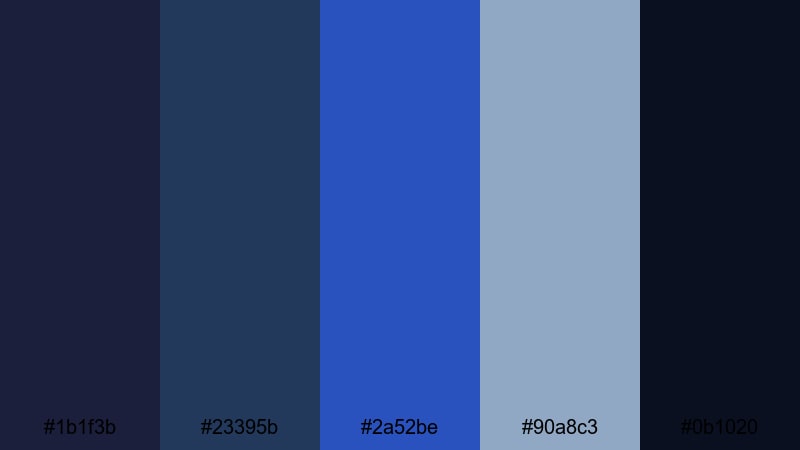
- HEX Codes: #1b1f3b, #23395b, #2a52be, #90a8c3, #0b1020
- Mood: Moody, cinematic, and introspective like a quiet harbor at night.
- Use for: Ideal for narrative shorts, slow travel films, and dramatic color grades where you want emotional depth.
Midnight Harbor Grade layers deep indigos and muted blues around Cerulean Blue, finished with a soft highlight tone. It feels quiet, reflective, and cinematic, ideal for night scenes or emotional monologues.
Use #0b1020 and #1b1f3b as your shadow base in Filmora, letting #23395b and #2a52be carry midtones in skies, water, or clothing. #90a8c3 makes a beautiful highlight for windows, reflections, and subtle text so your titles punch through the darkness without breaking the mood.
Stormy Neon Signs
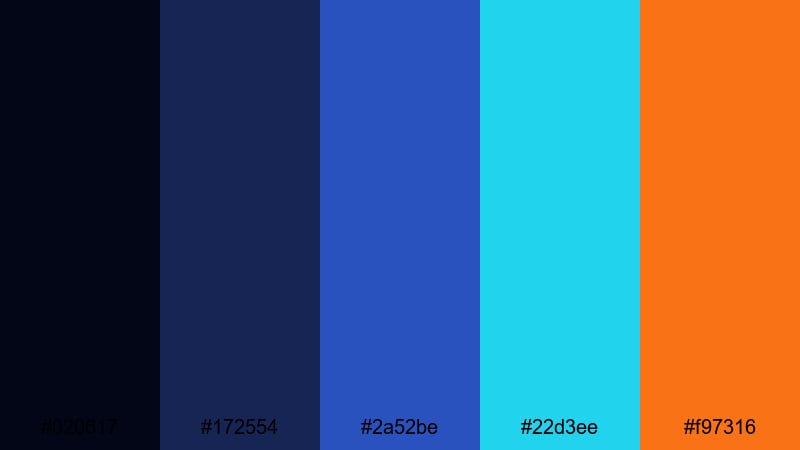
- HEX Codes: #020617, #172554, #2a52be, #22d3ee, #f97316
- Mood: Dramatic, urban, and tense with splashes of neon in the rain.
- Use for: Best for city b-roll, music videos, and edgy brand teasers that lean into a cyberpunk or noir aesthetic.
Stormy Neon Signs contrasts inky blues and black with neon cyan and orange accents around Cerulean Blue. It feels like late night rain, flickering lights, and fast moving city streets.
Use #020617 and #172554 to darken your overall frame, then put #2a52be and #22d3ee into signage, UI elements, and animated outlines. Add #f97316 as a rare neon pop for logos, titles, or key beats in your edit so every flash of orange carries meaning.
Deep Sea Storytelling
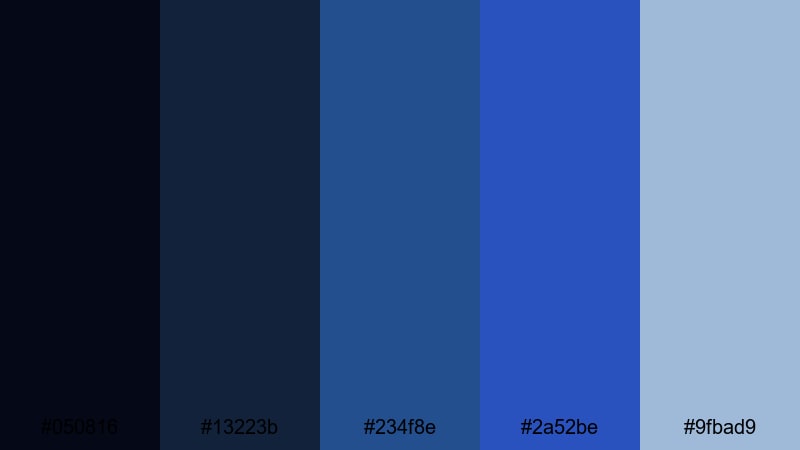
- HEX Codes: #050816, #13223b, #234f8e, #2a52be, #9fbad9
- Mood: Immersive, thoughtful, and cinematic with underwater depth.
- Use for: Great for documentaries, voiceover stories, and reflective edits where you want a rich yet controlled color story.
Deep Sea Storytelling layers multiple marine blues with Cerulean Blue and a soft highlight. It feels immersive and steady, like being underwater or deep inside a memory.
Use the darkest tones (#050816 and #13223b) to shape your shadows and vignettes in Filmora, then let #234f8e and #2a52be color your midtones and key objects. #9fbad9 can lift faces, text, and subtle glows so your story stays readable while the frame remains rich and moody.
Tips for Creating Cerulean Blue Color Palettes
When you build your own Cerulean Blue color palette for video or design, think about balance, readability, and how your colors will look in motion and on small screens.
- Pair Cerulean Blue with at least one light neutral (off white, light gray, or pale sand) so text stays readable in thumbnails and titles.
- Add a deep anchor shade (navy, charcoal, or near black) as a background option for lower thirds, end screens, or dark mode overlays.
- Choose one high energy accent color (yellow, orange, or coral) and use it sparingly for calls to action like Subscribe or New Episode.
- Test your palette on both light and dark backgrounds in Filmora to be sure logos, icons, and captions remain clear on mobile and desktop.
- Use HSL adjustments to nudge your blues toward a consistent Cerulean tone, especially if footage comes from different cameras or locations.
- Keep branding elements (logo, main titles, key shapes) locked to the same Cerulean Blue HEX code to build a recognizable channel identity.
- Check contrast between text and background colors using small thumbnail mockups so your design is still legible when scaled down.
- Save custom color presets or title templates in Filmora so you can quickly reapply your Cerulean Blue palette to future projects.
Cerulean Blue is versatile enough to feel calm, modern, playful, or cinematic depending on how you combine it with neutrals and accents. By choosing a palette that matches your content style, you can shape how viewers feel about your brand in just a few frames.
Use these ready made HEX codes as starting points in Filmora to build intros, overlays, and color grades that stay consistent across every upload. Once you find a Cerulean Blue aesthetic you love, turn it into reusable presets so your channel or brand always looks polished and cohesive.
Whether you are editing travel vlogs, tech explainers, gaming streams, or narrative shorts, Cerulean Blue can give your visuals a clear identity. Experiment with the palettes above, refine them with Filmora's tools, and let this ocean inspired color become a signature part of your story.
secure download