

 100% Security Verified | No Subscription Required | No Malware


 ChatGPT
 Perplexity
 Gemini
 Claude
 Grok
Grok
Charred Olive is a muted, deep green that feels grounded, cinematic, and quietly luxurious. It suggests nature, resilience, and a subtle sense of mystery, which makes it perfect for moody edits, tactical gaming visuals, or premium lifestyle branding. In thumbnails and titles, Charred Olive acts like a strong background that lets brighter accents or white typography stand out without feeling too harsh.
For creators and Filmora users, Charred Olive works beautifully across intros, lower thirds, B-roll, and channel branding. Below are 15 Charred Olive color palettes with HEX codes you can apply directly in your videos, YouTube thumbnails, intros, overlays, and design projects to keep your aesthetic consistent and cinematic.
In this article
Earthy Cinematic Charred Olive Color Palettes
Forest Recon Grade
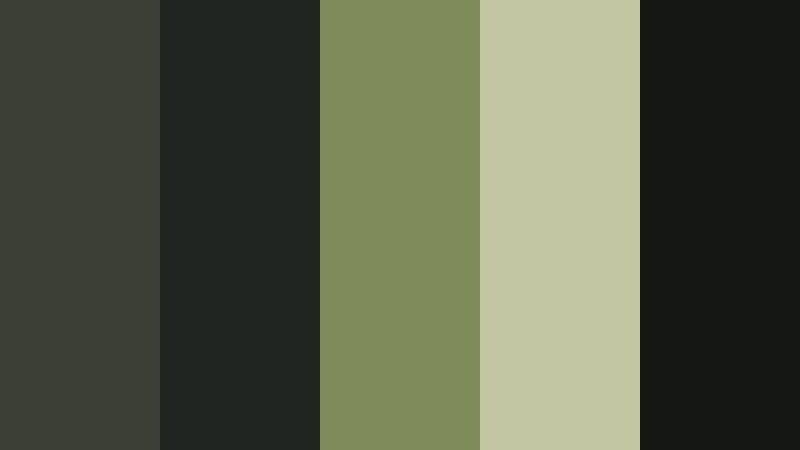
- HEX Codes: #3b3e32, #1f2520, #7e8b5b, #c2c7a1, #141713
- Mood: Moody, grounded, and cinematic with a tactical edge.
- Use for: Ideal for cinematic vlogs, drone forest shots, and gaming intros with a stealthy, grounded feel.
Forest Recon Grade mixes deep Charred Olive shadows with desaturated greens and pale highlights, creating the feel of a covert mission in the woods. The palette is dark enough for tension, yet the muted highlights keep details visible in gear, landscapes, and character closeups.
Use this palette when grading outdoor B-roll, drone passes over forests, or stealth themed gaming intros. In thumbnails, pair the darker tones as a background with bright white or neon text for tactical contrast. It also works well for branding if your channel identity leans into survival, military sims, hunting, or rugged exploration.
Pro Tip: Build a Cinematic Charred Olive Recon Look in Filmora
To keep a Forest Recon Grade look consistent across your edit in Filmora, start by using a Charred Olive base tone for your adjustment layer or primary color correction. Set this mood on a reference shot, then reuse it on intros, transitions, and B-roll so your entire sequence feels like part of the same mission.
You can also create custom presets with your contrast, saturation, and split toning settings tailored to this palette. Apply that preset to gaming overlays, face cam shots, and outdoor clips so everything feels like one cohesive Charred Olive world, even if footage comes from different days or cameras.
AI Color Palette
If you already have a Forest Recon style screenshot or a still frame you love, you can use Filmora's AI Color Palette feature to copy that Charred Olive grade across your project. Import your reference image, then let AI read the greens, shadows, and soft highlights and apply that look to any clip you select.
This is especially useful for creators who shoot both outdoor gameplay overlays and real world vlogs. AI Color Palette helps you quickly match tones so your HUD shots, drone footage, and talking head segments all share the same stealthy Charred Olive mood.
 secure download

HSL, Color Wheels & Curves
Once you have a basic Charred Olive grade, use HSL sliders in Filmora to fine tune greens and yellows so foliage looks intentional, not just dull. You can deepen the green luminance for more drama, then use color wheels to push midtones slightly warmer or cooler depending on your story.
Curves let you add contrast to the shadows without crushing detail in dark Charred Olive areas. For a more advanced breakdown, you can follow Filmora's tutorials on color grading and curves to shape highlights, midtones, and blacks while keeping your tactical palette controlled and cinematic.
secure download1000+ Video Filters & 3D LUTs
If you want to get to a Charred Olive recon look faster, Filmora's video filters and 3D LUTs make it easy to test different cinematic styles. Start with a moody or action themed LUT, then tweak greens and shadows until the palette lines up with your chosen HEX codes.
This approach helps you keep a tactical, grounded feeling even when you are experimenting. Apply the same filter stack to intros, gameplay segments, and outros so your whole video feels like part of a single mission briefing.
secure downloadMossy Trail Wander
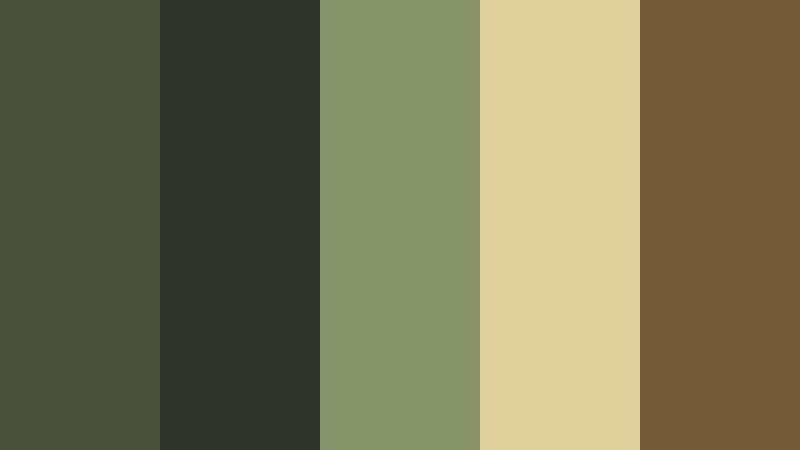
- HEX Codes: #4a503a, #303428, #88946a, #decf9b, #745b3a
- Mood: Adventurous, nostalgic, and warmly organic.
- Use for: Great for travel vlogs, hiking documentaries, or cozy lifestyle reels that highlight nature journeys.
Mossy Trail Wander blends earthy greens, soft beiges, and warm browns to recreate the feeling of a slow walk through a sunlit forest. It feels nostalgic and analog, like old travel journals or faded photo prints from a long backpacking trip.
Apply this palette to hiking vlogs, camping trips, or travel B-roll where you want the footage to feel calm and story driven. In thumbnails and channel banners, use the beiges for text and the darker Charred Olive tones for backgrounds so everything stays readable yet soft on the eyes.
Campfire Canopy Glow
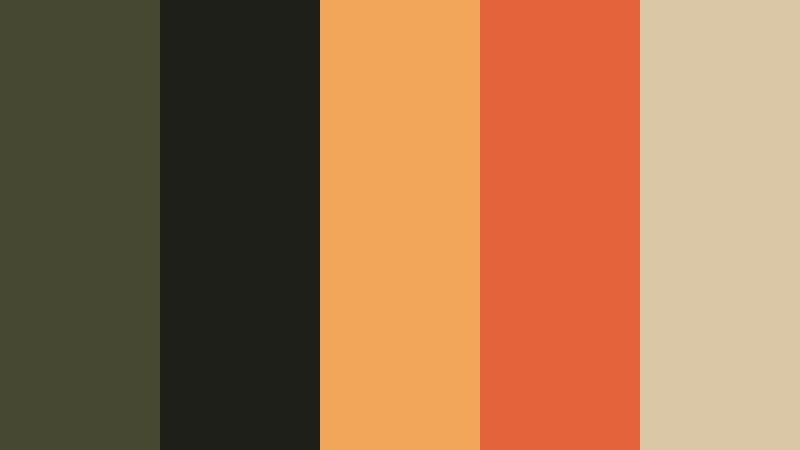
- HEX Codes: #464832, #1f1f1a, #f2a65a, #e3643a, #d9c7a5
- Mood: Cozy, intimate, and slightly dramatic.
- Use for: Perfect for camping vlogs, storyteller sit-downs, and low-light B-roll with warm firelight tones.
Campfire Canopy Glow pairs deep forest greens and inky blacks with glowing orange ember tones. The result feels like telling secrets around a fire under a dark tree canopy, with faces lit by flames and backgrounds fading into shadow.
Use this palette for campfire scenes, moody podcast style sit downs, or intimate storytelling sequences. In YouTube intros or thumbnails, let the warm oranges highlight faces or key props against Charred Olive shadows for a cinematic, click worthy contrast.
Urban Woodland Grit
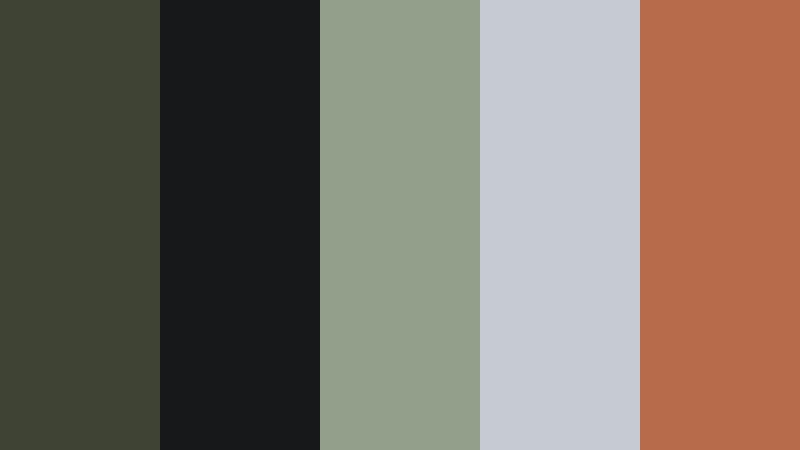
- HEX Codes: #3e4333, #161819, #929f8a, #c5cbd0, #b86b4b
- Mood: Gritty yet refined, mixing city edge with natural tones.
- Use for: Use for city travel edits, street photography slideshows, and lifestyle content balancing concrete and greenery.
Urban Woodland Grit fuses Charred Olive with asphalt blacks, misty grays, and a muted brick accent. It captures the feeling of walking through a city where ivy climbs over concrete walls and sunlight hits dust in the air.
This palette works well for creators who shoot both street scenes and parks. It keeps your city B-roll grounded but not cold, and gives thumbnails a refined, editorial look. Use the lighter grays for typography and UI elements on top of darker Charred Olive backdrops for modern, urban branding.
Tactical Night Vision
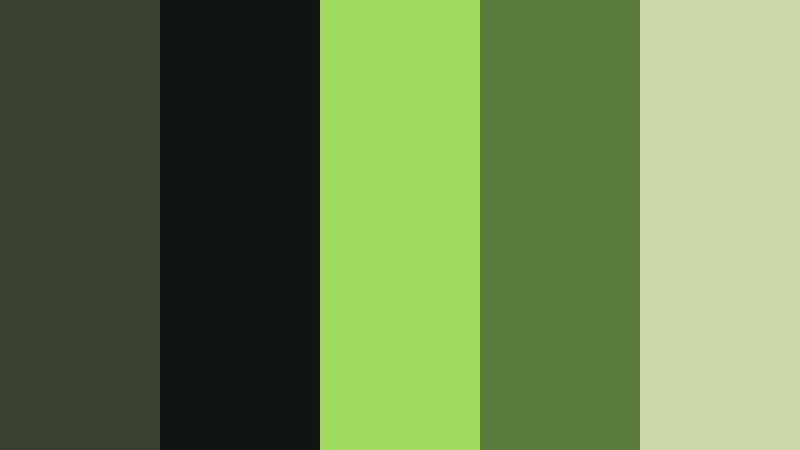
- HEX Codes: #3a412f, #111414, #9fda5d, #5c7a3b, #c8d7a3
- Mood: High-contrast, tense, and techy with a military flair.
- Use for: Strong for gaming overlays, action trailers, and high-energy shorts with a tactical theme.
Tactical Night Vision takes Charred Olive into high contrast territory with neon green highlights and deep black shadows. It instantly reads as military HUD, stealth gameplay, or security camera footage, adding tension and urgency to your visuals.
Use it for gaming overlays, countdowns, and action trailers where you want fast, high energy storytelling. In thumbnails, place bright greens on top of Charred Olive and black to draw the eye to scores, weapons, or call to action text.
Minimal & Modern Charred Olive Color Palettes
Olive Studio Neutral
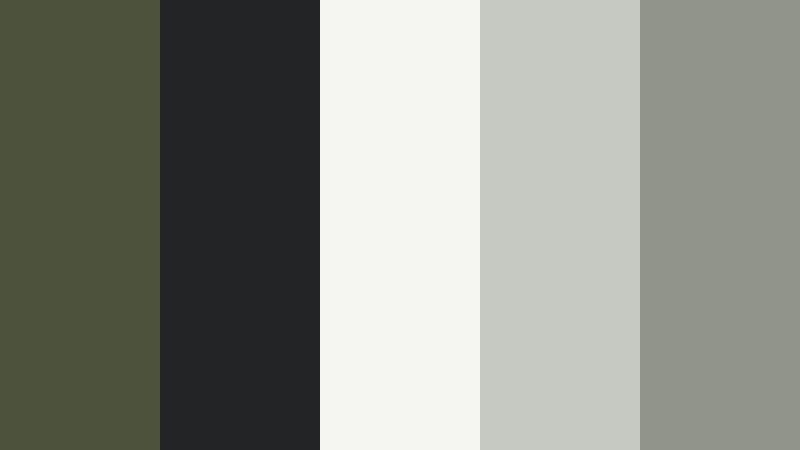
- HEX Codes: #4d523c, #222426, #f5f5f2, #c6c9c1, #90948b
- Mood: Clean, modern, and aesthetically understated.
- Use for: Perfect for YouTube channel branding, minimalist intros, and UI overlays in tutorials or design content.
Olive Studio Neutral centers Charred Olive within a stack of soft grays and off whites, creating a clean studio vibe. It feels professional without being sterile, and adds just enough character for design, productivity, or tech channels.
Use this palette for minimal intros, lower thirds, and tutorial overlays where clarity matters. In thumbnails, combine light backgrounds and Charred Olive accents around your subject for a polished, on brand grid across your channel.
Monochrome Olive Fade
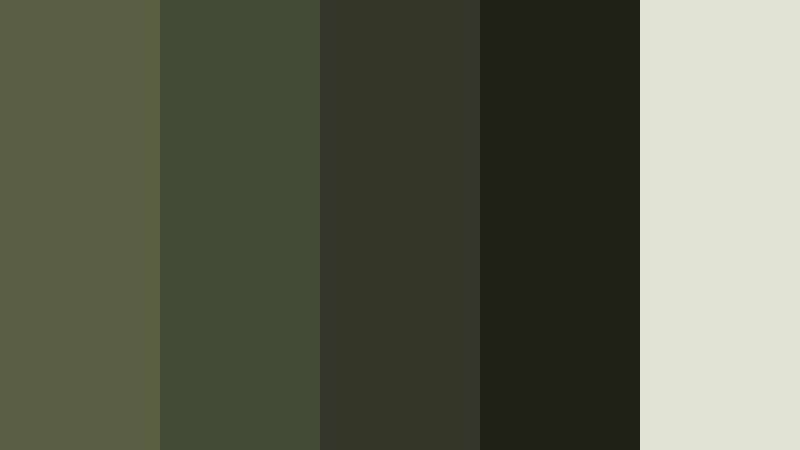
- HEX Codes: #585f43, #444b35, #323729, #1f2219, #e0e3d5
- Mood: Calm, controlled, and slightly mysterious.
- Use for: Best for cinematic title cards, moody product showcases, and dark UI themes.
Monochrome Olive Fade is a gradient of Charred Olive tones that move from deep shadows to a soft highlight. It creates an elegant, low noise visual environment where the subject or text can take the spotlight.
Use it for sleek title cards, product reveals, or dark mode UI overlays in your edits. In branding, this palette makes it easy to keep everything cohesive, from lower thirds to end screens, without distracting from the main content.
Architects Sketchboard
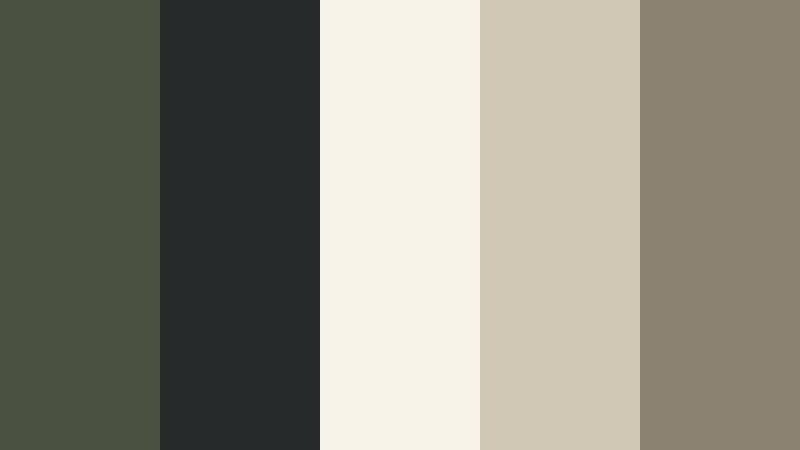
- HEX Codes: #4b5140, #272a2a, #f7f3e9, #d0c7b5, #8c8272
- Mood: Professional, thoughtful, and design centric.
- Use for: Great for architecture reels, design portfolios, and presentation videos with clean line graphics.
Architects Sketchboard combines Charred Olive with creamy off whites and stone neutrals, suggesting tracing paper, pencil sketches, and studio walls. It feels organized and thoughtful, perfect for explaining complex ideas visually.
Use this palette in case study videos, portfolio reels, or UX walkthroughs. The light tones are ideal for diagrams and annotations, while the darker Charred Olive and charcoal shades ground titles and sidebars.
Olive Tech Interface
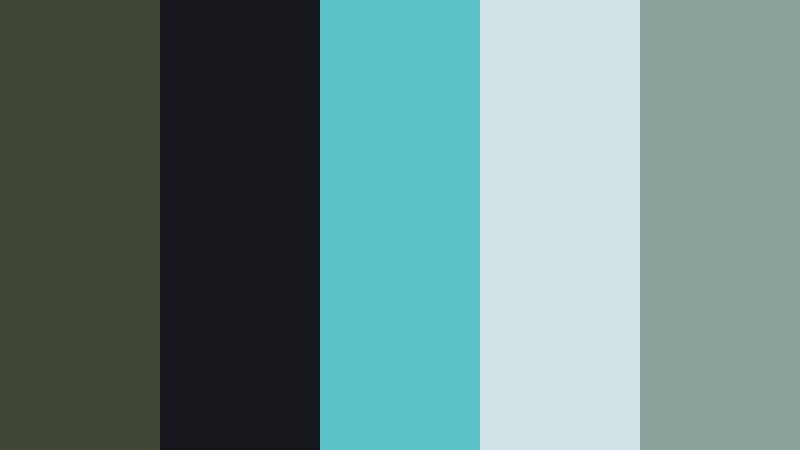
- HEX Codes: #414737, #15171c, #5ec2c9, #d0e3e5, #8aa29c
- Mood: Cool, digital, and quietly futuristic.
- Use for: Ideal for app demos, motion graphics, lower thirds, and tech explainers.
Olive Tech Interface anchors futuristic teals and mints with Charred Olive and soft blacks. It feels like a UI from a sci fi dashboard but still approachable enough for everyday tech tutorials.
Use it for overlay graphics in app demos, coding content, or motion graphics intros. In thumbnails, pair bright teal icons and buttons with Charred Olive backgrounds to signal tech content while keeping your brand unique.
Editorial Olive Ink
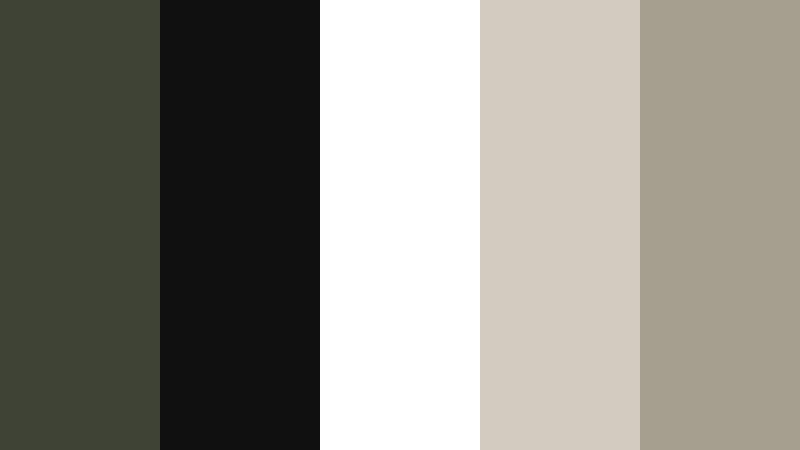
- HEX Codes: #3f4335, #101010, #ffffff, #d3cbbf, #a69e8f
- Mood: Editorial, sophisticated, and monochrome driven.
- Use for: Use for fashion lookbooks, magazine style reels, and typographic animations.
Editorial Olive Ink mixes inky blacks and crisp whites with Charred Olive and warm print like neutrals. It looks like a high end magazine layout translated into motion, perfect for stylish text and bold photography.
Use this palette for fashion reels, announcement cards, or content that relies on typography. White or beige headlines over Charred Olive panels immediately feel premium for YouTube banners, Instagram covers, and intro slates.
Warm Lifestyle Charred Olive Color Palettes
Olive Latte Morning
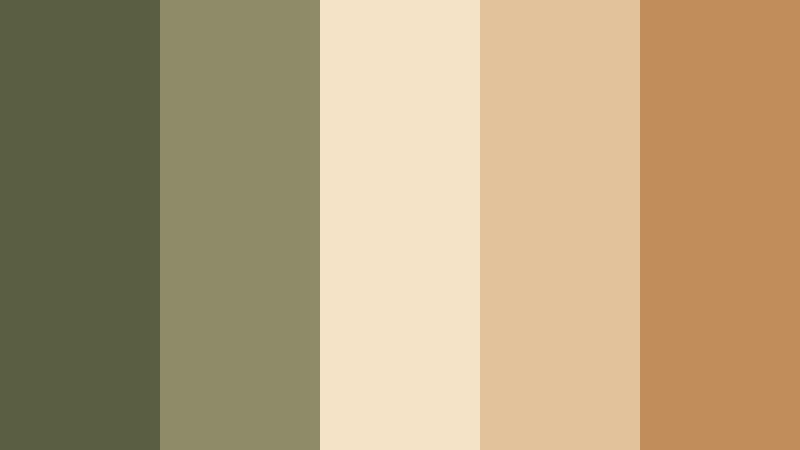
- HEX Codes: #5a5f44, #8d8b68, #f5e3c8, #e1c29a, #c18d5a
- Mood: Cozy, inviting, and softly energetic.
- Use for: Perfect for morning routine vlogs, cafe reviews, and lifestyle reels with warm natural light.
Olive Latte Morning pairs Charred Olive with milky creams and coffee browns to capture slow, cozy starts to the day. It feels like sunlight on a kitchen table, foam art in a mug, and soft textiles in the background.
Use this palette for lifestyle vlogs, routines, and cafe content where you want warmth without oversaturating the image. In your thumbnails and channel banners, the creams make great backgrounds for text, while Charred Olive accents can highlight key elements like mugs, planners, or your logo.
Terracotta Balcony Sunset
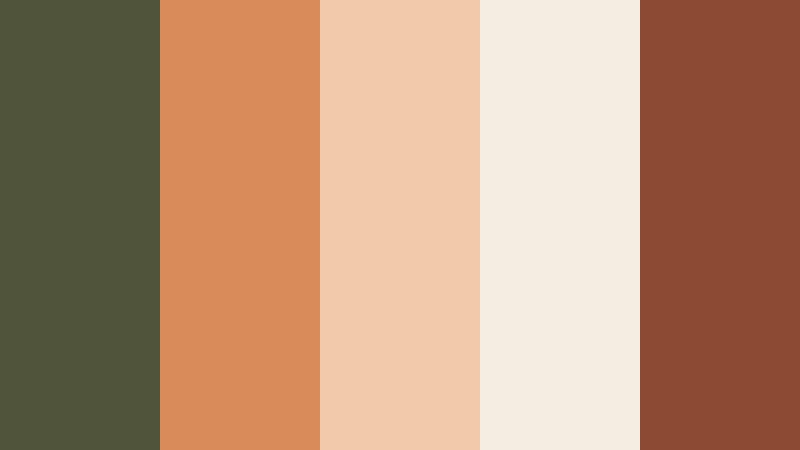
- HEX Codes: #50543a, #d98b5a, #f2c9aa, #f6ede2, #8c4a32
- Mood: Romantic, sun drenched, and relaxed.
- Use for: Great for golden hour clips, travel balcony shots, and romantic B-roll sequences.
Terracotta Balcony Sunset uses Charred Olive as a grounding shadow for glowing terracotta oranges and soft ivory skies. It feels like slow evenings, shared drinks on a balcony, and warm city air.
Apply this palette to golden hour B-roll, travel vlogs, and romantic sequences. In thumbnails, place warm terracotta elements around a Charred Olive frame to create a soft vignette that still pops in crowded feeds.
Farmhouse Kitchen Reel
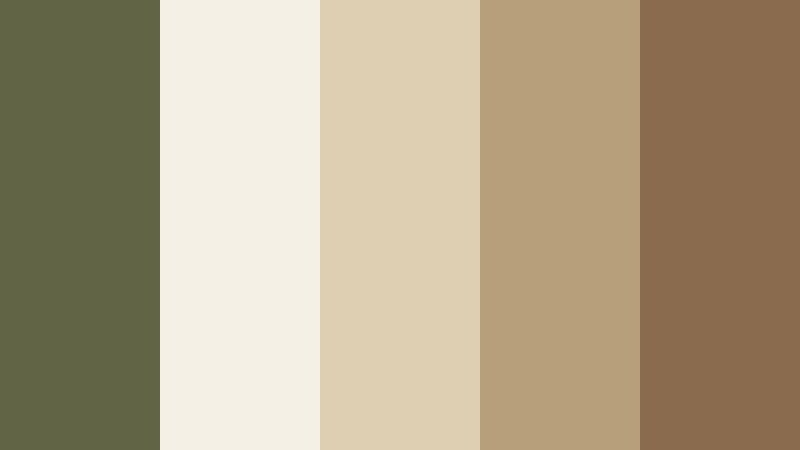
- HEX Codes: #626545, #f4f0e6, #decfb2, #b89f7b, #8b6b4e
- Mood: Homey, rustic, and food friendly.
- Use for: Ideal for recipe shorts, kitchen makeovers, and homesteading content.
Farmhouse Kitchen Reel sets Charred Olive cabinets against cream walls and warm wood surfaces. The palette feels rustic and comforting, like cooking in a well loved kitchen or filming a homestead tour.
Use it for recipe shorts, kitchen organization videos, or DIY renovations. The light neutrals keep food colors natural and appetizing, while Charred Olive details look great on lower thirds, recipe cards, and logo stings.
Vintage Field Journal
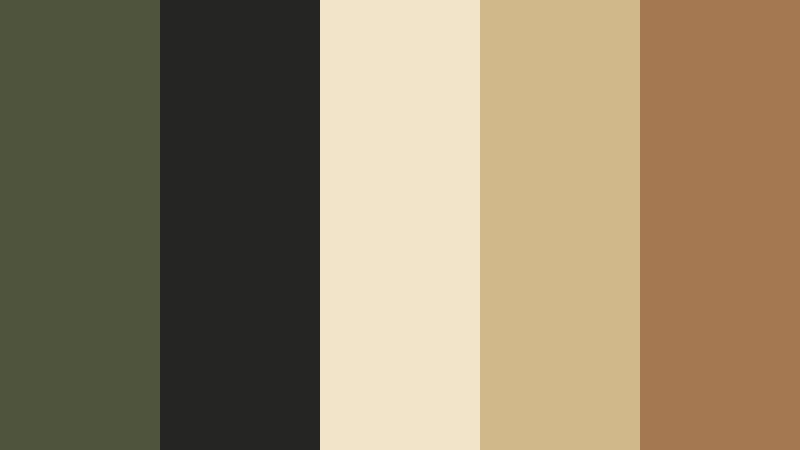
- HEX Codes: #4f543d, #252523, #f1e4c9, #d0b88a, #a47952
- Mood: Nostalgic, analog, and exploratory.
- Use for: Use for documentary style vlogs, study with me edits, and slow travel compilations.
Vintage Field Journal surrounds Charred Olive with paper beiges, ink browns, and warm tans. It suggests old maps, notebooks, and film cameras, perfect for content that celebrates learning and exploration.
Use this palette for study vlogs, research based explainers, or travel diaries. Beige backgrounds are ideal for on screen notes, maps, and doodles, while Charred Olive accents keep the overall look grounded and legible.
Bold Accent Charred Olive Color Palettes
Neon Sign Alley
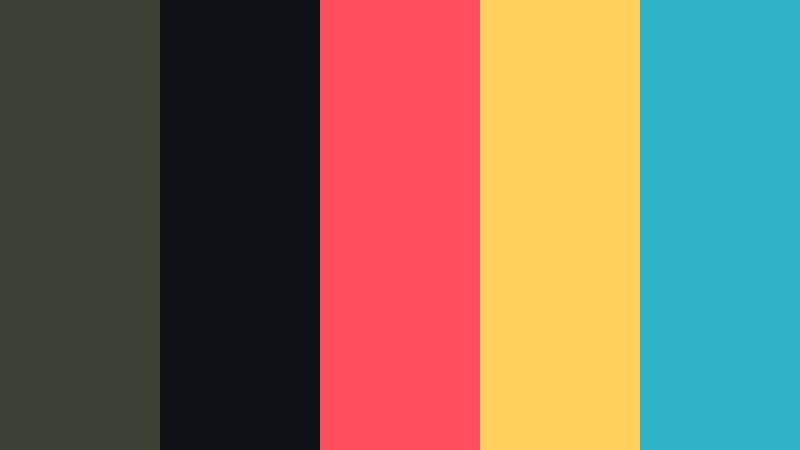
- HEX Codes: #3c4233, #101116, #ff4f5e, #ffd15c, #2fb3c8
- Mood: Energetic, urban, and high contrast.
- Use for: Perfect for music videos, street fashion edits, and high impact YouTube thumbnails.
Neon Sign Alley uses Charred Olive and near black as a stage for bright neon coral, yellow, and teal. It feels like a cyber city side street lit by signs and reflections after rain, ideal for bold, modern visuals.
Use this palette to create high impact thumbnails, title sequences, and motion graphics for music or streetwear content. Keep the Charred Olive and black for backgrounds and let the neon tones highlight text, buttons, and key subjects for instant attention.
Olive Gold Title Card
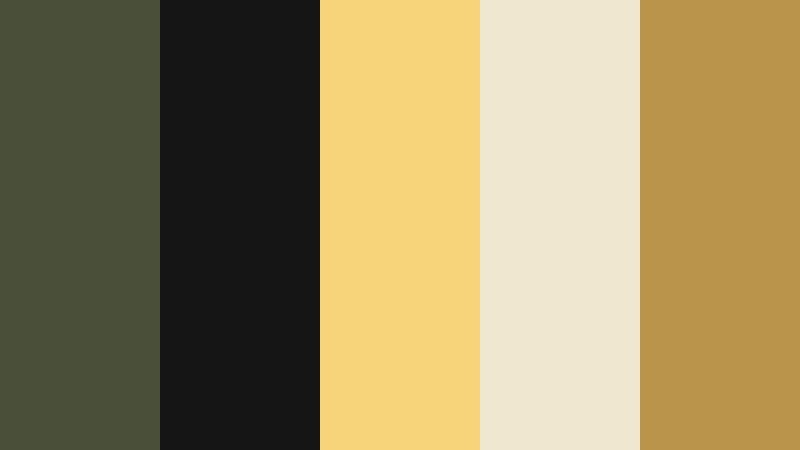
- HEX Codes: #4a4f39, #151515, #f7d37a, #f0e7cf, #b9944a
- Mood: Luxurious, confident, and cinematic.
- Use for: Great for logo reveals, trailer style intros, and hero title frames.
Olive Gold Title Card sets deep Charred Olive and black against glowing golds and creamy highlights. It has a luxurious, cinematic energy that feels like an opening credit sequence or a high end brand trailer.
Use this palette for logo reveals, course intros, or hero title cards that need to look premium. Gold text on Charred Olive backgrounds stands out in thumbnails, banners, and end screens, especially for film, coaching, or business channels that want a confident visual identity.
Tips for Creating Charred Olive Color Palettes
Charred Olive is flexible enough to feel natural, high tech, or luxurious depending on what you pair it with. These tips will help you build Charred Olive palettes that look great on video, thumbnails, and branding assets.
- Balance dark Charred Olive with at least one light neutral (cream, soft gray, or off white) to keep text and UI elements readable.
- Use warm accents (terracotta, gold, latte browns) when you want cozy or romantic vibes, and cool accents (teal, mint, obsidian tones) for tech or gaming themes.
- Limit bright accent colors to one or two per palette so Charred Olive can remain the anchor and your frames do not feel chaotic.
- Test thumbnails at small sizes and check that white or beige text still pops against Charred Olive and black areas.
- Match your grade to your environment: more desaturated olive works for documentaries and minimalist content, while higher contrast olives fit action or gaming.
- Keep branding consistent by reusing the same HEX codes in lower thirds, titles, end screens, and social media templates.
- In Filmora, save your favorite Charred Olive grade as a preset or custom LUT so you can apply it quickly to new projects.
- When mixing Charred Olive with another deep color like Obsidian Blue, adjust one of them slightly lighter or cooler so they do not blend into a flat dark mass.
Charred Olive palettes offer a powerful way to shape mood, from grounded outdoor adventures to premium, editorial style branding. By anchoring your visuals in this deep, earthy green, you can create a signature look that your audience instantly recognizes across videos, thumbnails, and social posts.
Try these 15 Charred Olive color combinations as starting points, then refine them in Filmora until they perfectly match your story and niche. Whether you are grading cinematic vlogs, building YouTube intros, or designing a full channel identity, consistent color will help your work feel polished and intentional.
Open your next project, drop in one of these palettes using HEX codes or AI tools, and start experimenting with Charred Olive as your main character color.
secure download