

 100% Security Verified | No Subscription Required | No Malware


 ChatGPT
 Perplexity
 Gemini
 Claude
 Grok
Grok
Comet Cyan sits between classic cyan and modern teal, giving it a clean, luminous energy that feels both futuristic and friendly. It suggests clarity, innovation, and calm focus, which makes it perfect for digital first brands, tech content, and any project where you want visuals to look sharp but not cold. Paired with deep navy or charcoal, Comet Cyan instantly feels cinematic; blended with pastels, it becomes airy and dreamy.
For video creators, YouTubers, and designers working in Filmora, Comet Cyan is a powerful accent for thumbnails, intros, overlays, and color grading. It can guide the viewer’s eye to key elements in your frame, connect your thumbnails into a recognizable series, and give your whole channel or brand a consistent, modern look. Below you will find Comet Cyan color palettes with ready to use HEX codes, curated for different moods and creative styles.
In this article
Fresh & Modern Comet Cyan Color Palettes
Digital Horizon Glow

- HEX Codes: #16d4d6, #0b7285, #111827, #38bdf8, #e5f9ff
- Mood: Futuristic, crisp, and tech forward with a cinematic edge.
- Use for: Perfect for app promos, UI explainer videos, and tech brand intros that need a cool, digital vibe.
Digital Horizon Glow mixes vivid Comet Cyan with deep navy and electric sky blue to create a sleek dashboard feel. The near black #111827 grounds the bright tones, while #e5f9ff adds just enough glow to keep everything readable and modern. Together they feel like the interface of a next gen product screen.
Use this palette for product walkthroughs, startup intros, or tech explainer videos where you want overlays, callouts, and titles to feel precise and cinematic. It is ideal for YouTube thumbnails that highlight UI elements, for clean lower thirds, and for branding a series of shorts or Reels with a consistent tech aesthetic in Filmora.
Pro Tip: Build a Cinematic Comet Cyan Interface Look in Filmora
To keep a Digital Horizon Glow style consistent across your edit, start by setting Comet Cyan and its navy companion as your primary brand colors in title templates and overlays. Use the dark #111827 as your background for text plates and subscribe bars, then accent buttons or icons with #16d4d6 and #38bdf8 so the viewer instantly recognizes clickable elements.
In Filmora, save your favorite title, lower third, and end screen layouts as custom presets using these colors. That way, whether you are cutting an app demo, b roll of devices, or social cutdowns, you can drop in matching typography and graphics in a few clicks and keep your Comet Cyan visual language strong.
AI Color Palette
If you already mocked up this palette in a style frame or thumbnail, you can turn that one image into the look of your whole video. Filmora's AI Color Palette feature analyzes the colors in a reference frame and applies that palette across other clips in your timeline.
Import a still that shows your ideal Digital Horizon Glow grading, select it as the reference, and let Filmora apply those Comet Cyan, navy, and ice blue tones to the rest of your shots. It is an easy way to unify A roll, B roll, and screen recordings so everything feels like one polished, tech forward story.
 secure download

HSL, Color Wheels & Curves
Once your Comet Cyan base is in place, use Filmora's HSL controls to fine tune saturation in the cyan and blue ranges. You can push the cyan hue slightly toward teal for a more cinematic feel or toward pure blue for a cooler tech vibe. Color wheels are great for adding a gentle cyan tint to midtones while keeping shadows anchored in #111827.
Curves let you control how bright your Comet Cyan accents appear in highlights and UI elements. Lift the highlights curve slightly for glowing buttons and line art, or keep it flatter for a more serious, enterprise ready style. Combining HSL, color wheels, and curves gives you precise control over how intense or subtle your cyan teal gradient palette feels in every shot.
secure download1000+ Video Filters & 3D LUTs
If you want to speed up your workflow, Filmora’s video filters and 3D LUTs make it easy to drop a consistent Comet Cyan aesthetic on any project. Start from a teal and cyan friendly LUT, then adjust intensity so your #16d4d6 and #38bdf8 stay vibrant without overpowering skin tones.
You can layer subtle glow or cyber style filters on top to give your UI screens a glassy, Twilight Aurora like shimmer while keeping text and icons crisp. Save your favorite combination of filters and LUTs as a preset to reuse across series intros, outro animations, and channel bumpers.
secure downloadNeon Studio Grid
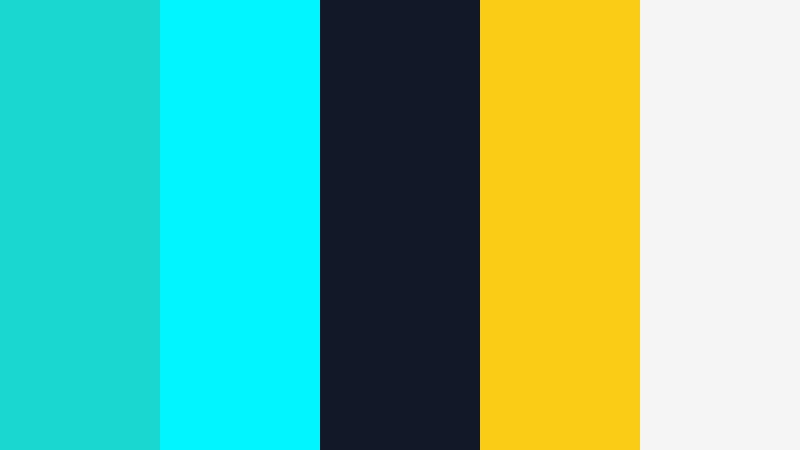
- HEX Codes: #18d8cf, #00f5ff, #111827, #facc15, #f5f5f5
- Mood: Energetic and high contrast with a creative studio flair.
- Use for: Use for bold YouTube thumbnails, livestream overlays, and dynamic title cards.
Neon Studio Grid cranks Comet Cyan up to neon with #18d8cf and #00f5ff, then sets them against an inky #111827 backdrop. The punchy yellow #facc15 acts like a spotlight on key words and buttons, while #f5f5f5 keeps text areas light and clean.
This palette is ideal for creators who want their studio branding and streaming overlays to jump off the screen. Use Comet Cyan for frames and borders, reserve yellow for subscribe or live labels, and rely on the dark background for legible text in YouTube thumbnails, intro cards, or Twitch style intermission screens edited in Filmora.
Minimal Interface Mist

- HEX Codes: #17cbd1, #0891b2, #e5f9ff, #f3f4f6, #0f172a
- Mood: Clean, minimal, and quietly confident.
- Use for: Great for SaaS walk throughs, product explainers, and modern portfolio reels.
Minimal Interface Mist softens Comet Cyan into #17cbd1 and #0891b2, supported by frosty whites and a deep ink #0f172a. The result feels like a modern cloud dashboard: polished, trustworthy, and clutter free.
Apply this palette to UI heavy videos where clarity is everything. Use #e5f9ff as a gentle background wash behind captions, #17cbd1 for highlight boxes and cursor traces, and #0f172a for body text. In thumbnails and channel banners, this scheme reads as premium yet accessible, perfect for educational creators and SaaS brands exporting assets through Filmora.
Cinematic Teal Drift
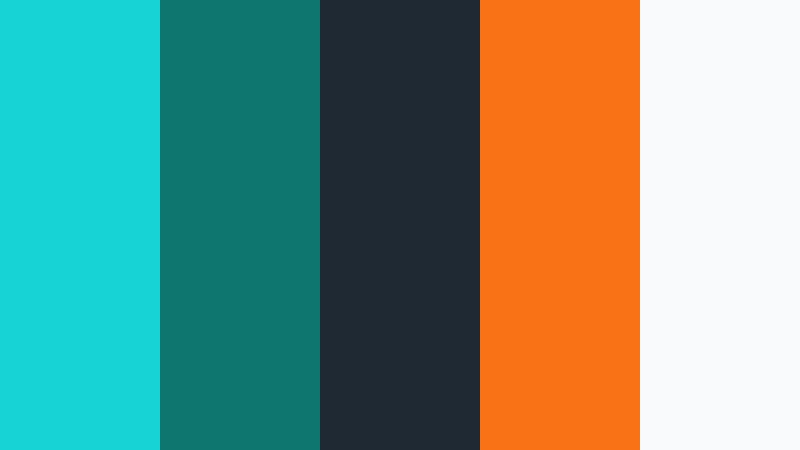
- HEX Codes: #16d4d6, #0f766e, #1f2933, #f97316, #f9fafb
- Mood: Cinematic, moody, and slightly dramatic with a modern twist.
- Use for: Ideal for travel vlogs, cinematic b roll, and documentary style edits.
Cinematic Teal Drift leans into the famous teal and orange contrast, with Comet Cyan shades #16d4d6 and #0f766e balanced by charcoal #1f2933 and vivid orange #f97316. The off white #f9fafb provides a soft base for titles and subtitles.
Use this palette for travel sequences, urban explorations, or lifestyle montages where you want a filmic mood. In Filmora, you can grade shadows toward teal and warm highlights toward orange, then use the same colors in your titles and lower thirds to maintain a cohesive cinematic teal cyan palette from thumbnail to end screen.
Electric Creator Hub
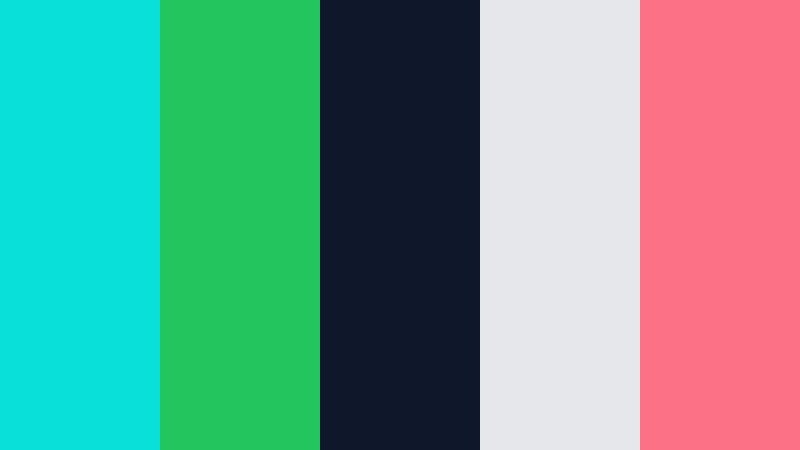
- HEX Codes: #09e0da, #22c55e, #0f172a, #e5e7eb, #fb7185
- Mood: Playful, social, and creator driven with plenty of energy.
- Use for: Best for creator channels, podcast scenes, and high energy shorts or Reels.
Electric Creator Hub pairs bright Comet Cyan #09e0da with fresh green #22c55e and a friendly coral #fb7185 on top of deep navy #0f172a. The gray #e5e7eb helps soften backgrounds so the accents can shine.
This palette suits social first creators: podcasters, commentary channels, vloggers, and shorts makers who want high energy but still clean design. Use cyan and green for waveform visuals, like and follow buttons, and animated frames around guests, while coral punctuates key CTAs. Your YouTube banner, Instagram Reels covers, and Filmora title presets can all share this fun Comet Cyan based identity.
Soft & Dreamy Comet Cyan Color Palettes
Cloudside Daydream
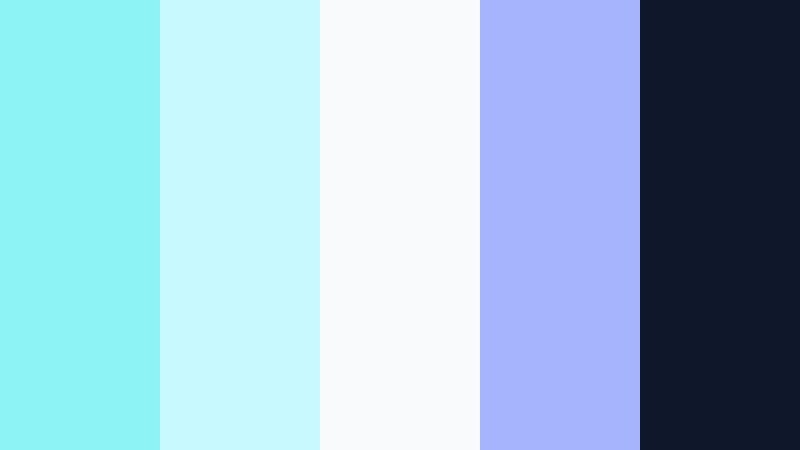
- HEX Codes: #8ef3f5, #c7f9ff, #f9fafb, #a5b4fc, #0f172a
- Mood: Airy, dreamy, and gently uplifting.
- Use for: Perfect for lifestyle vlogs, morning routines, and wellness channels.
Cloudside Daydream turns Comet Cyan into feather light tints like #8ef3f5 and #c7f9ff, blending them with soft white and lilac #a5b4fc. The dark navy #0f172a is there only when you need contrast for text or icons.
This palette is ideal for calm morning routines, cozy wellness content, and aesthetic day in my life vlogs. In Filmora, you can create soft overlays, translucent shapes, and gentle animated titles using the pastel tones, then reserve the deep navy only for legibility. The result feels like your video is floating in soft daylight.
Pastel Tide Whisper
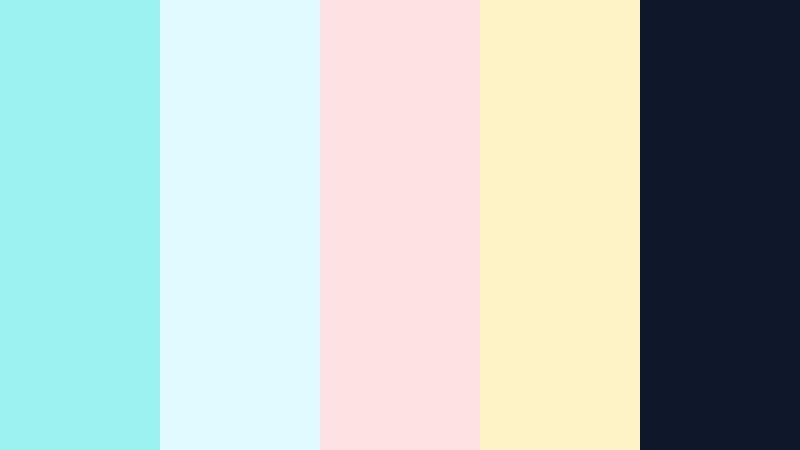
- HEX Codes: #9cf2f0, #e0fbff, #fee2e2, #fef3c7, #0f172a
- Mood: Gentle, nostalgic, and softly coastal.
- Use for: Use in cozy travel edits, beach montages, and dreamy channel trailers.
Pastel Tide Whisper feels like a calm seaside afternoon. Comet Cyan pastels #9cf2f0 and #e0fbff blend into blush #fee2e2 and sand yellow #fef3c7, grounded by a small touch of #0f172a for text.
Use this palette for beach walks, travel diaries, and nostalgic edits where you want to avoid harsh contrast. In thumbnails, place titles over the paler tones and accent small icons with the cyan to connect back to your channel branding. Overlays in Filmora using these colors can turn even cloudy footage into an aesthetic, pastel tide moment.
Aurora Sketchbook

- HEX Codes: #7ee5eb, #bfdbfe, #e0e7ff, #f9fafb, #020617
- Mood: Artistic, serene, and a little whimsical.
- Use for: Great for journaling videos, art timelapses, and gentle tutorial intros.
Aurora Sketchbook mixes soft Comet Cyan #7ee5eb with powder blues and off white #f9fafb, with a deep almost black #020617 to sketch in lines and typography. It feels like an open notebook under northern lights.
This scheme works beautifully for hand drawn titles, planning spreads, and art timelapse videos. Use cyan for doodle accents and arrows, light blues for backgrounds, and the dark tone for handwritten style fonts in Filmora. It is a great way to keep educational content gentle and approachable while still organized.
Morning Studio Steam
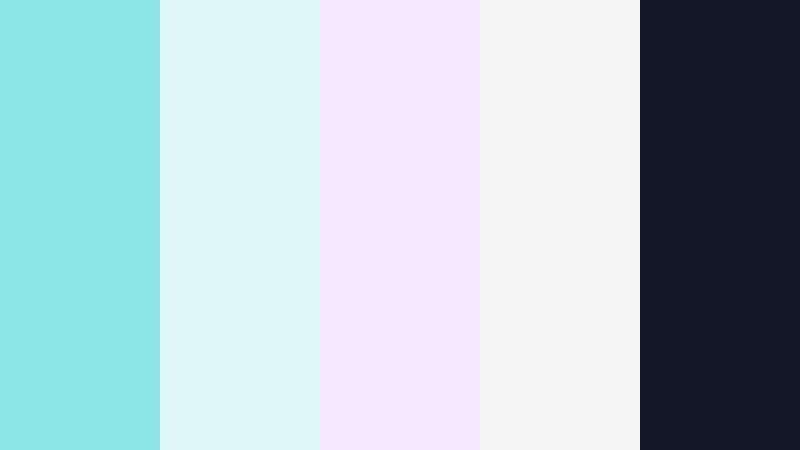
- HEX Codes: #8be4e6, #e0f7fa, #f3e8ff, #f5f5f5, #111827
- Mood: Cozy, light, and gently productive like a quiet creative morning.
- Use for: Best for planning videos, productivity vlogs, and desk setup tours.
Morning Studio Steam combines muted Comet Cyan #8be4e6 with soft aqua, lavender #f3e8ff, and warm whites, anchored by #111827. It gives the feeling of coffee steam in a bright, tidy workspace.
Use this palette for productivity content, Notion setups, desk tours, and slow focus vlogs. Keep your A roll footage fairly neutral, then add cyan and lavender accents in titles, chapter markers, and animated checklists in Filmora to create a calm but focused atmosphere.
Celestial Notepad

- HEX Codes: #86f4f2, #bae6fd, #fef9c3, #f1f5f9, #0f172a
- Mood: Optimistic, light, and quietly celestial.
- Use for: Lovely for educational videos, notion style setups, and animated explainers.
Celestial Notepad uses bright, clear Comet Cyan #86f4f2 with pale blue #bae6fd and soft yellow #fef9c3, laid over a paper like #f1f5f9 and grounded by #0f172a. It feels like starry ideas captured in a tidy notebook.
This palette works well for tutorials, course content, and explainer videos where you want to keep viewers relaxed and engaged. Use cyan for key terms, yellow for highlights or underlines, and blue for section backgrounds in your Filmora titles and infographic animations.
Bold & Vibrant Comet Cyan Color Palettes
Cyber Wave Arcade
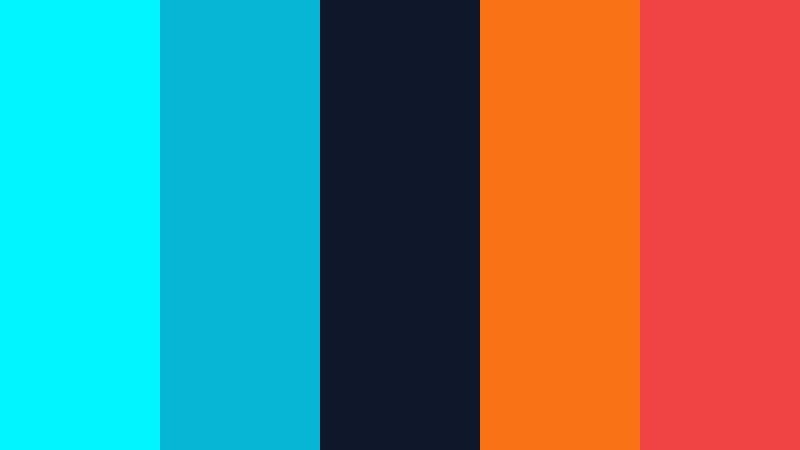
- HEX Codes: #00f5ff, #06b6d4, #0f172a, #f97316, #ef4444
- Mood: High energy, cyberpunk tinged, and attention grabbing.
- Use for: Use for gaming intros, e sports branding, and high impact promo clips.
Cyber Wave Arcade pushes Comet Cyan into full neon with #00f5ff and #06b6d4, slammed against deep navy #0f172a and fiery accents #f97316 and #ef4444. The palette screams movement and adrenaline.
Use it for gaming intros, glitch transitions, and energetic sponsor spots. In Filmora, build animated grids, HUD graphics, and bold typography in cyan, then use orange and red only for kill counts, win streaks, or sale tags so they blast out of the frame.
Urban Neon Crossing
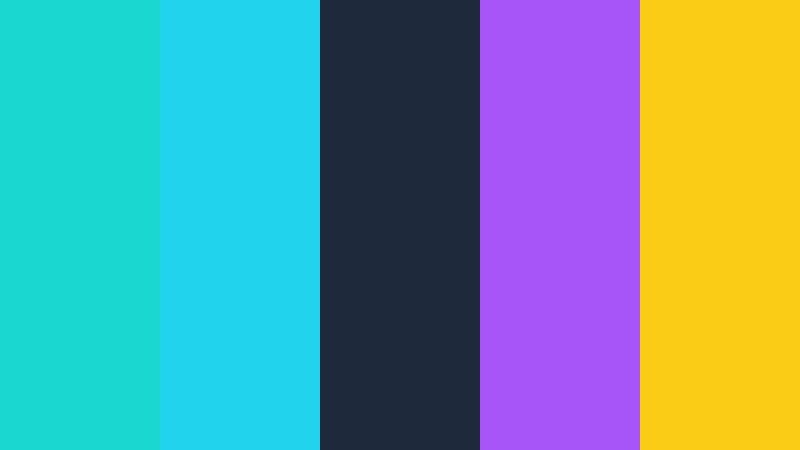
- HEX Codes: #18d8cf, #22d3ee, #1e293b, #a855f7, #facc15
- Mood: Urban, stylish, and nightlife inspired.
- Use for: Perfect for street photography edits, fashion lookbooks, and music visuals.
Urban Neon Crossing takes Comet Cyan shades #18d8cf and #22d3ee and contrasts them with deep blue gray #1e293b, violet #a855f7, and golden #facc15. It feels like city lights reflected on wet pavement.
Use this palette for nighttime city b roll, runway shots, or music video visuals. In Filmora, accent moving shapes and type with cyan and violet while keeping backgrounds moody. Gold is great for artist names or collection titles on thumbnails and Instagram Reels covers.
Creator Splash Frame
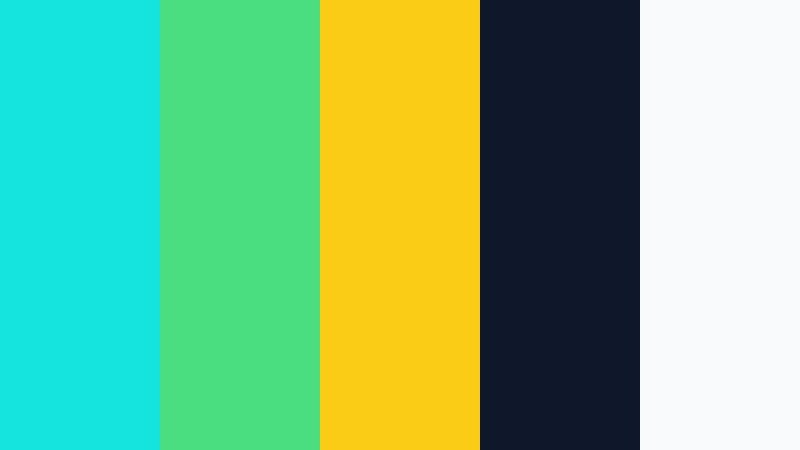
- HEX Codes: #14e4de, #4ade80, #facc15, #0f172a, #f9fafb
- Mood: Confident, bold, and social first.
- Use for: Ideal for vlog branding, intros, and channel banner designs.
Creator Splash Frame uses bright Comet Cyan #14e4de as the anchor, with fresh green #4ade80 and citrus yellow #facc15 splashing over dark navy and soft white. It is bold without being harsh.
This palette suits personal brands that want to feel fun and confident. Use cyan as your primary brand color for frames and logos, add green to represent growth or money topics, and yellow for key hooks. In Filmora, this works beautifully across intro animations, subscribe bumps, and social end screens.
Tropical Stream Burst
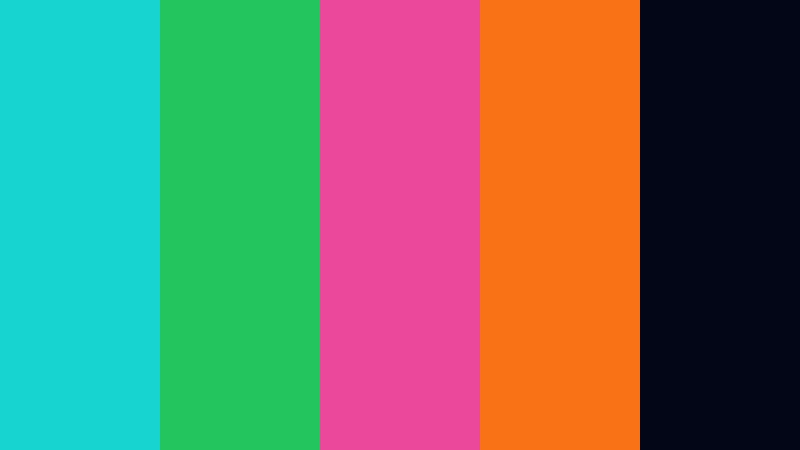
- HEX Codes: #17d4d0, #22c55e, #ec4899, #f97316, #020617
- Mood: Tropical, playful, and festival ready.
- Use for: Great for travel, festival edits, and summer product campaigns.
Tropical Stream Burst gives Comet Cyan #17d4d0 a beach party twist with lush green #22c55e, juicy magenta #ec4899, and bright orange #f97316, all set on an inky #020617 base. The palette feels like sunset over a festival crowd.
Use it for summer campaigns, pool day vlogs, and product promos with a fun edge. In Filmora, you can build sticker style animations and bold title cards in these hues, then sync quick color pops with beat drops in your music to keep attention high on TikTok, Shorts, and Reels.
Elegant & Professional Comet Cyan Color Palettes
Executive Cyan Slate
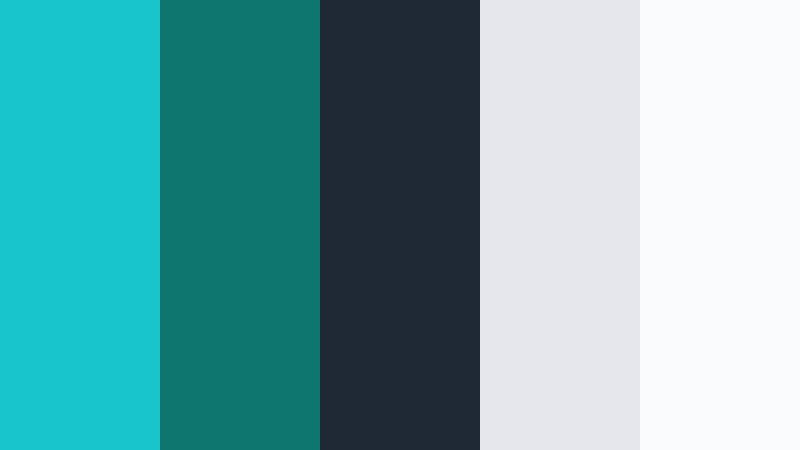
- HEX Codes: #17c4c7, #0f766e, #1f2933, #e5e7eb, #f9fafb
- Mood: Polished, trustworthy, and corporate ready.
- Use for: Perfect for corporate reels, pitch decks, and business explainers.
Executive Cyan Slate refines Comet Cyan into #17c4c7 and deep teal #0f766e, supported by slate #1f2933 and light grays #e5e7eb and #f9fafb. It feels professional, calm, and reliable.
Use this palette for corporate videos, LinkedIn content, and serious explainers. Cyan and teal can highlight key stats and icons, while slate and gray keep slides and lower thirds clean. In Filmora, apply this scheme to title packs, data callouts, and logo stings so every piece of your business content looks aligned.
Studio Glass Reflection

- HEX Codes: #18cfd1, #38bdf8, #0b1120, #e2e8f0, #cbd5f5
- Mood: Sophisticated, glossy, and slightly cinematic.
- Use for: Use for portfolio showcases, product highlight reels, and brand films.
Studio Glass Reflection stacks cool Comet Cyan #18cfd1 with bright blue #38bdf8 over deep midnight #0b1120 and glassy grays #e2e8f0, #cbd5f5. It has a premium, studio lit look, like a high end product on a reflective table.
Use this palette when you want your brand or product to feel luxurious and modern. In Filmora, combine slow camera moves, soft light leaks, and this color set in titles and overlays to elevate product highlight reels, showreels, and cinematic brand films.
Tips for Creating Comet Cyan Color Palettes
Comet Cyan works across many moods, from soft and dreamy to bold and electric. A few practical guidelines will help you combine it with other colors for strong video and design results.
- Decide the role of Comet Cyan first: is it your main brand color, a subtle accent, or a grading tint in shadows and midtones.
- Pair Comet Cyan with a deep neutral like #0f172a or #111827 so text and UI elements stay readable on thumbnails and overlays.
- Use warm accents (orange, coral, or gold) sparingly to create teal and orange style contrast without overwhelming the frame.
- Check your designs in grayscale to ensure that key titles and CTAs still stand out when color contrast is reduced.
- Keep skin tones natural by avoiding heavy cyan in highlights; instead, push Comet Cyan into backgrounds, UI frames, and shadows using Filmora’s color tools.
- Limit your bright accent colors to two or three per palette so your channel identity stays consistent across intros, lower thirds, and end screens.
- Match your Comet Cyan hex codes between your graphic tools and Filmora’s title designer so your branding looks identical on and off video.
- Test your palette on mobile by shrinking thumbnails to a small size to confirm that Comet Cyan accents and text remain clear on phones.
Comet Cyan is a flexible hue that can feel futuristic, gentle, or premium depending on what you pair it with. By choosing the right palette, you can instantly define the mood of your videos, from cinematic travel logs to crisp app demos, and build a recognizable brand identity that stands out in crowded feeds.
Use the HEX codes above as ready made starting points for your thumbnails, intros, lower thirds, and channel art. Then bring them into Filmora to unify your footage, overlays, and motion graphics so every upload feels like part of the same Comet Cyan themed universe.
Whether you lean into soft pastels or bold neon contrasts, experimenting with these palettes directly in Filmora will help you lock in a signature look faster and keep your creative workflow smooth.
secure download