

 100% Security Verified | No Subscription Required | No Malware


 ChatGPT
 Perplexity
 Gemini
 Claude
 Grok
Grok
Dark Cocoa sits in a sweet spot between rich brown and soft neutral, bringing a sense of depth, comfort, and understated luxury. It feels grounded and human, which makes it perfect for cinematic storytelling, soulful vlogs, and brands that want to project warmth and stability. On screen, Dark Cocoa can instantly make footage feel more tactile and intimate, especially when paired with soft highlights or muted accents.
For creators and Filmora users, Dark Cocoa color palettes are powerful tools for YouTube thumbnails, video intros, channel branding, Instagram reels, and product promos. Below are 15 Dark Cocoa color combinations with ready-to-use HEX codes so you can build cohesive aesthetics, match your grading across scenes, and design thumbnails, overlays, and titles that look consistently on-brand.
In this article
Warm & Cozy Dark Cocoa Color Palettes
Hearthside Cocoa Glow
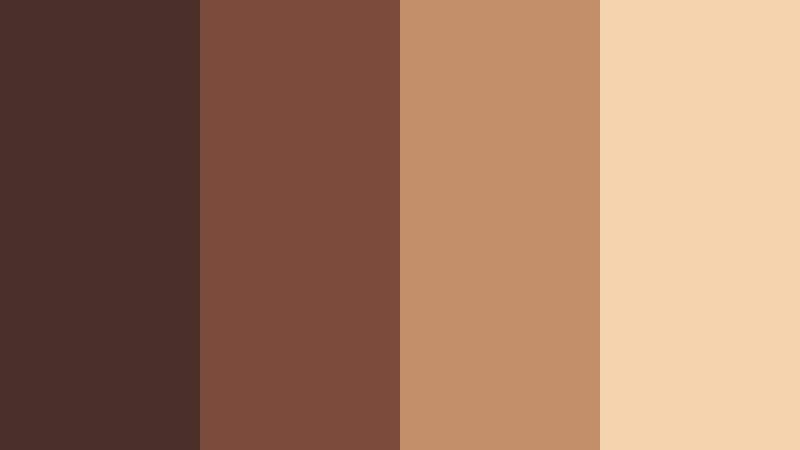
- HEX Codes: #4a2f28, #7a4b3a, #c28f6a, #f4d4ae
- Mood: Inviting, nostalgic, and softly glowing like a fireside evening.
- Use for: Perfect for lifestyle vlogs, home decor reels, and cozy product promos that need warmth without harsh contrast.
Hearthside Cocoa Glow feels like sitting near a fireplace with a soft blanket and a warm drink. The deep Dark Cocoa base (#4a2f28) grounds your visuals, while the toasted caramel and creamy highlights bring a gentle, nostalgic glow that flatters skin tones and interiors.
Use this palette for aesthetic vlogs, Sunday reset videos, or branding that leans into comfort and intimacy. In thumbnails and titles, let the darkest shade hold text or borders, then layer mid-tones for backgrounds and the lightest cream for subtle callouts or icons so every frame stays easy on the eyes.
Pro Tip: Build a Cinematic Dark Cocoa Glow in Filmora
To keep a Hearthside Cocoa Glow look consistent across your edit, start by picking one or two key HEX codes from the palette for your titles, lower thirds, and graphic elements. In Filmora, set these as custom colors in your text presets and elements so your intro, B-roll labels, and end screen all share the same Dark Cocoa identity.
You can also use adjustment layers in Filmora to warm your footage slightly, nudging mid-tones toward the caramel range while keeping shadows closer to the deep cocoa shade. This helps your footage and graphic overlays blend naturally, especially in cozy talking head videos or home decor tours.
AI Color Palette
If you have a still frame or mood board that perfectly captures this fireside feel, Filmora's AI Color Palette feature can automatically apply that color style to the rest of your timeline. Import your reference image with Dark Cocoa and warm highlights, then let AI match the color mood across multiple clips.
This is especially useful when combining camera, phone, and stock footage. The AI Color Palette helps standardize tones so your Dark Cocoa shadows and creamy highlights stay consistent from intro to outro, thumbnails, and social cutdowns.
 secure download

HSL, Color Wheels & Curves
Once your overall palette is in place, fine-tune Dark Cocoa tones in Filmora using HSL, color wheels, and curves. Slightly deepening shadows and lifting warm mid-tones can make your scenes look more cinematic, while a gentle S-curve adds contrast without crushing details in cozy environments.
You can explore creative grading ideas using the color wheels and curves controls shown in Filmora's YouTube tutorials, then save your adjustments as presets for future Dark Cocoa themed projects. This way, every vlog episode or series trailer can share the same Hearthside-inspired look with minimal effort.
secure download1000+ Video Filters & 3D LUTs
If you want an even faster path to a stylized Dark Cocoa look, Filmora’s video filters and 3D LUTs make it easy to test different moods on top of your Hearthside palette. Try warm film-style LUTs or vintage filters to add grain, softness, or subtle color shifts.
Apply filters on an adjustment layer so you can toggle them on and off, and stack them with your custom color palette for intros, end cards, and short-form edits. This keeps your channel visuals recognizable while still giving you room to experiment with different cinematic flavors of Dark Cocoa.
secure downloadCaramel Steam Latte
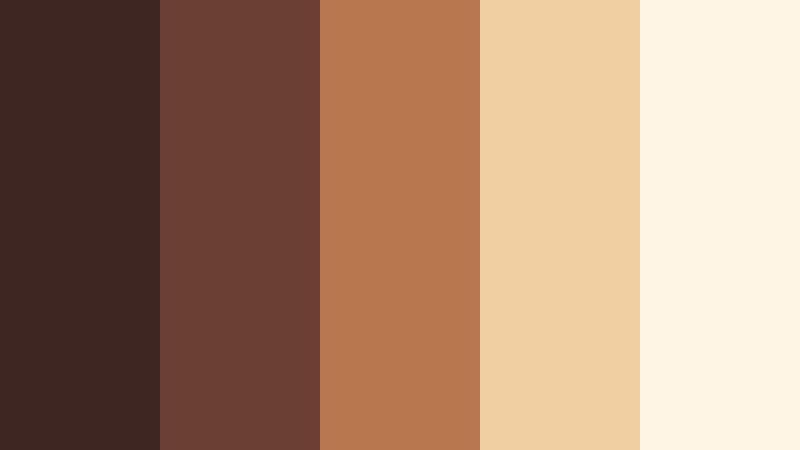
- HEX Codes: #3e2723, #6b3f32, #b9774e, #f0cfa3, #fff5e4
- Mood: Comforting and mellow, like a quiet morning coffee ritual.
- Use for: Use in cafe review videos, minimalist title cards, or brand intros for coffee, baking, or slow-living channels.
Caramel Steam Latte mixes deep espresso browns with whipped-cream neutrals to create a soft, cafe-inspired look. The darker tones are ideal for subtle text or logo marks, while the caramel and cream shades make beautiful backgrounds for quotes, overlays, or pricing cards in your videos.
This palette works especially well for coffee shop B-roll, brunch vlogs, or baking shorts. In thumbnails, use the lightest beige for negative space and bold text in the deeper cocoa tone to keep everything clean, legible, and on-theme with your slow-living aesthetic.
Rustic Cabin Ember
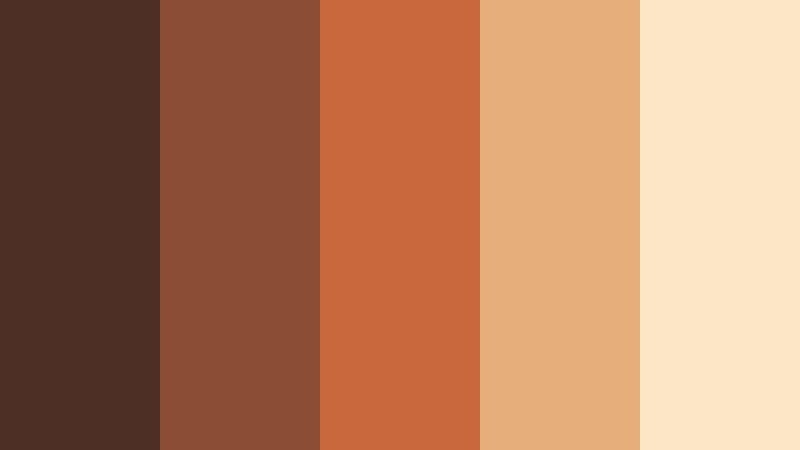
- HEX Codes: #4d2f26, #8b4d34, #c8683c, #e6ae7b, #fbe7c6
- Mood: Earthy, rugged, and warmly adventurous.
- Use for: Great for travel vlogs in nature, camping gear promos, and outdoor storytelling overlays.
Rustic Cabin Ember balances smoky cocoa with glowing ember oranges and sunlit wood tones. The result is an outdoorsy palette that feels rugged but still cozy, perfect for hiking trips, cabin weekends, and campfire storytelling.
Use the darkest cocoa to frame your footage with cinematic bars or lower thirds, while the ember accents highlight map graphics, call-to-action buttons, or route markers. For thumbnails, combining the bright orange with the pale cream instantly draws attention without losing that natural, earthy vibe.
Molten Toffee Drift
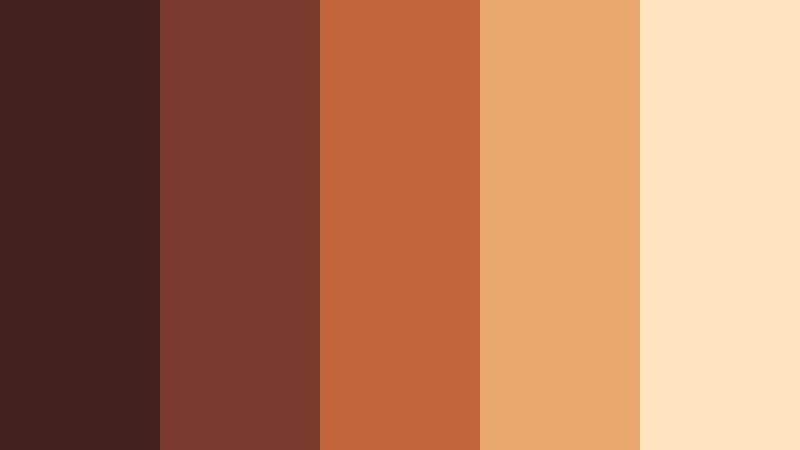
- HEX Codes: #43211f, #7a3b2e, #c0643b, #e8a86b, #fde3c0
- Mood: Sweet, rich, and slow-moving like melted toffee.
- Use for: Use for dessert reels, bakery brand kits, or soft motion graphics in food content.
Molten Toffee Drift flows from dark chocolatey tones into golden toffee and pale vanilla. It feels indulgent and smooth, making it ideal for dessert shorts, pastry showcases, and any food content that highlights texture and richness.
Design lower thirds and price tags with the warm mid-tones, reserve the darkest cocoa for text, and lay them over light, creamy backgrounds. In Filmora, you can build animated text cards or recipe step overlays using these HEX codes to keep your whole video series looking like one cohesive brand menu.
Candlelit Cocoa Nook
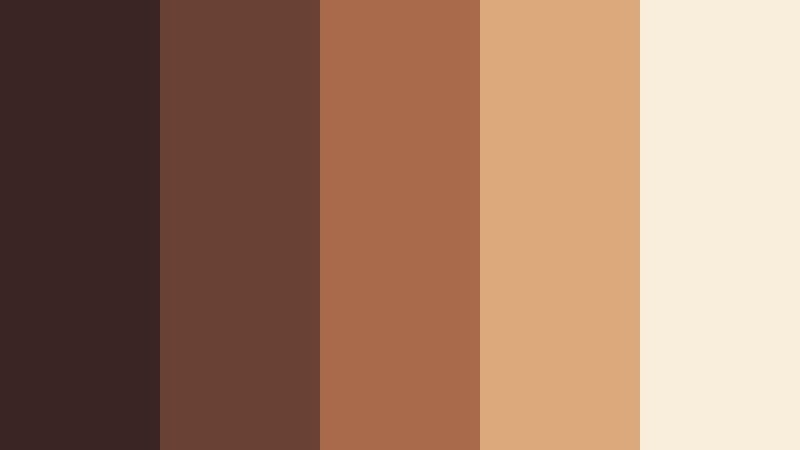
- HEX Codes: #3a2522, #6a4234, #a86a4a, #dba97a, #f9eddc
- Mood: Softly romantic, intimate, and candlelit.
- Use for: Ideal for study-with-me videos, reading nooks, slow evenings, and lo-fi music visuals.
Candlelit Cocoa Nook is all about soft shadows and warm candlelight. Deep cocoa and amber tones sit next to waxy creams, creating a palette that feels plush and intimate, ideal for late-night study sessions or lo-fi beats playlists.
Use the darker browns as backdrops for playlists, chapter markers, or time stamps, while the amber and cream shades highlight important text or icons. This combination works beautifully in looping background videos or streams where you want viewers to feel calm and comfortable for hours.
Elegant & Modern Dark Cocoa Color Palettes
Cocoa Marble Luxe
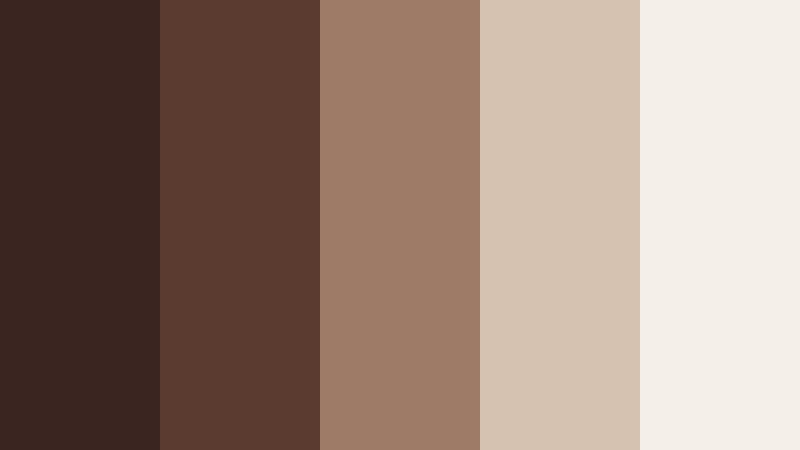
- HEX Codes: #3b2521, #5b3b30, #9d7b66, #d5c2b1, #f5efe9
- Mood: Refined, minimal, and quietly luxurious.
- Use for: Use in premium brand intros, product unboxings, and minimalist UI overlays for beauty or lifestyle brands.
Cocoa Marble Luxe pairs dark cocoa veining with pale stone neutrals, echoing upscale interiors and editorial layouts. It feels polished but never loud, which works well for high-end skincare, jewelry, and lifestyle brands.
In your videos, use the lighter marble tones as clean backgrounds for typography and product close-ups, with the deeper cocoa shades forming headers, borders, or logo blocks. This palette is perfect for unboxing sequences, product highlight reels, and minimalist UI overlays in Filmora.
Velvet Espresso Statement
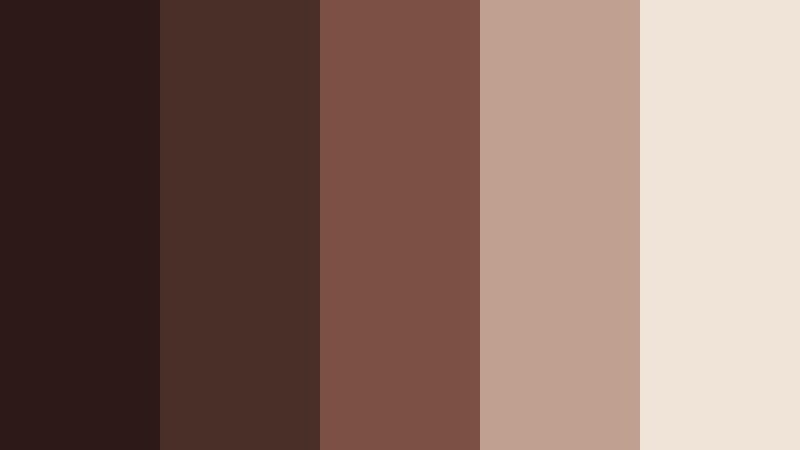
- HEX Codes: #2d1a18, #4a2e28, #7b5144, #c0a18f, #f0e3d7
- Mood: Dramatic yet controlled, like a velvet stage curtain.
- Use for: Perfect for cinematic trailers, bold openers, and high-end fashion or tech videos needing depth.
Velvet Espresso Statement leans into drama with inky espresso cocoa tones contrasted by soft latte neutrals. It feels like a velvet theater backdrop, ideal for cinematic trailers, luxury launches, or stylized fashion lookbooks.
Combine the darkest tones with sharp typography for strong openers, then soften transitions and lower thirds with the mid and light shades. On YouTube thumbnails, a deep cocoa background with light cream text and subtle mid-tone accents immediately reads as premium and cinematic.
Urban Cocoa Concrete
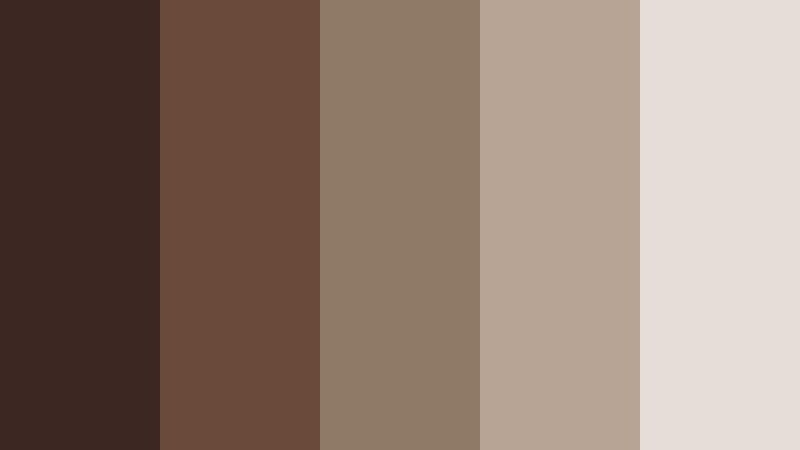
- HEX Codes: #3c2723, #6a4a3a, #8f7967, #b7a495, #e4ded6
- Mood: Modern, grounded, and architectural.
- Use for: Use for city vlogs, architectural reels, and tech or design portfolios with a neutral edge.
Urban Cocoa Concrete blends cocoa browns with muted concrete grays and stone neutrals. The palette feels modern and architectural, great for city footage, urban photography slideshows, and design or tech portfolios.
Use darker shades for title bars and navigation elements in your edits, while the greige and stone tones act as neutral canvases for screenshots, app demos, or case study text. This is a powerful choice for LinkedIn content, portfolio reels, and minimalist brand stories that still feel warm and human.
Cocoa Gold Monogram
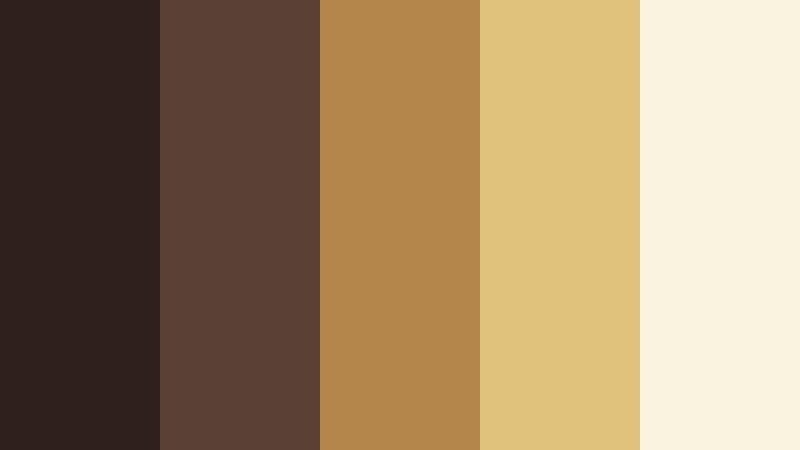
- HEX Codes: #2f201e, #5b4035, #b4864b, #e1c27a, #faf3df
- Mood: Regal, polished, and quietly confident.
- Use for: Great for logo stings, brand monograms, and luxury packaging reveals on video.
Cocoa Gold Monogram combines dense Dark Cocoa with brushed gold tones and parchment-like cream. It feels regal and composed, making it a natural fit for luxury branding, stationery, and packaging reveal videos.
Use the gold shades for animated logo strokes, line details, or accent borders, while the deepest cocoa anchors your monogram or wordmark. In Filmora, this palette can drive your entire visual system, from logo stings to title cards and call-to-action frames.
Minimal Truffle Studio
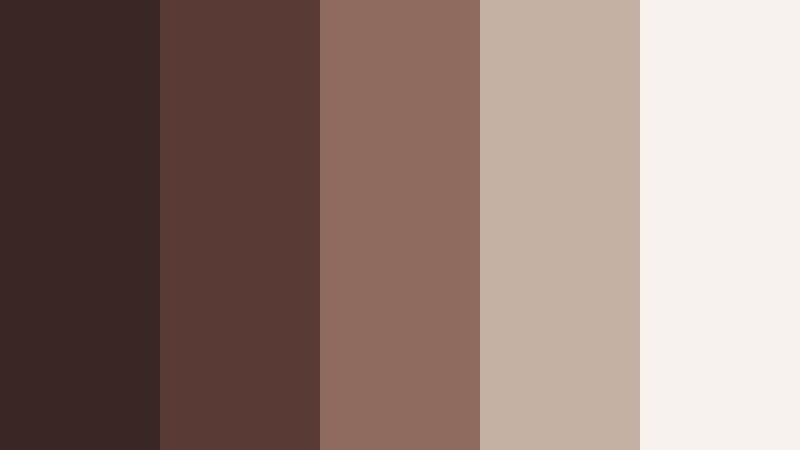
- HEX Codes: #3a2624, #5a3a35, #8f6b5f, #c5b1a3, #f7f2ed
- Mood: Clean, creative, and studio-chic.
- Use for: Ideal for design studios, portfolio reels, and minimalist tutorial graphics.
Minimal Truffle Studio layers smooth truffle cocoa with airy studio neutrals for a calm, design-forward palette. It feels like a well-lit creative studio, making it ideal for tutorials, design breakdowns, or portfolio showcases.
Use the mid cocoa tones for understated typography and icons, while the light neutrals serve as clean backdrops for screen recordings, mockups, and process diagrams. This palette helps your audience focus on the content while still keeping your brand personality warm and refined.
Earthy & Organic Dark Cocoa Color Palettes
Forest Bark Infusion
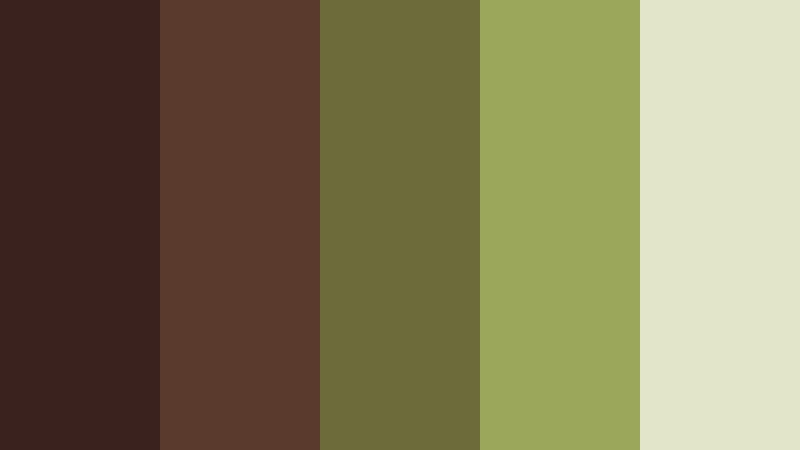
- HEX Codes: #3a231e, #5b3a2e, #6e6b3a, #9ba85b, #e2e5c8
- Mood: Grounded, botanical, and quietly wild.
- Use for: Use for eco brands, hiking vlogs, and nature documentaries needing organic harmony.
Forest Bark Infusion brings together Dark Cocoa bark tones with mossy greens and pale lichen. It feels organic and grounded, perfect for nature-focused content, eco brands, and outdoor documentaries.
Use the cocoa shades for titles and frames, with greens highlighting key stats, location titles, or sustainable messaging. The soft lichen tone makes a gentle background for infographics, plant care tips, or eco product callouts in your videos.
Cocoa Sage Garden
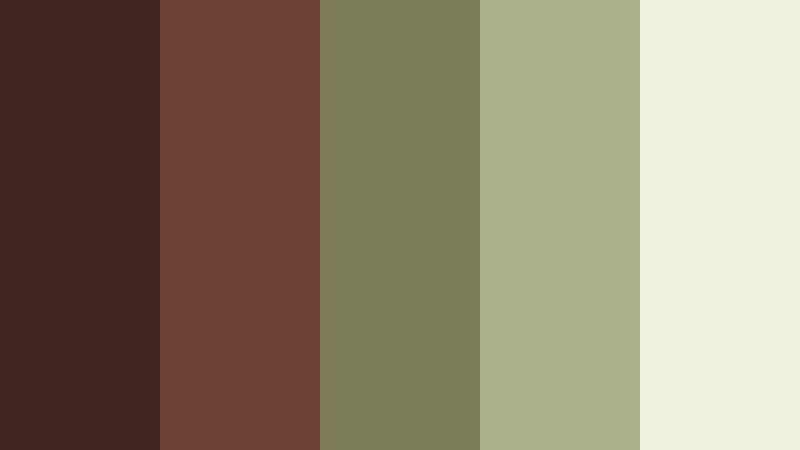
- HEX Codes: #412521, #6b4135, #7c7b5a, #a9b28a, #edf1df
- Mood: Softly herbal, calm, and restorative.
- Use for: Great for wellness content, skincare brands, and slow gardening or plant care videos.
Cocoa Sage Garden softens Dark Cocoa with herbal sage and fern tones. It has a calm, restorative feel that suits wellness content, skincare brands, and plant care or gardening videos.
Feature products or routines against the pale, leafy background color, then use cocoa and sage alternately for headings and subheadings. In thumbnails, a cocoa frame, sage accent stripes, and light background can instantly communicate a natural, soothing niche.
Desert Cocoa Dusk
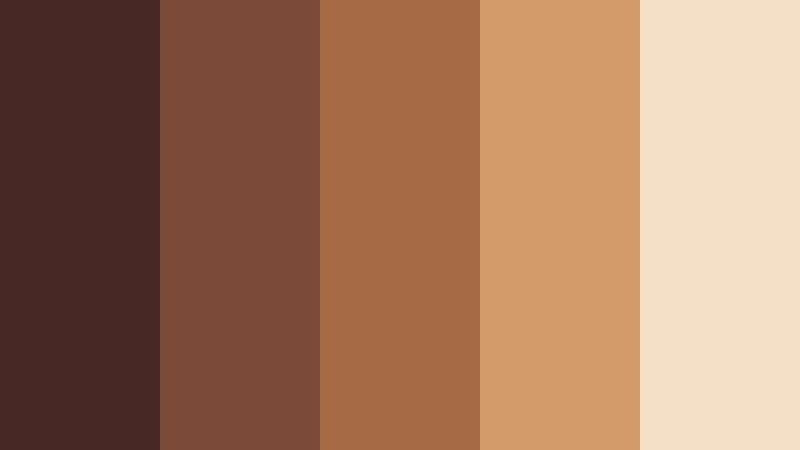
- HEX Codes: #472825, #7b4a39, #a66a45, #d39a6a, #f4e0c6
- Mood: Sun-warmed, cinematic, and wanderlust-filled.
- Use for: Perfect for travel vlogs, van life content, and sun-drenched montage sequences.
Desert Cocoa Dusk combines cocoa earth tones with sandy apricot and pale dune hues, capturing the feel of golden hour in the desert. It is inherently cinematic and works beautifully for travel vlogs and van life sequences.
Use the deeper browns to frame silhouettes and location titles, while the warmer apricot and dune shades support overlays, maps, and subtitle backgrounds. This palette can make even simple road shots feel like part of a curated travel film.
Terracotta Cocoa Market
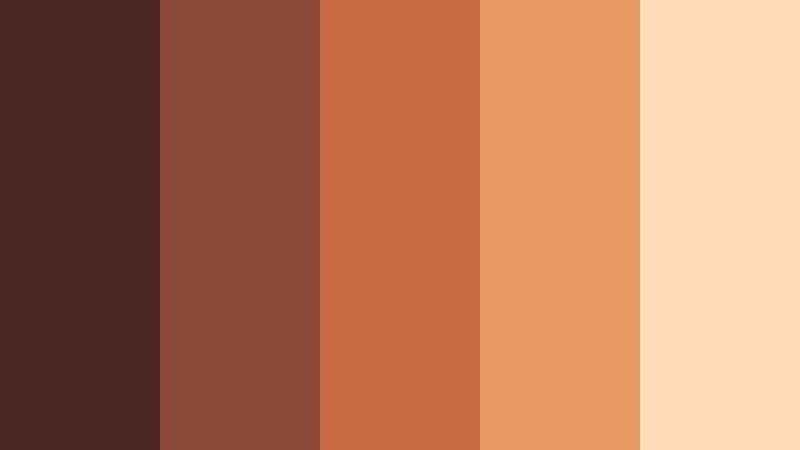
- HEX Codes: #4a2722, #8a4936, #c76a43, #e89b63, #ffdcb7
- Mood: Bustling, artisanal, and sunlit.
- Use for: Use for travel markets, craft brand storytelling, and lifestyle edits with a handmade feel.
Terracotta Cocoa Market layers grounded cocoa with vibrant terracotta and sunlit clay tones. It feels busy and artisanal, like walking through a market full of ceramics, spices, and textiles.
Use the bright terracotta and warm clay colors for price tags, labels, or transitions, while the Dark Cocoa anchors logos and text. This palette is perfect for storytelling around makers, small businesses, and cultural markets, both in long-form videos and short social edits.
Playful & Cinematic Dark Cocoa Color Palettes
Cocoa Cherry Neon Pop
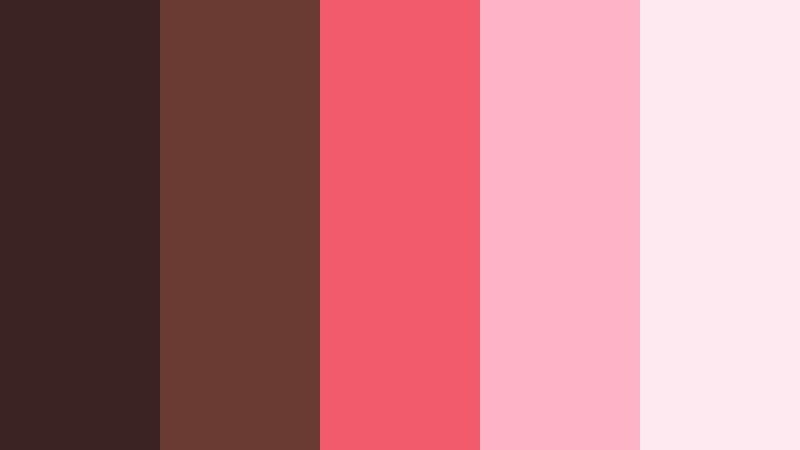
- HEX Codes: #3a2320, #6a3b33, #f25b6b, #ffb3c6, #ffe9f1
- Mood: Playful, bold, and pop-cinematic.
- Use for: Great for YouTube thumbnails, playful brand intros, and short-form social edits aimed at younger audiences.
Cocoa Cherry Neon Pop uses Dark Cocoa as a moody base that lets cherry and bubblegum pinks explode with contrast. It feels playful and pop-cinematic, ideal for energetic YouTube channels, gaming intros, or short-form social content.
Place neon cherry accents on top of dark cocoa backgrounds for scroll-stopping thumbnails and transitions. The lighter pinks can be used for highlight text or icons, keeping your visuals vibrant but still anchored by the deep, sophisticated Dark Cocoa undertone.
Tips for Creating Dark Cocoa Color Palettes
Dark Cocoa works best when it is balanced with lighter neutrals and purposeful accents. Whether you are designing thumbnails or grading a full video in Filmora, these tips will help you build Dark Cocoa palettes that look intentional and cinematic.
- Pair Dark Cocoa with at least one light neutral (cream, beige, pale stone) to keep text and icons readable on screens of all sizes.
- Use Dark Cocoa for structural elements such as borders, frames, and lower thirds, and let brighter or lighter colors handle calls to action and key highlights.
- Limit your accent colors to one or two hues (gold, sage, neon pink, etc.) so your palette stays cohesive across thumbnails, intros, and end screens.
- Check contrast on mobile by zooming out on your thumbnails; if headings in cocoa or against cocoa are hard to read, adjust brightness or saturation in Filmora.
- Match your footage to your palette by lightly warming or cooling shadows and mid-tones, so Dark Cocoa overlays feel like part of the scene instead of floating on top.
- Save your favorite Dark Cocoa HEX codes as presets in Filmora text and element tools to reuse them easily in new episodes and series.
- Test palettes in both light and dark modes if you are showing UI or app demos, ensuring your cocoa-based colors work in different environments.
- Keep brand consistency by choosing one Dark Cocoa palette per series or channel theme, and reusing it across all visual touchpoints: intros, titles, overlays, and social snippets.
Dark Cocoa color palettes can transform simple footage into something that feels intentional, branded, and emotional. From cozy vlogs and rustic travel diaries to luxury unboxings and playful neon edits, the right combination of cocoa tones, neutrals, and accents sets the mood before a viewer even hits play.
Use these 15 Dark Cocoa palettes as ready-made recipes for your next project, then refine them in Filmora with color grading, overlays, and typography that match your style. Once you save your favorite looks as presets, you can apply them across intros, B-roll, shorts, and thumbnails to build a recognizable visual identity.
Experiment with different palettes, adjust them to your footage, and let Dark Cocoa become a signature part of your channel or brand story.
secure download