

 100% Security Verified | No Subscription Required | No Malware


 ChatGPT
 Perplexity
 Gemini
 Claude
 Grok
Grok
Midnight Ash is a deep, neutral charcoal that instantly feels cinematic and focused. It carries the calm authority of black, but with softer edges and subtle cool undertones, making it ideal for moody storytelling, sleek tech visuals, and premium branding. On screen, Midnight Ash can push your edit toward drama or minimalism depending on how you balance it with highlights and accent colors.
For video creators, designers, and Filmora users, Midnight Ash works brilliantly in YouTube thumbnails, intros, lower thirds, and UI overlays because it lets text and subject skin tones stand out without visual noise. Below are curated Midnight Ash color palettes with HEX codes you can plug straight into your titles, graphics, and color grading to keep your entire project visually consistent.
In this article
Cinematic And Moody Midnight Ash Color Palettes
Noir City Skyline
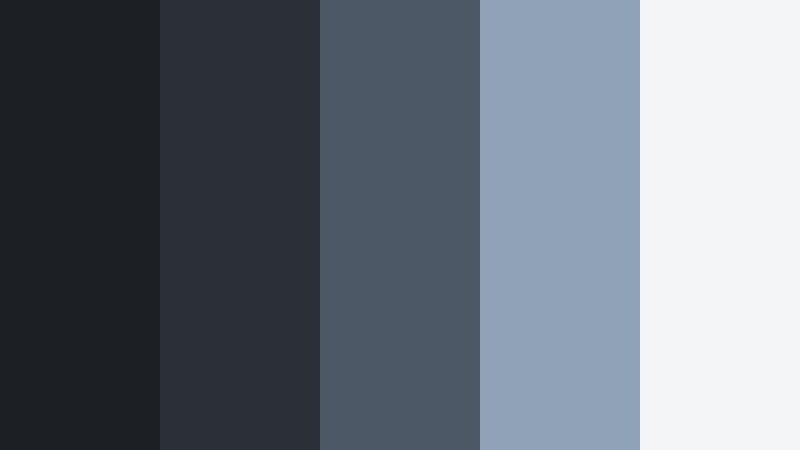
- HEX Codes: #1c1f23, #2b3036, #4c5866, #8fa2b8, #f4f5f7
- Mood: Urban, cinematic, and slightly mysterious with a cool, modern edge.
- Use for: Works well for dramatic video intros, tech promos, and cityscape vlog grading.
This palette feels like a night drive through a glass and steel metropolis. Deep Midnight Ash tones anchor the frame, while desaturated steel blues and a pale highlight color suggest distant building lights and a hazy sky. It gives your footage a clean, modern noir vibe without crushing everything into pure black.
Use Noir City Skyline for cinematic B-roll of streets and architecture, dramatic tech brand trailers, and YouTube intros where you want strong contrast but still need room for bright titles. In thumbnails, pair the darkest swatch as your background with the lightest two for text and UI elements, so your message remains clear at small sizes.
Pro Tip: Build a Cinematic Midnight Ash Look in Filmora
To keep a Noir City Skyline mood across your entire edit, start by setting your project background and title cards to the darkest Midnight Ash swatch. Then, in Filmora, color-correct your clips so shadows lean toward that same charcoal tone while midtones gently pick up the blue-gray hues. This keeps your intros, talking head shots, and B-roll living in the same visual world.
You can save this as a custom preset in Filmora and apply it to your intros, transitions, and end screens. That way, every reel, city vlog, or tech promo you publish feels like part of one cohesive Midnight Ash brand universe.
AI Color Palette
If you have a screenshot or moodboard built with the Noir City Skyline colors, you can turn it into a grading style for your entire video. Filmora's AI Color Palette feature analyzes your reference image and maps its Midnight Ash tones, blues, and highlights onto your footage in just a few clicks.
Import your reference frame, choose it as the source, then apply the AI Color Palette to a whole sequence. This is a fast way to match thumbnails, intros, and main footage so your channel grid looks intentionally designed instead of random.
 secure download

HSL, Color Wheels & Curves
To perfect your Midnight Ash look, use Filmora's HSL and color wheels to keep skin tones natural while pushing shadows cooler. Slightly desaturate blues and cyans so buildings and skies feel more cinematic, then use curves to deepen the darkest swatch without clipping detail. If you need a walkthrough, Filmora's YouTube tutorials on using HSL and color wheels for cinematic grading are a helpful reference.
For thumbnails and titles, you can export a still frame and tweak it with the same HSL and curves adjustments, so your cover image perfectly matches the grade of the video itself. This consistency gives your channel a polished Midnight Ash identity.
secure download1000+ Video Filters & 3D LUTs
Once your Midnight Ash base is in place, Filmora's video filters and 3D LUTs make it easy to test variations. You can try subtle film emulations to add grain and softness to your Noir City Skyline grade, or stack glow and highlight filters to make city lights feel more vivid against the charcoal background.
Save the filter and LUT combinations that best match your palette, then reuse them across tutorials, vlogs, and shorts. With one click, new content will inherit that same urban Midnight Ash style, saving you grading time and keeping your channel instantly recognizable.
secure downloadUnderground Metro Fade
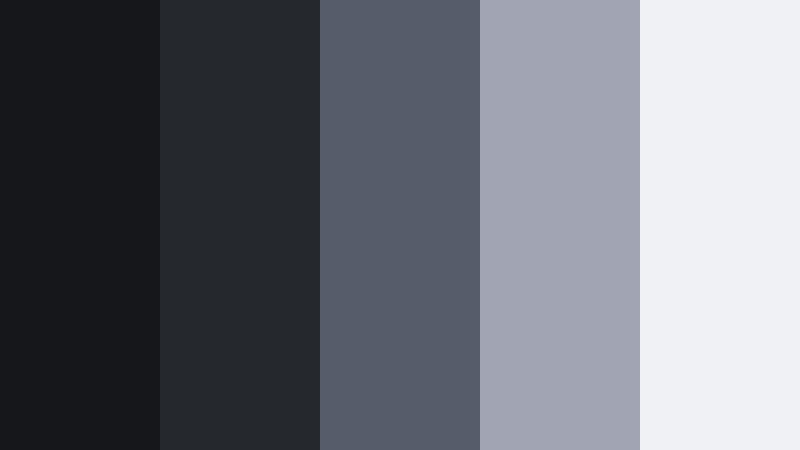
- HEX Codes: #15171a, #25282d, #555d6a, #a0a4b3, #f0f1f4
- Mood: Industrial, atmospheric, and subtly tense with urban grit.
- Use for: Great for suspenseful sequences, street photography reels, and edgy brand trailers.
Underground Metro Fade captures the feeling of dim station lights glancing off worn concrete. Dark Midnight Ash tones mix with muted industrial grays, creating a slightly claustrophobic but stylish look, like waiting for the last train at night.
Use this palette when you want tension without going full horror. It suits handheld street reels, slow-motion escalator shots, or minimalist brand teasers with glitch transitions. In thumbnails and lower thirds, reserve the lightest swatch for text to keep everything crisp against the grittier background colors.
Cinderframe Cinema
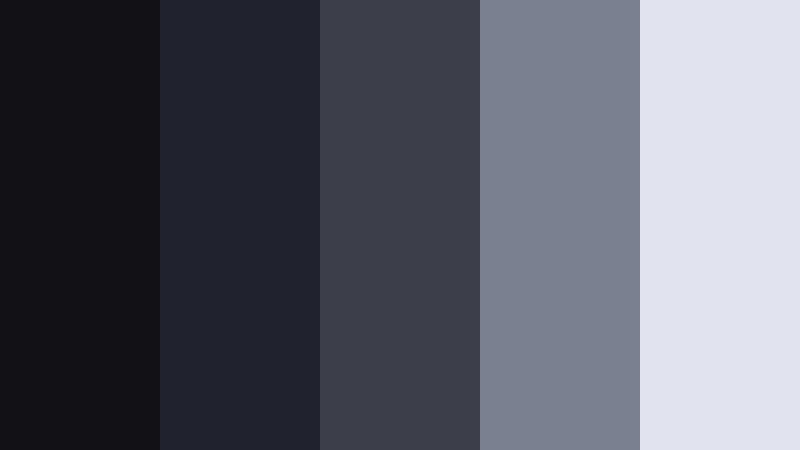
- HEX Codes: #111216, #20232a, #3c4049, #797f8c, #e1e3ea
- Mood: Film-inspired, dramatic, and refined with a soft grainy feel.
- Use for: Perfect for narrative short films, introspective vlogs, and film-style LUTs.
Cinderframe Cinema feels like charcoal dust on an old film reel. The deep Midnight Ash foundation fades into foggy midtones and cool, clean highlights, giving you plenty of dynamic range for cinematic grading.
It is a strong choice for story-driven content, moody talking-head vlogs, and custom LUTs you plan to reuse in Filmora. Use the mid grays for backgrounds in title cards and the soft highlight for subtitles, then keep your footage graded toward the darker two swatches for drama.
Stormlit Alleyway

- HEX Codes: #15181d, #262a31, #495162, #9ea8b8, #f7f8fb
- Mood: Brooding yet sharp, like neon reflections after a storm.
- Use for: Use for thriller trailers, cyberpunk edits, and atmospheric travel montages.
Stormlit Alleyway combines cool Midnight Ash shadows with misty blue midtones, evoking wet pavement and distant neon signs. It makes reflections and highlights feel sharper without losing that moody, rainy-night character.
Apply it to thriller teasers, cyberpunk-inspired edits, or slow, atmospheric city travel sequences. In YouTube thumbnails, use the darkest tones for the frame, the mid blues for shapes or borders, and the brightest swatch for bold, minimal text that cuts through the gloom.
Midnight Studio Sessions

- HEX Codes: #181a1f, #292d34, #515866, #8b92a3, #dcdfe8
- Mood: Intimate, creative, and focused like late-night editing sessions.
- Use for: Best for music videos, behind-the-scenes content, and creator channel branding.
Midnight Studio Sessions feels like a dim recording or edit suite lit by screens and soft lamps. The palette blends warmish Midnight Ash shadows with muted blue-grays that keep attention on your subject, not the background.
Use it to grade cozy studio vlogs, acoustic performances, or behind-the-scenes reels. For branding, choose one of the medium tones as your main background color across intros, overlay graphics, and end screens so everything feels part of the same creative space.
Minimal And Modern Midnight Ash Color Palettes
Monolith Interface

- HEX Codes: #131417, #24262b, #3b3f46, #b5bac4, #ffffff
- Mood: Clean, minimal, and authoritative with a tech-forward calm.
- Use for: Ideal for UI overlays in tutorials, app promos, and minimalist channel branding.
Monolith Interface is a stripped-back, tech-ready version of Midnight Ash. Dark charcoal tones pair with medium grays and pure white, giving you a high-clarity interface feel that is great for on-screen graphics.
Use the darkest swatch for video backgrounds or app mockups, medium grays for panels and shapes, and white for text and icons. This palette is ideal for tutorial overlays, software demos, and YouTube channels that want a crisp, minimalist visual identity.
Slate Workspace Calm
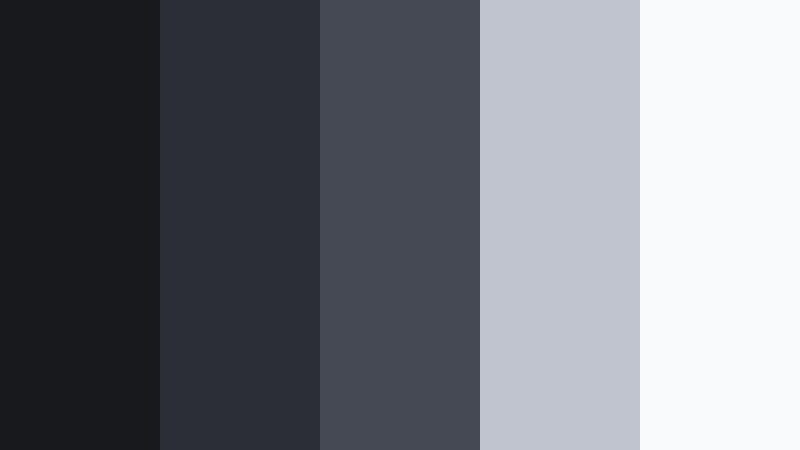
- HEX Codes: #17191d, #2b2f35, #444953, #c0c4cf, #f9fafc
- Mood: Balanced, productive, and uncluttered with a soft corporate feel.
- Use for: Great for productivity vlogs, course thumbnails, and portfolio websites.
Slate Workspace Calm softens Midnight Ash into a neutral, office-friendly palette. The darker charcoals keep things grounded, while the pale grays and off-white add an airy, professional tone.
Use it for productivity content, online courses, and portfolio videos where you want focus and clarity. It works well as a brand system: darker tones for backgrounds, middle tone for card or panel shapes, and the two lightest for text and charts.
Graph Paper Night

- HEX Codes: #15171b, #262a30, #5a606c, #d0d4de, #ffffff
- Mood: Structured, intelligent, and slightly academic with cool clarity.
- Use for: Use for explainer videos, motion infographics, and tech education channels.
Graph Paper Night feels like a clean, digital notebook set on a Midnight Ash background. Cool grays and bright white create strong contrast, perfect for diagrams, charts, and typographic layouts.
It is a strong match for explainer videos and motion infographics. Use the mid-gray for grid lines or separators, dark shades for backgrounds, and white for labels so your information stays legible on both mobile and desktop screens.
Charcoal Minimal Grid
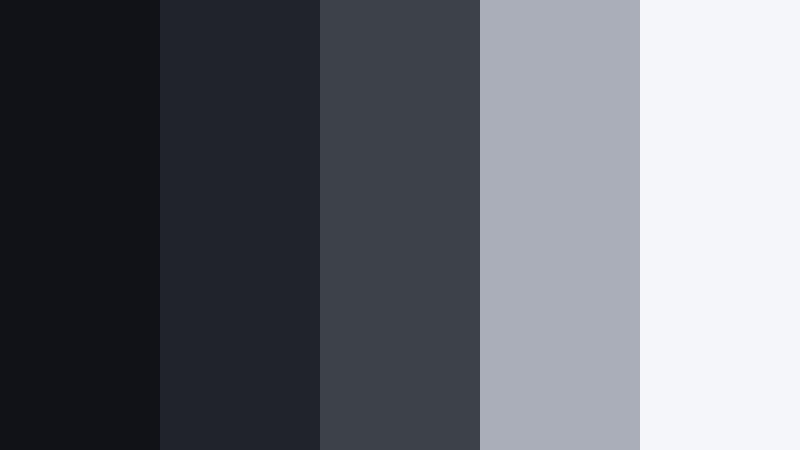
- HEX Codes: #111217, #20232a, #3d414a, #a9aeb9, #f5f6f9
- Mood: Orderly, minimal, and confident with high contrast for clarity.
- Use for: Perfect for logo stings, title cards, and minimalist brand kits.
Charcoal Minimal Grid is all about structure and hierarchy. Midnight Ash tones step up through cool neutrals into a pale, almost paper-like highlight, giving you clear layers for text, shapes, and backgrounds.
Use it to build logo stings, animated title cards, and lower third templates in Filmora. Assign the darkest shade to the background, a mid tone to subtle panel shapes, and the lightest two for typography and icons. The result is a precise, confident brand look.
Clouded Monitor Glow

- HEX Codes: #181b1f, #2e3238, #5c6470, #c9ced9, #ffffff
- Mood: Softly lit, modern, and slightly futuristic like a dimmed monitor.
- Use for: Great for software demos, live stream overlays, and gaming channels.
Clouded Monitor Glow captures the feeling of a dark room lit only by screens. Midnight Ash shadows slide into frosted highlights, giving your visuals a cool, techy glow.
This palette works especially well for streaming overlays, HUD-style graphics, and gaming thumbnails. Use the mid-gray blues for panels and chat boxes, and white for text so everything stays readable against the darker interface background.
Luxurious And Elegant Midnight Ash Color Palettes
Ashen Velvet Soiree
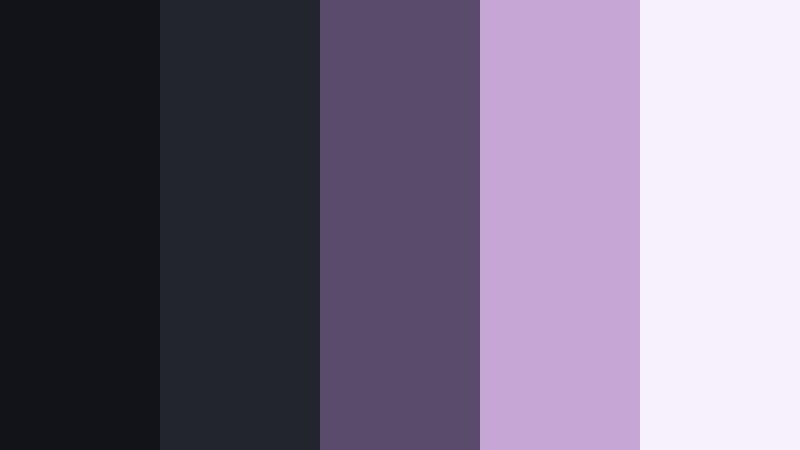
- HEX Codes: #121319, #23252c, #5b4b6a, #c5a6d5, #f7f1fb
- Mood: Luxurious, romantic, and softly dramatic with a velvet finish.
- Use for: Ideal for fashion lookbooks, wedding highlight films, and luxury product promos.
Ashen Velvet Soiree pairs Midnight Ash with plush plum and lilac accents. The result is decadent but controlled, like a candlelit lounge or a designer showroom at night.
Use this palette for high-end fashion edits, romantic wedding highlights, or luxurious product visuals. Keep backgrounds in the charcoal range, use the rich plum for accents or titles, and reserve the soft lilac and off-white tones for highlight details and typography.
Charcoal Champagne Gala
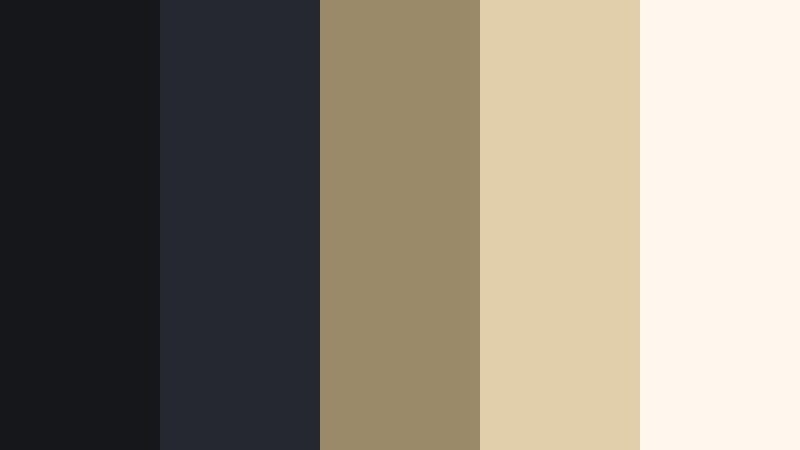
- HEX Codes: #16171b, #262831, #9a8a6a, #e0cfaa, #fdf7ee
- Mood: Opulent, warm, and celebratory with a black-tie atmosphere.
- Use for: Use for event recaps, premium brand intros, and high-end packaging visuals.
Charcoal Champagne Gala balances Midnight Ash with warm champagne golds. The dark charcoals keep visuals grounded and sophisticated, while the golden accents introduce a sense of celebration and luxury.
Use the metallic-inspired swatches for text, icons, or motion graphics accents in event recaps and high-end brand intros. A Midnight Ash background with champagne titles instantly suggests exclusivity and premium value.
Smoked Marble Foyer

- HEX Codes: #15161b, #272932, #6b6f7e, #d6d8e1, #ffffff
- Mood: Refined, airy, and architectural with gallery-like restraint.
- Use for: Great for interior design reels, real estate tours, and premium brand reels.
Smoked Marble Foyer echoes the veining and polish of a luxury gallery lobby. Midnight Ash tones provide structure, while marble-like grays and bright white lighten the overall impression.
Use it for interior design walkthroughs, real estate showcases, and aesthetic brand reels. Darker tones work as frames and letterboxes, mid-grays for info panels, and the brightest two for elegant text overlays and logo placements.
Midnight Ash Atelier
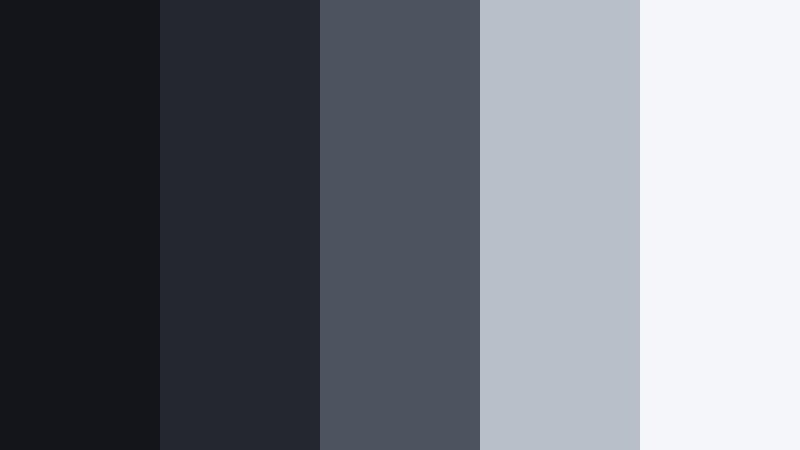
- HEX Codes: #14151a, #25272f, #4b545f, #b7bfc9, #f4f6f9
- Mood: Creative, refined, and chic like a designer studio at night.
- Use for: Perfect for brand designers, portfolio showcases, and moodboard videos.
Midnight Ash Atelier gives you a chic studio vibe: deep charcoals, slate neutrals, and soft gray highlights that feel calm but intentional. It is elegant without being flashy.
Use it to frame portfolio pieces, logo reveals, or brand strategy content. Set your background to the darker tones, then use the mid and light neutrals for cards, captions, and moodboard-style layouts that let your actual work stand out.
Bold Accent Midnight Ash Color Palettes For Thumbnails
Neon Crosswalk Pulse
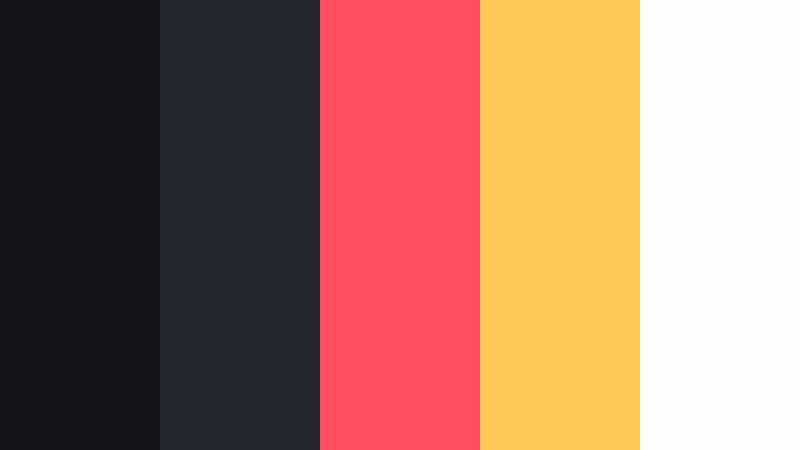
- HEX Codes: #14151a, #24262d, #ff4f5e, #ffc857, #fdfdfd
- Mood: Energetic, eye-catching, and urban with a pulsing street vibe.
- Use for: Ideal for YouTube thumbnails, call-to-action screens, and social teasers.
Neon Crosswalk Pulse takes a Midnight Ash sidewalk and splashes it with neon coral and amber. The result is high contrast and full of momentum, perfect for fighting crowded feeds.
Use the dark tones as your base, then reserve the neon coral and yellow for key text and UI buttons like Subscribe or Watch Now. The nearly white swatch is ideal for secondary text or outlines to keep designs readable on small screens.
Electric Ash Headline
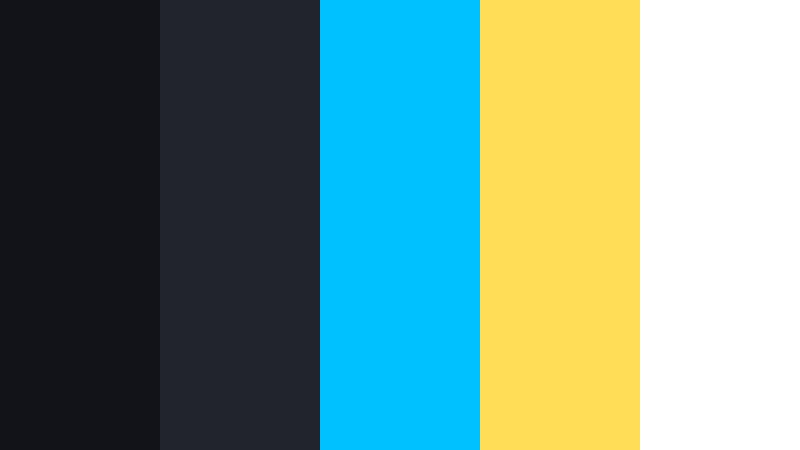
- HEX Codes: #121318, #22242b, #00c1ff, #ffdd57, #ffffff
- Mood: Bold, digital, and high-impact with a click-worthy punch.
- Use for: Best for tutorial thumbnails, gaming highlights, and reaction videos.
Electric Ash Headline uses a deep Midnight Ash backdrop to make cyan and yellow accents explode off the screen. It feels energetic and digital, ideal for fast-content formats.
Use cyan for main headline text, yellow for badges or arrows, and white for supporting copy. Against the dark background, your titles remain readable on phones, and the color contrast pulls eyes toward your video in search results and recommendations.
Signal Flare On Asphalt
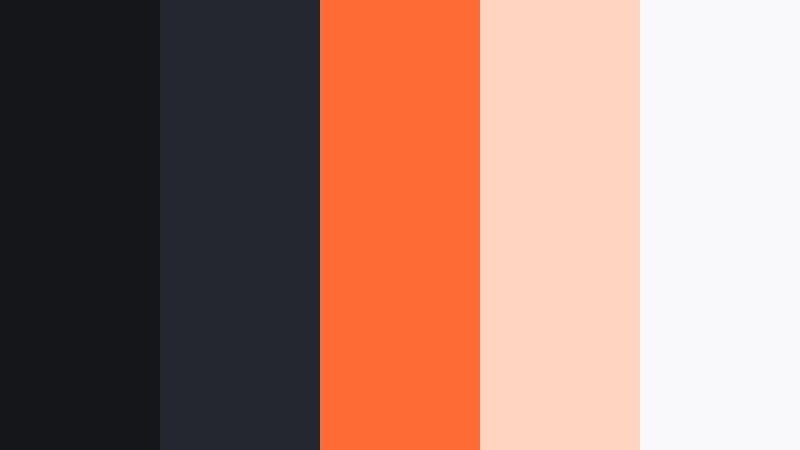
- HEX Codes: #14161a, #25272f, #ff6b35, #ffd5c2, #f9f9fb
- Mood: Urgent, dynamic, and slightly gritty like a flare on dark pavement.
- Use for: Use for breaking news graphics, urgent updates, and sale announcements.
Signal Flare On Asphalt combines gritty Midnight Ash tones with hot orange and warm blush highlights. It delivers urgency and impact, like a warning flare on dark concrete.
Use it for limited-time offers, breaking news videos, or urgent update thumbnails. Let the dark tones cover most of the frame, with orange for key words like Alert or Sale and the light neutrals for secondary text blocks and price tags.
Tips for Creating Midnight Ash Color Palettes
When you build your own Midnight Ash color palettes for video and design, the key is balancing rich charcoal depth with enough contrast and accent color to keep everything readable and on-brand.
- Pair Midnight Ash with at least one very light neutral (near white) to guarantee readable text on thumbnails, intros, and end screens.
- Limit yourself to 1 to 2 accent colors per palette so your Midnight Ash base still feels like the star and your brand does not look chaotic.
- Check contrast on mobile by zooming out or viewing your thumbnail small; if text disappears, brighten your highlight swatch or lighten the background a bit.
- For cinematic edits, keep accent colors muted and slightly desaturated so Midnight Ash shadows and midtones control the mood.
- For bold YouTube thumbnails, do the opposite: keep Midnight Ash as the base and use highly saturated accents for key words and shapes.
- Reuse the same HEX codes for your logo, lower thirds, and title cards so that viewers recognize your Midnight Ash identity across platforms.
- Match your footage to your palette by using Filmora color tools to gently push shadows toward your chosen Midnight Ash swatch.
- Save your favorite palette as a template: reuse backgrounds, text colors, and overlays so every new upload feels consistent from the first frame.
Midnight Ash palettes can make your videos feel cinematic, professional, or boldly clickable depending on how you combine charcoals, neutrals, and accent tones. Whether you are building a minimalist tech channel or a luxurious brand presence, these HEX-based palettes give you a ready-made starting point.
Try loading a few of these schemes into Filmora, then grade your footage, titles, and overlays to match. As you refine them with AI Color Palette, HSL, and LUTs, you will quickly discover a Midnight Ash style that feels like your own visual signature.
Once you lock in that look, reuse it across intros, B-roll, shorts, and social cutdowns so your audience recognizes your content at a glance in any feed.
secure download