

 100% Security Verified | No Subscription Required | No Malware


 ChatGPT
 Perplexity
 Gemini
 Claude
 Grok
Grok
Galaxy Teal sits between blue and green with a hint of cosmic depth, so it feels both calm and futuristic. On screen, it can signal trust, clarity, and an otherworldly vibe at the same time, which is why it works so well for cinematic edits, tech content, and modern branding. Paired with warm highlights or soft neutrals, Galaxy Teal quickly turns into a signature look viewers remember.
For video creators, this color is a natural fit for YouTube thumbnails, intros, overlays, and channel branding that needs to look polished across shorts, vlogs, and full edits. Below you will find 15 ready to use Galaxy Teal color palettes with HEX codes, plus ideas for applying them in Filmora so your grading, graphics, and titles stay cohesive from first frame to final export.
In this article
Cinematic Galaxy Teal Color Palettes
Nebula Drift Teal

- HEX Codes: #0a2028, #0f6f73, #19a3b0, #f4f1e8
- Mood: Moody, cinematic, and quietly futuristic.
- Use for: Perfect for atmospheric travel montages, sci fi B-roll, and cinematic vlog openings.
Nebula Drift Teal combines an inky blue black base with layered Galaxy Teal midtones and a soft off white highlight. The contrast feels like distant city lights floating in deep space, giving your frames a refined, filmic depth that never looks harsh or over saturated.
This palette works beautifully for cinematic intros, hero titles, lower thirds, and channel branding where you want a cool, premium identity. Use the darkest shade for backgrounds, the mid teals for color grading and overlays, and the off white for clean text in thumbnails, end screens, and social cutdowns.
Pro Tip: Build a Cinematic Galaxy Teal Look in Filmora
To keep a Nebula Drift Teal look consistent, start by grading one hero shot in Filmora, then use it as your visual reference. Push your shadows toward the inky #0a2028 tone, nudge midtones into #0f6f73 and #19a3b0, and keep highlights soft around #f4f1e8. Apply this approach to intros, B-roll, and talking head clips so viewers feel the same cinematic Galaxy Teal mood throughout the edit.
You can also echo these tones in your titles and graphics. Set background plates or shapes in the deep teal, use the brighter Galaxy Teal for accents or icons, and keep text off white for readability. This way, your whole video ecosystem, from YouTube thumbnail to end card, feels like one coherent Galaxy Teal universe.
AI Color Palette
If you have a frame or mood board that nails this Nebula Drift Teal vibe, turn it into a grading shortcut using Filmora's AI Color Palette feature. Import your reference image, let Filmora analyze its colors, and then apply that palette across your timeline with just a few clicks.
This is especially helpful for creators juggling vlogs, shorts, and B-roll shot on different days or cameras. AI Color Palette helps align your shadows, teals, and highlights so every clip carries the same Galaxy Teal atmosphere without manual tweaking on each shot.
 secure download

HSL, Color Wheels & Curves
Once your base palette is in place, use Filmora's HSL, color wheels, and curves to fine tune how Galaxy Teal behaves in your footage. Subtly desaturate greens while boosting cyans to keep skin tones natural but make teal details pop. On the color wheels, cool down shadows and lift midtones slightly so the image feels cinematic instead of flat.
If you want to dig deeper into grading, Filmora's tutorials on using HSL and color wheels creatively can guide you through nuanced control of contrast and color balance. Small curve adjustments in the blue and green channels can turn a simple teal wash into a polished, Galaxy Teal signature look.
secure download1000+ Video Filters & 3D LUTs
If you prefer to work faster, Filmora's video filters and 3D LUTs make it easy to push your Galaxy Teal palettes into specific styles. You can start with a teal and orange or cyber inspired LUT, then tweak intensity so it lines up with the Nebula Drift Teal HEX codes you picked.
Combine LUTs with subtle overlay filters like glows, vignettes, or film grain to add character without losing your core teal tones. This works especially well for creators who want a distinct Galaxy Teal brand look but do not want to manually grade every single clip.
secure downloadCosmic Harbor Night
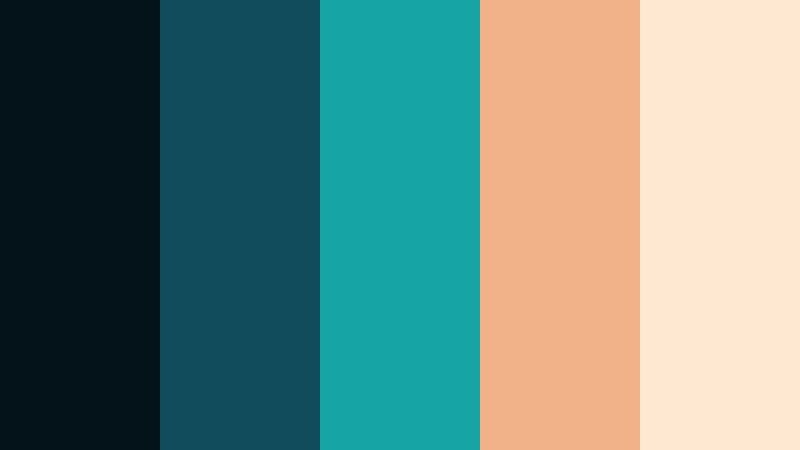
- HEX Codes: #04131a, #0f4c5c, #16a4a5, #f1b28a, #ffe9d2
- Mood: Cinematic and gently nostalgic with a warm highlight glow.
- Use for: Works well in night city sequences, moody studio interviews, and storytelling shorts.
Cosmic Harbor Night balances dark teal shadows with a rich teal midtone and a bright Galaxy Teal accent, then softens everything with peach and cream highlights. It feels like streetlights reflecting off water at blue hour, mixing cool mystery with gentle warmth.
Use the deepest shade as the base of your color grade, then let the warm tones guide your practical lights, text accents, and call to action buttons in thumbnails. This palette is ideal for narrative vlogs, interview setups, and storytelling shorts where you want drama but still feel human and inviting.
Galactic Noir Teal

- HEX Codes: #05090e, #06323c, #0f7a84, #d9d0c5, #f8f5f0
- Mood: Dark, mysterious, and stylishly minimal.
- Use for: Use for title cards, mystery or tech content, and sleek cinematic LUT looks.
Galactic Noir Teal is built around charcoal blacks, a restrained teal accent, and smooth neutral highlights. The result is a minimalist, high end mood that feels part sci fi, part detective story, without being overly saturated.
Lean on this palette for tech explainers, true crime intros, or product reveals. Use the black and deep teal for backgrounds and frames, the Galaxy Teal for key icons or callouts, and the soft neutrals for headline text in your lower thirds and YouTube thumbnails.
Starliner Teal Horizon

- HEX Codes: #021017, #074855, #0fa7a5, #e5ded1, #ffcc99
- Mood: Adventurous, cinematic, and hopeful.
- Use for: Great for travel channels, drone footage over oceans, and cinematic B-roll transitions.
Starliner Teal Horizon layers deep teal sea tones with a bright Galaxy Teal accent, then lifts the image using sand and sunset inspired highlights. It has a big screen travel feel, like flying over distant coasts at golden hour.
Grade your drone footage and landscape shots with the darker teals in shadows and midtones, while reserving the warm creams and oranges for light sources, titles, and map graphics. It works well in cinematic travel vlogs, trip recaps, and documentary style intros.
Aurora Teal Skyline

- HEX Codes: #071421, #0d3b4f, #119eaa, #8fd1d8, #f4fafb
- Mood: Ethereal, airy, and modern sci fi.
- Use for: Ideal for tech explainers, motion graphics overlays, and futuristic product showcases.
Aurora Teal Skyline looks like a digital aurora: layered blues and Galaxy Teal rising into icy whites. It feels clean, futuristic, and lightweight, making it a strong fit for modern UI, tech, and startup visuals.
Use the deeper blues as the base of your color grade, then introduce the brighter teals and light tones in line animations, HUD overlays, and infographic style lower thirds. This palette helps your content feel advanced yet approachable on landing page videos, SaaS explainers, and device showcases.
Soft & Dreamy Galaxy Teal Color Palettes
Cloudsoft Teal Mist
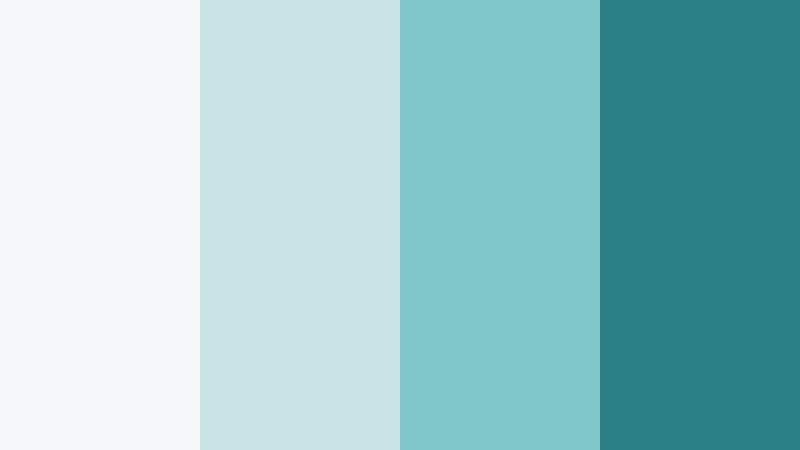
- HEX Codes: #f3f7f8, #c8e4e7, #7fc6c9, #2a7e86
- Mood: Calm, airy, and soothing.
- Use for: Best for wellness vlogs, calm study videos, and minimalist lifestyle thumbnails.
Cloudsoft Teal Mist blends pale whites and gentle aquas with a grounded Galaxy Teal accent. The effect is bright and breathable, the kind of palette that instantly softens a cluttered frame and makes it feel more intentional.
Use the lightest colors for clean backgrounds in your thumbnails, text boxes, and intro cards, then save the deeper teal for buttons, progress bars, or subscribe prompts. It suits ASMR, study with me, routine vlogs, and minimalist lifestyle content where visual calm is part of the story.
Moonlit Lagoon Haze
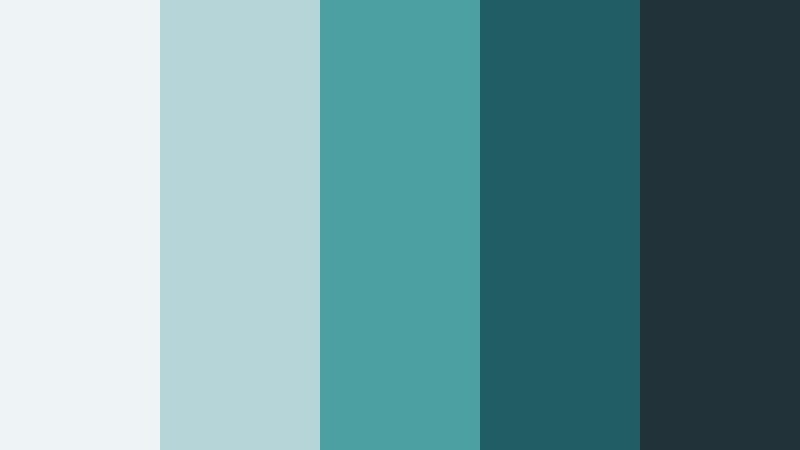
- HEX Codes: #eef3f5, #b6d5d9, #4da0a2, #1f5e63, #213339
- Mood: Dreamy and introspective with a quiet depth.
- Use for: Works well for reflective voiceovers, poetry reels, and ambient lo fi visuals.
Moonlit Lagoon Haze feels like moonlight sliding across still water. Soft grays and hazy teals transition into a deeper teal and muted blue black, giving your footage a contemplative, cinematic softness.
Grade your clips with gentle contrast and cooler shadows using these tones, then overlay simple text or subtitles in the lighter greys. It is ideal for quiet monologues, cinematic diary vlogs, and ambient loops on platforms like YouTube and Instagram Reels.
Teal Cotton Skies
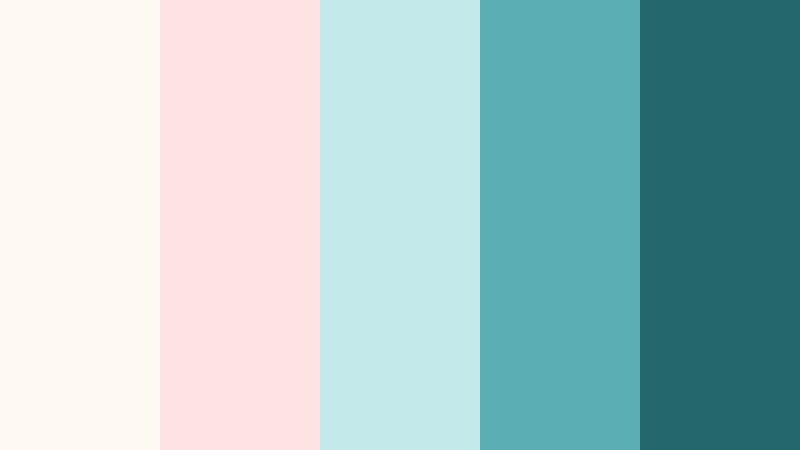
- HEX Codes: #fff9f4, #ffe3e3, #c4e9ea, #5aaeb4, #24676d
- Mood: Lighthearted, cozy, and whimsical.
- Use for: Perfect for lifestyle vlogs, DIY tutorials, and playful channel branding.
Teal Cotton Skies mixes pastel corals with airy teals to create a cotton candy sky aesthetic. It feels cozy and friendly, with enough contrast in the deeper teal to keep things readable on mobile screens.
Use the soft corals for backgrounds and accents that hint at Prism Yellow style warmth, while the teals carry your brand identity in overlays, borders, and thumbnail text outlines. This palette fits DIY crafts, cooking, home decor, and daily vlog channels aiming for a warm, approachable style.
Seaglass Whisper Teal
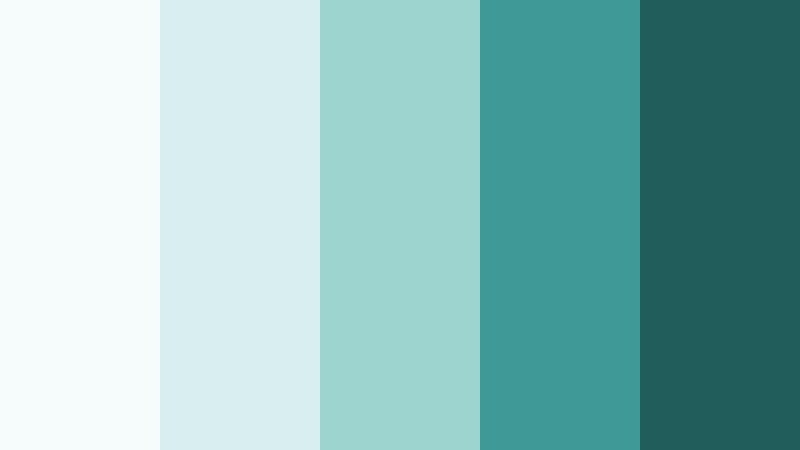
- HEX Codes: #f6fbfb, #d9efef, #9dd4cf, #3f9994, #205d5b
- Mood: Delicate, fresh, and subtly coastal.
- Use for: Use for travel diaries, beach edits, and relaxed product shots with a clean aesthetic.
Seaglass Whisper Teal is inspired by weathered glass on a bright shore. Pale aquas and light teals wrap around deeper Galaxy Teal tones, keeping your visuals bright while still feeling grounded and natural.
Use the lighter tones to keep your backgrounds clean for product shots and captions, while the darker teals can highlight key elements, navigation in overlays, or clickable areas in thumbnails. It is especially strong for coastal travel vlogs, skincare content, and airy lifestyle branding.
Pastel Comet Teal

- HEX Codes: #fdf6ff, #f9d7ff, #c8e6f0, #7bc6c5, #316f74
- Mood: Ethereal, slightly magical, and content creator friendly.
- Use for: Great for beauty channels, art reels, and K pop inspired edits and thumbnails.
Pastel Comet Teal orbits Galaxy Teal with pastel lilac and icy blues, giving your visuals a soft, magical glow. The deeper teal helps anchor the pastel sweetness so your frames stay polished rather than washed out.
Use the pastels in backgrounds, stickers, and kinetic text animations, while the mid and dark teals highlight call to actions and important details. This palette suits beauty tutorials, lettering and art reels, fan edits, and K pop themed channels that want dreamy colors with a clean finish.
Bold & Vibrant Galaxy Teal Color Palettes
Electric Galaxy Splash
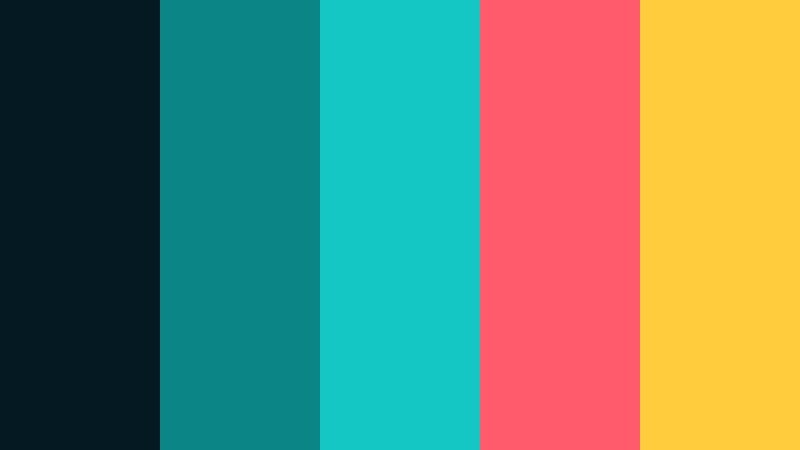
- HEX Codes: #041922, #0c8586, #14c7c4, #ff5b6c, #ffcc3d
- Mood: High energy, bold, and attention grabbing.
- Use for: Designed for gaming intros, hype reels, and click worthy YouTube thumbnails.
Electric Galaxy Splash slams bright Galaxy Teal against neon coral and Prism Yellow inspired gold. The result is intense and cyber flavored, perfect when your video needs to jump out of crowded feeds.
Use darker teal as a base, stack neon accents on HUD lines, glitch transitions, and kinetic typography, and reserve the yellow for subscribe buttons, score counters, or sale tags in promo edits. This palette is ideal for gaming channels, esports clips, high tempo trailers, and short form hype content.
Teal Supernova Pop

- HEX Codes: #021018, #056a70, #11b8ae, #ff6f3c, #ffe66d
- Mood: Explosive, playful, and modern.
- Use for: Use for fast cut montages, sports edits, and social ads that must stand out in feeds.
Teal Supernova Pop feels like a color burst onscreen: rich teal midtones beam out against blazing orange and bright yellow accents, all tied together by a dark Galaxy Teal base. It is bold and playful without losing a modern edge.
Reserve the deepest teal for backgrounds and shadows, and let the bright accent colors mark motion, transitions, and big text moments like scores, prices, or hooks. This palette fits sports highlights, brand launches, app promos, and any fast cut montage you want people to stop scrolling for.
Arcade Neon Teal

- HEX Codes: #050814, #103a5a, #0fa2a0, #ff3f8e, #ffd447
- Mood: Retro futuristic, fun, and neon drenched.
- Use for: Great for retro gaming edits, tech promos, and energetic title animations.
Arcade Neon Teal channels 80s arcade lights, with deep blue shadows, a glowing Galaxy Teal core, neon pink, and saturated yellow. It is unmistakably retro but still works with clean, modern motion graphics.
Use the darkest blue for your base, then write logos, titles, and HUD lines in teal or neon pink, saving yellow for key hits and callouts. This palette is an easy win for gaming content, synthwave edits, retro tech reviews, and timeline animations that reference old school UI.
Tropical Galaxy Tide
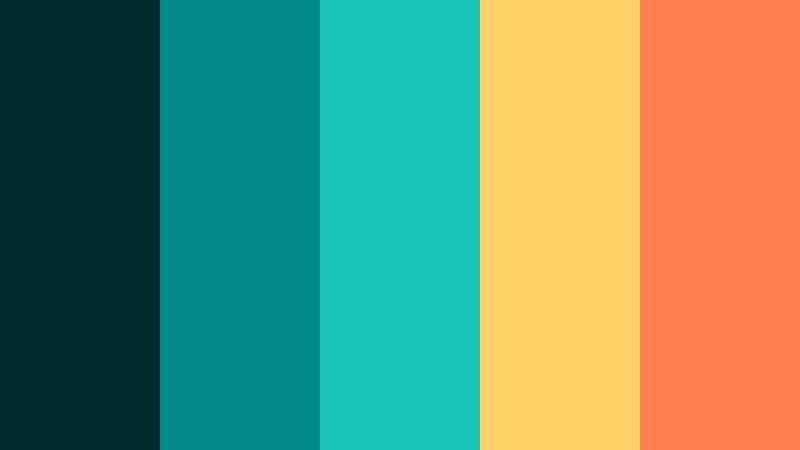
- HEX Codes: #012c2b, #008b8b, #18c4b8, #ffd166, #ff7f50
- Mood: Sunny, tropical, and intensely vivid.
- Use for: Perfect for travel vlogs, summer campaigns, and upbeat product launches.
Tropical Galaxy Tide feels like a bright beach day turned up to 11. Vivid Galaxy Teal waves meet mango yellow and coral orange, resulting in a palette that screams energy and warmth.
Use the deeper teal shades for oceanic shadows and gradients in your grade, and deploy the yellows and corals in wordmarks, sticker graphics, animated doodles, and thumbnail text outlines. It is perfect for summer vlogs, resort promos, festival recaps, and fun launch campaigns.
Elegant & Modern Galaxy Teal Color Palettes
Teal Marble Luxe
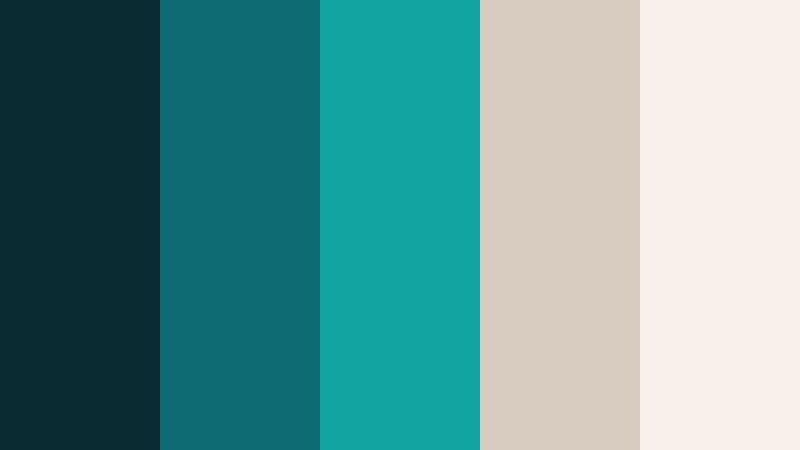
- HEX Codes: #0b2b33, #0f6b73, #11a4a1, #d8cbc0, #f7f1ea
- Mood: Luxurious, calm, and design forward.
- Use for: Best for brand intros, premium product promos, and stylish channel overlays.
Teal Marble Luxe combines deep teal with warm, stone like neutrals, creating a hotel lobby or gallery feel. It is calming yet upscale, ideal when you want your content to look expensive without feeling cold.
Use the dark teal and mid Galaxy Teal for accents and separators, while the soft neutrals become your background and main text color. This palette fits brand story videos, premium unboxings, interior design content, and any channel that wants a minimal, polished identity.
Orbital Teal Minimal

- HEX Codes: #050b10, #133a40, #0f8a8b, #b8c7c7, #f5f7f6
- Mood: Minimal, techy, and confidently sleek.
- Use for: Use for SaaS explainers, UI mockups in video, and polished typography driven edits.
Orbital Teal Minimal puts graphite blacks and soft greys in orbit around a single strong Galaxy Teal accent. It is ultra clean, with a tech ready feel that showcases content and UI without distraction.
Let the dark tones hold your backgrounds and drop shadows, keep text in the light greys, and use Galaxy Teal sparingly for buttons, highlights, graphs, and cursor trails. This works especially well for screen recordings, pitch decks turned into video, and typography led explainers.
Tips for Creating Galaxy Teal Color Palettes
Galaxy Teal is versatile enough to feel cinematic, playful, or premium depending on what you pair it with. A few practical guidelines will help you customize these palettes for your own footage, thumbnails, and branding inside Filmora.
- Pair Galaxy Teal with a clear neutral (off white, soft gray, or charcoal) so text and UI stay readable on all screen sizes.
- Use warm accents like Prism Yellow or peach sparingly to guide attention to CTAs, buttons, and key phrases in thumbnails and titles.
- Keep skin tones natural by limiting how far you push teal into the midtones; use HSL tools to separate teal objects from people.
- Choose one dominant teal shade for your brand and reuse it across intros, lower thirds, overlays, and end screens for a cohesive identity.
- Test your palette on both dark and light backgrounds to ensure enough contrast for subtitles, logo marks, and small icons.
- When grading footage, apply your Galaxy Teal look to a few representative shots first, then save as a preset or LUT style for consistency.
- Balance saturation: vibrant palettes can be dialed back slightly for longer videos, while softer palettes may need a saturation boost for thumbnails.
- Check how your colors look on mobile by exporting short test clips or thumbnail drafts, since many viewers will only ever see your work on phones.
Thoughtful Galaxy Teal palettes can completely reshape how viewers feel about your channel, from moody nighttime edits to airy lifestyle vlogs or bold gaming intros. Mixing teal with warm highlights, soft neutrals, or neon accents lets you design a visual language that matches your niche and personality.
Use the HEX codes above as your starting points, then refine them in Filmora using AI Color Palette, HSL controls, and LUTs until they fit your footage and branding. The more consistently you apply your Galaxy Teal combinations across intros, overlays, and thumbnails, the faster your content will become recognizable.
Experiment with a few of these palettes on your next project, save your favorites as reusable looks, and keep evolving your Galaxy Teal style as your channel grows with Filmora as your main color grading and design hub.
secure download