

 100% Security Verified | No Subscription Required | No Malware


 ChatGPT
 Perplexity
 Gemini
 Claude
 Grok
Grok
Meteor Gray is a versatile neutral that sits between warm and cool, giving your visuals a grounded, cinematic feel. It suggests reliability, calm, and focus, which is why you see similar grays in tech branding, UI design, and modern interiors. On screen, Meteor Gray lets skin tones, key props, and typography stand out without overwhelming the frame.
For video creators and Filmora users, Meteor Gray color palettes are perfect for thumbnails, intros, lower thirds, overlays, and even full color grades. Below you will find ready-to-use Meteor Gray color combinations with HEX codes, so you can quickly match your branding, fine-tune your color grading, and keep a consistent aesthetic across YouTube, social clips, and cinematic edits.
In this article
Minimalist Meteor Gray Color Palettes
Urban Concrete Calm
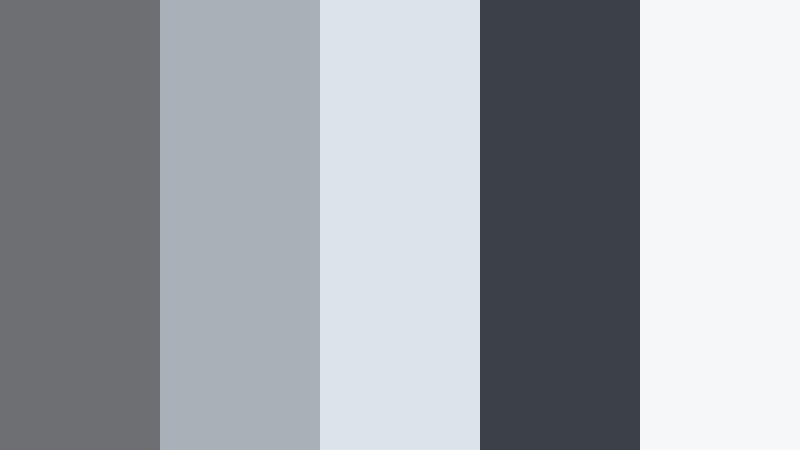
- HEX Codes: #6d6f73, #a9b0b8, #dde3ea, #3c4147, #f6f7f9
- Mood: Clean, grounded, and quietly modern.
- Use for: Great for tech review videos, urban b-roll sequences, and sleek channel branding overlays.
Urban Concrete Calm mixes several shades of Meteor Gray with pale whites, echoing the feel of polished concrete and overcast daylight. It is minimal without looking flat, so your footage feels curated and modern rather than cold.
Use this palette for tech thumbnails, UI-themed intros, and simple lower thirds that sit neatly over desk setups or city shots. In Filmora, you can pull the deeper gray (#3c4147) for titles, keep panels and frames in mid-grays (#6d6f73, #a9b0b8), and reserve the lightest tones (#dde3ea, #f6f7f9) for backgrounds or subtle gradient overlays.
Pro Tip: Build a Cinematic Meteor Gray Look in Filmora
To keep an Urban Concrete Calm vibe across an edit, start by standardizing your grays in Filmora. Add a soft contrast curve, pull the saturation down slightly, and nudge the shadows toward a cooler tone. This keeps your Meteor Gray base consistent from your intro through b-roll and outro cards.
You can also create a custom color preset using this palette: sample the HEX codes for backgrounds, frame lines, and title bars, then reuse that preset in future episodes. Your channel will quickly feel unified and recognizable, even as you change topics or formats.
AI Color Palette
If you have a reference still of your ideal Meteor Gray look (a city wall, a UI mockup, or a previously graded shot), Filmora's AI Color Palette feature can automatically spread those tones across your entire timeline. Import the reference, let Filmora analyze it, and apply the look to all selected clips.
This is perfect for building a Meteor Gray driven brand: your talking head, b-roll, screen recordings, and end screens can all share the same cool, concrete-inspired mood with just a few clicks.
 secure download

HSL, Color Wheels & Curves
To refine your Meteor Gray tones, use Filmora's HSL, color wheels, and curves controls. Slightly lowering saturation in the blue and cyan ranges can prevent the grays from turning too icy, while nudging the midtone wheel toward a neutral or tiny warm offset can keep skin tones natural against gray backgrounds.
You can also play with the contrast curve shown in Filmora's color tools: add a gentle S-curve for subtle depth, crush the shadows slightly for a more cinematic, urban look, or lift the blacks for a matte, editorial feel as explained in Filmora's color grading tutorials on YouTube.
secure download1000+ Video Filters & 3D LUTs
Once your Meteor Gray base is set, you can quickly shift the mood with ready-made looks. Filmora's video filters and 3D LUTs make it easy to push your Urban Concrete Calm palette toward warmer lifestyle vibes, colder tech reviews, or stylized monochrome finishes.
Apply a LUT to an adjustment layer above your clips so you can toggle it on and off or swap looks without regrading each shot. This workflow keeps your Meteor Gray branding consistent while still giving you room to experiment with styles for different series and platforms.
secure downloadMonochrome Studio Set
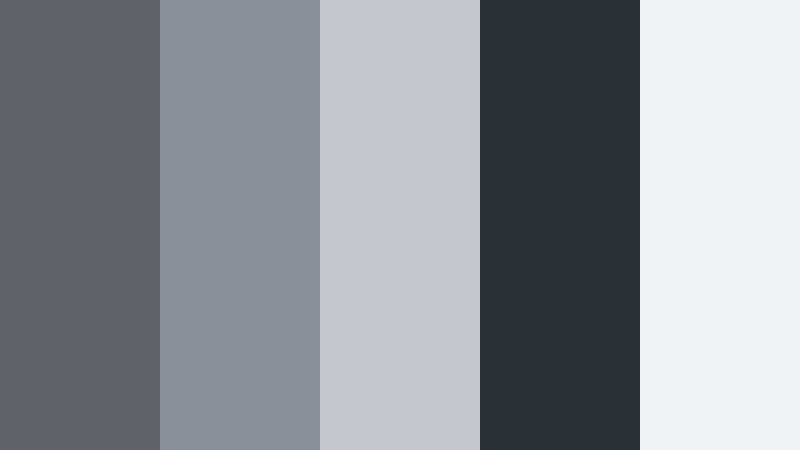
- HEX Codes: #5f6368, #8b9096, #c5c9ce, #2b3035, #f2f3f5
- Mood: Professional, balanced, and editorial.
- Use for: Perfect for talking-head tutorials, design portfolios, and UI-style graphics on screen.
Monochrome Studio Set sweeps from dark slate (#2b3035) up to bright, diffused whites (#f2f3f5). The result is a clean, editorial look that feels like a modern magazine layout brought to video.
Use the deepest gray for title bars or side panels, mid-grays for icons and graphic frames, and the light tones as backgrounds. This palette is ideal for thumbnails with product cutouts, course slides made inside Filmora, and structured motion graphics that should look neutral and timeless.
Soft Overcast Frame
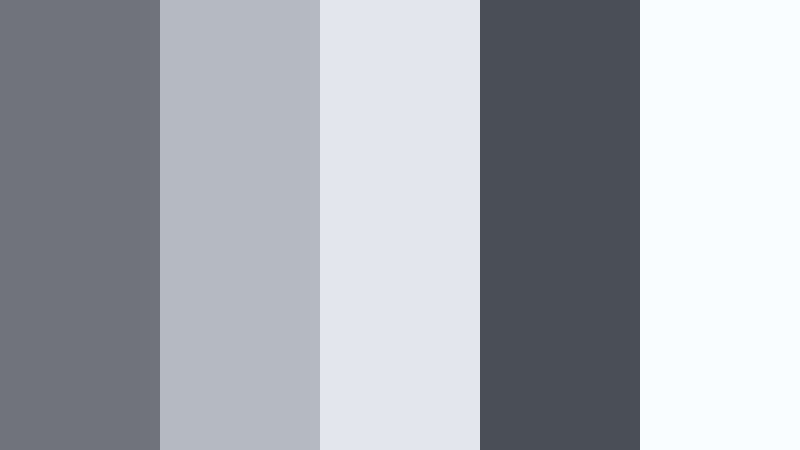
- HEX Codes: #70747a, #b3bac2, #e4e6eb, #4a4f55, #fafbfc
- Mood: Airy, calm, and contemplative.
- Use for: Works well for lifestyle vlogs, productivity content, and subtle title cards or end screens.
Soft Overcast Frame feels like filming under a light gray sky: the mid-tones are gentle, the highlights are diffused, and nothing is too harsh. The combination of #70747a and #b3bac2 keeps visuals neutral, while #fafbfc adds a soft paper-like background.
Apply this palette when you want your story or voiceover to be the focus. Use the darker gray (#4a4f55) for readable text, then keep backgrounds and frames in the lighter hues for minimalist thumbnails, chapter cards, and end screens that do not distract from your content.
Graphite Interface Glow
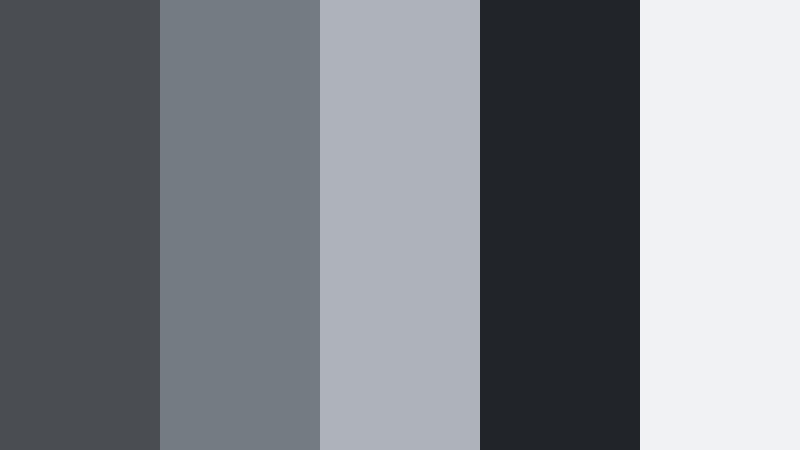
- HEX Codes: #4a4d52, #757b82, #aeb3ba, #212429, #f0f2f4
- Mood: Techy, precise, and slightly futuristic.
- Use for: Ideal for motion graphics, app mockups, UI explainers, and HUD-style overlays in edits.
Graphite Interface Glow layers dark interface grays (#212429, #4a4d52) with softer, screen-like highlights (#f0f2f4). It mimics the look of a polished dashboard or operating system.
Use the darker tones as backgrounds for HUD elements, and the mid-grays (#757b82, #aeb3ba) for panels or buttons. This palette is perfect for UI walkthrough videos, tech intros, and motion graphics inside Filmora where you want a crisp, digital-forward personality without using bright color accents.
Slate Workspace Focus
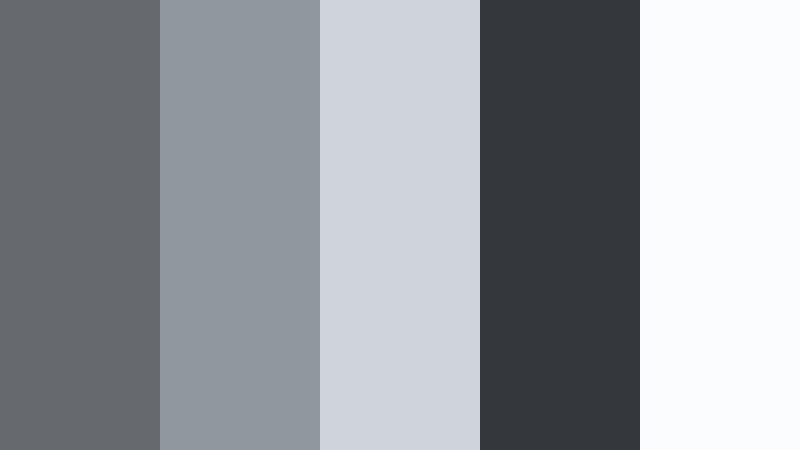
- HEX Codes: #666a6f, #91979e, #cfd4da, #34373c, #fbfcfd
- Mood: Focused, tidy, and productive.
- Use for: Use for study-with-me videos, business explainers, and presentation-style lower thirds or charts.
Slate Workspace Focus balances desk-like grays with near-white paper tones. The darker gray (#34373c) brings clarity to text and icons, while #fbfcfd and #cfd4da resemble bright pages or digital canvases.
This palette works well for educational thumbnails, infographic overlays, and clean lower thirds in corporate or productivity content. Keep your charts in mid-grays with one darker accent for headings so everything is readable even on mobile screens.
Cinematic Meteor Gray Color Palettes
Stormy City Night
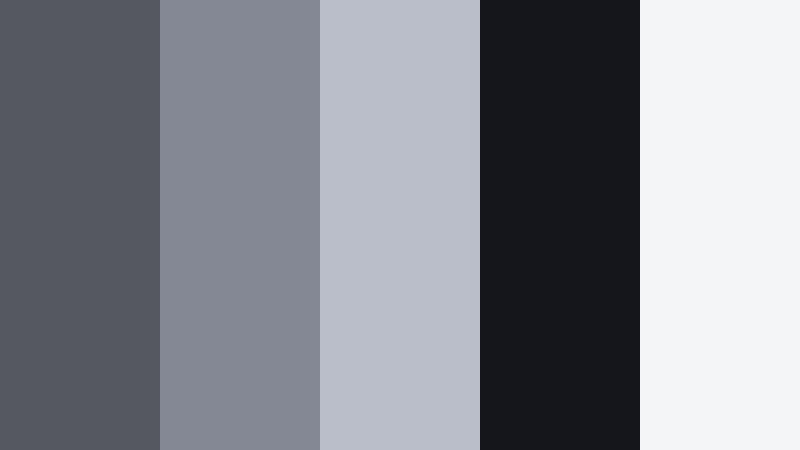
- HEX Codes: #555860, #838894, #b9bec8, #14161b, #f4f5f7
- Mood: Moody, cinematic, and slightly mysterious.
- Use for: Best for night city b-roll, cinematic travel edits, and thriller-style channel intros.
Stormy City Night is built around deep charcoal shadows (#14161b) and hazy mid-grays (#555860, #838894) that feel like wet asphalt under streetlights. The subtle highlight shade #b9bec8 and soft white #f4f5f7 help you keep important details visible.
Grade your night footage toward this palette, then use the lighter tones for neon-style titles or overlays so they pop against the dark background. It suits dramatic openers, moody transitions, and cityscape time-lapses where you want tension without heavy color saturation.
Fogbound Coastline
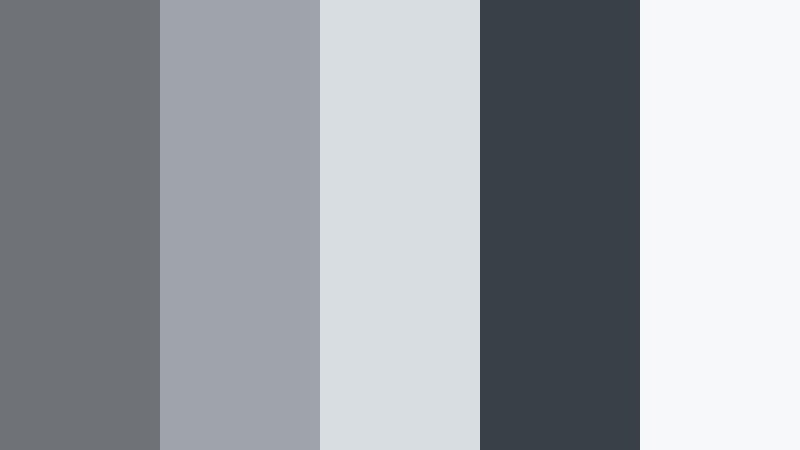
- HEX Codes: #6f7378, #9ea4aa, #d8dde1, #394047, #f7f8fa
- Mood: Ethereal, introspective, and coastal.
- Use for: Great for drone footage, calm travel diaries, and reflective voiceover sequences.
Fogbound Coastline channels sea mist and low clouds. The mid-grays (#6f7378, #9ea4aa) feel soft and muted, while #394047 adds depth like distant cliffs. #d8dde1 and #f7f8fa work as gentle highlight tones.
Use this palette to create airy, washed-out grades for drone shots, shoreline walks, or slow travel vlogs. In thumbnails, rely on the darker shade for titles and keep imagery in the lighter range to suggest calm, reflective storytelling.
Industrial Tunnel Drift
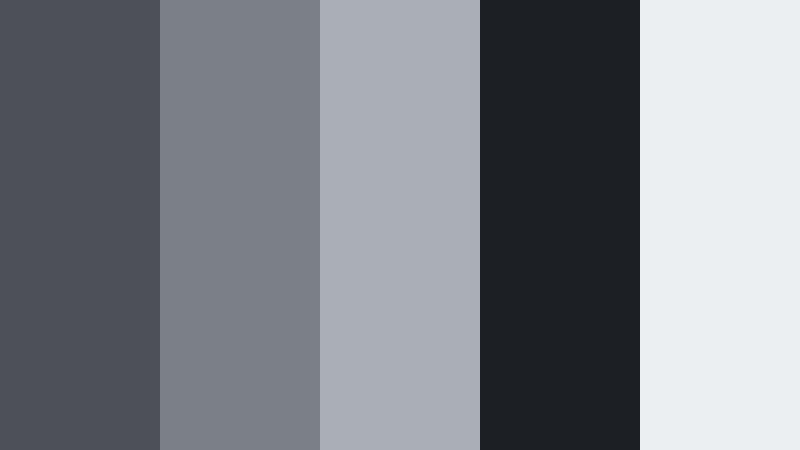
- HEX Codes: #4d5056, #7b8087, #aaafb6, #1c1f23, #eceff2
- Mood: Gritty, tense, and immersive.
- Use for: Use for car montages, skate edits, and action sequences with concrete or metal textures.
Industrial Tunnel Drift moves from near-black tunnel tones (#1c1f23) to steely highlights (#eceff2). The layered mid-grays mimic metal, asphalt, and shadows, making it ideal for high-speed shots and urban action.
Grade your footage slightly cooler and deepen the blacks for more impact. In titles and overlays, use #eceff2 for bright contrast and #4d5056 for secondary text or frames to maintain that industrial, cinematic energy.
Meteor Eclipse Grade
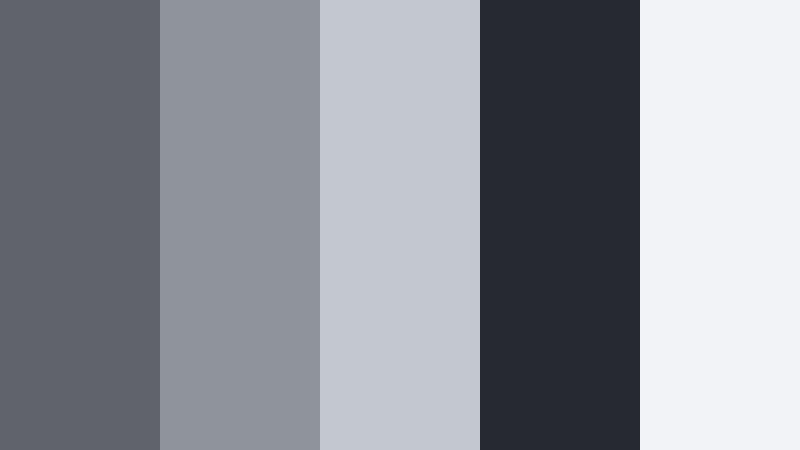
- HEX Codes: #60636a, #8f949c, #c3c7ce, #262930, #f1f3f6
- Mood: Epic, atmospheric, and cinematic.
- Use for: Ideal for trailers, game-inspired edits, and dramatic vlog openers with bold typography.
Meteor Eclipse Grade feels like an eclipse in progress: dense blacks (#262930), rich mid-grays (#60636a, #8f949c), and pale flares (#f1f3f6). It gives you a strong base for bold, high-impact titles and sound-driven intros.
Use this palette with large, centered typography in thumbnails, and let your footage sit in the darker range for drama. The lighter gray (#c3c7ce) helps maintain visibility in UI overlays or subtitles without breaking the mood.
Railway Dusk Sequence
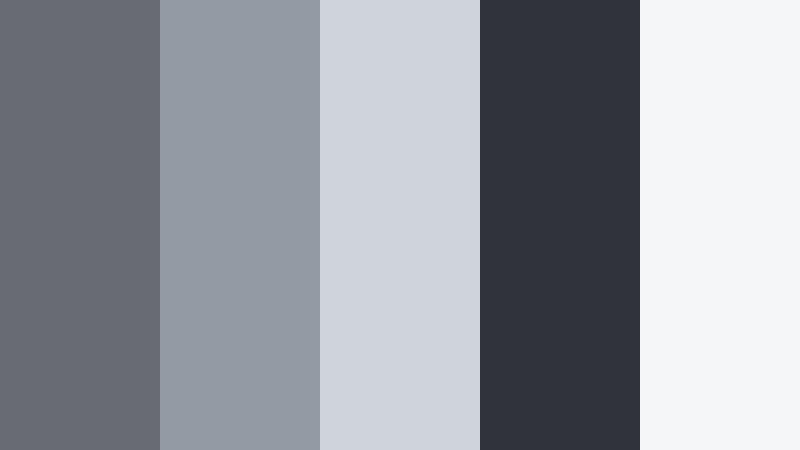
- HEX Codes: #686b72, #949aa3, #cfd3da, #30343a, #f5f6f8
- Mood: Nostalgic, journey-focused, and mellow.
- Use for: Great for travel vlogs, time-lapse sequences, and reflective narrative edits on the move.
Railway Dusk Sequence brings together steel-like grays (#686b72, #949aa3) with soft evening highlights (#cfd3da, #f5f6f8). The dark tone #30343a anchors your frames, similar to train tracks cutting through a fading sky.
It works beautifully for travel montages, train or road journeys, and narrative edits about transitions or change. For thumbnails, keep the imagery in the lighter grays and reserve #30343a for bold typography to ensure legibility in feeds.
Soft & Romantic Meteor Gray Color Palettes
Blush Meteor Evening
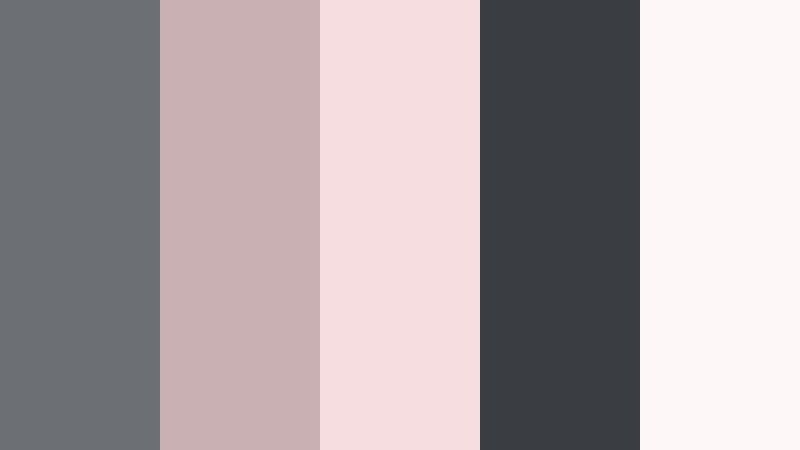
- HEX Codes: #6c6f74, #c9b0b3, #f6dde0, #3a3e43, #fdf7f8
- Mood: Romantic, gentle, and cinematic-soft.
- Use for: Perfect for wedding highlight films, engagement stories, and dreamy lifestyle reels.
Blush Meteor Evening pairs soft pinks (#c9b0b3, #f6dde0) with grounding Meteor Grays (#6c6f74, #3a3e43). The nearly white #fdf7f8 adds a delicate glow that feels like golden hour filtered through clouds.
Use the blush tones in overlays, light leaks, and calligraphy-style titles, while keeping the grays in your shadows and text outlines. This palette suits wedding thumbnails, romantic reels, and lifestyle intros where you want warmth without overly bright colors.
Lavender Haze Alley
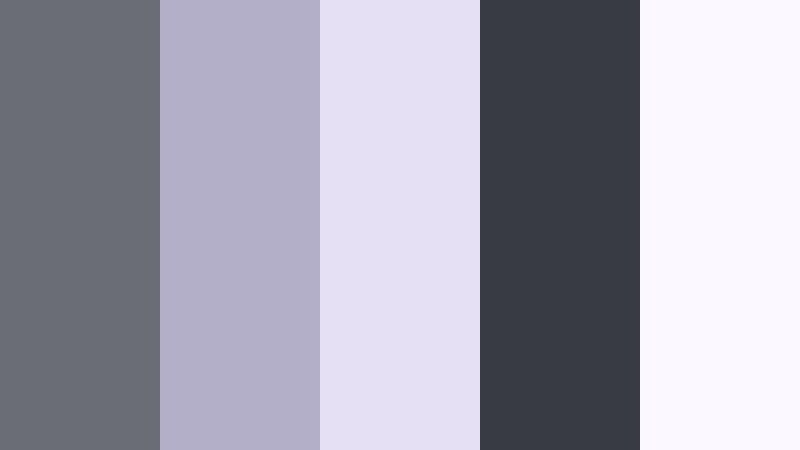
- HEX Codes: #6a6d73, #b3afc9, #e6e0f4, #383b41, #fbf8ff
- Mood: Dreamy, artistic, and slightly surreal.
- Use for: Use for aesthetic vlogs, mood edits, and lyric videos with a soft indie vibe.
Lavender Haze Alley layers muted purple tones (#b3afc9, #e6e0f4) over a Meteor Gray base (#6a6d73, #383b41). The result is hazy, nostalgic, and perfect for creative storytelling.
In Filmora, you can use this palette for grainy overlays, soft vignettes, and titles for mood edits or lyric videos. Keep text in the darker gray for contrast, and use the pale lavender (#fbf8ff) as a gentle background for subtitles or chapter markers.
Dusty Rose Loft
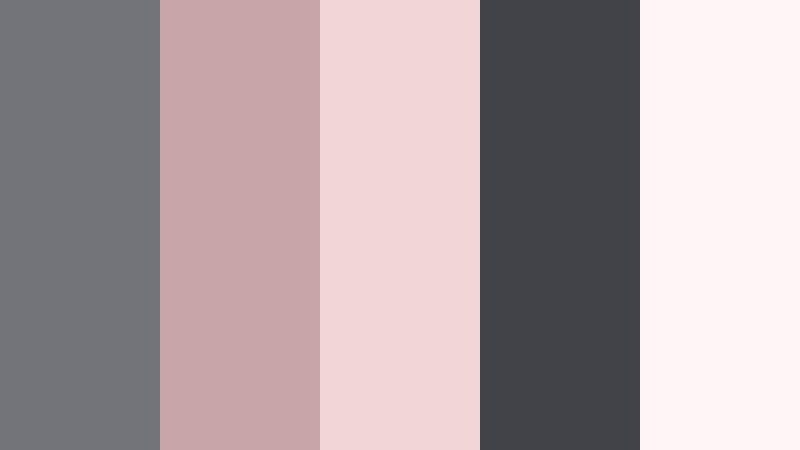
- HEX Codes: #727479, #c7a5a9, #f2d5d7, #414348, #fef6f6
- Mood: Cozy, intimate, and inviting.
- Use for: Great for home decor tours, cozy vlogs, and small business brand stories with a crafted feel.
Dusty Rose Loft feels like soft sunlight through tall windows, with warm rose tones (#c7a5a9, #f2d5d7) supported by comfortable grays (#727479, #414348). The off-white #fef6f6 keeps everything bright but gentle.
This palette works well for brand stories, product showcases, and cozy vlog thumbnails. Use the deeper gray for product labels or logo lockups, and lean on the rosy shades for accent shapes and callouts that draw attention without shouting.
Porcelain Tea Morning
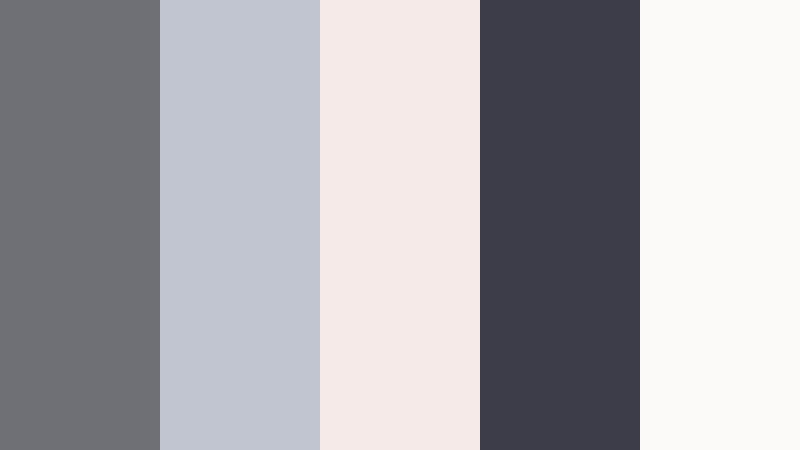
- HEX Codes: #6d7075, #c1c5cc, #f2ebe7, #3b3f45, #fdfaf7
- Mood: Quiet, nostalgic, and comforting.
- Use for: Ideal for morning routine videos, ASMR, and slow living content with delicate typography.
Porcelain Tea Morning blends Meteor Gray mid-tones (#6d7075, #c1c5cc) with creamy, porcelain-like highlights (#f2ebe7, #fdfaf7). The darker gray #3b3f45 anchors the look, similar to ceramic details or text on a page.
Use this palette in slow living edits, journaling videos, and ASMR thumbnails. Keep your fonts understated and clean, using the darkest shade for clear text and the light creams for backgrounds or soft gradient cards.
Bold & Modern Meteor Gray Color Palettes
Neon Metro Signal
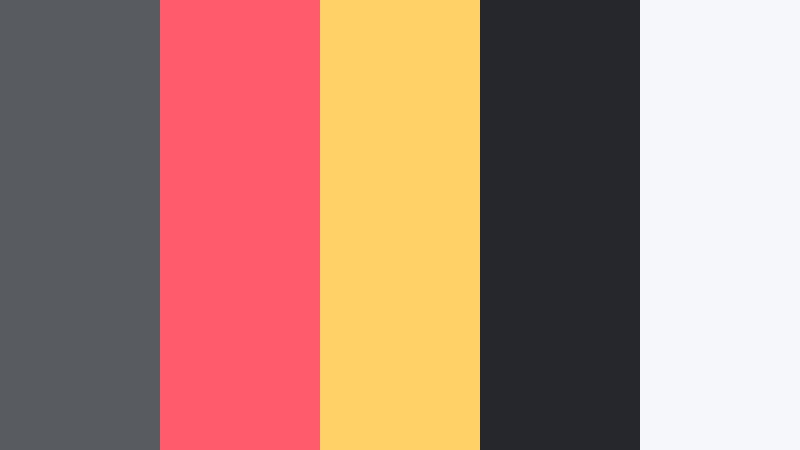
- HEX Codes: #585b60, #ff5b6c, #ffd166, #25272c, #f6f7fb
- Mood: Bold, energetic, and urban.
- Use for: Perfect for edgy channel intros, gaming overlays, and streetwear brand visuals.
Neon Metro Signal uses Meteor Gray (#585b60, #25272c) as a dark city backdrop for bright accents of coral red (#ff5b6c) and signal yellow (#ffd166). #f6f7fb softens the palette just enough for overlays and UI elements.
Use the neon shades for calls to action, subscribe buttons, and highlight strokes around key objects in your thumbnails. Keep your main backgrounds in the grays so the neons feel like urban signage popping out of the night.
Cyber Grid Contrast
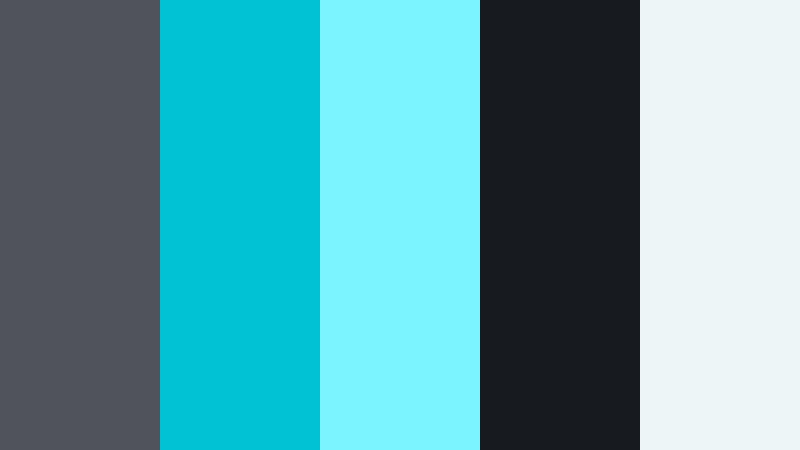
- HEX Codes: #50535a, #00c2d4, #7cf4ff, #171a1f, #eef5f7
- Mood: High-tech, dynamic, and futuristic.
- Use for: Use for tech explainers, app promos, motion graphics, and sci-fi themed edits.
Cyber Grid Contrast combines deep Meteor Gray (#171a1f, #50535a) with electric cyan accents (#00c2d4, #7cf4ff). The pale #eef5f7 is perfect for UI panels and text fields.
This palette is made for digital overlays, HUD graphics, and sci-fi transitions. Use the cyan tones as animated lines, icons, or pulse effects in Filmora, while the grays keep your backgrounds structured and modern.
Tips for Creating Meteor Gray Color Palettes
Meteor Gray works as a powerful neutral base, but the way you pair it with highlights and accents will shape the mood of your videos, thumbnails, and branding. Use these practical tips to build and apply your own Meteor Gray color combinations.
- Decide on a temperature: choose whether your Meteor Gray leans cooler (techy, cinematic) or warmer (cozy, lifestyle) and keep that consistent across your edit.
- Protect readability: always test your title and subtitle colors against background grays on small screens to ensure enough contrast.
- Limit bright accents: combine Meteor Gray with one or two accent colors (like blush, lavender, or cyan) so your frames look intentional, not noisy.
- Match your footage: use Filmora's color tools to push your raw clips toward the gray tones in your chosen palette so overlays and footage feel unified.
- Use darker grays for structure: reserve the deepest gray in your palette for text, dividers, frames, and interface elements that guide the eye.
- Keep highlights soft: avoid pure white; instead, use the lightest gray or cream from your palette for backgrounds to get a more cinematic result.
- Build reusable presets: once you dial in a Meteor Gray look, save it as a preset or LUT inside Filmora so you can apply it quickly to new projects.
- Adapt for platforms: increase contrast and saturation slightly for thumbnails and Reels, while keeping long-form edits a bit softer for comfortable viewing.
Meteor Gray color palettes can make your visuals feel polished, cinematic, and consistent from video to video. Whether you prefer minimal studio looks, moody night sequences, soft romantic tones, or bold neon contrasts, Meteor Gray gives you a stable base that keeps your brand recognizable.
Use the HEX codes above to style your titles, overlays, and brand assets, then match your footage inside Filmora so everything shares the same visual language. Testing a few of these palettes on your thumbnails, intros, and b-roll will quickly show you which Meteor Gray mood fits your channel best.
Once you find your favorite combination, lock it in as your signature look and let Filmora handle the heavy lifting for color matching, grading, and stylizing across every new video.
secure downloadNext: Comet Cyan Color Palette
