

 100% Security Verified | No Subscription Required | No Malware


 ChatGPT
 Perplexity
 Gemini
 Claude
 Grok
Grok
Mossy Olive is an earthy green that sits between muted forest and sun-faded khaki. It feels grounded, calm, and slightly mysterious, which makes it perfect for storytelling visuals. In color psychology, Mossy Olive hints at stability, nature, and quiet resilience. It is less flashy than neon greens and less formal than deep emeralds, so it is ideal for creators who want a natural, cinematic, or slow-living vibe.
In video and branding, Mossy Olive works beautifully for YouTube thumbnails, cinematic intros, lower thirds, and channel art. It pairs well with warm neutrals, soft creams, Drift Sand beiges, and charcoal accents. Below you will find ready-made Mossy Olive color palettes with HEX codes you can plug straight into Filmora for color grading, titles, overlays, and LUT-inspired edits.
In this article
Earthy Cinematic Mossy Olive Color Palettes
Forest Documentary Frame
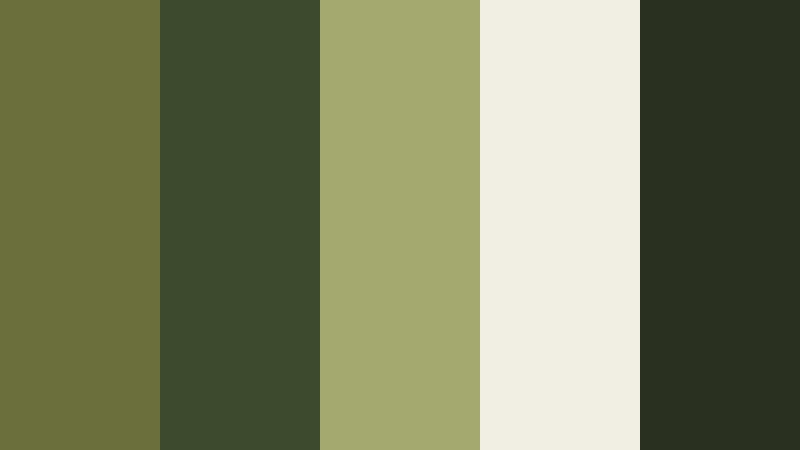
- HEX Codes: #6a6f3b, #3c4a2d, #a3a96f, #f1efe3, #2a3020
- Mood: Grounded, immersive, and quietly dramatic, like stepping into a shaded forest.
- Use for: Perfect for nature documentaries, travel vlogs, and cinematic B-roll with a grounded, organic feel.
Forest Documentary Frame mixes deep Mossy Olive with spruce green, muted highlights, and a soft ecru white. It feels like walking under a dense canopy where light only gently breaks through the leaves. The darker tones (#3c4a2d, #2a3020) add cinematic depth, while #a3a96f and #f1efe3 give you subtle contrast for text and details.
This palette is ideal for cinematic sequences, establishing shots, and slow-travel vlogs where you want viewers to feel immersed in nature. Use the lighter shade for titles, the mid-tone Mossy Olive for overlays and lower thirds, and the darkest color as a background in thumbnails or end screens. In Filmora, you can apply these HEX codes directly to text, shapes, and color grading to keep your whole project visually consistent.
Pro Tip: Build a Cinematic Mossy Olive Look in Filmora
To keep a Forest Documentary Frame mood across an entire edit, decide early which color will be your hero Mossy Olive and use it everywhere: titles, accent lines, icons, and subtle vignettes. In Filmora, add this color to your custom swatches and reuse it on lower thirds, subscribe buttons, and chapter cards, so every part of your video points back to the same earthy identity.
You can also layer a soft Mossy Olive tint over your B-roll by using adjustment layers. Slightly desaturate other colors, then boost greens and yellows to nudge the footage toward this palette. This helps your intros, main footage, and shorts edits feel like one cohesive documentary universe.
AI Color Palette
If you have a reference frame or a still photo from your forest footage that already nails this Mossy Olive mood, you can turn it into a look for the entire video. Filmora's AI Color Palette feature analyzes your reference image and automatically transfers its color style to other clips.
Drop your reference shot on the timeline, open the AI Color Palette tool, and select the rest of your clips as targets. The tool will match contrast, tints, and overall color balance so your B-roll, A-roll, and thumbnail-ready stills all share the same grounded Mossy Olive aesthetic without hours of manual tweaking.
 secure download

HSL, Color Wheels & Curves
After matching your footage to a Mossy Olive reference, you can refine the style using Filmora's color tools. With HSL, gently pull back overly bright greens and shift yellow-greens closer to the Mossy Olive HEX you chose. In the color wheels, cool down shadows toward deep forest greens (#2a3020) and warm the midtones slightly to keep skin tones natural against your earthy background.
In the curves panel, add a soft S-curve to make your forest scenes more cinematic, lifting the darkest blacks so they feel like deep moss instead of harsh contrast. You can see this kind of earthy cinematic grading in many tutorials that use Filmora's advanced color tools to build stylized looks.
secure download1000+ Video Filters & 3D LUTs
Once your Mossy Olive base is in place, you can speed up styling with Filmora's presets. Filmora's video filters and 3D LUTs make it easy to add vintage fades, soft matte contrast, or subtle film grain while keeping greens and neutrals on-brand.
Try stacking a gentle film LUT with a vignette or glow filter to simulate dappled forest light. For thumbnails and intros, apply the same filter stack to screenshots so your channel art instantly matches your graded footage, creating a strong, recognizable Mossy Olive identity.
secure downloadHidden Grove Stories
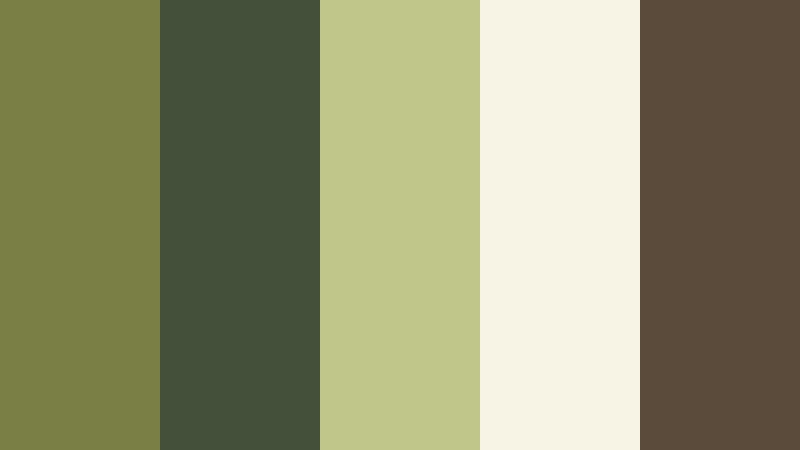
- HEX Codes: #7a7f45, #44513a, #c0c68a, #f7f3e5, #5a4b3a
- Mood: Warm, narrative, and nostalgic, like leaf-filtered sunlight on old film.
- Use for: Use for storytelling intros, podcast cover art, and title cards that need a grounded, nostalgic aesthetic.
Hidden Grove Stories softens Mossy Olive with warm bark browns and creamy highlights. It feels like watching super-8 film of childhood walks in the woods. The combination of #7a7f45 and #5a4b3a gives you a solid base, while #c0c68a and #f7f3e5 add that warm, sunlit nostalgia.
Use this palette for narrative vlog openings, reflective monologues, or channel trailers about memory and growth. In thumbnails, let the cream tone carry your text while Mossy Olive and bark brown frame your subject. In Filmora, you can bring this look into your color grading by warming midtones and slightly fading the blacks for an old-film feel.
Rainy Trail Wanderer
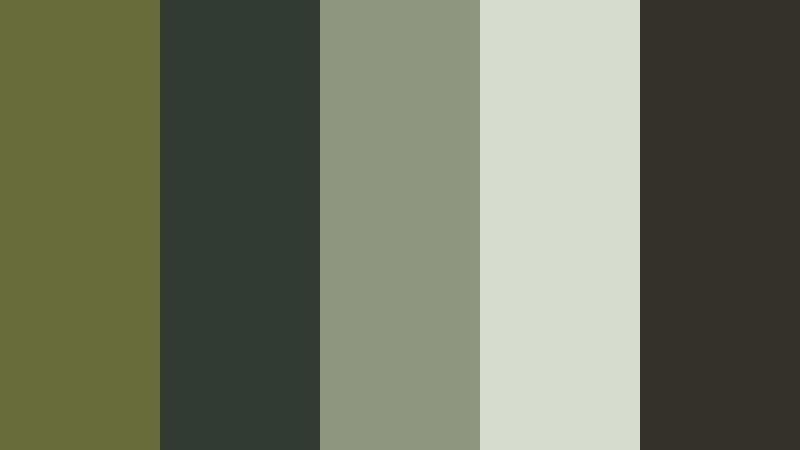
- HEX Codes: #686c3a, #2f3b33, #8f9680, #d7ddce, #34302a
- Mood: Moody, introspective, and slightly misty, echoing rainy hikes and quiet thoughts.
- Use for: Great for cinematic travel sequences, hiking reels, and lo-fi ambience videos.
Rainy Trail Wanderer leans into cool, muted Mossy Olive with slate greens and foggy grays. It evokes wet leaves, overcast skies, and drizzle on a camera lens. The darker hues (#2f3b33, #34302a) anchor the frame, while #8f9680 and #d7ddce add a gentle mist effect.
This palette is perfect for slow hiking reels, quiet B-roll of city parks, or lo-fi background loops. In thumbnails and intros, use the light gray for legible text and the deeper greens for background shapes or gradient overlays. With Filmora, add a subtle blue tint in the shadows and reduce saturation overall to lock in that rain-soaked, introspective tone.
Campsite Ember Glow
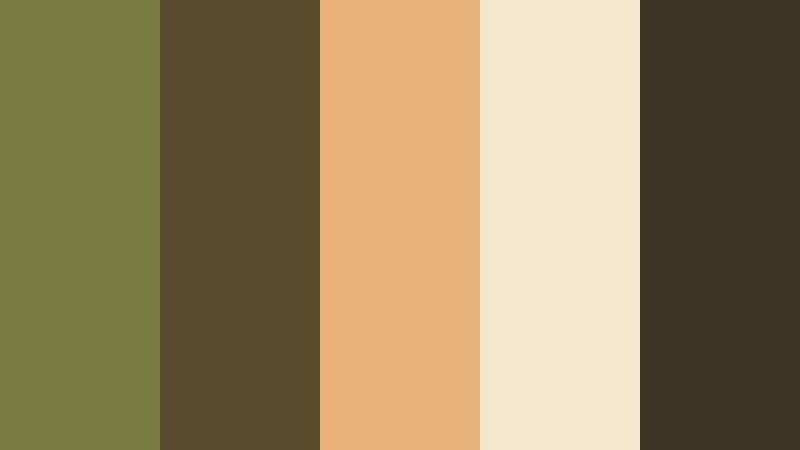
- HEX Codes: #777b3f, #594b2d, #e6b27a, #f5e6ce, #3d3325
- Mood: Cozy, adventurous, and rustic, mixing forest tones with firelight warmth.
- Use for: Use for outdoor gear promos, camping vlogs, and warm cinematic titles.
Campsite Ember Glow combines earthy Mossy Olive with ember orange and creamy highlights. It instantly feels like tents, lanterns, and stories told around a campfire. The warm accent #e6b27a cuts through the greens and browns, giving your visuals a friendly, inviting spark.
Use this palette for outdoor channel branding, camping intros, and thumbnails that need to stand out in search while still feeling natural. Let the warm orange draw the eye to your call-to-action or subject, while Mossy Olive and dark brown handle the backgrounds. In Filmora, you can echo the palette by warming highlights and adding a slight glow around fire sources or lanterns.
Overgrown Temple Ruins
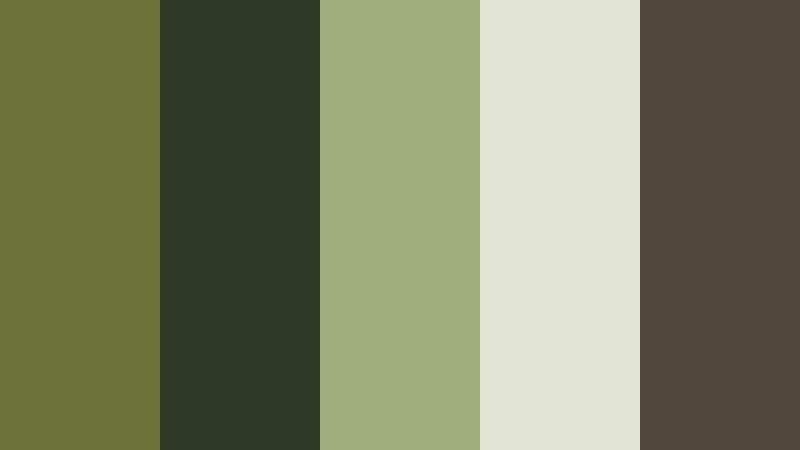
- HEX Codes: #6d723b, #2d3b26, #9fae7b, #e2e5d6, #50473a
- Mood: Mysterious, ancient, and cinematic, evoking forgotten places reclaimed by nature.
- Use for: Ideal for game streaming overlays, cinematic title sequences, and mystery-themed shorts.
Overgrown Temple Ruins uses dense Mossy Olive, jungle greens, and weathered stone tones to create a sense of ancient mystery. The contrast between #2d3b26 and #e2e5d6 gives you instant depth, like ruins surrounded by sunlit fog.
This palette works well for fantasy intros, lore breakdowns, archaeology or history content, and atmospheric gaming overlays. In your overlay designs, keep text on the pale stone tone and use the deep greens as panels and borders. When grading in Filmora, slightly lift shadows and cool them toward green while keeping highlights neutral to suggest stone catching soft daylight.
Soft Natural Mossy Olive Color Palettes
Herbal Studio Calm
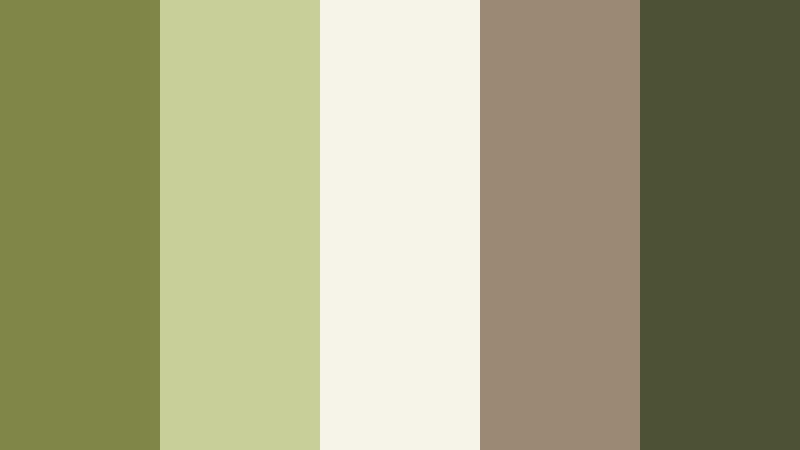
- HEX Codes: #808548, #c8cf98, #f6f4e8, #9b8973, #4c5233
- Mood: Soft, restorative, and minimal, like a sunlit plant-filled studio.
- Use for: Use for wellness channels, productivity vlogs, and minimalist branding overlays.
Herbal Studio Calm softens Mossy Olive with sage-like greens and warm neutrals. It feels airy and restorative, as if filming in a plant-filled loft with big windows. The combination of #808548 and #c8cf98 keeps things natural, while #f6f4e8 and #9b8973 ensure thumbnails and titles stay easy to read.
Apply this palette to wellness intros, study-with-me layouts, or clean productivity dashboards. In Filmora, use the lighter tones for backgrounds in title cards and the darker greens for accent lines or icons. This keeps your visuals calm and uncluttered while still recognizably Mossy Olive.
Olive Linen Morning
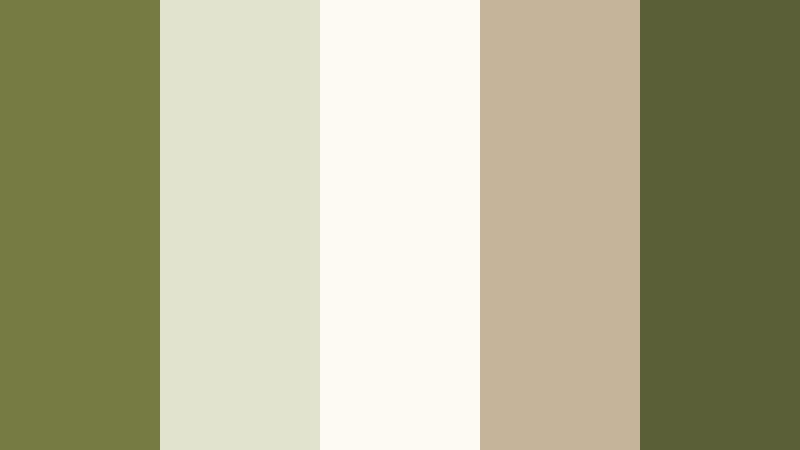
- HEX Codes: #767b43, #e2e3ce, #fdfaf2, #c5b49a, #5b5f37
- Mood: Light, relaxed, and homely, recalling fresh linens and slow mornings.
- Use for: Great for lifestyle intros, home decor content, and soft branded lower thirds.
Olive Linen Morning wraps Mossy Olive accents in soft creams and linen beiges. It feels like freshly made beds, coffee steam, and open windows. The very light tones #e2e3ce and #fdfaf2 are ideal for backgrounds, while #767b43 and #5b5f37 give gentle green contrast.
Use this palette for home tours, cozy morning routines, and lifestyle thumbnails that should feel bright but not sterile. In Filmora, combine a slightly warm white balance with eased contrast and use these HEX colors for lower thirds and chapter markers that do not distract from your footage.
Garden Sketch Notebook
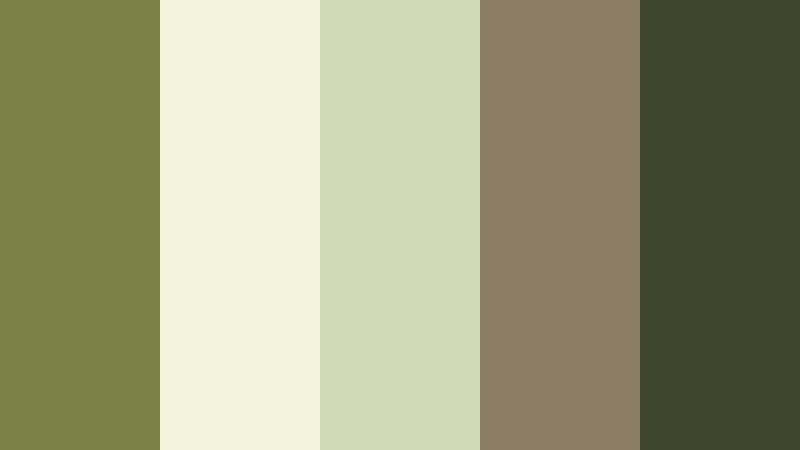
- HEX Codes: #7c8147, #f1f3dd, #cfd9b5, #8b7c64, #3f462e
- Mood: Creative, gentle, and organic, like sketching in a quiet garden.
- Use for: Use in tutorial slides, planning boards, and educational videos with a soft, organic touch.
Garden Sketch Notebook balances Mossy Olive with paper creams and pencil browns. It feels like hand-drawn notes and botanical sketches. The palette stays soft and legible, making it perfect for text-heavy layouts.
For tutorial overlays, planning boards, or notion-style frames, let #f1f3dd or #cfd9b5 be your canvas color, with #7c8147 and #3f462e used for headings and icons. In Filmora, you can build entire explanatory sequences using these tones for shapes and text, keeping everything clean, creative, and on-brand.
Restful Tea Corner
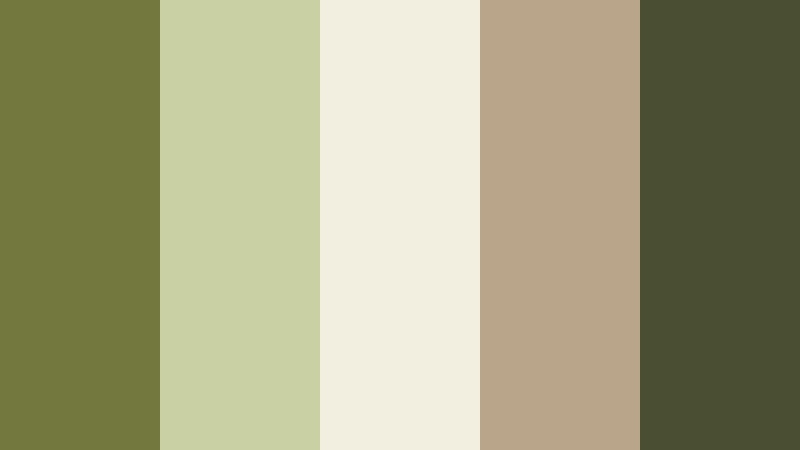
- HEX Codes: #73783f, #c9d0a4, #f3efe0, #b9a58a, #4a4f31
- Mood: Comforting, mindful, and intimate, suited for slow-living stories.
- Use for: Perfect for cozy podcast visuals, ASMR thumbnails, and mindful routine vlogs.
Restful Tea Corner steeps Mossy Olive in muted cream and taupe browns. The result is warm, intimate, and gentle, like filming by a small table with a pot of tea. The soft contrast between #c9d0a4, #f3efe0, and #4a4f31 keeps visuals soothing but still readable.
Use it for ASMR channel branding, cozy podcast covers, and end screens that invite viewers to subscribe without shouting. In Filmora, pair a slight vignette with a warmer white balance, and color your on-screen text or waveform overlays using these HEX values.
Greenhouse Daydream
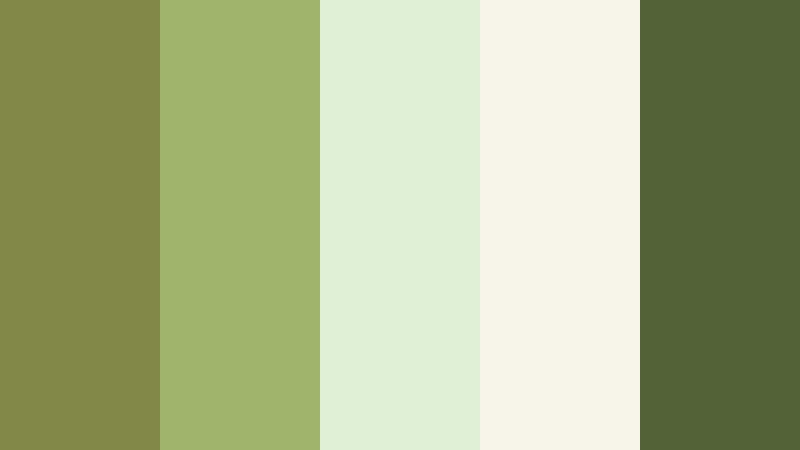
- HEX Codes: #828848, #9fb56c, #e0f0d7, #f7f5ea, #526338
- Mood: Fresh, optimistic, and softly bright, like a greenhouse filled with new growth.
- Use for: Use for eco-branding, plant care content, and upbeat educational reels.
Greenhouse Daydream brightens Mossy Olive with leaf greens and milky whites. It feels lively and hopeful, ideal for content about growth, sustainability, or learning. The pairing of #828848 and #9fb56c gives you vibrant but not neon greens, anchored by #526338.
Use this palette for eco channels, gardening tutorials, and positive educational shorts. In Filmora, increase brightness slightly, keep contrast soft, and apply these greens to icons, progress bars, and infographic elements. The light tones #e0f0d7 and #f7f5ea make excellent backgrounds for text and graphics.
Modern Rustic Mossy Olive Color Palettes
Olive Loft Minimal
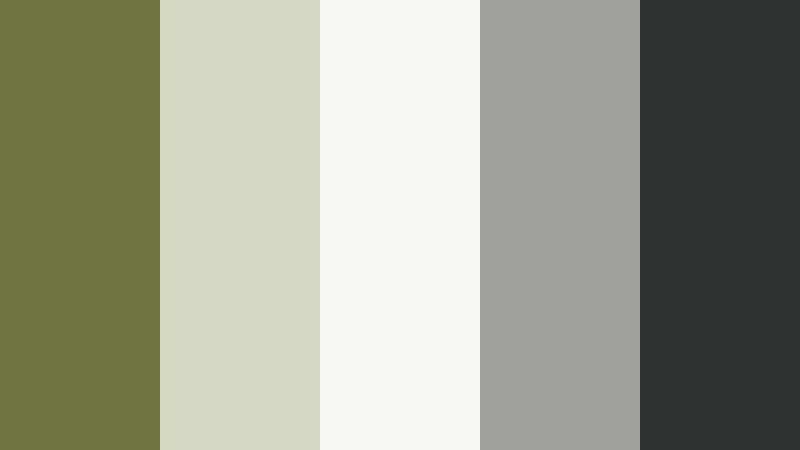
- HEX Codes: #6f7440, #d4d8c2, #f8f7f2, #9ea09a, #2f3330
- Mood: Clean, modern, and slightly industrial with organic warmth.
- Use for: Ideal for channel branding, tech reviews with an earthy twist, and portfolio graphics.
Olive Loft Minimal places Mossy Olive against pale concrete tones and charcoal. It feels like a modern studio with plants and metal furniture. The mix of #6f7440 and #2f3330 gives strong contrast, while #d4d8c2 and #f8f7f2 keep layouts bright and minimal.
Use this palette for tech reviews, productivity channels, or design portfolios that want to feel modern but not cold. In Filmora, use the dark charcoal for backgrounds in titles, the light grays for panels, and Mossy Olive for highlights on buttons, icons, and progress bars.
Cabin Workspace Grid
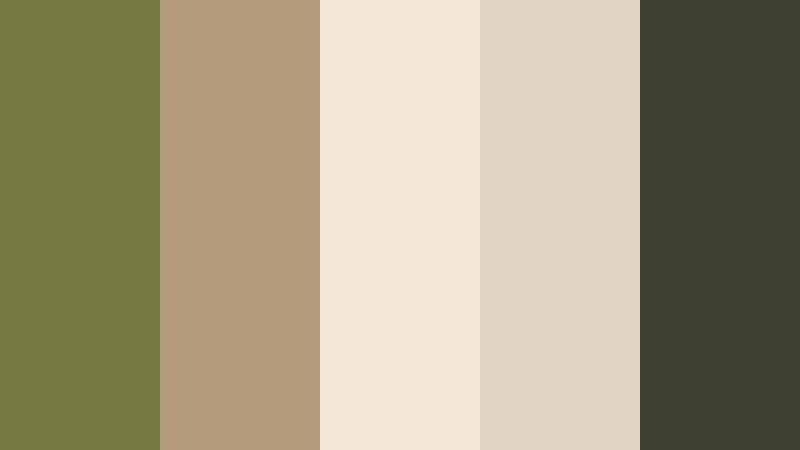
- HEX Codes: #757a43, #b39b7a, #f2e7d8, #ded3c4, #3d4030
- Mood: Productive, warm, and tactile, blending wood textures with soft green.
- Use for: Use for productivity setups, study-with-me streams, and workspace reveal videos.
Cabin Workspace Grid merges Mossy Olive with warm wood browns and off-white paper tones. It feels like a well-organized, timber-framed workspace in the woods. The palette is soft enough for long viewing but structured enough for productivity themes.
Apply it to desk setup reveals, workflow explainers, and channel branding focused on deep work. In Filmora, use the creamy tones for backgrounds and chapter cards, with #757a43 and #3d4030 drawing attention to key text or timeline markers.
Olive Charcoal Interface
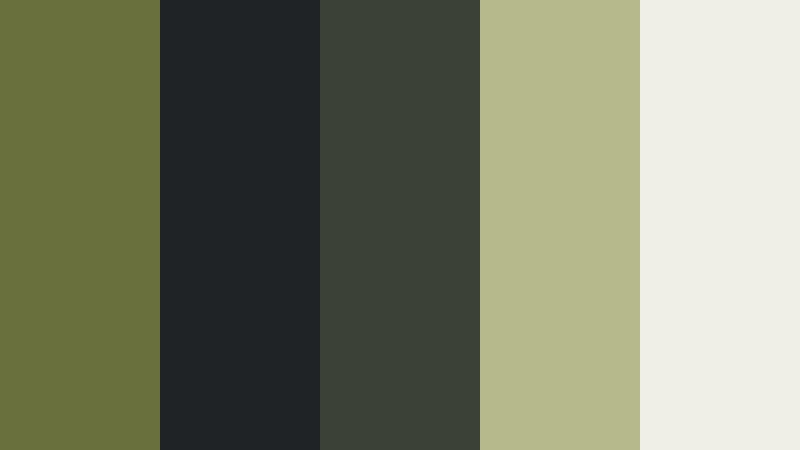
- HEX Codes: #6a703d, #202326, #3b4137, #b5b98b, #f0efe6
- Mood: Confident, slick, and tech-forward, while still grounded in nature.
- Use for: Great for UI overlays, motion graphics, and gaming intros needing an earthy but modern feel.
Olive Charcoal Interface sets Mossy Olive accents on top of dark charcoal and graphite. It feels like a professional UI themed with nature-inspired highlights. The strong contrast between #202326 and #f0efe6 makes text and HUD elements pop.
Use this for gaming overlays, interface-style motion graphics, or tech intros that need personality. In Filmora, design lower thirds and scoreboard panels using the dark tones as a base, #b5b98b for subtle highlights, and Mossy Olive for key indicators or brand marks.
Warehouse Plant Corner
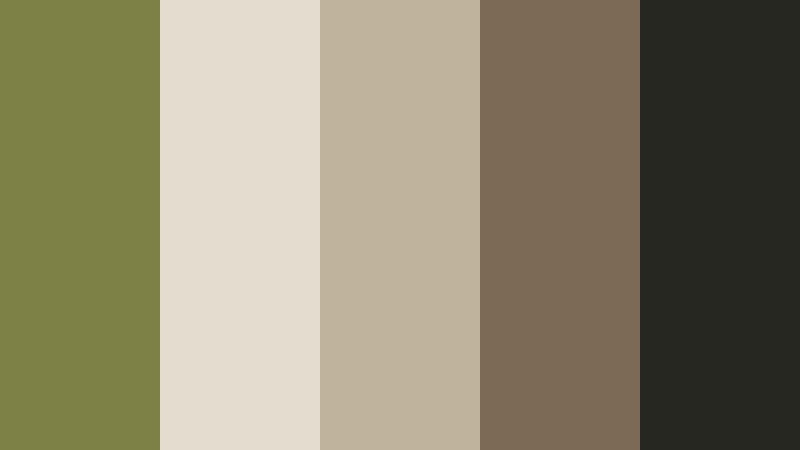
- HEX Codes: #7b8147, #e4ddcf, #c1b39c, #7a6a57, #252521
- Mood: Urban, artsy, and grounded, like plants thriving in an industrial loft.
- Use for: Use for studio tours, behind-the-scenes reels, and brand lookbooks with a creative edge.
Warehouse Plant Corner pairs Mossy Olive plant tones with concrete neutrals and deep espresso shadows. It is artsy and urban, perfect for creators who film in loft studios or industrial spaces filled with greenery.
Use this palette as your brand base for studio tours, BTS reels, and lookbook edits. In Filmora, set #252521 as a subtle background for credits and overlays, with #e4ddcf and #c1b39c for text and panels, letting #7b8147 be the main accent color on buttons and icons.
Olive Streetwear Blend
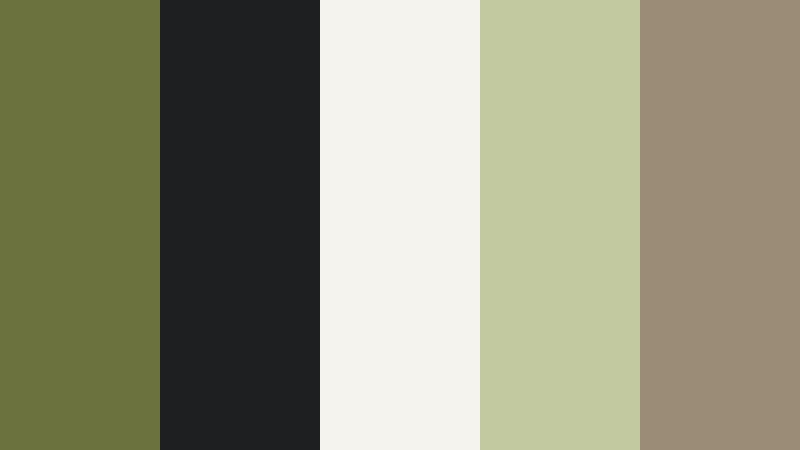
- HEX Codes: #6c723e, #1e1f20, #f4f3ed, #c2c8a0, #9b8c78
- Mood: Cool, urban, and subtly edgy with a natural undertone.
- Use for: Perfect for streetwear lookbooks, fashion reels, and music-driven edits.
Olive Streetwear Blend drops Mossy Olive into a high-contrast world of black, bone white, and muted khaki. It feels cool and urban, with just enough earthy tone to stay unique. The pairing of #1e1f20 and #f4f3ed is ideal for bold text and silhouette shots.
Use this palette for fashion reels, outfit breakdowns, or music-driven edits with a street aesthetic. In Filmora, keep your footage slightly desaturated, add soft contrast, and use Mossy Olive and khaki for titles, borders, and graphic elements that tie the edit together.
Vintage Storytelling Mossy Olive Color Palettes
Retro Field Journal
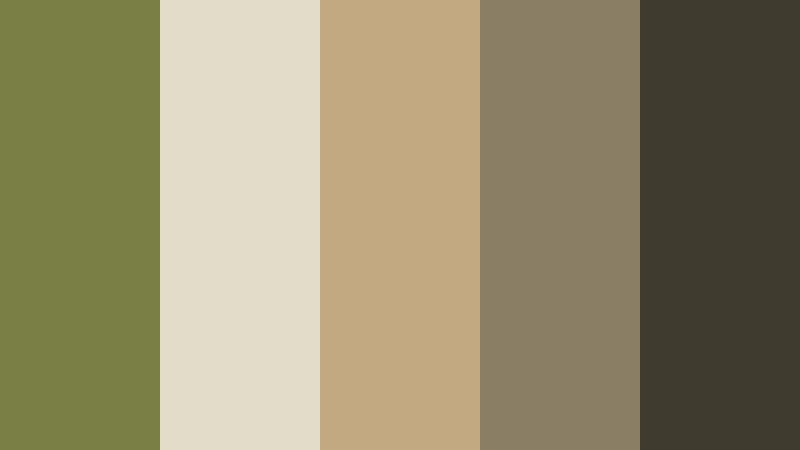
- HEX Codes: #7a7f46, #e1ddc9, #c2a982, #8a7e65, #403b2f
- Mood: Nostalgic, documentary-like, and softly desaturated, like old travel journals.
- Use for: Use for history videos, travel diaries, and reflective storytelling montages.
Retro Field Journal fuses faded Mossy Olive with tea-stained paper and worn leather browns. It instantly suggests old notebooks, ticket stubs, and maps folded one too many times. The palette is gently desaturated, which suits documentary and memory-driven content.
Use it in history explainers, personal travel diaries, and reflective montages. In Filmora, lightly reduce saturation and add a subtle grain effect. Use #e1ddc9 and #c2a982 for backgrounds and title cards, while #7a7f46 and #403b2f handle headings, borders, and stamped-style logos to complete the field journal aesthetic.
Tips for Creating Mossy Olive Color Palettes
Mossy Olive is versatile, but it comes alive when paired thoughtfully with neutrals, highlights, and accent colors. Use these tips to adapt the palettes above or design your own for video, thumbnails, and branding in Filmora.
- Balance Mossy Olive with light neutrals like Drift Sand, cream, or soft gray to keep text readable and layouts breathable.
- Add one warm accent (amber, terracotta, or soft orange) if you want a cozy, campfire or lifestyle mood, and keep the rest of the palette muted.
- For cinematic looks, slightly lower saturation, deepen shadows toward green or charcoal, and lift blacks a bit to avoid harsh contrast.
- Check thumbnail readability by zooming out; if your Mossy Olive background makes text fade, brighten the text color or add a subtle outline or drop shadow.
- Keep brand consistency by choosing one primary Mossy Olive HEX value and reusing it for logos, lower thirds, and subscribe buttons across all videos.
- Match palette colors to your footage by sampling real elements (plants, clothing, props) and adjusting Filmora's color settings so overlays and grading feel natural.
- Use darker Mossy Olive and charcoal shades for overlays and interface elements, and reserve the lightest tones for backgrounds and body text.
- When combining Mossy Olive with other strong hues, limit yourself to 3–5 main colors to prevent your visuals from feeling cluttered.
Mossy Olive palettes can make your channel feel grounded, cinematic, and memorable. Whether you lean into earthy forests, soft studios, modern rustic lofts, or vintage journals, this color family shapes how viewers feel about your stories and your brand.
Try dropping these HEX codes into Filmora for your titles, lower thirds, and graded footage. Use Filmora's color tools, AI features, and filters to keep each palette consistent across long-form videos, Shorts, and social teasers, so your Mossy Olive look becomes instantly recognizable.
The more intentionally you use color, the easier it becomes to stand out in crowded feeds. Start with one palette that matches your content vibe, test it on a few edits in Filmora, and then refine until it feels like your signature style.
secure download