

 100% Security Verified | No Subscription Required | No Malware


 ChatGPT
 Perplexity
 Gemini
 Claude
 Grok
Grok
Timberwolf is a soft, desaturated beige-gray that sits between warm and cool neutrals. It feels calm, stable, and sophisticated, which makes it perfect for cinematic backgrounds, minimal branding, and thumbnails that look premium without shouting for attention. In color psychology, Timberwolf suggests balance and quiet confidence, so it works well for creators who want their videos to feel thoughtful, cozy, or professional rather than loud and neon.
For video creators and designers, Timberwolf is a powerful base color for YouTube intros, channel banners, title cards, vlog aesthetics, and social media graphics. Below you will find 15 Timberwolf color palettes with HEX codes that you can plug directly into Filmora for text, overlays, filters, and custom LUTs. Whether you are building a neutral YouTube thumbnail, a cinematic beige-gray look, or a Timberwolf themed video brand, these palettes will give you ready-to-use combinations.
In this article
Soft & Minimal Timberwolf Color Palettes
Morning Haze Timberwolf
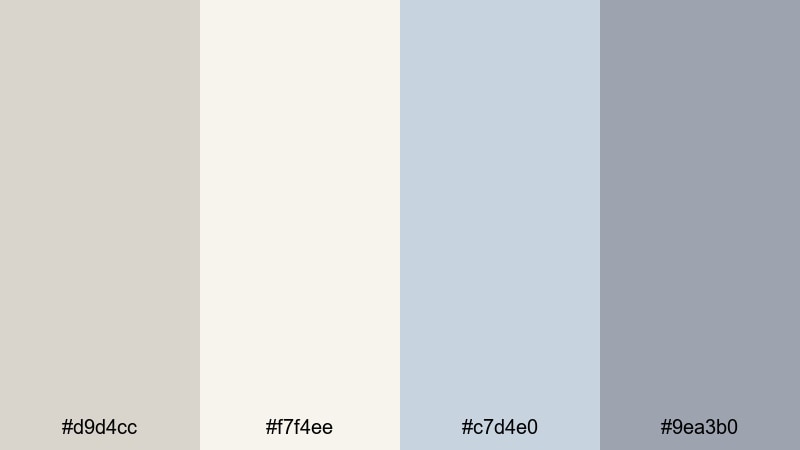
- HEX Codes: #d9d4cc, #f7f4ee, #c7d4e0, #9ea3b0
- Mood: Calm, airy, and reflective with a gentle morning glow.
- Use for: Perfect for soft vlog intros, morning routine videos, and dreamy lifestyle thumbnails.
A light, misty mix of Timberwolf neutrals and pale blues, this palette feels like early light coming through a sheer curtain. The off-whites and soft grays create a clean canvas, while the cool blues give your frames a quiet, reflective mood that still feels fresh.
Use Morning Haze Timberwolf for morning routine vlogs, wellness channels, or minimalist productivity content. In Filmora, apply these HEX codes to your title text, lower thirds, and background blocks, and build thumbnails that look soft and breathable instead of crowded. It is ideal for creators who want their branding to whisper, not shout.
Pro Tip: Build a Cinematic Timberwolf Morning Look in Filmora
To keep this airy Timberwolf palette consistent, start by setting one of the lighter shades as your background or frame mat in Filmora, then use the cooler blue tones for key elements like titles, subscribe buttons, and chapter markers. Keeping your text, overlays, and lower thirds in the same narrow range of hues makes your entire edit feel like one coherent morning scene.
You can also save these HEX colors as custom presets in Filmora so that every vlog intro, b-roll transition, or social media cut-down uses the same Morning Haze Timberwolf scheme. Over time, viewers will recognize your soft beige-gray and blue mix as part of your channel identity.
AI Color Palette
If you have a reference image of a foggy morning, a neutral bedroom, or a flat lay in these shades, you can turn it into a full video look with Filmora. Filmora's AI Color Palette feature can analyze your still frame and automatically apply the same Timberwolf balance to your entire timeline.
Just choose a clip or image that perfectly represents your Morning Haze Timberwolf mood, then use AI Color Palette to match the rest of your footage to it. This keeps skin tones soft, highlights gentle, and your overall color grade clean and cohesive, even if you shot on different days or devices.
 secure download

HSL, Color Wheels & Curves
Once your base grade is matched, refine the Morning Haze look with HSL, color wheels, and curves. Use HSL to gently desaturate strong colors that sneak into your frame so that Timberwolf and pale blues stay dominant. In the color wheels, warm up midtones slightly if skin tones feel too cold, and raise highlights with a soft curve to keep that glowing morning feeling.
For a deeper dive into grading techniques that pair well with neutral palettes like this, you can follow Filmora's color correction tools overview and adapt those steps to your own footage. Small adjustments to shadows and highlights can turn a basic beige-gray look into something truly cinematic.
secure download1000+ Video Filters & 3D LUTs
If you want to stylize your Morning Haze Timberwolf palette even faster, Filmora has a large library of filters and LUTs. You can start with a soft cinematic or pastel filter that matches your neutral base, then fine-tune colors so that your HEX codes (#d9d4cc, #f7f4ee, #c7d4e0, #9ea3b0) still feel like the main theme.
Filmora's video filters and 3D LUTs make it easy to create presets for your channel so every morning vlog, intro sequence, and B-roll montage shares the same Timberwolf atmosphere. Save your favorite combinations and apply them in one click whenever you are editing new content.
secure downloadDusty Linen Studio
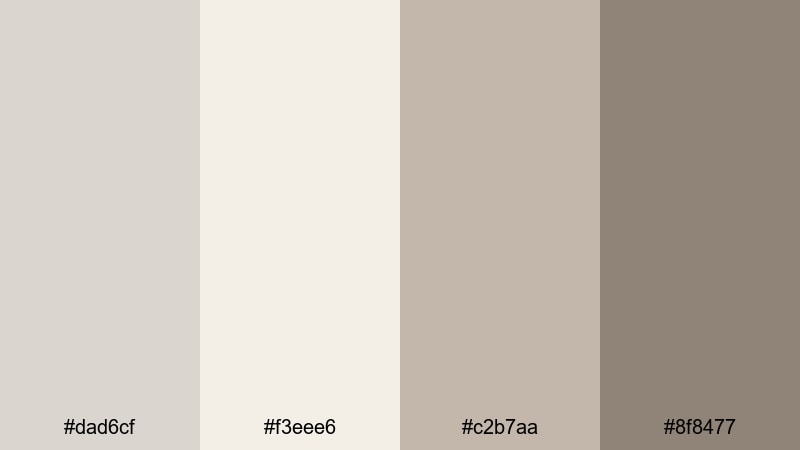
- HEX Codes: #dad6cf, #f3eee6, #c2b7aa, #8f8477
- Mood: Soft, tactile, and homey like natural linen backdrops.
- Use for: Use in studio tutorials, minimal product showcases, and softly lit talking-head videos.
This palette feels like fabric, paper, and textured walls all in one frame. The mix of pale Timberwolf tones and muted browns mimics linen backdrops and hand-crafted props, giving your visuals a cozy, studio-made character.
Apply Dusty Linen Studio to tutorial titles, product callouts, and background plates for talking-head shots. In thumbnails, you can use the darkest shade (#8f8477) for typography to keep it legible, while the lighter neutrals serve as clean negative space around your subject.
Quiet Sketch Workspace
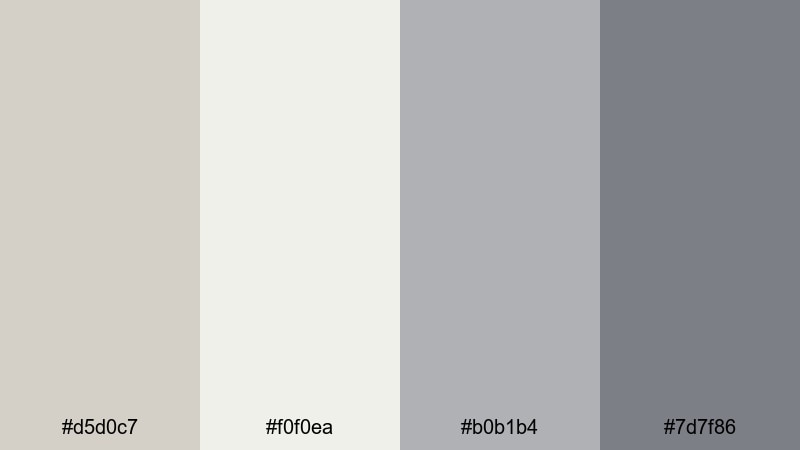
- HEX Codes: #d5d0c7, #f0f0ea, #b0b1b4, #7d7f86
- Mood: Thoughtful, focused, and creative with a sketchbook vibe.
- Use for: Great for design timelapses, drawing tutorials, and productivity-focused edits.
Quiet Sketch Workspace moves from light Timberwolf to cool graphite gray, capturing the feeling of a clean desk and an open sketchbook. It is restrained, organized, and visually calm, which helps your audience focus on the content instead of the colors.
Use the brightest shade for backgrounds or whiteboards, the two middle grays for shapes and UI elements, and the darkest gray for text and icons. This palette works especially well in Filmora for time-lapse overlays, UI mockups, and minimalist lower thirds in design or study-with-me videos.
Muted Storyboard Frames
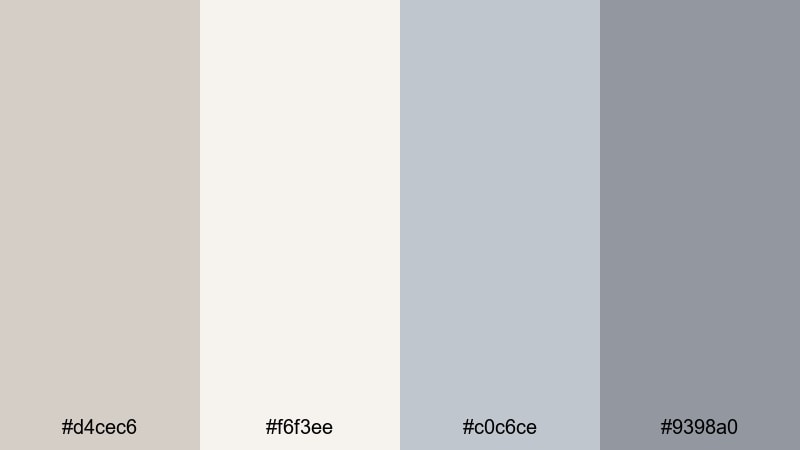
- HEX Codes: #d4cec6, #f6f3ee, #c0c6ce, #9398a0
- Mood: Cinematic yet gentle, like pencil frames on off-white paper.
- Use for: Ideal for storyboard explainers, case-study videos, and subtle lower-third graphics.
Muted Storyboard Frames combines off-white Timberwolf with desaturated bluish grays, echoing rough storyboards and pencil layouts. It has just enough contrast to feel cinematic, but it never becomes harsh or high-energy.
Use this palette when breaking down case studies, animatics, or UX flows. In Filmora, try using the mid blues for panel borders or animated frames around your footage, and the soft off-whites as backgrounds for annotations, chapters, and commentary notes.
Warm & Cozy Timberwolf Color Palettes
Candlelit Timberwolf Evenings
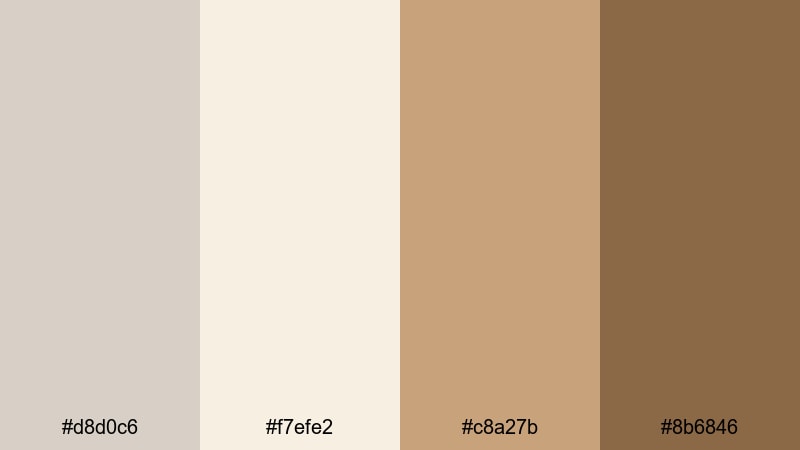
- HEX Codes: #d8d0c6, #f7efe2, #c8a27b, #8b6846
- Mood: Warm, intimate, and nostalgic like a candlelit desk scene.
- Use for: Perfect for cozy vlogs, journaling videos, and intimate storytelling thumbnails.
This palette wraps your Timberwolf base in caramel and amber tones, instantly suggesting candles, notebooks, and slow evenings. The warm accent shades add emotional weight, while the neutrals keep everything soft and cinematic.
Use Candlelit Timberwolf Evenings for journaling, book content, or night-in vlogs. In Filmora, you can apply the warmer HEX codes to glow effects, highlight text, or soft gradient overlays to mimic candlelight at the frame edges.
Autumn Loft Textures
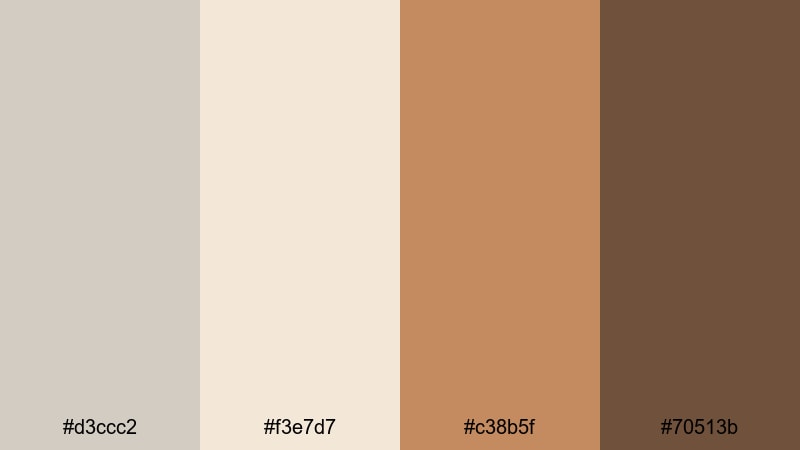
- HEX Codes: #d3ccc2, #f3e7d7, #c38b5f, #70513b
- Mood: Earthy, textured, and creative with a fall-in-the-city atmosphere.
- Use for: Use for fall lookbooks, cozy studio tours, and textured B-roll overlays.
Autumn Loft Textures feels like exposed brick, coffee, and woven blankets. Timberwolf and warm sand tones provide a soft backdrop, while roasted browns and coppery accents bring in that unmistakable fall energy.
Apply these colors to wardrobe text overlays, scene labels, and B-roll frames for seasonal content. In your thumbnails, let the lighter Timberwolf shade fill most of the frame, then use the richer browns to highlight titles or callouts so viewers instantly get an autumnal mood.
Fireside Script Edit
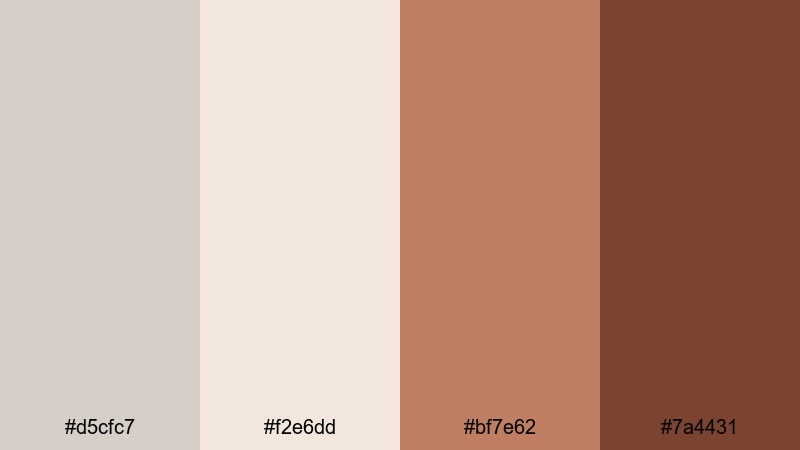
- HEX Codes: #d5cfc7, #f2e6dd, #bf7e62, #7a4431
- Mood: Story-driven, emotional, and warm like reading by a fire.
- Use for: Great for narrative edits, documentary voiceovers, and heartfelt channel trailers.
Fireside Script Edit builds on a soft Timberwolf base and deepens it with clay and ember hues. The result is intimate and emotional, like letters read by a fireplace or memory-driven monologues.
Use the warm midtones for key graphic accents such as quotes, timestamps, or chapter titles, especially in narrative videos and trailers. In Filmora, pairing this palette with subtle film grain or vignette effects will give your edit a richer, storybook texture.
Vintage Cafe Timberwolf
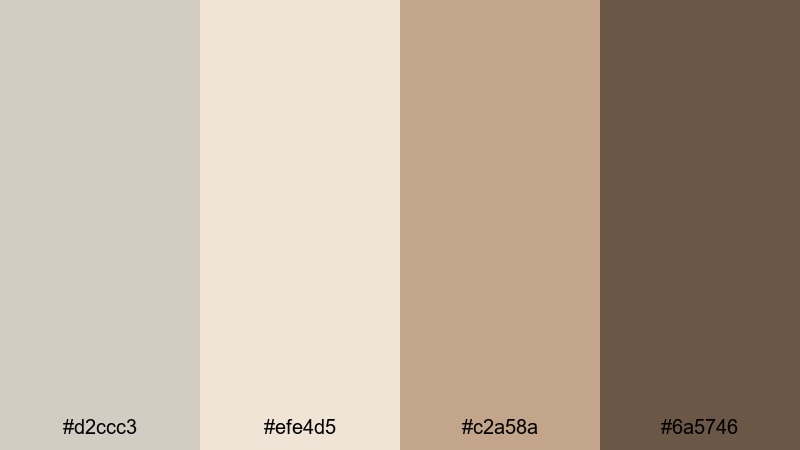
- HEX Codes: #d2ccc3, #efe4d5, #c2a58a, #6a5746
- Mood: Retro, analog, and cozy like an old cafe corner.
- Use for: Ideal for cafe vlogs, film-inspired reels, and retro preset packs.
Vintage Cafe Timberwolf combines creamy neutrals with coffee browns, evoking old menus, worn pages, and analog photos. It feels nostalgic without going full sepia, which keeps your content modern but still romantic.
Use this palette in Filmora for cafe or travel vlogs by coloring your titles, frames, and iconography with the brown tones, and leaving backgrounds in light Timberwolf. It also works well in Instagram Reels or Shorts thumbnails where you want a soft, film-inspired cafe look.
Modern & Cinematic Timberwolf Color Palettes
Urban Loft Timberwolf
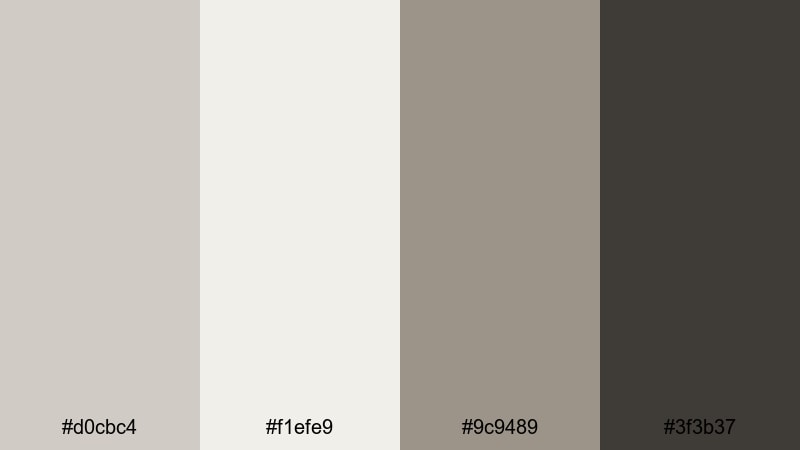
- HEX Codes: #d0cbc4, #f1efe9, #9c9489, #3f3b37
- Mood: Modern, polished, and urban with loft-apartment vibes.
- Use for: Great for tech reviews, design channels, and sleek YouTube branding.
Urban Loft Timberwolf feels like whitewashed brick, concrete floors, and industrial lighting. Light neutrals act as clean walls, mid grays as furniture and shadows, and the deep charcoal as stylish accents.
Use this palette in tech reviews, design breakdowns, or studio tours. In Filmora, set the lightest hue as the base for full-screen graphics, then add the darkest shade for text and UI icons to create a sleek, editorial look.
Gritty Documentary Frame
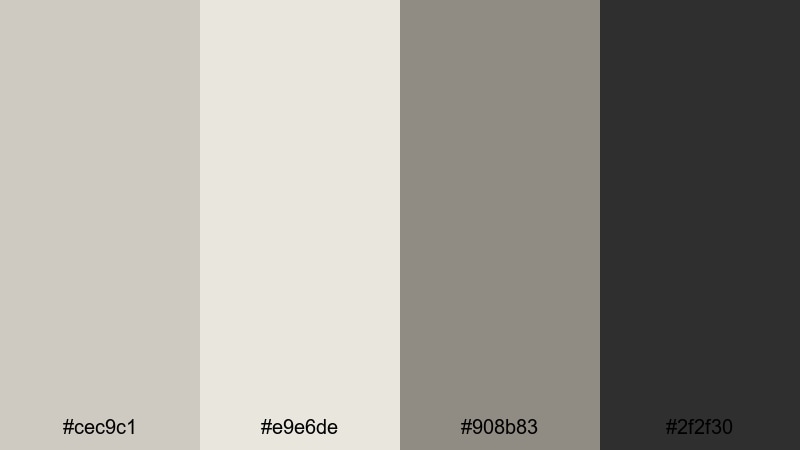
- HEX Codes: #cec9c1, #e9e6de, #908b83, #2f2f30
- Mood: Serious, grounded, and documentary-ready.
- Use for: Use for documentaries, interviews, and serious topic explainers where tone matters.
Gritty Documentary Frame is built around desaturated Timberwolf tones and deep charcoal, giving your footage a factual, grounded feel. Colors stay controlled, emphasizing story and testimony rather than flashy visuals.
Use the darker shades for lower thirds, name cards, and subtitles to ensure readability, and keep backgrounds in the lighter neutrals. This palette works well with slightly desaturated footage in Filmora, paired with subtle grain or monochrome tints.
Monochrome Title Sequence
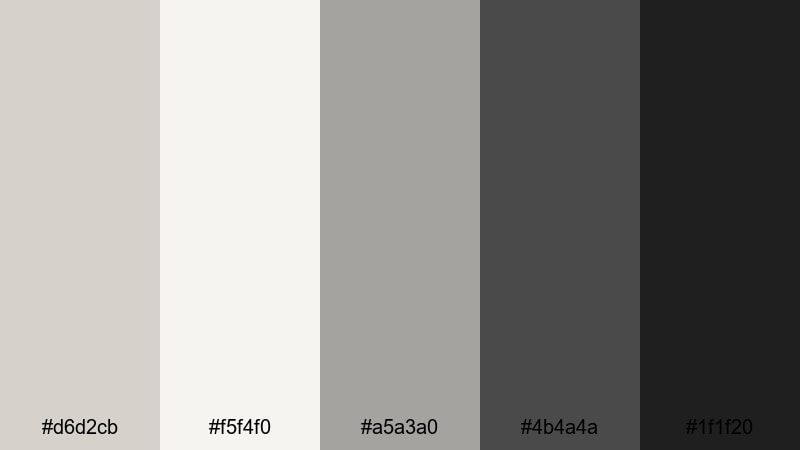
- HEX Codes: #d6d2cb, #f5f4f0, #a5a3a0, #4b4a4a, #1f1f20
- Mood: Sleek, controlled, and cinematic with strong typography focus.
- Use for: Perfect for opening titles, end cards, and motion-graphic overlays in trailers.
This nearly monochrome palette moves from light Timberwolf to near-black, letting typography and motion do the storytelling. Because it is so controlled, any animation or camera move feels sharper and more intentional.
Use Monochrome Title Sequence for bold openers, end slates, or teaser trailers. In Filmora, animate white or light Timberwolf text over the deeper grays and blacks, and use subtle blurs or light leaks without introducing strong extra colors.
Matte Studio Production
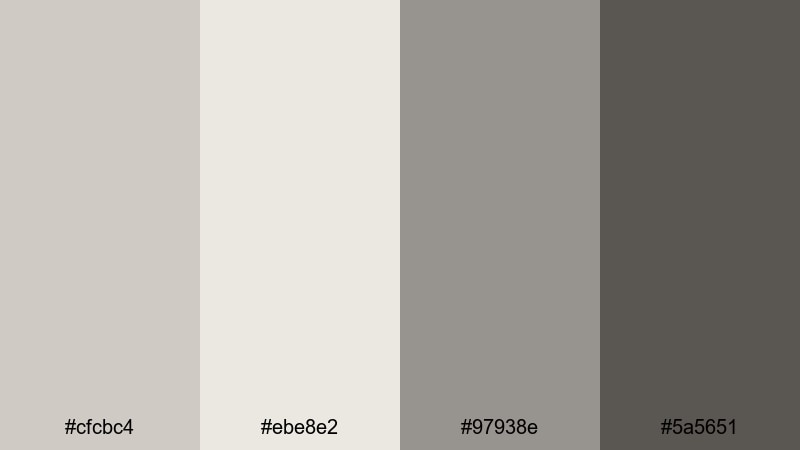
- HEX Codes: #cfcbc4, #ebe8e2, #97938e, #5a5651
- Mood: Professional, matte, and studio-grade for polished productions.
- Use for: Ideal for branded intros, online courses, and professional livestream layouts.
Matte Studio Production keeps everything soft and controlled, like a well-lit production office. The Timberwolf tones are slightly muted, and the darker grays feel matte rather than glossy, which makes your visuals look premium and understated.
Use this palette for online courses, brand videos, or livestream overlays. In Filmora, set up a consistent graphic pack using these four HEX codes so your lower thirds, countdown timers, and info panels match from video to video.
High-Contrast Timberwolf Color Palettes
Timberwolf Neon Accent
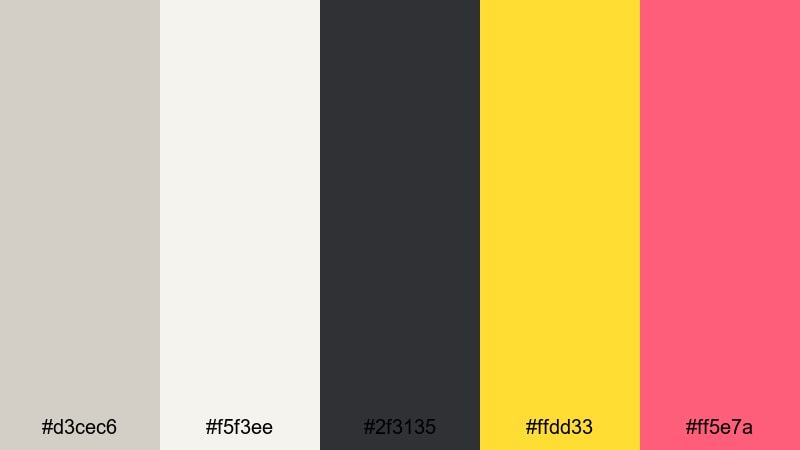
- HEX Codes: #d3cec6, #f5f3ee, #2f3135, #ffdd33, #ff5e7a
- Mood: Energetic yet balanced, mixing neutral calm with bold pops.
- Use for: Great for attention-grabbing thumbnails, call-to-action buttons, and chapter markers.
This palette sits Timberwolf and charcoal next to neon yellow and punchy pink. The neutrals create breathing room so the bright accents feel deliberate, not chaotic, making it perfect for drawing attention to specific elements.
In practice, keep most of your frame in Timberwolf and dark gray, then reserve the neon yellow and pink for arrows, CTAs, subscribe buttons, or highlight words in your titles. In Filmora, you can keyframe these accent colors to pulse slightly and increase click-through without clutter.
Charcoal Logo Lockup
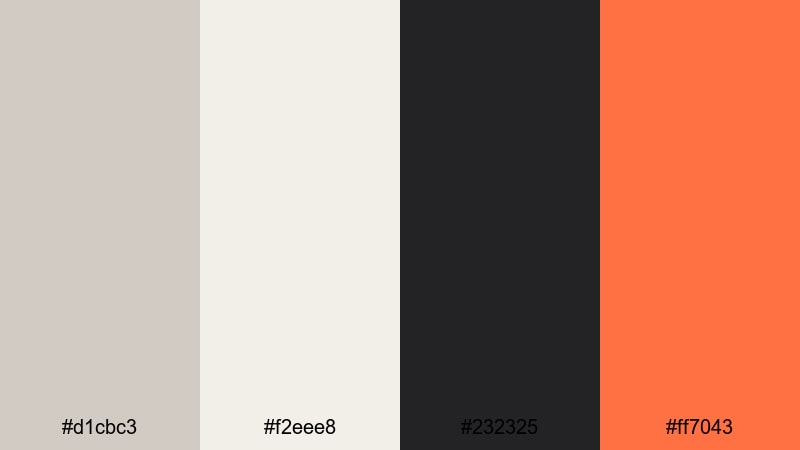
- HEX Codes: #d1cbc3, #f2eee8, #232325, #ff7043
- Mood: Bold, branded, and confident with a studio-logo feel.
- Use for: Use for logo stings, lower thirds, and bold branding across channel assets.
Charcoal Logo Lockup contrasts soft Timberwolf with deep inky charcoal and a vivid orange accent. It feels like a modern studio brand: clean background, strong logo mark, and one powerful brand color.
Use the orange for your logo, key icons, or main CTA text, while the charcoal handles body text and outlines. In Filmora, build a logo sting or intro animation that uses the light neutrals as a reveal background so your mark pops every time.
Moody Thumbnail Highlight
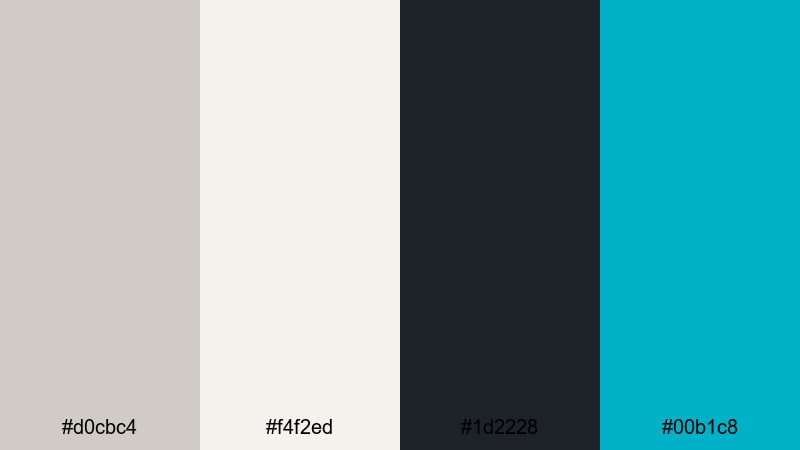
- HEX Codes: #d0cbc4, #f4f2ed, #1d2228, #00b1c8
- Mood: Moody, digital, and punchy with a focused highlight color.
- Use for: Perfect for commentary, tech breakdowns, and cinematic vlog thumbnails that must pop in feeds.
Moody Thumbnail Highlight frames neutral Timberwolf and deep slate with one crisp aqua accent. The result is dramatic but still clean, like a dark UI with one bright notification color.
Use the aqua shade to highlight key words, borders around your face, or elements you want viewers to click on. In Filmora, combine a slightly darkened grade on your footage with this palette for overlay text, and your thumbnails will stand out in busy feeds without relying on oversaturated backgrounds.
Tips for Creating Timberwolf Color Palettes
Timberwolf works best as a flexible base: pair it with warm tones for cozy storytelling, cool tones for minimal tech content, or bright accents for high-contrast thumbnails. Keep these tips in mind when building your own palettes for video and design.
- Choose one main Timberwolf value (light, mid, or dark) as your background color, then limit yourself to 2 to 3 accent colors for a clean, branded look.
- For thumbnails and titles, always check contrast: use the darkest grays or accent colors for text over light Timberwolf so everything stays readable on mobile.
- Decide on a temperature: warm Timberwolf mixes (with amber or brown) feel cozy and nostalgic, while cooler mixes (with blue or graphite) feel modern and minimal.
- Keep skin tones in mind: avoid pushing your grade too far into green or blue; instead, use Timberwolf for backgrounds and let natural skin color stand out.
- Use a single accent color for calls to action, buttons, and highlight words so viewers instantly know what to focus on in your frames.
- In Filmora, save your favorite HEX combinations as custom presets for text, shapes, and overlays so your intros, lower thirds, and end cards match across every video.
- Test your palette in both light and dark modes by dropping it over bright and dark footage; adjust saturation and brightness until it works on a variety of clips.
- When in doubt, desaturate slightly: Timberwolf-based palettes look most cinematic when colors are controlled rather than overly vivid.
Timberwolf color palettes can quietly transform your channel by giving every frame the same calm, cinematic foundation. Whether you prefer soft and minimal, warm and cozy, modern and serious, or high-contrast and clickable, there is a Timberwolf combination that fits your style and audience.
Use the HEX codes in this guide as a starting point, then refine them inside Filmora until they match your lighting, niche, and personality. With consistent palettes applied to your intros, lower thirds, thumbnails, and B-roll, your videos will feel more intentional and more memorable.
The next step is to experiment: drop these palettes into your current projects, test a few thumbnail variations, and build a couple of custom presets in Filmora. Over time, your Timberwolf aesthetic can become a recognizable signature across every platform you post on.
secure downloadNext: Flat Color Palette
