

 100% Security Verified | No Subscription Required | No Malware


 ChatGPT
 Perplexity
 Gemini
 Claude
 Grok
Grok
Wave Teal sits between blue and green with a touch of gray, giving it a calm, modern, and cinematic feel. It suggests clarity, balance, and quiet confidence, which makes it a favorite for creators who want visuals that feel fresh yet grounded. In color psychology, teal tones are often linked with focus and emotional stability, so they work beautifully for content that needs to feel trustworthy without looking boring.
In video editing, branding, thumbnails, and intro screens, Wave Teal is versatile enough to go from soft pastel vibes to bold, neon energy. Below are ready made Wave Teal color palettes with HEX codes you can plug directly into your branding, motion graphics, and Filmora color grading. Whether you are building a teal themed vlog aesthetic, cinematic look, or YouTube thumbnail style, these palettes give you consistent color foundations that work across your whole channel.
In this article
Soft And Serene Wave Teal Color Palettes
Calm Tidal Morning
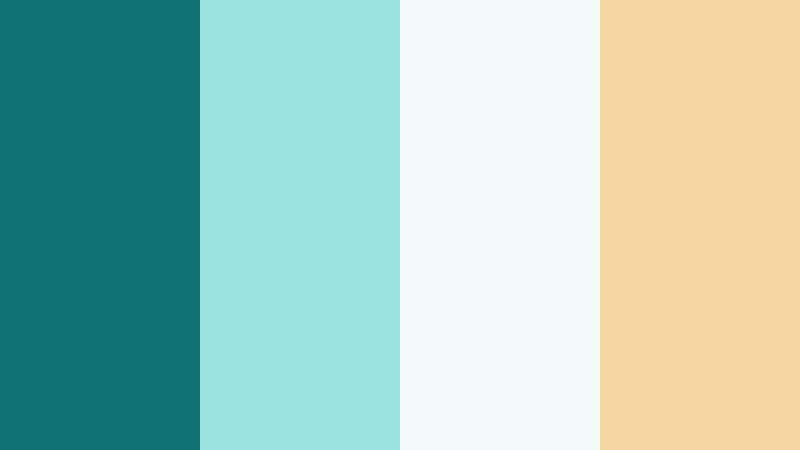
- HEX Codes: #0f7173, #9be3de, #f3faf9, #f4d7a1
- Mood: Gentle, airy, and refreshing like a quiet seaside sunrise.
- Use for: Ideal for relaxed vlogs, wellness content, and minimalist channel branding that needs a soft aquatic touch.
Calm Tidal Morning wraps Wave Teal in light aqua, almost white foam, and a hint of soft golden sand. It feels like morning light on water, perfect when you want visuals that look peaceful, open, and easy to watch for a long time.
Use this palette for intro screens, lower thirds, and thumbnail backgrounds where you want calm but still modern color. In Filmora, you can pair the deep teal for text or icons with the pale tones as background blocks, giving wellness vlogs, productivity channels, and personal branding a soothing, coastal identity that stays readable on mobile.
Pro Tip: Build A Calm Wave Teal Aesthetic Across Your Edit With Filmora
To keep a gentle Wave Teal mood from your title card through B roll and end screen, turn this palette into your core style rules in Filmora. Use #0f7173 for logo marks or main title text, reserve #9be3de and #f3faf9 for background shapes and panels, and drop #f4d7a1 into accent buttons or subtle dividers.
Once you have these colors saved, you can quickly apply them to titles, callouts, and overlays throughout a video. This keeps your vlogs, study sessions, and wellness edits visually consistent without having to rebuild your look every time.
AI Color Palette
If you have a reference still or branding mockup using Calm Tidal Morning, you can turn that look into a full video grade using Filmora. Filmora's AI Color Palette feature analyzes your reference colors and maps the same teal, cream, and soft gold mood onto all your clips.
Import one frame with this palette, then let AI Color Palette transfer that serene Wave Teal balance to A roll, B roll, and cutaways. This is especially helpful when mixing camera sources or smartphone clips but you still want one unified pastel seaside style.
 secure download

HSL, Color Wheels & Curves
To push Calm Tidal Morning in a more cinematic or branded direction, fine tune the Wave Teal tones using HSL, color wheels, and curves inside Filmora. Slightly lowering saturation in the teal range and lifting warmth in highlights can make skin tones look natural while your teal accents stay clean and airy.
You can use Filmora's color grading tools demonstrated in its HSL and color wheels tutorial to darken shadows for more depth while keeping the soft teal midtones intact. This helps your overlays and text sit comfortably on top of footage without overpowering the scene.
secure download1000+ Video Filters & 3D LUTs
Once your Wave Teal palette is in place, Filmora's video filters and 3D LUTs make it easy to style your footage to match. You can choose subtle pastel film looks to complement Calm Tidal Morning, or pick a slightly more contrasty LUT if you want your teal accents to pop while backgrounds stay gentle.
Apply a filter across your whole timeline as a base, then use the color tools to keep your #0f7173 teal and soft neutrals consistent with your thumbnails and channel art. This helps your content feel like one connected brand, whether viewers first meet you through Shorts, full length videos, or community posts.
secure downloadSea Glass Whispers
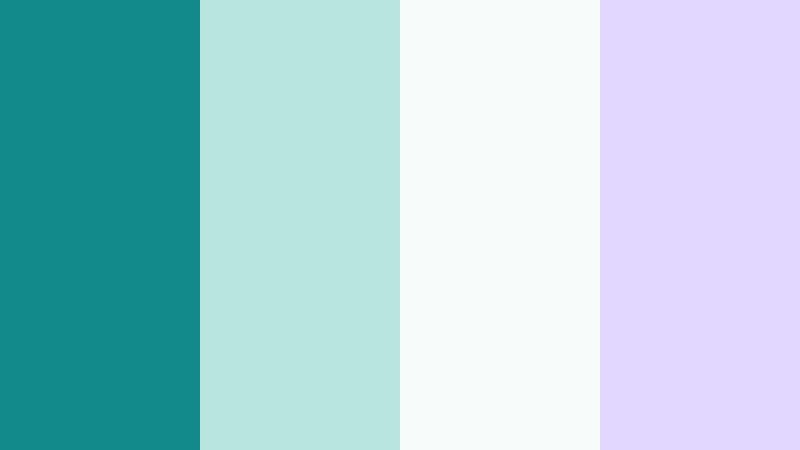
- HEX Codes: #128a8b, #b8e6df, #f7fbfa, #e2d8ff
- Mood: Dreamy, clean, and slightly whimsical with a coastal studio feel.
- Use for: Great for aesthetic study vlogs, productivity dashboards, and clean interface overlays in tutorials.
Sea Glass Whispers feels like polished glass on a white desk by the sea. The core Wave Teal sits beside minty aqua, airy white, and a soft lavender white, creating a delicate, dreamy mood that still feels modern and organized.
This palette is perfect for overlay graphics, progress bars, and title cards in study or productivity videos. Use the darker teal for icons and UI outlines, and let the pastel tones carry backgrounds and highlight blocks in your thumbnails or notion style dashboard shots.
Harbor Mist Minimal
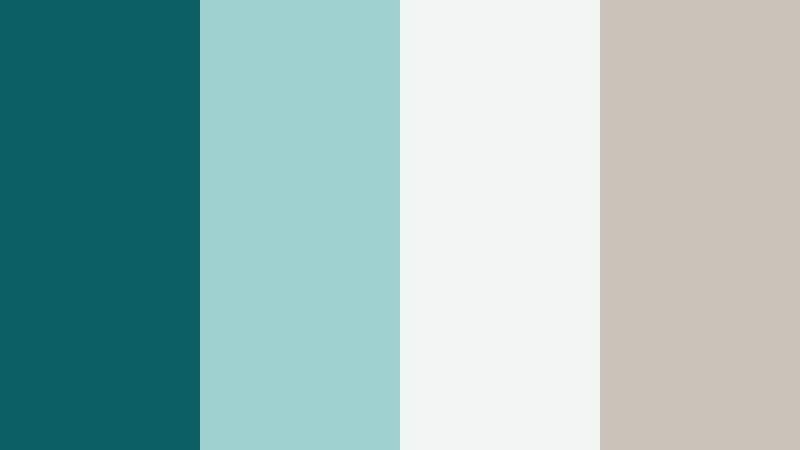
- HEX Codes: #0c5f63, #9fd2cf, #f0f4f3, #c8c2b8
- Mood: Minimal, soothing, and grounded with a muted coastal haze.
- Use for: Perfect for tech explainers, UI demos, and branding intros that favor understated professionalism.
Harbor Mist Minimal tones Wave Teal down with foggy neutrals and soft stone hues. It looks like a quiet marina on a cloudy day, giving your visuals a clean, confident, and slightly premium feel.
Use the deep teal for headers or logo marks, while the grays and off whites serve as your thumbnail backgrounds and slide style layouts in Filmora. This palette works well for channels covering apps, SaaS, or tutorials where you want clarity without loud color distractions.
Driftwood Shoreline
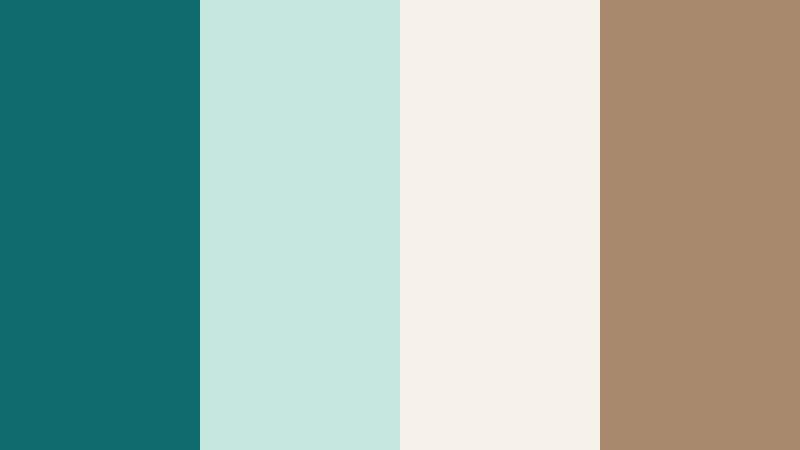
- HEX Codes: #0f6b6d, #c4e7de, #f6f1ea, #a8896b
- Mood: Organic, coastal, and quietly nostalgic like weathered driftwood on a teal shore.
- Use for: Use for lifestyle vlogs, slow travel videos, and packaging mockups with a natural aesthetic.
Driftwood Shoreline blends muted Wave Teal with warm driftwood brown and creamy off white. It feels organic and slightly nostalgic, like a beach cabin with worn wood and sea breezes.
For lifestyle channels, make your text or icons teal, frame them on the off white, and use the brown as subtle accents or borders in thumbnails. In Filmora, this palette fits flat lays, product shots, and slow travel sequences that lean into a cozy, natural mood.
Cloudy Lagoon Light
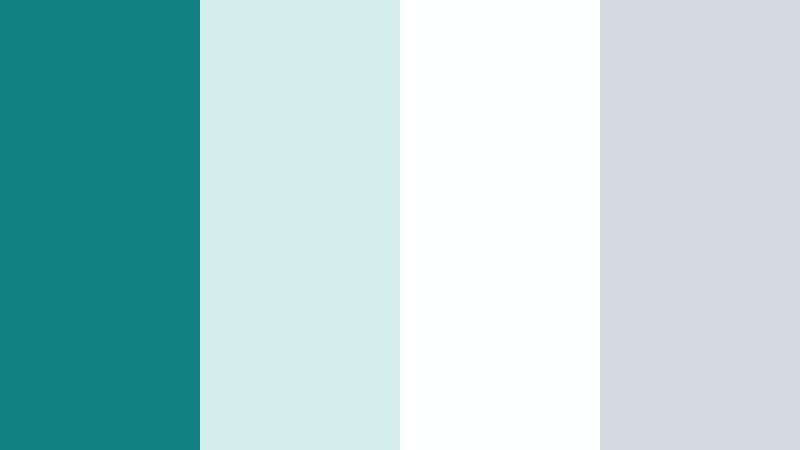
- HEX Codes: #118083, #d3f0ec, #fdfefe, #d6dbe3
- Mood: Airy, calm, and slightly cool with a misty lagoon softness.
- Use for: Ideal for channel art, app walkthroughs, and clean product showcases that need a gentle tech feel.
Cloudy Lagoon Light keeps your Wave Teal cool but friendly, with pale aqua, near white, and cool gray creating a techy yet soft atmosphere. It resembles a misty lagoon seen through frosted glass.
Use this palette when designing channel banners, infographic overlays, or software walkthroughs in Filmora. The teal can anchor charts and titles, while the pale tones keep the frame bright and uncluttered, which is ideal for screen recordings and UI focused videos.
Bold And Vibrant Wave Teal Color Palettes
Neon Harbor Nights

- HEX Codes: #0fa3b1, #ff6f3c, #ffd166, #0b1f2a
- Mood: High energy, cinematic, and urban with a night life punch.
- Use for: Perfect for gaming intros, music videos, and high impact YouTube thumbnails that must stand out in feeds.
Neon Harbor Nights throws electric Wave Teal against hot orange, bright yellow, and deep navy black. It feels like neon signs reflecting on dark water, building instant drama and motion.
Use the teal and orange combo for big, readable thumbnail titles, with the navy as a background that lets the neons pop. In Filmora, this palette suits glitch transitions, gaming overlays, and music driven edits that need to grab attention in under a second.
Tropical Splash Pop
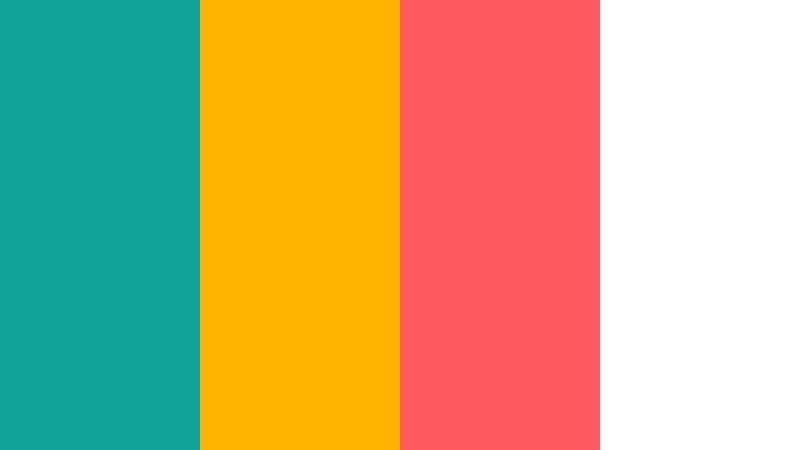
- HEX Codes: #11a39a, #ffb400, #ff5a5f, #ffffff
- Mood: Playful, punchy, and sun drenched like a tropical resort edit.
- Use for: Great for travel vlogs, summer campaigns, and social ads needing bright clickable energy.
Tropical Splash Pop places juicy Wave Teal beside sunshine yellow, coral red, and crisp white. It feels like pool toys, cocktails, and golden sun all in one frame.
This palette is ideal for summer thumbnails, travel intros, and Reels covers. Use teal as your base brand color, then sprinkle yellow and coral in call to action buttons, stickers, and animated titles inside Filmora so that every frame looks fun and clickable.
Retro Surf Arcade
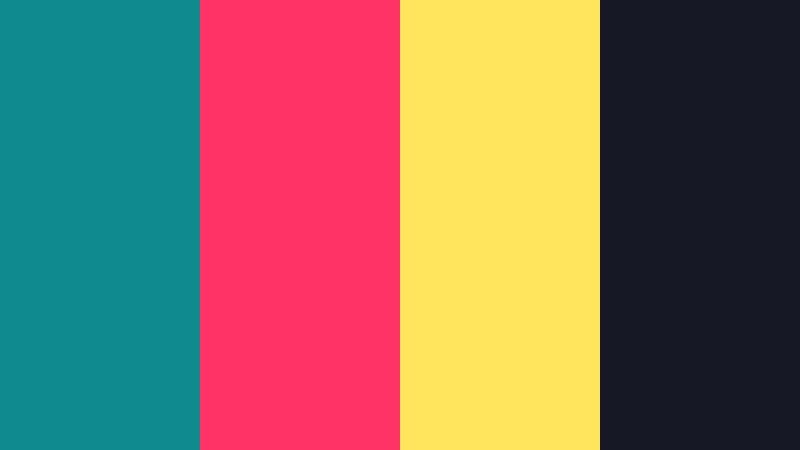
- HEX Codes: #0f8b8d, #ff3366, #ffe45e, #161925
- Mood: Nostalgic, bold, and playful with a retro arcade surf twist.
- Use for: Use for stylized intros, motion graphics, and branding aimed at younger or nostalgic audiences.
Retro Surf Arcade blends Wave Teal with hot magenta, soft lemon, and inky navy. It feels like 80s surf posters mixed with arcade game lights, giving your visuals a loud, nostalgic character.
Use the dark navy as a base layer, then bring in teal and magenta for outlines, frames, and title text in Filmora. This palette works well with wave shapes, VHS textures, and animated grids in channels focused on gaming, retro tech, or fun commentary.
Cinematic Teal Blaze

- HEX Codes: #0e747a, #ff8243, #f9f4e8, #151515
- Mood: Dramatic, intense, and filmic with a classic teal and orange backbone.
- Use for: Ideal for cinematic color grading, trailers, and hero banner designs with strong storytelling.
Cinematic Teal Blaze is built on the classic teal and orange contrast. The Wave Teal and warm orange sit on creamy highlights and deep black, giving an instant movie trailer feel.
Use this palette when grading dramatic B roll, cinematic sequences, or channel trailers in Filmora. Drop teal into the shadows and midtones while letting orange live in skin tones, lights, and text accents. The black and ivory keep space for strong typography in thumbnails and end screens.
Festival Wave Energy
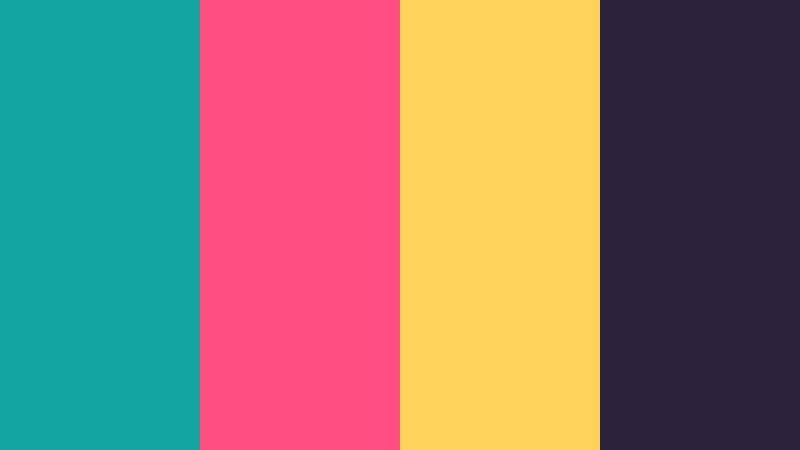
- HEX Codes: #12a4a0, #ff4f81, #ffd25a, #2b213a
- Mood: Festive, dynamic, and colorful like a city festival at dusk.
- Use for: Great for event promos, music festival recaps, and energetic social edits.
Festival Wave Energy pushes vibrant Wave Teal into a mix of pink, golden yellow, and deep violet. It feels like confetti, stage lights, and dusk skies in one color story.
Use the dark violet for background gradients, teal for core brand elements, and pink or yellow for animated titles and stickers in Filmora. This palette suits event recaps, dance edits, and party promos where you want to show movement and celebration without losing readability.
Elegant And Modern Wave Teal Color Palettes
Teal Marble Luxe
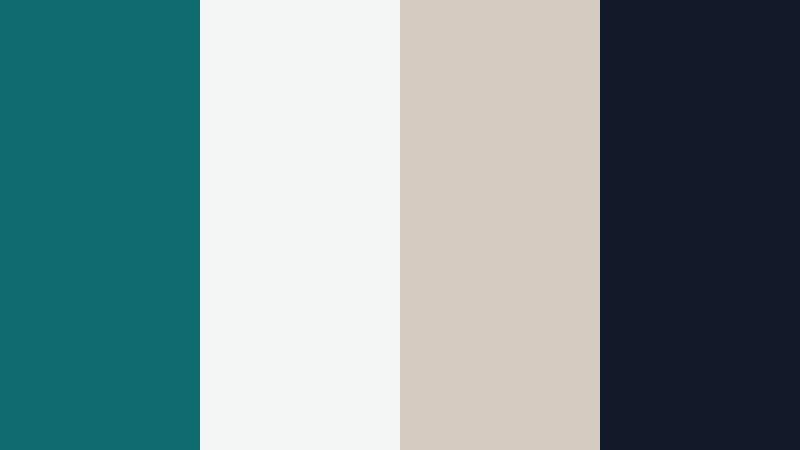
- HEX Codes: #0e6c70, #f3f6f4, #d5cbc0, #111827
- Mood: Sophisticated, polished, and quietly luxurious like a boutique lobby.
- Use for: Perfect for brand reveals, luxury product shots, and portfolio websites with a refined edge.
Teal Marble Luxe combines rich Wave Teal with marble white, warm stone beige, and a deep ink black. It feels like a high end hotel interior, giving your visuals a discreet but unmistakable luxury vibe.
Use teal for accents and logo treatments, put titles and UI on the light marble tones, and reserve black for bold hero text or borders. In Filmora, this palette is ideal for slow pans over products, premium service explainers, and portfolio reels that need to look refined and trustworthy.
Midnight Atrium Glow
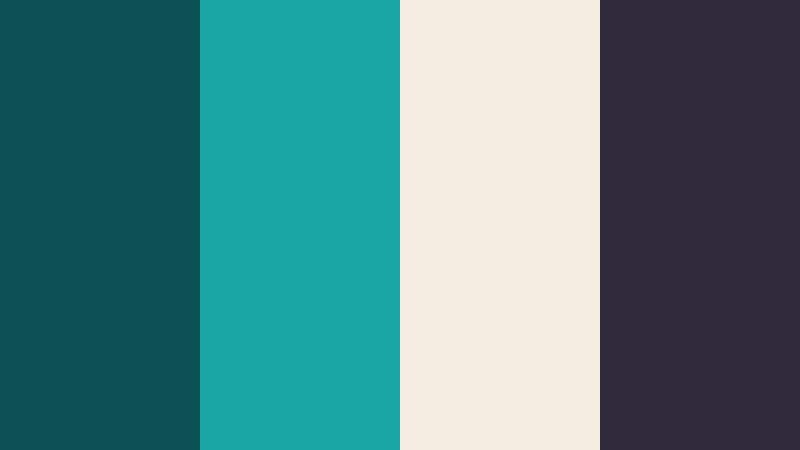
- HEX Codes: #0b5053, #19a6a4, #f5ede2, #2e2a3b
- Mood: Moody, architectural, and modern with a subtle neon glimmer.
- Use for: Use for tech brands, UI animations, and sleek title cards that require a premium feel.
Midnight Atrium Glow pairs deep architectural teal and charcoal violet with a warm ivory and glowing accent teal. It feels like a modern atrium lit by a few tasteful neon details.
In Filmora, use the darker shades as background plates for motion graphics and product shots, while the brighter teal highlights buttons, icons, and callouts. This palette suits tech products, fintech branding, and sleek, futuristic intros.
Slate Pier Reflections
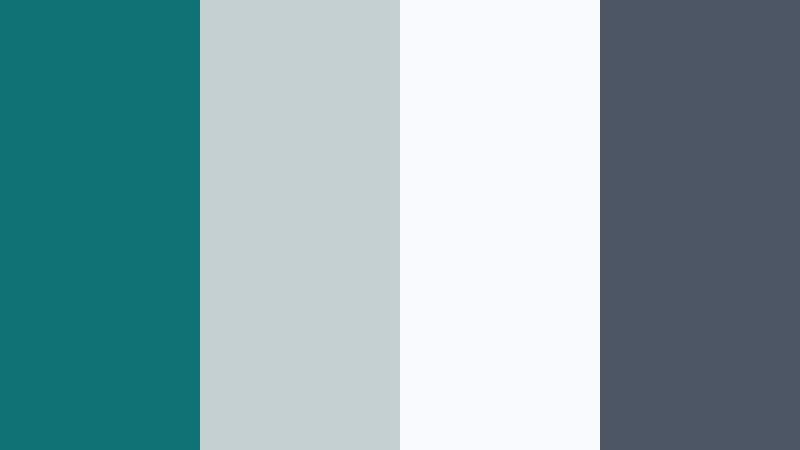
- HEX Codes: #0e7274, #c5d0d3, #f7f9fa, #4b5563
- Mood: Clean, professional, and reflective like glass over calm water.
- Use for: Great for corporate explainers, SaaS branding, and dashboard UI where clarity matters.
Slate Pier Reflections mixes balanced Wave Teal with cool gray tones and bright white. It feels like a glass office overlooking the sea, precise and calm at the same time.
Use teal for charts, data highlights, or logo marks; let the whites and grays form backgrounds in slides, overlays, and thumbnail compositions. Inside Filmora, this palette keeps corporate explainers and SaaS demos clean and legible without looking sterile.
Sandbar Studio Chic
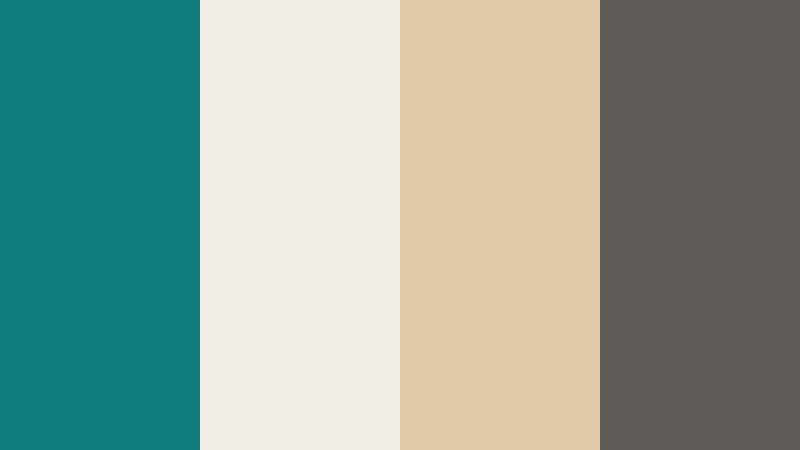
- HEX Codes: #0f7c80, #f3eee6, #e0c9a6, #5b5a55
- Mood: Warm, modern, and editorial with a studio lifestyle flair.
- Use for: Ideal for fashion lookbooks, creator brands, and Instagram ready layouts with subtle depth.
Sandbar Studio Chic softens Wave Teal with warm beige, sand tones, and a grounding charcoal. It feels like a styled photo studio with linen backdrops and sun filtered light.
For fashion, beauty, or creator personal brands, make teal your accent on top of the sand colored base. In Filmora, use this palette in lower thirds, carousel style frames, and cover images so your whole visual identity aligns with an editorial lifestyle look.
Playful And Pastel Wave Teal Color Palettes
Mint Wave Daydream
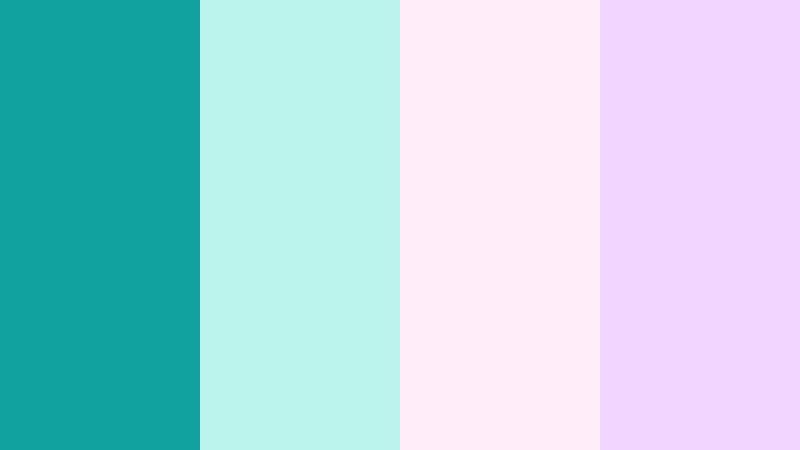
- HEX Codes: #11a2a0, #b9f3eb, #ffeef9, #f1d6ff
- Mood: Soft, playful, and dreamy with a candy like glow.
- Use for: Perfect for lifestyle channels, DIY tutorials, and K style inspired branding elements.
Mint Wave Daydream surrounds bright Wave Teal with pastel mint, blush pink, and soft lilac. The palette feels candy like and dreamy, like pastel clouds over turquoise water.
Use teal for headlines or icons, while the lighter shades become your background blocks, speech bubbles, and sticker frames in Filmora. It works wonderfully for cozy vlogs, stationery hauls, DIY tutorials, and K style inspired intros or outro cards.
Cotton Candy Current

- HEX Codes: #10a0a2, #fce4ec, #ffe6cf, #d7f4f0
- Mood: Lighthearted, kawaii, and upbeat with a floating pastel feel.
- Use for: Great for channel rebrands, intro cards, and overlays for family friendly or cozy content.
Cotton Candy Current lets Wave Teal drift through cotton candy pinks, peachy cream, and pale aqua. It feels bubbly and light, perfect for wholesome, cute, or family friendly content.
In Filmora, use teal to keep your brand recognizable, while the pinks and creams soften backgrounds and frames. This palette fits rebranding projects, intro animations, and overlay packs for channels about crafts, journaling, family life, or cozy gaming.
Tips for Creating Wave Teal Color Palettes
When you build your own Wave Teal color combinations for video and design, balancing contrast, readability, and emotional tone is key. Use the tips below to adapt these ideas to your channel or brand.
- Pair Wave Teal with warm accents like soft gold or coral when you want friendly, welcoming thumbnails that still look modern.
- Use high contrast between text and background (for example, dark teal on light cream or white on deep teal) to keep titles readable on mobile screens.
- Limit your core palette to 3 or 4 colors for branding, then add tints or shades of those colors rather than introducing many new hues.
- Match your color grading to your graphics: if your overlays are pastel teal, keep your footage slightly desaturated and bright to avoid clashing.
- Choose one main Wave Teal HEX code for all logos, titles, and buttons so viewers recognize your content instantly in their feed.
- Use darker teals and charcoals in backgrounds when adding bright accents like yellow or pink, so the frame does not feel chaotic.
- Test your palette on both light and dark modes by creating one light thumbnail and one dark thumbnail with the same colors inside Filmora.
- Export a few seconds of your intro with different teal balances, then compare them on phone and desktop to see which feels truest to your brand mood.
Wave Teal color palettes can make your channel look calm, cinematic, playful, or premium depending on how you combine them with neutrals and accents. By choosing a consistent set of HEX codes and reusing them in your intros, overlays, and color grading, your videos start to feel like part of a recognizable visual world.
Filmora makes it easier to turn these palettes into real edits, from AI powered color matching to quick filters, LUTs, and simple title styling. Try a few of the palettes above, save your favorite Wave Teal combinations, and experiment with how they change the mood of your vlogs, tutorials, and promos.
Over time, that consistent Wave Teal look becomes part of your brand identity, helping viewers remember your videos and feel at home every time they see your content appear in their recommendations.
secure download