

 100% Security Verified | No Subscription Required | No Malware


 ChatGPT
 Perplexity
 Gemini
 Claude
 Grok
Grok
Deep Lagoon is a rich teal blue that feels like a calm harbor at night – deep, cool, and slightly mysterious. It suggests clarity, depth, and quiet confidence, which is why it works so well for cinematic edits, stylish thumbnails, and modern branding. Used as a main background or accent, Deep Lagoon instantly adds a polished, high end look.
For creators and Filmora users, Deep Lagoon is perfect for intros, lower thirds, end screens, and channel branding that feels both modern and emotional. Below are 15 ready made Deep Lagoon color palettes with HEX codes you can plug into your video overlays, graphics, and LUT settings to keep your visuals consistent from YouTube thumbnails to reels and full length edits.
In this article
Cinematic Deep Lagoon Color Palettes
Midnight Harbor Cinema
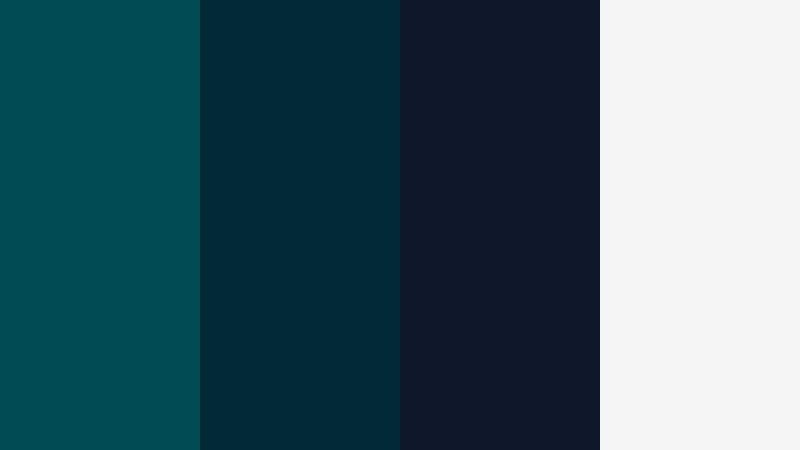
- HEX Codes: #004b54, #012a36, #0f172a, #f5f5f5
- Mood: Moody, cinematic, and atmospheric with a clean contrast.
- Use for: Perfect for cinematic YouTube intros, thriller trailers, and dramatic title cards.
This palette feels like standing on a pier at midnight. Deep Lagoon (#004b54) and midnight navy (#012a36, #0f172a) create a dark, immersive base, while the soft off white (#f5f5f5) adds just enough contrast for sharp text and UI elements. The result is a cinematic look that is moody but still easy to read.
Use Midnight Harbor Cinema for cold open title cards, suspenseful vlog segments, or any video where you want a serious, film like tone. In thumbnails, let Deep Lagoon fill the background and use off white for bold, minimal typography so your title pops even against YouTube.s dark mode.
Pro Tip: Build a Cinematic Deep Lagoon Look in Filmora
To keep a Midnight Harbor Cinema look consistent, use Deep Lagoon and navy as your main graphic colors across the whole edit. In Filmora, apply the same color codes to titles, lower thirds, and overlays so every frame carries the same moody harbor atmosphere.
When you cut between scenes, reuse the palette in transitions and animated shapes. A thin Deep Lagoon bar, a navy vignette, or off white subtitle band can tie together B roll, talking heads, and end screens into one cohesive cinematic experience.
AI Color Palette
If you design a still frame or mood board with this palette, you can turn it into a full video look in a few clicks. Filmora.s AI Color Palette feature lets you sample Deep Lagoon and its matching tones from a reference shot, then spread that same mood across the rest of your clips.
Import your most atmospheric frame, run AI Color Palette, and apply the look to your whole timeline. Shadows lean into teal navy, mids stay cool and clean, and highlights shift toward that soft off white, so your thriller intro, titles, and B roll all feel like they belong to the same night at the harbor.
 secure download

HSL, Color Wheels & Curves
To refine your Deep Lagoon tones, use HSL, color wheels, and curves inside Filmora. Gently pull the cyan and blue hues toward teal for a more unified look, then lower saturation in the darkest areas to avoid color noise while keeping midtones rich. With the color wheels, cool down shadows, keep midtones neutral, and nudge highlights slightly warmer if you want subtle skin tone contrast against the teal environment.
You can also follow the workflow shown in Filmora.s YouTube tutorials on advanced color grading to balance contrast with curves. Lift the shadows just a touch so Deep Lagoon details are not crushed, then add a soft S curve for cinematic punch while preserving that clean off white for titles.
secure download1000+ Video Filters & 3D LUTs
Once your base Deep Lagoon palette is in place, you can push it further with ready made styles. Filmora.s video filters and 3D LUTs make it easy to add teal and orange, moody cyan, or noir influenced looks that still respect your original HEX codes.
Apply a cinematic LUT as a starting point, then tweak opacity so Deep Lagoon stays dominant instead of getting washed out. Save your favorite combo of filters and color tweaks as a custom preset, and reuse it across intros, B roll, and shorts to keep your midnight harbor aesthetic locked in.
secure downloadNeon Dock Nights
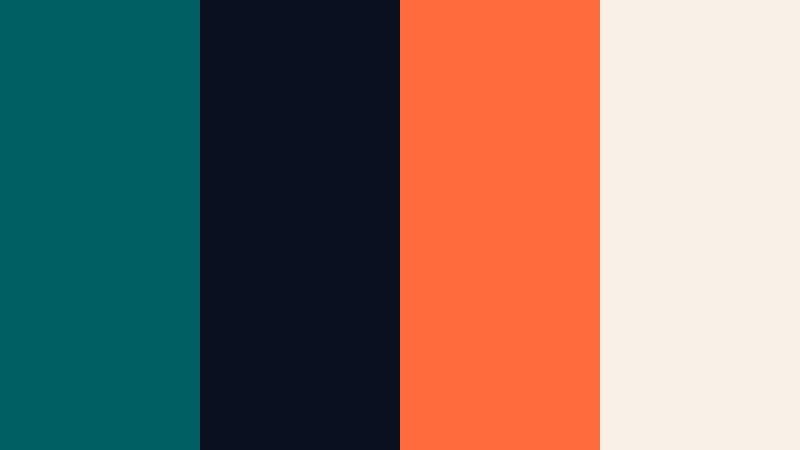
- HEX Codes: #005f63, #0b1020, #ff6b3d, #f9f1e7
- Mood: Edgy, urban, and energetic with neon contrast on deep teal shadows.
- Use for: Great for cyberpunk edits, tech channel bumpers, and event promo overlays.
Neon Dock Nights throws bold orange neon (#ff6b3d) against Deep Lagoon (#005f63) and inky navy (#0b1020), with warm ivory (#f9f1e7) softening the edges. It feels like a neon sign reflected in dark harbor water, perfect for techy and nightlife visuals.
Use this palette for dynamic YouTube intros, glitch transitions, or bold text overlays on shorts. Make Deep Lagoon your background, use neon orange for call to action buttons or channel name, and reserve ivory for subtitles so everything stays readable even on a dark UI.
Stormy Ocean Frames
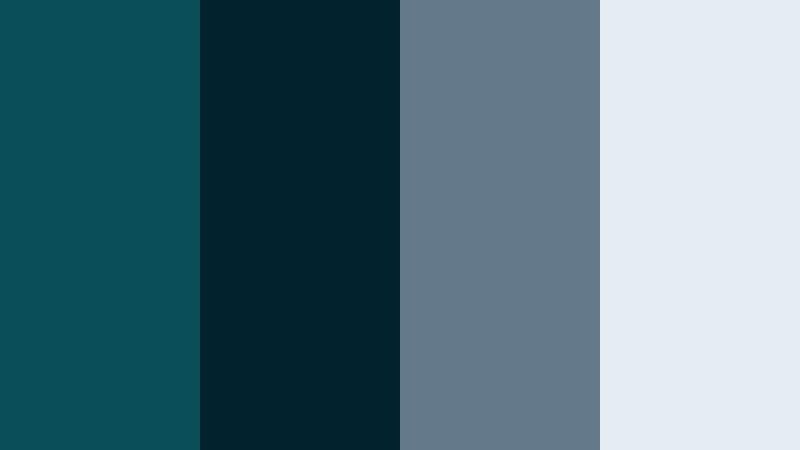
- HEX Codes: #0a4e5a, #02232d, #647a8a, #e6edf2
- Mood: Tense, stormy, and introspective with cool cinematic neutrals.
- Use for: Ideal for travel films, emotional vlogs, and documentary style storytelling.
Stormy Ocean Frames combines dark teal (#0a4e5a, #02232d) with steel blue (#647a8a) and pale mist (#e6edf2). It feels like a cloudy day at sea, giving your footage a reflective, almost melancholic vibe without going completely monochrome.
Use it for travel sequences with rough weather, emotional storytelling, or documentary titles. Deep Lagoon tones can sit in your shadows and midtones, while steel blue accents and light mist backgrounds keep on screen text, lower thirds, and infographics clean and professional.
Teal Noir Sequence
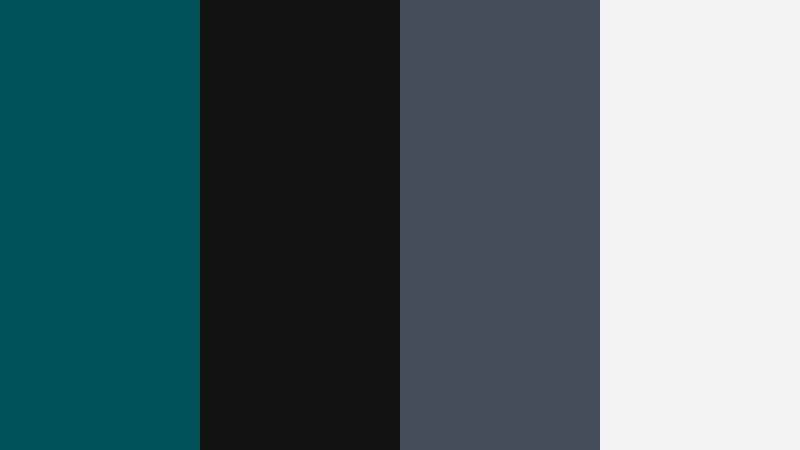
- HEX Codes: #00535a, #111111, #444b59, #f3f3f3
- Mood: Minimal, noir, and stylish with sharp contrast and teal highlights.
- Use for: Use for mystery intros, film analysis channels, and stylish B roll sequences.
Teal Noir Sequence balances Deep Lagoon (#00535a) against pure black (#111111), slate gray (#444b59), and soft white (#f3f3f3). It feels like classic film noir updated with a modern teal accent, sleek and minimal yet striking.
Use this palette as a base for movie breakdowns, cinematic essays, or title cards that need to look editorial and serious. Keep backgrounds dark, use Deep Lagoon lines or frames as subtle accents, and let white handle all typography so your titles remain crisp even at small sizes.
Submerged Title Card
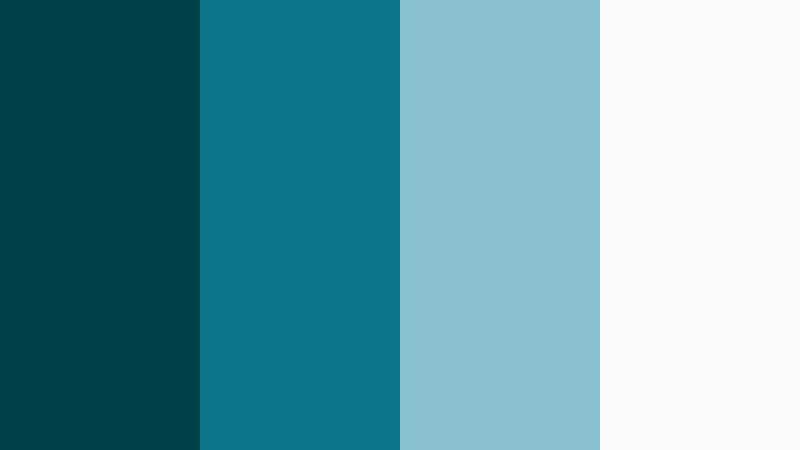
- HEX Codes: #004049, #0c7489, #88c0cf, #fbfbfb
- Mood: Immersive, cool, and focused with aquatic gradients and clean text space.
- Use for: Perfect for title cards, channel logos, and underwater themed motion graphics.
Submerged Title Card layers dark teal (#004049), bright aqua teal (#0c7489), and soft cyan (#88c0cf) against near white (#fbfbfb). It feels like sinking beneath calm ocean water while still leaving space for clean, readable text.
Use it for logo reveals, minimal title cards, or underwater themed bumpers. Build vertical or radial gradients from Deep Lagoon to aqua, then drop white or very pale cyan titles on top. This keeps your branding clear while delivering a strong aquatic identity.
Modern & Minimal Deep Lagoon Color Palettes
Lagoon Workspace Minimal
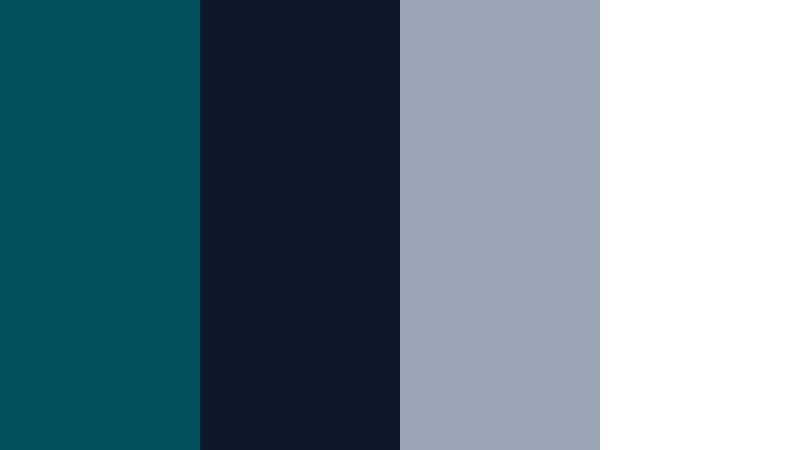
- HEX Codes: #00515c, #0f172a, #9ba4b5, #ffffff
- Mood: Clean, professional, and calm with a modern tech edge.
- Use for: Best for app mockups, UI overlays in tutorials, and productivity channel branding.
Lagoon Workspace Minimal pairs Deep Lagoon (#00515c) with navy (#0f172a), cool gray (#9ba4b5), and pure white (#ffffff). The look is streamlined and balanced, like a tidy digital workspace with subtle teal accents.
Use this palette for software tutorials, productivity vlogs, or UI heavy explainers. Let white dominate backgrounds, use gray for secondary text or icons, and reserve Deep Lagoon and navy for key buttons, headings, and pointer highlights so viewers know exactly where to look.
Aqua Grid Interface
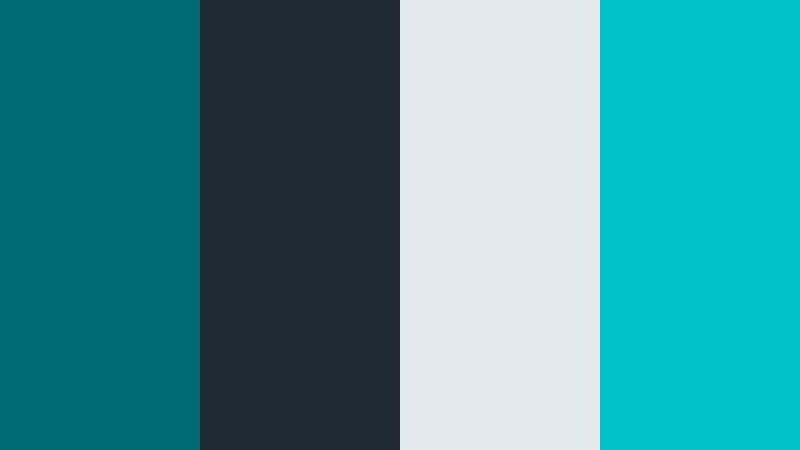
- HEX Codes: #006a72, #1f2933, #e4e9ee, #00c2c7
- Mood: Techy, fresh, and efficient with crisp interface highlights.
- Use for: Use on software walkthroughs, dashboards, and animated infographics.
Aqua Grid Interface blends Deep Lagoon (#006a72) with charcoal (#1f2933), pale gray blue (#e4e9ee), and bright aqua (#00c2c7). It feels like a clean data dashboard where teal accent lines and dots guide the eye.
Use it for charts, metric overlays, and tutorial callouts. Keep backgrounds light gray blue, draw lines and grids in charcoal, and use aqua for active states or important numbers. Deep Lagoon works best as a brand color for logos, title bars, and subscribe/like prompts.
Teal Concrete Studio
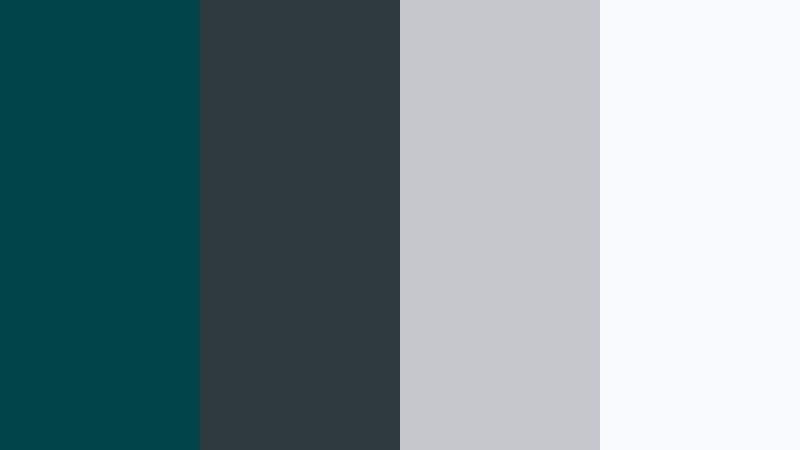
- HEX Codes: #00444a, #2e3a3f, #c4c7cc, #f8fafc
- Mood: Sophisticated, minimal, and grounded with soft industrial vibes.
- Use for: Great for design portfolios, architecture reels, and studio channel branding.
Teal Concrete Studio sets a muted Deep Lagoon (#00444a) against cool charcoal (#2e3a3f), light concrete gray (#c4c7cc), and airy white (#f8fafc). It feels like a high end studio with concrete walls and minimal teal decor.
Use this palette for portfolios, architecture walkthroughs, or behind the scenes studio content. Place Deep Lagoon in logo marks or borders, use charcoal for subtle frames, and keep most backgrounds white or light gray so photos and video stills stand out naturally.
Clarity Dashboard Teal
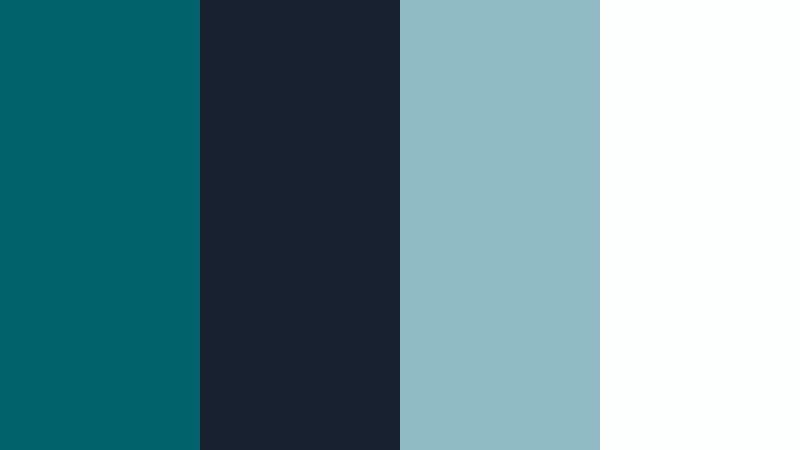
- HEX Codes: #00626b, #18212f, #8fbac4, #fdfefe
- Mood: Analytical, confident, and clear with data friendly contrast.
- Use for: Ideal for analytics explainers, finance content, and business presentations.
Clarity Dashboard Teal brings together Deep Lagoon (#00626b), deep navy (#18212f), soft cyan gray (#8fbac4), and near white (#fdfefe). It reads as trustworthy and data focused, ideal for numbers heavy content.
Use Deep Lagoon for key metrics and headlines, navy for subtle panel backgrounds, and light cyan gray for non critical data. White or near white should fill most of the frame for readability, especially in charts, lower thirds, and animated infographic segments.
Nordic Lagoon Calm
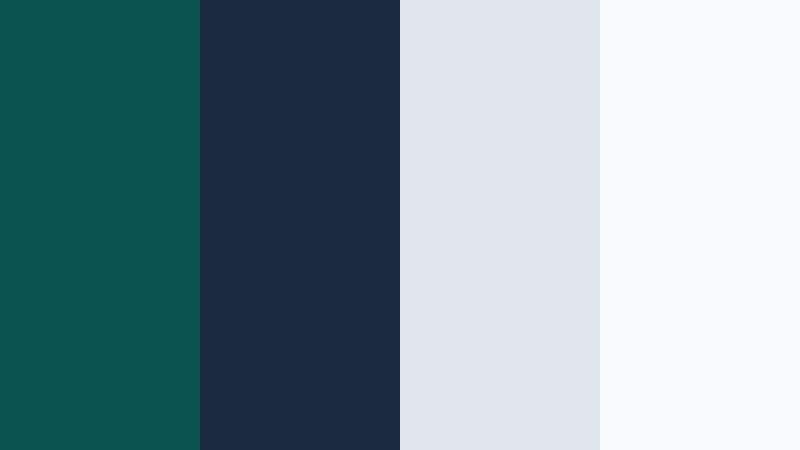
- HEX Codes: #0b5351, #1b2a41, #e0e5ec, #f7f9fb
- Mood: Serene, slow living, and minimal with Scandinavian inspired softness.
- Use for: Perfect for lifestyle vlogs, mindfulness content, and slow cinema edits.
Nordic Lagoon Calm mixes a hushed Deep Lagoon (#0b5351) with inky blue (#1b2a41) and gentle fog tones (#e0e5ec, #f7f9fb). It creates a Scandinavian, slow living mood that feels soft and breathable.
Use it for morning routines, study vlogs, or mindfulness content. Keep frames light and airy, use Deep Lagoon only in small accents like icons, titles, or borders, and let soft blues and whites dominate backgrounds for a calming, decluttered aesthetic.
Lifestyle & Travel Deep Lagoon Color Palettes
Tropical Marina Escape
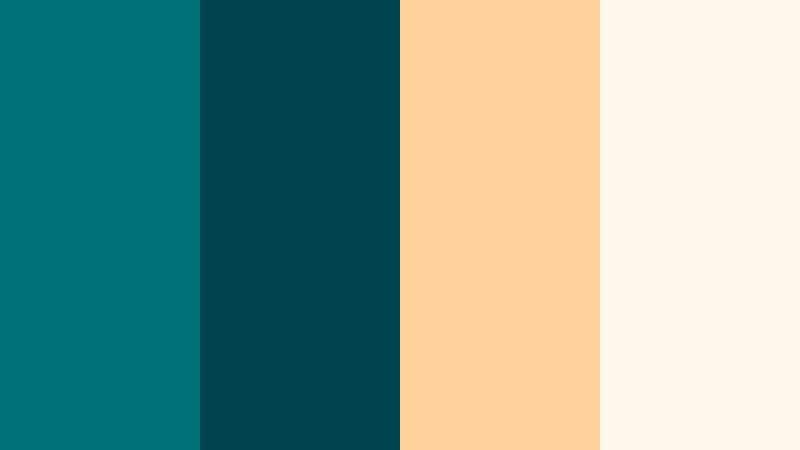
- HEX Codes: #007277, #00444f, #ffd29b, #fff7ea
- Mood: Sunny, relaxed, and adventurous with resort ready warmth.
- Use for: Use for travel vlogs, beach holiday recaps, and tropical B roll transitions.
Tropical Marina Escape combines rich teal water (#007277, #00444f) with sandy peach (#ffd29b) and creamy off white (#fff7ea). It feels like a sun drenched day at a marina, with boats, beaches, and pastel hotels.
Use this palette for travel vlog intros, location title cards, and Instagram reel covers. Let Deep Lagoon shades color the sea and shadows, then bring peach and cream into your text boxes, sticker style graphics, and animated arrows pointing at highlights in your footage.
Island Market Stroll
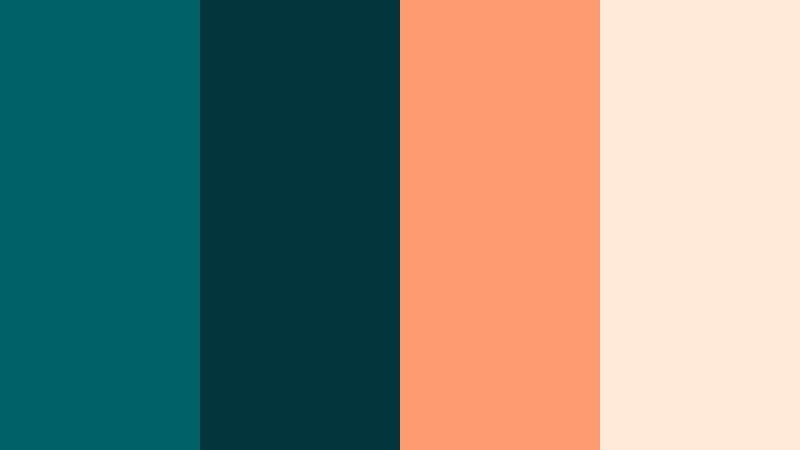
- HEX Codes: #006268, #02353c, #ff9b71, #ffe9d9
- Mood: Vibrant, friendly, and local with pops of warm street color.
- Use for: Great for food vlogs, city markets, and handheld travel montages.
Island Market Stroll places Deep Lagoon tones (#006268, #02353c) next to bright coral orange (#ff9b71) and blush beige (#ffe9d9). It captures the feeling of local markets, street food stalls, and colorful storefronts.
Use this palette on food close ups, market walkthroughs, and handheld montages. Give your titles warm coral backgrounds, use Deep Lagoon for text or stroke outlines, and add beige panels behind subtitles to keep them legible over busy scenes.
Harbor Sunrise Chill
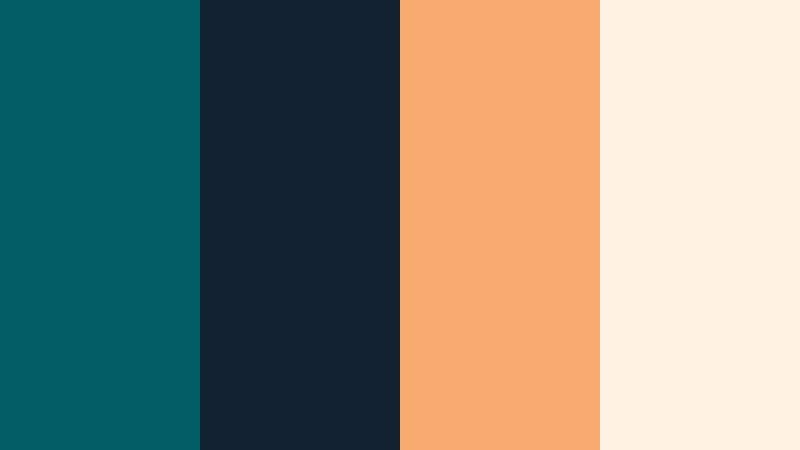
- HEX Codes: #005d64, #12212f, #f6aa6f, #fff2e2
- Mood: Gentle, optimistic, and cinematic with golden dawn light.
- Use for: Ideal for sunrise B roll, opening vlog scenes, and reflective travel sequences.
Harbor Sunrise Chill wraps cool teal (#005d64, #12212f) around soft sunrise oranges (#f6aa6f) and cream (#fff2e2). It feels like first light hitting the water, with a gentle and hopeful atmosphere.
Use it for opening scenes, slow motion harbor shots, or reflective voiceovers. Let Deep Lagoon stay in the water and shadows, push warm oranges into highlights and lens flare overlays, and keep titles on pale cream boxes for a warm but readable look.
Lagoon Rooftop Evening
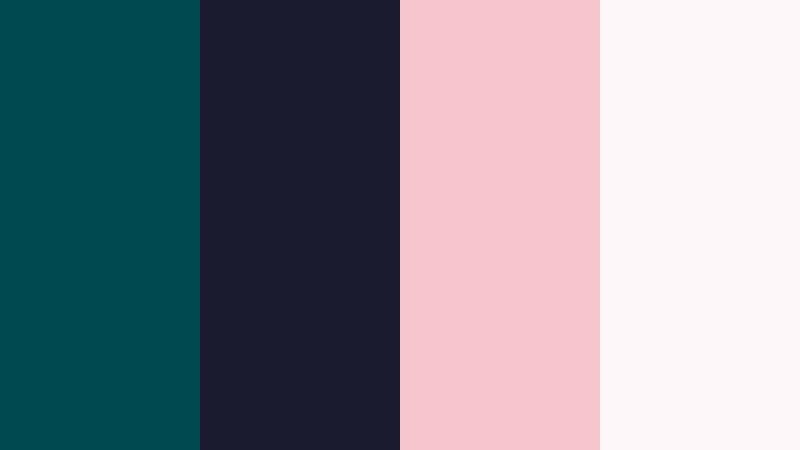
- HEX Codes: #004950, #1b1b2f, #f7c5cc, #fef7f9
- Mood: Romantic, urban, and intimate with dusk infused color.
- Use for: Perfect for date night vlogs, city rooftop reels, and lifestyle intros.
Lagoon Rooftop Evening contrasts Deep Lagoon shadows (#004950, #1b1b2f) with soft rose (#f7c5cc) and pale blush white (#fef7f9). It suggests city rooftops at dusk, string lights, and quiet conversations.
Use this palette for date night videos, couples travel vlogs, or cozy lifestyle intros. Keep backgrounds dark teal and navy, add rose highlights in light leaks or accent shapes, and present titles in blush panels for a romantic yet modern aesthetic.
Branding & Creator Deep Lagoon Color Palettes
Creator Studio Teal Pop
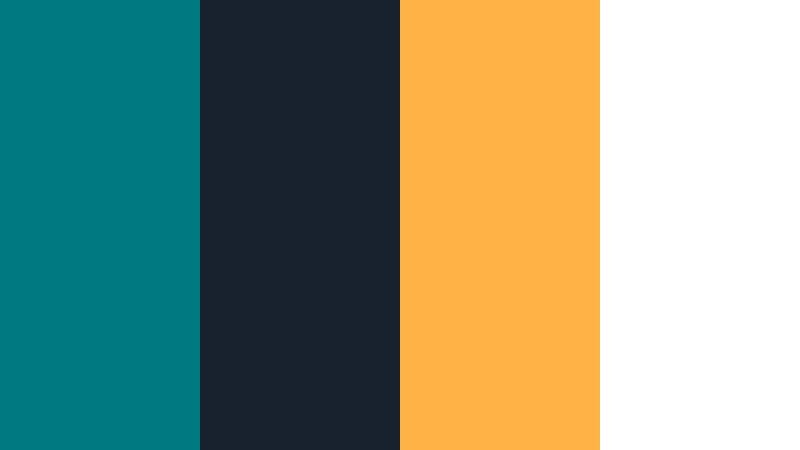
- HEX Codes: #007a80, #18222f, #ffb347, #ffffff
- Mood: Bold, upbeat, and confident with punchy highlight accents.
- Use for: Great for YouTube channel branding, energetic intros, and subscriber callouts.
Creator Studio Teal Pop pairs an energetic Deep Lagoon (#007a80) with dark charcoal navy (#18222f), bright golden orange (#ffb347), and clean white (#ffffff). It feels bold and upbeat, perfect for personality driven channels.
Use Deep Lagoon as your main brand color in avatars, logos, and backgrounds. Drop white text over teal blocks for strong contrast, and use the golden accent on subscribe buttons, calls to action, and timeline markers so viewers notice and remember your visuals instantly.
Calm Expert Authority
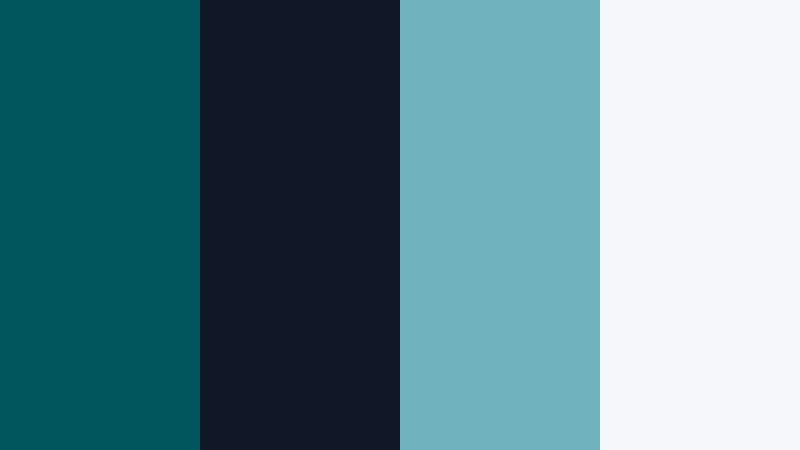
- HEX Codes: #00545b, #101827, #6fb3bd, #f4f8fb
- Mood: Trustworthy, educational, and calm with soft authority.
- Use for: Best for tutorials, coaching channels, and course promo videos.
Calm Expert Authority combines grounded Deep Lagoon (#00545b) with dark navy (#101827), soft aqua (#6fb3bd), and a light, almost white blue (#f4f8fb). It feels like a confident instructor or coach, serious but approachable.
Use it for tutorial thumbnails, course trailers, and educational overlays. Keep backgrounds light blue, use navy for headings, and Deep Lagoon for brand elements such as logo marks and key numbers. Aqua can highlight steps or keywords so viewers follow along easily.
Tips for Creating Deep Lagoon Color Palettes
Deep Lagoon works best when it is balanced with thoughtful neutrals and warm accents. These tips help you combine it with other colors for videos, thumbnails, and design assets that stay readable, cinematic, and on brand.
- Pair Deep Lagoon with off white or very light gray for text and icons so your titles remain crystal clear on dark or teal backgrounds.
- Add a single warm accent like coral, soft orange, or rose to bring life to cool teal scenes without overwhelming the palette.
- Use darker navy or charcoal tones around Deep Lagoon to deepen shadows and add cinematic contrast while keeping a cohesive cool tone.
- For thumbnails, keep backgrounds simple: one Deep Lagoon gradient plus one light neutral, then use the accent color only on your main text or subject outline.
- Match your in video overlays and end screens to the same HEX codes so viewers recognize your brand instantly across episodes and platforms.
- When color grading footage, gently shift blues and cyans toward your chosen Deep Lagoon value so the environment and graphics feel like one world.
- Test accessibility by checking light on dark and dark on light combinations; adjust brightness or add subtle dropshadows if text feels hard to read.
- Create a small style guide with your 3 to 5 main HEX codes, font choices, and sample frames, then reuse it in Filmora projects to save time.
Deep Lagoon color palettes can completely change how your content feels, from moody harbor thrillers to soft Nordic vlogs or bold creator branding. With the right neutrals and accents, this deep teal becomes a flexible base for cinematic intros, readable thumbnails, and consistent channels.
Use the HEX codes above as a starting point, then refine them inside Filmora with AI powered tools, color controls, and LUTs until they match your footage and personality. Once you lock in your favorite Deep Lagoon palette, saving it as a reusable preset will make every new edit faster and more cohesive.
Open a new project, drop in one of these palettes, and start testing them on your next vlog, tutorial, or short. The more consistently you use Deep Lagoon across your visuals, the stronger and more recognizable your brand will become.
secure download