

 100% Security Verified | No Subscription Required | No Malware


 ChatGPT
 Perplexity
 Gemini
 Claude
 Grok
Grok
The City Crosswalk People Walking LUT filter collection is designed for content creators who film busy streets, moving crowds, and everyday urban life. These filters instantly add cinematic color and polish to your crosswalk shots, time-lapses, and handheld city footage.
Use these presets inside Filmora to quickly style clips of people walking through intersections, commuting, and exploring the city while keeping skin tones natural and the city atmosphere bold and dynamic.
In this article
Golden Hour Commute at the Crosswalk
Warm Rush Hour Glow
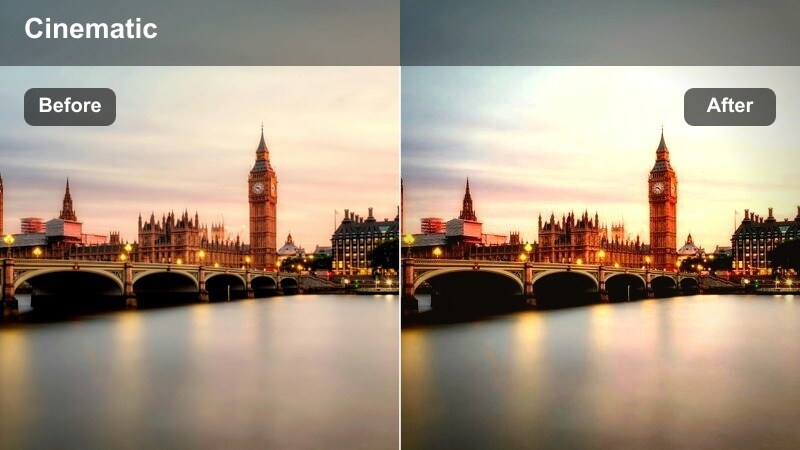
- Effect look: Soft golden highlights with gentle contrast that make evening crosswalk crowds look warm and inviting.
- Best for: Sunset commute shots, golden hour street b-roll, and vlog intros of people walking through busy intersections.
- Editing tip: Lower the saturation slightly if your original footage was already shot under strong orange streetlights to avoid oversaturation.
Warm Rush Hour Glow enhances natural sunset light so your crosswalk crowds feel cinematic without looking overprocessed. The LUT adds subtle warmth to buildings, asphalt, and traffic lights while keeping skin tones pleasant and balanced for commuters and pedestrians.
In Filmora, apply this LUT to your golden hour clips, then fine-tune saturation and contrast in the Color panel to match the rest of your edit. It works especially well on handheld vlog walk-ins, commuter b-roll, and intersection cutaways that bridge between different city scenes.
Smarter Color for Real City Crosswalk Footage
Filmora's AI-powered color tools help you fine-tune each City Crosswalk People Walking LUT filter so your crowds, cars, and buildings stay balanced. Let the AI quickly align exposure and color temperature before you make creative tweaks.
You can correct white balance, refine skin tones, and control overexposed highlights from streetlights or midday sun in just a few clicks to keep every crosswalk clip visually consistent.
 secure download

Preview Crosswalk Filters in Real Time
Filmora lets you hover over each preset to preview the City Crosswalk People Walking LUT filters directly on your clip before applying. You can instantly see how warm, cool, or high-contrast looks will affect the same walking scene.
This real-time preview makes it easy to compare golden hour, rainy-day, and night-city styles side by side so you can lock in the best mood for your story without guesswork.
secure downloadBuild a Complete Urban LUT Workflow
Use these crosswalk presets alongside Filmora's 1000+ video filters and 3D LUTs to build a complete urban grading toolkit. You can mix subtle looks for daytime commutes with bold night filters for neon-lit streets in a single timeline.
Once you dial in your preferred mix of LUTs, curves, and color adjustments, save the combo as a custom preset so every new city walking video matches your signature style in seconds.
secure downloadSunset Street Story
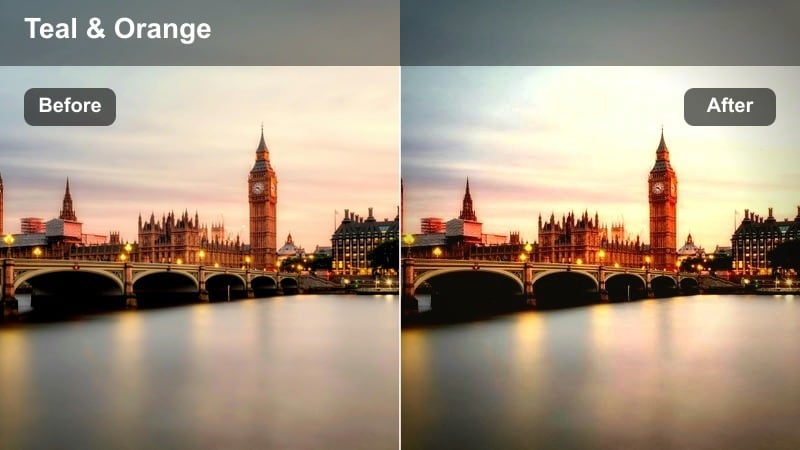
- Effect look: Cinematic orange and teal balance with lifted shadows that add drama to walking shots without crushing detail.
- Best for: Narrative street sequences, lifestyle reels, and walking monologues filmed near crosswalks and traffic lights.
- Editing tip: Increase midtone contrast slightly to emphasize silhouettes of people walking against the glowing city sky.
Sunset Street Story leans into the classic orange-and-teal palette, giving your crosswalk silhouettes a dramatic, movie-style separation from the background. Raised shadows preserve detail in clothing, roads, and traffic signals so the frame stays rich even when the sky is bright.
Inside Filmora, add this LUT to story-driven walks, then tweak midtone contrast and vignette to draw focus to your subject moving through the frame. It is ideal for reels and narrative sequences where you want each step on the crosswalk to feel like part of a larger city story.
Golden Commuter Soft
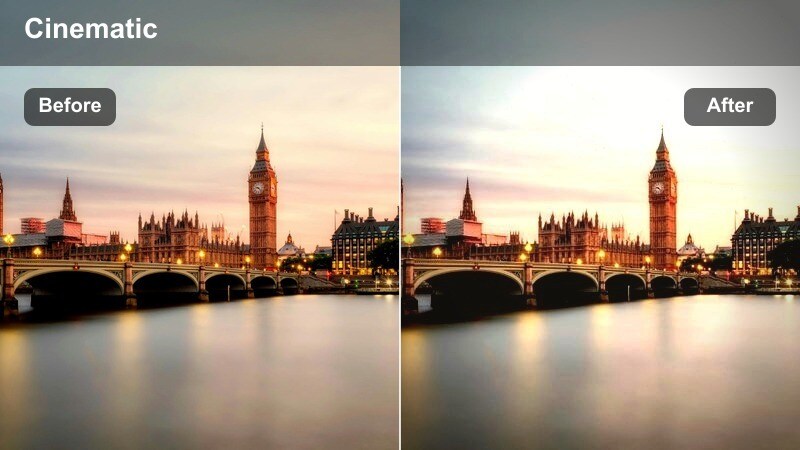
- Effect look: Softened contrast with warm midtones and slightly hazy highlights for a dreamy city commute aesthetic.
- Best for: Lifestyle vlogs, aesthetic B-roll of crosswalks, and montage sequences of people walking to work.
- Editing tip: Raise clarity only a little so the soft glow stays intact while faces and clothing remain defined.
Golden Commuter Soft gives your crosswalk and sidewalk clips a gentle, atmospheric glow that feels ideal for lifestyle and daily routine content. The LUT warms midtones while easing contrast, turning harsh evening or morning light into a flattering, cinematic wash over the scene.
Use it in Filmora on B-roll of office workers, commuters, and casual strolls through intersections, then lightly adjust clarity and sharpness so important details do not disappear. Pair it with slow-motion or soft background music to complete a calm, dreamy city commute montage.
Rainy Crosswalk Moments and Reflections
Neon Rain Stride
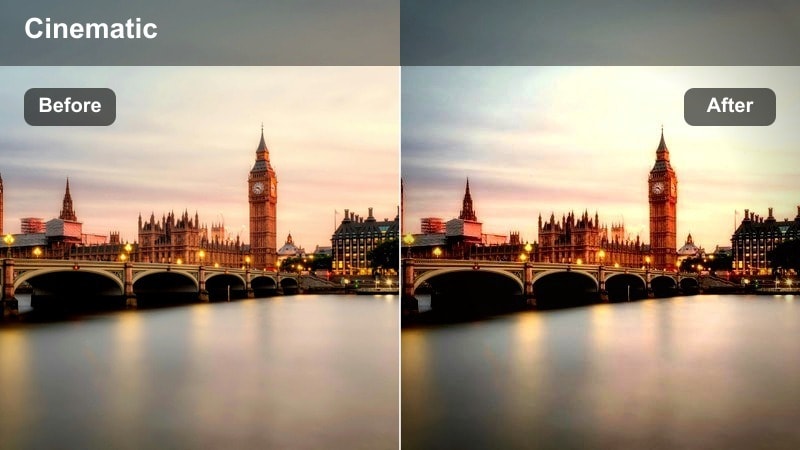
- Effect look: High-contrast neon tones that make wet streets, reflections, and umbrellas pop in crosswalk scenes.
- Best for: Night rain sequences, city reflections on wet asphalt, and stylized walking shots under neon signs.
- Editing tip: Slightly darken the shadows to emphasize reflections on the pavement while keeping faces visible with a small exposure lift.
Neon Rain Stride transforms rainy crosswalks into bold, cyber-inspired visuals where every reflection and sign jumps off the screen. Deepened shadows and saturated highlights make puddles, umbrellas, and storefronts glow against dark asphalt.
Apply this LUT in Filmora to night rain clips, then fine-tune exposure and shadow levels so your subjects remain readable while the reflections stay punchy. It works especially well for travel vlogs, nightlife edits, and stylized b-roll of people crossing under neon-lit intersections.
Moody Drizzle Walk
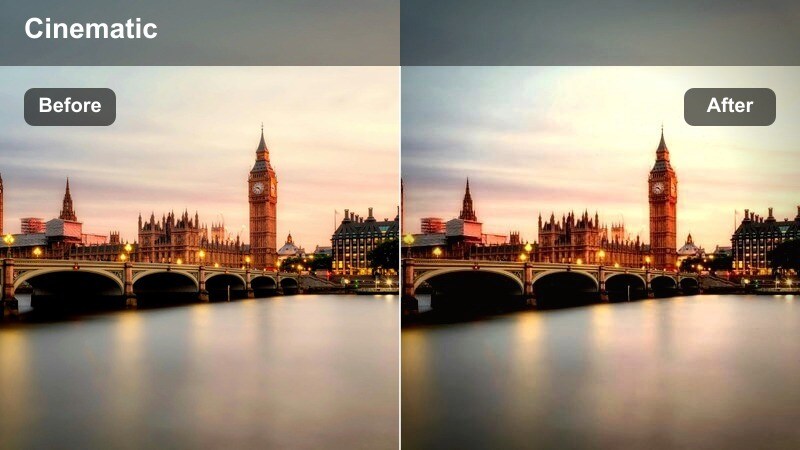
- Effect look: Cool, desaturated tones with deep shadows for a moody, cinematic rainy day at the crosswalk.
- Best for: Slow walking shots under gray skies, story-driven city scenes, and introspective urban vlogs.
- Editing tip: Reduce saturation of blues slightly if jackets or umbrellas become too distracting in the frame.
Moody Drizzle Walk dials down color and brightness to highlight the emotional weight of rainy-day walks through the city. Cool tones and deeper shadows turn umbrellas, coats, and wet pavement into a subdued, cinematic backdrop for your subject.
In Filmora, drop this LUT onto reflective, overcast crosswalk scenes, then manage blue saturation so props and clothing do not overpower the mood. Combine it with slower cuts and gentle zooms to enhance introspective vlogs, narrative moments, or reflective city montages.
Street Reflection Fade
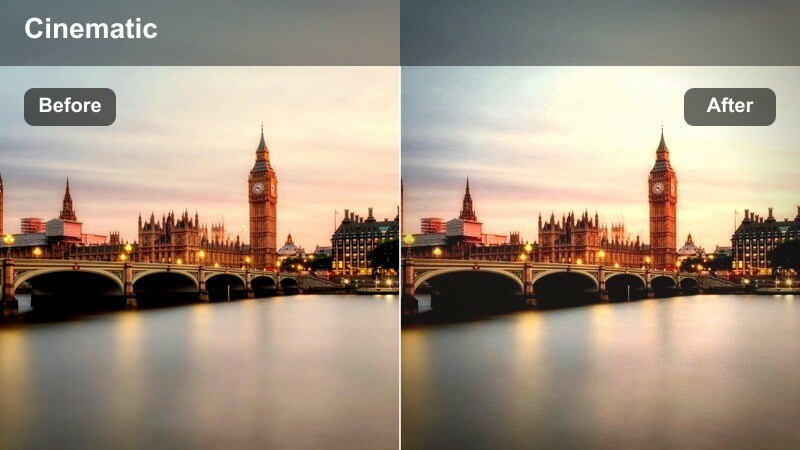
- Effect look: Soft, low-contrast fade with cool highlights that make puddle reflections and crosswalk lines gently stand out.
- Best for: Artistic b-roll of shoes stepping through puddles, crosswalk stripes, and slow-motion walking details.
- Editing tip: Use a slight crop-in and slow push-in keyframe to emphasize reflective surfaces while people walk through the frame.
Street Reflection Fade adds a gentle, filmic wash to close-up rain details, softening harsh contrast while keeping puddles and crosswalk stripes visually clear. The cool highlights make wet textures look polished without stealing focus from feet and motion.
Use this LUT in Filmora on slow-motion steps, low-angle shots, and detail b-roll of lines and reflections around the crosswalk. Pair it with subtle camera movements and smooth transitions to create atmospheric bridges between larger city scenes in your edit.
Midday City Hustle and Busy Crossings
Clean Daylight Stride
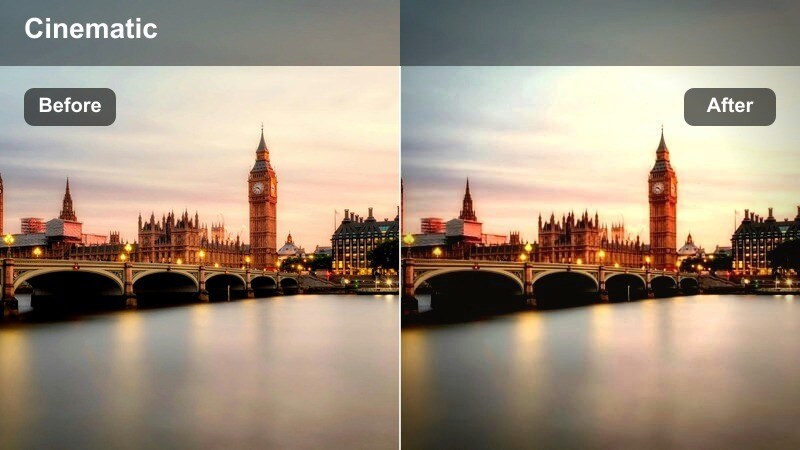
- Effect look: Bright, clean contrast with neutral colors that keep city and skin tones natural in harsh midday light.
- Best for: Documentary-style crosswalk coverage, travel vlogs, and busy street walk-throughs at noon.
- Editing tip: Lower highlights to control overexposed skies and white crosswalk lines, then add a touch of sharpness for extra clarity.
Clean Daylight Stride is built to tame harsh noon sun without turning your footage overly stylized. The LUT gently balances exposure and color, keeping skies, buildings, and skin tones looking accurate while adding just enough polish for a professional finish.
In Filmora, apply it to bright daytime intersections, then use highlight and shadow sliders to recover detail in crosswalk lines and faces. Add a small amount of sharpening and stabilization so your walk-throughs and documentary shots feel crisp and easy to watch.
Urban Hustle Pop
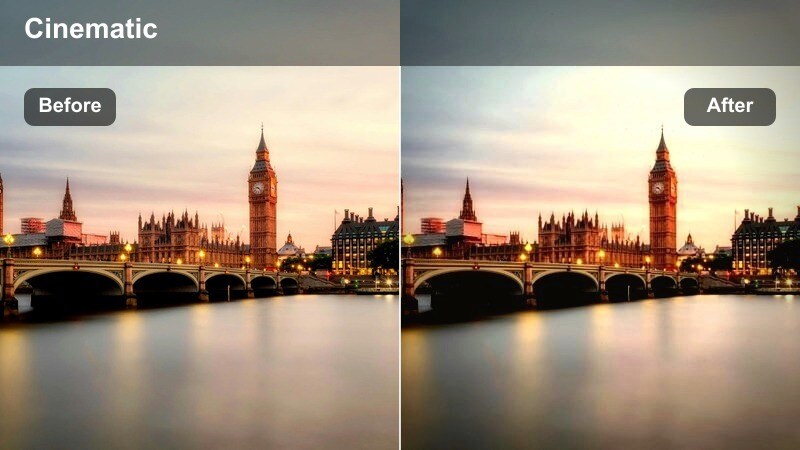
- Effect look: Punchy contrast and saturation that make city billboards, traffic lights, and clothing colors stand out.
- Best for: Energetic street montages, fast-cut social edits, and time-lapses of crowds crossing wide intersections.
- Editing tip: Use shorter clips and match cut between footsteps or traffic lights changing to enhance the energetic color pop.
Urban Hustle Pop amplifies the energy of busy daytime crossings by boosting color and contrast across signs, outfits, and vehicles. This LUT makes your frame feel fuller and more dynamic, ideal for edits that highlight the nonstop pace of the city.
Use it in Filmora on time-lapses, crowd sequences, and hyperlapse walk-throughs, then combine with speed ramps and rhythmic cuts. Keep clip lengths short and sync transitions to movement or music beats so the bold color pop reinforces your fast-paced storytelling.
Soft City Journey
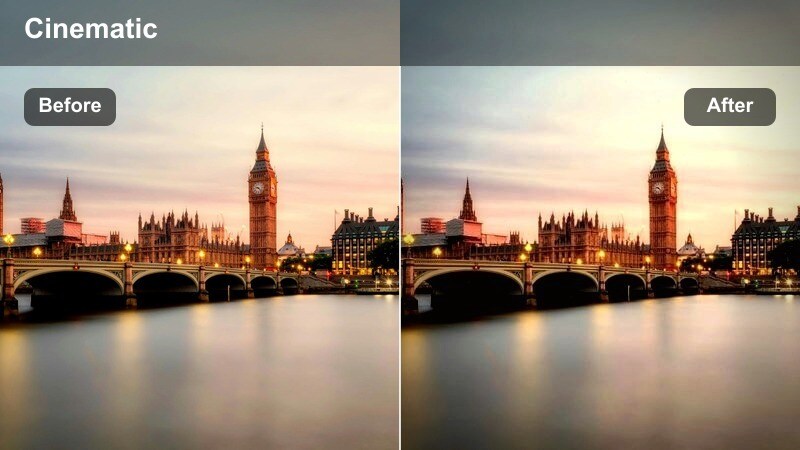
- Effect look: Gently muted colors with softened edges for a calm, documentary feel in light midday traffic.
- Best for: Travel storytelling, lifestyle walks through quieter intersections, and cinematic B-roll of people strolling.
- Editing tip: Add a very slight blur to the background using Filmora's effects to keep focus on your walking subject.
Soft City Journey tones down saturation and contrast to create a relaxed, observational mood for quieter crossings. The LUT keeps details visible but subtly smooths edges so viewers focus more on story and motion than on punchy colors.
Apply it in Filmora to slower walks, light-traffic intersections, and travel segments where you want a gentle, reflective tone. Combine it with shallow-depth effects, slower camera pans, and natural city audio to craft calm, documentary-style sequences.
Night City Crossings and Skyline Backdrops
Midnight Crosswalk Cinema
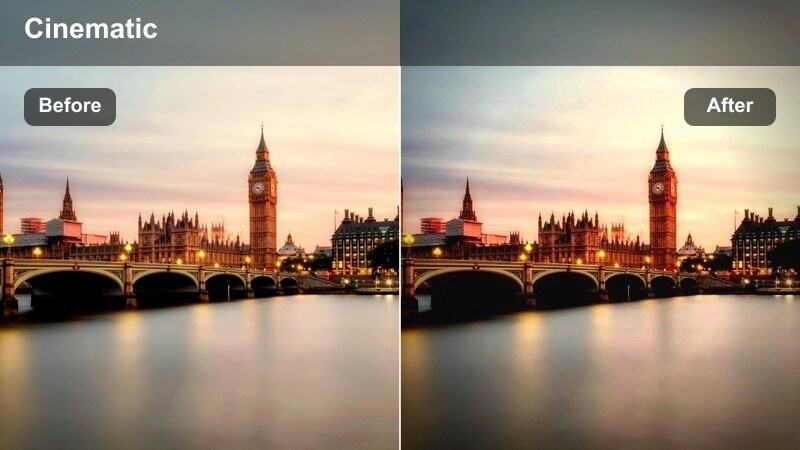
- Effect look: Strong cinematic contrast with deep blacks and rich streetlight colors that define night crosswalk scenes.
- Best for: Night vlogs, cinematic walking sequences near traffic lights, and storytelling scenes under city lamps.
- Editing tip: Boost exposure slightly on darker cameras, then rely on this filter's contrast to keep the mood intense without losing detail.
Midnight Crosswalk Cinema pushes contrast and saturation to turn ordinary night crossings into dramatic, story-ready frames. Deep blacks anchor the scene while warm streetlights and signals add color accents around your walking subjects.
Use this LUT in Filmora on narrative night walks, intros, and moody b-roll around intersections. Adjust exposure first to keep detail in faces and clothing, then lean on the LUTs contrast and color to build atmosphere without crushing important information.
Skyline Walk Glow
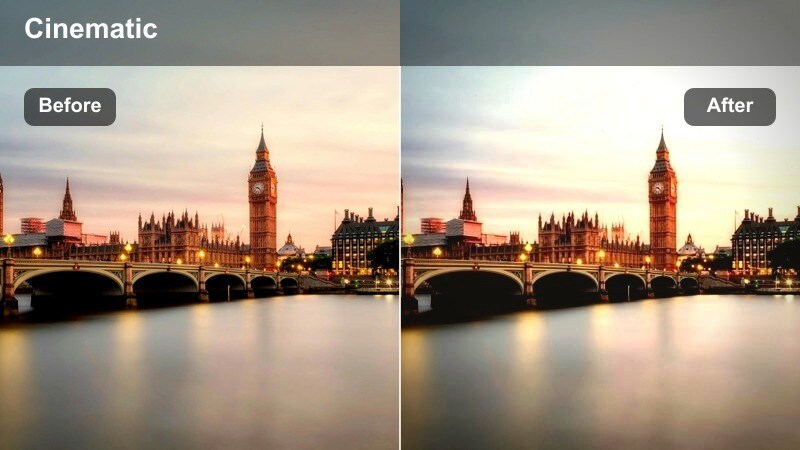
- Effect look: Soft glowing highlights and cool shadows that emphasize the city skyline behind walking subjects.
- Best for: Evening walks with skyscrapers in the background, rooftop-to-crosswalk transitions, and skyline-focused b-roll.
- Editing tip: Expose for the skyline first, then let this filter brighten your subject slightly to keep both readable.
Skyline Walk Glow is designed to showcase illuminated buildings and horizons while still keeping people at the crosswalk visible. The LUT softens highlight roll-off around windows and signs, making the skyline feel luminous without overpowering the foreground.
In Filmora, apply it to clips that frame tall buildings behind your walking subject, adjusting exposure to protect city lights. Combine it with gentle push-ins or tilt movements to reveal the skyline as your subject crosses, creating smooth transitions between street-level and cityscape shots.
City Pulse Nightshift
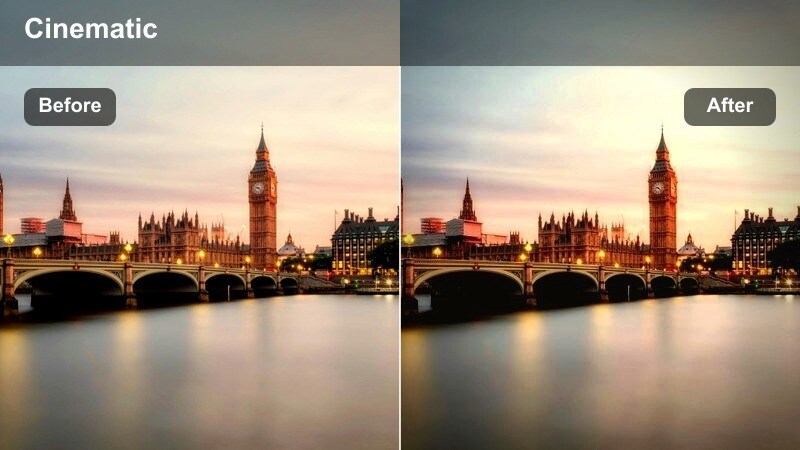
- Effect look: Vibrant, cool-tinted night tones with lively sign colors to capture the pulse of a late-night crossing.
- Best for: Nightlife content, late-night street food vlogs near crosswalks, and energetic crowd movement after dark.
- Editing tip: Use speed ramps to accent moments when the walking crowd surges or when the traffic light changes color.
City Pulse Nightshift gives late-night crosswalks a high-energy, modern feel by boosting cool tones and colorful signage. The LUT emphasizes movement and crowd density, making busy intersections feel like the heart of the nightlife scene.
Apply it in Filmora to crowded night streets, food stall areas, and after-hours vlogs, then add speed ramps and rhythm-based cuts. Pair the look with upbeat music and dynamic transitions so the vivid colors and fast motion convey a city that never sleeps.
Tips for Using City Crosswalk People Walking Lut Filters in Filmora
- Shoot a few extra seconds before and after each crosswalk moment so you have room for trims, transitions, and timing adjustments when applying LUT filters.
- Match white balance across all clips in Filmora before adding the City Crosswalk People Walking LUT collection to avoid sudden color jumps between scenes.
- Use Filmora's stabilization tools on handheld walking footage so the cinematic color grading stands out instead of camera shake.
- Create separate presets for day, rain, and night clips using these LUTs, then apply them in batches to keep your entire timeline visually consistent.
- Adjust LUT intensity by lowering effect opacity or stacking additional color controls if a filter feels too strong for your original footage.
- Combine LUTs with Filmora's curves, HSL, and vignette tools to refine crosswalk scenes and better isolate your main walking subject.
- Export short test clips with different LUT combinations to see how your city colors hold up on phones, laptops, and TVs before final delivery.
The City Crosswalk People Walking LUT filter collection gives content creators an easy way to turn everyday street crossings into polished, cinematic urban visuals. Each preset is tuned for real-world walking scenarios, from harsh midday light to neon-soaked nights.
Experiment with different presets for day, rain, and night scenes, then refine them in Filmora to build a consistent city style that fits your channel or brand. Once you lock in a look you love, save it as a custom preset to speed up future edits.
secure download