

 100% Security Verified | No Subscription Required | No Malware


 ChatGPT
 Perplexity
 Gemini
 Claude
 Grok
Grok
The Dessert Showcase Cinematic LUT filter collection is designed for content creators who want every cake, tart, and pastry to look as rich and irresistible on screen as it does in real life.
These filters bring creamy highlights, warm tones, and subtle cinematic contrast to your dessert shots, helping your sweets stand out in reels, YouTube videos, and recipe content with minimal color grading work.
In this article
Warm Bakery Counter and Pastry Display
Golden Bakery Glow
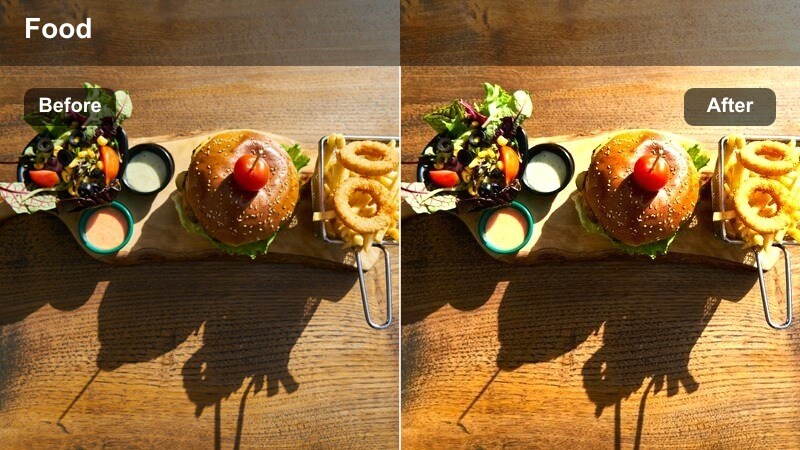
- Effect look: Soft golden warmth with gentle bloom on highlights to make pastries look freshly baked and inviting.
- Best for: Close-ups of croissants, tarts, and plated desserts under warm bakery lighting or soft window light.
- Editing tip: Lower contrast slightly if your shot is already high-key to keep flaky textures from looking too harsh.
Golden Bakery Glow wraps your dessert shots in a cozy, sunlit warmth that instantly makes croissants, danishes, and tarts feel fresh from the oven. The subtle highlight bloom helps glazes and butter layers catch the light without turning the frame overly bright, creating a cinematic bakery counter atmosphere in just a click.
In Filmora, apply this filter to your pastry display clips, then fine-tune contrast and exposure so crumb details remain crisp while the overall scene stays soft and inviting. Combine it with gentle camera moves or slow push-ins to emphasize the inviting glow and guide your viewers eyes straight to the most appetizing parts of the frame.
Match Your Dessert LUT Filters with AI Color Tools
Combine the Dessert Showcase Cinematic LUT filters with Filmoras AI color tools to quickly balance white balance and exposure before you start styling your dessert visuals. Let the AI establish a neutral, accurate base so creams, plates, and wooden counters look natural.
Once the scene is clean and consistent, stack your favorite dessert showcase cinematic LUT filter on top to lock in your signature warm, tasty look across every clip, from bakery counters to cafe tables.
 secure download

See Dessert Filters in Action on Real Dessert Footage
Test how each Dessert Showcase Cinematic LUT filter behaves by importing a short dessert clip into Filmora and cycling through the collection. You will immediately see how warmth, contrast, and saturation shifts change the mood of your cakes, pastries, and plated sweets.
Use split-screen comparison to place the original next to the filtered version, so you can quickly judge which look best matches your brand style and social feed aesthetic.
secure download1000+ Video Filters and 3D LUTs
Beyond dessert specific looks, Filmora includes a large library of filters and 3D LUTs so you can refine every part of your food videos, from bakery B roll to cafe lifestyle shots. Mix cinematic LUTs with genre based filters to build a repeatable, branded color pipeline.
Save your favorite dessert combinations as presets, then apply them in one click across reels, shorts, and long form recipe content to keep your channel visually consistent and instantly recognizable.
secure downloadCaramel Counter Cinema
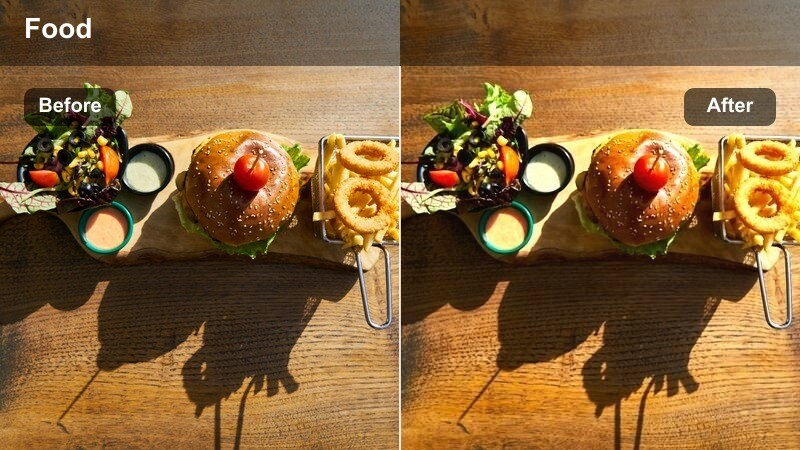
- Effect look: Rich caramel and amber tones that deepen browns and add subtle filmic fade to shadows.
- Best for: Dessert bars, brownie trays, and chocolate cakes displayed behind glass or on rustic counters.
- Editing tip: Increase saturation on reds slightly to enhance berries and garnish without overpowering the warm dessert tones.
Caramel Counter Cinema enriches every brown, gold, and amber hue in your dessert scenes, making brownies, toffee bars, and chocolate loaves look extra dense and decadent. The gentle shadow fade gives your footage a film inspired softness, ideal for rustic bakeries and dessert bars.
In Filmora, apply this filter to wide counter shots or close ups, then fine tune red saturation to make berries, sauces, and decorative elements pop just enough to complement the caramel palette. If there is lots of wood in frame, subtly lower orange saturation so plates and pastries remain the visual focus.
Cream Shop Soft Focus
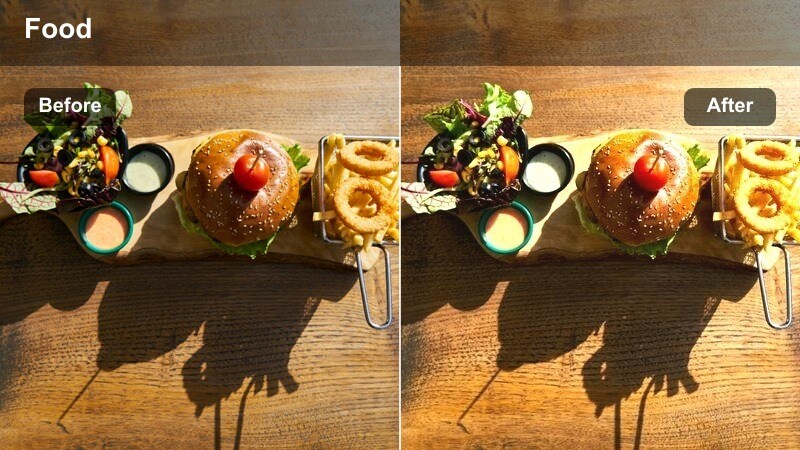
- Effect look: Gentle soft-focus with creamy highlights and a subtle pastel lift on bright dessert colors.
- Best for: Macarons, cupcakes, and pastel-toned desserts on clean counters or cake stands.
- Editing tip: Dial down sharpness slightly to lean into the dreamy aesthetic while keeping frosting edges readable.
Cream Shop Soft Focus is tailored for airy, pastel dessert setups, giving macarons, cupcakes, and meringues a dreamy, boutique patisserie feel. The filter lifts bright colors into softer tones while maintaining enough definition so piping, sprinkles, and surface details stay pleasingly clear.
Inside Filmora, combine this look with minimal sharpening and gentle motion, such as slow pans across display stands, to reinforce the soft, romantic atmosphere. Keep exposure controlled so whites in frosting and plates do not clip, letting the creamy highlights bring out the desserts shapes without sacrificing texture.
Plated Dessert Close-Ups and Macro Shots
Velvet Chocolate Focus
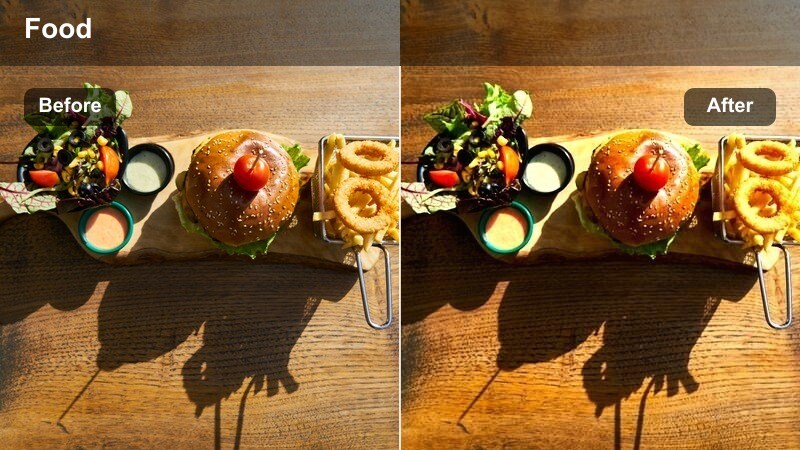
- Effect look: Deep, velvety contrast with boosted chocolate tones and subtle vignette around the plate.
- Best for: Macro shots of chocolate cakes, molten lava desserts, and dark pastries on matte plates.
- Editing tip: Use Filmoras mask and blur tools to soften the background further while keeping spoon cuts and crumbs tack sharp.
Velvet Chocolate Focus is designed to make dark, chocolate heavy desserts look rich and luxurious on screen. It deepens browns, adds a tasteful vignette, and increases contrast in a way that highlights glossy ganache, molten centers, and dense crumb structures.
Apply this filter in Filmora to tight macros of lava cakes, brownies, and truffles, then layer in selective blur or masks to keep only the key bite marks and sauce drips perfectly sharp. This combination pulls the viewers attention straight into the richest part of the dessert, ideal for money shots and thumbnail friendly frames.
Berry Garnish Pop
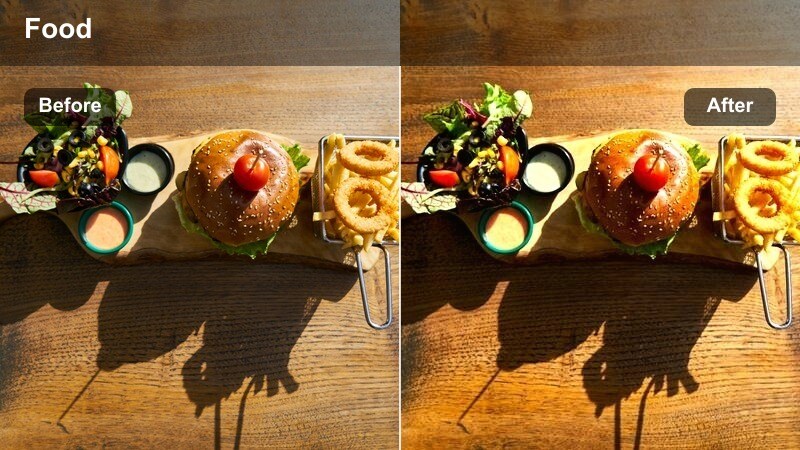
- Effect look: Punchy reds and vibrant berry hues with balanced skin tones and neutral plates.
- Best for: Cheesecakes, panna cotta, and plated desserts topped with fresh berries or fruit coulis.
- Editing tip: Use HSL in Filmora to fine-tune reds and magentas so berry details pop without turning neon.
Berry Garnish Pop is perfect when your dessert relies on fruit to deliver its visual wow factor. The filter enhances reds, magentas, and berry tones so strawberries, raspberries, and coulis streaks stand out against neutral plates without shifting skin tones or background colors unnaturally.
In Filmora, pair this filter with the HSL controls to shape your berry hues precisely, pushing them toward richer reds or cooler magentas depending on your brand palette. Keep plate whites clean by avoiding heavy global saturation boosts, and adjust white balance slightly cooler if highlights begin to warm too much.
Powdered Sugar Cinematic
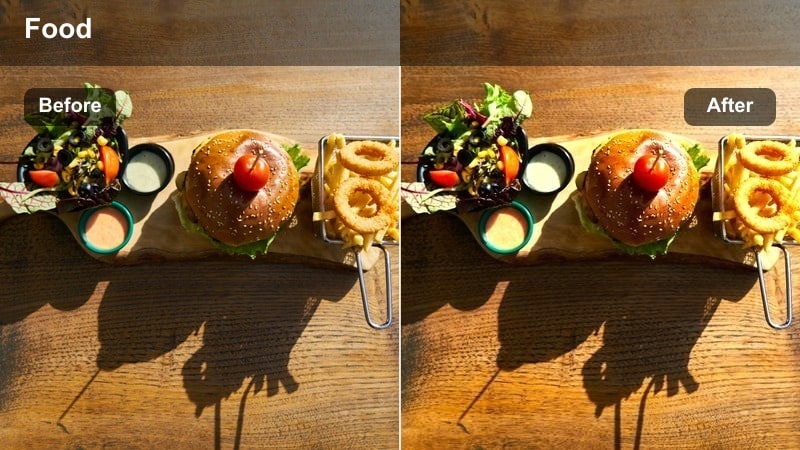
- Effect look: Soft contrast with crisp whites and subtle cool shadows to emphasize powdered sugar and fine crumbs.
- Best for: Cakes, donuts, and pastries dusted with sugar, especially in slow-motion sprinkle shots.
- Editing tip: Add a touch of slow motion and reduce motion blur to make individual sugar particles visibly sparkle.
Powdered Sugar Cinematic emphasizes the delicate details in sugar dustings, crumbs, and light textures. Its crisp whites and slightly cool shadows make each particle and flake stand out, especially in close ups and slow motion sequences where the sugar is falling or being dusted over pastries.
Within Filmora, combine this filter with higher frame rate footage and subtle slow motion to capture the sparkle of each granule. Use directional lighting in your original shoot, then refine exposure and contrast so the filter can enhance sugar details without blowing out highlights on frosting or glaze.
Cozy Cafe Table Dessert Scenes
Cafe Table Cinema
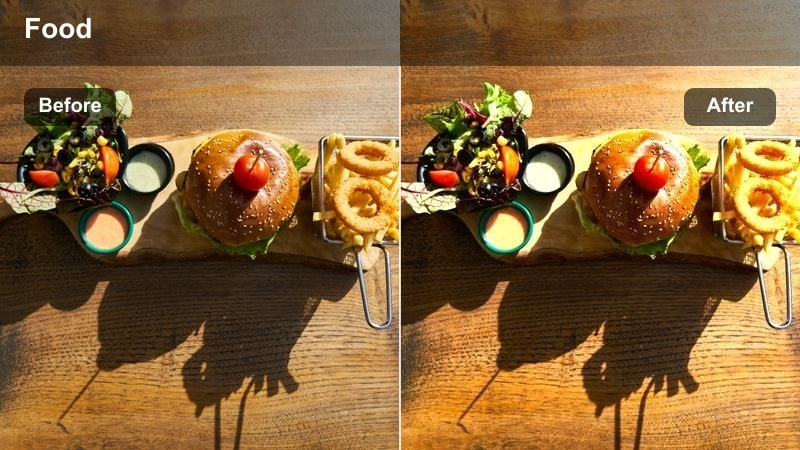
- Effect look: Warm cafe ambiance with gentle contrast and slightly desaturated backgrounds to foreground the dessert plate.
- Best for: Desserts served alongside coffee cups on wooden tables in cozy cafe environments.
- Editing tip: Use Filmoras depth-of-field blur to soften people in the background and keep attention on the dessert setup.
Cafe Table Cinema captures the feeling of a relaxed coffee shop moment, adding warmth and soft contrast while subtly muting background elements. This ensures the dessert and accompanying drink stay at the center of attention, perfect for storytelling style content and lifestyle reels.
Apply this filter in Filmora to medium shots of cakes, croissants, or tarts served with lattes or cappuccinos, then add depth-of-field blur to passing customers or decor behind your subject. Expose for the dessert first, and if the scene leans too yellow, shift the tint slightly cooler so whipped cream and foam still look fresh and appetizing.
Evening Dessert Amber
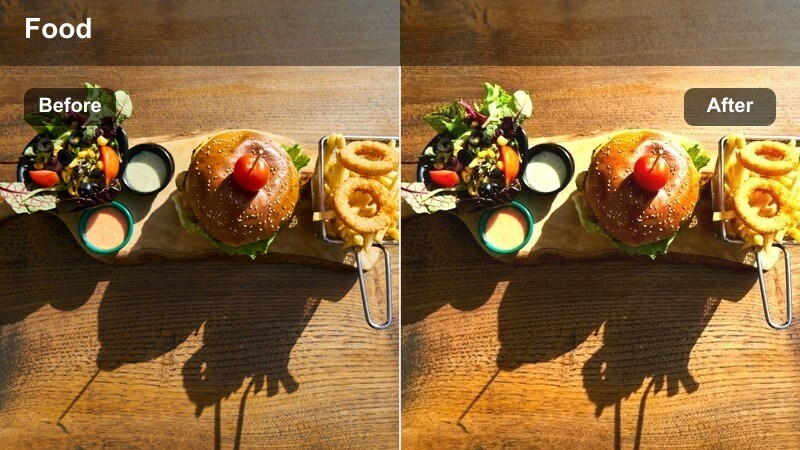
- Effect look: Soft amber glow with gentle fade in shadows, reminiscent of golden hour cafe lighting.
- Best for: Evening dessert shots by the window, candlelit gatherings, and dessert tasting boards.
- Editing tip: Add a slight film grain in Filmora to enhance the cozy, analog evening vibe without overpowering the image.
Evening Dessert Amber infuses your footage with a golden hour inspired warmth that suits dusk cafe scenes and intimate dessert gatherings. Shadows receive a gentle fade, which helps preserve detail in low light while maintaining a cozy, cinematic mood.
In Filmora, use this filter on window side tables, candlelit boards, and shared dessert moments, then add a touch of film grain to reinforce the analog, nostalgic feel. Shoot slightly brighter than usual to protect shadow detail, and pull exposure down after applying the filter for cleaner, less noisy low light results.
Minimal Plate Aesthetic
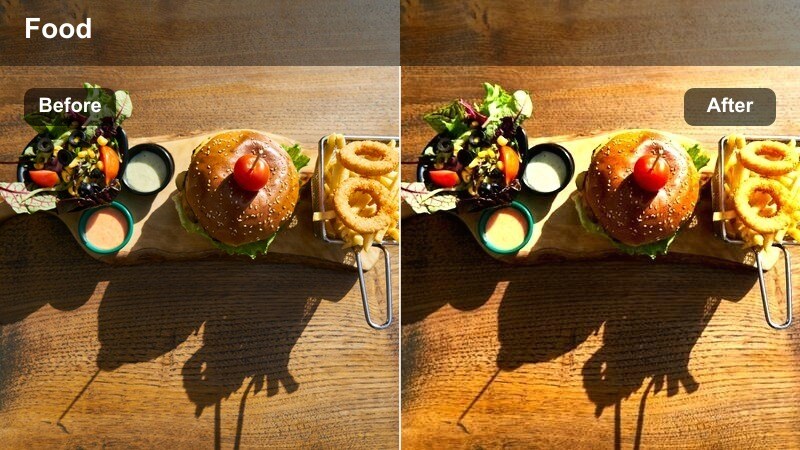
- Effect look: Clean, airy tones with whites lifted slightly and muted backgrounds for a minimalist, editorial look.
- Best for: Modern cafe desserts on simple plates, flat-lay shots, and social media carousel posts.
- Editing tip: Straighten lines in Filmora and use subtle crop-in to create a balanced grid-friendly composition.
Minimal Plate Aesthetic is ideal for modern, design driven dessert presentations, emphasizing clean whites, soft shadows, and simplified backgrounds. It gives single plated desserts and flat lays an editorial finish that works especially well for Instagram grids and Pinterest friendly content.
Apply this filter in Filmora to overhead shots, simple plate setups, and negative space compositions, then straighten lines and adjust cropping for a refined, gallery style layout. Reduce saturation in background elements so branding, text overlays, and the dessert itself stand out clearly against an uncluttered canvas.
Recipe Reels and Behind-the-Scenes Baking
Mixing Bowl Movie Look
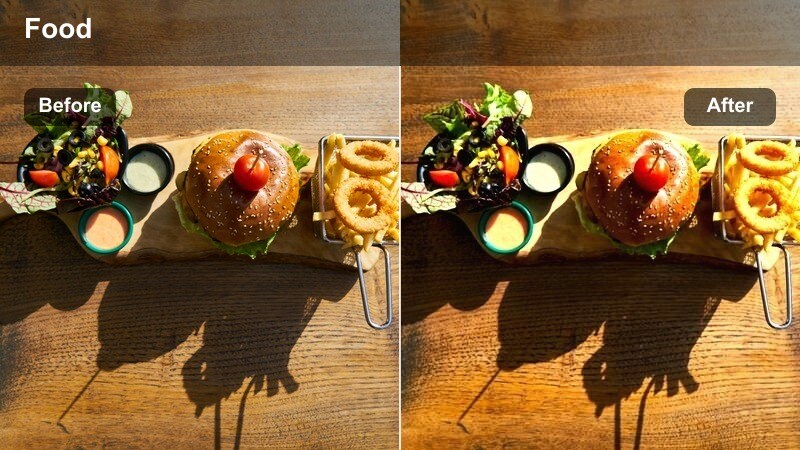
- Effect look: Cinematic kitchen tones with neutral whites and slightly cool metals to keep bowls and tools clean-looking.
- Best for: Behind-the-scenes shots of whisking batter, folding cream, and preparing dessert components.
- Editing tip: Synchronize quick cuts to music beats and keep shutter speeds consistent to maintain a smooth cinematic feel.
Mixing Bowl Movie Look brings a polished, cinematic treatment to your behind the scenes baking footage, keeping whites neutral and metal tools slightly cool and clean. It unifies prep shots, making everything from flour dust to batter folds feel like part of the same dessert film.
In Filmora, use this filter across all prep angles, from overhead views of mixing to close ups of whisking, so your recipe reels feel cohesive. Cut on the beat of your soundtrack, apply consistent speed and motion, and let the filter tie together countertop, tools, and ingredients into one streamlined visual story.
Oven Door Dramatic
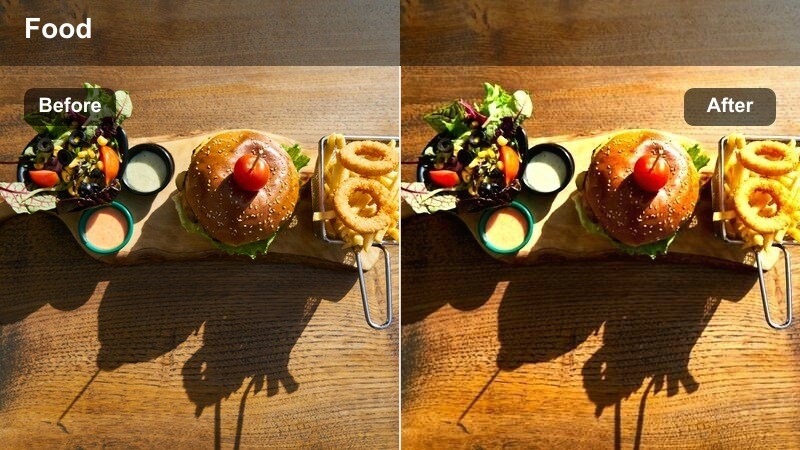
- Effect look: Deep, contrasty highlights with warm interior light that makes rising desserts look dramatic and cinematic.
- Best for: Oven door reveals, tray pulls, and time-lapse of cakes or souffles rising.
- Editing tip: Use Filmora keyframes to slowly push in on the frame as the dessert rises for added tension and focus.
Oven Door Dramatic is built for those satisfying reveal moments when cakes, cookies, or souffles rise in the heat. It amplifies the warm glow inside the oven while keeping contrast strong, so browning tops, expanding batter, and steam feel intense and cinematic.
Apply this filter to locked off or gently moving oven shots in Filmora, then add keyframed zooms or slow push ins to heighten anticipation as the dessert bakes. Underexpose slightly when shooting to protect bright oven elements, and after applying the filter, adjust exposure just enough to keep texture in both crust and interior.
Slow Drizzle Cinematic
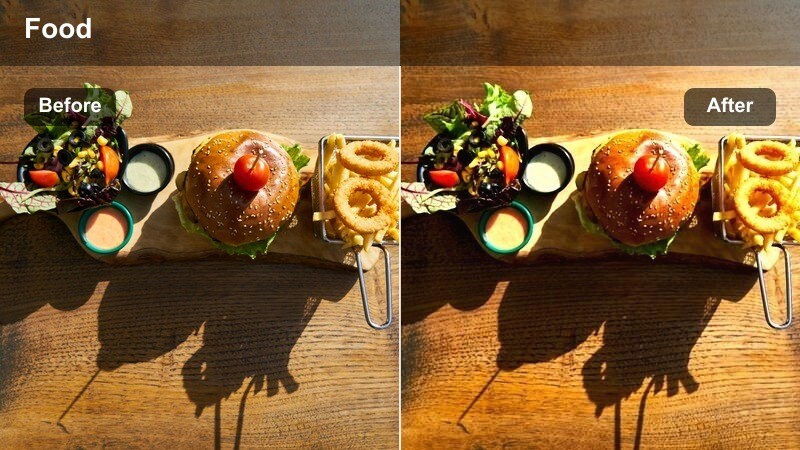
- Effect look: Rich midtones with smooth highlight roll-off, perfect for capturing sauce drizzles and syrup pours.
- Best for: Slow-motion shots of chocolate, caramel, or fruit sauces being poured over desserts.
- Editing tip: Shoot at a higher frame rate and apply slight motion blur in Filmora to keep the drizzle looking silky and luxurious.
Slow Drizzle Cinematic is dedicated to capturing the most indulgent part of dessert videos: the pour. It enriches midtones and softens highlight transitions so streams of chocolate, caramel, or berry sauce look smooth, glossy, and luxurious in slow motion.
In Filmora, combine this filter with high frame rate footage and a touch of added motion blur to keep each drizzle strand fluid rather than choppy. Trim the clip to the most satisfying section of the pour, sync it with a beat or sound effect, and let the filter emphasize the rich tones of sauce and dessert surface beneath.
Tips for Using Dessert Showcase Cinematic Lut Filters in Filmora
- Shoot desserts in soft, indirect light, then use the Dessert Showcase Cinematic LUT filters to refine mood instead of fixing exposure.
- Keep white balance neutral in-camera so creams, frostings, and plates stay accurate when filters and LUTs are applied.
- Use tighter framing and shallow depth of field to make your dessert the hero before adding any cinematic filter.
- Create a simple shot list for your dessert videos prep, close-up, reveal, bite shot then apply a consistent filter across the sequence.
- Export a short test reel with two or three different dessert filters and review on your phone to see which look works best on social feeds.
The Dessert Showcase Cinematic LUT filter collection in Filmora helps content creators turn everyday cakes, pastries, and sweets into rich, cinematic visuals with just a few clicks.
Build a repeatable dessert workflow by combining these filters with careful lighting, stable framing, and consistent color so every new upload reinforces your signature sweet-on-screen style.
secure downloadNext: Coffee Shop Cozy Scene LUT: Craft Warm Cinematic Cafe Moments
