

 100% Security Verified | No Subscription Required | No Malware


 ChatGPT
 Perplexity
 Gemini
 Claude
 Grok
Grok
This Downtown Cafe Street LUT-inspired filter collection is designed for content creators who love filming city streets, cozy cafes, and everyday urban life. Each filter helps you quickly set a cinematic mood, from golden late-afternoon coffee runs to moody, rain-soaked sidewalks.
Use these filters to keep your downtown cafe street footage consistent across shots, balance tricky mixed lighting, and add personality to street vlogs, lifestyle reels, and slow-motion b-roll without spending hours on color grading.
In this article
Golden Hour Cafes and Sunlit Sidewalks
Warm Latte Glow
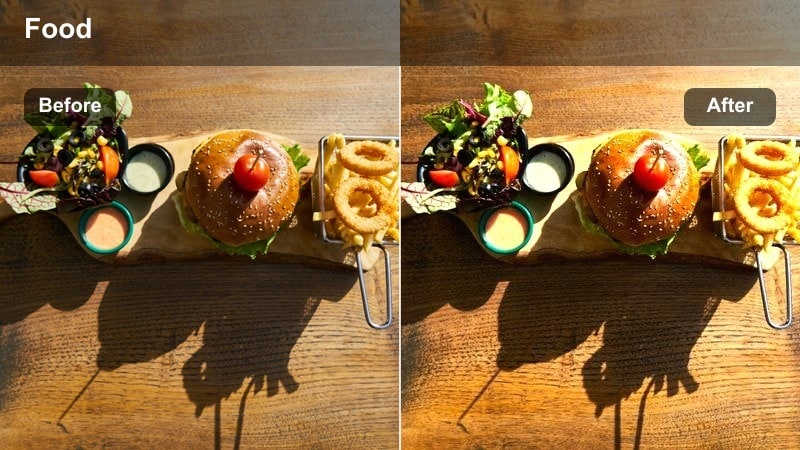
- Effect look: Soft golden warmth with gentle contrast and creamy highlights that make cafe interiors feel inviting.
- Best for: Handheld cafe vlogs by the window, latte-pouring b-roll, and slow pans across busy downtown sidewalks at sunset.
- Editing tip: Lower contrast slightly for backlit subjects and reduce saturation on orange tones if skin starts to look too intense.
Warm Latte Glow wraps your downtown cafe scenes in a cozy golden tone, smoothing transitions between bright windows and dimmer interiors. In Filmora, it is ideal when you want that latte-colored warmth without losing detail in faces, mugs, or pastry displays.
Use this filter on clips where sunlight spills through glass, then fine-tune exposure so your subject stays softly lit rather than silhouetted. For vlogs or b-roll sequences, apply Warm Latte Glow across all related shots to keep your golden-hour storytelling consistent from table close-ups to wider street views.
AI-Assisted Color Matching for Cafe and Street Scenes
Filmora's AI color tools help you keep the Warm Latte Glow aesthetic consistent even if you filmed clips at slightly different times or in mixed indoor-outdoor lighting. You can quickly match a hero shot and let AI push the rest of your timeline toward the same cozy palette.
This is especially useful for cafe sequences that jump between interior tables and brighter sidewalks, so your final edit feels like one continuous story rather than a patchwork of unrelated shots.
 secure download

See the Downtown Cafe Street Filters in Action
Try stacking Warm Latte Glow with other filters from this pack on a short montage of sidewalk walks, cafe interiors, and crosswalk shots. Scrubbing through the timeline will quickly show you which combinations suit your style and your citys natural colors.
Use Filmoras intensity slider on each filter layer to pull back the effect until your footage looks cinematic but still true to life, especially around skin tones and important product details.
secure downloadCombine Filters with LUTs for a Signature City Style
Pair the Downtown Cafe Street filters with your favorite LUTs in Filmora to build a distinctive urban look that carries across series, seasons, and platforms. Start with a subtle LUT for overall color direction, then add a cafe filter to refine warmth, contrast, and mood.
After your LUT and filter stack is in place, use Filmoras color and HSL controls to make small tweaks, like taming neon signs or lifting shadow detail on faces, until the grade perfectly reflects your brand.
secure downloadSunset Sidewalk Haze
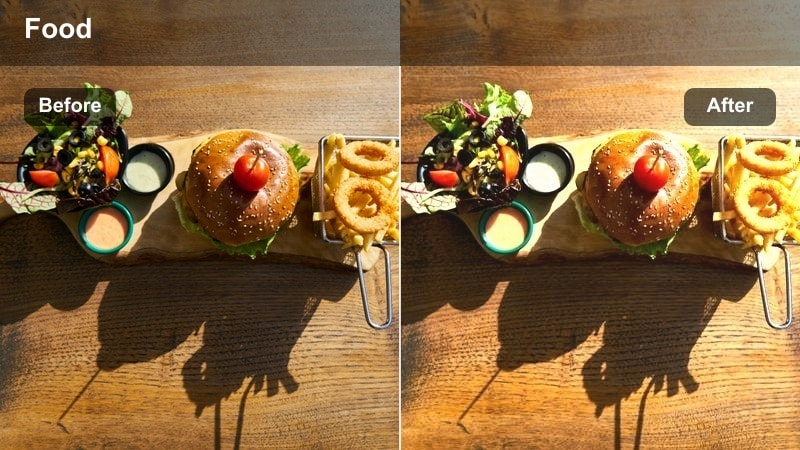
- Effect look: Soft low-contrast glow with pastel highlights that mimics hazy golden-hour light along downtown streets.
- Best for: Slow-motion street walks, establishing shots of cafe-lined blocks, and lifestyle B-roll captured just before sunset.
- Editing tip: Increase sharpness slightly after applying this filter so faces and key details remain crisp within the dreamy haze.
Sunset Sidewalk Haze is built to turn ordinary street walks into dreamy, cinematic intros and outros. In Filmora, it softens harsh edges and lowers contrast so your subject feels wrapped in warm, pastel light that fits golden-hour city storytelling.
Apply this filter to slow-motion or gimbal shots where your subject moves past multiple cafes or storefronts. After grading, nudge the sharpness slider up so eyes, logos, and key textures stay defined while backgrounds fade into a flattering glow that hides clutter.
Amber Window Seat
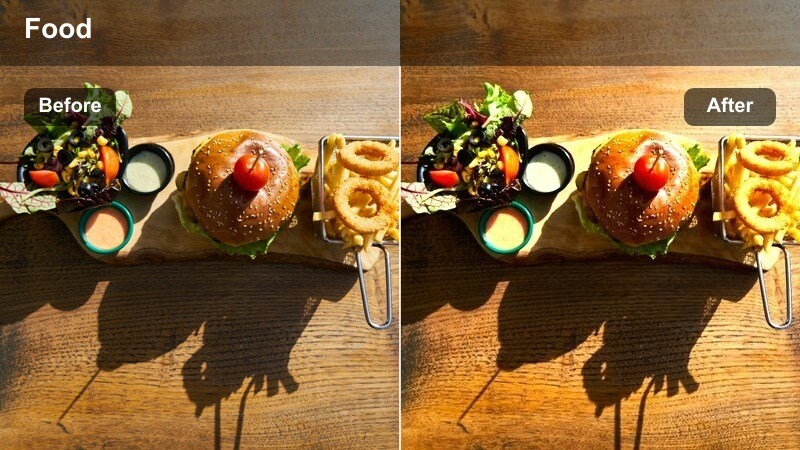
- Effect look: Rich amber tones with warm midtones and a subtle lift in shadows for cozy window-side shots.
- Best for: Talking-head vlogs from a cafe corner seat, laptop work sessions, and b-roll of people chatting near street-facing windows.
- Editing tip: Dial back the filter intensity for darker cafes to avoid muddy shadows, and bump exposure slightly for cleaner detail.
Amber Window Seat enhances window-side storytelling by emphasizing warm midtones while gently lifting shadows, so your subject does not disappear into a dark background. It works especially well in Filmora for sit-down vlogs, study sessions, or remote-work montages filmed inside busy downtown cafes.
Use this filter on clips where your subject faces the window and the city frames them from behind. Keep intensity moderate and raise exposure a touch to maintain clear facial features and text on screens, then export as a preset so you can quickly reuse this cafe corner look in future episodes.
Soft Overcast Mornings and Quiet Streets
Flat White Morning
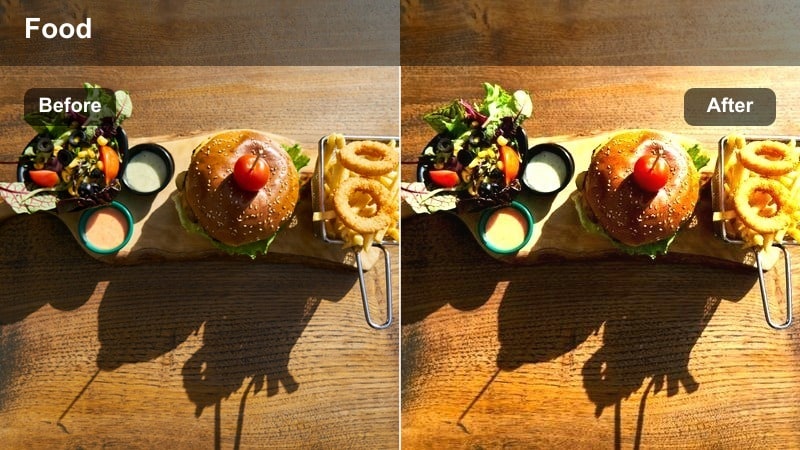
- Effect look: Muted contrast with soft highlights and neutral tones that make cloudy downtown mornings look clean and modern.
- Best for: Early cafe openings, quiet street corners, and minimalist city coffee runs on gray days.
- Editing tip: Lift shadows slightly for footage shot under awnings and reduce saturation in greens to keep the look urban and sleek.
Flat White Morning turns dull, gray city light into a calm, minimalist aesthetic perfect for morning routines and subtle lifestyle content. In Filmora, it softens highlights and smooths contrast so overcast skies and building facades look intentional rather than flat.
Apply this filter to establishing shots of cafe exteriors, empty sidewalks, or simple coffee run sequences. After grading, gently raise shadows to reveal hidden detail under awnings, then pull back green saturation so plants and signs do not overpower your clean, urban palette.
Soft Sidewalk Neutral
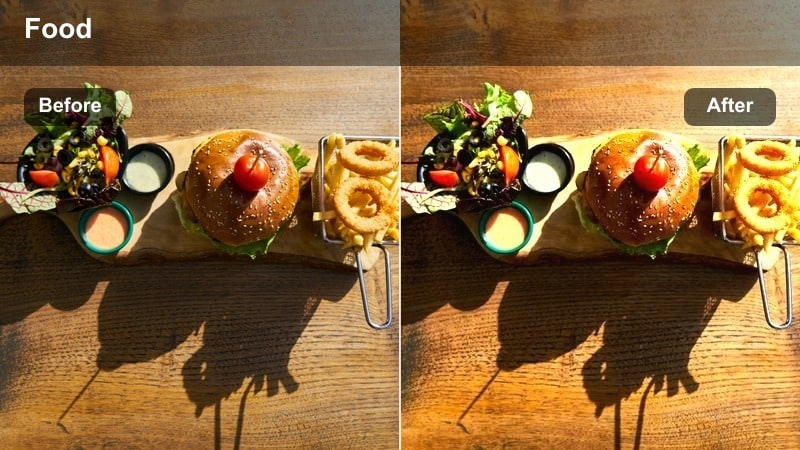
- Effect look: Balanced exposure with slightly cooled highlights and soft skin tones that tame harsh city grays.
- Best for: Walking-and-talking vlogs, quick cuts across intersections, and establishing shots of crosswalks near cafes.
- Editing tip: Add a subtle Filmora tilt-shift blur to the top and bottom of the frame to emphasize your subject on crowded sidewalks.
Soft Sidewalk Neutral is your go-to filter for everyday walk-and-talk footage when the weather is flat but you still want a polished city look. It cools down bright areas and keeps skin tones flattering, making your subject pop against concrete, glass, and signage.
Use it on sequences where you move through intersections or past cafes while talking to the camera. Once applied in Filmora, experiment with tilt-shift blur or vignettes to gently separate the subject from busy sidewalks and storefronts, giving your vlog a subtle cinematic edge.
Misty Crosswalk Tone
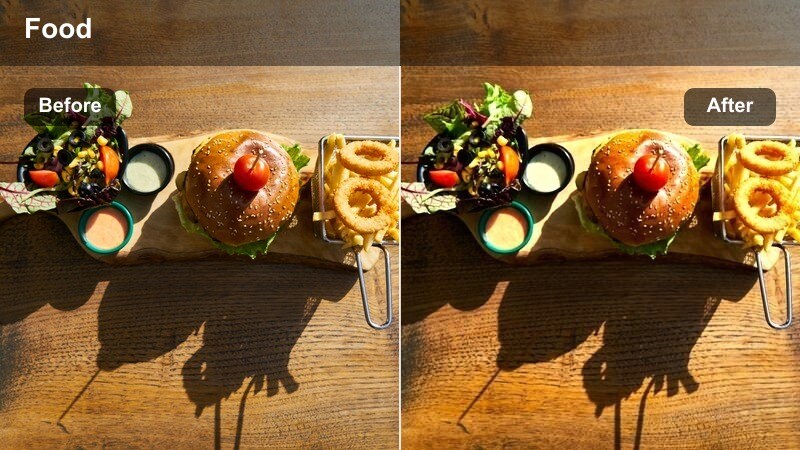
- Effect look: Cool, misty highlights with slightly lifted blacks that make rainy or foggy intersections feel cinematic.
- Best for: Slow-motion shots of crosswalks, umbrellas passing by cafes, and moody travel b-roll on wet city days.
- Editing tip: Lower clarity if raindrops and reflections become distracting, and add a subtle blue tint for an extra moody tone.
Misty Crosswalk Tone leans into rain and fog by cooling highlights and lifting blacks, turning wet intersections into atmospheric cutaway shots. In Filmora, it is perfect for travel vlogs or city mood reels that feature umbrellas, reflections, and headlights on damp pavement.
Apply it to slow-motion crossings or gimbal moves near cafes, then reduce clarity if droplets and reflections pull focus away from your subject. You can also nudge the temperature cooler and add gentle motion blur in Filmora to enhance the dreamy, rain-soaked feeling.
Night Neon Cafes and City Lights
Neon Espresso Night
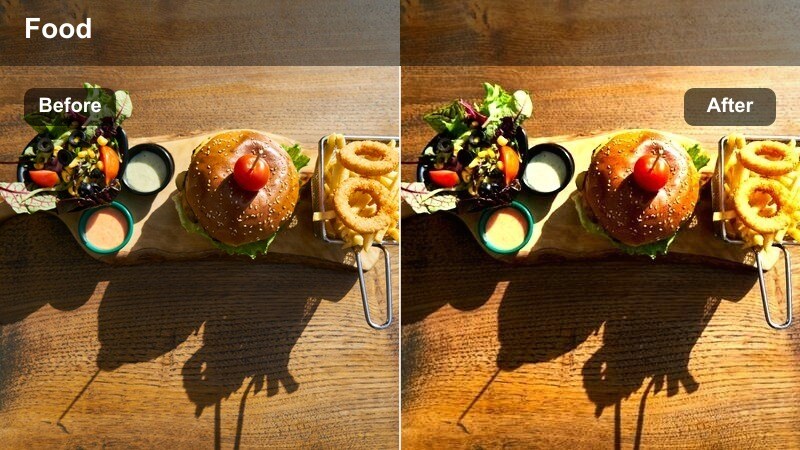
- Effect look: Deep contrast with saturated neon accents and rich browns for late-night cafe exteriors and street signs.
- Best for: Night walks past glowing cafe windows, neon-lit street corners, and handheld cinematic b-roll of city lights.
- Editing tip: Expose slightly brighter than usual in-camera, then pull down highlights in Filmora so signs and neon dont clip.
Neon Espresso Night intensifies your downtown night footage with bold contrast and punchy neon colors while keeping cafe interiors rich and moody. It is ideal in Filmora for sequences that showcase signage, reflections, and late-night vibes around coffee shops and street corners.
Use this filter on clips featuring strong light sources like neon, LED menus, or traffic lights, and then carefully lower highlights to protect glowing details. If skin tones lean too warm under street lamps, lightly desaturate yellows while preserving reds so neon accents stay vibrant against the dark city backdrop.
City Bokeh Brew
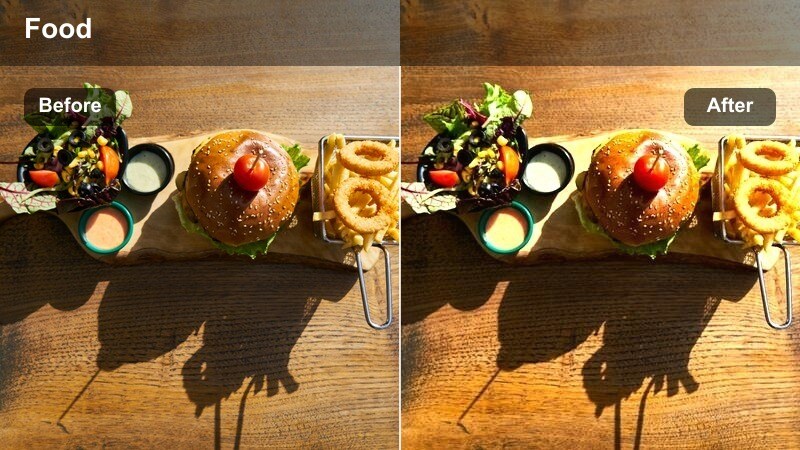
- Effect look: Softened contrast with vibrant blurred lights and a warm tint that flatters out-of-focus city backgrounds.
- Best for: Portrait shots outside cafes at night, shallow-depth-of-field street interviews, and soft-focus b-roll.
- Editing tip: Use a higher aperture in-camera to get bokeh, then add this filter and a slight Filmora blur to accentuate light orbs.
City Bokeh Brew is designed for portraits and interviews where the background is a sea of blurred city lights. It adds a warm tint and gentle contrast that makes bokeh orbs from cafes, cars, and street lamps feel soft yet colorful behind your subject.
Apply this filter in Filmora to close-ups shot at wide apertures outside downtown cafes or along busy streets. After grading, add a touch of extra blur and keep filter intensity moderate so facial features remain crisp while the background lights melt into pleasing, cinematic shapes.
Late Night Street Jazz
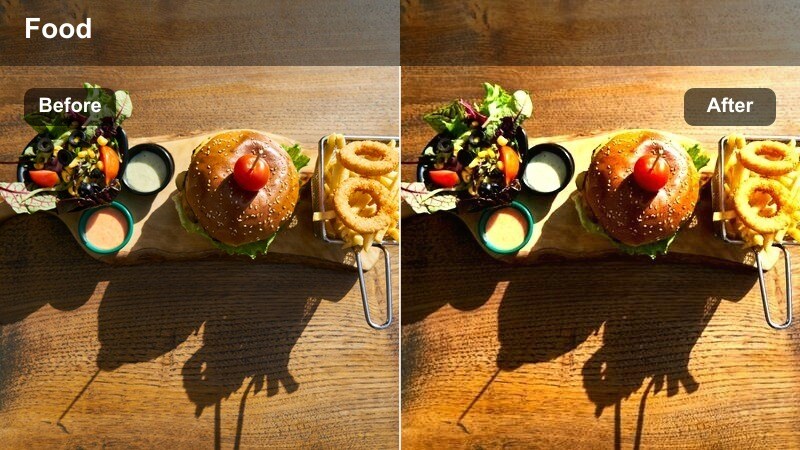
- Effect look: Moody cinematic shadows with warm mids and slightly desaturated primaries for a laid-back night street vibe.
- Best for: Slow pans along cafe terraces, jazz bar exteriors, and documentary-style footage of downtown nightlife.
- Editing tip: Increase local contrast only on faces using Filmoras masking tools while leaving the rest of the frame soft and moody.
Late Night Street Jazz captures the relaxed side of downtown nightlife with deep shadows, warm midtones, and gently muted colors. It gives your city footage a documentary-style feel that suits street musicians, cafe terraces, and quiet bar fronts.
Use this filter for slow pans and observational b-roll, then refine in Filmora by masking faces or key subjects and adding a bit more contrast there. A touch of film grain and a subtle vignette will complete the low-key, cinematic atmosphere without making your image overly dark or noisy.
Dynamic Street Motion and Cafe B-Roll
Urban Walk and Talk
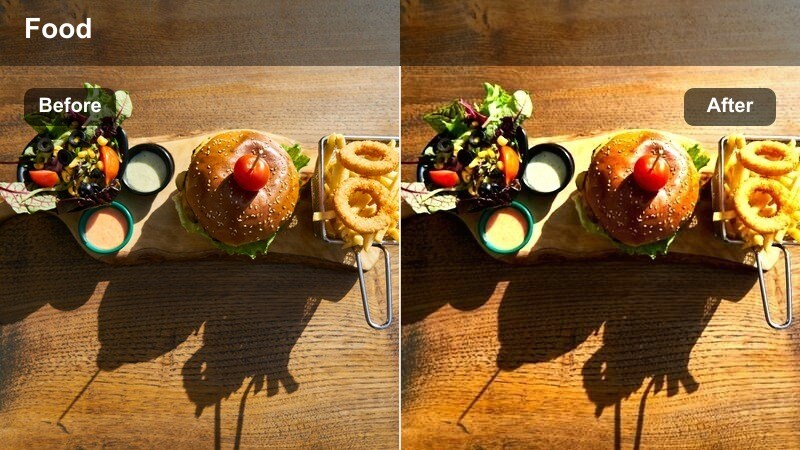
- Effect look: Clean contrast with natural color and slight sharpening tailored for moving street vlog shots.
- Best for: Walk-and-talk storytelling through downtown blocks, passing cafes, and quick cut vlogs.
- Editing tip: Combine this filter with Filmora speed ramps for transitions between crosswalks, storefronts, and cafe interiors.
Urban Walk and Talk is built around clarity and consistency, giving your moving vlog shots a crisp, natural-grade look that is easy to watch. It lightly sharpens details and evens out colors so viewers focus on your story rather than jarring changes in lighting or contrast.
Apply this filter across all walking clips in a sequence, then stabilize and add speed ramps in Filmora to move smoothly between cafes, intersections, and side streets. By keeping the grade consistent, you make fast edits and jump cuts feel intentional, professional, and on-brand.
Cafe Table B-Roll
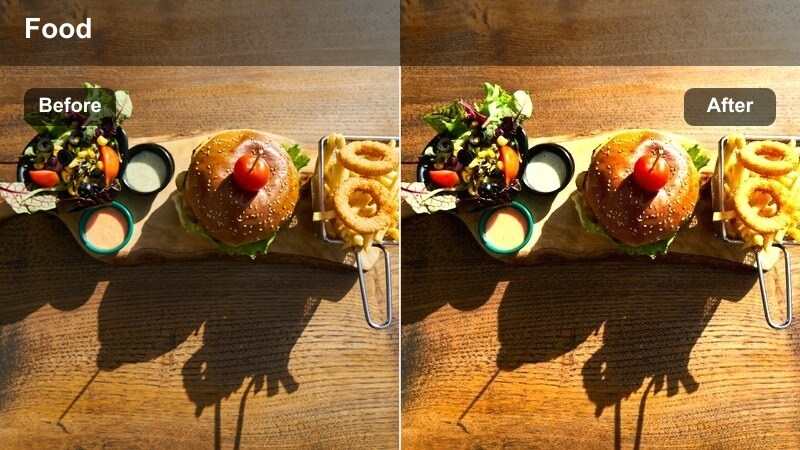
- Effect look: Soft contrast with warm midtones and a slight vignette feel to focus attention on table-level details.
- Best for: Detail shots of hands, notebooks, phones, and accessories on cafe tables with the street in the background.
- Editing tip: Shoot at a high frame rate, then slow to 50 percent or 40 percent in Filmora and apply this filter for smooth, cinematic tabletop moments.
Cafe Table B-Roll is tuned for intimate, detail-rich shots that add texture between larger city scenes. It gently warms midtones and simulates a subtle vignette effect so viewers eyes naturally settle on hands, objects, and drinks rather than distractions in the background.
Use this filter on high-frame-rate clips of notebook pages, coffee pours, or phone taps, then slow them down in Filmora for elegant inserts. Paired with ambient audio and gentle zoom keyframes, these graded table shots can become recurring visual motifs in your downtown projects.
Crosswalk Slow Drift
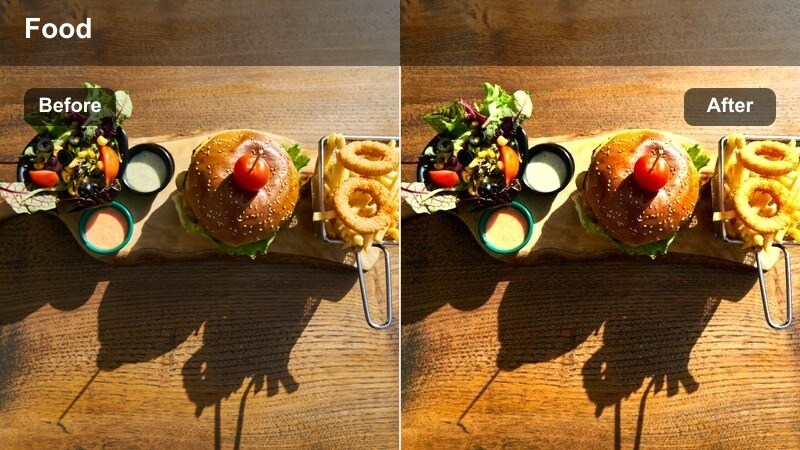
- Effect look: Smooth, slightly desaturated look with controlled highlights and gentle motion-friendly sharpening.
- Best for: Slow-motion crossing shots, drifting gimbal moves across intersections, and people watching from cafe corners.
- Editing tip: Apply this filter after slowing footage in Filmora and add a tiny bit of motion blur to keep movement feeling organic.
Crosswalk Slow Drift is crafted for gliding camera moves and slow-motion passes through busy intersections. It slightly desaturates the scene and tames highlights so your footage feels polished and cinematic without drawing too much attention to individual colors.
Apply it in Filmora once your clip is slowed to the desired speed, then add subtle motion blur or zoom keyframes to enhance the floating sensation. This filter works especially well between dialogue scenes, connecting cafes, corners, and city blocks with smooth visual transitions.
Tips for Using Downtown Cafe Street Lut Filters in Filmora
- Shoot a short test clip in each location and try different Downtown Cafe Street filters before committing to a full scene.
- Keep in-camera white balance as neutral as possible so each filter and any LUTs you stack on top have maximum flexibility.
- Use one main filter per sequence to maintain a consistent cinematic tone as you cut between cafes, sidewalks, and crosswalks.
- Adjust the filter intensity slider in Filmora before pushing contrast or saturation to avoid an over-edited, artificial look.
- Add gentle vignettes to cafe interiors so faces, mugs, and table details stand out from windows and background movement.
- Stabilize handheld street footage in Filmora prior to applying motion-focused filters like Urban Walk and Talk or Crosswalk Slow Drift.
- Save your favorite filter, intensity, and minor color tweaks as a custom preset to speed up future downtown edits.
- Use Filmora masks to selectively apply filters on windows, signs, or sky areas when mixed lighting makes a global grade tricky.
With this Downtown Cafe Street LUT-inspired filter collection, you can give your urban coffee shop vlogs, lifestyle reels, and slow-motion street sequences a cohesive, cinematic finish in just a few clicks.
Experiment with different combinations, tweak intensity to match each scene, and build a recognizable downtown visual style that keeps your audience coming back for more city stories.
secure download