

 100% Security Verified | No Subscription Required | No Malware

Music video directors and artists know that color grading can make or break a visual performance. A well-graded video enhances emotion, rhythm, and storytelling, especially in fast-paced performance videos, concert visuals, and lyric films.
That's why we've curated the Free Professional Music Video LUT Bundle — a powerful set of 12 cinematic filters designed to deliver broadcast-ready color in seconds. Whether you're shooting on stage or in the studio, these LUTs bring studio-grade grading to your editing timeline.
In this article
High-Energy Stage Looks
Neon Pulse
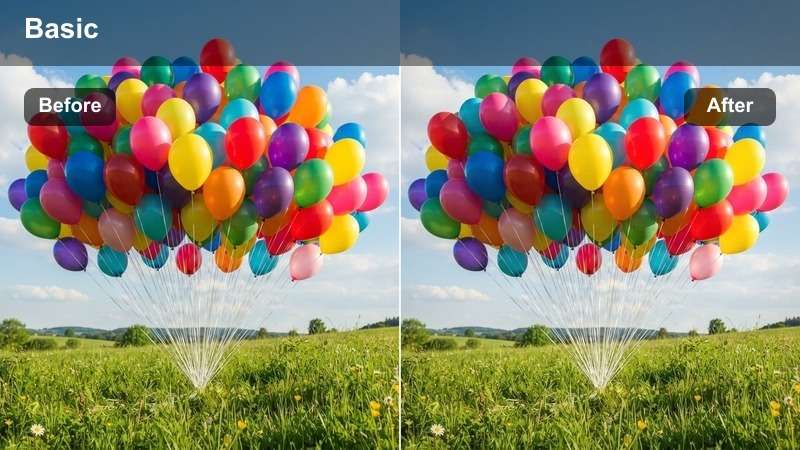
- Effect look: Vibrant neon highlights with deep shadows and electric contrast
- Best for: Concert visuals, EDM performances
- Editing tip: Use with slight glow overlay for intensified stage lighting effects
Neon Pulse delivers a high-impact color grade that emphasizes bright magentas, cyans, and deep blacks, perfect for bringing energy to live concert footage. This LUT enhances stage lighting effects naturally, making spotlights and LED backdrops pop with cinematic intensity.
In Filmora, apply Neon Pulse via the Color Correction panel and layer a soft glow effect using the Glow filter at 20-30% opacity. Use keyframes to sync the glow intensity with the beat, enhancing visual rhythm in EDM or synth-heavy tracks.
 secure download
 secure download secure download
 Laser Glow
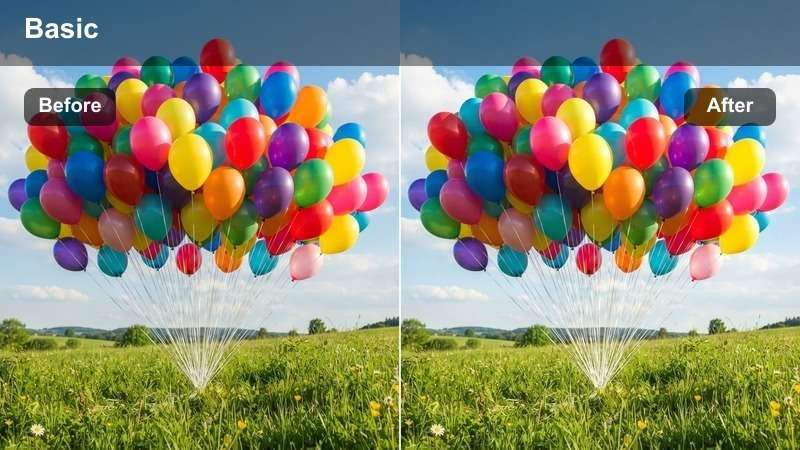
- Effect look: High-contrast look with radiant light streaks and saturated reds
- Best for: Festival footage, rock concerts
- Editing tip: Apply secondary color correction to protect skin tones from oversaturation
Laser Glow enhances intense stage lighting with vivid reds and blues, ideal for festival and outdoor concert footage. The LUT boosts contrast and adds a radiant glow to light beams, making lasers and pyrotechnics stand out dramatically.
In Filmora, pair Laser Glow with the Color Correction tool to reduce saturation in skin tones using a secondary mask. This preserves natural facial tones while keeping the rest of the scene vibrant and energetic.
Electric Blue
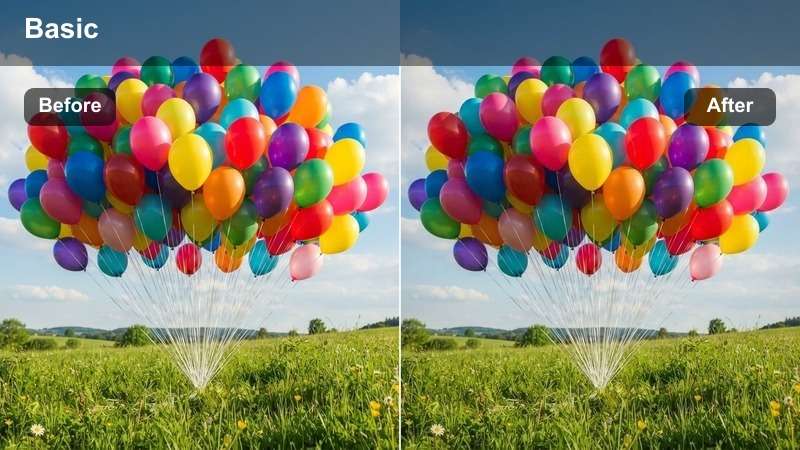
- Effect look: Cool-toned grade with bright cyan highlights and shadow lift
- Best for: Electronic music videos, night shoots
- Editing tip: Boost midtone clarity to emphasize facial details under blue lighting
Electric Blue creates a futuristic, high-tech atmosphere with crisp cyan highlights and lifted shadows. It’s perfect for electronic music videos shot in low light or under LED stage setups.
Use Filmora’s Detail panel to increase midtone clarity slightly, ensuring facial features remain visible under cool lighting. Combine with a subtle vignette to draw focus to the performer and enhance stage presence.
Moody Performance Aesthetics
Smoke & Amber
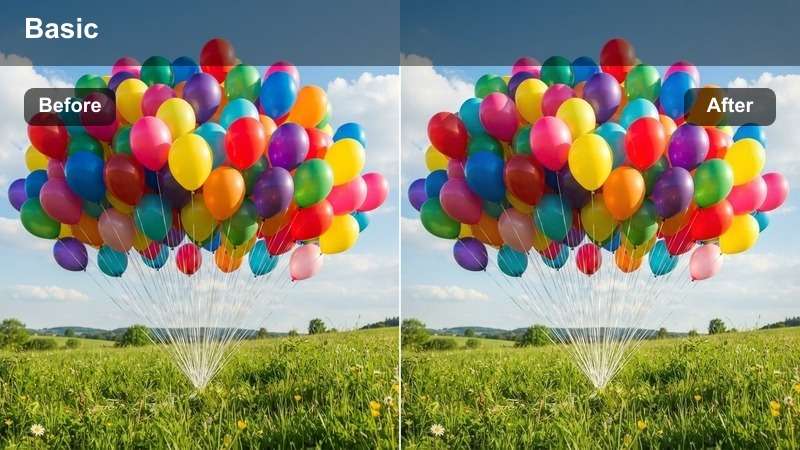
- Effect look: Warm amber tones layered over fog-diffused shadows
- Best for: Soul, R&B, and acoustic performances
- Editing tip: Reduce highlights slightly to preserve detail in backlit silhouettes
Smoke & Amber delivers a warm, emotionally rich grade that enhances candlelit or spotlight-lit scenes. The LUT blends soft amber hues with shadow diffusion, mimicking the look of fog or haze in live venues.
In Filmora, use this LUT on slow-motion shots and reduce highlight intensity slightly to retain detail in backlit hair or clothing. It pairs beautifully with soft focus transitions for a dreamlike effect.
Midnight Soul
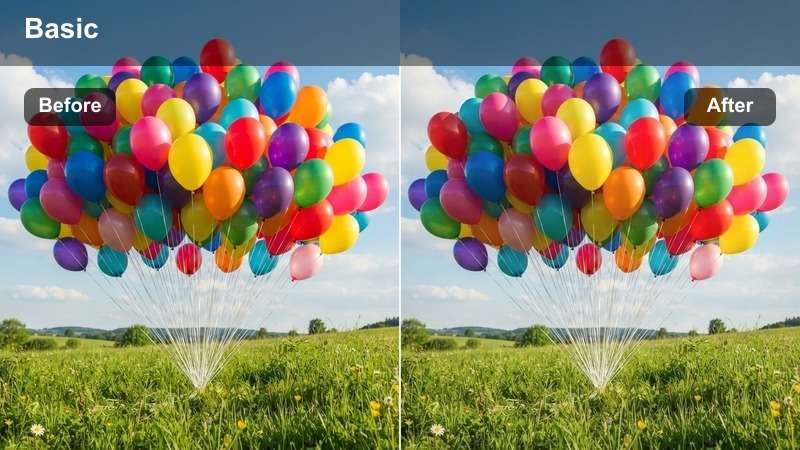
- Effect look: Deep indigo shadows with subtle magenta undertones and soft highlights
- Best for: Late-night studio sessions, moody ballads
- Editing tip: Add a slight grain overlay to enhance filmic texture
Midnight Soul creates a cinematic, introspective mood with rich indigo shadows and soft magenta highlights. It’s ideal for intimate studio recordings or slow-tempo ballads.
In Filmora, apply an 8-10% film grain overlay using the Texture filter to emulate analog film. Combine with shallow depth of field footage to elevate the production quality of low-budget shoots.
Velvet Shadow
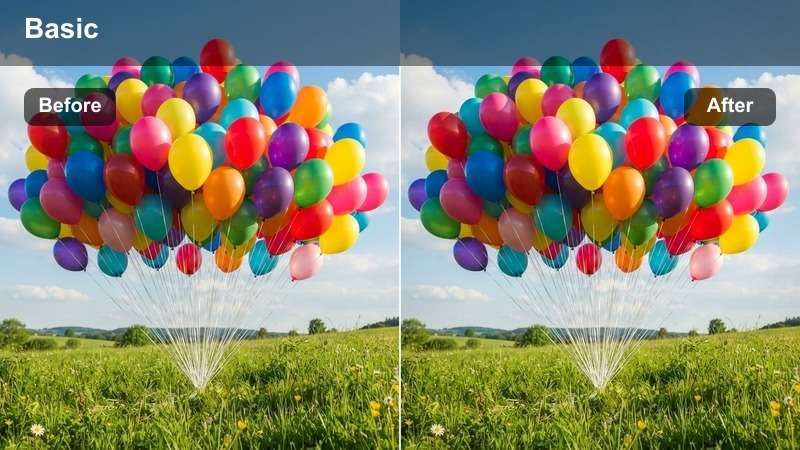
- Effect look: Rich black levels with crushed shadows and warm midtones
- Best for: Jazz, neo-soul, and minimalist performances
- Editing tip: Use exposure grading to selectively lift shadows in facial zones
Velvet Shadow delivers a luxurious, high-contrast look with deep blacks and warm midtones. It’s perfect for jazz or neo-soul performances where mood and atmosphere are central.
In Filmora, use the Exposure tool with a soft mask to gently lift shadows on the face while preserving the dark ambiance. This maintains dramatic lighting without losing facial expression.
Urban & Lyric Video Styles
Gritty Street
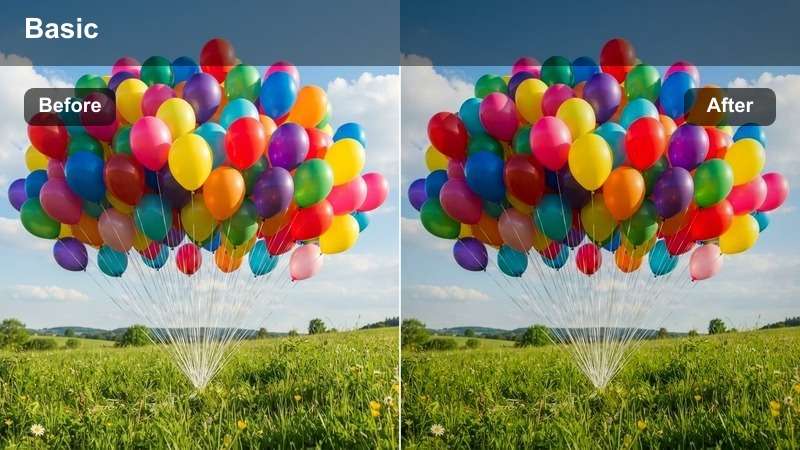
- Effect look: Desaturated base with boosted contrast and concrete gray tones
- Best for: Hip-hop, rap, and street lyric videos
- Editing tip: Use sharpening sparingly to avoid noise in flat lighting
Gritty Street delivers a raw, documentary-style look with desaturated colors and high contrast. It emphasizes urban textures like concrete, brick, and metal, making it ideal for street-based storytelling.
In Filmora, apply this LUT to rooftop or alleyway footage and enhance realism with a subtle concrete texture overlay at 15% opacity using Overlay blend mode. Avoid over-sharpening in low-light scenes to prevent noise.
Chrome City
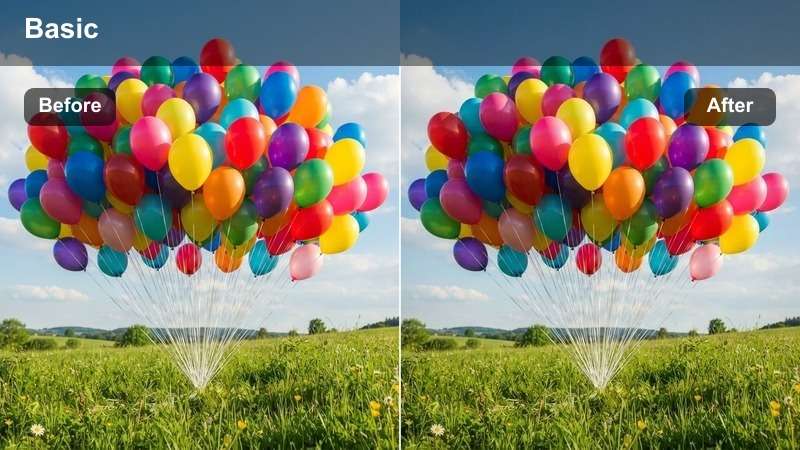
- Effect look: High metallic sheen with cool silver highlights and neutral blacks
- Best for: Urban pop, futuristic themes, cityscape visuals
- Editing tip: Boost specular highlights on vehicles or glass for reflective realism
Chrome City gives cityscapes a sleek, modern finish with reflective silver tones and cool neutrality. It enhances wet pavement, glass facades, and metallic surfaces for a polished urban look.
In Filmora, use the Dodge tool to brighten reflections on wet streets and windows. Sync camera movements with the rhythm of passing lights to create a visually dynamic, music-synced effect.
Dusk Verse
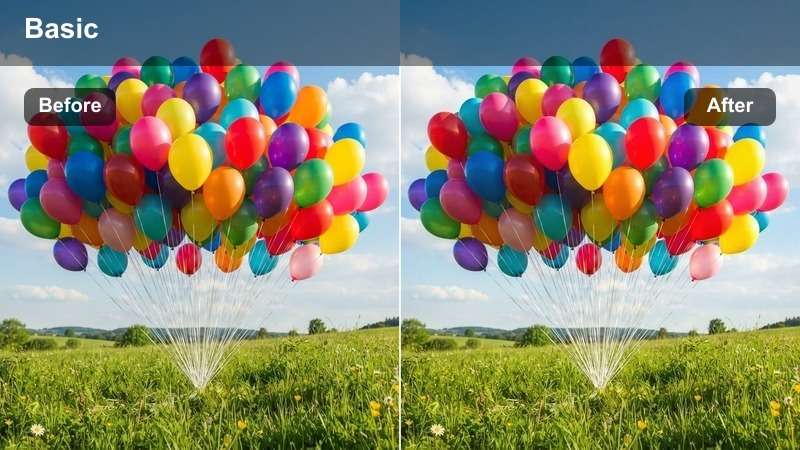
- Effect look: Warm golden hour grading with soft shadows and orange-pink gradients
- Best for: Lyric videos, acoustic sets, rooftop performances
- Editing tip: Preserve sky detail by lowering saturation in upper third of frame
Dusk Verse captures the warmth and softness of golden hour with rich orange-pink gradients and gentle shadows. It’s perfect for poetic lyric videos or acoustic performances filmed outdoors.
In Filmora, use the Sky Replacement tool if natural lighting is flat. Match the new sky’s color tone to the LUT’s warm palette for a seamless blend and enhanced emotional impact.
Creative Experimental Looks
Analog Dream
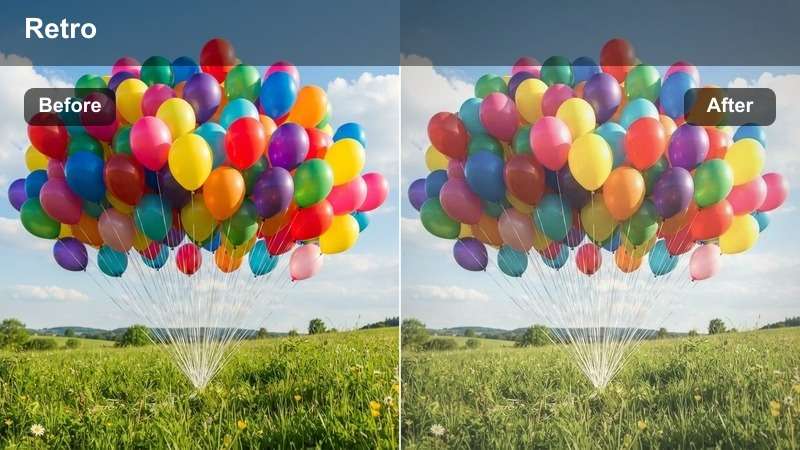
- Effect look: Soft focus emulation with film grain and pastel color bleed
- Best for: Indie pop, dreamwave, nostalgic themes
- Editing tip: Apply slight chromatic aberration for authentic vintage feel
Analog Dream recreates the hazy, nostalgic look of vintage film with soft focus, pastel tones, and subtle color bleed. It’s ideal for dreamy indie pop or retro-themed music videos.
In Filmora, layer a 2-3% intensity flicker effect using keyframes to mimic old projector light. Use sparingly in short sequences to maintain viewer engagement without causing fatigue.
Cyber Funk
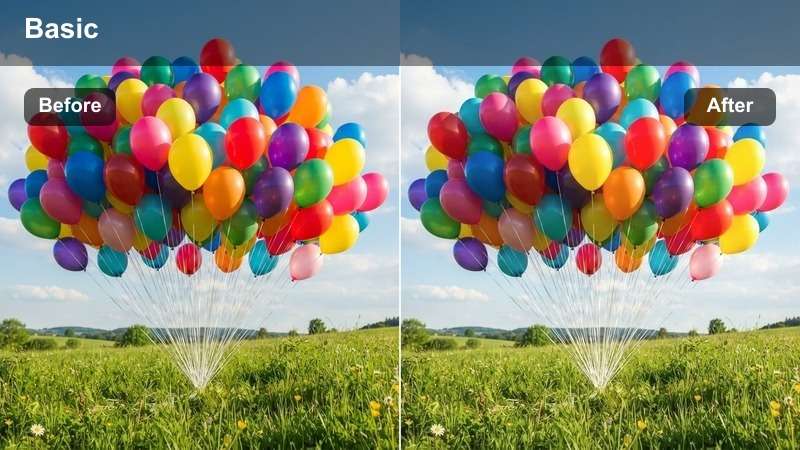
- Effect look: High saturation with purple-cyan contrast and digital glow
- Best for: Synthwave, retro-futuristic music videos
- Editing tip: Use RGB split effect subtly on transitions for digital edge
Cyber Funk delivers a bold, high-energy look with vibrant purple and cyan tones, perfect for synthwave or retro-futuristic themes. The LUT enhances digital glow and contrast for a sci-fi aesthetic.
In Filmora, link the RGB split effect’s intensity to audio amplitude using expression controls. This creates a dynamic, music-responsive visual effect that pulses with the beat.
Mono Pulse
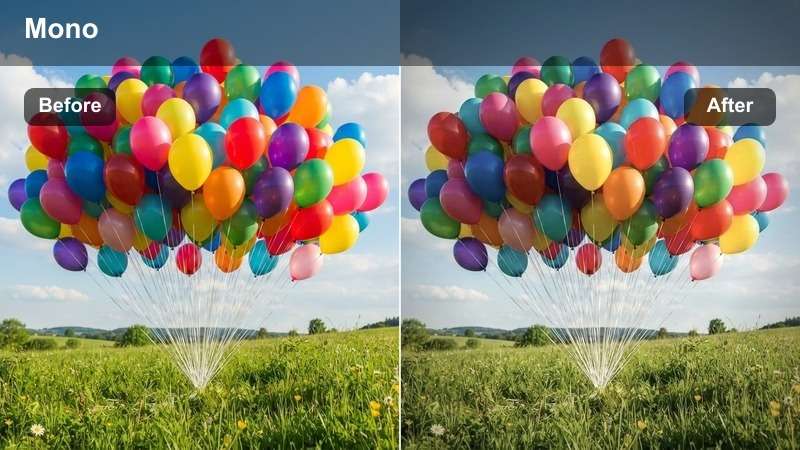
- Effect look: Black and white base with single-color accent pulses (red/blue)
- Best for: Dramatic performances, visual storytelling
- Editing tip: Animate the accent color to pulse with the beat for dramatic effect
Mono Pulse combines monochrome grading with rhythmic color flashes, creating a striking visual contrast. It’s ideal for dramatic performances where timing and impact matter.
In Filmora, use keyframes to flash the accent color (e.g., red) on strong beats. Limit to one color per scene to maintain clarity and avoid visual clutter during fast cuts.
Tips for Using Music Video Lut Download Filters in Filmora
- Always shoot in flat color profile for best LUT application.
- Use adjustment layers to apply LUTs selectively to specific scenes.
- Combine LUTs with secondary color grading for refined results.
- Save your graded look as a preset for consistent style across videos.
- Use the AI Color Palette tool to match titles and overlays to your graded footage.
- Layer texture or glow effects to enhance the LUT’s visual impact.
- Sync visual effects like pulses or splits with the audio waveform for rhythm.
- Export test clips to review color performance on different screens.
The Free Professional Music Video LUT Bundle empowers music video directors and artists to achieve cinematic color grading with ease.
From high-energy concerts to intimate lyric films, these 12 filters deliver creative grading power tailored to performance visuals.
secure download 