

 100% Security Verified | No Subscription Required | No Malware


 ChatGPT
 Perplexity
 Gemini
 Claude
 Grok
Grok
If you shoot mountains, beaches, sunsets, or city skylines for TikTok, the right filter can turn a flat clip into a scroll stopping nature shot. With Filmora, you can quickly add landscape video filters for TikTok that boost color, contrast, and depth so every scene looks intentional and cinematic.
Below are 12 ready to use landscape video filters for TikTok nature creators. Each one includes when to use it, the overall effect look, and a quick editing tip so you can dial in the perfect vibe for TikTok landscape shorts and viral nature videos.
In this article
Warm Landscape Filters for Golden Hour TikTok Clips
Sunset Haze
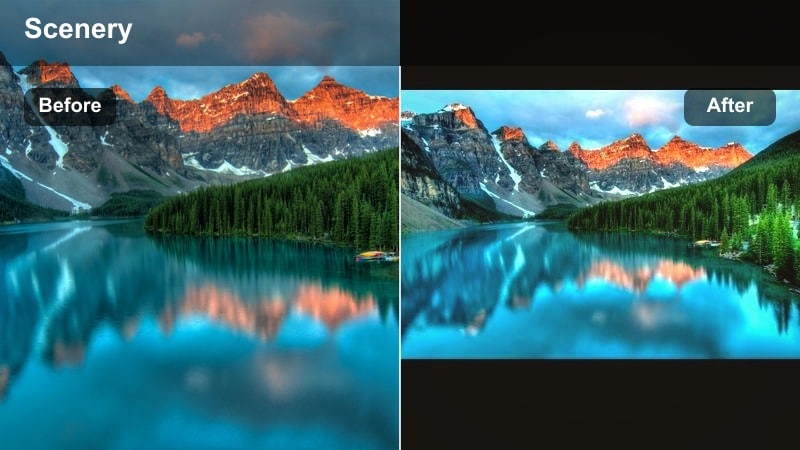
- Effect look: Soft warm contrast with peachy highlights and gentle fade in the shadows
- Best for: Golden hour beach walks, dreamy sunset overlooks, warm POV travel shots
- Editing tip: Lower the intensity to around 60 percent and slightly reduce saturation on skin tones so the sky glows without turning faces orange.
Sunset Haze wraps your landscape shots in a soft, warm glow that makes TikTok viewers stop scrolling on any golden hour moment. It pushes peachy tones into the highlights and gently fades the shadows, so skies look dreamy while foreground details stay pleasingly soft and cinematic.
In Filmora, this filter is ideal for quick sunset edits where you want the sky to do the storytelling, from beach walks to rooftop views. Apply it to your vertical clips, dial intensity down to around 60 percent, and use the color controls to tame skin saturation so people look natural while the horizon glows with rich oranges and pinks.
Speed up your landscape look with AI color tools
Filmora s AI powered color tools can analyze your clip and suggest corrections before you even add a landscape filter, which helps keep skies from clipping and shadows from turning muddy.
Once the base is balanced, your favorite landscape video filters for TikTok sit on top more cleanly, so you get rich color and depth without constant manual tweaking. Open your next nature clip in Filmora and let AI clean up exposure and color temperature, then stack one of these filters for a fast, reliable look.
 secure download

See landscape filters in action on TikTok style clips
Inside Filmora, you can preview these filters on sample nature footage that mimics real TikTok framing, including vertical orientation and fast motion.
Watching how each filter handles skies, trees, and water helps you quickly choose the right vibe for TikTok landscape shorts or longer storytelling videos. Browse the filter library, hover over a look you like, and use instant preview on your footage to compare styles before committing.
secure downloadCombine landscape filters with nature LUTs for pro depth
If you already use a favorite nature TikTok LUT or scenery color preset, Filmora lets you layer that look under a lighter strength filter to fine tune highlights and shadows.
This combo gives you the speed of one click LUTs with the control of filters, so your signature landscape style stays consistent across TikTok, Instagram, and other platforms. Try stacking a gentle landscape filter over your go to LUT, then adjust opacity on both until the sky, foliage, and skin tones all look balanced.
secure downloadGolden Ridge
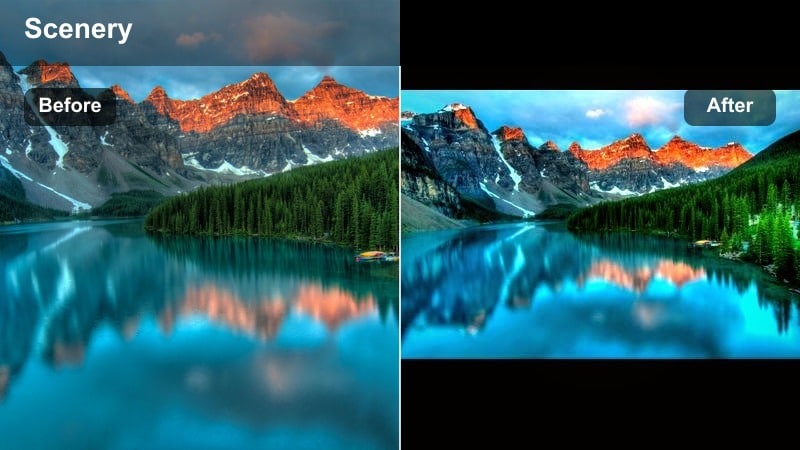
- Effect look: Rich golden warmth with boosted midtone contrast and crisp edges
- Best for: Mountain panoramas, ridgeline hikes, drone flyovers at sunset
- Editing tip: Increase sharpness slightly and add a bit of clarity to foreground rocks or trees so the golden light feels punchy without overexposing the sky.
Golden Ridge is built for epic high elevation shots where you want every ridge and rock to feel bold and dramatic. It adds a strong golden cast to midtones, boosts contrast, and keeps edges crisp so your TikTok landscapes look like frames from a high end travel film.
In Filmora, combine Golden Ridge with light sharpening and a touch of clarity in the Color panel to define details in rocks, trails, and foreground hikers. Keep an eye on the histogram and pull back highlights if needed so your sunset sky retains texture rather than blowing out to solid white on mobile screens.
Amber Shore
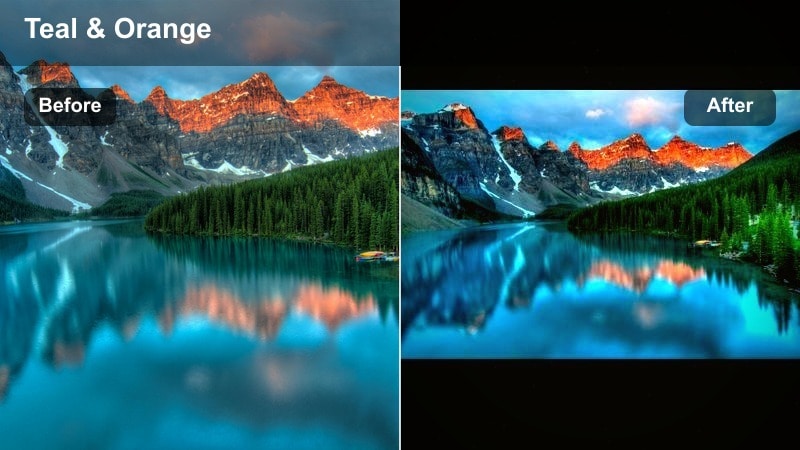
- Effect look: Soft amber warmth with gentle teal in the shadows and smooth highlights
- Best for: Coastal cliffs, seaside boardwalks, warm travel montages
- Editing tip: Add a slight slow zoom in Filmora and keep the filter at medium strength to create a relaxed, cinematic coastal vibe in under 10 seconds.
Amber Shore leans into the classic warm highlights and cool shadows combination that makes coastal scenes look effortlessly cinematic. Highlights pick up amber tones while shadows drift into a gentle teal, giving your seaside TikToks a stylized film look that still feels natural.
Drop this filter onto boardwalk walks, cliff overlooks, or ocean b rolls, then add a subtle slow zoom in Filmora to keep motion flowing in vertical format. Keep intensity at a medium level so sand, buildings, and skin tones stay believable while the shoreline and sky gain a calm, polished glow.
Cool Landscape Filters for Forest and Water TikTok Shots
Emerald Trail
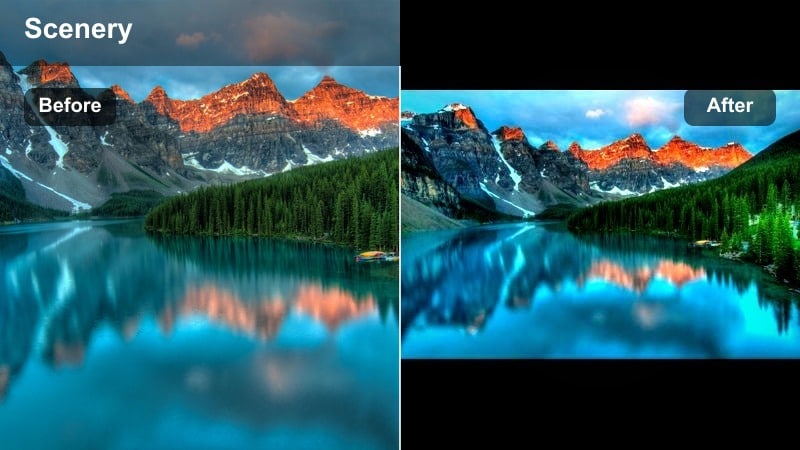
- Effect look: Deep greens, cool shadows, and slightly lifted blacks for a moody forest feel
- Best for: Dense forests, mossy trails, waterfall hikes under shade
- Editing tip: Use Filmora s Color Match to keep green tones consistent across multiple clips so your entire TikTok feels like one continuous forest story.
Emerald Trail is tailored for shaded forests and mossy paths, deepening greens while cooling shadows to create a moody, story driven vibe. Lifted blacks prevent the darkest areas from crushing, so leaves, bark, and ground textures retain detail even in low light conditions.
When you are cutting forest montages in Filmora, apply Emerald Trail across all clips, then use Color Match to unify greens so the TikTok feels like one seamless hike. Slightly reduce overall contrast if foliage starts to look too dark, and boost green saturation in HSL while protecting luminance so everything stays lush instead of muddy.
Glacier Stream
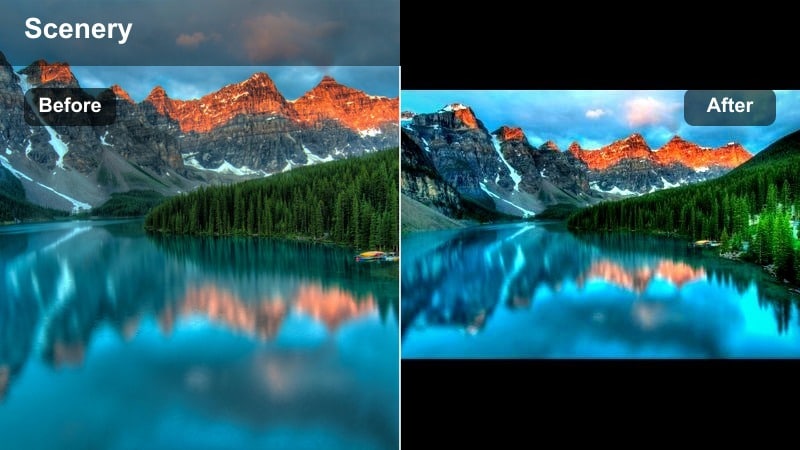
- Effect look: Cool blue tint with crisp whites and high clarity for water and snow
- Best for: Rivers, waterfalls, icy lakes, and mountain streams
- Editing tip: Increase speed ramps on flowing water clips while using this filter to emphasize clarity and motion for super satisfying TikTok loops.
Glacier Stream turns any moving water or snowy landscape into a crisp, refreshing scene with clean whites and icy blues. It enhances clarity and micro contrast so splashes, ripples, and falling water textures read clearly even on small phone screens.
In Filmora, pair Glacier Stream with speed ramps on waterfall or river shots to create oddly satisfying TikTok loops that viewers replay. If you appear in the frame, use a mask or adjustment layer to tone down the cool tint on skin while leaving the filter at full strength on water and ice for a balanced, professional finish.
Misty Lake
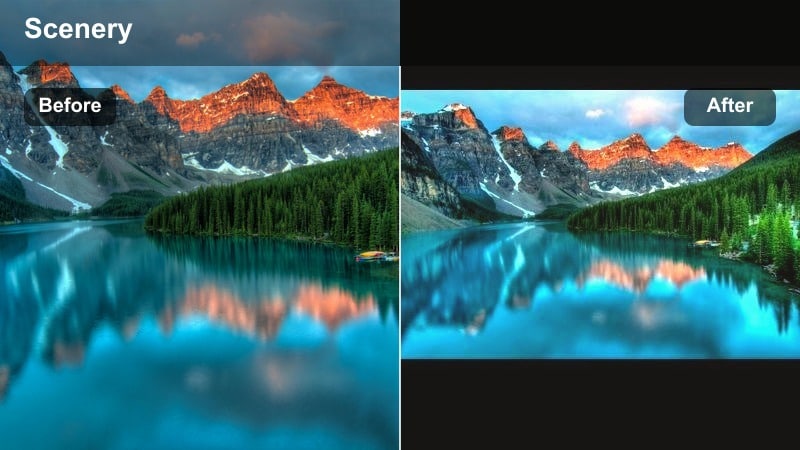
- Effect look: Low contrast, soft cool tones, and gentle highlight bloom for foggy mornings
- Best for: Foggy lakes, early morning docks, quiet riverside shots
- Editing tip: Lower saturation slightly and add a slow cross zoom transition between clips to maintain a calm, dreamy atmosphere.
Misty Lake is designed for calm, foggy mornings where the mood matters more than sharp detail. It lowers contrast, cools overall color, and adds a subtle bloom to highlights so mist and reflections on the water feel soft and atmospheric.
Use this filter in Filmora for lakeside timelapses, dock POVs, or quiet riverside moments you want to loop as relaxing TikTok background visuals. Lower saturation to keep colors gentle, then use simple cross zoom transitions and minimal on screen text so empty sky and water serve as clean space for captions or overlays.
Cinematic Landscape Filters for Epic TikTok Vistas
Cinema Horizon
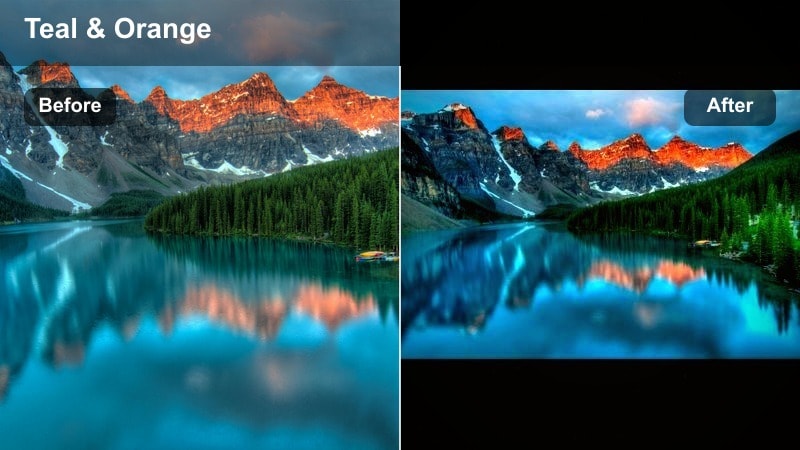
- Effect look: High contrast, subtle teal and orange split, and letterbox friendly tones
- Best for: Wide city skylines, desert vistas, long lens landscape shots
- Editing tip: Add Filmora cinematic black bars and pair this filter with a slow push in to make your TikTok feel like a movie trailer.
Cinema Horizon brings a subtle teal and orange split tone to your wides, adding high contrast and drama that feels straight out of a movie trailer. It is especially effective on skylines and open vistas, where warm buildings or rock faces contrast against cooler skies and shadows.
In Filmora, combine this filter with cinematic black bars and a slow push in or dolly zoom to make even simple horizon shots feel premium. Start your clip partially blocked, then reveal the full scene on the beat for a hook that grabs viewers in the first second of your TikTok.
Desert Dusk
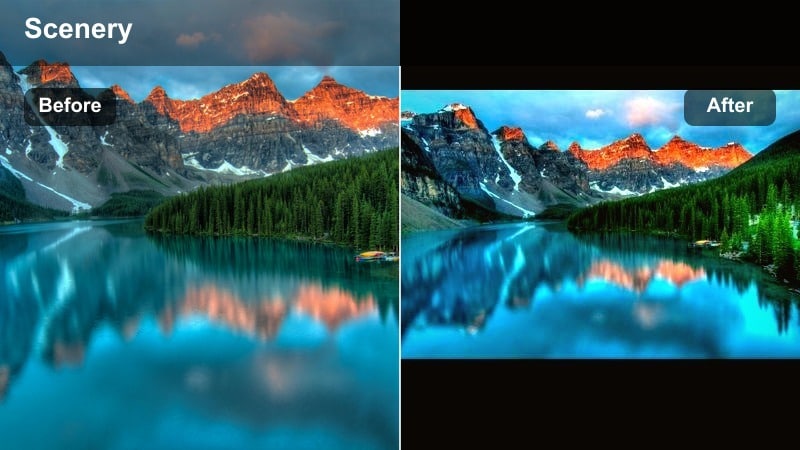
- Effect look: Muted highlights, rich earthy tones, and soft magenta in the shadows
- Best for: Deserts, canyons, dry fields, and rocky landscapes at dusk
- Editing tip: Slightly desaturate blues and increase saturation on orange and yellow for cohesive desert color that reads well on mobile screens.
Desert Dusk leans into warm, earthy tones while softly muting highlights so dry terrain keeps texture at the brightest parts of the day. A gentle magenta push in the shadows gives canyons, cliffs, and rocky fields a stylized dusk or late afternoon atmosphere even if you shot earlier.
Apply this filter in Filmora to desert hikes, canyon overlooks, or grassland panoramas, then nudge blue saturation down and orange or yellow up for a cohesive, warm palette. Use masks or local adjustments to add a touch more contrast where rock textures matter so your TikTok still feels detailed and sharp despite the muted highlight style.
Summit Cinema
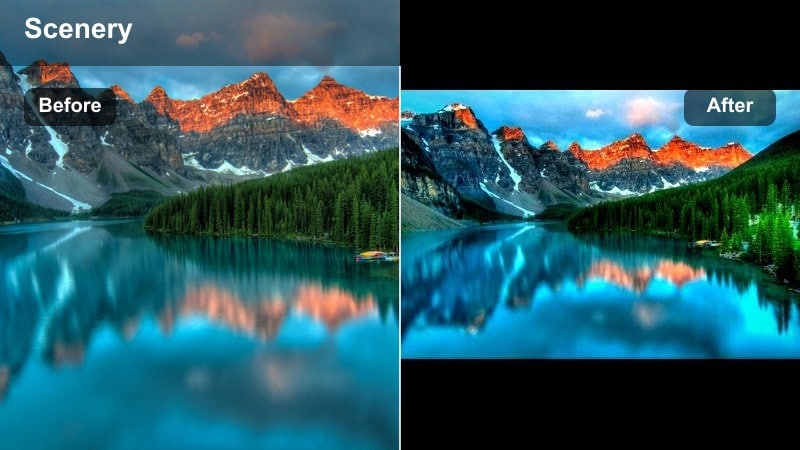
- Effect look: Clean, modern cinematic grade with neutral whites and rich midtones
- Best for: Summit views, drone cityscapes, long travel transitions between locations
- Editing tip: Keep exposure slightly lower than normal and push contrast gradually with keyframes so the clip grows more dramatic toward the end.
Summit Cinema offers a versatile, modern cinematic grade that works across mountains, cities, and coastal views. It keeps whites neutral while deepening midtones, giving you a polished, high end look that does not skew too warm or too cool.
Use it in Filmora as your go to filter for multi location travel TikToks, applying it to every clip first and then making small exposure tweaks per shot. Slightly underexpose and keyframe contrast upwards toward the end of the clip to build drama, turning simple location reveals into satisfying finishing shots for your edits.
TikTok Ready Landscape Filters for Fast Posting
Quick Vivid Landscape
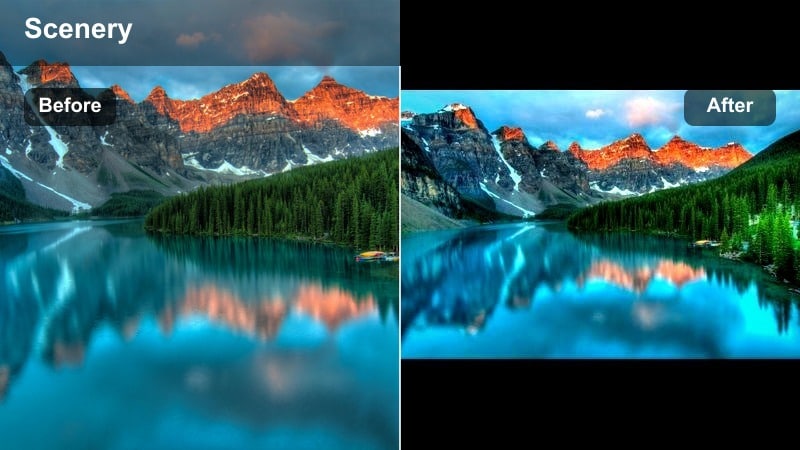
- Effect look: Punchy saturation, bright highlights, and clean midtones optimized for phone screens
- Best for: Everyday park walks, street trees, casual outdoor TikToks
- Editing tip: Use this as your default filter at low to medium intensity, then only fine tune white balance so you can post landscapes in minutes.
Quick Vivid Landscape is built as a one click solution for everyday outdoor clips you want to post fast. It boosts saturation, brightens highlights, and cleans up midtones so parks, city trees, and casual nature walks instantly stand out in the TikTok feed.
In Filmora, make this your default base filter for outdoor content: apply it at low to medium strength, then adjust only white balance and exposure. This workflow lets you turn raw phone footage into punchy, polished posts in minutes instead of spending time on detailed color grading for every clip.
Soft Pastel Vista
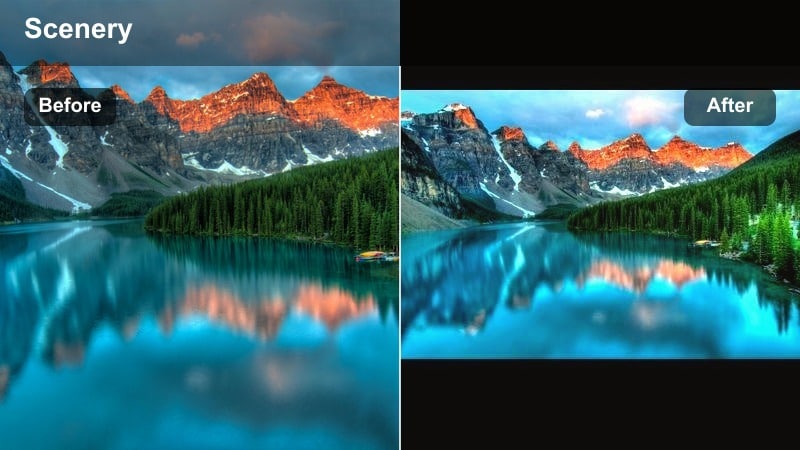
- Effect look: Pastel toned colors, low contrast, and smooth gradations in the sky
- Best for: Cloudscapes, spring fields, flower covered hills, aesthetic edits
- Editing tip: Lower sharpness slightly and pair with handwritten style text in Filmora for a soft aesthetic TikTok vibe.
Soft Pastel Vista transforms bright, high contrast scenes into gentle, dreamy landscapes with pastel skies and softened colors. By lowering contrast and smoothing gradients, it is perfect for aesthetic edits where mood and palette matter more than pure realism.
Use this filter on cloud timelapses, flower covered hills, or spring fields, then reduce sharpness a bit in Filmora to keep edges from feeling too digital. Add simple, handwritten style text and minimal overlays so the pastel tones remain the star of your TikTok s visual style.
Urban Green Pop
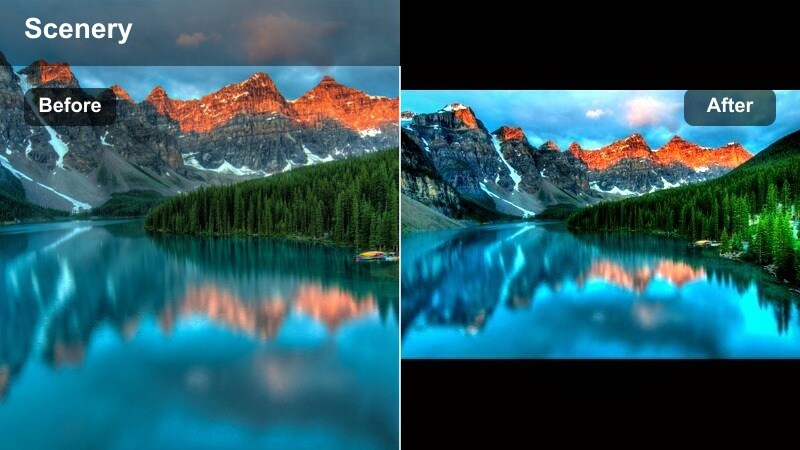
- Effect look: Boosted greens, neutral skin tones, and slightly cool highlights for city nature
- Best for: Street trees, rooftop gardens, urban parks, city overlook spots
- Editing tip: Use the filter and then drop saturation for everything except green in the HSL panel to make plants pop against grey buildings.
Urban Green Pop is tuned for city landscapes where concrete and glass dominate, but you want nature to steal the show. It boosts greens while holding skin tones neutral and cooling highlights slightly, so trees, grass, and plants jump out against grey buildings and streets.
In Filmora, apply Urban Green Pop to city park walks, rooftop garden tours, or balcony plant updates, then head into the HSL panel and dial down saturation for other hues. Leaving greens strong while everything else stays muted creates a clean, branded look that makes your urban nature content instantly recognizable on TikTok.
Tips for Using Landscape Video Tiktok Filter Filters in Filmora
- Shoot in the flattest picture style your phone allows so Filmora landscape filters have more room to shape contrast and color.
- Always expose for the brightest part of the sky; you can lift shadows later, but lost highlight detail is hard to recover.
- Use vertical friendly compositions with strong foreground elements so landscape filters enhance depth rather than just the horizon.
- Test each filter at different intensities instead of leaving it at 100 percent; small adjustments often look more natural on TikTok.
- Pair filters with subtle motion effects like slow zooms or pans to keep static landscapes engaging in short form videos.
- Combine filters with Filmora transitions that match your music beats so scenery changes feel intentional rather than random cuts.
- Save your favorite filter and intensity combos as presets in Filmora to keep a consistent look across your TikTok feed.
With these curated landscape video filters for TikTok, you can turn raw outdoor clips into polished nature edits that match your channel s mood in just a few taps.
Open Filmora, drop in your latest hike, beach walk, or city view, and start testing a few of these looks until you lock in a signature style that viewers instantly recognize in their TikTok feed.
secure download