

 100% Security Verified | No Subscription Required | No Malware


 ChatGPT
 Perplexity
 Gemini
 Claude
 Grok
Grok
Outdoor TikTok videos live or die by their color. The right filter can turn flat daylight into golden-hour magic, make your mountains look epic, and give your adventure shorts a consistent, on-brand vibe that followers recognize instantly.
Below are 12 outdoor video filters for TikTok designed for hikers, campers, skaters, and travel creators. Each one includes what it looks like, the best scenarios to use it in, and a quick editing tip to keep your outdoor short color looking clean and professional.
In this article
Warm Golden Hour and Sunset Outdoor TikTok Filters
Sunset Soft Glow
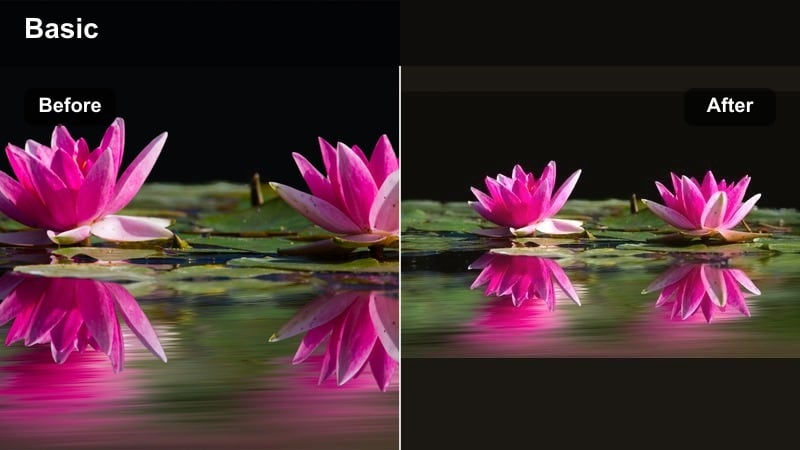
- Effect look: Soft warm highlights with gentle contrast and subtle bloom around bright areas to mimic golden-hour light even when shot earlier in the day.
- Best for: TikTok outdoor clips shot near sunset, city rooftop moments, warm travel transitions, and slow-motion walking or dancing shots.
- Editing tip: Lower the strength on faces to avoid orange skin, then slightly raise shadows to keep details in darker clothing from crushing to black.
Sunset Soft Glow is perfect when your outdoor TikTok did not quite hit real golden hour but you still want that dreamy, cinematic warmth. In Filmora, you can apply this filter to instantly wrap your subject in soft light, adding bloom around bright areas and warmth to midtones so the whole scene feels like it was shot just before sunset.
For polished results, use Filmora masks or adjustment layers to reduce intensity on faces while keeping backgrounds richly warm. Then fine-tune the tone curve to raise shadows slightly, protecting details in hair, jackets, and darker objects so they do not sink into pure black when posted on TikTok.
Match Filters to Your Outdoor Brand Colors with AI
Filmora s AI color tools analyze your outdoor clips and suggest color palettes that match your existing TikTok grid or brand colors. Instead of guessing saturation and temperature, you can start from smart, auto-generated looks that complement your favorite filters like Sunset Soft Glow.
Once you pick a suggested palette, turn it into a reusable preset and combine it with your go-to outdoor video TikTok filter. That way, every new hike, rooftop, or road trip post keeps the same signature color language with almost no extra work.
 secure download

Fine-Tune Outdoor Colors with HSL and Curves
After choosing a base filter in Filmora, use HSL and curves to separate warm skin tones from cooler skies or buildings. This is especially useful when your golden, sunset-style outdoor video TikTok filter makes the whole frame lean too orange.
By selectively adjusting individual color channels, you keep your subject flattering while still pushing the background toward the cinematic tones you want for your TikTok grid.
secure downloadPreview 1000+ Video Filters and 3D LUTs in Filmora
Filmora includes a large library of video filters and 3D LUTs for outdoor content, from warm sunset looks to moody forest tones. You can browse different packs, preview them live on your footage, and stack multiple filters together to build your own TikTok-ready outdoor style.
Once you like a combination, save it as a custom preset so you can apply the same adventure TikTok LUT or outdoor short color setup in one click on every new video.
secure downloadGolden Trail Boost
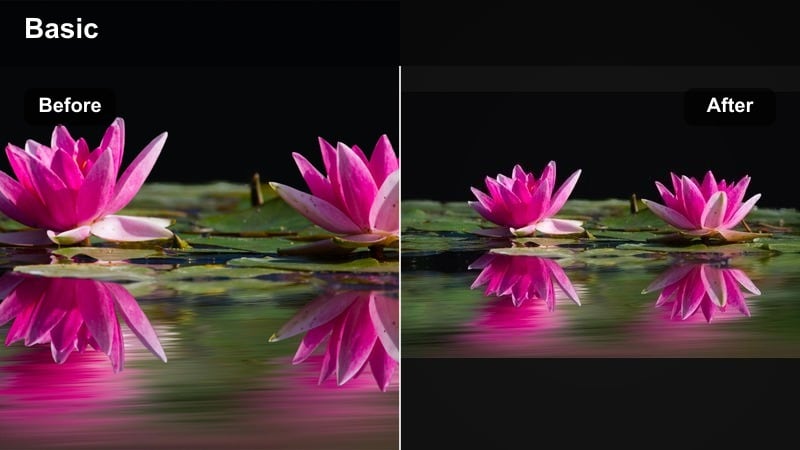
- Effect look: Rich golden tones in midtones, boosted greens, and slightly raised clarity for sharp leaves, rocks, and trail textures.
- Best for: Adventure shorts on forest trails, hiking vlogs, mountain paths, and sunrise runs in nature.
- Editing tip: Use this filter at full strength on wide shots, then dial it down to 40-60 percent on close-ups to avoid overly crunchy skin texture.
Golden Trail Boost enhances earthy tones so dirt paths, foliage, and rock faces feel vivid and tactile. In Filmora, this filter is ideal for GoPro or phone footage from hikes and runs where you want the environment to feel rich without losing realism.
Apply it strongly on wide landscape shots to emphasize depth and detail, then use Filmora s opacity or adjustment layer controls to ease back intensity on close-ups. This keeps faces soft and flattering while trails and trees stay sharp and energetic.
Campfire Amber
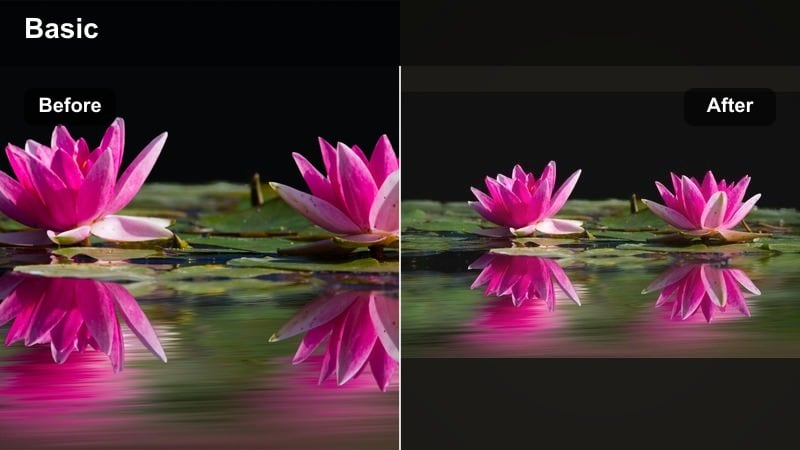
- Effect look: Deep amber and orange tones with softened contrast and gentle fade in blacks for cozy, nostalgic outdoor night scenes.
- Best for: Campfire TikToks, vanlife evenings, cabin porch clips, and low-light campsite storytelling shots.
- Editing tip: Reduce saturation in reds slightly so flames do not clip to pure orange, and raise exposure a touch so faces stay readable in the dark.
Campfire Amber wraps your night scenes in warm, cinematic glow, perfect for storytelling TikToks shot around a fire or lantern. In Filmora, the softened contrast and faded blacks help hide low-light noise while still keeping enough detail in faces and the campsite.
Use highlight recovery and gentle saturation reduction on reds and oranges so fire and lanterns keep their texture instead of turning into flat shapes. A small exposure boost and selective brightening on faces will make your night scenes feel cozy and watchable even on smaller phone screens.
Cool, Clean Daylight Outdoor TikTok Filters
Sky Pop Clean
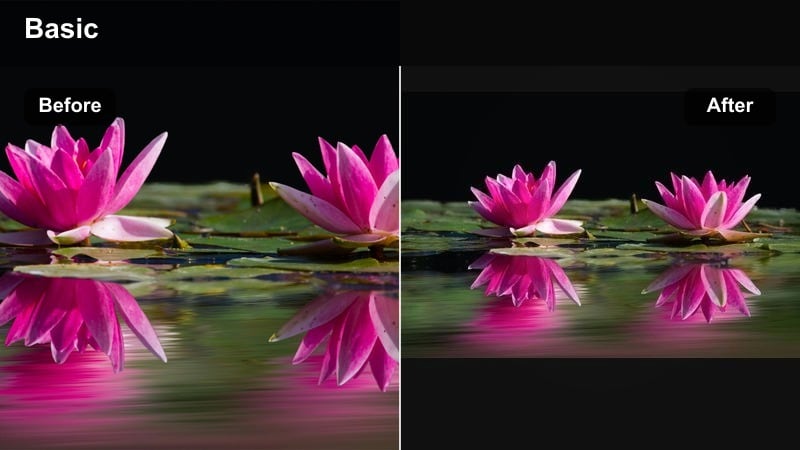
- Effect look: Crisp contrast with slightly cooled highlights and boosted blues to make skies punchier while keeping skin natural.
- Best for: Daytime TikTok outdoor clips with big sky, drone passes, rooftop transitions, and beach reveals.
- Editing tip: Pull down blue luminance a bit to deepen the sky, but avoid going too far or you will introduce visible noise and banding.
Sky Pop Clean is designed to make your daytime outdoor clips feel bright and professional without cartoonish color. In Filmora, this filter boosts blue saturation and contrast in the sky so clouds stand out and horizons feel crisp.
Use the HSL panel to fine-tune blue luminance and saturation per clip, especially with drone shots where banding can appear. Combine the filter with Filmora s built-in stabilization or speed ramps to create smooth, modern reveals for rooftop and beach TikToks.
Urban Crisp Day
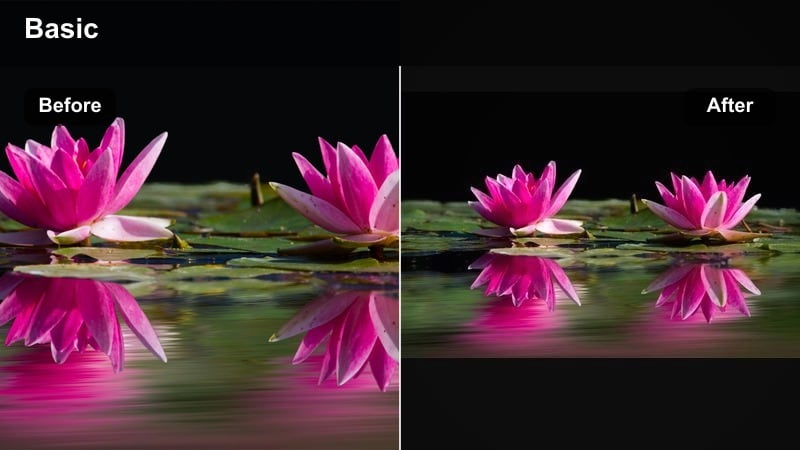
- Effect look: Neutral to cool tones with boosted clarity, sharp edges, and subtle desaturation for a modern city-outdoor aesthetic.
- Best for: Skate park TikToks, city walks, street fashion, and urban adventure shorts with lots of concrete and glass.
- Editing tip: Apply a light vignette to pull the viewer toward the subject and reduce distraction from bright building edges.
Urban Crisp Day gives your city footage that sharp, editorial feel that works well with skate tricks and street fashion transitions. In Filmora, clarity and edge contrast are emphasized so railings, stair sets, and building lines feel strong and graphic.
To keep the aesthetic clean, pair this filter with subtle desaturation of secondary colors so outfits and boards stand out. Add a controlled vignette and slight perspective correction in Filmora to guide viewers eyes to your main subject in fast-paced TikToks.
Aqua Coastline
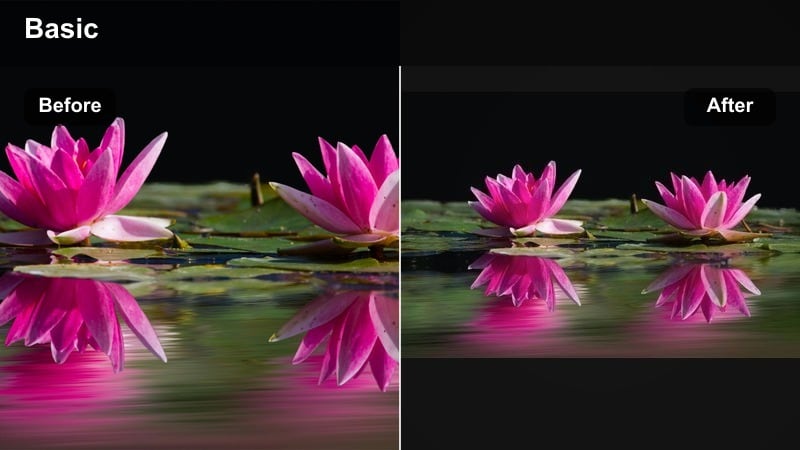
- Effect look: Vibrant aqua blues, lifted shadows, and soft highlights for a polished beach and coastal travel look.
- Best for: Beach days, surf clips, travel vlogs on boats, and lakeside or river adventure TikToks.
- Editing tip: Lower greens slightly if water looks too neon, and add a touch of dehaze to cut through mist or sea spray.
Aqua Coastline instantly turns dull water into clear, tropical-looking blue, perfect for travel and vacation TikTok edits. In Filmora, this filter lifts shadows so details in rocks, sand, and waves remain visible even under harsh midday sun.
When grading, check your cyan and green channels in HSL to avoid radioactive-looking water, especially on overcast days. A bit of dehaze and sharpen in Filmora will add extra clarity to horizon lines and splashes, making your beach clips stand out on the For You page.
Moody Adventure and Forest Outdoor TikTok Filters
Evergreen Mist
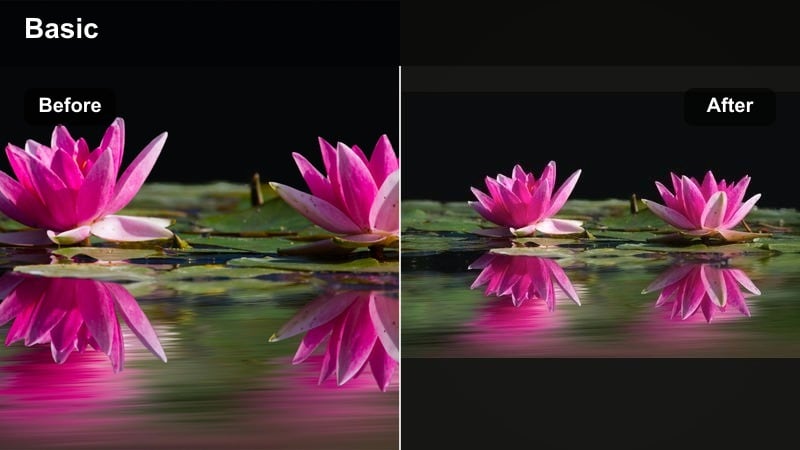
- Effect look: Muted greens, cool shadows, and soft contrast with a slight haze effect that feels cinematic and moody.
- Best for: Foggy forests, overcast hikes, waterfall reveals, and emotional storytelling TikToks in nature.
- Editing tip: Drop saturation in yellows and greens to avoid neon leaves, then add slight grain to hide noise in darker areas.
Evergreen Mist is built for cloudy days when your footage comes out flat but the mood is perfect. In Filmora, this outdoor TikTok filter pulls back saturation, cools shadows, and adds a gentle haze so forests and waterfalls feel cinematic instead of gloomy.
For consistency across a whole adventure, copy this filter onto each clip and only adjust exposure and white balance. Add a touch of film grain in Filmora to smooth digital noise in shaded areas and give your moody nature story a more polished, filmic texture.
Rocky Ridge Cinema
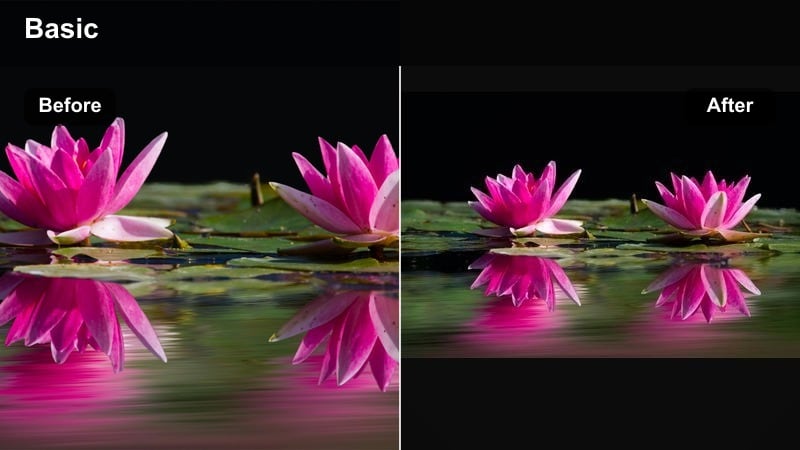
- Effect look: Deep contrast, cooler shadows, and slightly desaturated colors that emphasize rock texture and mountain silhouettes.
- Best for: Cliff-side shots, ridgeline hikes, drone passes over mountains, and POV scrambling clips.
- Editing tip: Use a small S-curve in the tone curve panel to protect midtones while still making shadows feel bold and dramatic.
Rocky Ridge Cinema is made for dramatic terrain where shape and texture matter more than bright color. In Filmora, the cooler shadows and lowered saturation help your mountains and cliffs look like they belong in a movie trailer.
Apply this filter to wide drone or POV shots, then refine the tone curve into a subtle S shape to keep midtone detail in rocks and faces. You can combine it with Filmora speed ramps and sound design for powerful summit reveals and scramble sequences on TikTok.
Storm Chaser Teal
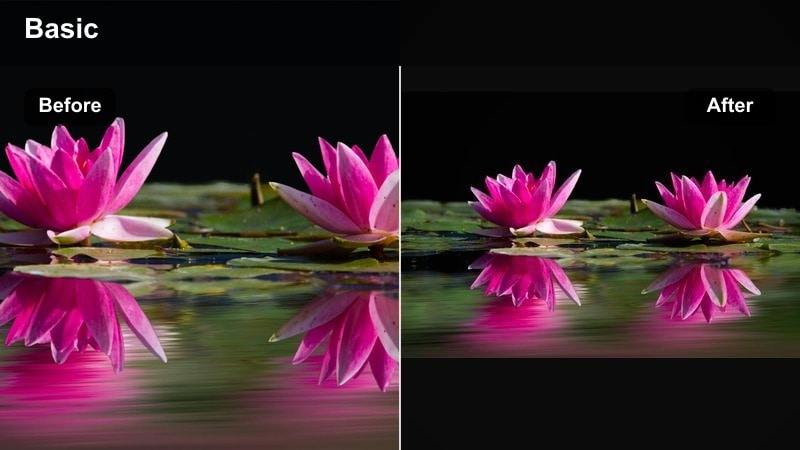
- Effect look: Cool teal and cyan shadows, slightly lifted blacks, and subdued highlights for stormy outdoor moods.
- Best for: Approaching storms, windy cliff edges, roadside travel, and dramatic time-lapse TikToks.
- Editing tip: Increase local contrast on clouds for extra dimension, but keep overall saturation controlled to avoid a video-game look.
Storm Chaser Teal turns bad-weather days into dramatic, cinematic moments instead of footage you throw away. In Filmora, teal shadows and gentler highlights emphasize storm clouds, wet roads, and moving grass, making your clips feel intense and stylized.
Use local contrast or clarity adjustments on sky regions to bring out cloud structure, then keep global saturation modest so the scene stays believable. When paired with slow motion or time-lapse tools in Filmora, wind and rain look especially impactful for scroll-stopping TikToks.
Stylized TikTok-First Outdoor Filters and Adventure LUT Looks
Neon Adventure Pop
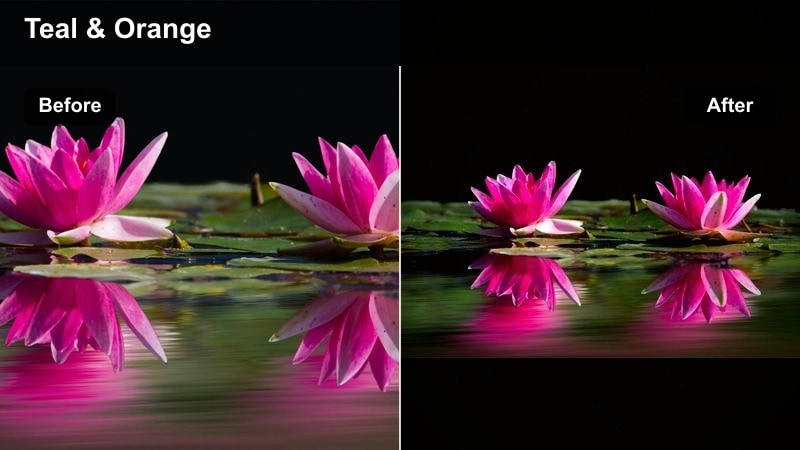
- Effect look: High saturation with targeted boosts in oranges and teals, plus slightly crushed blacks for a bold, TikTok-native punch.
- Best for: Fast-paced adventure shorts, cliff jumps, skate montages, and action-heavy transitions.
- Editing tip: Use keyframes to fade this filter in and out during impact moments so the color hit matches your beat drops.
Neon Adventure Pop is your go-to when you want an unmistakably TikTok-first look with big color and tight contrast. In Filmora, it makes skies teal, skin warm, and shadows deep, ideal for cliff jumps, tricks, and fast cuts that need extra energy.
To keep things watchable, use keyframed filter intensity so the look ramps up on impact beats and down during calmer moments. You can also selectively pull back saturation in the brightest clothing tones to prevent detail loss under TikTok compression.
Vintage Travel Fade
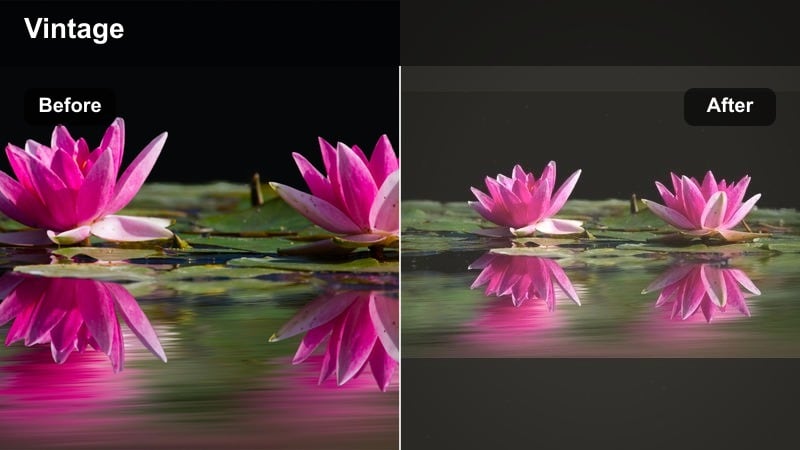
- Effect look: Faded blacks, warm highlights, and slightly shifted greens for a retro postcard travel vibe.
- Best for: Road trip TikToks, slow scenic pans, bike rides, and nostalgic travel storytelling clips.
- Editing tip: Add a subtle vignette and a tiny bit of blur on the edges to complete the vintage feel without making the whole frame soft.
Vintage Travel Fade turns your outdoor clips into warm, nostalgic memories that feel like they were shot on old film. In Filmora, it gently lifts blacks and warms highlights, which works especially well with sun flares, car windows, and long road shots.
For an authentic retro touch, add light grain and a slight edge blur or vignette while keeping the center of the frame sharp. You can also layer in Filmora overlays like subtle light leaks to complete the postcard-like aesthetic for story-driven TikToks.
Creator Brand Consistent
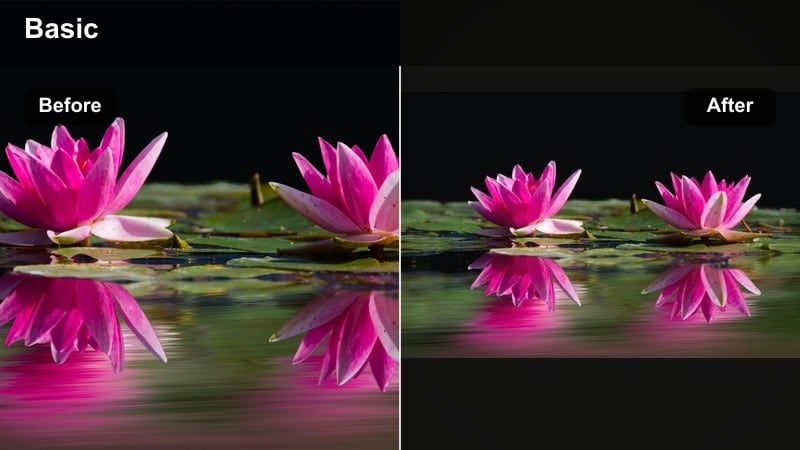
- Effect look: Balanced contrast and slightly lifted shadows with gentle color shifts tuned to your brand colors for a cohesive grid.
- Best for: Outdoor creators and adventure influencers who want every TikTok and outdoor short to share the same look.
- Editing tip: Pick one primary accent color in your outfit or environment and subtly boost only that hue across all your posts.
Creator Brand Consistent is less a single dramatic look and more a flexible base for your entire outdoor creator identity. In Filmora, you can start with balanced contrast and soft shadows, then nudge specific hues toward your brand colors so every TikTok feels connected.
Save your customized version as a preset and apply it to every new hiking vlog, skate clip, or travel short, adjusting only exposure and white balance. Over time, viewers will recognize your signature outdoor video TikTok filter style instantly as they scroll.
Tips for Using Outdoor Video Tiktok Filter Filters in Filmora
- Shoot slightly flatter in-camera so your outdoor filters have room to add contrast and color without clipping highlights or crushing shadows.
- Always adjust exposure and white balance before applying any outdoor TikTok filter to avoid strange skin tones and noisy shadows.
- Test your filters on both wide shots and close-ups, because some looks that are great on landscapes can be too harsh on faces.
- Export a short 5-10 second test TikTok with your chosen filter and watch it on your phone to see how it survives compression and different brightness levels.
- Create two or three go-to outdoor filter presets for sun, shade, and overcast conditions so you can edit quickly on busy travel days.
- Use Filmora adjustment layers to apply one outdoor video TikTok filter across multiple clips and keep your color grading consistent.
- Combine filters with subtle sharpening and noise reduction so your outdoor short color looks clean but still natural on mobile screens.
- Save different versions of your favorite adventure TikTok LUT at varying intensities so you can match the mood of each specific video.
The right outdoor video filters for TikTok can turn everyday walks, hikes, and road trips into cinematic adventure shorts that match your style and keep your grid consistent.
Start with one or two of the filters above, refine them inside Filmora, and save your favorite combinations as presets so every new outdoor clip is fast to edit and ready for the For You page.
secure download