

 100% Security Verified | No Subscription Required | No Malware


 ChatGPT
 Perplexity
 Gemini
 Claude
 Grok
Grok
Outdoor Video Filters: Fresh & Natural Color Grades is a Filmora preset pack designed for outdoor videographers, adventure creators, and travel vloggers who want clean, cinematic color in bright sunlight, forests, and mountain scenes.
These outdoor video filters help you balance harsh daylight, deepen greens and blues, and keep skin tones natural so your outdoor adventures, nature trips, and camping videos look fresh, immersive, and ready for YouTube or social media.
In this article
Warm Sunsets and Golden Hour Outdoor Video Filters
Sunset Trails
Before-and-after shot of a hiker on a mountain trail with golden-hour outdoor video filter enhancing the sky and skin tones.
- Effect look: Soft golden warmth that wraps your scene in gentle sunset tones without crushing shadows or oversaturating the sky.
- Best for: Hiking vlog outros filmed at golden hour, romantic travel shots, and slow panning views over valleys or beaches.
- Editing tip: Lower the filter intensity to around 60-70 percent if your original clip already has strong orange tones to keep skin from turning too warm.
The Sunset Trails outdoor video filter is designed to capture the glow of late-day light without sacrificing detail in your landscape or your subject. In Filmora, this preset adds a smooth layer of warmth to highlights and midtones, so skies feel rich and inviting while faces stay natural instead of looking overly orange.
Apply Sunset Trails to hiking outros, travel b roll, or proposal moments on the beach, then fine tune exposure and contrast with Filmora sliders for a polished, cinematic finish. If you are cutting between clips shot at different times, use this filter as a unifying look so your entire golden hour sequence feels cohesive from start to end.
Use Filmora’s AI tools to match your outdoor color palette
Filmora’s AI powered color matching can analyze a reference clip from your favorite outdoor creator and help align your footage with a similar mood using the Outdoor Video Filters: Fresh & Natural Color Grades preset. This is perfect when one clip has perfect golden light and others look flatter or cooler.
Once you apply a filter you like, let AI fine tune exposure, white balance, and contrast so multiple cameras, phones, and locations still feel like one seamless adventure. In just a few clicks, your sunset hikes, drone passes, and campsite b roll can all share the same warm, cinematic palette.
 secure download

Preview outdoor filters on your adventure clips
In Filmora, you can quickly audition different outdoor video filters on the same clip to see how each one shapes your story. Drop several nature and camping shots onto the timeline, then scroll through the Outdoor Video Filters: Fresh & Natural Color Grades presets to compare warm golden hour looks with cooler river and forest styles.
Play your sequence back in real time to spot which filters work best for intros, B roll, and closing scenes. By testing several options side by side, you can choose a signature look that matches your channel branding while still keeping each location visually distinct.
secure downloadCombine outdoor video filters with LUTs for extra control
Filmora includes 1000 plus video filters and 3D LUTs that you can stack with the Outdoor Video Filters pack for advanced grading. Start with an outdoor LUT to normalize log or flat footage, then apply an outdoor preset to add mood, and finish with HSL tweaks for precise color control.
This layered approach lets you match multiple cameras, protect skin tones, and still push greens, blues, or sunsets in a creative direction. Save your favorite combinations as custom presets so future adventure edits are faster and more consistent across your whole channel.
secure downloadCampfire Ember
Group of campers around a fire with enhanced warm orange tones and cinematic contrast from the Campfire Ember filter.
- Effect look: Rich, cozy warmth that boosts orange and red hues around firelight while keeping surrounding shadows deep and moody.
- Best for: Camping videos, storytelling around a campfire, and outdoor cooking scenes shot at dusk or night.
- Editing tip: Reduce contrast slightly and lift shadows to keep faces visible when filming with only lanterns or flames as your key light.
The Campfire Ember outdoor video filter is tailored for low light camping scenes where flames and lanterns are your main light sources. In Filmora, it enhances orange and red tones from the fire, deepens surrounding shadows, and adds cinematic richness so simple campsite moments feel like scenes from an outdoor film.
Use this filter on storytelling segments, marshmallow roasting, or night time cooking to create a warm, intimate mood. Adjust shadow and black levels to recover detail in faces, then refine highlight roll off so the fire stays bright but not blown out, keeping your night adventure both dramatic and clear.
Sunny Ridge
Wide shot of a traveler walking along a sunlit ridge with crisp sky and natural skin tones using the Sunny Ridge filter.
- Effect look: Clean, crisp daylight look with soft warmth in highlights and balanced blues in the sky for bright mountain or coastal scenes.
- Best for: High-altitude adventures, ridge walks, coastal cliffs, and road trip b roll in hard midday sun.
- Editing tip: Use the HSL panel to tone down overly cyan skies if your camera exaggerates blue when this filter is applied.
Sunny Ridge is built for harsh, midday outdoor conditions where the sun is high and shadows are sharp. In Filmora, this filter softens the hard digital feel of noon light, warms the highlights just enough, and keeps skies rich but controlled so road trips, cliff walks, and summit hikes look clean and cinematic.
Apply Sunny Ridge to your brightest clips, then tweak highlight and black sliders to reduce glare without losing the sense of bright, open air. If your camera pushes the sky toward cyan, refine the blue and aqua channels in HSL so mountains, clouds, and skin tones remain true to life.
Forest, Nature, and Fresh Air Color Grade Filters
Evergreen Canopy
Hiker walking under tall trees with lush, deep greens created by the Evergreen Canopy nature video filter.
- Effect look: Deepened greens with a subtle cool shift and soft contrast that makes forests look lush without appearing oversaturated.
- Best for: Nature trips through dense forests, hiking under trees, and drone shots above green valleys.
- Editing tip: Pull saturation back slightly on greens if your camera already records vivid color to avoid plastic-looking foliage.
Evergreen Canopy is a nature video filter that turns flat woodland footage into rich, cinematic forest scenes. In Filmora, it deepens the greens, cools them slightly, and softens contrast so tree trunks, moss, and leaves feel three dimensional without crossing into neon or artificial tones.
Use this filter on hikes, riverbank walks, or drone passes over valleys to give your outdoor stories a grounded, moody vibe. Fine tune green and yellow saturation in the HSL panel to keep foliage natural, and slightly reduce clarity for misty or rainy days to enhance the soft, atmospheric feeling of being under the trees.
River Breeze
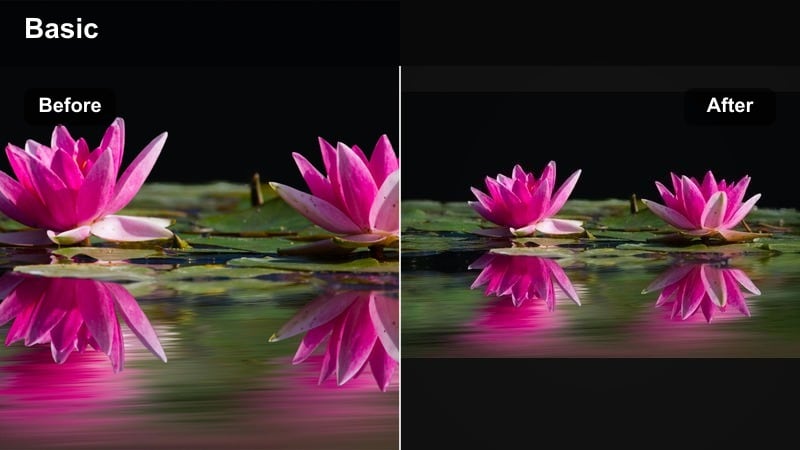
Action shot of a kayaker on a bright river with clear blue water enhanced by the River Breeze fresh air color grade.
- Effect look: Cool, fresh air color grade that brightens water highlights and gives skies and rivers a clear, breathable feel.
- Best for: Streams, waterfalls, lakeside camps, and paddleboarding or kayaking footage in bright daylight.
- Editing tip: Increase local contrast around moving water to emphasize texture while keeping overall contrast gentle for a relaxed mood.
River Breeze is designed to emphasize the clarity and motion of water in your outdoor footage. Inside Filmora, the filter gently cools tones, brightens highlights on ripples and splashes, and adds a light, airy quality that makes lakes, rivers, and waterfalls feel refreshing on screen.
Apply River Breeze to kayaking runs, lakeside camps, or waterfall reveals, then use Filmora masks or local contrast tools to bring out detail only in the water. If reflections on the surface become distracting, reduce blue and cyan saturation slightly and lower highlights to keep attention on your subject and the flow of the river.
Meadow Fresh
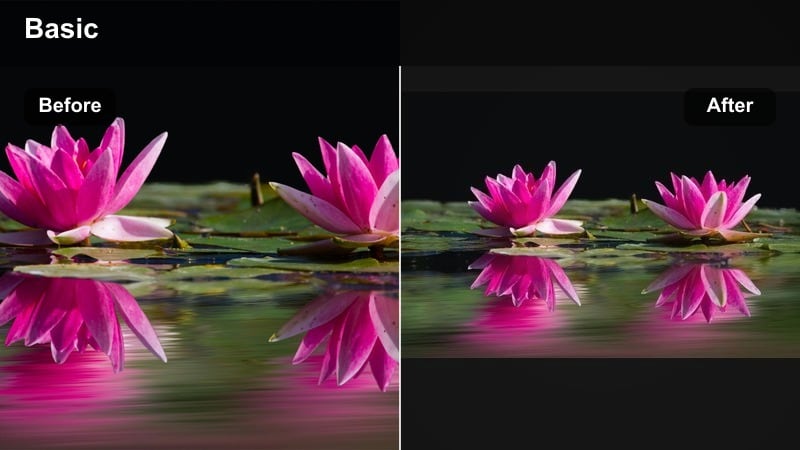
Wide meadow shot with soft greens and clear skies using the Meadow Fresh outdoor video filter.
- Effect look: Balanced outdoor look with clean whites, soft greens, and mild contrast that suggests a breezy, open field atmosphere.
- Best for: Picnic scenes, open meadows, vanlife campsite setups, and lifestyle shots in fields or parks.
- Editing tip: Raise the shadows a touch if your subject is backlit by the sky to keep faces bright while preserving the airy background.
Meadow Fresh is a gentle outdoor video filter that keeps colors neutral and slightly softened for lifestyle focused scenes. In Filmora, it balances greens, cleans up whites, and applies mild contrast so picnic shots, vanlife setups, and park walks feel relaxed and real, without harsh edges or heavy stylization.
Use this filter when you want your audience to feel calm and present with you in the scene, rather than dazzled by extreme color grading. Adjust shadow and midtone levels to keep faces bright, and avoid aggressive sharpening so skin and grass retain a smooth, lifestyle friendly texture.
Adventure and Action Outdoor Video Filters
Trailblazer Boost
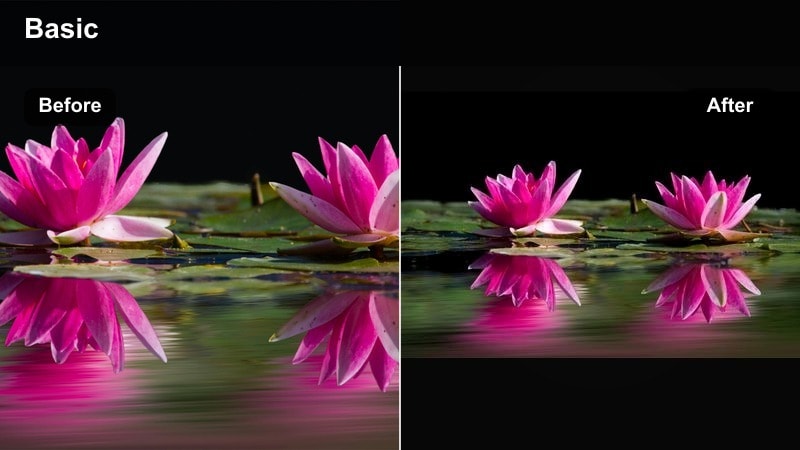
POV shot of a mountain bike trail with boosted contrast and color thanks to the Trailblazer Boost filter.
- Effect look: Punchy contrast and saturation with slightly cooler shadows that add energy and clarity to fast-paced outdoor shots.
- Best for: Mountain biking POV, trail running, rock climbing, and GoPro or action-camera footage in rugged terrain.
- Editing tip: Dial back saturation on reds and oranges if you are wearing bright gear so they do not clip or distract from the landscape.
Trailblazer Boost is built to turn raw action camera footage into dynamic, watchable adventure sequences. In Filmora, it raises contrast, adds a bit of coolness to shadows, and boosts saturation just enough to make trails, rocks, and trees pop without blowing out skies or highlights.
Apply this filter to biking, trail running, or climbing clips to give your viewers a strong sense of speed and energy. Use Filmora noise reduction and stabilization tools before grading so compression and camera shake are minimized, then fine tune red and orange saturation to keep helmets and jackets from overpowering the natural scenery.
Summit Clear
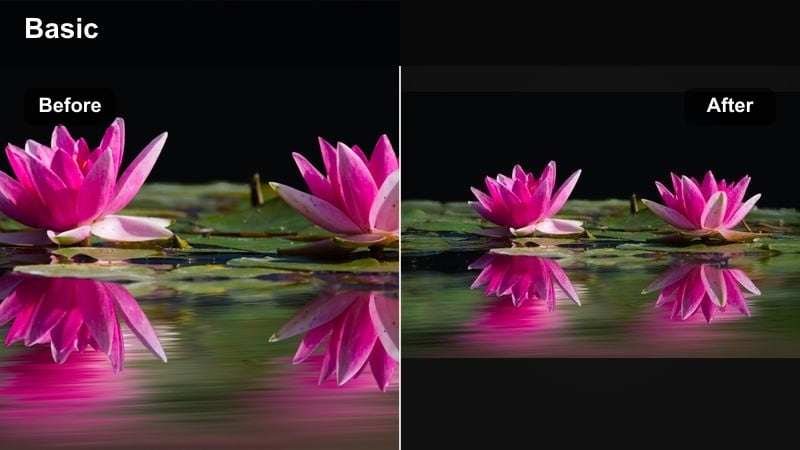
Wide summit shot with detailed mountains and bright sky using the Summit Clear outdoor video filter.
- Effect look: High-clarity color grade with neutral whites, crisp edges, and slightly cooler midtones that emphasize altitude and clean air.
- Best for: Summit reveals, panoramic drone passes, and time-lapses of clouds rolling over peaks or deserts.
- Editing tip: Avoid overdoing clarity; a tiny decrease in overall saturation can help keep distant mountains from looking too crunchy.
Summit Clear emphasizes the scale and detail of big landscapes, from snow capped peaks to desert ridges. In Filmora, the filter keeps whites neutral, cools midtones, and adds clarity so rocks, ridgelines, and distant horizons stand out while the air still feels crisp and clean.
Use Summit Clear for drone reveals, tripod pans, or timelapses to showcase the full depth of your environment. Slightly lower saturation and carefully manage clarity to stop distant terrain from appearing over processed, and consider gradient masks to cool only the sky while preserving natural color on your subject.
Coastal Rush
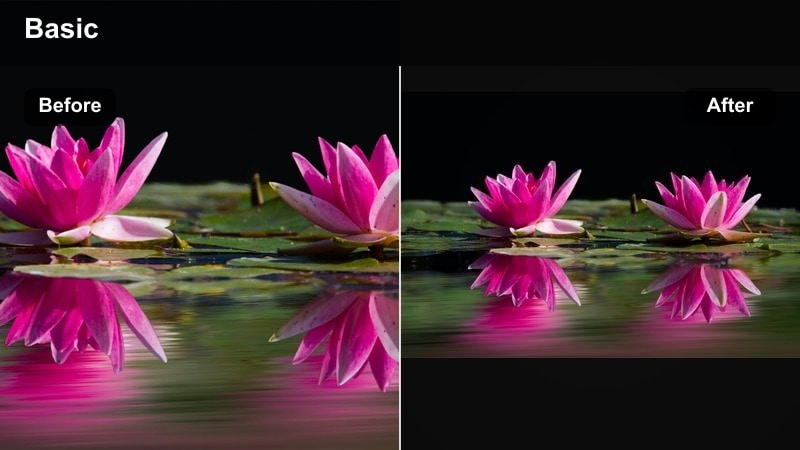
Beach scene with turquoise water and bright sand enhanced by the Coastal Rush outdoor video filter.
- Effect look: Vibrant coastal tones with teal-tinted water, clean sand, and bright sunlit highlights that pop without looking artificial.
- Best for: Surf sessions, beach runs, snorkeling transitions, and seaside camping or vanlife stories.
- Editing tip: Lower the teal saturation slightly if skin starts to pick up blue from reflections, and gently warm midtones back up.
Coastal Rush is tuned for beaches and oceanfront adventures, where water, sky, and sand dominate the frame. In Filmora, it adds a tasteful teal tint to water, brightens highlights on waves, and keeps sand clean and luminous so beach runs, surf clips, and seaside camps feel vivid and inviting.
Apply this filter across your coastal sequences to build a consistent look, then adjust teal and blue saturation to protect skin tones from color spill. If wave highlights start clipping, pull back exposure or highlights and warm up midtones slightly so your subjects look sun kissed instead of overly cool.
Outdoor Video Filters for YouTube Vlogs
Travel Vlog Neutral
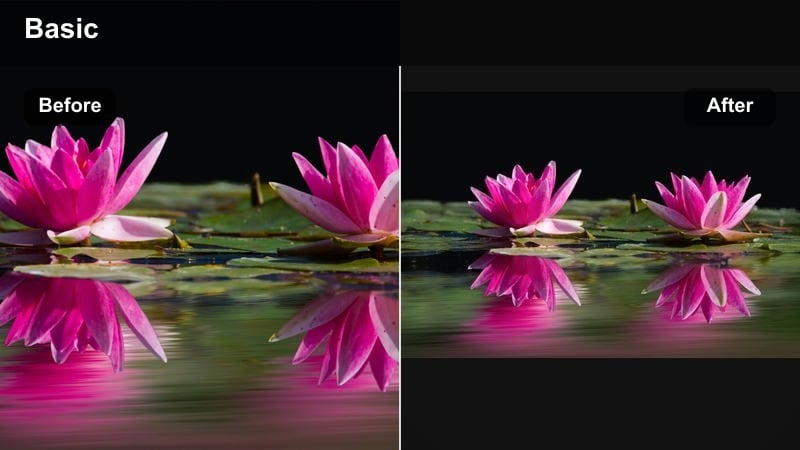
Close-up of a travel vlogger walking through a city park with even, neutral outdoor color from the Travel Vlog Neutral filter.
- Effect look: Clean, neutral outdoor color with gentle contrast designed for talking-head vlogs filmed on the move.
- Best for: YouTube travel vlogs, campsite updates, and walk-and-talk segments in cities and nature.
- Editing tip: Keep this filter at a moderate strength and adjust exposure first so skin tones look right before you tweak background color.
Travel Vlog Neutral is a reliable base filter for creators who record a lot of talking head content outdoors. In Filmora, it applies gentle contrast and balanced color that works across parks, city streets, and trails, helping skin tones stay natural while backgrounds remain detailed and distraction free.
Use this preset as your starting look for every vlog, then adjust exposure, white balance, and saturation slightly for each location. Save your dialed in combination as a custom preset in Filmora so future episodes maintain the same clean, professional color grade across your whole channel.
Fresh Air Vlog
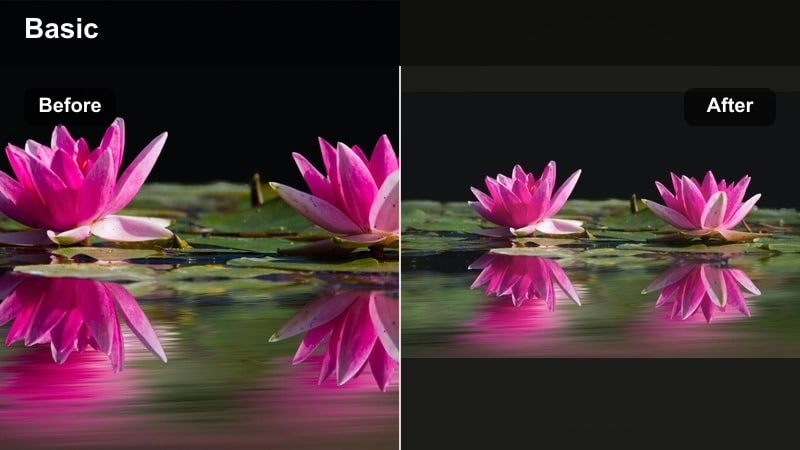
Morning campsite scene with lifted blacks and gentle highlights from the Fresh Air Vlog outdoor filter.
- Effect look: Light, airy color grade with soft highlights and slightly lifted blacks for an easygoing, lifestyle vlog mood.
- Best for: Morning campsite routines, coffee outside the van, city park b-roll, and casual outdoor storytelling.
- Editing tip: If your footage starts looking low-contrast on mobile, add a small S-curve instead of cranking global contrast.
Fresh Air Vlog is ideal for relaxed lifestyle segments like slow mornings at camp, coffee on the tailgate, or gentle city park walks. In Filmora, it raises blacks a bit, softens highlights, and keeps saturation mild so your footage feels open, breezy, and easy on the eyes.
Apply this filter to A roll and B roll where you want a calm, inviting atmosphere, then gently adjust midtone contrast if the image feels too flat on smaller screens. Use local contrast or masking tools around your subject to keep them defined without sacrificing the overall soft, airy mood.
City to Trail
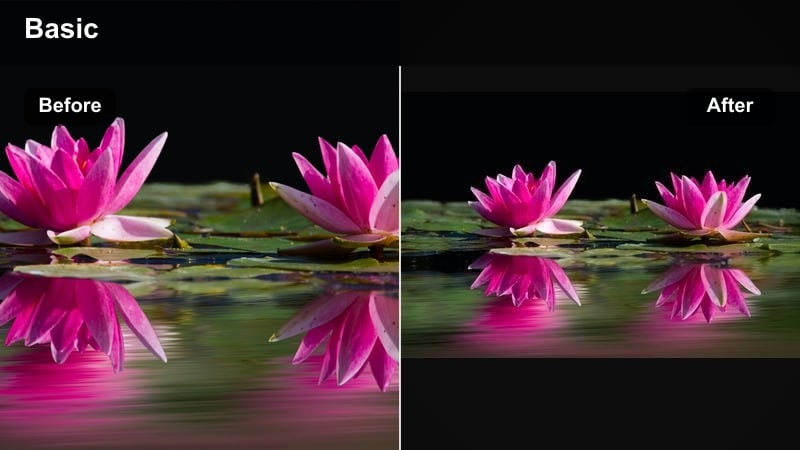
Side-by-side clips of a city crosswalk and forest path with matching tones using the City to Trail filter.
- Effect look: Hybrid color grade that keeps city scenes neutral while gently enhancing greens and blues for quick cuts to outdoor clips.
- Best for: Travel vlogs that jump between urban streets, transit, and nature escapes in a single episode.
- Editing tip: Use this filter as a base, then copy and slightly modify it for pure urban or pure nature sequences to keep a common visual thread.
City to Trail is designed for creators who jump from subway platforms to mountain trails in the same vlog. In Filmora, it maintains balanced, neutral tones in urban scenes while subtly boosting greens and blues for nature shots, so your visuals feel connected even as locations change dramatically.
Apply City to Trail across your full episode, then duplicate the grade and make small adjustments for specific scenes, such as slightly cooling city nights or warming golden hour hikes. This approach helps your entire travel story feel unified while still allowing each environment to keep its unique character.
Tips for Using Outdoor Video Filter Filters in Filmora
- Shoot with a slightly flatter picture profile in-camera so Filmora outdoor video filters have more room to shape contrast and color without clipping highlights or blocking up shadows.
- White balance to a neutral target or gray card at the start of each new location so outdoor LUTs and filters apply consistently across your timeline.
- Adjust exposure and white balance before applying any outdoor video filter, then fine tune filter strength instead of relying on extreme global corrections.
- Use different filter intensities for A roll and B roll, keeping talking head shots more neutral while pushing stylized looks on landscapes and action scenes.
- Group clips by lighting and environment in your Filmora timeline, then grade each group together to avoid jarring color shifts between adjacent shots.
- Combine outdoor video filters with technical LUTs for log or flat footage, applying the LUT first to restore contrast and then the filter for mood.
- Export short test sequences and review them on both phones and laptops to confirm that your nature video filters look natural on different screens.
- Save your favorite outdoor filter plus exposure, contrast, and HSL tweaks as a custom preset in Filmora so future travel and camping edits are faster and more consistent.
Outdoor video filters, outdoor LUT options, and fresh air color grades in Filmora give outdoor videographers, adventure creators, and travel vloggers an efficient way to turn raw footage into cohesive, cinematic stories. Whether you are filming in harsh sun, dense forests, or along bright coastlines, these presets help you keep color controlled and inviting.
Build a simple grading workflow that starts with exposure and white balance, then layer on your preferred outdoor video filter to unify clips from different cameras and locations. With a few saved presets in Filmora, every hike, camping trip, and travel vlog can share a recognizable visual identity that is ready to publish on YouTube or social media.
secure downloadNext: Best Outdoor Video Filters for YouTube Travel and Adventure Vlogs
