

 100% Security Verified | No Subscription Required | No Malware


 ChatGPT
 Perplexity
 Gemini
 Claude
 Grok
Grok
Sunset clips are some of the most rewatchable videos on TikTok, but the right filter is what turns a simple sky shot into a scroll-stopping moment. Warm highlights, rich oranges, and deep purples can instantly give your golden hour videos a cinematic and aesthetic finish.
Below are 12 curated sunset video filters for TikTok creators and lifestyle influencers, designed for sunset clips and golden hour shorts. Use these styles as inspiration for building your own Filmora presets or stacking filters, color tools, and LUTs to nail that dreamy golden look every time.
In this article
Soft Warm Glow Sunset Filters
Pastel Haze Sunset
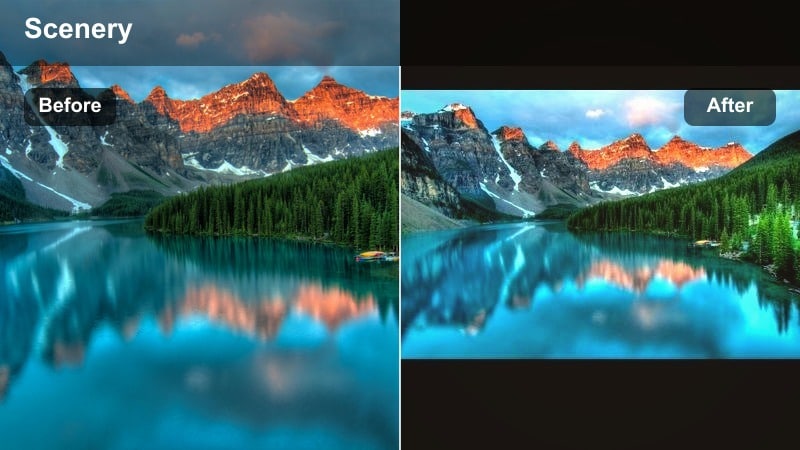
- Effect look: Soft pastel oranges and pinks with lifted shadows and a slightly dreamy haze across the sky.
- Best for: Slow-motion TikTok sunset clips, aesthetic walking shots, and lifestyle B-roll during golden hour.
- Editing tip: Reduce contrast slightly and raise blacks for a dreamy feel, then add a subtle vignette so the brightest tones stay near the sun.
Pastel Haze Sunset wraps your clips in gentle orange and pink gradients that feel calm and cinematic at the same time. By lifting the shadows, it keeps details visible in silhouettes and outfits while clouds and sky blend into a soft, airy backdrop ideal for relaxing sounds and aesthetic audio on TikTok.
In Filmora, you can recreate this look by slightly lowering overall contrast, raising blacks, and then using glow or haze-style effects at low intensity. Add a vignette around the frame to naturally pull attention toward the brightest part of the sunset, and save your final combination as a custom preset for all your slow golden hour walks and B-roll sequences.
Speed Up Sunset Grading With AI-Powered Color Tools
Instead of manually building every sunset look from scratch, use Filmora s AI-powered color tools to quickly analyze your clip and suggest balanced warm tones. This is especially helpful for TikTok creators who film daily and need consistent golden hour styles across multiple videos.
Start from an AI-suggested base, then fine-tune temperature, tint, and individual color channels until your sunset short video color matches your personal brand or feed aesthetic. Once you like the balance, turn it into a one-click preset you can reuse on future sunset uploads.
 secure download

Stack Filters Like TikTok Creators Do
Most viral TikTok sunset filters are actually layered looks: a soft glow, a color shift, then a subtle contrast tweak. Filmora s effects panel lets you stack multiple filters, adjust opacity, and mask them so the sky, subject, and foreground each get tailored treatment for a polished result.
Use this workflow to recreate trending sunset video TikTok filter styles by combining glow, color correction, and vignette tools into a single reusable preset for all your golden hour shorts. You can keyframe opacity to make the filter grow stronger as the sun dips lower in the frame.
secure downloadTurn Golden TikTok LUTs Into One-Tap Presets
If you already have a favorite golden TikTok LUT, you can import it into Filmora and pair it with basic adjustments like exposure, curves, and saturation. This transforms a simple golden TikTok LUT into a complete sunset short video color preset that works on a wide range of clips.
Fine-tune LUT intensity so skies look bold but not overcooked, then save separate versions for soft, cinematic, or neon moods. With a few taps, you can match the same golden hour TikTok filter style across travel, lifestyle, and POV content without regrading from scratch.
secure downloadGolden Veil Glow
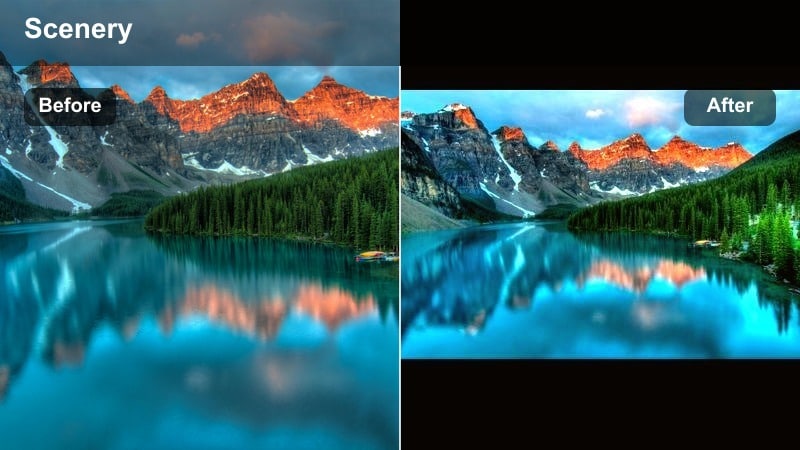
- Effect look: Warm golden overlay that wraps highlights in amber tones while preserving skin tones and subtle detail.
- Best for: Golden hour shorts, candid vlog moments, and TikTok GRWM clips shot near a window at sunset.
- Editing tip: Push temperature slightly warmer and reduce saturation in reds to stop skin from turning too orange under heavy golden tones.
Golden Veil Glow adds a honey-toned layer over your footage, making window light, hair highlights, and sky details feel rich and sun-drenched. It is ideal for GRWM and lifestyle clips where you want a flattering, influencer-style glow that still keeps facial features sharp and natural.
In Filmora, increase warmth and slightly decrease red saturation while using color wheels to keep midtones neutral. Then, apply a soft glow effect only to the highlights with masks so skin and outfits hold detail while the brightest parts of the frame wrap in an amber veil that looks great on TikTok s vertical feed.
Cotton Candy Sky
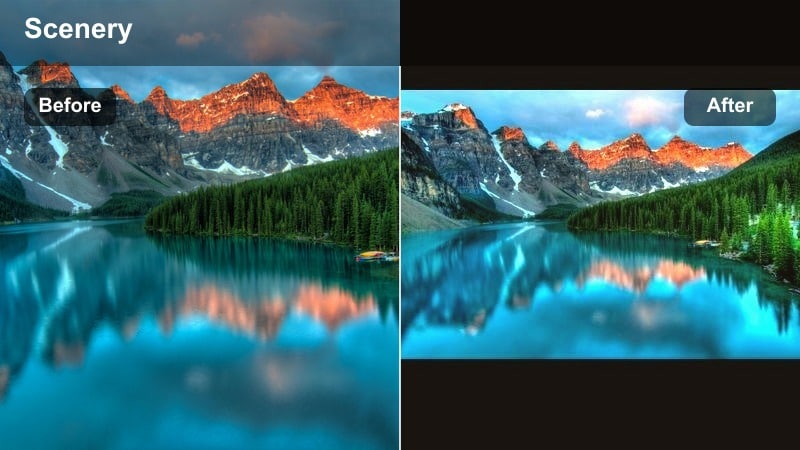
- Effect look: Soft magenta and peach shift in the sky with gentle highlight bloom for a playful, dreamy aesthetic.
- Best for: TikTok transitions, dance videos at sunset, and aesthetic city rooftop clips.
- Editing tip: Target blues and cyans in HSL to shift them towards purple and pink while keeping whites and skin more natural.
Cotton Candy Sky turns standard blue-and-orange sunsets into pastel pink and peach gradients that feel fun and whimsical. The gentle bloom effect makes clouds look fluffy and soft, perfect for transition edits, outfit reveals, and rooftop dance trends that lean into aesthetic color palettes.
To achieve this in Filmora, use HSL to selectively shift blue and cyan hues into purple and magenta, and then reduce saturation of whites to keep skin and highlights neutral. Finish by adding a subtle glow or light leak overlay at low opacity so sky colors blend smoothly without overpowering your subject.
Deep Golden Cinematic Sunset Filters
Cinema Gold Sunset
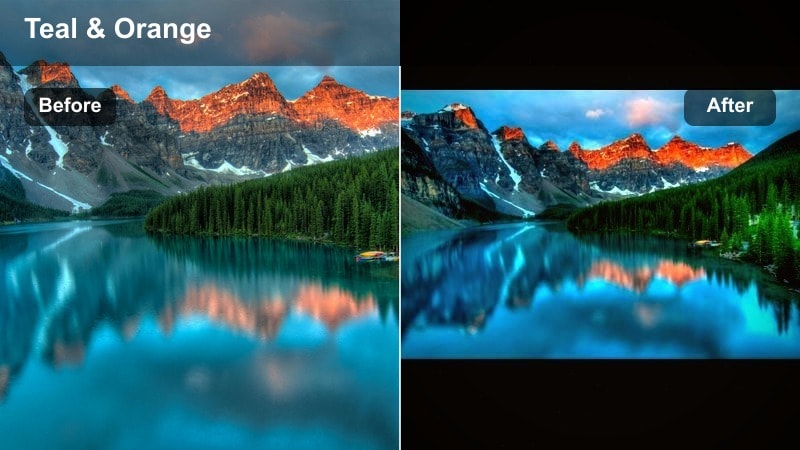
- Effect look: Rich cinematic contrast with deep shadows, punchy oranges, and subtle teal balance in darker areas.
- Best for: Travel vlogs, B-roll of city skylines, and storytelling TikToks with dramatic sunset backdrops.
- Editing tip: Lower exposure slightly before applying the filter, then bring back highlight detail so clouds keep their texture and drama.
Cinema Gold Sunset gives your skyline and travel shots a movie-like grade with strong oranges, defined silhouettes, and a hint of teal in the shadows. It works well for narrative TikToks, time-lapses, and B-roll that sit under voiceovers or cinematic soundtracks.
In Filmora, bring exposure down a touch, apply a cinematic-style LUT or filter, and then refine with curves to keep cloud texture visible. Add a subtle letterbox crop and a slow, keyframed zoom to add motion, turning even a simple handheld sunset pan into a mini movie sequence.
Burnt Orange Drift
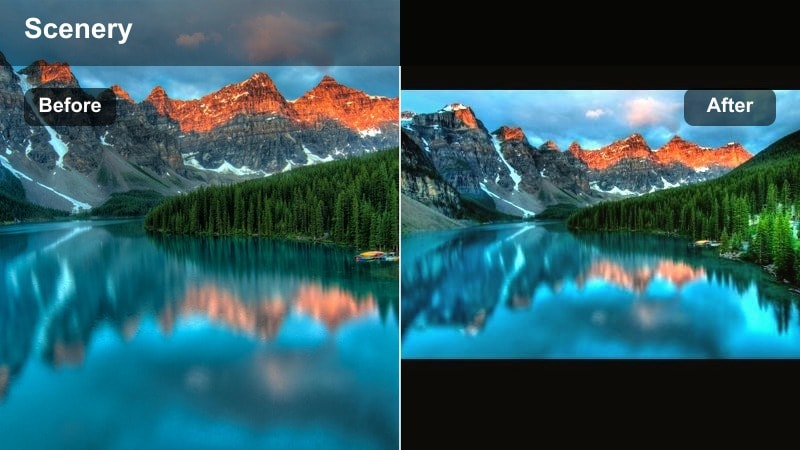
- Effect look: Burnt orange highlights with slightly desaturated backgrounds, giving a dusty, road-trip film vibe.
- Best for: Driving POV shots, motorcycle clips, and lifestyle TikToks filmed on open roads at dusk.
- Editing tip: Pull saturation down on greens to avoid clashing with oranges, and add grain for a nostalgic, film-inspired texture.
Burnt Orange Drift leans into a nostalgic, road-trip aesthetic, pushing the sun and sky into deeper oranges while letting everything else fall slightly muted. The result is a dusty, cinematic mood that fits perfectly with POV car rides, helmet cam footage, and travel edits.
In Filmora, reduce greens and overall background saturation, then add a warm highlight shift and a layer of fine film grain. You can also use HSL to keep skin and car interiors from going overly orange while the sky and road reflections carry most of the warmth.
Molten Horizon
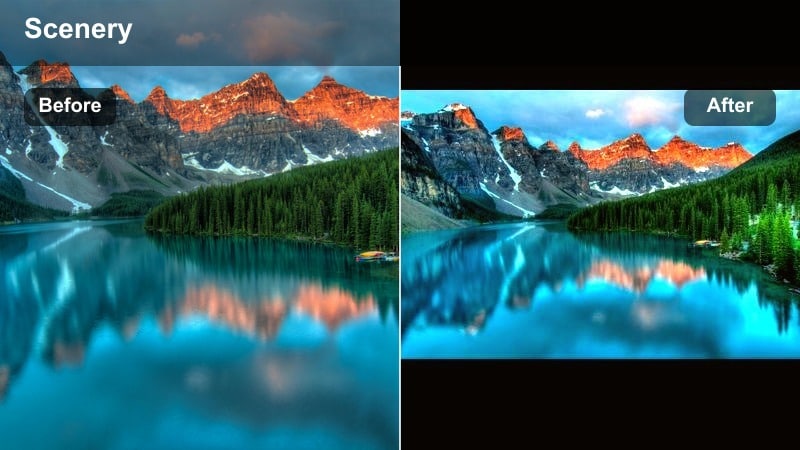
- Effect look: High-intensity sun glow with strong gradients from fiery orange to deep purple along the horizon.
- Best for: Drone shots over water, beach sunsets, and dramatic reveal transitions in TikTok edits.
- Editing tip: Use curves to deepen shadows near the bottom of the frame while keeping top-of-frame midtones slightly lifted for depth.
Molten Horizon amplifies the drama of the setting sun, creating strong transitions from bright orange near the sun to deep purples at the edges of the frame. It is especially striking on drone and wide ocean shots, where the gradient can stretch across the entire horizon.
Within Filmora, use curves to darken foreground and lower-frame shadows, and push saturation on oranges and purples for the sky. Carefully manage highlights with the curves tool to avoid blown-out sun areas, and consider duplicating your clip with a softer grade underneath to recover detail where needed.
Moody Purple and Pink Sunset Filters
Violet Hour Mood
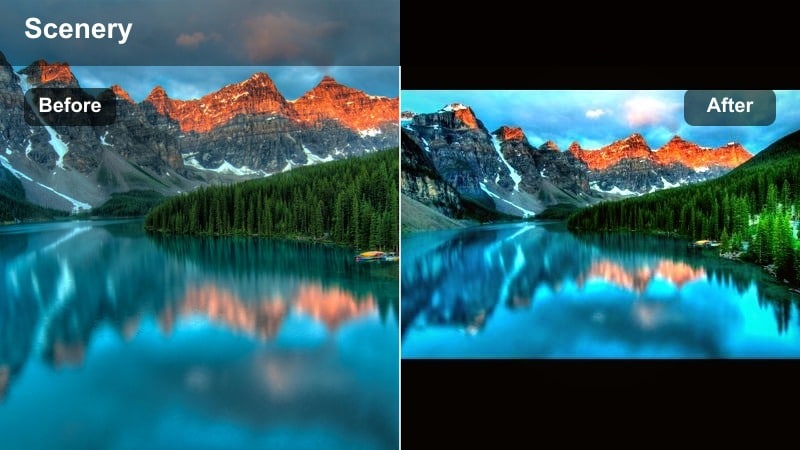
- Effect look: Cool purple shadows with soft magenta highlights, giving a moody, late-evening glow.
- Best for: Storytime TikToks, emotional POV edits, and lyrical audio trends over sunset footage.
- Editing tip: Lower warmth slightly, then boost magenta tint while gently raising blacks to avoid losing detail in dark areas.
Violet Hour Mood shifts your sunset into a cool, emotive palette that works well with personal storytelling and lyric-driven trends. Shadows lean purple while highlights keep a hint of magenta, capturing that in-between moment between golden hour and full night.
In Filmora, decrease temperature, slightly raise magenta, and lift blacks to keep detail in darker parts of the image. Use split toning to keep highlights a touch warmer than shadows so faces and key subjects remain readable even in a moody, late-evening look.
Rosy Fade Sunset
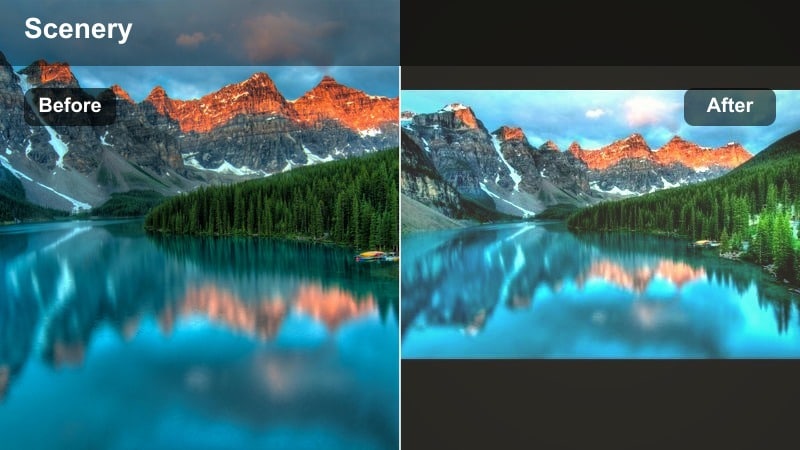
- Effect look: Soft pink cast over highlights with slightly faded contrast and film-like pastel shadows.
- Best for: Aesthetic outfit checks, mirror selfies near windows, and quick day-to-night recap TikToks.
- Editing tip: Lift shadows and gently lower contrast, then add a fine film grain layer to avoid the image looking too flat.
Rosy Fade Sunset gives your clips a romantic, nostalgic layer by adding pink tones and softening overall contrast. It pairs well with recap-style TikToks and aesthetic outfit or mirror shots where you want a subtle, film-inspired finish.
To create this in Filmora, lift the shadow portion of your curve, reduce overall contrast, and introduce a gentle pink tint into the highlights. Add a thin layer of film grain at low strength so the fade feels analog rather than simply low contrast, and selectively keep more contrast on your subject using masks.
Neon Dusk Glow
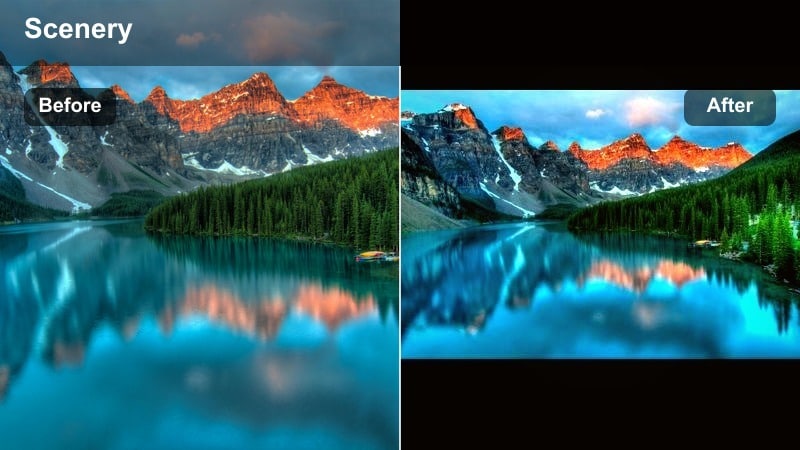
- Effect look: Punchy magenta and neon pink highlights with deep bluish shadows for high-impact, trendy color.
- Best for: City skyline reels, rooftop parties, and TikTok dance clips with bright signs or LED lights.
- Editing tip: Increase vibrance more than saturation to keep skin from overshooting while lights and sky stay bold and colorful.
Neon Dusk Glow transforms your sunset into a high-energy, cyber-city palette with intense pinks and deep blues. It is ideal for dance clips, rooftop parties, and any TikTok trend that thrives on bold, futuristic color.
In Filmora, experiment with vibrance instead of heavy saturation to protect skin tones while boosting neon hues in the sky and city lights. Use HSL controls to tame overly bright magentas and blues, and consider adding a light glow around the brightest areas for a polished neon bloom effect.
Natural Yet Enhanced Sunset Filters
True Golden Boost
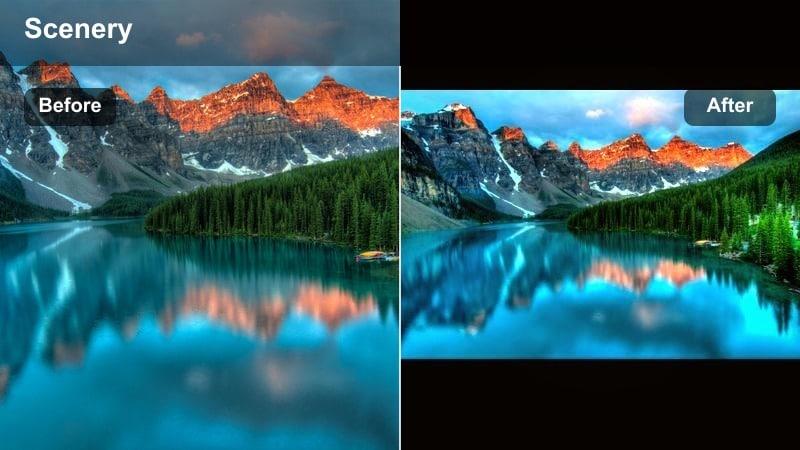
- Effect look: Natural-looking golden hour enhancement with slightly boosted warmth, clarity, and sky saturation.
- Best for: Everyday TikTok sunset clips, quick handheld shots, and casual lifestyle posts.
- Editing tip: Raise warmth and vibrance modestly, then use clarity sparingly to keep faces flattering while landscapes stay crisp.
True Golden Boost keeps your sunset footage realistic while making colors subtly richer and more shareable. Skies look a bit warmer, details are a touch crisper, and the overall scene feels like real life but slightly elevated for TikTok.
In Filmora, nudge temperature warmer, gently increase vibrance, and add a small amount of clarity. Protect skin tones using selective color or skin tone protection tools, and then save this combination as a go-to preset for quick edits when you are posting on the fly.
Clean Horizon Pop
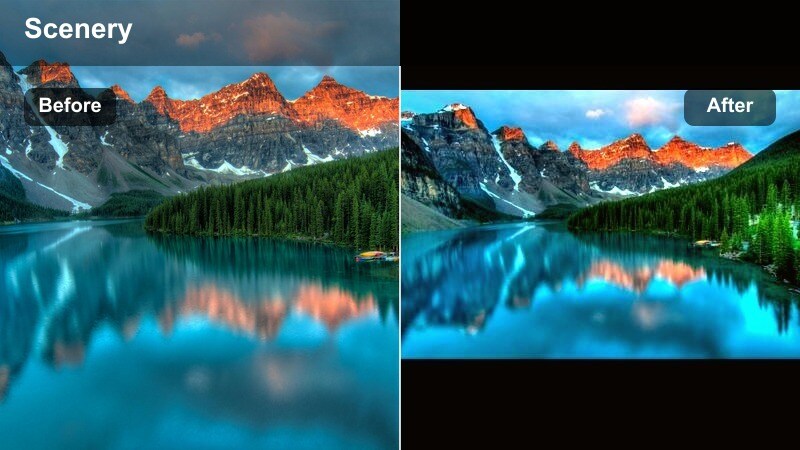
- Effect look: Balanced, crisp look with subtle saturation and contrast, keeping the horizon line sharp and defined.
- Best for: Landscape-focused TikToks, drone flyovers, and minimalist sunset compositions.
- Editing tip: Use a linear gradient mask near the horizon to add extra sharpness and saturation there without affecting the whole frame.
Clean Horizon Pop is made for landscape and drone creators who want their horizons to look razor sharp and clean without an overly filtered feel. The sky gains a slight color boost while the separation between water, land, and sky becomes more defined.
In Filmora, apply a linear gradient mask at the horizon line and increase sharpness and saturation only in that band. Keep global contrast moderate, and rely on these local adjustments so your video stays natural but still catches attention on the TikTok For You page.
Soft Latte Sunset
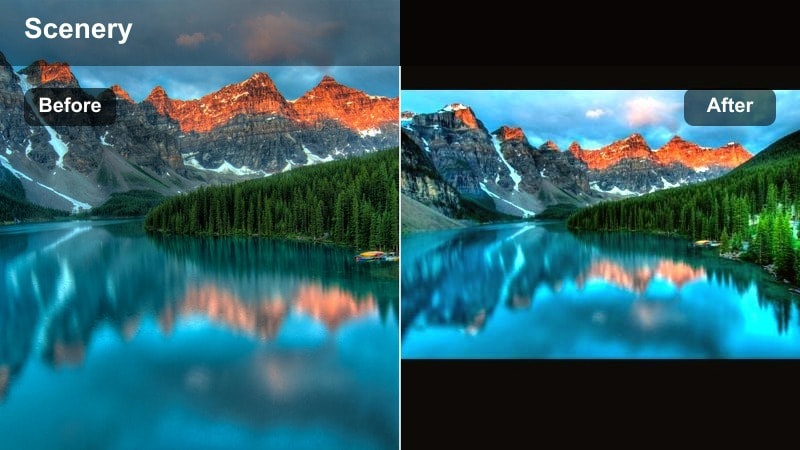
- Effect look: Creamy beige and soft orange tones that gently warm the scene and flatter skin in backlit shots.
- Best for: Lifestyle influencer vlogs, coffee run clips, and cozy TikToks filmed during golden hour in the city.
- Editing tip: Raise exposure slightly on your subject, then cool shadows a touch so the latte warmth does not take over the entire frame.
Soft Latte Sunset wraps your city and lifestyle clips in creamy, coffee-colored warmth that feels cozy and on-brand for many influencers. Backlit hair, building edges, and reflections pick up soft orange and beige tones that look flattering and inviting.
In Filmora, gently warm highlights and midtones while slightly cooling shadows using color wheels. Raise exposure around your subject with masks so faces are bright and clear, and if you are indoors near a window, reduce orange saturation on walls and hair to keep the latte look smooth and clean.
Tips for Using Sunset Video Tiktok Filter Filters in Filmora
- Shoot your sunset videos slightly underexposed so Filmora filters have more highlight detail to work with.
- Lock white balance in your camera app during sunset to avoid color shifts when applying TikTok-style filters later.
- Frame silhouettes against the brightest part of the sky so golden filters and LUTs create strong, graphic shapes.
- Use vertical-safe compositions and keep key subjects near the center so TikTok s interface does not hide important details.
- Export a short test clip with your sunset preset and check it on your phone before batch-editing multiple TikToks.
- Save different Filmora presets for soft, cinematic, and neon sunset looks so you can match any trending TikTok audio or mood quickly.
- Combine AI color suggestions with manual tweaks in Filmora to keep your golden hour style consistent across multiple posting days.
With the right sunset video filters for TikTok, even quick handheld clips can look cinematic, cohesive, and on-trend with the golden tones your audience loves.
Save your favorite Filmora presets, experiment with different moods, and then try adapting these same sunset looks for your next platform using custom filters and LUTs.
secure download