

 100% Security Verified | No Subscription Required | No Malware


 ChatGPT
 Perplexity
 Gemini
 Claude
 Grok
Grok
These Warm Indoor Food Video LUT-inspired filters are designed for content creators who want their dishes, drinks, and table setups to look rich, cozy, and irresistibly appetizing in any indoor lighting.
From golden cafe scenes to candlelit dinner reels, each preset below helps you tame mixed indoor light, enhance food textures, and keep skin tones flattering while you shoot and edit in Filmora.
In this article
Cozy Kitchen Counter Moments
Golden Pan-Fry Glow
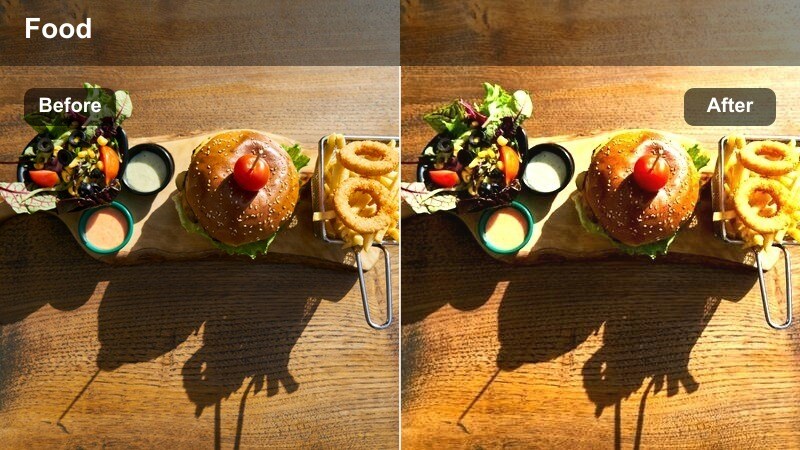
- Effect look: Soft golden warmth that brightens midtones and makes sizzling pans and steam feel inviting.
- Best for: Overhead cooking demos on stovetops, saute shots, and quick recipe shorts filmed under warm kitchen lights.
- Editing tip: Lower saturation slightly if your kitchen bulbs are already very yellow to avoid overly orange food highlights.
Golden Pan-Fry Glow wraps your stovetop scenes in a gentle golden hue that makes steam, oil, and browning edges look extra appetizing. It lifts the midtones just enough to clarify what is in the pan while keeping shadows cozy so your kitchen still feels intimate and homey.
In Filmora, apply this LUT-style filter, then adjust intensity around 60 to 80 percent if your stove light is harsh. Fine-tune exposure to avoid blown-out grease or steam, and add a touch of sharpening to emphasize seared textures while keeping noise under control.
Use AI to Match Your Warm Indoor Food Aesthetic
Filmora's AI color tools can analyze your food clips and help you keep warmth and contrast consistent from the first sizzle shot to the final plating. That means your golden kitchen look stays uniform, even when you cut between different angles and cameras.
After you apply a warm indoor food video LUT-style filter, use AI-assisted color matching to balance exposure, white balance, and tones so each shot blends smoothly into the next.
 secure download

Preview Warm Indoor Food Filters in Real Time
In Filmora, you can drag warm indoor food filters directly onto your clips and see the transformation instantly. This makes it easy to compare a golden stovetop look against a softer brunch style and choose the vibe that best matches your recipe or vlog.
Toggle filters on and off, use split-screen before and after previews, and adjust intensity so you get just the right amount of warmth without losing natural color detail.
secure downloadSave Your Favorite Warm Looks as Custom Presets
Once you have built a warm indoor food grade you love, Filmora lets you save it as a reusable preset. This keeps your signature style consistent across cooking tutorials, snack reviews, and cafe diaries without rebuilding your look from scratch.
Save presets for different locations, such as kitchen, cafe, and dining room, then apply them in one click and tweak HSL or curves only when needed.
secure downloadButter Sizzle Comfort
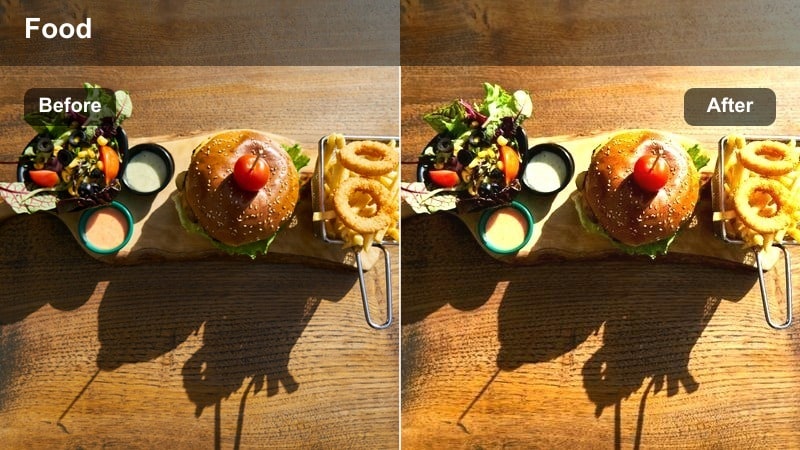
- Effect look: Creamy, low-contrast warmth that smooths harsh shadows and makes buttery dishes feel extra rich.
- Best for: Slow-motion butter melts, sauce pours, and close-up texture shots on the kitchen counter.
- Editing tip: Use a subtle vignette with this filter to keep viewers eyes locked on the richest part of the frame, like the center of the plate or pan.
Butter Sizzle Comfort adds a velvety, low-contrast feel that makes melted butter, sauces, and glossy textures look indulgent. It gently softens hard shadows so your close-ups feel cozy rather than harsh, perfect for ASMR-style drips and pours.
In Filmora, pair this filter with slightly slowed footage to emphasize every bubble and sizzle. If highlights start to look too creamy, nudge curves to add back a bit of contrast so your food textures remain defined and mouthwatering.
Countertop Brunch Warmth
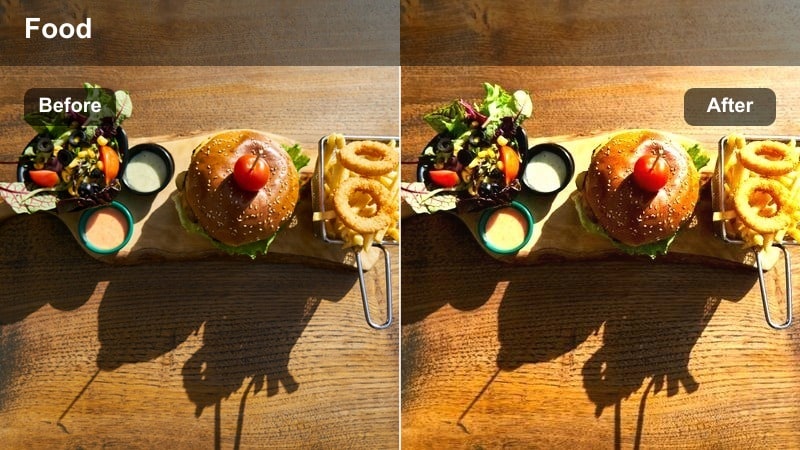
- Effect look: Clean, bright warmth with gentle contrast for brunch spreads on light countertops.
- Best for: Top-down brunch shots, cutting boards, and multi-dish recipe videos on white or light wood counters.
- Editing tip: Reduce highlights slightly so white plates and countertops keep detail and do not overpower the warm food tones.
Countertop Brunch Warmth is designed for overhead food layouts on light, reflective surfaces. It keeps the scene bright and inviting while adding a tasteful warmth that flatters eggs, pastries, fruits, and coffee without turning whites yellow.
In Filmora, apply the filter first, then gently pull down exposure and highlights so plates and countertops keep texture. Use selective saturation in reds and yellows to make fruits, jams, and cooked dishes pop against a clean, sunlit background.
Cafe Table and Coffee Shop Vibes
Mocha Table-Top Glow
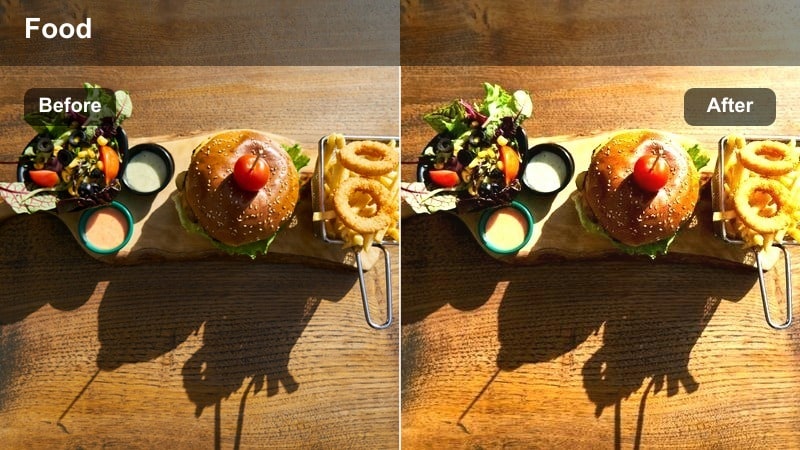
- Effect look: Deep, cozy warmth with slightly lifted blacks that mimic candlelit cafe ambience.
- Best for: Cafe table scenes, latte art shots, and pastries filmed near warm indoor lamps.
- Editing tip: Dial clarity up just a bit to define foam patterns and crumb textures without making the image too crunchy.
Mocha Table-Top Glow recreates the intimate feel of a warmly lit cafe by deepening browns and lifting shadows just enough to keep detail in dark mugs and tabletops. The result is a cinematic, story-driven vibe that is perfect for latte art, croissants, and quiet coffee moments.
In Filmora, add a touch of clarity to emphasize foam, crumbs, and saucer edges, then soften the background with a bit of blur so the mug and plate become the clear focal point. Adjust the filter intensity down if the cafe already has strong tungsten light to keep creams and skin tones natural.
Cafe Window Amber
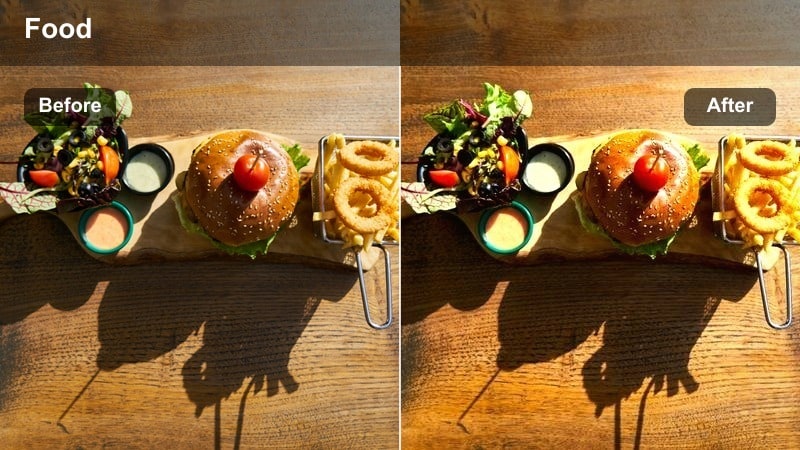
- Effect look: Balanced amber tone that mixes natural window light with interior warmth for an even look.
- Best for: Cafe window tables where sunlight and indoor bulbs hit the food at the same time.
- Editing tip: Use white balance to cool down any blue window cast before applying this filter for more consistent warmth.
Cafe Window Amber is tuned for those tricky spots where daylight and indoor lamps mix across your coffee and snacks. It smooths out color temperature differences, giving your scene an even amber glow that still feels realistic and relaxed.
In Filmora, first correct any strong blue or green cast using white balance, then apply this filter to warm everything up evenly. If there are faces in the shot, slightly reduce orange saturation so skin tones stay believable while croissants, lattes, and ceramics look inviting.
Espresso Bar Glow
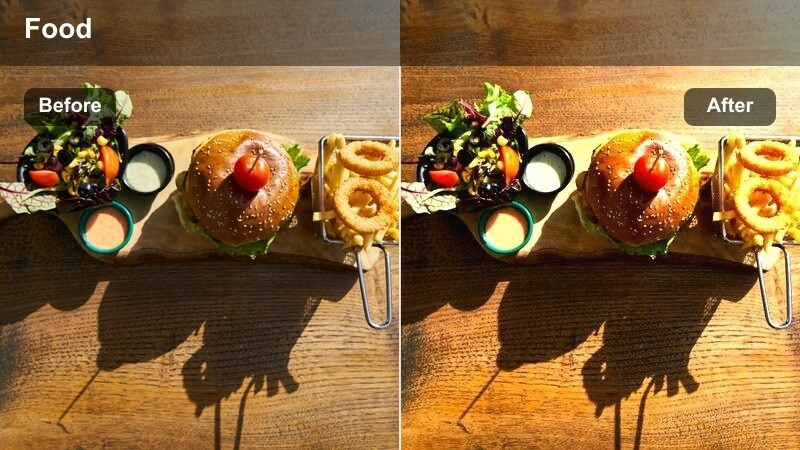
- Effect look: Rich, contrasty warmth that deepens browns and emphasizes glossy surfaces like espresso shots.
- Best for: Close-up bar shots of espresso pulls, dessert plates, and drink details on dark tables.
- Editing tip: Lift shadows slightly to keep dark cups and tabletops from blocking up while retaining a moody vibe.
Espresso Bar Glow brings a dramatic, bar-style mood to your coffee content by deepening browns and making glossy crema and glass highlights stand out. It is ideal for low-light counters, espresso pulls, and plated desserts where you want a cinematic, evening feel.
In Filmora, apply this filter and then gently lift shadows so cups and tabletops do not turn into pure black. Add a bit of local contrast around the cup and dessert to accentuate reflections and steam, and use mild noise reduction if deeper shadows start to show grain.
Dining Room and Evening Dinner Scenes
Candlelight Supper Warmth
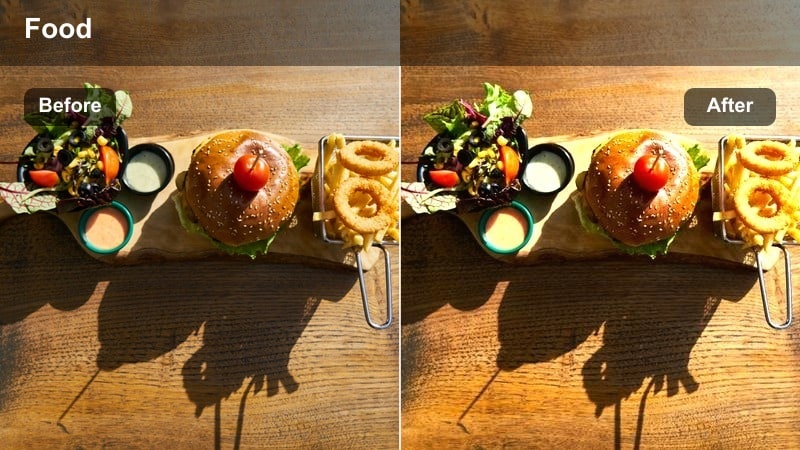
- Effect look: Soft, romantic glow with warm highlights that mimic candle and pendant light around the table.
- Best for: Evening dinner reels, family meals, and slow pan shots across a set dining table.
- Editing tip: Lower sharpness a touch to enhance the dreamy feel, especially if your footage was shot at a higher ISO.
Candlelight Supper Warmth enhances evening meals with a gentle, glowing highlight roll-off that mimics real candlelight and soft pendants. It wraps plates, glasses, and decor in a comforting hue that feels intimate and cinematic without crushing details.
In Filmora, reduce overall sharpness slightly to complement the dreamy mood, especially on high-ISO footage where noise can be distracting. Use HSL or skin-tone adjustments to keep faces from going too red while your warm table setting still feels rich and atmospheric.
Family Feast Cozy
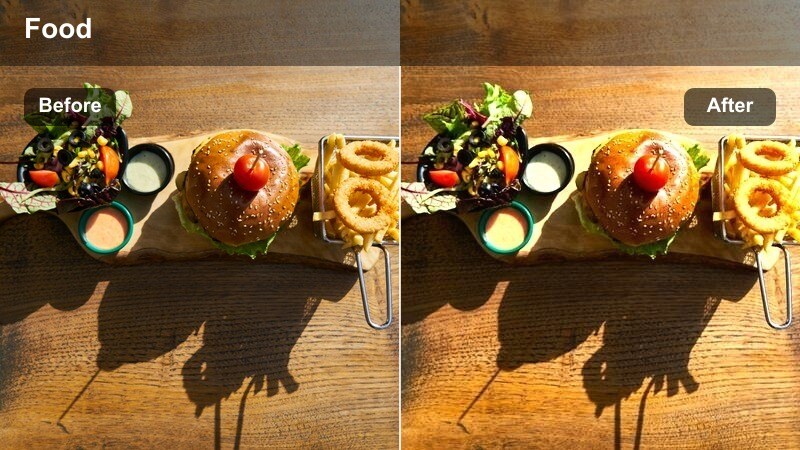
- Effect look: Balanced warmth with gentle contrast that keeps both food and people flattering at the table.
- Best for: Family-style spreads, passing dishes around, and talking-head shots while eating indoors.
- Editing tip: Slightly reduce midtone contrast if there are big brightness differences between plates and faces.
Family Feast Cozy is tuned to handle busy dinner tables where plates, hands, and faces all share the frame. It adds a unified warmth that flatters both food and people, keeping memories of shared meals looking inviting rather than harsh or uneven.
In Filmora, use this filter, then even out exposure across the frame if some guests sit closer to the main light. Slightly lower midtone contrast to reduce harsh transitions between bright plates and darker corners, and add a soft vignette to focus attention on the center of the table.
Plated Detail Ember
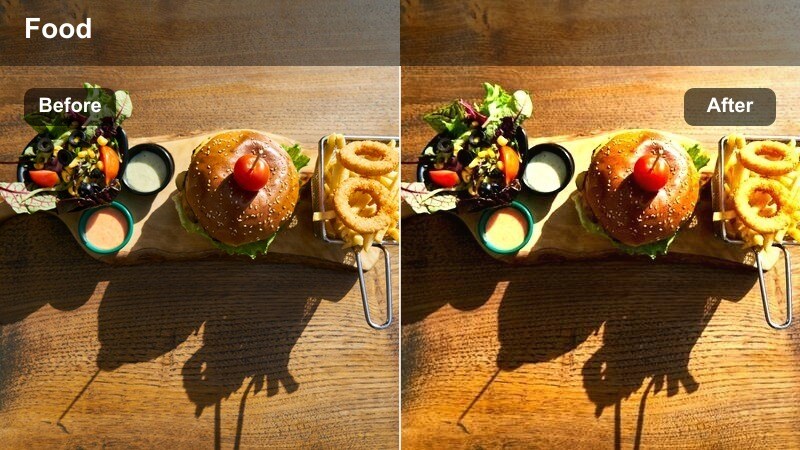
- Effect look: Targeted warm tone with crisp detail that makes single plated dishes look like high-end restaurant shots.
- Best for: Hero shots of finished plates, garnish details, and slow push-ins during dinner service.
- Editing tip: Use focus transitions or zooms with this filter to highlight key ingredients as the framed focal point.
Plated Detail Ember focuses on making a single hero dish look premium and restaurant-ready. It adds a subtle ember-like warmth while preserving crisp detail in garnishes, sauces, and textures, ideal for close-ups and slow push-ins.
In Filmora, combine this look with shallow depth of field and smooth zooms or focus pulls to guide the viewer straight to the star ingredients. If metallic cutlery or plate rims reflect too brightly, lower highlights locally so they do not distract from the main dish.
Studio and Content Creator Food Shoots
Short-Form Snack Pop
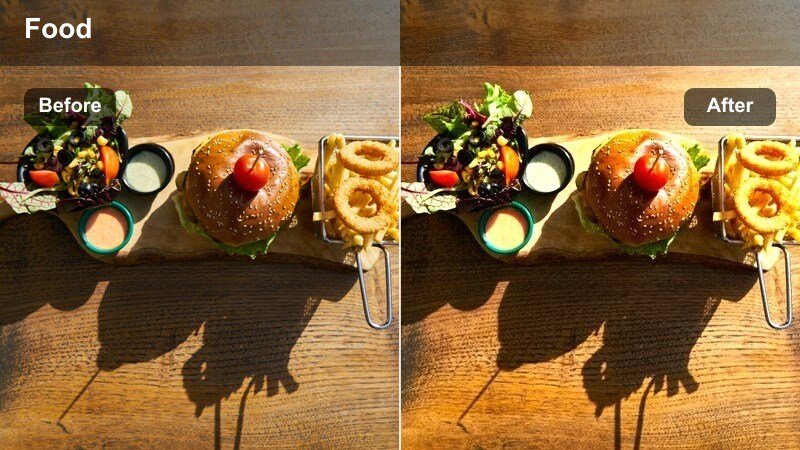
- Effect look: Clean, punchy warmth with vibrant saturation that works well for vertical short-form food videos.
- Best for: Reels, Shorts, and TikTok snack content filmed under softbox or ring light indoors.
- Editing tip: Crop for vertical formats first, then apply the filter so your key subject stays perfectly centered and vivid.
Short-Form Snack Pop is built to make quick bites, candies, and packaged snacks stand out on vertical platforms. It adds bright, energetic warmth and a bit of saturation that helps your food grab attention on small screens without looking overprocessed.
In Filmora, set your aspect ratio for Reels, Shorts, or TikTok before applying the filter so your subject stays well framed. Then tweak intensity down slightly if you know your platform compresses video heavily, keeping color punchy but not oversaturated after upload.
Tutorial Studio Comfort
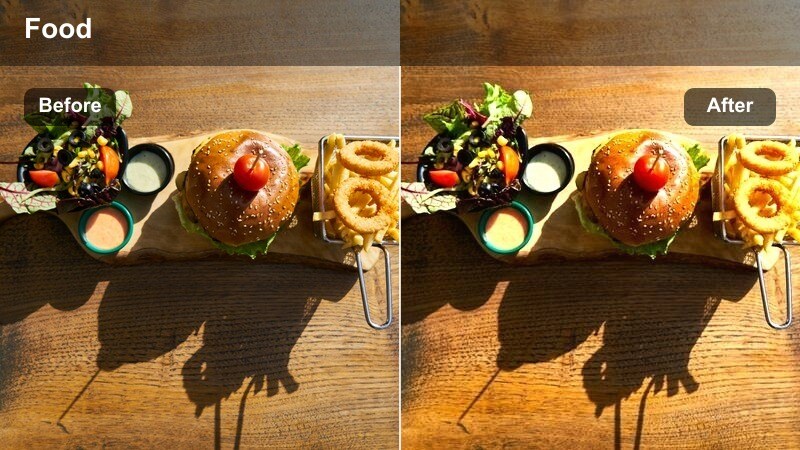
- Effect look: Subtle, editorial warmth that keeps backgrounds neutral but makes food and hands look inviting.
- Best for: Step-by-step cooking tutorials in a studio or content creator kitchen setup.
- Editing tip: Add light sharpening on hands and utensils so motions remain clear while the background stays soft.
Tutorial Studio Comfort gives your how-to cooking content a polished, editorial tone while still feeling friendly. It warms skin and food gently but leaves backgrounds and props more neutral, so your frame looks professional and clean.
In Filmora, apply this filter after dialing in consistent exposure and white balance across all your shots. Add light sharpening on hands, knives, and utensils to keep each step clear, and copy the same filter settings to every camera angle for seamless continuity.
Product Spotlight Honey
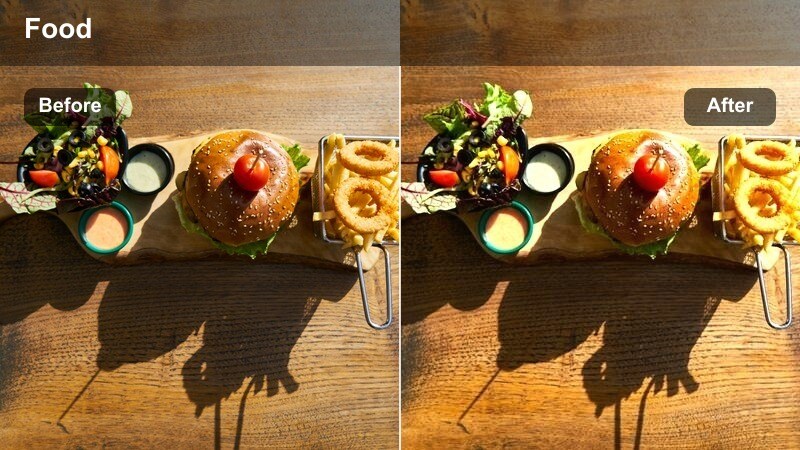
- Effect look: Polished honey-toned warmth that flatters branded packaging and plated product shots.
- Best for: Sponsored food segments, product close-ups, and brand-friendly hero shots indoors.
- Editing tip: Match the warmth to the brand's color palette by gently adjusting yellows and oranges after applying the filter.
Product Spotlight Honey is tailored for sponsored posts and brand collabs, adding a premium honey tone that flatters packaging, labels, and plated product shots. It enriches colors without distorting logos or brand identity when used thoughtfully.
In Filmora, apply this filter, then compare your graded frame to the real packaging or brand assets. Use HSL controls to fine-tune yellows and oranges so logos and key colors stay accurate while the overall scene maintains a cozy, commercial-ready warmth.
Tips for Using Warm Indoor Food Video Lut Filters in Filmora
- Shoot slightly darker than you think you need to so warm indoor filters do not blow out highlights on plates and reflective surfaces.
- Set a manual white balance in-camera to reduce color shifts before applying any warm indoor food video LUT-inspired filter.
- Keep a little separation between your subject and background, then use warm filters plus shallow depth of field to create a cozy, cinematic look.
- Use consistent lighting temperatures across your set whenever possible to help warm filters behave predictably.
- Always check skin tones in frame to ensure they stay natural while you warm up the food and environment.
- Test filter intensity on a short clip first, then apply your final settings across the entire sequence for consistent results.
- Combine Filmora's AI color matching with your favorite warm LUT-style filter to keep multi-camera shoots perfectly cohesive.
- Save separate presets for kitchen, cafe, and dining room setups so you can switch looks quickly while staying on-brand.
Warm indoor food video LUT-style filters in Filmora help content creators turn everyday meals, snacks, and cafe visits into inviting, cinematic stories.
Test a few presets, adjust intensity to match your lighting, and save your favorite look so every new recipe or review feels instantly on-brand and delicious on screen.
secure download