
Hotel Lobby Video AI Templates:
Create Polished Hospitality Content Faster
Give your property a more memorable digital presence with ready-to-use video concepts for entrances, reception areas, lounges, restaurants, and guest experiences. These AI prompts and visual templates help you turn a hotel lobby photo or creative idea into an engaging promotional video. Choose a style, customize the details, and build a professional hotel lobby AI video for your website, digital display, or social media campaign.
Loading more hotel video templates...
 Category:
 Duration:
 Aspect Ratio:
Build Better Hotel Lobby Video AI Content
with Flexible Creation Tools
A compelling hotel lobby video should communicate atmosphere, design, and service before guests ever arrive. Filmora combines AI generation with practical editing tools, helping you create polished hospitality content from text, photos, and audio. Start with a simple concept, refine the visual direction, and export a finished video for marketing campaigns, booking pages, or in-property screens. No complex production workflow is required.
Turn a Simple Description into a Cinematic Hotel Lobby Video
Turn a Simple Description into a Cinematic Hotel Lobby Video
Describe the atmosphere you want to showcase, such as a sunlit resort lobby, an elegant marble reception desk, or a warm boutique entrance. Filmora’s text to video workflow helps translate that creative direction into a visual starting point. Add details about lighting, camera movement, materials, and guest mood to guide the result. You can then adjust the pacing, branding, and final composition for a professional hotel campaign.
- Prompt-Based Storyboarding – Turn hospitality concepts into visual scenes before filming begins.
- Cinematic Direction – Describe camera movement, lighting, architecture, and atmosphere in natural language.
- Fast Concept Testing – Compare multiple hotel lobby video ideas without organizing a full production shoot.
Animate Hotel Lobby Photos with Image-to-Video AI
Animate Hotel Lobby Photos with Image-to-Video AI
Already have professional photos of your entrance, lounge, or reception area? Use image to video tools to add natural camera movement, subtle transitions, and a more immersive sense of space. This approach is ideal for properties that want to repurpose existing photography into social posts, digital signage, or promotional reels. Upload an image, define the desired motion, and refine the result with Filmora’s editing features.
- Photo-to-Video Animation – Bring static hotel lobby photography to life with smooth motion and visual depth.
- Flexible Content Repurposing – Transform existing property assets into fresh campaign materials.
- Ready for Every Platform – Create landscape, square, or vertical videos for websites, displays, and social media.
- AI Image-to-Video Workflow – Create engaging hotel visuals without recording every scene from scratch.
- Controlled Visual Style – Adjust transitions, timing, text, music, and effects to match your brand identity.
Set the Mood with Audio-to-Video Storytelling
Set the Mood with Audio-to-Video Storytelling
Sound plays a major role in how guests perceive a hotel. With audio to video creation, you can build visual content around a welcome message, brand narration, ambient soundscape, or promotional soundtrack. Match the rhythm and tone of your audio with elegant lobby footage, architectural details, and service moments. The result is a more emotional and memorable hotel lobby AI video that feels aligned with your property.
- 🎧 Atmospheric Sound Design – Pair lobby visuals with calm, luxurious, modern, or energetic audio.
- 🎙️ Voice-Led Promotions – Build a visual story around a welcome message, tour narration, or hotel announcement.
- 🎨 Brand-Matched Editing – Coordinate sound, typography, color, and transitions for a consistent guest experience.
FAQs About Hotel Lobby Video AI
How to Create a Hotel Lobby AI Video with Filmora
Learn how to create a polished hotel lobby AI video in just a few practical steps. Start with a text description, a lobby photo, or an audio concept, then refine the generated result with Filmora’s editing tools. No advanced production experience is required.
Step 1 Open Filmora and Choose an AI Video Tool

Step 2 Add Your Lobby Prompt, Image, or Audio
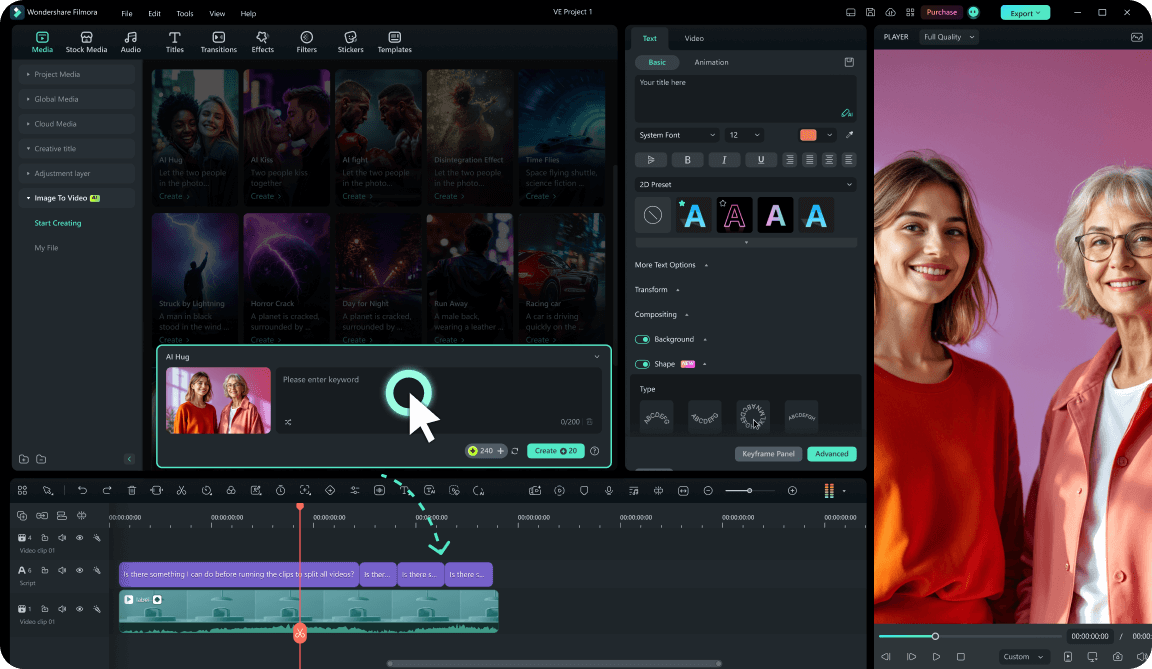
Step 3 Generate, Edit, and Export Your Hotel Video
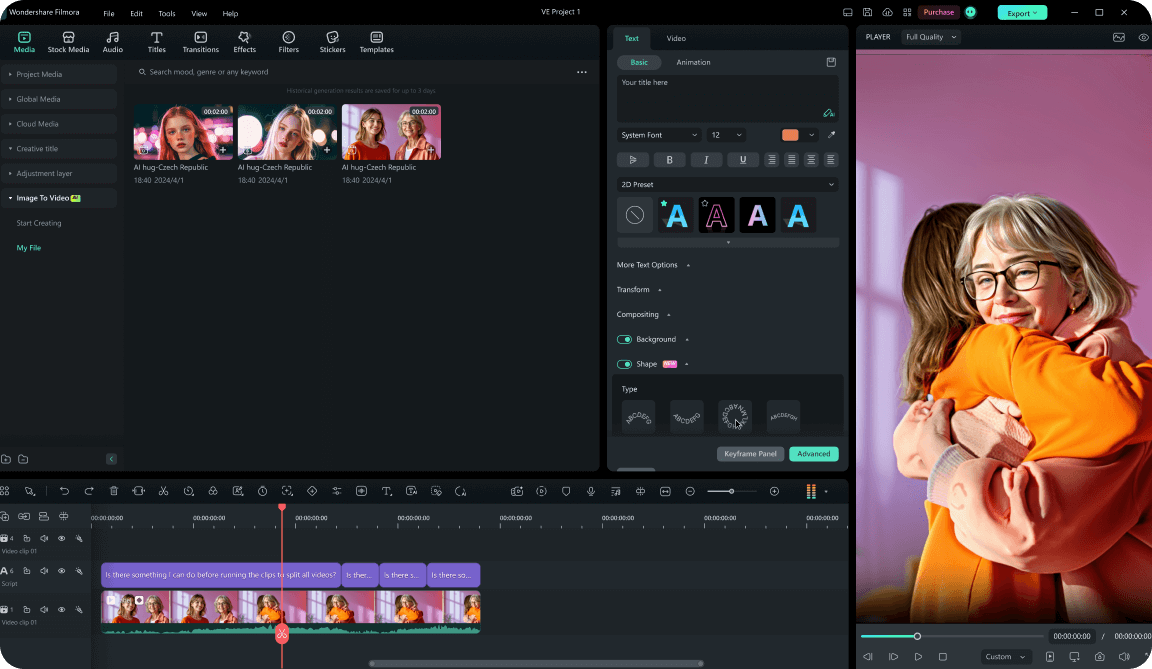
-
1:Open Filmora and Choose an AI Video Tool
Start a new project and select Text to Video, Image to Video, or Audio to Video according to your creative starting point. -
2:Add Your Hotel Lobby Prompt or Media
Describe the lobby’s design, lighting, mood, camera movement, and marketing goal, or upload a lobby image and add a reference soundtrack. -
3:Generate, Edit, and Export Your Video
Generate the draft, add your logo and booking message, refine the sound and timing, then export a finished hotel lobby video for your chosen platform.
More Ways to Create High-Impact Hospitality Content
Filmora is more than a hotel lobby video AI tool. Create property tours, travel promotions, branded social videos, AI-powered visuals, and polished guest-experience content in one flexible editing platform.








