

 100% Security Verified | No Subscription Required | No Malware


 ChatGPT
 Perplexity
 Gemini
 Claude
 Grok
Grok
Ever nailed a take, only to realize you looked away from the camera every few seconds to check your notes? It's a common challenge for creators, educators, presenters, and anyone recording on a Mac, but a good teleprompter for Mac can keep your script visible while helping you maintain natural eye contact, deliver your message with confidence, and spend less time re-recording the same scene.
For this guide, you'll find a comparison of the best teleprompter apps for Mac this year, based on native macOS support, ease of use, customization options, creator-friendly features, price, and overall performance.
In this article
Part 1. Teleprompter Software Comparison Chart
Some teleprompter software for Mac focuses on simple script scrolling, while others include advanced features such as voice tracking, video recording, presentation tools, and content creation workflows.
Use this chart to compare their key strengths, Mac compatibility, and pricing at a glance, then explore the individual reviews to find the option that best suits your style.
| Software | Best For | Compatibility | Price |
|---|---|---|---|
| Filmora | Recording and editing videos with a built-in teleprompter | macOS, Windows | Free plan available; paid plans start from $9.99/month |
| Teleprompter Pro | Professional teleprompting and script management | macOS, iOS | Free version available; Premium from $59.99/year |
| Prompt+ Teleprompter | Voice-controlled scrolling and teleprompter rigs | macOS, iOS, iPadOS, Apple Vision Pro | Free version available; Premium $19.99 one-time purchase |
| Teleprompter.com | Content creators and video recording | macOS, iOS, Android, Web | Free plan available; Pro from $19.99/month or $7.50/month billed yearly |
| BIGVU | Video presentations with captions and teleprompting | macOS, Windows, iOS, Android | Free plan available; Starter from $25/month or $12/month billed yearly |
| SpeechCue | Simple teleprompting for speakers and presenters | macOS, Windows | Free trial; SpeechCue Pro unlock for $9.99 |
| PromptDog | Professional teleprompter setups and studio productions | macOS, Windows | One-time license from $99 |
| SpeakFlow | Presentations, webinars, and virtual meetings | macOS, Windows | Free plan available; Plus plan from $15/month |
💡 Quick Recommendation: If you’re looking for an all-in-one solution, Filmora stands out for combining teleprompter, screen recording, webcam recording, and video editing features into a single app. Conventional teleprompter tools help you deliver scripts smoothly, while Filmora lets you record and edit the final content without switching between multiple programs.
Part 2. Top Teleprompter Software for Mac
With a quick comparison of the top options in hand, let’s take a closer look at what each one offers. The reviews below highlight the key features, pros, cons, compatibility, and pricing of each software option to help you choose the best teleprompter app for Mac for your needs.
1. Wondershare Filmora
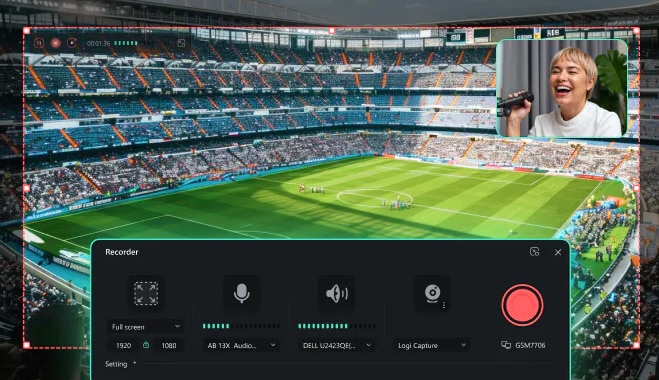
Many teleprompter tools for MacBook stop at script scrolling, but Filmora is designed for creators who need to record and edit videos in the same place. Filmora's built-in teleprompter works alongside the screen and webcam recorder, so you can follow your script while filming tutorials, presentations, product demos, or talking-head videos.
Instead of moving footage between multiple apps afterward, you can immediately trim clips, add captions, and polish the final video within Filmora. For Mac users who regularly create content, this setup can save time and simplify the recording process.
Key Features
- Built-in teleprompter for screen and webcam recording
- Script import and editing
- Screen recording and webcam capture
- AI-powered video editing tools
- Auto captions and speech-to-text
- Extensive effects, transitions, and templates
Compatibility: macOS 10.15 or later, Windows
Price: Free plan and trial are available; Check out the full pricing for more details.

 secure download

2. Teleprompter Pro
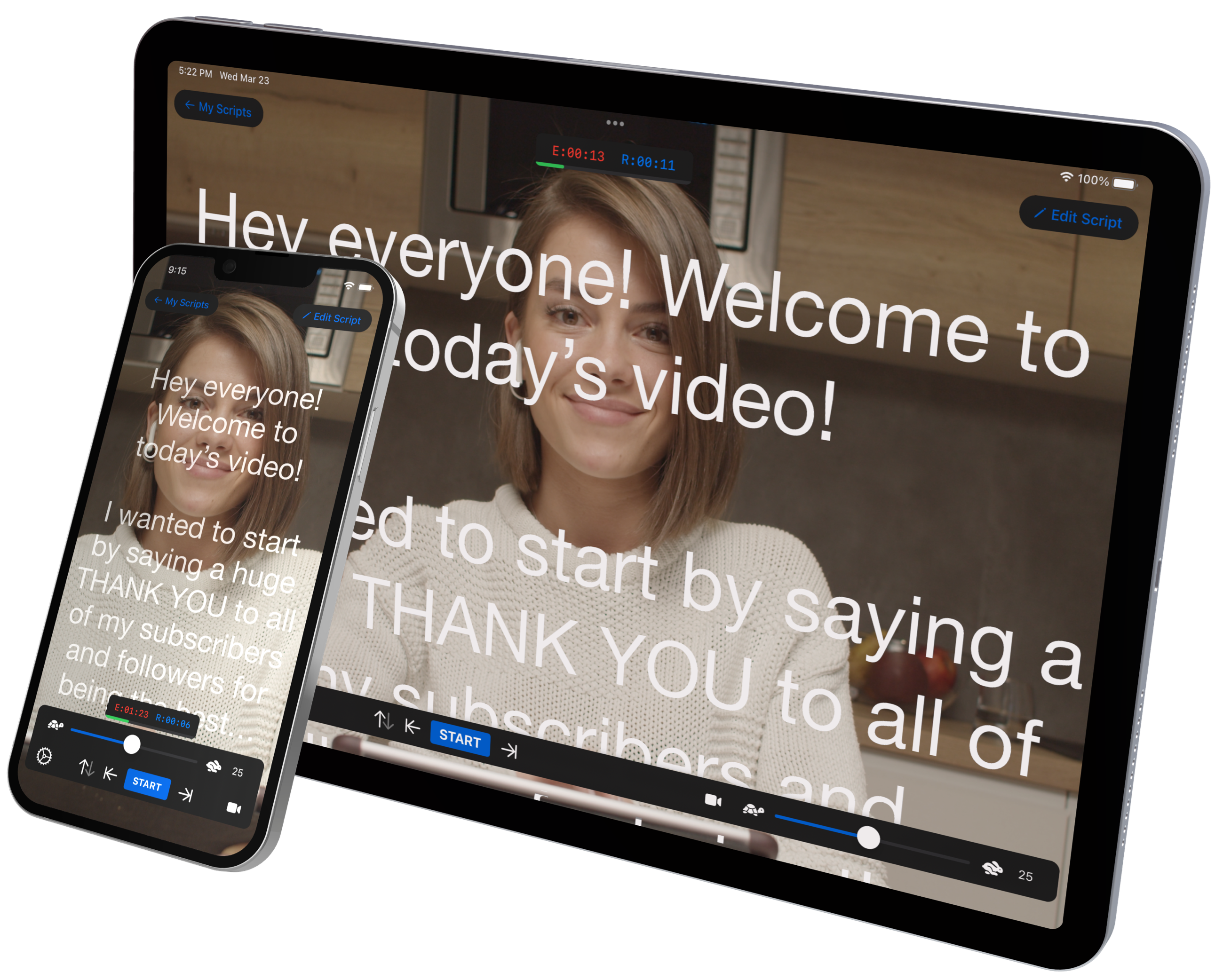
If you're looking for an autocue app for Mac that prioritizes script delivery above all else, Teleprompter Pro remains a strong option. The software supports mirrored text, external displays, and customizable scrolling controls, perfect for interviews, presentations, corporate videos, and teleprompter setups.
Key Features
- Script importing and organization
- Mirrored text output
- Adjustable scrolling controls
- External display support
- Keyboard and remote operation
- Multiple reading modes
Compatibility: macOS 12.0 or later, iOS
Price: Free version available. Premium plans start from $59.99/year or $159.99 (Premium Upgrade).
3. Prompt+ Teleprompter
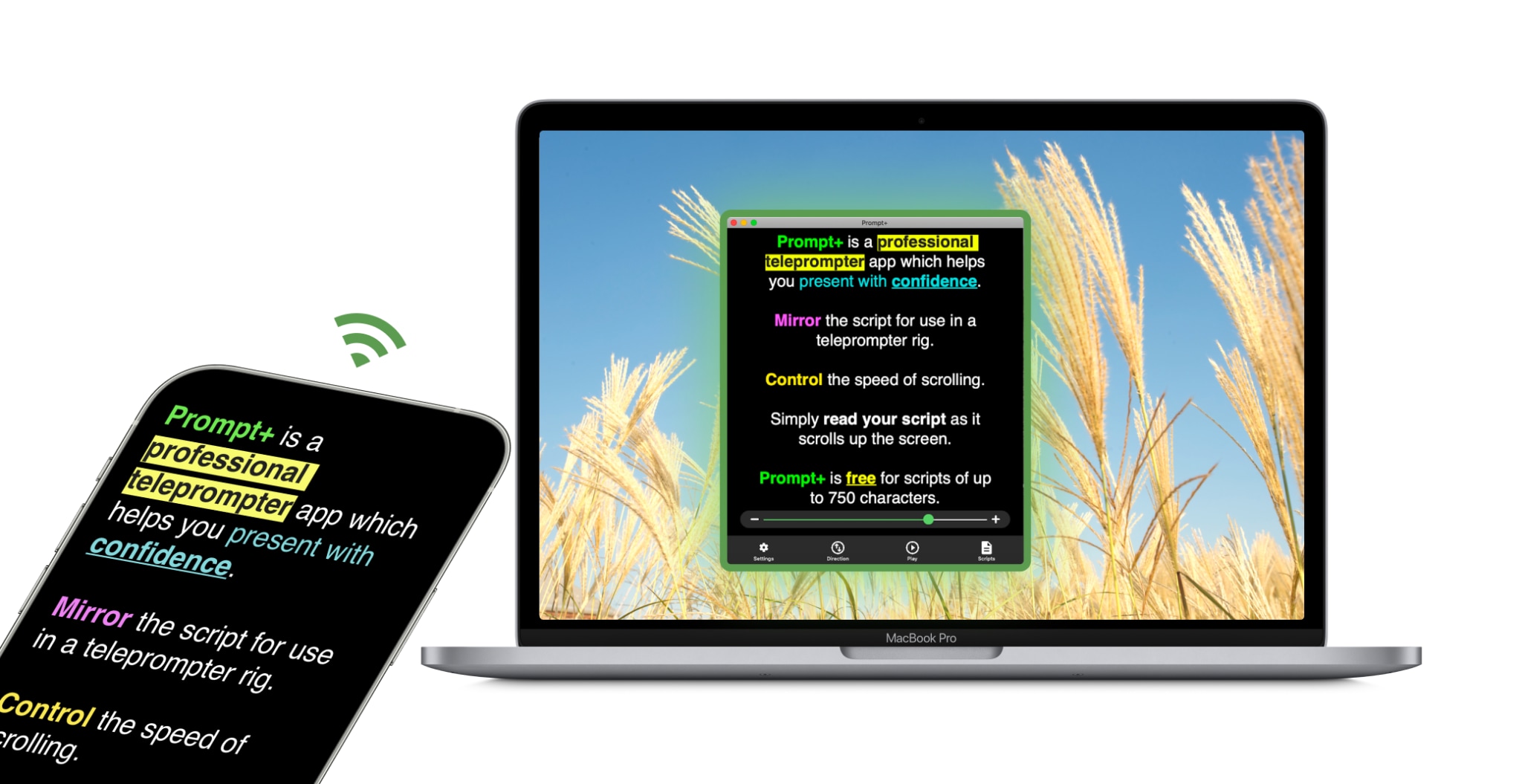
Prompt+ Teleprompter feels closer to what many people expect from dedicated teleprompter software for Mac. It supports voice-controlled scrolling, mirrored text, remote controls, and script imports from cloud storage services. The one-time purchase model is another advantage for users who prefer not to pay a monthly subscription.
Key Features
- Voice-controlled scrolling
- Manual speed controls
- Mirrored text mode
- Import DOCX, PDF, TXT, and RTF files
- Countdown timer
- Bluetooth remote support
- Cloud imports from Google Drive, Dropbox, OneDrive, and iCloud
- Rich text formatting
Compatibility: macOS 11.0 or later, iOS, iPadOS, Apple Vision Pro
Price: Free for scripts up to 750 characters. Premium unlock is available through a one-time purchase of $19.99, with no monthly subscription required.
4. Teleprompter.com
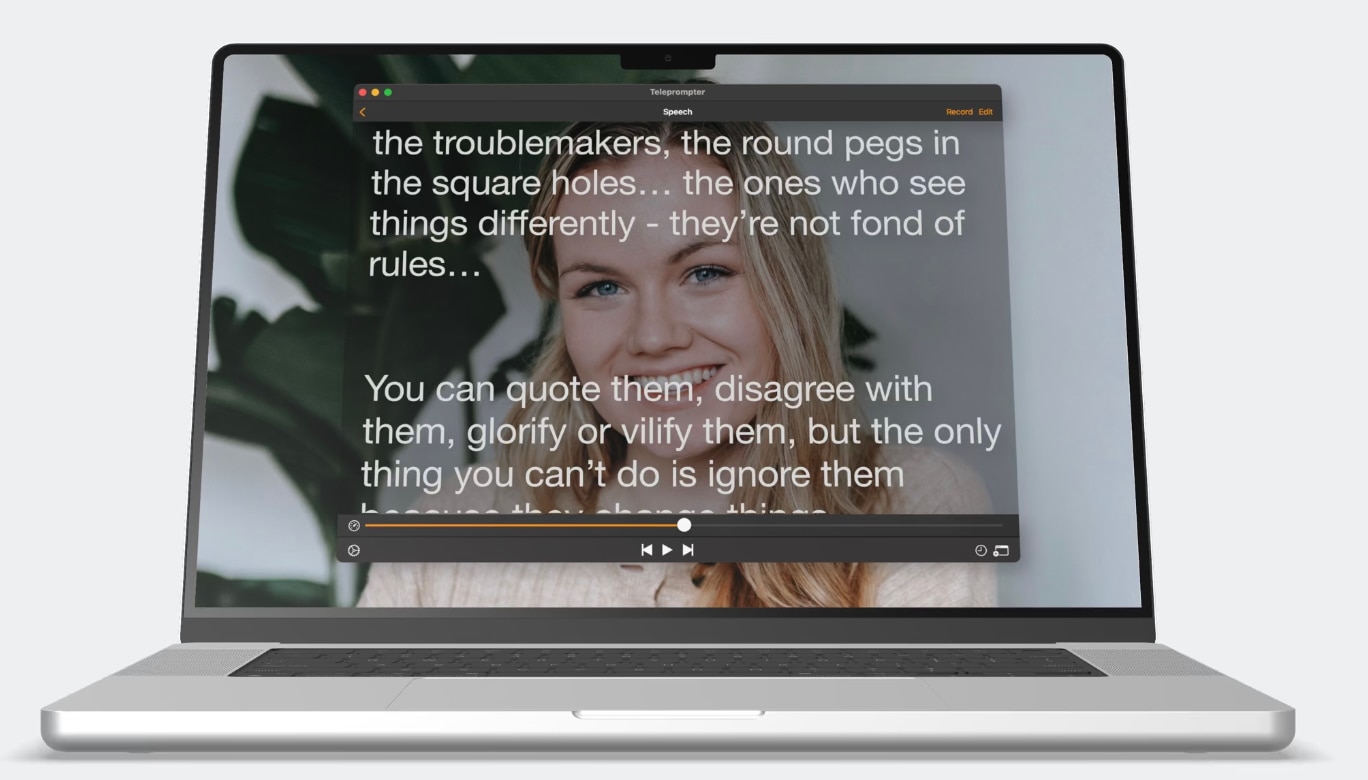
Teleprompter.com has evolved into more than a simple teleprompter app for Mac. In addition to script scrolling, it includes video recording, audio-only recording, cloud syncing, subtitle generation, remote preview, and support for external display. This app is ideal for creators who frequently record videos for social media, online lessons, or business presentations.
Key Features
- Video and audio recording
- Cloud-synced scripts
- Remote control support
- External display mode on Mac
- Subtitle generation
- Horizontal and vertical mirroring
Compatibility: macOS 12.0 or later, iOS, Android, Web
Price:
- Starter: Free (record with watermark)
- Pro: $19.99/month or approximately $7.50/month billed annually
- Max: $49.99/month or $24.99/month billed annually
- Team: $49.99/month per seat or $24.99/month per seat billed annually
5. BIGVU
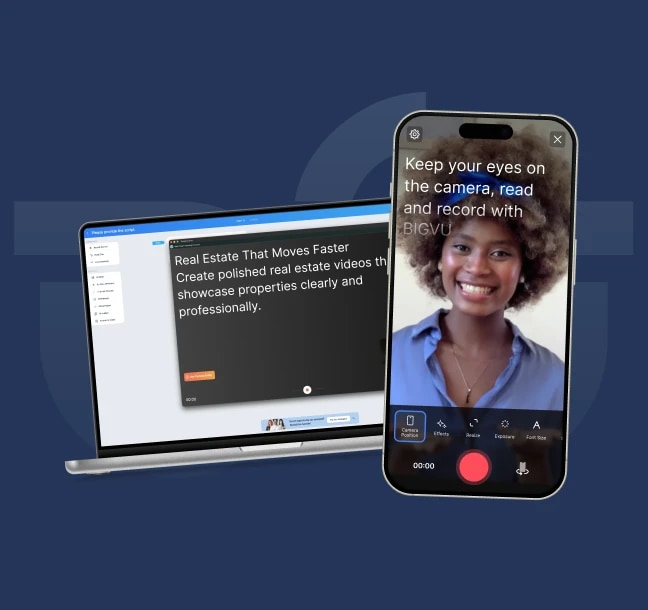
BIGVU combines teleprompting with content publishing tools. Apart from functioning as a teleprompter for MacBook users, it includes automatic captions, branding elements, video trimming, and social media-focused features. Businesses, coaches, real estate professionals, and marketing teams often use BIGVU to create regular video content without complex editing steps.
Key Features
- Built-in teleprompter
- Automatic captions
- AI script assistance
- Branding and logo overlays
- Basic video editing tools
- Social media export options
Compatibility: macOS 13.5 or later, Windows, iOS, Android
Price:
- Free plan (a watermark on export)
- Starter: $25/month or $12/month ($149 billed yearly)
- AI Pro: $39/month or $19/month ($229 billed yearly)
- AI Max: $80/month or $49/month ($589 billed yearly)
6. SpeechCue
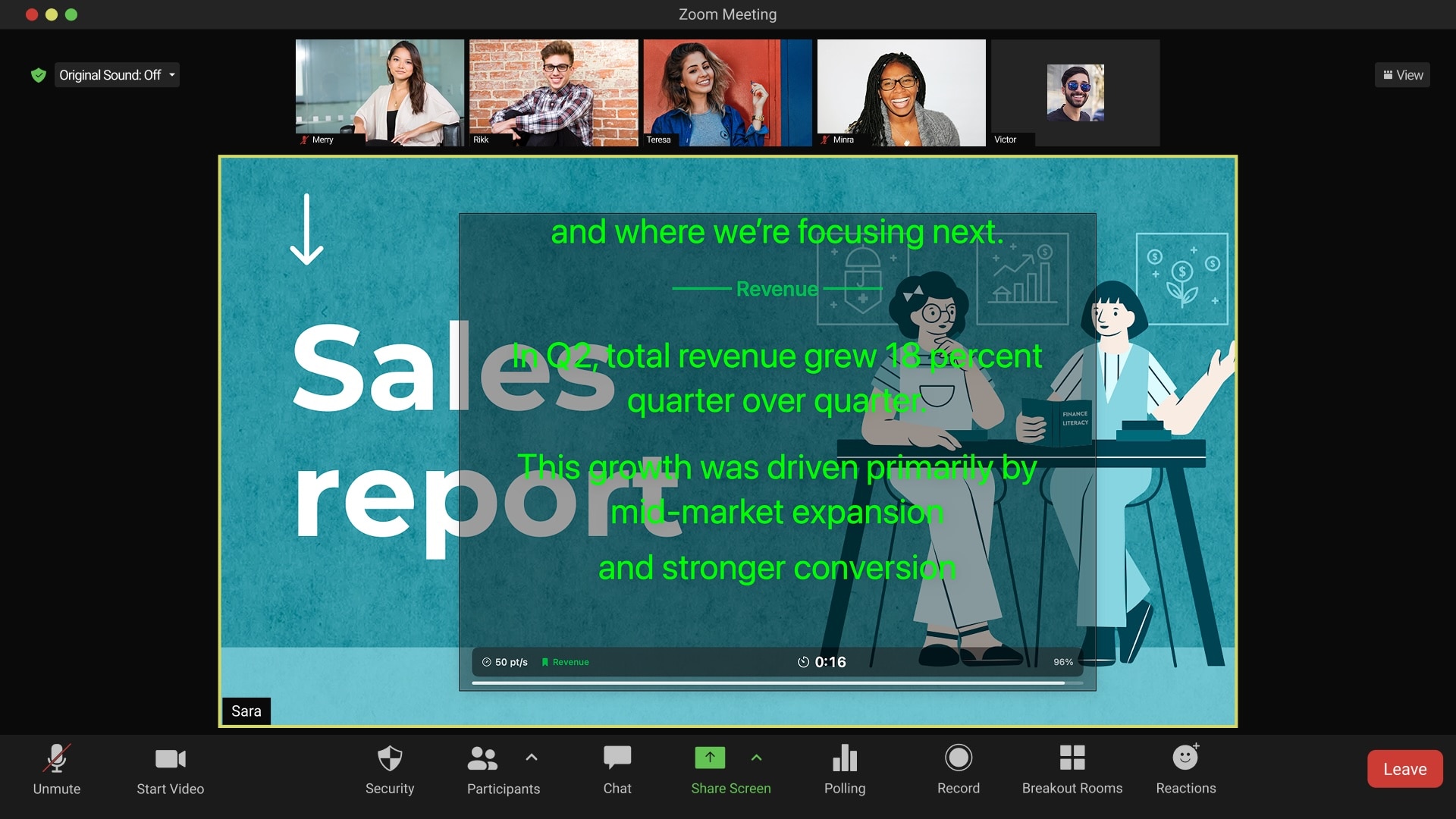
SpeechCue takes a streamlined approach to using teleprompters. Where traditional teleprompter apps fill your screen with a script window, this app lets you place the text near your webcam. This helps create more natural eye contact when recording presentations, tutorials, or sales videos. For users looking for a lightweight teleprompter app for Mac, SpeechCue offers a clean, distraction-free experience.
Key Features
- Webcam-adjacent script placement
- Adjustable text formatting
- Floating teleprompter window
- Keyboard shortcuts
- Multi-monitor support
Compatibility: macOS 13.0 or later
Price: 7-day free trial available. SpeechCue Pro Unlock costs $9.99.
7. PromptDog
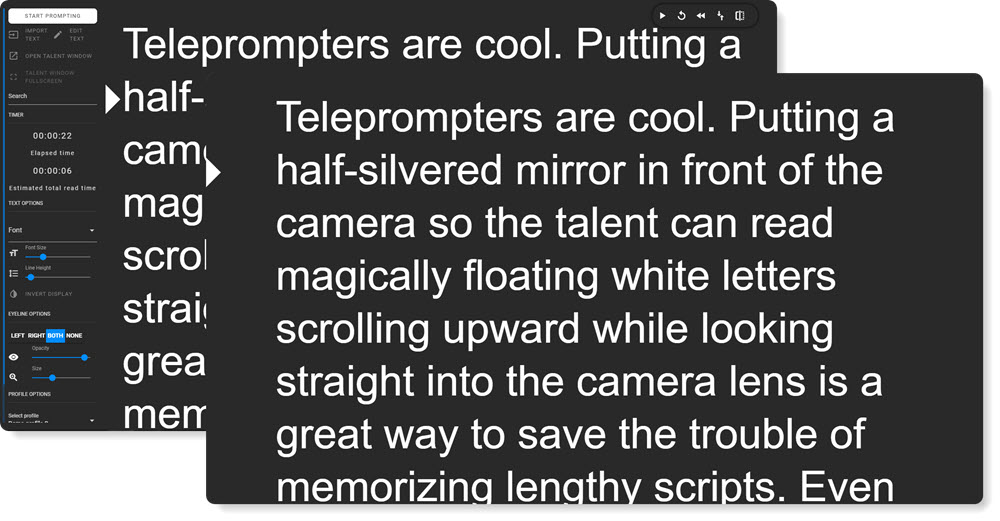
PromptDog caters to a different audience than most modern teleprompter apps. Instead of targeting YouTubers and social media creators, it focuses on professional productions that use teleprompter hardware, multiple displays, and advanced script management. If your job involves conferences, broadcasts, or studio environments, PromptDog offers greater flexibility than many lightweight alternatives.
Key Features
- Multi-monitor support
- Mirrored display output
- Script playlists
- Custom scrolling controls
- External controller compatibility
Compatibility: macOS, Windows
Price: One-time license available at $99
8. SpeakFlow
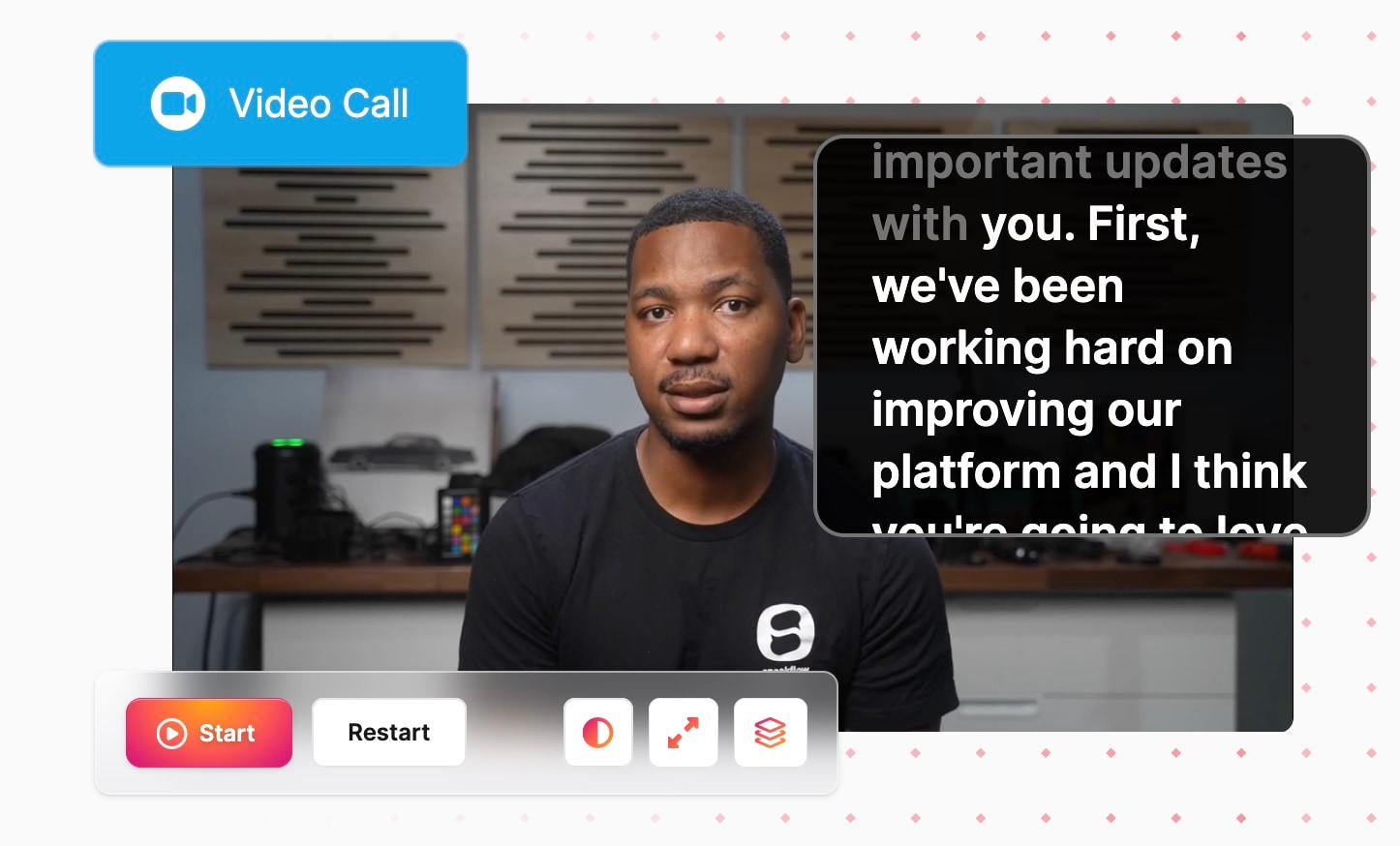
SpeakFlow is a teleprompter for Mac, designed for professionals who spend more time presenting than editing videos. The software displays scripts near your webcam, keeping you in eye contact during Zoom meetings, webinars, sales calls, and live presentations. If your main goal is delivering polished presentations from a MacBook, SpeakFlow may be more useful than a traditional teleprompter focused on video production.
Key Features
- Floating teleprompter window
- Webcam-adjacent script placement
- Adjustable transparency
- Presentation notes
- Screen-sharing compatibility
- Voice-activated scrolling
- AI writing tools (Pro)
Compatibility: macOS, Windows
Price:
- Free version with limited features
- Plus plan at $15/month
- Studio plan at $99/month
Part 3. Common Limitations of Traditional Teleprompter Software
A dedicated teleprompter for Mac can make script delivery much easier, but many tools focus on only one part of the content creation process: displaying text on screen. Once the recording is finished, you'll often need additional software to edit footage, add captions, remove mistakes, and prepare the final video for publishing.
Some of the most common limitations include:
- No built-in video editing: Many traditional teleprompter apps still focus mainly on script reading and require a separate editor for post-production.
- Limited recording features: Some tools focus exclusively on scrolling text and offer few or no recording capabilities.
- Additional subscriptions: Using separate teleprompter, recording, captioning, and editing tools can increase software costs.
- Workflow interruptions: Switching between multiple applications can slow down production and make revisions more time-consuming.
- Fewer creator-focused tools: Features such as automatic captions, silence removal, and social media exports are often unavailable in traditional teleprompter software for Mac.
For you who regularly record tutorials, presentations, online courses, or talking-head videos, managing multiple applications can quickly become part of the challenge.
Bonus: Filmora's Built-In Teleprompter for Smooth Video Recording
Reading from a teleprompter is only one part of creating a polished video. After the recording is done, most creators still need to edit clips, generate captions, remove awkward pauses, and export the final project. In that case, Filmora streamlines these steps by integrating the teleprompter for Mac into the Screen Recorder and connecting it directly to the editing workspace.
If you regularly produce tutorials, online courses, software guides, presentations, or talking-head videos, this setup can save time and keep the production process more organized. Once the recording is complete, the footage is immediately ready for editing, streamlining the transition from script to final video without switching multiple applications.
Watch the Filmora teleprompter tutorial
How to Use Filmora's Teleprompter
Step 1. Launch Filmora and Open the Screen Recorder Tool
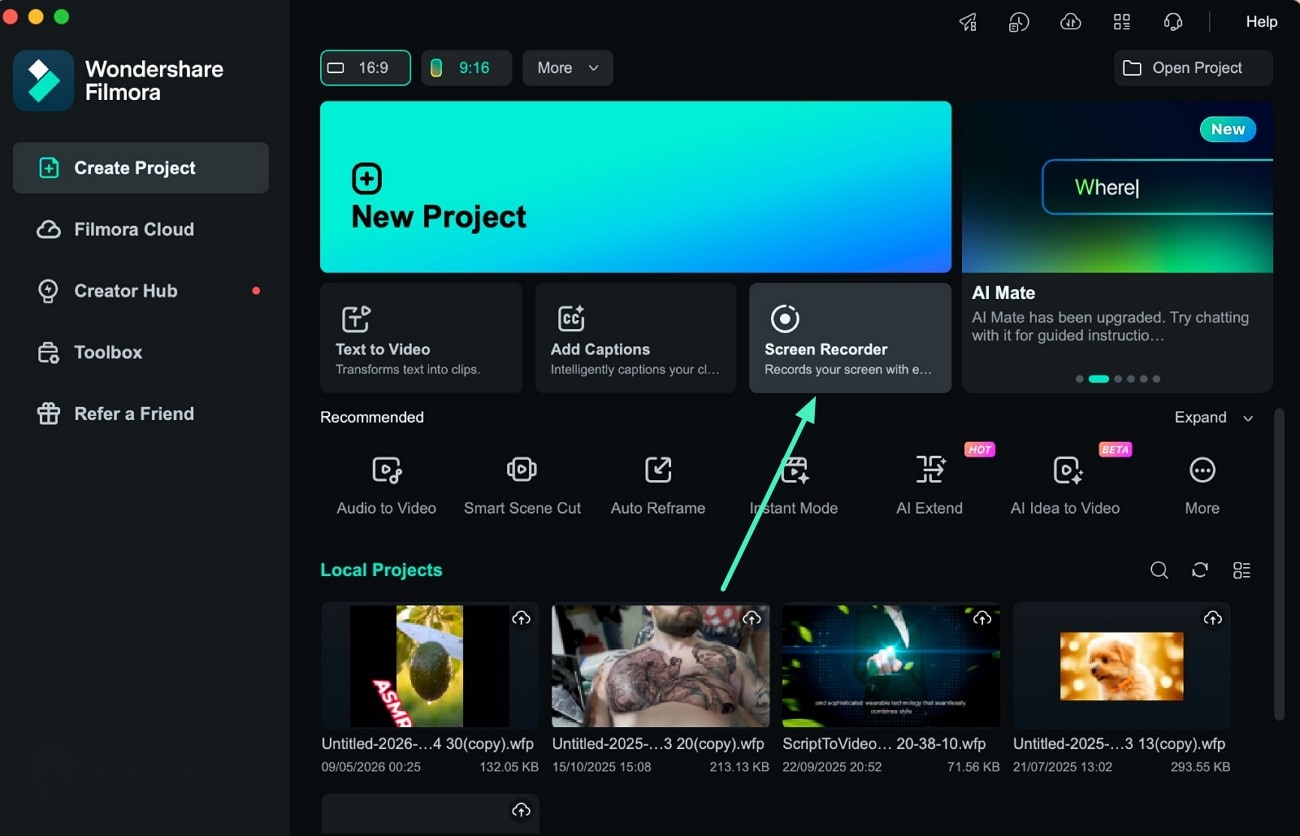
Step 2. Activate the Teleprompter Tool
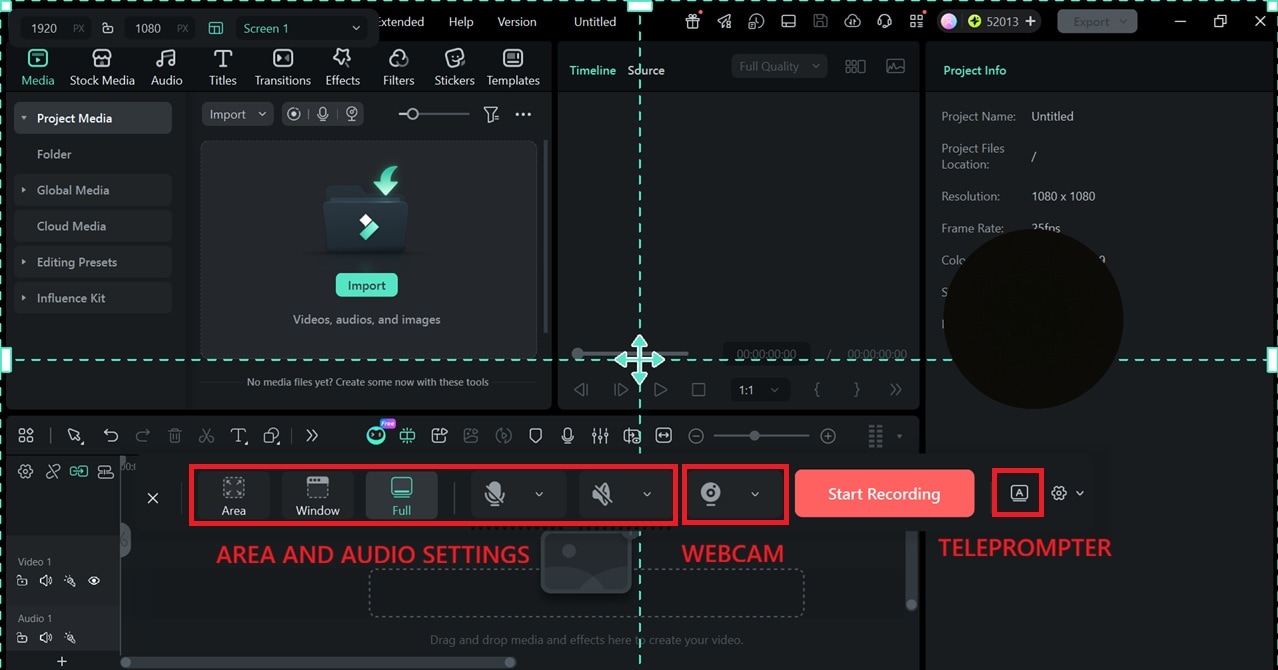
A new recording window will appear. Select the screen area and adjust the camera and audio settings. Then, click the Teleprompter button to activate the tool.
Step 3. Enter or Upload Your Script
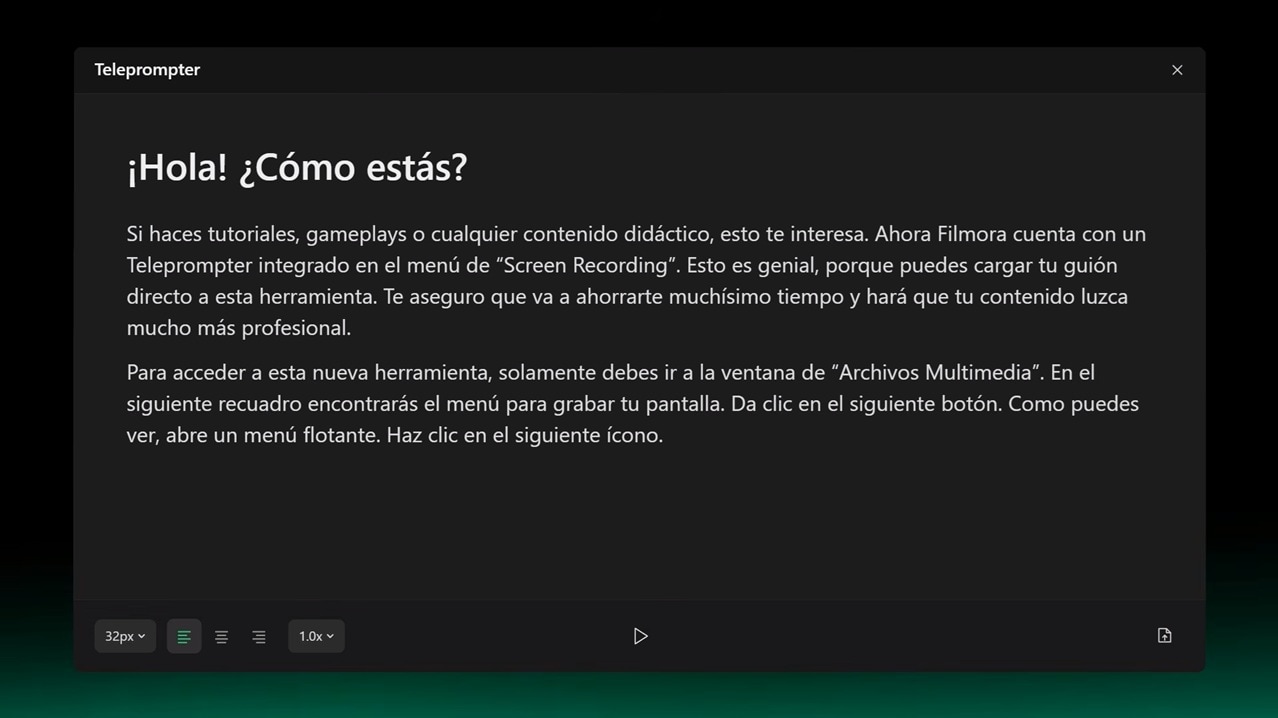
Type your script directly or upload a TXT file if you've already prepared your script elsewhere. You can also customize the text size and scrolling speed to match your reading pace.
After that, start recording. The script will remain visible as you present, helping you stay on track without constantly looking away from the camera. When you're finished recording, the footage will be automatically imported into Filmora.
Conclusion
Reading from a script shouldn't make your videos feel scripted. The right teleprompter app for Mac can help you stay focused, maintain eye contact, and deliver your message more naturally, whether you're recording tutorials, presentations, online courses, or YouTube content. Some tools specialize in professional prompting and voice tracking, while others are built around content creation and publishing.
As you compare the options in this guide, consider what happens after the recording ends. If your needs include editing, captions, and post-production, Filmora's built-in teleprompter offers an efficient way to handle everything in one place. Ultimately, the best teleprompter for Mac is the one that helps you record with ease and keeps the process running smoothly.
secure download FAQs About Teleprompter Apps for Mac
-
What is the best teleprompter for Mac?
Filmora is one of the best teleprompter apps for Mac for creators who also need recording and editing tools. -
Is there a free teleprompter app for Mac?
Yes. Teleprompter.com, BIGVU, and Teleprompter Pro offer free plans or free versions, though some features may be limited. These apps are a good place to start if you’re looking for a free teleprompter for Mac. -
Can I use a teleprompter on a MacBook?
Absolutely. Most teleprompter software for Mac works on MacBook devices, allowing you to adjust text size, scrolling speed, and display settings for a more comfortable reading experience.
