

 100% Security Verified | No Subscription Required | No Malware


 ChatGPT
 Perplexity
 Gemini
 Claude
 Grok
Grok
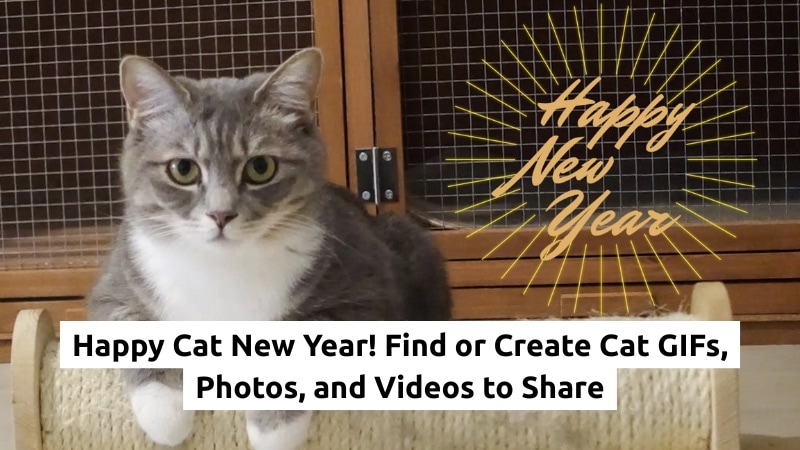
Do you want to share Cat Happy New Year memes, reels, or GIFs as the holiday season rolls in?
Cat content keeps growing every year, and we now even have catfluencers. With the New Year coming up, a fun Happy Cat New Year greeting can help you get better engagement on social media.
If you've been looking for a Happy New Year Cat GIF, this guide shows you where to find cute options online. And if you prefer something personal, you can also create your own clips or GIFs.
By the end, you'll have ideas to craft your next Cat New Year's post with ease. Let's get started.
In this article
Part 1. Where to Find Happy New Year Cat GIFs, Images, and Videos
If you want to share a Cat Happy New Year post fast, ready-made GIFs and photos save you time. You only need a trusted source to grab a cute clip or image for your feed. Below are trusted sites where you can find options you can post or edit.
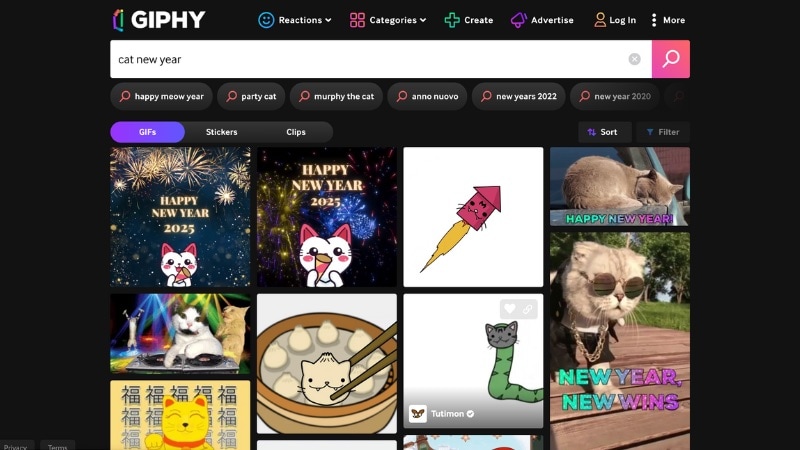
1. GIPHY – The Largest Library for Animated Cat GIFs and Memes
GIPHY hosts a huge collection of cat GIFs, memes, and themed greetings. You can search "Happy Cat New Year" and scroll through looping clips, sparkly greetings, party-hat cats, or simple text GIFs. It works well if you want something fun and fast.
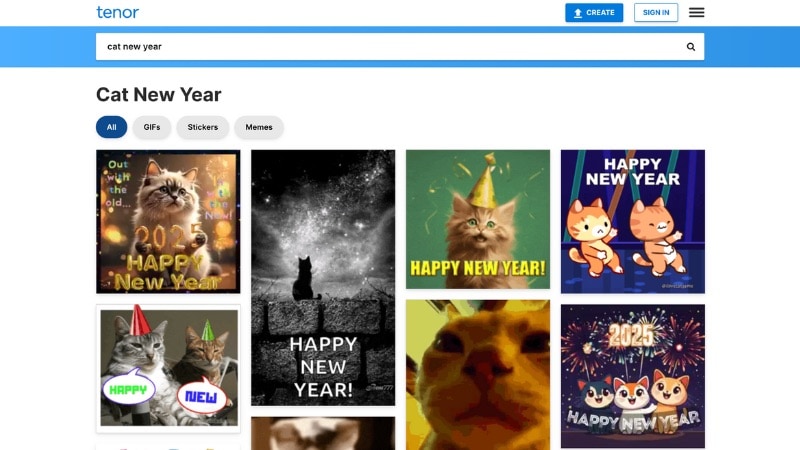
2. Tenor – Popular GIF-Sharing Platform
Tenor is also an option where you can search for cat GIFs that fit New Year greetings. Type the keyword to its search tool and find dancing cats, holiday greetings, and short looping clips. You can grab a Happy New Year Cat GIF and send it straight to your chats or social pages.
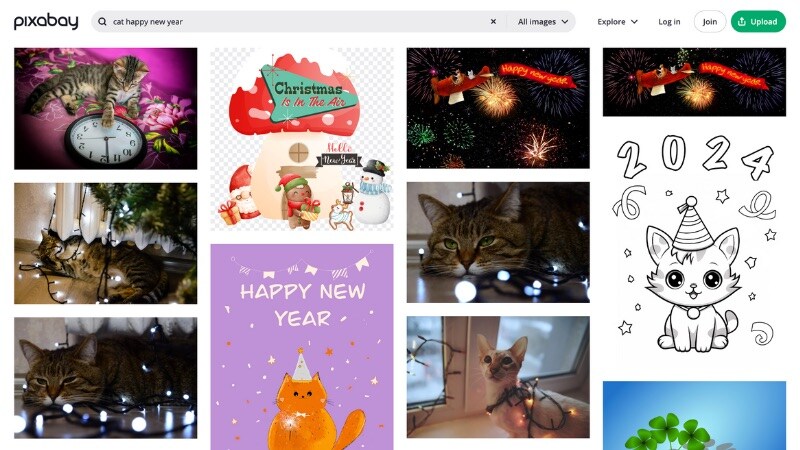
3. Pixabay – Free Stock Photo Site for Cat and Holiday Images
Pixabay gives you free Happy New Year cat funny photos, holiday backgrounds, and short video clips. Many images include transparent backgrounds or clean compositions, so you can edit them later in a video editor or meme maker.
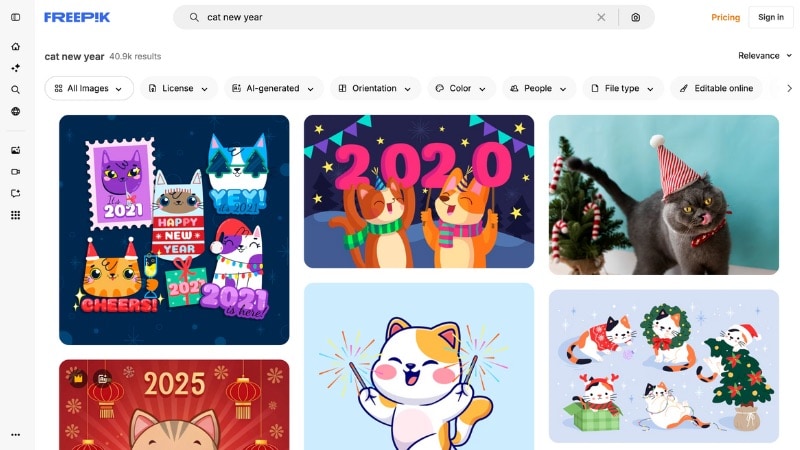
4. Freepik – Creative Stock Assets Platform
Freepik gives you templates, graphics, and cat illustrations suited for Cats New Year's posts. It works well if you want a more designed look, like banners, icons, or themed character art that matches your greeting style.
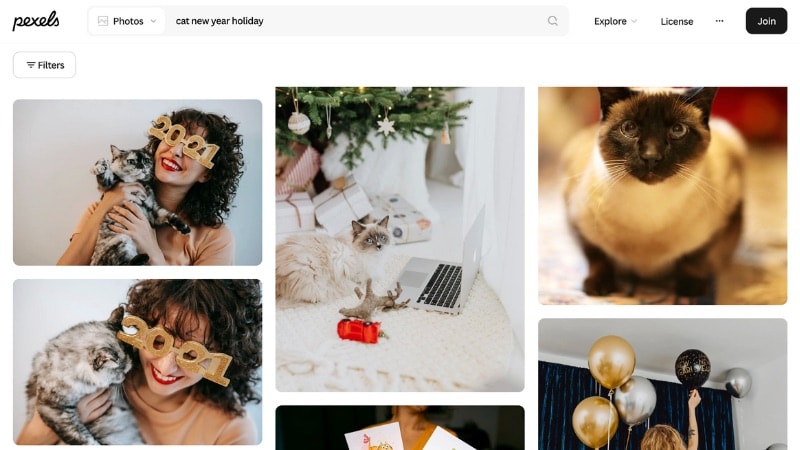
5. Pexels – HD Stock Images and Videos for Social Posts
Pexels gives you HD Happy New Year cat photos and videos, but most of them don't include text. If you want a greeting or title, add it with a photo editor or a simple video tool. For videos, you can use Wondershare Filmora to place text, stickers, or effects on top of the clip.
Always check the license and any attribution notes before you download or share cat GIFs, images, or videos from these sites.
Part 2. How to Create Your Own Cat Happy New Year GIF or Video
If you can't find the Happy New Year Cat GIF you want, you can make your own with the Filmora video editor. Filmora gives you simple tools that help you turn a photo or clip into a cute New Year greeting.
























Filmora fits cat content well because it supports stickers, text, effects, and AI features. You can start with any cat image or video, add New Year elements, and export the final result in a format that suits your social platform.
How to Create a Happy New Year Cat GIF or Video in Filmora
Below are options in Filmora that help you build a video or GIF for Cat Happy New Year from scratch.
1. AI Sticker Generator
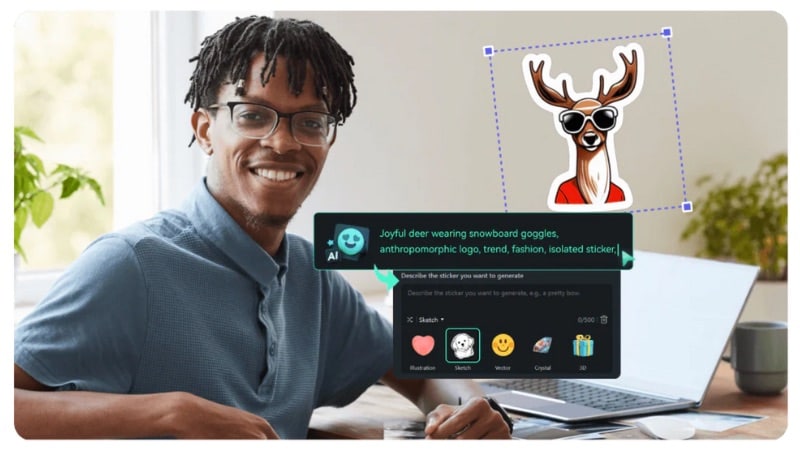
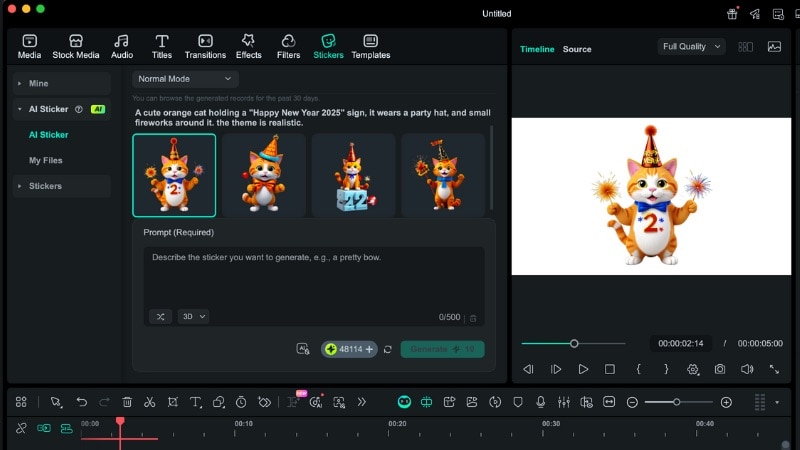
Filmora's AI Sticker Generator lets you create custom stickers to fit the Happy Cat New Year theme. Type a short description of the sticker you want, and the tool builds options you can place on your content. It works well for greetings, small decorations, or simple add-ons.
 secure download

Follow the steps below to learn how to use Filmora's AI Sticker Generator:
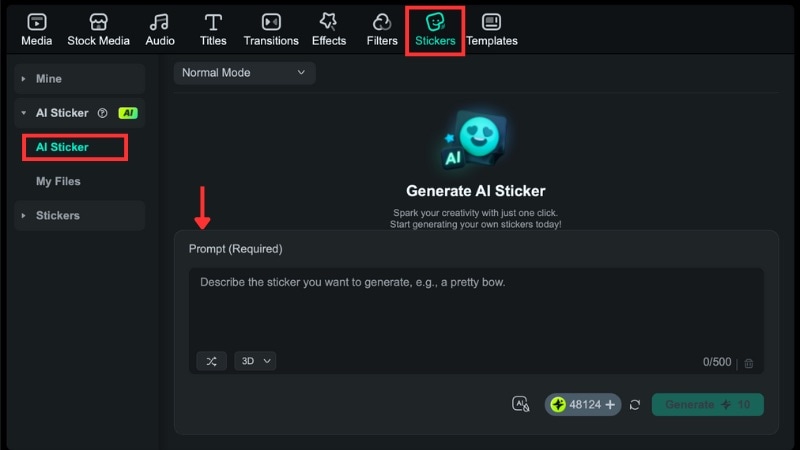
Step 1Access the AI Sticker Generator
On the top bar, go to the Stickers tab > AI Sticker to open the generator panel.
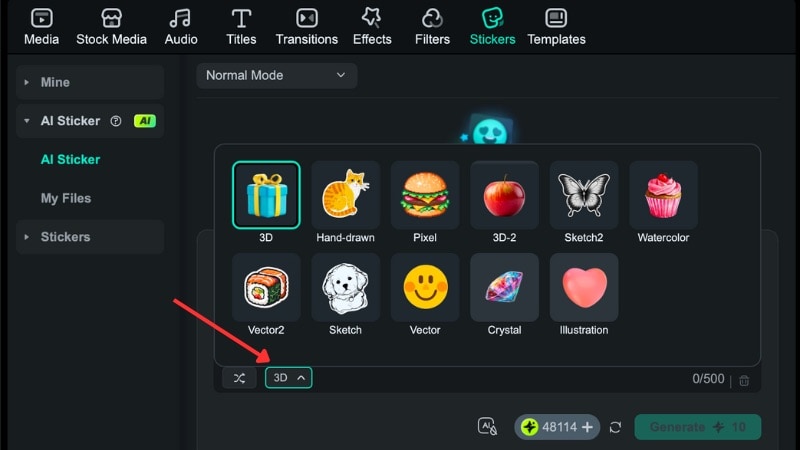
Step 2Write Your Sticker Prompt
Type the description of the sticker you want, and pick a style that fits your greeting.
Step 3Generate Your Sticker Options
Click Generate to create four versions of your Happy New Year funny cat sticker idea. Wait a moment until all four appear.
Step 4Add the Sticker to Your Clip
Download the cat version you prefer, then drag it onto your timeline. Place it above your New Year photo or video to use it as an overlay.
2. Image to Video (Veo 3)
Do you want to use your cat's photo to create the Happy New Year Cat GIF you want? Fret not! You can use Filmora's Image to Video feature. It's powered by Google's Veo 3 model that can turn a photo into a short animation clip.

Here is the guide on how to do it in Filmora:
Step 1Open Image to Video (Veo 3)
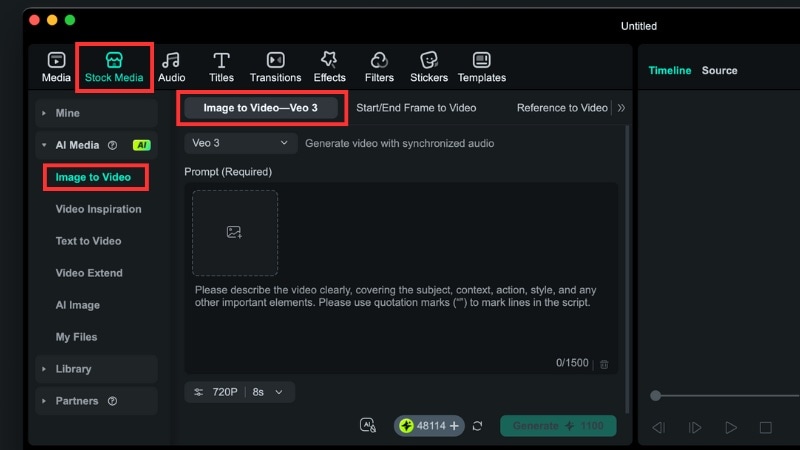
Go to the Stock Media tab > AI Media > Image to Video section.
Then, select the Image to Video–Veo 3 option.
Step 2Add Your Cat Photo and Write Your Prompt
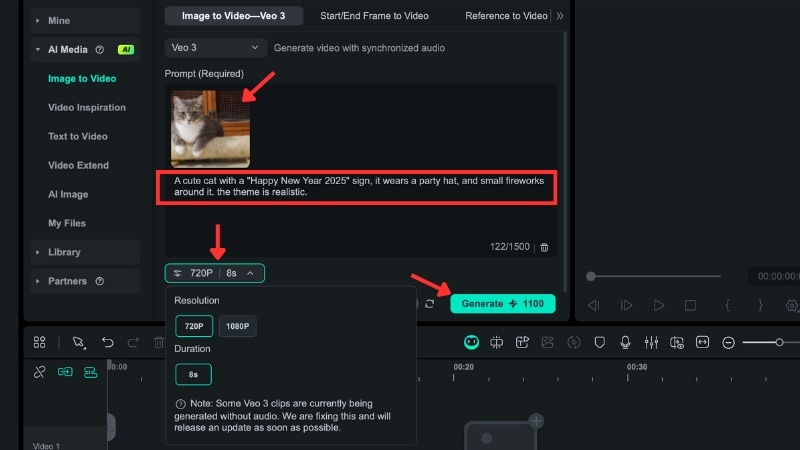
Import the cat image you want to animate.
Type a prompt to describe the Happy Cat New Year animation you want to create. For instance, you can write "a cat wearing a New Year hat with small fireworks as the background."
Choose the Resolution for the clip. But the tool currently limits the duration to 8 seconds for each output. Then, click the Generate button to start the animation process.
Note: Each attempt uses AI credits. So, write your prompt with details about the cat, the New Year elements, and the look you want before you generate.
Step 3Preview the Result
Watch the animation in the preview window. If the scene doesn't match your Cat Happy New Year idea, you can repeat the generation process.
secure download
3. AI Text to Video
Do you have neither images nor videos to create a cute cat Happy New Year content? Filmora can also help you with its Text to Video feature. You can create a short video only from a text prompt with ease.

It has two modes that you can choose, Normal Mode and Veo 3 Mode. Both follow the same steps, but Veo 3 can add smoother motion and auto-generated audio.
Follow the guide below to learn how to do it:
Step 1Open Text to Video Tool
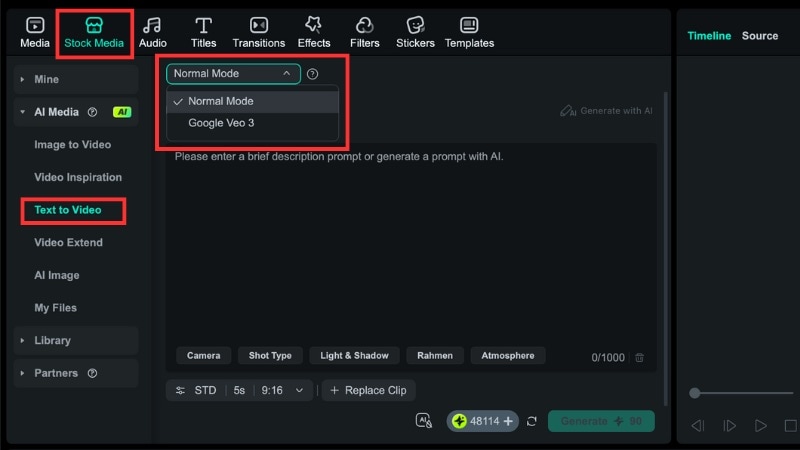
From Filmora's workspace, go to the Stock Media tab > AI Media > Text to Video section.
Step 2Pick the AI Text to Video Mode
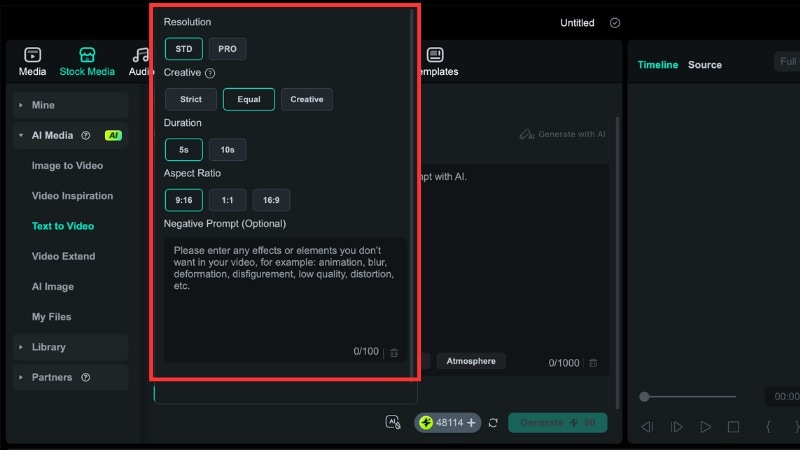
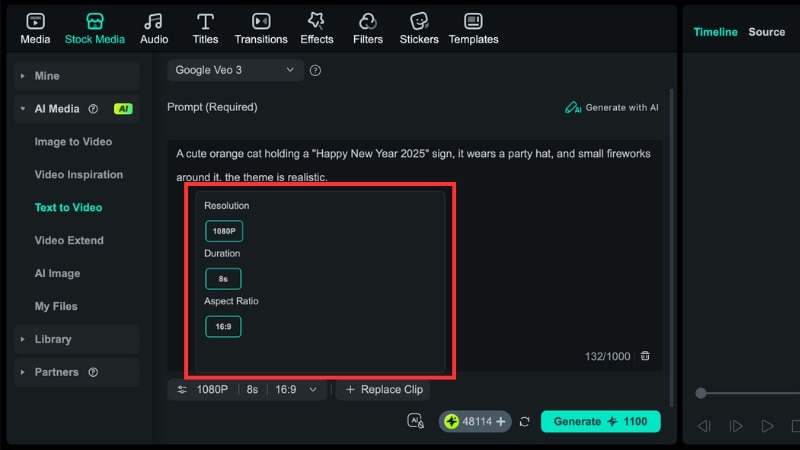
Choose either Normal Mode or Veo 3 Mode from the dropdown.
- Normal Mode: Gives you more control over settings. It also allows negative prompts to block items you don't want in your Happy Cat New Year scene.
- Veo 3 Mode: Uses Google's latest model to build smoother motion and add background audio based on your prompt. Great if you want a more dynamic clip with less tweaking.
Step 3Insert the Text Prompt
Type a clear idea in the description box, such as "cute cat wearing a New Year hat with fireworks in the background."
Step 4Generate the Clip
Click Generate to create your Happy Cat New Year video. Once the process is complete, you can review the result in the preview window.
4. Export as a GIF or MP4
After you finish your design, you can save your project in the format that fits your platform. You can export the result to GIF if you want a looping animation for chats or comments. Or, choose MP4 if you want higher quality for TikTok, Instagram, YouTube Shorts, or WhatsApp.
Follow the guide below to export your Happy New Year funny cat GIFs or videos:
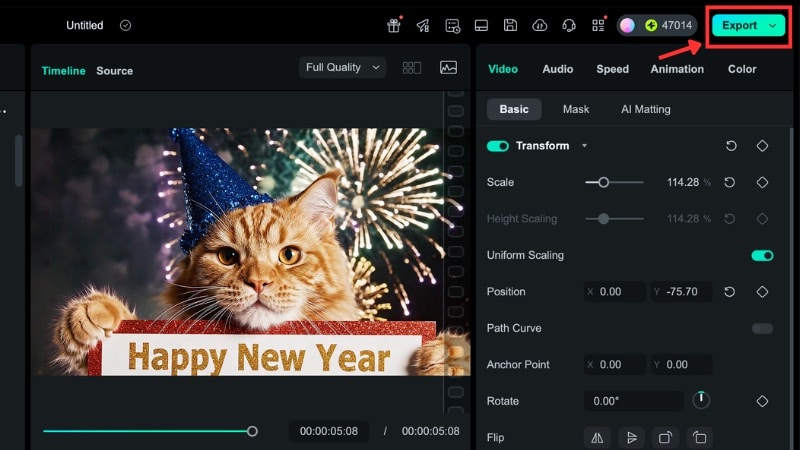
Step 1Click the Export Button
Click the Export button in the top-right corner of Filmora's workspace.
Step 2Select GIF or MP4 Format
Go to Local, and go to Preset > Format, and select between GIF or MP4.
Step 3Adjust Output Settings
Adjust the Output Settings such as the resolution, frame rate, and file name.
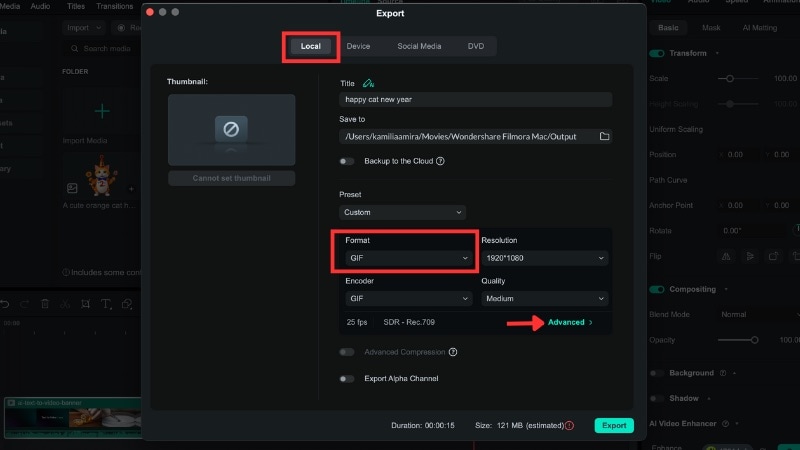
Step 4Modify Advanced Settings (If Needed)
If needed, go to Advanced settings to change the Frame Rate or Bit Rate. Then, click the Apply button to save the settings.
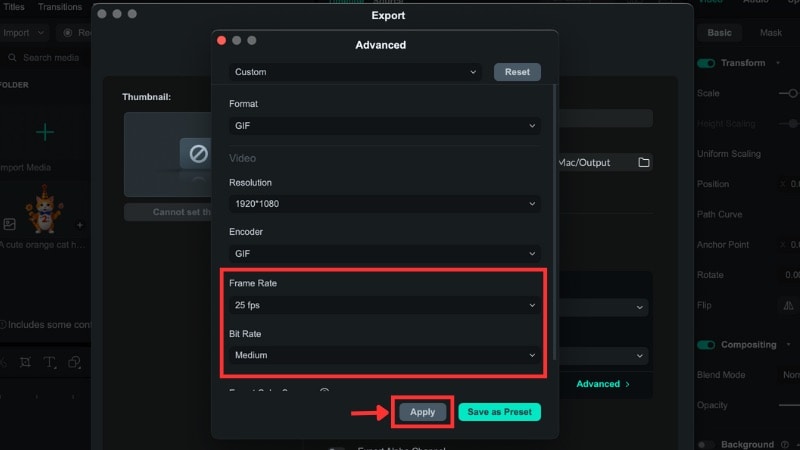
Step 5Export Your GIF or Video
Once you're set with the export settings, select Export to save your GIF or video to your device.
Tip: Filmora also supports direct upload to YouTube, TikTok, and Video on the Export > Social Media tab.
secure download
Part 3. Creative Ideas for Funny or Cute Cat New Year Posts
The previous sections show how to make your own Happy New Year Cat Pics, GIFs, or videos. But are you stuck when picking a concept or writing a prompt? Fret not. This guide provides a few simple inspirations that you can use.
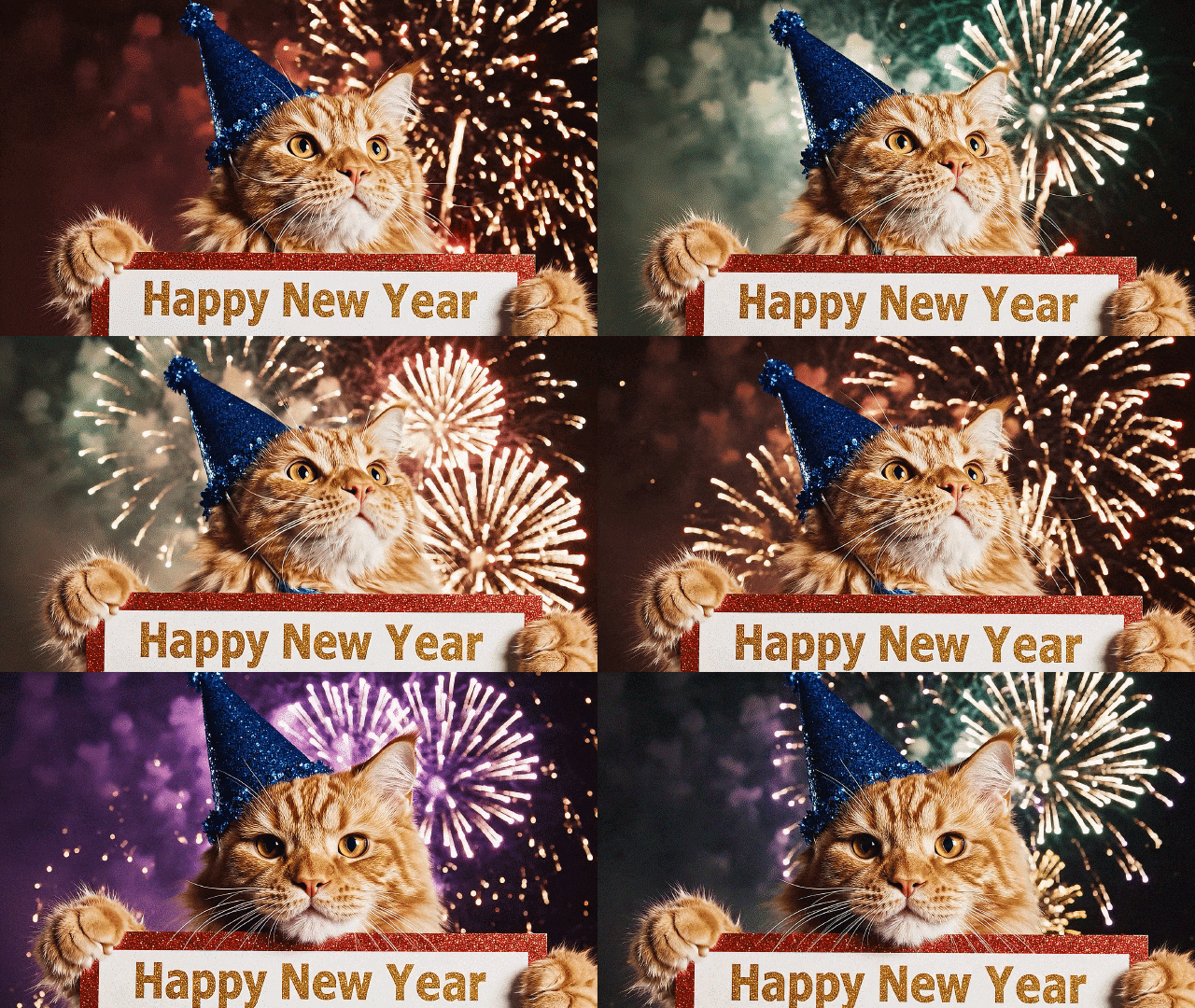
1. Cat Wearing a Party Hat Watching Fireworks
Use Filmora to adjust your cat's pose so it looks upward or toward a window. Add New Year elements like a small party hat, a "Happy New Year" sign, sparkler effects, or a soft firework background.
Prompt idea:
"Cat wearing a New Year party hat, looking up at colorful fireworks in the night sky with warm lighting."
2. Kittens Playing With Ribbons or Balloons
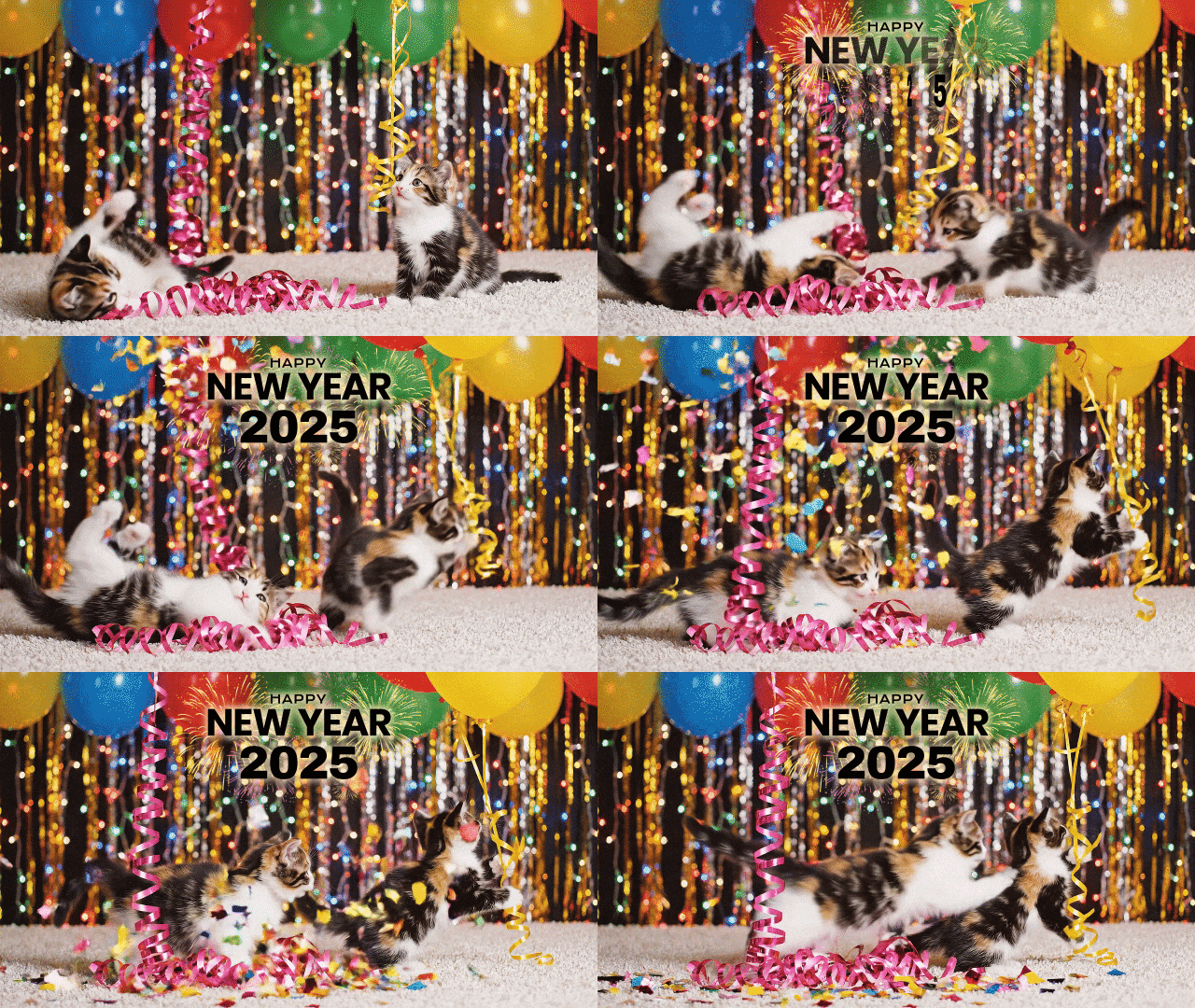
Create a playful Happy New Year of kittens by making it with moving around or pawing at something. In Filmora, add balloons, ribbons, or confetti. You can also add sparkles or a soft glow for extra charm.
Prompt idea:
"Kittens playing with ribbons and balloons with colorful colors and a festive New Year backdrop."
secure download
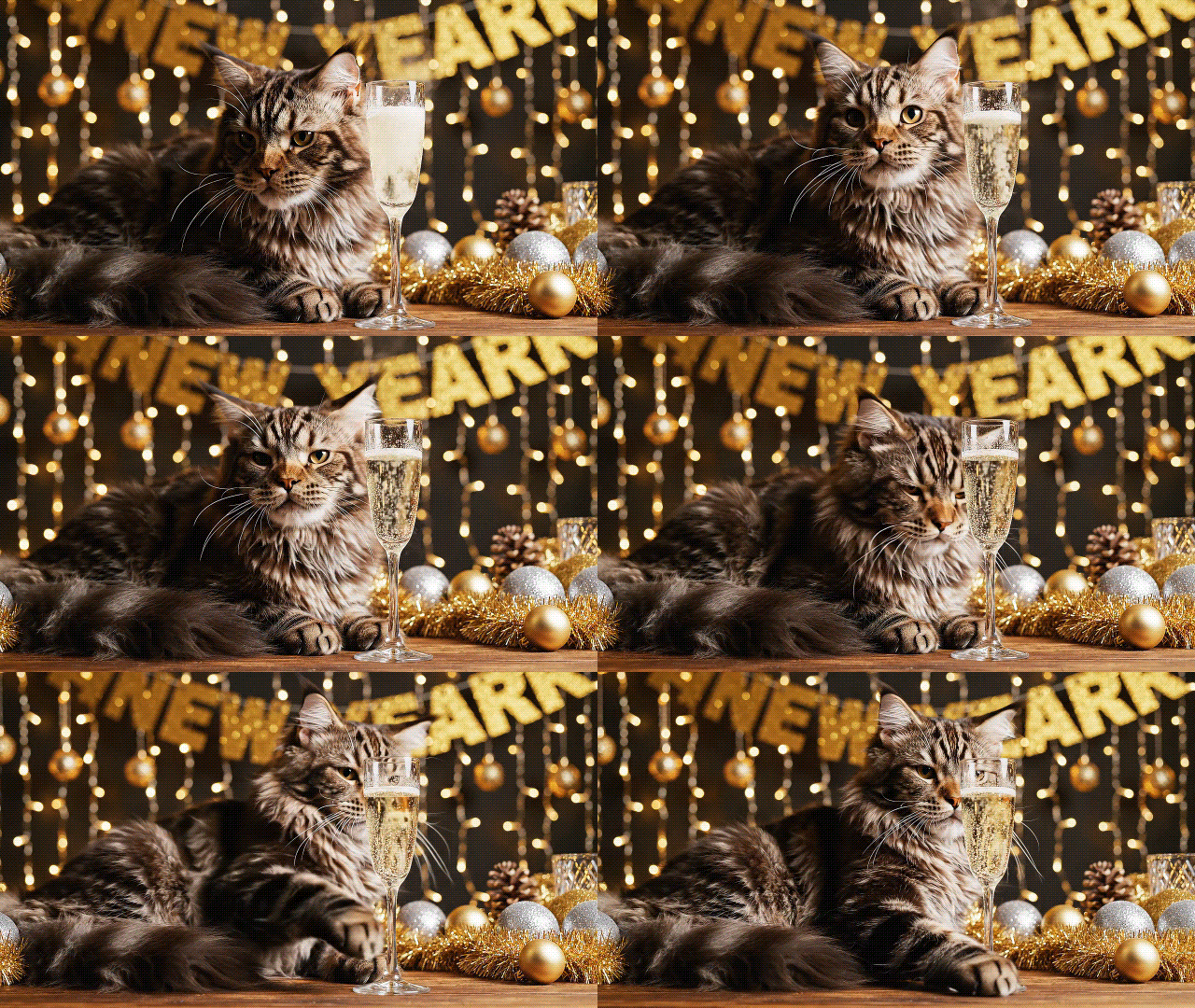
3. Cat Next to a Champagne Glass
Capture or use a photo of your cat sitting beside a table or a safe decorative prop. Then add New Year text, gold accents, sparkles, or a glowing border in Filmora. This idea also works well for a Happy New Year with a cat image greeting card.
Prompt idea:
"Cat sitting beside a New Year's champagne glass with a gold New Year banner and decorations and warm ambient lights."
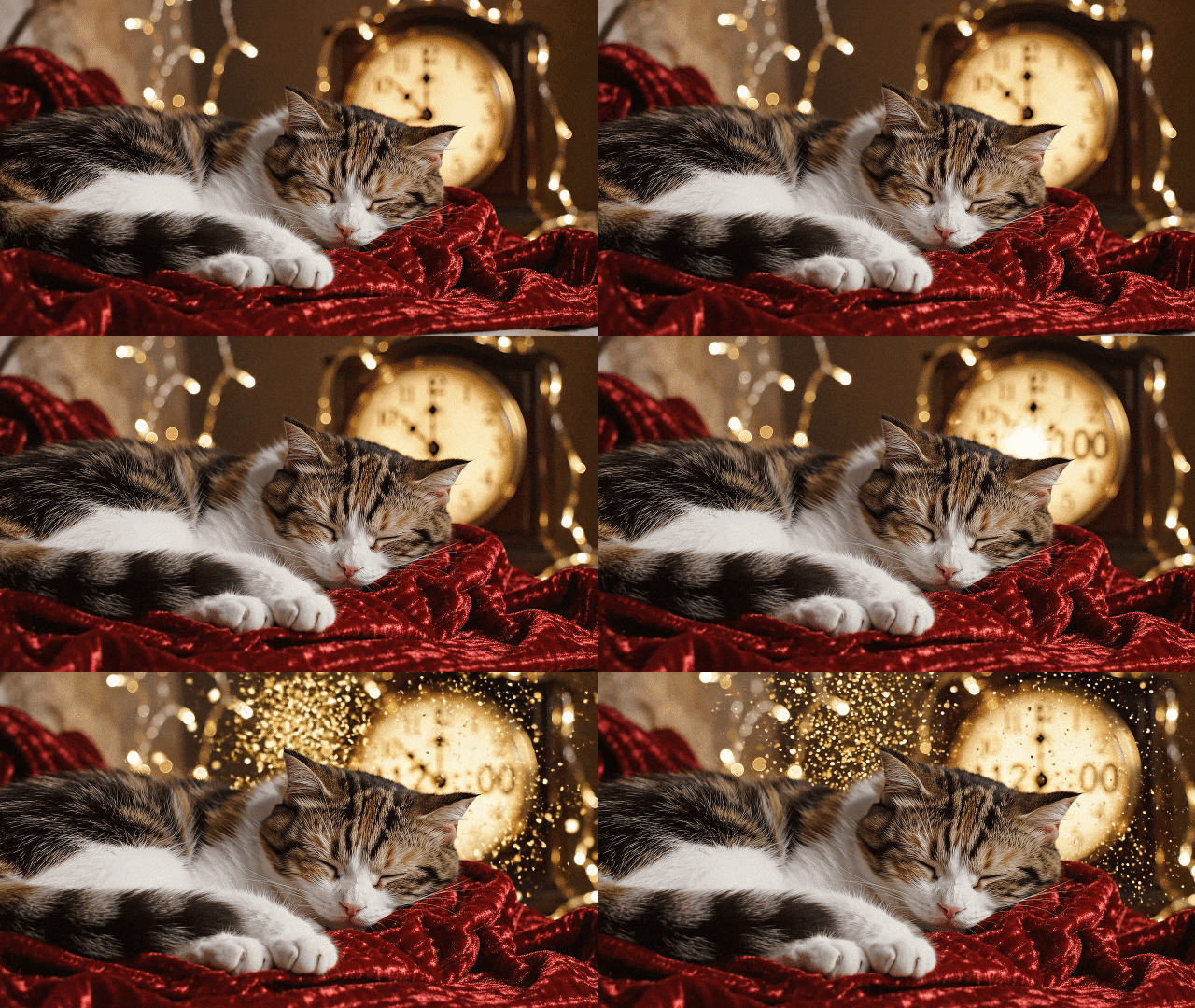
4. Cat Sleeping Through the Countdown
Use any photo of your cat sleeping on a couch, blanket, or bed. Add a large countdown clock, soft lighting, or a "Wake me up next year" text overlay for a funny New Year meme. This idea is relevant for someone who plans to sleep through the New Year.
Prompt idea:
"Cat sleeping on a cozy blanket during the New Year countdown with a clock glowing in the background."
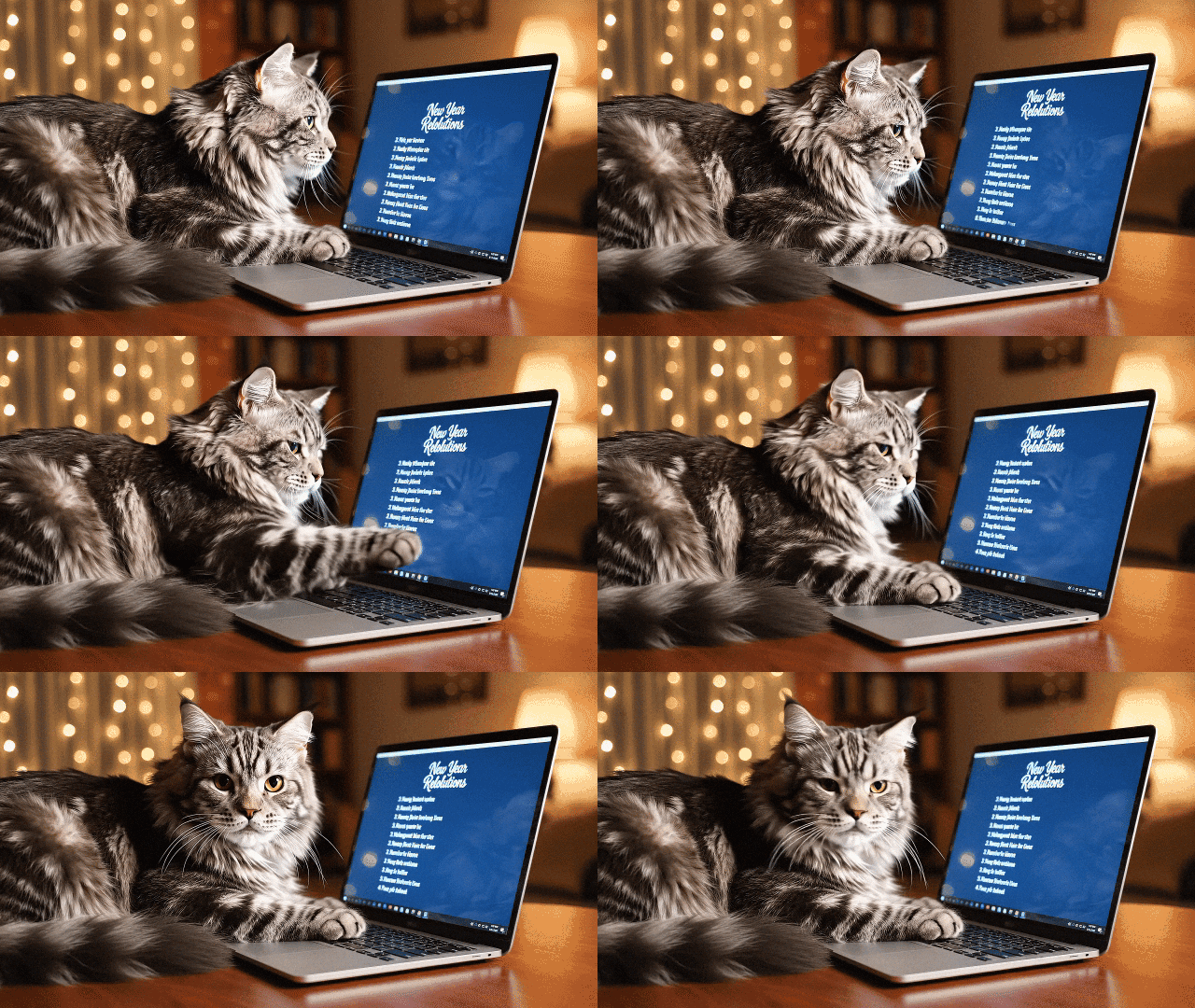
5. Cat Typing ‘Resolutions' on a Laptop
Place your cat near a laptop or keyboard and snap a clear photo. In Filmora, add a screen overlay that shows "New Year's Resolutions" or a list of silly goals. This idea suits people who are looking for Happy New Year cat funny content and meme formats.
Prompt idea:
"Cat sitting in front of a laptop screen that displays New Year resolutions with soft indoor lighting."
secure download
Conclusion
Sharing a Cat Happy New Year post can add warmth to your New Year greeting. This guide shows where to find ready-made photos and clips, and how to create one yourself with Filmora's features.
You can build a Happy Cat New Year greeting with your own cat's photo or video. You can also make one from a text prompt if you don't have images. Check the prompt ideas in the creative section to shape your next Happy New Year cat GIFs.
Try your own version now and share it with your friends.
