

 100% Security Verified | No Subscription Required | No Malware


 ChatGPT
 Perplexity
 Gemini
 Claude
 Grok
Grok
Arctic Blue sits between teal and sky blue, bringing a clear, refreshing energy that feels clean, modern, and slightly dreamy. Psychologically, it suggests trust, calm focus, and open space, which is why you see it so often in tech brands, wellness visuals, and minimalist interfaces. It is cool without feeling cold, making it ideal for content that should feel relaxing yet professional.
For video creators and designers, Arctic Blue works beautifully in color grading, YouTube thumbnails, logo stings, intros, overlays, and channel branding. Below are ready-made Arctic Blue color palettes with HEX codes that you can plug straight into Filmora, whether you are building cinematic edits, soft vlog aesthetics, or crisp, modern motion graphics.
In this article
Soft And Serene Arctic Blue Color Palettes
Glacier Morning Mist

- HEX Codes: #aee3f2, #6fb9d6, #f3fafc, #8ec7df, #2c4a60
- Mood: Calm, airy, and gently uplifting.
- Use for: Great for vlogs, morning routines, and light lifestyle b-roll where you want a fresh, breezy feel.
Glacier Morning Mist blends pale Arctic Blue with misty teal and a grounding slate accent, creating a soft early-morning glow. It feels like opening a window in a bright coastal apartment and letting cool air drift in. The whites and light blues keep the frame feeling weightless, while the deep slate adds just enough contrast for text, icons, or lower thirds.
Use this palette to color grade slow, sunlit b-roll, gentle talking heads, wellness routines, or minimalist studio shots. It works especially well for YouTube thumbnails, intro screens, and branding where you want to look clean and trustworthy but still approachable. In Filmora, you can apply these hues to overlays, titles, and transitions so your Arctic Blue aesthetic stays cohesive from the first frame to the end screen.
Pro Tip: Build a Cinematic Arctic Blue Morning Look in Filmora
To keep a Glacier Morning Mist style consistent across your edit, use Filmora to standardize your blues and whites on every clip. Start by slightly cooling your white balance, then use color tools to push midtones toward Arctic Blue while keeping shadows anchored in that deeper slate. This gives your footage a calm, cinematic cool tone without washing out skin tones.
Apply the same palette to your opening title card, lower thirds, and subscribe callouts using custom color presets. Save those presets in Filmora so every new vlog or morning routine video can instantly match your established Arctic Blue brand.
AI Color Palette
If you create a Glacier Morning Mist reference card or export a still frame you love, you can use Filmora's AI Color Palette feature to spread that look across your entire project. The AI analyzes your reference colors and automatically matches the tone, contrast, and Arctic Blue balance on other clips.
This is perfect when you shoot on different days or cameras and want everything to share the same soft Arctic Blue mood. Just select your reference shot, run AI Color Palette, and let Filmora even out the look without complicated manual grading.
 secure download

HSL, Color Wheels & Curves
To perfectly dial in Arctic Blue, use Filmora's HSL controls to isolate blue and cyan tones, then gently adjust saturation and lightness. On the color wheels, you can nudge midtones toward teal for a fresh feel while keeping highlights closer to neutral white. Curves let you add a soft S-curve for contrast while protecting shadows from becoming too inky or harsh.
If you want a deeper walkthrough of grading with these tools, check out Filmora's YouTube guide on advanced color correction techniques, which shows how HSL, color wheels, and curves can work together for a polished look.
secure download1000+ Video Filters & 3D LUTs
For faster workflows, you can combine your Arctic Blue palette with Filmora's video filters and 3D LUTs. Apply a soft cinematic LUT to add contrast and depth, then fine-tune the Arctic Blue accents using basic color controls. This keeps your footage consistent while still giving it a unique signature look.
Filters are also useful for matching B-roll, A-roll, and thumbnails so your entire channel feels like one coherent visual universe. Simply save your favorite combination as a custom preset and reuse it across intros, outros, shorts, and social clips.
secure downloadNordic Shoreline Calm

- HEX Codes: #9fd5e6, #4d92b5, #f6fbff, #7bb8ce, #355066
- Mood: Peaceful, coastal, and reflective.
- Use for: Perfect for travel diaries, slow-sea b-roll, and reflective voiceover sequences.
Nordic Shoreline Calm feels like a quiet walk along a pale Arctic beach. The lighter Arctic Blues and sandy whites open up the frame, while the deeper sea blue and slate accents keep things grounded and cinematic. It is peaceful without feeling flat, ideal for storytelling that leans into reflection and memory.
Use this palette to grade ocean shots, lakeside cabins, or any slow travel sequence. In thumbnails and titles, the darker blue (#355066) works well for text and icons against the pale background tones. For branding, it gives your channel an understated, coastal personality that pairs nicely with minimal typography and simple logo animations.
Winter Skylight Whisper

- HEX Codes: #b7e6f7, #77bfdc, #fdfefe, #8fbcd2, #415a73
- Mood: Dreamy, light, and introspective.
- Use for: Use for aesthetic montages, study-with-me videos, and dreamy overlays in lo-fi edits.
Winter Skylight Whisper combines soft winter blues with crisp whites and a muted navy anchor. The result is a dreamy, slightly hazy atmosphere that suits introspective content and slow pacing. It works beautifully with lens flares, soft focus, and subtle grain.
Try this palette for lo-fi or study-with-me videos, especially when layering gentle overlays like light leaks or dust. In Filmora, keep text in the muted navy (#415a73) for readability, and use the lighter blues for backgrounds, info cards, and progress bars in your productivity or journaling content.
Iced Cotton Cloud

- HEX Codes: #c0ecfa, #88c9e3, #f8fdff, #9fd3e8, #3e5a70
- Mood: Light, cushioned, and comforting.
- Use for: Great for channel branding that wants to feel gentle yet modern, especially in lifestyle or wellness content.
Iced Cotton Cloud wraps Arctic Blue in cotton-soft whites and muted steel blue. It feels cushioned and gentle, like soft bedding in a bright room. The tones are light enough to keep everything airy, but the darker accent ensures your titles and icons never disappear.
Use this palette for wellness channels, skincare routines, cozy lifestyle vlogs, or any brand that wants to feel calm and welcoming. In intros and end screens, combine the mid-tone blues with rounded shapes and simple motion graphics in Filmora to reinforce that soft, approachable identity.
Quiet Fjord Reflections

- HEX Codes: #9ecfe2, #5aa3c4, #eef7fb, #7ab5ca, #283a4d
- Mood: Contemplative, cinematic, and calm.
- Use for: Perfect for moody travel edits, nature documentaries, or reflective cinematic sequences.
Quiet Fjord Reflections balances deep Arctic waters with pale sky blues. It feels slow and contemplative, ideal for nature shots, misty mountains, or long takes with sparse music. The dark navy (#283a4d) gives your frames a cinematic edge, especially in shadows and titles.
Use this palette in Filmora to color grade drone shots, landscape sequences, or documentary-style storytelling. Keep text minimal and use the lightest blue (#eef7fb) as a subtle background for lower thirds, captions, or chapter markers so they do not pull focus from your scenery.
Bold And Cinematic Arctic Blue Color Palettes
Neon Arctic Pulse

- HEX Codes: #9ee6ff, #00a1d9, #0a1a2f, #11ffee, #ffcc33
- Mood: Energetic, futuristic, and eye-catching.
- Use for: Ideal for gaming intros, tech channels, and dynamic motion graphics where you want strong contrast.
Neon Arctic Pulse throws electric Arctic Blue and neon aqua against deep navy and a sharp amber accent. The contrast is high and instantly attention grabbing, which makes it perfect for fast-paced content and bold title sequences. The navy (#0a1a2f) acts as a cinematic backdrop that lets the neons glow.
Use this palette in Filmora for glitch transitions, HUD overlays, and bold kinetic typography. The amber (#ffcc33) is excellent for CTAs, buttons, and subscribe animations on YouTube thumbnails and end screens where you need viewers to act quickly.
Polar Night Drive

- HEX Codes: #8fd3ec, #1384b8, #050914, #00e0ff, #ff4b5c
- Mood: Moody, urban, and high-energy.
- Use for: Perfect for night city b-roll, car sequences, and fast-cut reels with a cyberpunk edge.
Polar Night Drive mixes icy blues and teal neon with near-black midnight shadows and a bold coral highlight. It delivers a sleek, urban vibe that works beautifully for street scenes, time-lapses, and driving footage. The neon cyan and warm coral accent create a dynamic color clash that feels modern and edgy.
Use this palette to grade city lights, reflections on wet streets, or indoor club scenes. In Filmora, pair it with speed ramps, overlays, and energetic transitions to maximize that cyberpunk night-drive feeling, and reserve the coral (#ff4b5c) for key text and CTA highlights.
Glacial Storm Flare

- HEX Codes: #94d9f3, #1b7fad, #021421, #13d0ff, #ffa533
- Mood: Intense, dynamic, and adventurous.
- Use for: Use for sports edits, action trailers, and energetic channel teasers.
Glacial Storm Flare combines stormy Arctic Blues with bright cyan and a warm flare accent. It feels like an action movie poster translated into a color palette. The deep navy (#021421) gives you dramatic shadows, while the cyan and amber bring in motion and energy.
Apply this palette to sports montages, outdoor adventures, or product teasers. In Filmora, this works brilliantly with fast cuts, camera shakes, and bold title slates. Use the warm accent (#ffa533) sparingly for impact on key words, progress bars, or logo reveals.
Aurora Skyline Rush

- HEX Codes: #a2e4fb, #008bbf, #08152a, #23ffc6, #ff3e6c
- Mood: Vibrant, festival-like, and cinematic.
- Use for: Great for music videos, festival recaps, and hyperlapse city edits needing colorful aurora vibes.
Aurora Skyline Rush brings together vibrant Arctic Blue, deep teal, and hot pink-green aurora accents. It looks like a festival stage or neon-lit skyline, full of movement and color. The dark blue (#08152a) keeps things cinematic and avoids visual clutter.
Use this palette to grade music videos, concerts, or colorful travel recaps. In Filmora, let the aurora accents (#23ffc6 and #ff3e6c) appear in light streaks, animated shapes, or text highlights, while the main Arctic Blues carry your overall brand identity across intros and thumbnails.
Deep Current Focus

- HEX Codes: #89cfe9, #15749b, #030915, #06c0ff, #ffc857
- Mood: Focused, powerful, and modern.
- Use for: Ideal for tech explainers, product promos, and bold title cards with strong hierarchy.
Deep Current Focus channels the depth of cold water, using layered Arctic Blues with bright cyan and a precise golden accent. It feels sharp and professional, great for content that needs to communicate clarity and innovation. The near-black shadow (#030915) provides powerful contrast for UI elements and white text.
Choose this palette for tech reviews, product demos, and animated explainers. In Filmora, you can emphasize the cyan for key graphics, and use the golden accent (#ffc857) to mark steps, benefits, or pricing on screen, maintaining a strong visual hierarchy in your compositions.
Minimal And Modern Arctic Blue Color Palettes
Scandinavian Airframe
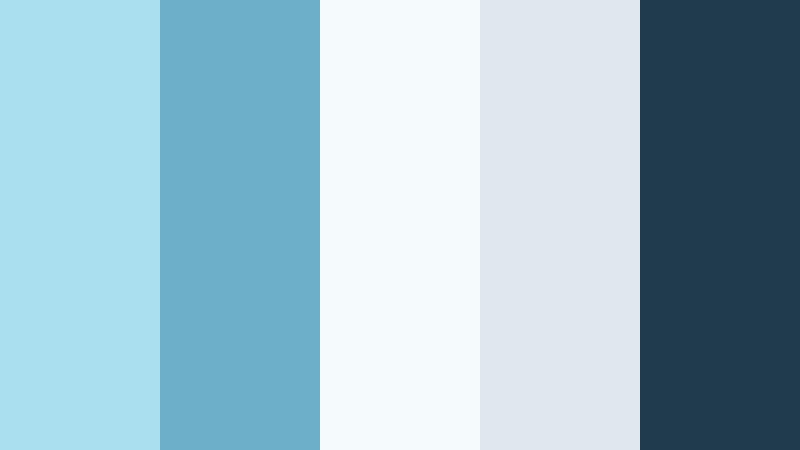
- HEX Codes: #a9dfee, #6daec8, #f5fafc, #e1e8ed, #1f3b4c
- Mood: Clean, airy, and contemporary.
- Use for: Perfect for UI mockups, productivity apps, and minimalist channel branding animations.
Scandinavian Airframe mixes light Arctic Blues with foggy whites and soft grays to create a clean, structured look. It feels like a minimalist app interface or a well-lit Scandinavian office. The deep slate (#1f3b4c) offers just enough contrast for body text and interface outlines.
This palette is ideal for UI demos, productivity tutorials, and channels focused on design, tech, or minimal living. In Filmora, keep shapes simple and rely on these tones for timelines, infographics, and callout boxes, so your content feels organized and easy to follow.
Arctic Blueprint Grid
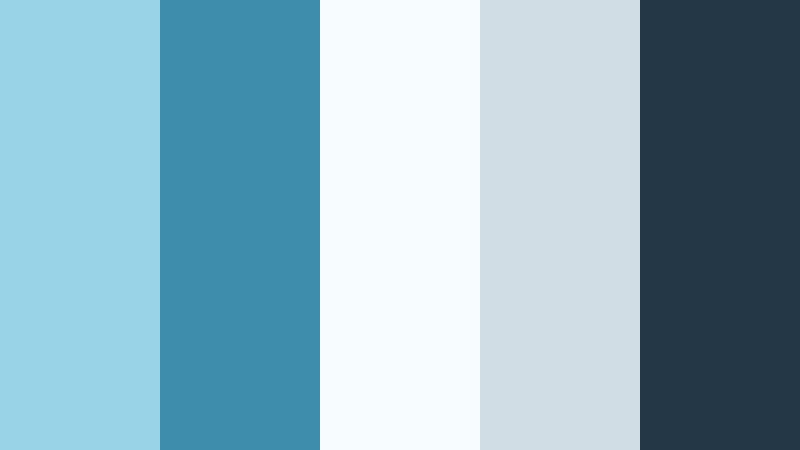
- HEX Codes: #99d3e8, #3f8dad, #f7fcff, #d1dde4, #243746
- Mood: Structured, professional, and precise.
- Use for: Great for tutorials, software demos, and brand guidelines where clarity matters.
Arctic Blueprint Grid leans into professional, architectural vibes. The Arctic Blues are slightly deeper and paired with cool grays that feel like blueprint paper and interface lines. The dark slate (#243746) works as a framing color for bars, grids, and headings.
Use this palette for screen recordings, how-to guides, and brand guideline videos. In Filmora, you can build clean lower thirds, section headers, and chapter cards that mirror the logic and precision of your content, helping viewers stay oriented during longer tutorials.
Frozen Glass Interface
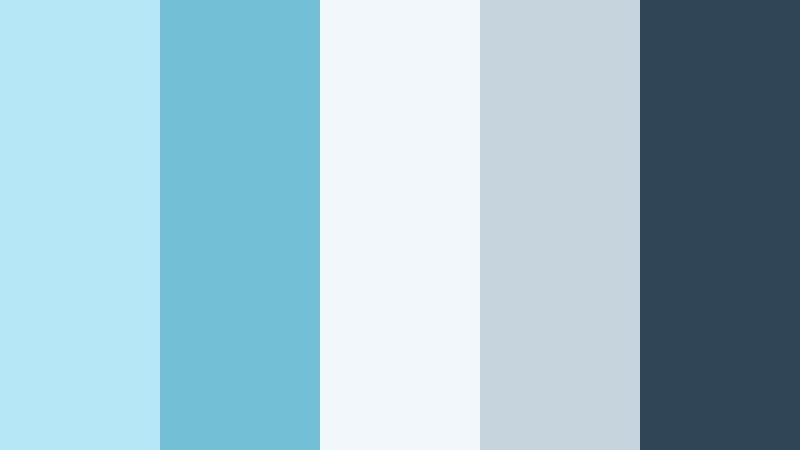
- HEX Codes: #b6e7f7, #73bfd6, #f1f7fa, #c6d4dd, #304656
- Mood: Sleek, digital, and understated.
- Use for: Ideal for app promos, SaaS product videos, and futuristic HUD overlays.
Frozen Glass Interface mimics frosted glass UI elements with translucent Arctic Blues and desaturated grays. It feels sleek and digital, perfect for showcasing apps, dashboards, and futuristic HUDs. The darker blue-gray (#304656) gives you a solid base for typography and icons.
Use this palette in Filmora for app promos, animated screen mockups, or sci-fi overlays in your videos. Keep backgrounds soft and slightly blurred while placing crisp white or dark-blue text on top for maximum readability and a modern, glassy aesthetic.
Ice Harbor Branding
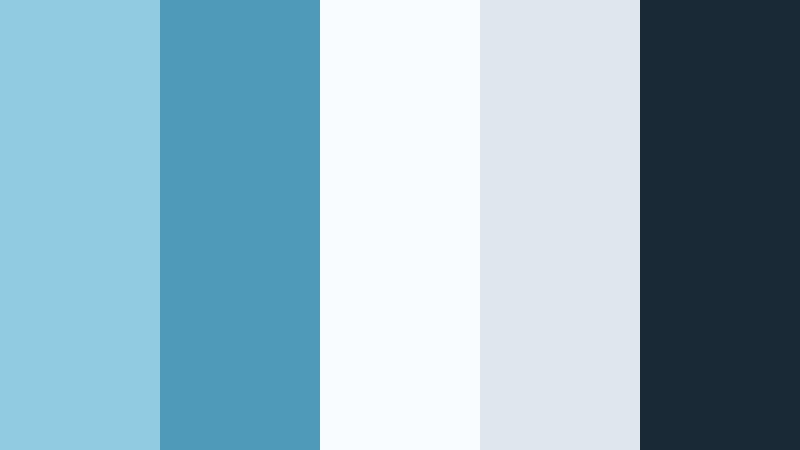
- HEX Codes: #8fcbe1, #4f9ab8, #f8fcfe, #dde7ec, #192a36
- Mood: Trustworthy, calm, and corporate-friendly.
- Use for: Perfect for brand idents, logo animations, and corporate explainers seeking a cool, reliable vibe.
Ice Harbor Branding balances mid-tone Arctic Blues with soft neutrals to project reliability and calm. It feels corporate without being stiff, a solid choice for brands that want to appear stable, modern, and people-focused. The dark navy (#192a36) offers strong contrast for logos and key messaging.
Apply this palette in Filmora for animated logo reveals, explainer videos, and presentation-style content. Use the lighter tones for backgrounds and diagram shapes, while the dark navy and richer blue handle headlines, bullet points, and CTA buttons in end screens or overlays.
Aurora Workspace Calm
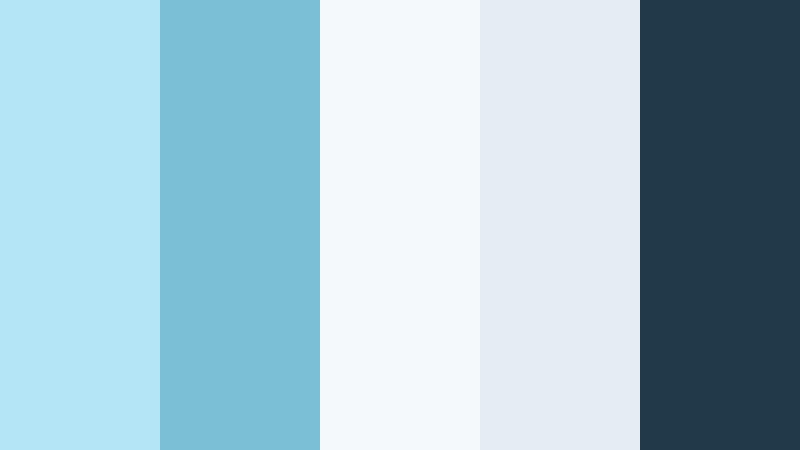
- HEX Codes: #b4e5f6, #7abfd6, #f4f9fc, #e3edf2, #22394a
- Mood: Focused, calming, and productive.
- Use for: Great for desk setups, study content, and productivity channel aesthetics.
Aurora Workspace Calm pairs soft Arctic Blues with gentle grays and a deep blue accent. The look is soothing and tidy, ideal for productivity-focused content where you want viewers to feel focused but relaxed. It is visually quiet, so your information and tutorials stand out.
Use this palette for desk tours, Notion or planner walkthroughs, and study-with-me sessions. In Filmora, build simple lower thirds, timers, and chapter markers in these tones so your overlays support concentration instead of distracting from it.
Tips for Creating Arctic Blue Color Palettes
Arctic Blue works with many moods, from soft and serene to bold and cinematic. A few simple guidelines will help you combine it with other colors for consistent video and design projects.
- Balance warmth and coolness: Pair Arctic Blue with one warm accent (amber, coral, or soft pink) if you need attention grabbing CTAs or highlights.
- Protect readability: Use the darkest shade in your palette for text and key UI elements, and reserve the lightest blues and whites for backgrounds.
- Limit your accents: Stick to 1 main Arctic Blue, 1 darker support blue, and 1 warm or neon accent to avoid visual clutter in thumbnails and intros.
- Match your footage: In Filmora, adjust white balance first so your footage does not fight the palette, then refine blues and cyans with HSL controls.
- Use gradients wisely: Create subtle Arctic Blue gradients for overlays and title cards to add depth without overpowering your footage.
- Keep branding consistent: Reuse the same HEX codes for your logo, lower thirds, and end screens so your channel is instantly recognizable.
- Test on mobile: Always preview your palettes on small screens to ensure text contrast is strong enough for YouTube, TikTok, and Instagram.
- Save presets: Once you like a grade in Filmora, save it as a preset so you can apply your Arctic Blue style across future videos in seconds.
Arctic Blue palettes can quietly shape how viewers feel about your videos and your brand. From soft morning vlogs to intense action edits or clean UI explainers, the right combination of Arctic Blue shades, neutrals, and accents helps you control mood, clarity, and focus on every frame.
Experiment with these 15 palettes inside Filmora to see which one matches your story, your niche, and your audience. Once you find a look you love, lock it in as your signature style and apply it consistently across intros, thumbnails, shorts, and long-form edits.
With Filmora's color tools, AI features, filters, and LUTs, you can turn a simple Arctic Blue idea into a polished, platform-ready aesthetic in just a few clicks.
secure downloadNext: Frost Blue Color Palette
