

 100% Security Verified | No Subscription Required | No Malware


 ChatGPT
 Perplexity
 Gemini
 Claude
 Grok
Grok
This bakery dessert showcase video LUT-style filter collection is designed for content creators who want every cake, tart, and pastry to look as delicious on screen as it does in real life.
Use these presets in Filmora to warm up tones, enhance textures, and add subtle cinematic contrast that makes your bakery and dessert videos instantly more professional and shareable.
In this article
Warm Bakery Display Counter Shots
Golden Bakery Glow
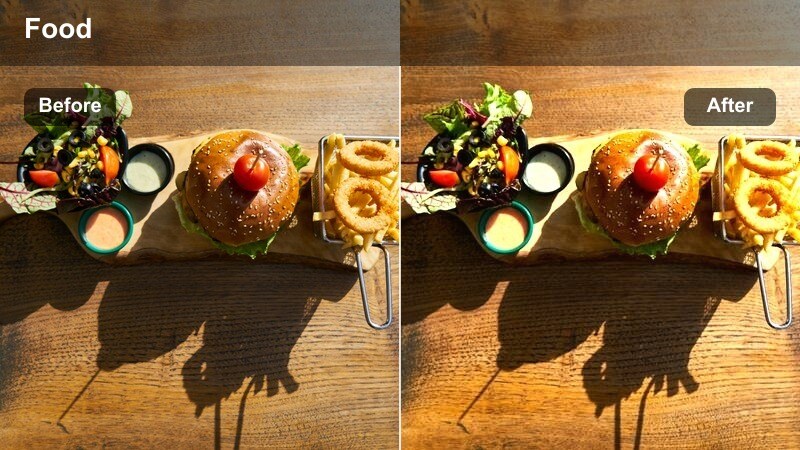
- Effect look: Soft golden warmth that wraps the entire dessert counter in a cozy glow.
- Best for: Wide shots of bakery display cases packed with cakes, pastries, and cookies.
- Editing tip: Lower the filter intensity to around 60-70 percent to keep whites from turning too yellow while retaining warmth.
Golden Bakery Glow is ideal for the big reveal of your dessert counter, giving glass displays and metal trays a gentle, sunlit feel without crushing details. In Filmora, apply this LUT-style filter to your establishing shots to instantly communicate a welcoming, artisanal bakery atmosphere that invites viewers to keep watching.
For best results, start by slightly lowering exposure if your highlights are already strong, then apply the filter and fine-tune intensity with the Effects panel. You can add a subtle vignette in Filmora to guide the eye toward the center of the case, and use the basic color controls to nudge temperature back a touch if frosting and plates begin to skew too warm.
AI-Assisted Color Balancing for Bakery Dessert Videos
Filmora AI tools help you quickly normalize exposure and color before you apply a bakery dessert showcase video LUT-style filter, so whites, creams, and chocolates land on a clean, neutral baseline. This makes the warm dessert filters look more consistent and prevents strange color shifts between clips shot in different corners of the bakery.
Use AI color correction to tame mixed lighting from window daylight, overhead LEDs, and oven glow, then layer your favorite dessert-focused filters on top. Once the base is balanced, you can push warmth and contrast more confidently without losing detail in whipped cream, powdered sugar, or glossy ganache.
 secure download

See Bakery Filters in Action on Dessert Footage
Load a short sequence of your bakery counter, close-up dessert shots, and cozy cafe moments into Filmora, then apply different filters to see how each one responds to various lighting conditions. Toggling the filters on and off makes it easy to compare your flat, ungraded footage against rich, cinematic looks that highlight frosting shine, crumb detail, and glaze reflections.
As you preview each style, adjust the effect strength slider so your desserts look mouthwatering instead of overprocessed. This workflow helps you quickly identify a core set of bakery LUT-style looks that fit your brand and can be reused across YouTube, Instagram, and TikTok dessert content.
secure downloadBuild a Signature Bakery Dessert LUT Look
Once you find a dessert showcase combination you love in Filmora, save it as a reusable LUT-style preset so your cakes, pastries, and sweets stay visually consistent from video to video. Group your presets by scene type, such as display counters, close-up texture shots, and cozy cafe serving moments, so you can color-match new footage to your existing library in just a few clicks.
This preset-based workflow turns your favorite bakery look into a reliable part of your editing process. Instead of rebuilding adjustments from scratch, you can focus on storytelling, transitions, and music while Filmora handles the repeatable color grading that keeps your dessert brand instantly recognizable.
secure downloadCaramel Counter Pop
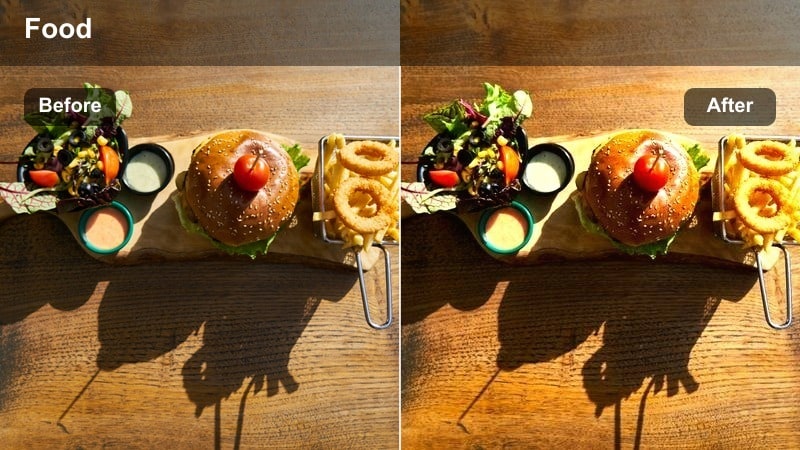
- Effect look: Rich caramel tones that add depth and saturation to baked goods.
- Best for: Close and medium shots of brownies, croissants, and golden pastries on the counter.
- Editing tip: Increase saturation only for warm colors using HSL to keep plates and backgrounds from becoming too intense.
Caramel Counter Pop pushes the warm spectrum so your pastries look extra toasty, highlighting golden browns in croissants, cookies, and loaves. It adds delicious depth to crusts and crumb structures, while still leaving room to preserve neutral whites in linens, plates, and background decor.
Inside Filmora, combine this filter with the HSL controls to selectively enhance oranges and yellows while gently reducing saturation in greens or blues. This keeps the focus on the baked goods and prevents walls, cups, or signage from stealing attention, resulting in scroll-stopping thumbnails and Reels.
Sunlit Morning Bake
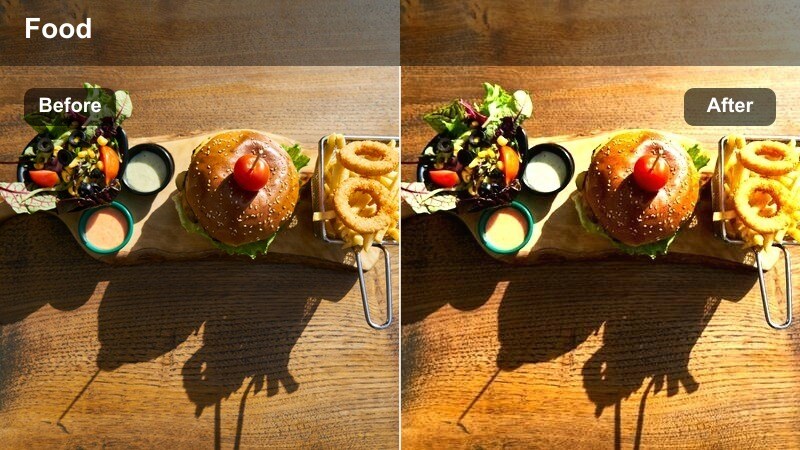
- Effect look: Bright, airy warmth with gentle contrast that mimics fresh morning sunlight.
- Best for: Bakery open-scenes with natural light, showing fresh bread and desserts being placed in the display.
- Editing tip: Raise shadows slightly to keep details in darker pastries while maintaining a fresh, light-filled mood.
Sunlit Morning Bake is perfect for capturing that early-day freshness when trays are full and counters are being stocked. The filter lifts mids and highlights to create an airy, optimistic mood, ideal for vlogs, story intros, and bakery tour videos where you want viewers to feel the start-of-day energy.
Apply this LUT-style filter in Filmora, then gently open up the shadows so chocolate pastries and darker breads still show texture. If footage was shot under cloudy or mixed lighting, add a minor temperature increase and adjust contrast until the scene feels bright without losing the cozy bakery character.
Dessert Close-Ups and Texture Shots
Cream Silk Focus
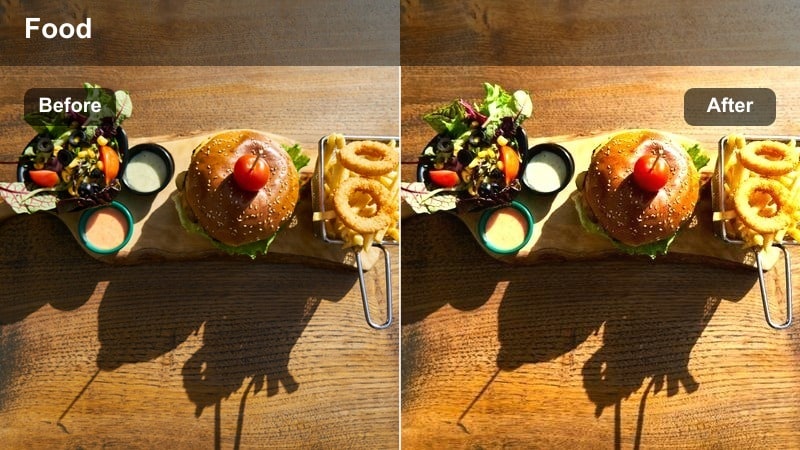
- Effect look: Soft, creamy highlights with gentle bloom on whipped cream, frosting, and glazes.
- Best for: Macro shots of cream-topped cupcakes, cheesecakes, and drip cakes.
- Editing tip: Use selective blur or vignette around the dessert to reinforce the silky focal point created by the filter.
Cream Silk Focus adds a delicate glow to bright toppings, making whipped cream, meringue swirls, and glossy glazes look extra smooth and luxurious. The slight highlight bloom flatters white and pastel tones, giving your macro shots a dreamy, editorial quality suitable for hero thumbnails and ad creatives.
In Filmora, pair this filter with a soft vignette and minimal background blur to isolate your dessert as the hero subject. Use the highlight and white level controls to pull back any clipped areas on frosting, ensuring that viewers can still admire piping detail, sprinkle textures, and subtle color gradients.
Berry Sweet Pop
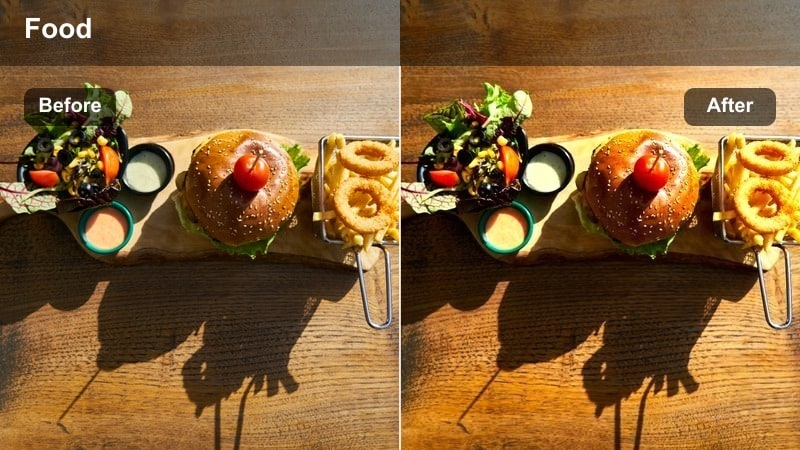
- Effect look: Vibrant reds and pinks that make berries, jams, and fruit toppings stand out.
- Best for: Detail shots of berry-topped tarts, pies, and layered desserts.
- Editing tip: Dial back overall saturation slightly while pushing red and magenta channels to keep skin tones natural if hands appear in the frame.
Berry Sweet Pop is designed to make strawberries, raspberries, and berry glazes look irresistibly juicy, ideal for overhead flat-lays and macro angles. The filter intensifies reds and pinks while preserving the richness of crusts and creams, helping fruit toppings become the immediate focal point of the frame.
Inside Filmora, fine-tune this filter using the HSL panel by boosting saturation and luminance on reds and magentas while slightly cooling the shadows. When hands, plates, or napkins appear in shot, trim the global saturation to avoid unnatural skin tones, then compensate by nudging only the berry color channels to maintain that eye-catching pop.
Chocolate Velvet Rich
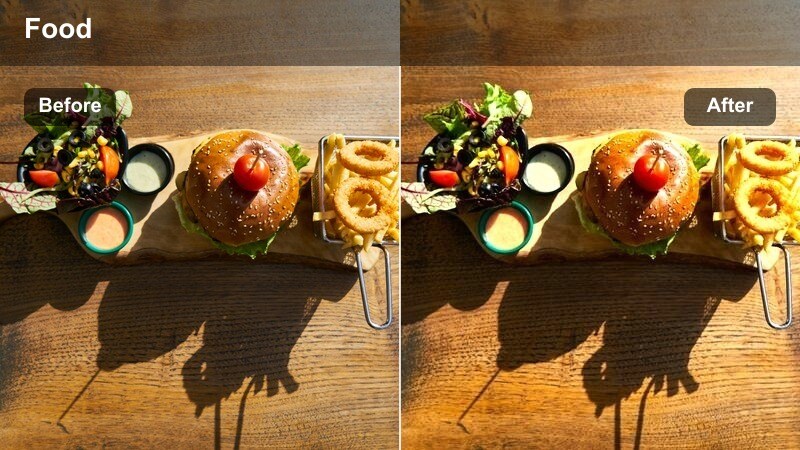
- Effect look: Deep, velvety browns with enhanced contrast and soft highlights on chocolate surfaces.
- Best for: Close-ups of chocolate cakes, brownies, ganache, and truffles.
- Editing tip: Add a slight fade in the blacks to prevent dark chocolate from turning into harsh, detail-free shadows.
Chocolate Velvet Rich emphasizes the luxurious side of chocolate desserts, deepening browns and enriching midtones so ganache, brownies, and fudge look dense and indulgent. The softened highlights keep chocolate from appearing greasy or overly reflective, striking a balance between glossy and velvety.
Apply this LUT-style filter in Filmora and then lift the black level just enough to keep crumb and swirl details visible in darker areas. If the original footage is underexposed, correct exposure first, then add the filter and lightly adjust contrast and saturation so your chocolate remains rich without drifting into an unnatural orange or muddy tone.
Behind-the-Scenes Baking and Preparation
Artisan Bake Workbench
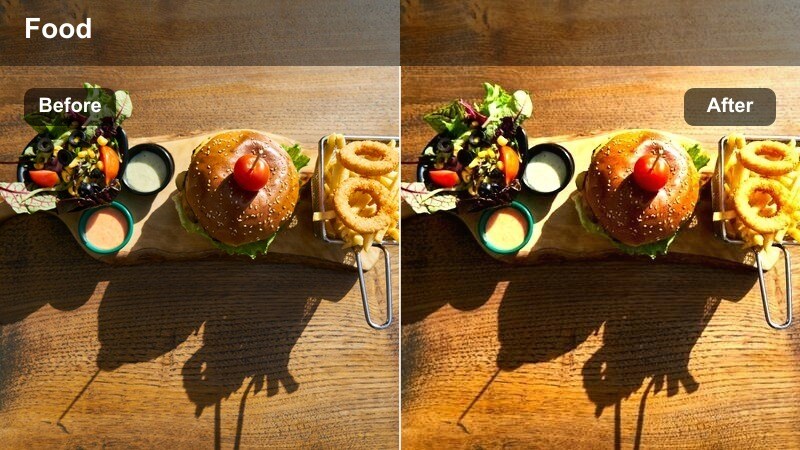
- Effect look: Neutral-warm tones with boosted midtone contrast for flour-dusted work surfaces.
- Best for: Process shots of dough rolling, cutting cookies, and arranging pastries before baking.
- Editing tip: Use this filter at full intensity for overhead shots, then reduce slightly for side angles where skin tones dominate.
Artisan Bake Workbench is built for documentary-style sequences that show the craft behind your desserts. It gently warms wood, metal, and dough while adding enough midtone contrast to make flour textures, knife marks, and pastry shapes stand out clearly on the work surface.
In Filmora, apply this filter across all your prep clips to create a unified look, then fine-tune exposure and white balance per angle. For overhead shots, leave the effect strength close to 100 percent; for side or hand-heavy shots, pull the intensity down slightly and use basic color tools to keep skin tones flattering and natural.
Whisk and Whirl
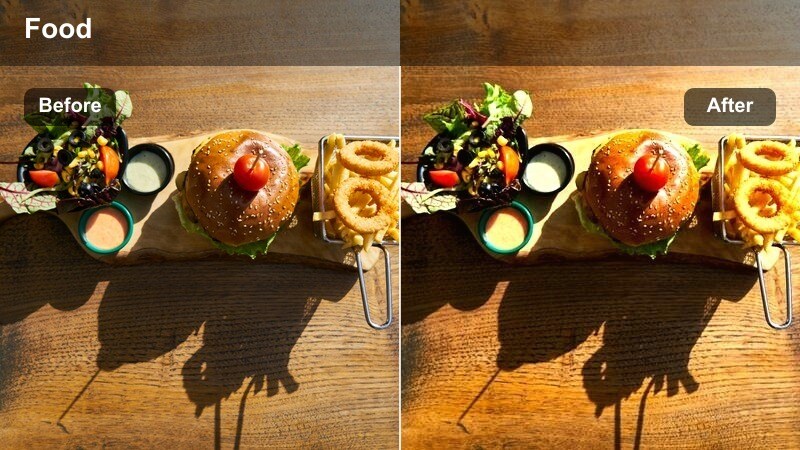
- Effect look: Energetic contrast with slightly cool shadows and crisp edges for motion-filled prep shots.
- Best for: Mixing batter, whisking cream, sifting flour, and fast-paced montage sequences.
- Editing tip: Pair this filter with slightly higher shutter speed to freeze action and let the crisp look shine.
Whisk and Whirl adds punch and clarity to your most energetic baking moments, emphasizing flying flour, swirling batter, and fast hand movements. The slightly cool shadows and clean edges keep the scene feeling sharp and dynamic, perfect for recipe Reels, Shorts, and TikTok step montages.
When editing in Filmora, combine this filter with quick cuts, rhythmic music, and speed ramping to turn ordinary prep into attention-grabbing b-roll. If motion blur feels excessive, lightly boost sharpness and clarity sliders, and consider stabilizing handheld clips so the crisp contrast reads as intentional energy rather than camera shake.
Oven Door Glow
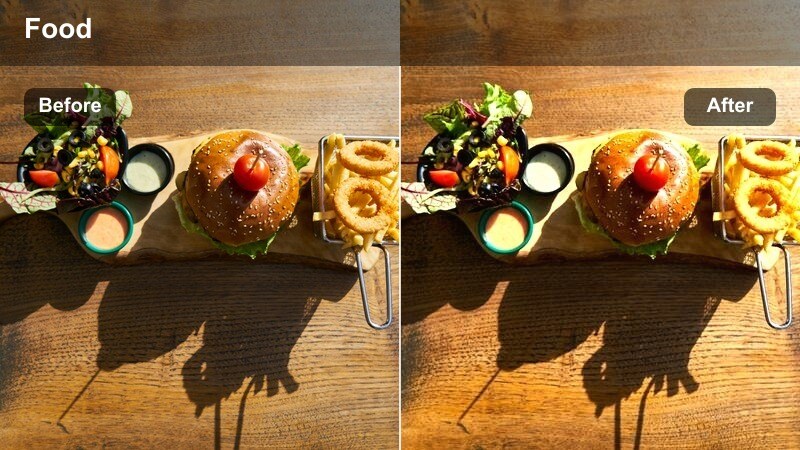
- Effect look: Warm, contrasty highlights that emphasize the glow of the oven and rising desserts.
- Best for: Shots looking into the oven window or pulling trays of freshly baked desserts out.
- Editing tip: Reduce highlight intensity slightly if oven lights are very strong to keep detail in shiny pans and crusts.
Oven Door Glow captures the magic of baking in progress, amplifying the amber warmth of the oven interior and the moment dough rises or cheese bubbles. It enhances the contrast between the glowing center of the frame and the darker surroundings, drawing viewers eyes straight to trays of cookies, breads, and pastries.
Apply this filter in Filmora and then carefully manage highlights to avoid losing detail on reflective trays and glossy toppings. You can slightly darken the kitchen environment with curves or exposure adjustments so the oven becomes the brightest point in the scene, reinforcing that cozy, just-baked storytelling moment.
Cozy Cafe Serving and Customer Moments
Latte and Layer Cake
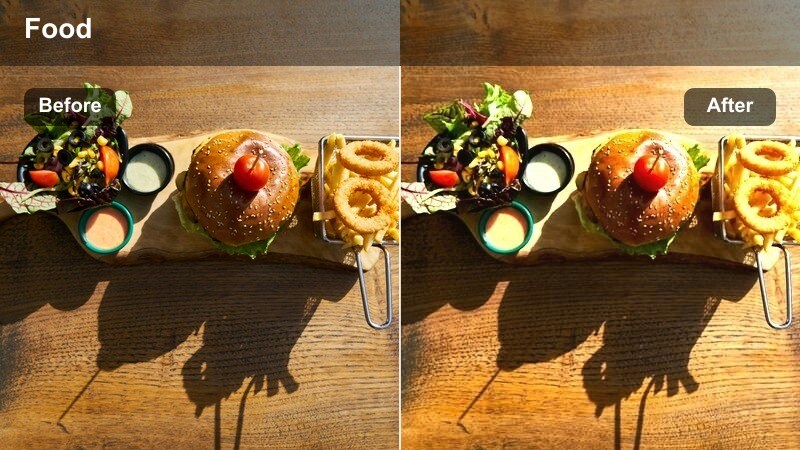
- Effect look: Soft cafe warmth with gentle contrast and flattering skin tones.
- Best for: Scenes of baristas serving desserts with coffee, and customers enjoying treats at tables.
- Editing tip: Use moderate vignette to pull focus to the interaction between the person and the dessert plate.
Latte and Layer Cake balances dessert styling with human interaction, keeping both treats and faces looking warm and welcoming. It softens contrast slightly to flatter skin tones while still adding enough warmth to make coffee crema, cake layers, and table wood grain feel inviting.
Inside Filmora, apply this filter to all your service and tasting scenes to give your cafe footage a cohesive, lifestyle-friendly tone. If skin tones drift too orange, adjust white balance toward neutral and add a touch of magenta, then layer a subtle vignette to center attention on the dessert and the person enjoying it.
Window Seat Dessert
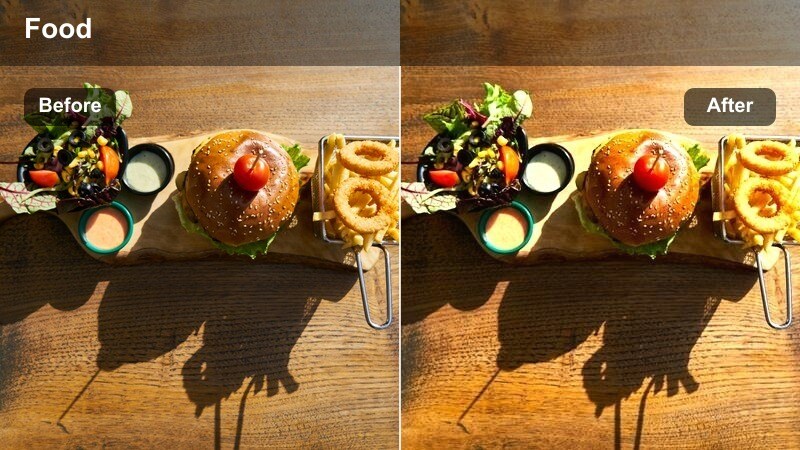
- Effect look: Soft, natural daylight look with mild warmth and gentle shadows near windows.
- Best for: Desserts served by a cafe window with natural light on the plate and background street views.
- Editing tip: Reduce contrast slightly if harsh sun creates strong lines so the scene stays soft and romantic.
Window Seat Dessert is tailored for bright tables by large windows, preserving natural daylight while adding a hint of warmth for a relaxed, lifestyle feel. It keeps shadows soft and backgrounds gently blurred so the viewer focuses on the plated dessert framed by city or street views.
In Filmora, combine this filter with minor contrast reduction when sunlight is harsh to avoid distracting edge lines on plates or cups. Use a light vignette or blur effect on the outer edges of the clip to reinforce the cozy, intimate mood, ensuring the dessert in the foreground remains crisp and well-lit.
Evening Cafe Ambience
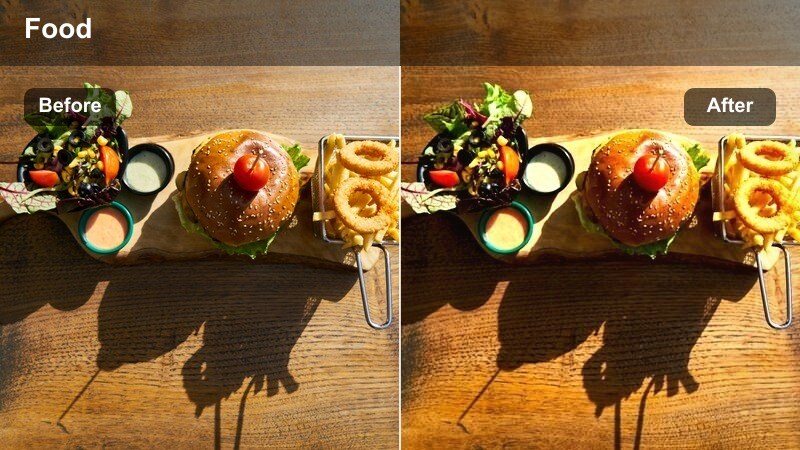
- Effect look: Warm, moody evening tones with soft contrast and cozy highlights from lamps.
- Best for: Night-time dessert shots in cafes with warm overhead lighting and candles.
- Editing tip: Raise exposure gently on the dessert plate to keep it the brightest subject against a darker, cozy background.
Evening Cafe Ambience leans into low-light warmth, ideal for candlelit dessert scenes, date-night cafe shots, and evening tastings. It softens contrast while lifting warm highlights, giving small pools of light around the dessert and cups a cinematic glow against a darker backdrop.
When grading in Filmora, use this filter on your night interior clips, then gently raise the exposure or brightness of the dessert plate to hold viewer attention. Apply subtle noise reduction to high-ISO footage before the filter, and keep shadows slightly raised so the cozy darkness feels intentional rather than noisy or underexposed.
Tips for Using Bakery Dessert Showcase Video Lut Filters in Filmora
- Shoot desserts near soft natural light or diffused lamps so these filters can enhance highlights and reflections instead of fighting harsh shadows.
- Lock in a consistent white balance setting during your bakery shoot to make it easier to apply the same dessert showcase LUT filter across multiple clips.
- Record a few seconds of a neutral reference, such as a white plate or napkin, in each lighting setup to help you judge how warm or cool to push each filter.
- Use slower, smoother camera movements on close-up dessert shots so viewers can appreciate texture details and the subtle color grading.
- Combine Filmora AI color correction with your favorite bakery filters to quickly normalize mixed lighting and keep your dessert colors accurate.
- Export a short test reel featuring several filters and review it on your phone, tablet, and laptop to ensure your desserts look mouthwatering on different screens.
- Save your most effective bakery looks as custom presets or LUT-style settings in Filmora to speed up editing for recurring menu items or series.
With the right bakery dessert showcase video LUT-style filters, you can turn everyday pastry and cake footage into cinematic, mouthwatering visuals that match your brand aesthetic. Warm counters, glowing ovens, and glossy toppings all benefit from a consistent color treatment that highlights the craft behind your sweets.
Experiment with these Filmora presets across display counters, close-ups, and cozy cafe scenes to build a recognizable dessert look that keeps viewers craving your next upload. As you refine your presets and workflow, your bakery videos will feel more polished, professional, and ready to share across every platform.
secure download