

 100% Security Verified | No Subscription Required | No Malware


 ChatGPT
 Perplexity
 Gemini
 Claude
 Grok
Grok
These Panasonic GH7 LUT-style filters are built for videographers who need fast, consistent color across demanding production work, especially when shooting V-Log or flat profiles.
Use these filters as starting points for your GH7 color workflow, then fine-tune contrast, saturation, and skin tones to match your lighting, lenses, and overall production style.
In this article
Daylight Street and Documentary Scenes
GH7 Clean Neutral Day
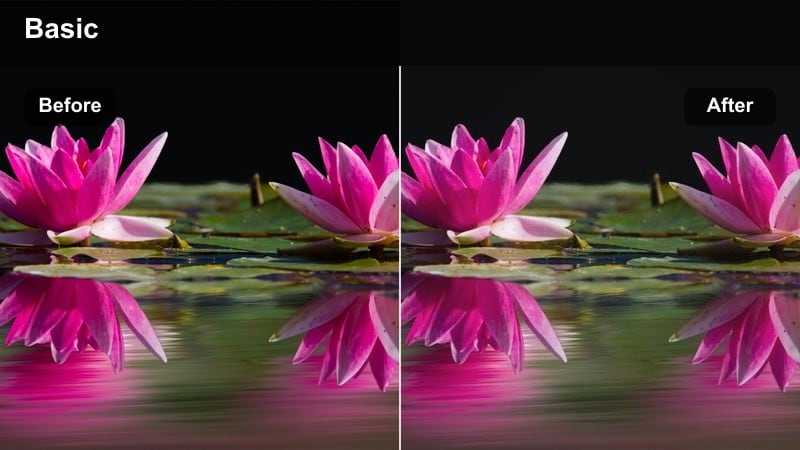
- Effect look: Balanced, low-contrast neutral base that preserves GH7 dynamic range for flexible grading.
- Best for: Run-and-gun street docs, corporate b-roll, and ENG-style coverage in daylight.
- Editing tip: Expose V-Log slightly to the right, apply the filter, then gently pull down highlights and add a soft S-curve.
GH7 Clean Neutral Day gives your Panasonic GH7 footage a flexible, realistic starting point that works across many daylight conditions. In Filmora, this filter quickly normalizes V-Log or flat footage so sidewalks, buildings, and skies sit in a balanced contrast range without locking you into a heavy look.
Use it on mixed street and corporate b-roll when you know more grading or branding tweaks will follow. After applying the filter in Filmora, fine-tune exposure with the color wheels, then use curves for a subtle S-curve that protects highlight detail while keeping shadows open for documentary work.
Speed up GH7 grading with AI-powered color suggestions
Filmora AI color tools can scan your Panasonic GH7 clips and auto-suggest palettes that work naturally with these neutral daylight filters. This gives you a quick way to explore different moods before committing to a full manual grade.
Once the base LUT-style filter is applied, use AI-guided adjustments to refine skin tones, adjust brand colors, and nudge overall warmth or coolness without breaking consistency between shots.
 secure download

Preview Panasonic GH7 filters in real time
In Filmora, you can drop a short GH7 test clip on the timeline and rapidly toggle through different LUT-style filters to see which matches your exposure and lighting. This makes it easy to compare street, interview, and neon looks before locking your production style.
Once your team approves a direction, save the chosen filter combination as a custom preset so you can apply the same look across entire sequences with a single click.
secure download1000+ video filters and 3D LUTs for Panasonic GH7 footage
Filmora includes a large library of cinematic filters, film emulations, and 3D LUTs that pair well with Panasonic GH7 V-Log captures. You can layer these effects, adjust their intensity, and save your own GH7-specific looks for different clients or series.
Combine LUT-style conversions with creative filters, then use Filmora color controls to fine-tune highlights, shadows, and saturation so every project stays on-brand and consistent.
secure downloadGH7 Soft Documentary
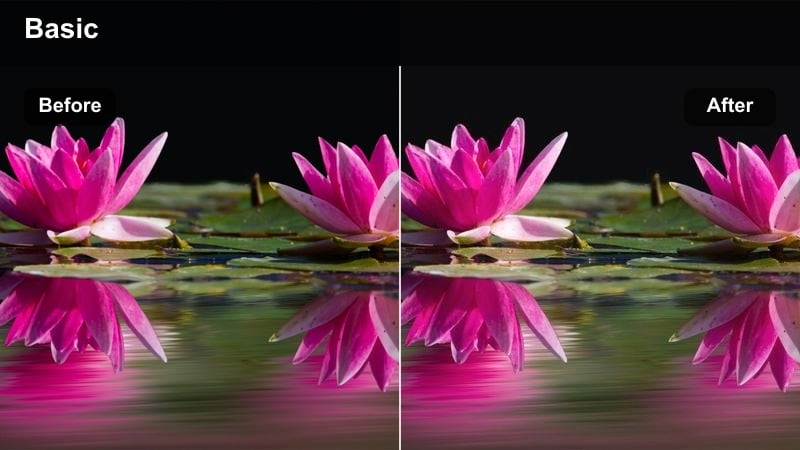
- Effect look: Gentle contrast and slightly lifted shadows with natural saturation and soft highlight roll-off.
- Best for: Character-driven documentary interviews and observational street portraits.
- Editing tip: Add a subtle vignette after this filter to keep attention on faces while keeping midtones clean.
GH7 Soft Documentary is aimed at human-focused stories where harsh contrast can be distracting. On the Panasonic GH7, it smooths bright daylight, softens highlight transitions, and keeps skin tones believable, which works especially well for interviews on sidewalks or in courtyards.
In Filmora, apply this filter on your primary interview angle, then add a light vignette effect to subtly darken the frame edges and guide the viewer toward the subject. Match B-cam angles by duplicating the effect and using Filmora color tools to align midtone contrast and skin hue so the edit cuts smoothly.
GH7 Crisp Street Contrast
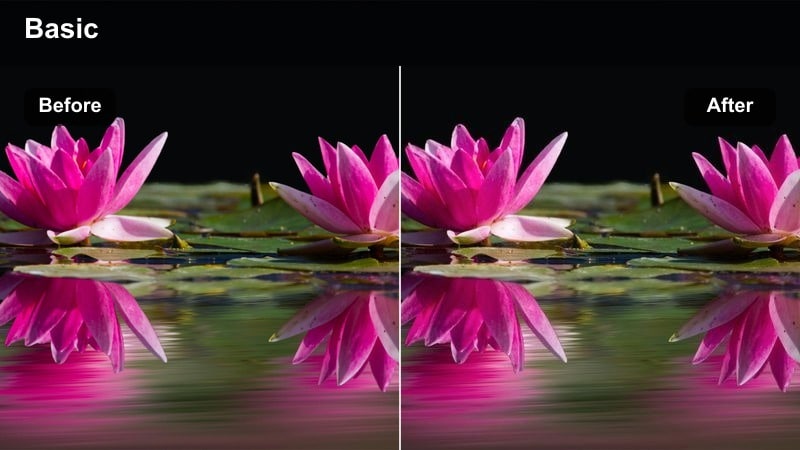
- Effect look: Punchy, crisp contrast with deeper blacks and slightly boosted saturation for urban textures.
- Best for: Dynamic street b-roll, branded city visuals, and handheld urban sequences.
- Editing tip: Dial back blacks if you are losing detail in dark clothing or asphalt after applying this filter.
GH7 Crisp Street Contrast gives your city footage bite, adding depth to shadows and extra snap to signage, crosswalks, and building textures. It is designed for GH7 shooters who want their daytime city sequences to feel bold and energetic straight out of Filmora.
Apply this filter to V-Log clips, then check scopes in Filmora to ensure dark clothing and asphalt still hold detail. If you are delivering to broadcast or more conservative clients, ease off black levels slightly and trim saturation a touch so vibrant colors remain strong but still safe.
Indoor Interviews and Corporate Spaces
GH7 Skin Tone Priority
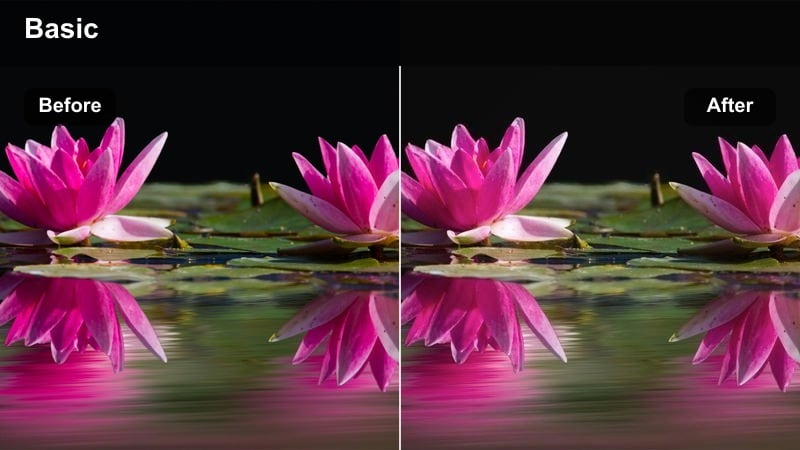
- Effect look: Balanced contrast with gently warmed midtones and carefully protected skin hues.
- Best for: Corporate interviews, talking heads, and educational content recorded on the GH7.
- Editing tip: Use the vectorscope to keep skin tones aligned on the skin line after applying the filter, then adjust tint slightly if needed.
GH7 Skin Tone Priority is tuned to make faces feel flattering and trustworthy in office environments, classrooms, and studios. It lightly warms midtones without pushing backgrounds too far, which keeps your Panasonic GH7 interviews looking professional while still natural.
Inside Filmora, apply this filter as your base look for talking heads, then open the color scopes to confirm that skin tones sit on the skin tone line. If overhead fluorescents or mixed lighting cause green shifts, nudge tint and gently desaturate yellow channels so complexions stay clean and consistent across every angle.
GH7 Clean Office Neutral
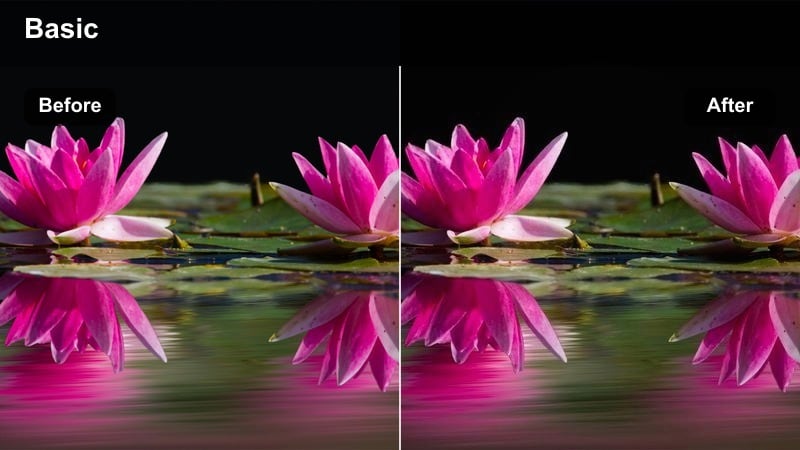
- Effect look: Cool-neutral base with restrained contrast and saturation for polished corporate environments.
- Best for: Boardroom scenes, product demos, and training videos shot in bright offices.
- Editing tip: Pair this filter with subtle sharpening only in the luma channel to keep text and UI elements crisp.
GH7 Clean Office Neutral is ideal when you need your GH7 footage to look clear, modern, and distraction-free in bright offices. It keeps walls and glass surfaces neutral while preventing brand colors, charts, and UI elements from oversaturating.
In Filmora, combine this filter with light luma-only sharpening so on-screen text, laptop screens, and interface details stay sharp without adding halos. If you are featuring logos or brand palettes, double-check colors on a calibrated monitor and adjust saturation or gamma slightly so everything stays accurate and on-brand.
GH7 Soft Warm Office
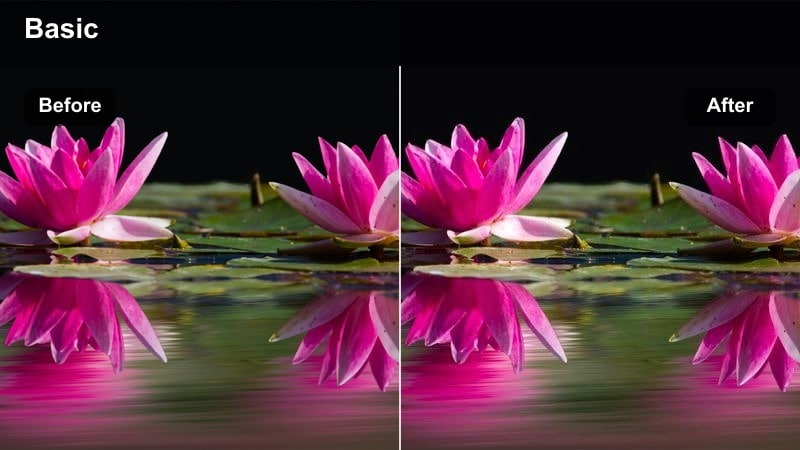
- Effect look: Soft contrast with a subtle warm shift for welcoming, approachable corporate visuals.
- Best for: HR videos, internal communications, and client-focused presentations.
- Editing tip: Limit warm tone adjustments mostly to midtones so white walls and screens stay neutral while faces feel inviting.
GH7 Soft Warm Office adds a touch of warmth and softness to corporate scenes, helping offices look friendlier without becoming overly stylized. It is suited to GH7 projects like HR explainers, onboarding content, and testimonials where you want subjects to appear open and approachable.
Apply this filter in Filmora and then use the color wheels to concentrate warmth in the midtones so skin looks inviting while whites and screens remain neutral. If darker furniture or clothing turns muddy, boost midtone contrast slightly and pull global saturation back just a bit to restore clarity.
Night City and Neon Sequences
GH7 Neon Punch
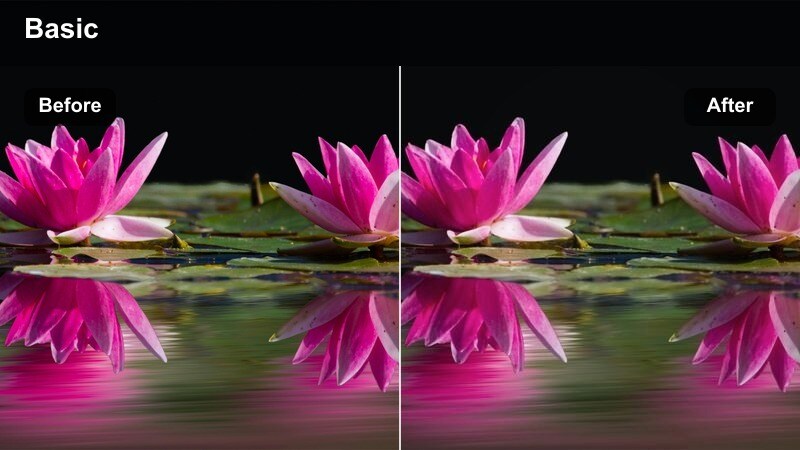
- Effect look: High saturation neon hues with controlled contrast and lifted shadows for moody city nights.
- Best for: Neon-lit streets, nightlife b-roll, and music video sequences shot on the GH7.
- Editing tip: Use HSL controls after this filter to selectively tame magenta and cyan signs that clip too quickly.
GH7 Neon Punch is built to make colorful signage, wet streets, and nightlife locations pop on the Panasonic GH7. It boosts neon saturation while keeping contrast under control so your night scenes stay rich without losing too much information in deep shadows.
In Filmora, apply this filter to your V-Log night clips, then open the HSL panel to fine-tune problem colors like overly bright magentas or cyans. If lifted shadows introduce noise, use Filmora noise reduction before any sharpening so neon edges remain crisp while darker areas stay clean.
GH7 Cinematic Night Soft
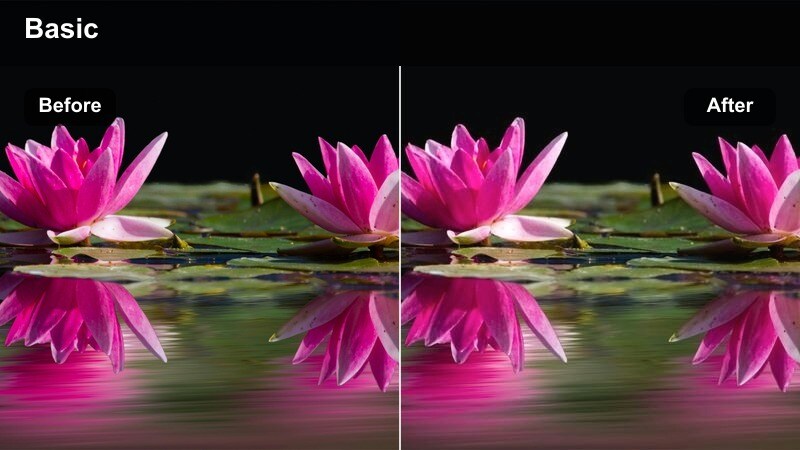
- Effect look: Soft, low-contrast night look with gentle highlight bloom and muted color palette.
- Best for: Narrative night exteriors, quiet drama scenes, and slow-paced city walks.
- Editing tip: Add a subtle diffusion or glow effect on top to complement this filter if practical lights feel too sharp.
GH7 Cinematic Night Soft works well for narrative and dramatic GH7 projects that need a more restrained, atmospheric night look. It lowers contrast, softens bright sources like streetlights, and mutes colors slightly so the viewer focuses on performance and mood.
Inside Filmora, drop this filter on your night exteriors and then consider layering a light glow or diffusion effect over practical lights to enhance the cinematic softness. If faces become too dark, lift midtones carefully while anchoring black levels, keeping enough depth so the scene still feels like a true night exterior.
GH7 Teal and Orange Night
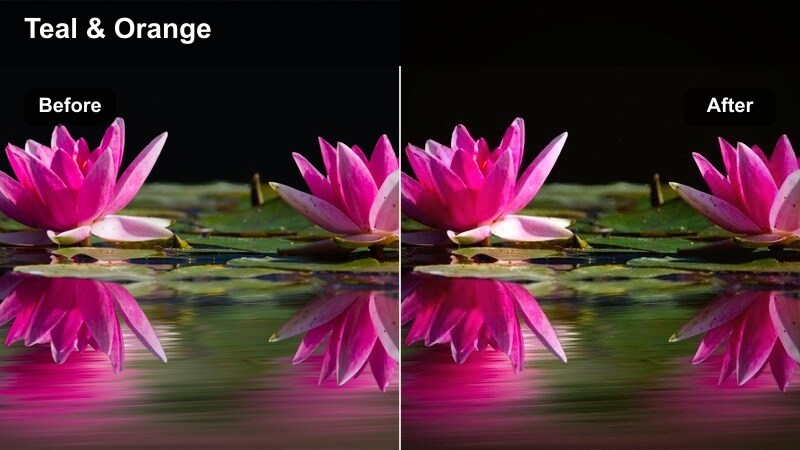
- Effect look: Classic teal shadows and warm skin midtones with controlled contrast for stylized night scenes.
- Best for: Commercial-style night spots, fashion b-roll, and stylized GH7 music videos.
- Editing tip: Keep the effect strongest in shadows and midtones and avoid shifting highlights too far to maintain believable light sources.
GH7 Teal and Orange Night gives your Panasonic GH7 footage a cinematic, commercial-style color contrast by pushing shadows toward teal and lifting skin tones into warm oranges. It is ideal for stylized music videos, fashion pieces, and promo spots that need an instantly recognizable look.
After applying this filter in Filmora, use the color tools to restrict the strongest teal shift to the shadow and midtone range, leaving highlights closer to neutral so light sources still look believable. If the grade feels too intense for a client, lower the filter opacity or intensity to around 60 to 70 percent to keep the palette present but more subtle.
V-Log Workflow and Fast Turnaround Looks
GH7 V-Log to Rec.709 Base
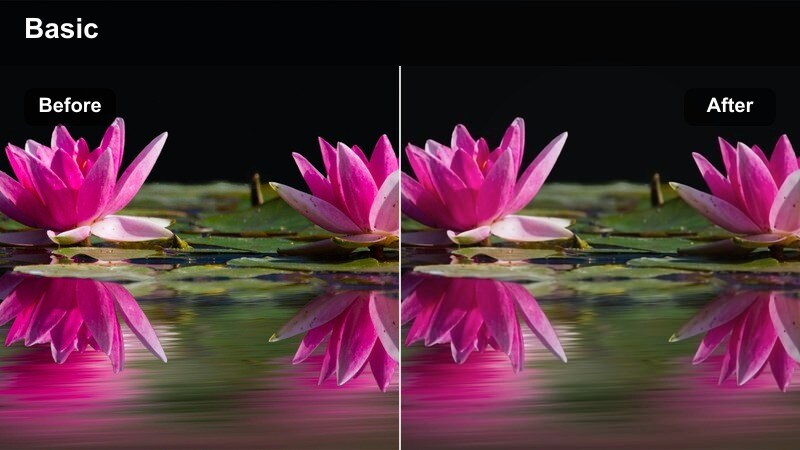
- Effect look: Technical-style conversion from GH7 V-Log to a neutral Rec.709 base with modest contrast and saturation.
- Best for: Any GH7 V-Log project that needs a consistent starting point across multiple shooting days.
- Editing tip: Apply this filter first in your chain, then add creative filters or manual grading on an adjustment layer above it.
GH7 V-Log to Rec.709 Base is your technical foundation when grading Panasonic GH7 V-Log footage in Filmora. It handles the heavy lifting of moving from flat, log-encoded images to a neutral Rec.709 space, giving you a clean, consistent canvas to build on.
Use this filter as the first step in your GH7 color pipeline, then stack creative Filmora filters or manual adjustments above it on separate layers. This keeps your workflow organized and makes it easy to swap creative looks without having to redo the base conversion for every revision.
GH7 Fast Turnaround Social
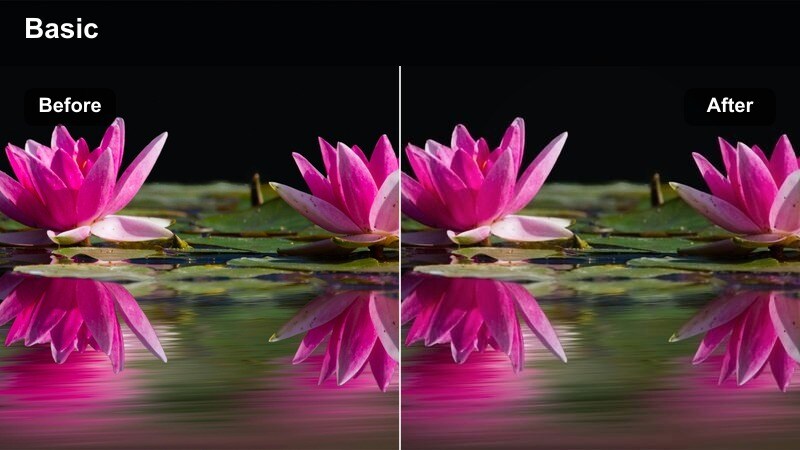
- Effect look: High-impact contrast and saturation with slightly brightened midtones optimized for phone screens.
- Best for: Social media cuts, vertical promos, and event highlight reels that need quick delivery.
- Editing tip: Check your grade on a phone and trim highlights if faces look blown out compared to your reference monitor.
GH7 Fast Turnaround Social is tuned to make your Panasonic GH7 footage pop on small mobile screens. It adds punchy contrast, vivid color, and brighter midtones so faces and key details stay readable on social platforms without extra tweaking.
In Filmora, apply this filter to both horizontal and vertical GH7 edits, then preview the result on a phone to confirm that highlights, especially on faces, are not clipping. If you are repurposing 16:9 footage for 9:16, use Filmora reframing tools to keep subjects centered and combine the filter with clear, high-contrast captions for easier viewing on muted playback.
GH7 Quick Broadcast Safe
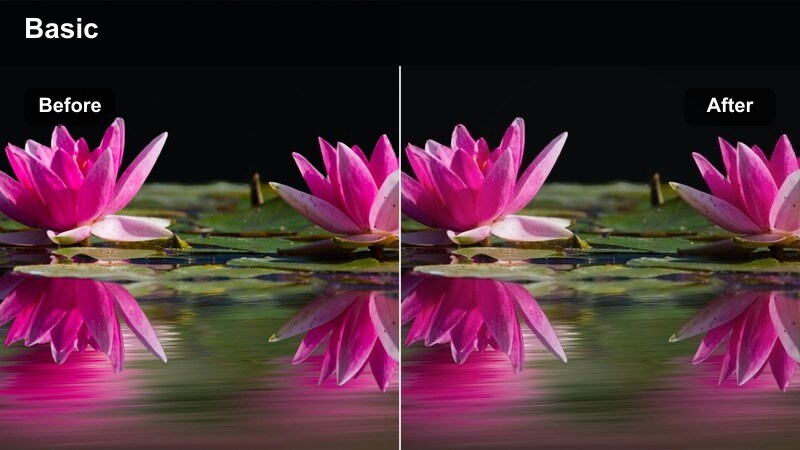
- Effect look: Controlled contrast and saturation with highlights and chroma kept inside typical broadcast legal ranges.
- Best for: News packages, corporate broadcast spots, and GH7 content destined for TV or strict QC.
- Editing tip: After this filter, use scopes to verify luma and chroma limits rather than adding heavy secondary grades.
GH7 Quick Broadcast Safe is designed for Panasonic GH7 shooters delivering to TV, corporate channels, or any environment with strict QC standards. It reins in contrast, highlight levels, and saturation so your footage falls comfortably within common broadcast-legal ranges.
Apply this filter early in your Filmora workflow so producers and clients review material that already respects technical limits. Then, use scopes to confirm that luma and chroma stay inside spec and make only light trims instead of aggressive secondaries, avoiding last-minute compliance fixes before delivery.
Tips for Using Panasonic Gh7 Filters in Filmora
- Expose Panasonic GH7 V-Log a touch brighter than your final target to protect shadow detail, then pull contrast back with your chosen Filmora filter.
- Rely on Filmora scopes instead of your laptop screen when judging how far a LUT-style filter is pushing contrast, saturation, and brightness.
- Organize your GH7 clips by location and lighting conditions before applying filters so you can keep each scene visually consistent with fewer tweaks.
- Stack a technical V-Log to Rec.709 conversion filter under creative Filmora filters to keep your GH7 workflow clean, modular, and easy to revise.
- Create per-client variations of your favorite GH7 looks and save them as Filmora presets so you can recall branded color styles in one click.
- When mixing GH7 with other cameras, apply a neutral filter to each camera first, then match midtones and skin tones before adding any strong creative look.
- Test your GH7 filters on a few representative shots, including difficult lighting, before grading entire timelines to avoid surprises late in the edit.
With the right combination of Panasonic GH7 LUT-style filters and V-Log aware workflows, you can move from flat log to polished delivery in minutes instead of hours. Filmora makes it easy to standardize these steps so every production starts from a reliable, repeatable base.
Build a compact toolkit of dependable looks for interviews, street coverage, and night city scenes, then customize each filter just enough to serve the story and your clients visual identity. Over time, you will establish a GH7 color pipeline that is both fast and consistent across every project.
secure downloadNext: Best Nikon Z8 LUTs
