

 100% Security Verified | No Subscription Required | No Malware


 ChatGPT
 Perplexity
 Gemini
 Claude
 Grok
Grok
The City Morning Commute Vlog Filter preset collection is designed for content creators who capture early trains, busy sidewalks, and first-sip-of-coffee moments in the urban rush. These filters help you control mixed lighting, reduce harsh contrast, and polish handheld footage into a cohesive city morning story.
Whether your commute vlog is calm and reflective or fast-paced and energetic, these Filmora filters give you ready-made looks for trains, bike rides, crosswalks, and subway platforms so every clip feels like part of the same city morning universe.
In this article
Soft Dawn City Streets
Hazy Blue Dawn
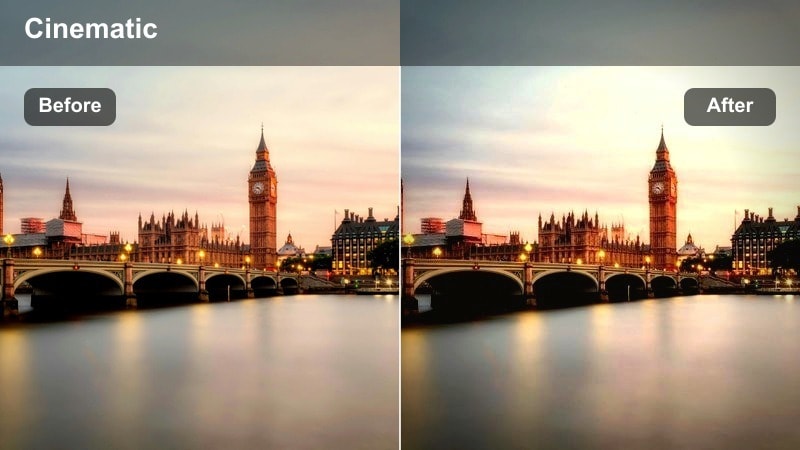
- Effect look: Soft, cool-toned haze that smooths shadows and tames bright headlights.
- Best for: Pre-sunrise sidewalks, empty crosswalks, and wide shots of city streets just before rush hour.
- Editing tip: Lower contrast slightly and add a touch of film grain to keep the hazy atmosphere looking intentional, not blurry.
Hazy Blue Dawn is ideal when you are shooting during blue hour and your city footage feels cold, flat, or overly contrasty. In Filmora, apply this city morning commute vlog filter to your establishing shots to introduce a gentle blue cast that makes streetlights and headlights glow softly without clipping. The softened shadows reduce the harshness of deep blacks from unlit alleys or building facades, which helps handheld wide shots look smoother and more cinematic.
To refine the look, slightly pull down overall contrast in the Color panel and add a subtle grain effect so the haze feels like a creative choice, not accidental blur from low light. If skin tones start to look too cool, use Filmora color correction or HSL controls to warm them up while keeping the background blue. Combine this with mild vignette and slower shutter-style motion blur on moving cars to reinforce the dreamy, half-awake commute mood.
Match Every City Morning Clip in One Click
The City Morning Commute Vlog Filter set works like an AI-guided color palette, giving your sidewalks, train rides, and office entrances a unified style without manual keyframing on every clip. Once you find a base look you like, you can quickly apply it across your timeline so each episode in your commute series feels consistent.
In Filmora, combine your chosen morning commute filter with the AI Color Palette tool to quickly match color and contrast between different cameras, locations, or lighting setups. This keeps your blue-hour streets, bright crosswalks, and fluorescent subway clips living in the same visual universe.
 secure download

See Your Commute Transform in Seconds
When you are unsure which aesthetic fits your morning story, test filters like Crosswalk Energy Boost or Platform Cinematic Fade on the same raw clip. In Filmora, you can quickly compare how each preset reshapes contrast, color, and mood, then decide which one matches your pacing and soundtrack.
Use the preview to stack clips from different parts of your commute timeline and see how a single filter ties together intersections, subways, and office arrivals. This side-by-side view makes it easy to pick a signature look that you can repeat across future episodes.
secure downloadBlend Filters with LUTs for a Signature Style
Filmora includes 1000 plus video filters and 3D LUTs, so you can push your commute footage toward a more cinematic, documentary, or stylized channel identity. Start with a subtle city morning commute vlog filter to clean up exposure and balance tones, then add a low-intensity LUT on top to stylize the city background.
This workflow keeps skin tones believable while letting you experiment with cooler steel-and-glass palettes or warmer sunrise tones that appear in every episode. Saving your favorite combinations as custom presets ensures your commute vlog series keeps the same recognizable look over time.
secure downloadFirst Tram Glow
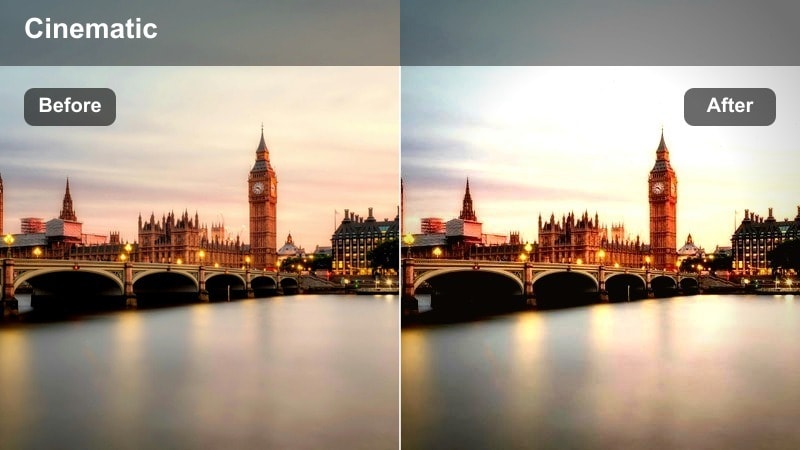
- Effect look: Warm highlights with soft contrast that add a gentle glow to streetcars and buses.
- Best for: Tram platforms, bus stops, and handheld shots stepping onto public transport at sunrise.
- Editing tip: Use a light vignette and stabilize handheld footage so the glowing highlights feel cinematic rather than shaky.
First Tram Glow gives your early transit moments a romantic, almost film-like atmosphere by warming highlights and softening contrast around windows and headlights. In Filmora, drop this filter onto mid-shots of trams or buses arriving so metal, glass, and lights blend into a pleasant glow instead of harsh, overexposed hotspots. This helps busy backgrounds feel more cohesive and less distracting when you are framing quick platform sequences.
After applying the filter, add gentle stabilization to handheld clips and a subtle vignette so viewers naturally focus on your subject entering or exiting the vehicle. If faces are getting lost against bright windows, raise exposure or use Filmora masking and keyframing to brighten just the subject area. Cut between medium and close-up shots using the same filter so the warm tram glow becomes a visual thread through your entire commute intro.
Quiet Sidewalk Soft
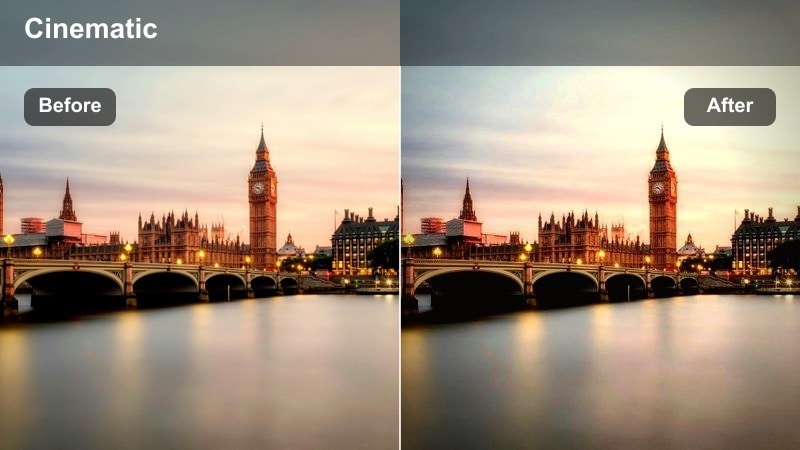
- Effect look: Low-contrast, slightly desaturated style that softens harsh storefront reflections.
- Best for: Walking vlogs on narrow city sidewalks, reflective glass facades, and storefront b-roll.
- Editing tip: Pull back saturation on reds and oranges to avoid distracting signage and keep attention on your narration.
Quiet Sidewalk Soft is perfect for calmer talk-to-camera segments where you want the city to feel present but not overpowering. When you apply this city vlog filter in Filmora, it gently mutes strong reflections from windows and signage, while slightly desaturating bold colors so your face and voice become the main focus. The softened contrast is especially helpful if you shoot on bright mornings with hard side light on glass facades.
To refine the look, open the Color tools and selectively lower saturation on reds and oranges, which often dominate street advertisements and traffic signs. This keeps visual clutter in the background from fighting your story. Pair the filter with clear audio, minimal background music, and maybe a touch of blur or lower depth-of-field in camera so the entire scene supports a quiet, reflective start to your day rather than feeling visually chaotic.
Rush Hour Crosswalks
Crosswalk Energy Boost
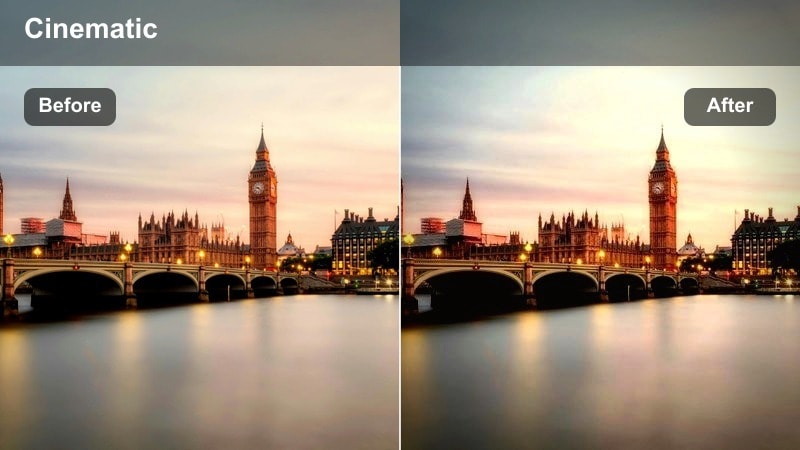
- Effect look: Punchy contrast and saturated primaries that emphasize motion, traffic lights, and signage.
- Best for: Busy crosswalk b-roll, time-lapses of intersections, and fast cuts of commuters crossing streets.
- Editing tip: Pair with slightly faster cuts and speed ramps on footsteps or car movements to match the high-energy look.
Crosswalk Energy Boost is designed to dial up the intensity of peak rush hour. When you apply this morning commute filter in Filmora, it increases contrast and saturation in primary colors, making traffic lights, street signs, and clothing pop dramatically against the cityscape. This is ideal for time-lapses or fast-cut sequences where you want to highlight the density and movement of people and vehicles.
Use it on wide intersection shots, then add simple speed ramps and rhythmic cuts on footsteps, bike wheels, or traffic flow to sync visuals with your soundtrack. Keep an eye on exposure, avoiding clipped highlights on white crosswalk lines by slightly pulling down whites in the Color panel. Cutting from wide to medium or close-up shots while keeping this same filter active maintains a consistent high-energy tone throughout your crosswalk montage.
Commuter Neutral Balance
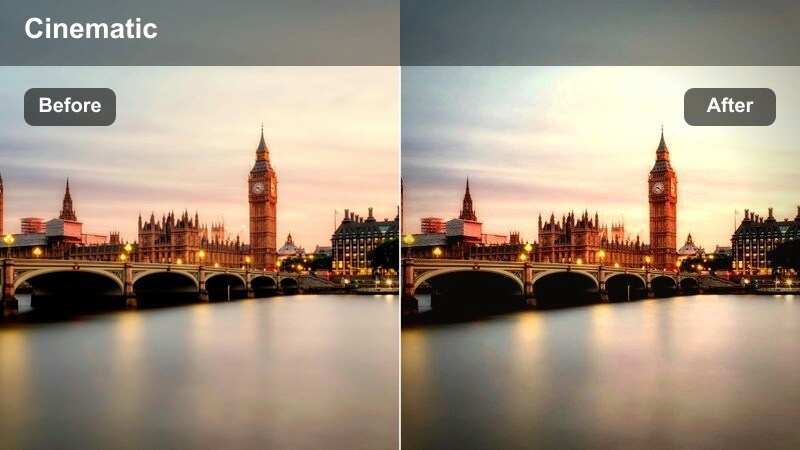
- Effect look: Balanced, true-to-life colors with gentle contrast for realistic documentary-style commute vlogs.
- Best for: Talking to camera at intersections, POV street crossings, and mixed lighting situations at corners.
- Editing tip: Use this as your base filter across the timeline, then layer small exposure adjustments per clip to keep consistency.
Commuter Neutral Balance is your go-to filter when you want an honest, documentary feel rather than a stylized look. In Filmora, it brings colors closer to what your eyes see on the street, smoothing out differences between cool shade and warm sunlight while keeping contrast gentle and natural. This makes it an excellent base grade for talking segments at intersections, POV crossings, and any moment where the story matters more than strong color styling.
Apply this filter across your entire commute timeline to create a consistent foundation, then tweak exposure, highlights, and shadows slightly on a clip-by-clip basis. Because the look is neutral and easy on the eyes, it works especially well for bingeable vlog series. Save it as a custom preset in Filmora so every new episode of your city commute can start from the same reliable baseline before adding more creative touches in certain scenes.
Signal Light Pop
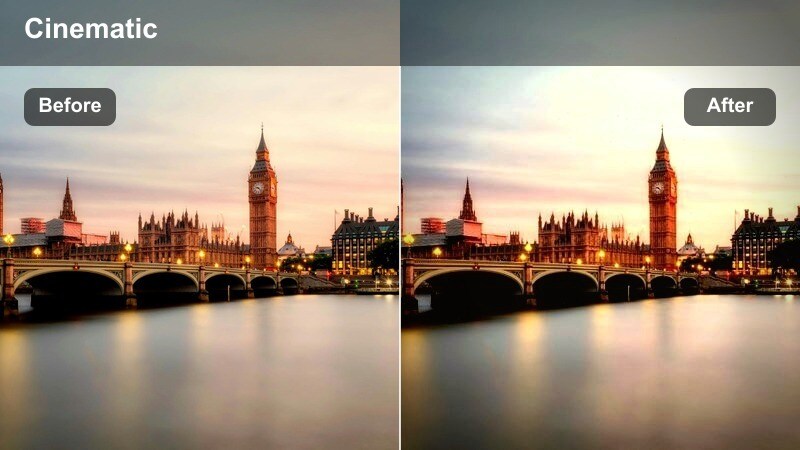
- Effect look: Selective color boost on reds, ambers, and greens while keeping backgrounds slightly muted.
- Best for: Traffic signals, pedestrian lights, bike lane markings, and road sign close-ups.
- Editing tip: Use dynamic keyframing to zoom or pan into the bright signals for transitions or beat drops in your soundtrack.
Signal Light Pop is a stylized city street filter that turns ordinary lights and markings into bold visual accents. When used in Filmora, it selectively boosts reds, ambers, and greens so pedestrian signals, traffic lights, and bike lane paint jump out from a slightly subdued background. This makes those small details ideal as transitional shots between locations or topics in your commute vlog.
Capture close-ups of changing signals or glowing walk icons and apply this filter to create eye-catching b-roll moments. Then, use Filmora keyframing to add slow zooms or pans that land on a beat in your music or on a key line in your voiceover. By repeating these colored signal shots throughout your episode, you establish a recognizable visual motif that helps guide viewers through the narrative of your morning route.
Transit, Trains, and Subways
Platform Cinematic Fade
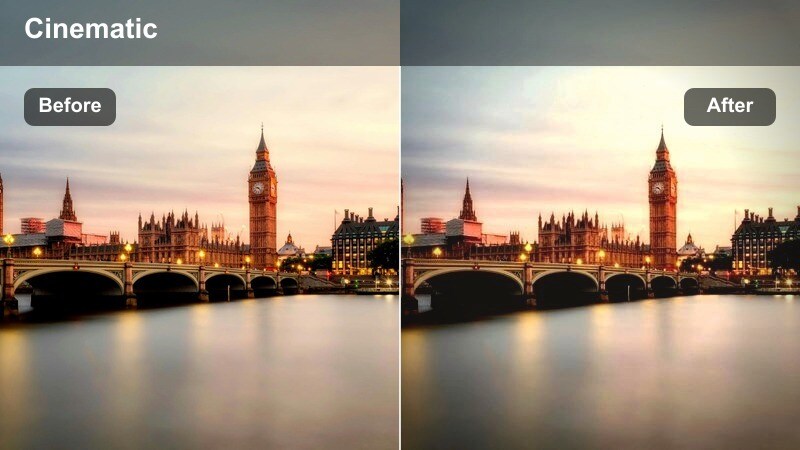
- Effect look: Cinematic fade with mildly lifted blacks and muted highlights for underground stations.
- Best for: Subway platforms, waiting shots, and slow-motion train arrivals in low light.
- Editing tip: Keep ISO noise in check by slightly lowering shadows after applying this filter and reduce sharpness to hide grain.
Platform Cinematic Fade is built to make your underground station clips feel like scenes from a narrative film. In Filmora, it slightly lifts black levels and mutes highlights, giving tunnels, pillars, and arriving trains a softer, more atmospheric tone. This helps tame the hard contrast and flickering lights often found in subway platforms, making slow-motion arrivals and waiting shots feel intentionally moody.
Apply it to a sequence of similar angles on the same platform, then use crossfades to imply the passing of time as you wait for your train. If higher ISO noise becomes visible after lifting blacks, gently reduce sharpness and bring shadows down a bit until the grain looks more controlled. For noisy environments, consider recording clearer voiceover separately and layering it over these cinematic platform visuals to keep the mood while maintaining audio quality.
Window Ride Reflection
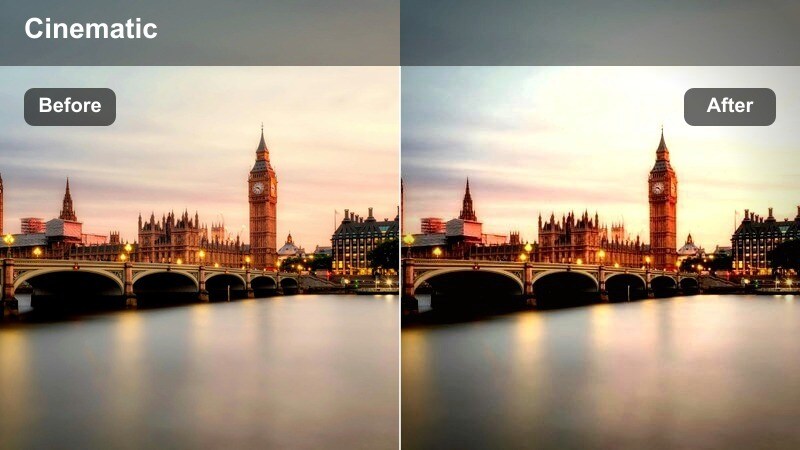
- Effect look: Soft highlight roll-off and gentle clarity boost that emphasizes reflections in train and bus windows.
- Best for: Seated shots by windows, reflection selfies, and side-profile b-roll on moving transit.
- Editing tip: Slightly reduce saturation in the background and raise exposure on faces so reflections do not overpower your subject.
Window Ride Reflection is made for introspective moments as you watch the city slide by through glass. When you apply this filter in Filmora, highlights roll off more smoothly and overall clarity is tuned to emphasize reflections without blowing out the exterior view. This makes it great for profile shots, reflection selfies, or b-roll captured from your seat on a bus or train.
Use it on medium and close-up shots where both your face and the outside scenery are visible, then fine-tune exposure so skin tones stay readable. If the reflected city becomes too dominant, slightly lower background saturation and increase brightness on the subject using masks or simple exposure sliders. Pair these reflective shots with voiceover about your plans, goals, or feelings to turn a simple ride into one of the emotional anchors of your commute vlog.
Carriage Fluorescent Fix
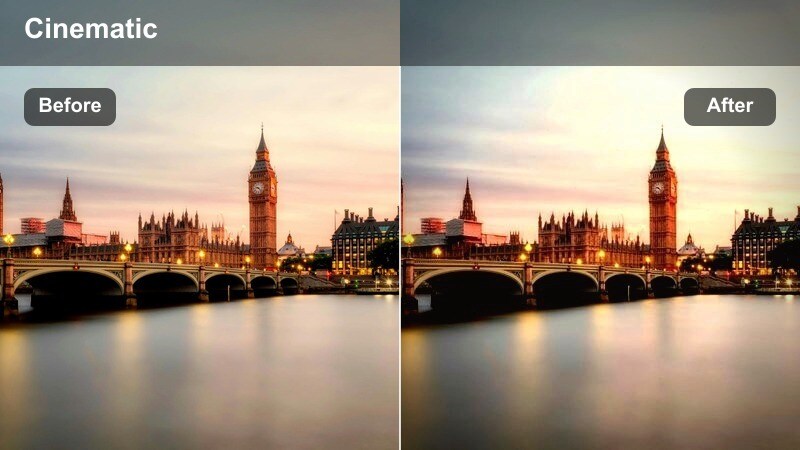
- Effect look: Corrected fluorescent cast with smoother skin tones and a neutral overall palette.
- Best for: Inside subway cars, buses, and trains with harsh overhead tube lights.
- Editing tip: Use white balance and tint sliders before applying this filter to remove strong green or magenta shifts.
Carriage Fluorescent Fix is a practical lifesaver for footage shot under harsh tube lighting inside trains and buses. In Filmora, you can first nudge white balance and tint to neutralize strong green or magenta color casts, then apply this filter to smooth skin tones and unify the palette. The result is cleaner, more flattering commuter shots that you can comfortably keep in your edit rather than hiding with quick cutaways.
Use it on talking segments, reaction shots, or casual b-roll inside crowded carriages where mixed lighting is unavoidable. If faces start to look too flat or waxy, back off the filter intensity and add a touch of contrast or clarity until you strike a natural balance. Combining this filter with mild noise reduction helps rescue even noisy low-light clips so they can still serve as connective tissue in your commute story.
Bike Lanes, Overpasses, and Office Arrivals
Bike Lane Motion Trail
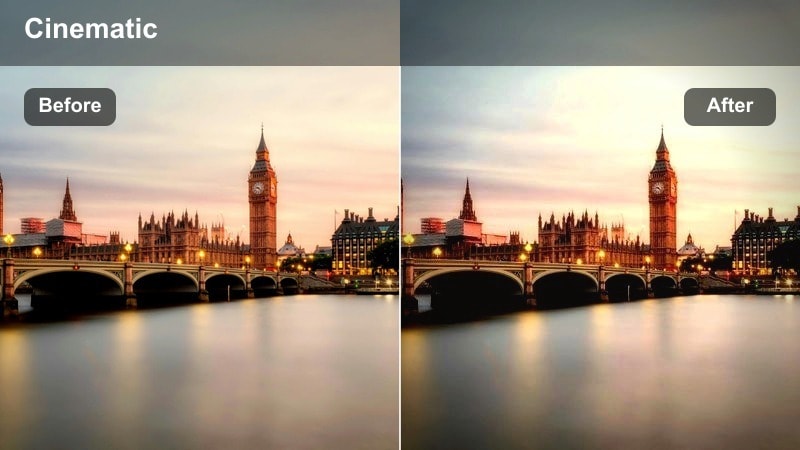
- Effect look: High clarity with slightly cooler tones and a hint of motion emphasis on moving bikes and cars.
- Best for: POV handlebar shots, helmet cams, and following bike lanes through downtown streets.
- Editing tip: Add speed ramps on long stretches and sync the motion with music beats to emphasize forward movement.
Bike Lane Motion Trail brings crisp detail and a cool urban edge to your cycling segments. In Filmora, this filter boosts clarity and slightly cools the overall tone so lane markings, passing cars, and building lines feel sharp and energetic. It works especially well with POV footage from handlebar or helmet mounts, where the viewer essentially rides along with you through the city.
Apply it to the most stable portions of your ride, then introduce speed ramps on long straightaways to keep momentum high. When cutting, alternate between wide POV and occasional side shots or cutaways to signs while keeping the same filter, which maintains visual continuity. Overlay simple map graphics or text labels for neighborhoods and landmarks, and sync your pacing with the beat of your music to make the commute feel like a purposeful journey rather than random cycling clips.
Overpass City Sunrise
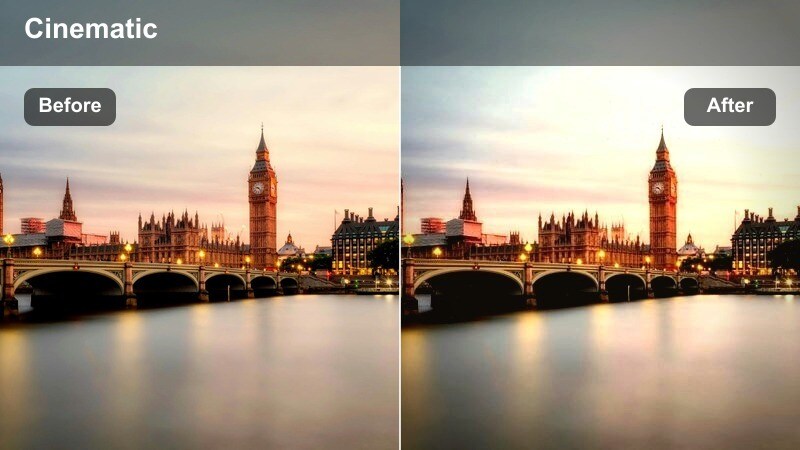
- Effect look: Warm sunrise tint with lifted shadows that reveal detail in roads and buildings below.
- Best for: Overpass views of traffic, skyline silhouettes, and establishing shots of the city waking up.
- Editing tip: Dial in a slight gradient from warm top to cooler bottom so the sky glows while streets stay controlled.
Overpass City Sunrise is crafted for big, cinematic vistas of your urban environment at daybreak. In Filmora, this filter adds a warm, golden tint and gently lifts shadows so you can see detail in streets and buildings without losing the glow of the morning sky. It is ideal for opening or closing shots where you frame your personal commute within the larger motion of the city.
Use it on wide compositions from bridges, rooftops, or overpasses, and consider adding a gradient adjustment that keeps the sky warm while slightly cooling the lower half of the frame. This preserves highlight detail in clouds while preventing bright roads from blowing out. Layer simple on-screen text with the city name, date, or episode title to turn these sunrise shots into branded chapter markers at the start and end of your commute vlog.
Office Door Check-In
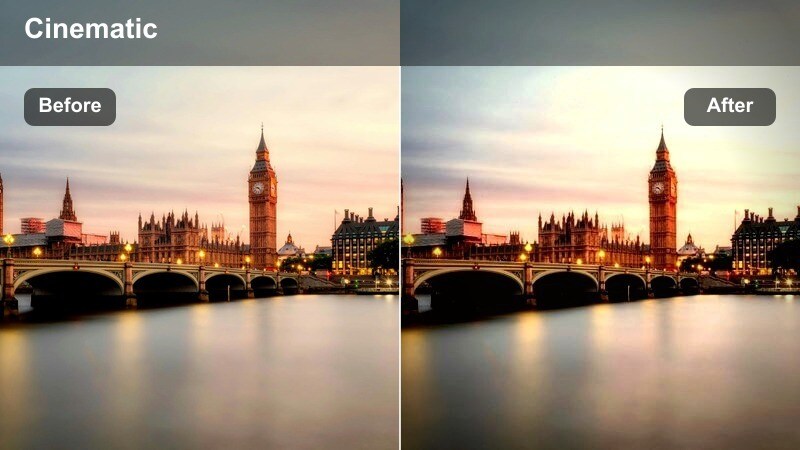
- Effect look: Clean, slightly brightened midtones with neutral whites for lobby and entrance shots.
- Best for: Arriving at the office, scanning badges, elevator lobbies, and first steps inside the building.
- Editing tip: Use gentle stabilization and crop in closer so your face and key details like door signs stay readable.
Office Door Check-In is the perfect ending note for your city morning commute sequence. When you apply this filter in Filmora, it brightens midtones and keeps whites neutral, giving lobbies, glass doors, and reception areas a polished, professional look. This visual shift from street chaos to controlled indoor lighting helps signal that your commute chapter has ended and your workday is about to begin.
Use it on shots of you walking through doors, tapping your badge, or stepping into elevators. Add a bit of stabilization to handheld footage and crop tighter so faces, logos, or signage remain legible even on mobile screens. You can also overlay a quick recap line or lower-third text summarizing the morning before transitioning into your office or desk content, creating a clear, satisfying endpoint for the commute portion of your vlog.
Tips for Using City Morning Commute Vlog Filter Filters in Filmora
- Choose one primary city morning commute vlog filter as your base grade, then reserve stronger stylized filters for special segments like subway platforms, sunrise vistas, or high-energy crosswalks.
- Lock white balance in-camera whenever possible so your Filmora filters behave predictably and you do not have to fight shifting color temperatures between clips.
- Use neutral looks such as Commuter Neutral Balance for talk-heavy sections, and switch to bolder filters like Crosswalk Energy Boost only for quick b-roll montages.
- Save your favorite filter and LUT combinations as custom presets in Filmora so every new commute episode starts with the same signature city vlog identity.
- Mix wide skylines, medium commuter shots, and close-up details using the same filter to build a cohesive sense of place throughout your edit.
- Stabilize handheld footage before or after applying filters, especially for bike lanes and tram platforms, to prevent motion from distracting from your chosen look.
- Use Filmora keyframing with stylized filters like Signal Light Pop to turn simple traffic lights or signs into smooth, purposeful transitions between scenes.
- Always preview your vlog on both desktop and mobile screens to ensure contrast and saturation from your commute filters remain comfortable and readable for all viewers.
With the City Morning Commute Vlog Filter collection, you can turn everyday walks, tr
