

 100% Security Verified | No Subscription Required | No Malware


 ChatGPT
 Perplexity
 Gemini
 Claude
 Grok
Grok
This collection of Close Up Portrait Cinematic LUT-inspired filters is designed for content creators who want tight, emotional portraits with a polished film look straight out of Filmora.
Whether you shoot talking-head videos, interviews, or stylish influencer reels, these portrait-focused filters help you control skin tones, depth, and mood while keeping your subject the clear hero of the frame.
In this article
Intimate Close-Ups in Soft Light
Soft Amber Glow
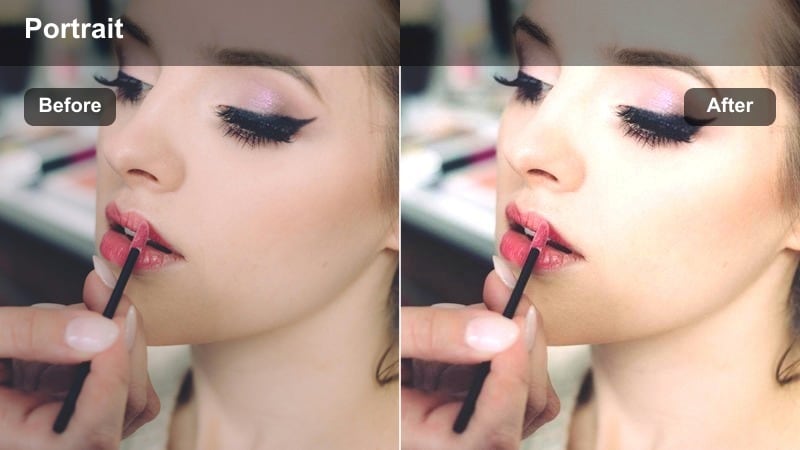
- Effect look: Warm, low-contrast cinematic glow that gently wraps around facial features for cozy close ups.
- Best for: Indoor talking-head shots, lifestyle vlogs, and tender character moments in soft window light.
- Editing tip: Lower the filter intensity to around 60% and slightly reduce highlights to avoid shiny hotspots on the skin.
Soft Amber Glow gives your close-up portraits a gentle, cinematic warmth that feels intimate without looking overly stylized. It slightly softens contrast so shadows do not appear harsh, allowing facial features to fall off smoothly while maintaining a flattering glow on cheeks and foreheads.
In Filmora, apply this filter to tight talking-head clips or emotional reaction shots, then fine-tune highlight and exposure controls so skin remains natural. Combine the look with a subtle temperature boost and a touch of negative clarity around the edges of the frame to keep the viewers eyes locked on the subject.
Let Filmora's AI refine your portrait color balance
Filmora's AI tools can automatically analyze your close-up footage and intelligently refine exposure, white balance, and contrast before you layer on any cinematic portrait filters. This creates a clean, consistent foundation so your color work is focused on style instead of rescue.
Use AI enhancement as a fast starting point so every close up portrait cinematic LUT-style filter lands on footage that is already even and ready to grade, saving time across interviews, vlogs, and influencer content.
 secure download

Preview portrait filters in real time
Filmora lets you preview multiple portrait filters live on the same close-up frame, making it easy to compare how different moods and color styles affect your subject. You can test soft glam looks, neutral daylight grades, or deep low-key treatments in seconds.
By hovering over each style in the Filters panel, you see the effect instantly, which helps you quickly lock in a cinematic tone that supports your story before you start detailed adjustments.
secure downloadCombine filters with cinematic LUTs for depth
After you shape light and contrast with a portrait filter, Filmora's support for 3D LUTs lets you stack an additional cinematic LUT for extra color nuance. This combination creates richer, more filmic close-ups while keeping your color workflow straightforward and repeatable.
Apply your preferred portrait look first, then introduce a LUT at a low intensity so color shifts stay subtle and never overpower your subject's skin tone or expression.
secure downloadCreamy Pastel Portrait
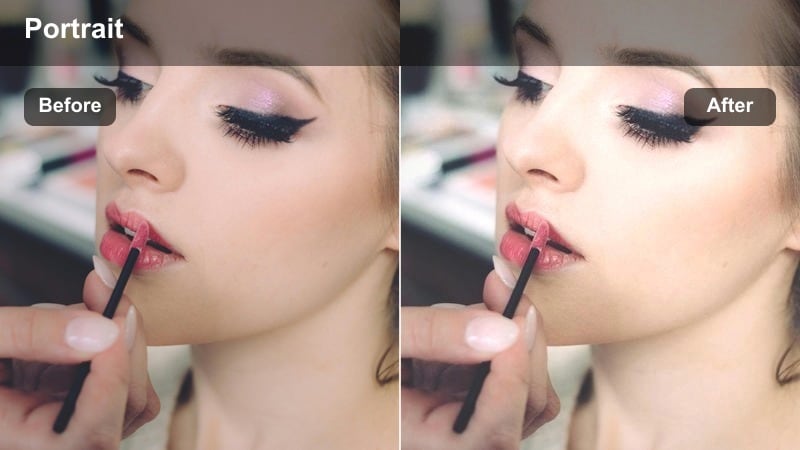
- Effect look: Muted pastel tones with lifted shadows that create a creamy, dreamy portrait aesthetic.
- Best for: Beauty content, GRWM videos, and slow, emotional close-up shots with gentle motion.
- Editing tip: Reduce clarity slightly to smooth out harsh skin texture, then sharpen just the eyes with a mask for a crisp focal point.
Creamy Pastel Portrait softens the overall contrast curve and mutes strong colors so your close-up feels airy and elegant. By lifting the shadows, it creates a smooth, diffused base that pairs perfectly with beauty lighting and makeup-focused content.
Inside Filmora, combine this filter with selective masking to keep eyes and brows tack sharp while allowing cheeks and background tones to stay velvety. Adjust saturation in small steps so pastels feel cinematic and intentional, ideal for GRWM sequences and relaxed talking-head segments.
Subtle Film Fade
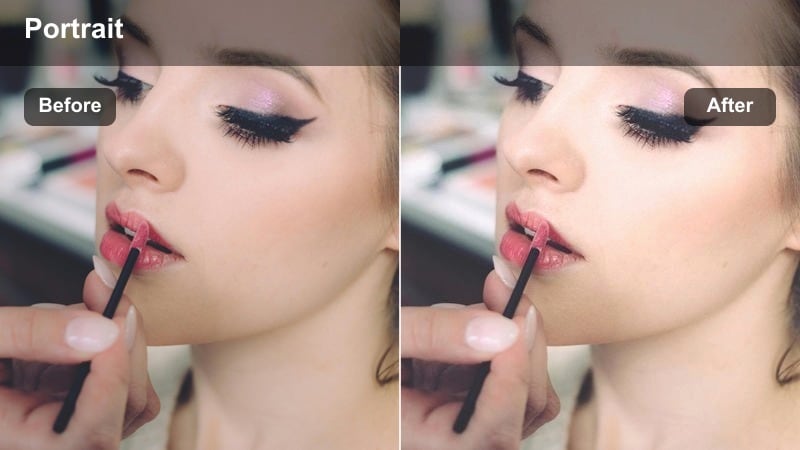
- Effect look: Low-saturation, gentle fade in the blacks that mimics modern film-inspired grading for close ups.
- Best for: Short films, narrative reels, and interview close-ups where you want a premium, understated look.
- Editing tip: Pair this filter with a small vignette to guide attention to the face without making the frame feel obviously edited.
Subtle Film Fade dials down saturation and slightly raises black levels to mimic a modern, filmic wash over your portrait shots. It keeps skin tones grounded while introducing a soft matte finish that works especially well on narrative or documentary-style content.
Apply this filter in Filmora when you want your close-ups to feel cinematic yet natural, then refine the look with a gentle vignette and minor midtone contrast adjustments. This maintains depth in the face while preserving the characteristic faded blacks that give the grade its signature style.
Dramatic Low-Key Portrait Moments
Noir Close Contrast
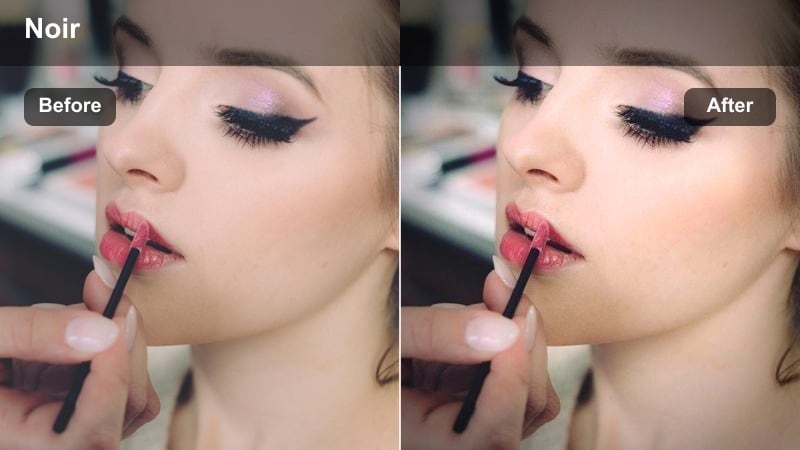
- Effect look: High-contrast, moody filter with deep shadows and sculpted highlights for dramatic portraits.
- Best for: Low-light talking heads, cinematic monologues, and suspenseful character reveals shot in close up.
- Editing tip: Dial in exposure before applying the filter so important facial details do not clip to pure black.
Noir Close Contrast carves strong separation between light and shadow, giving close-up portraits a bold, low-key aesthetic. Deep blacks and crisp highlights emphasize facial structure, making it ideal for intense monologues, reveals, or thriller-inspired content.
When grading in Filmora, first balance exposure so you retain enough detail in the eyes and jawline, then apply the filter at a moderated strength. You can further sculpt mood by gently darkening the background and adding a touch of film grain to prevent the high contrast from feeling too digital.
Teal Deep Focus
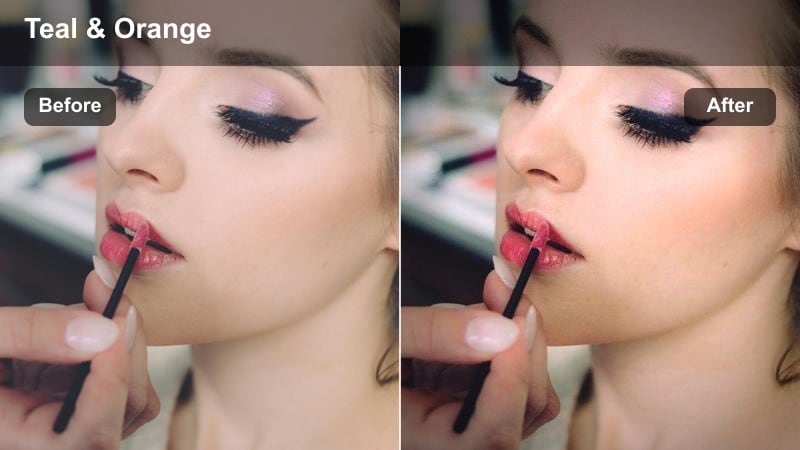
- Effect look: Cinematic teal in the shadows with neutral skin, giving close-up portraits a stylized, modern film grade.
- Best for: Thriller scenes, moody influencer pieces, and late-night studio portraits lit with hard sources.
- Editing tip: Use the color tools to pull magenta out of skin tones if they start to skew unnatural under the teal shift.
Teal Deep Focus introduces a cool, cinematic teal tint into the shadow regions while keeping skin relatively neutral, echoing the classic blockbuster color contrast. This separation helps your subject stand out dramatically from dark backgrounds and wardrobe elements.
In Filmora, apply the filter to low-key scenes, then fine-tune skin tones using HSL or color wheels to avoid unnatural magenta or green casts. By limiting the teal push mostly to the background and darker areas, you create a stylish modern look that still feels grounded and human.
Cinema Amber Shadow
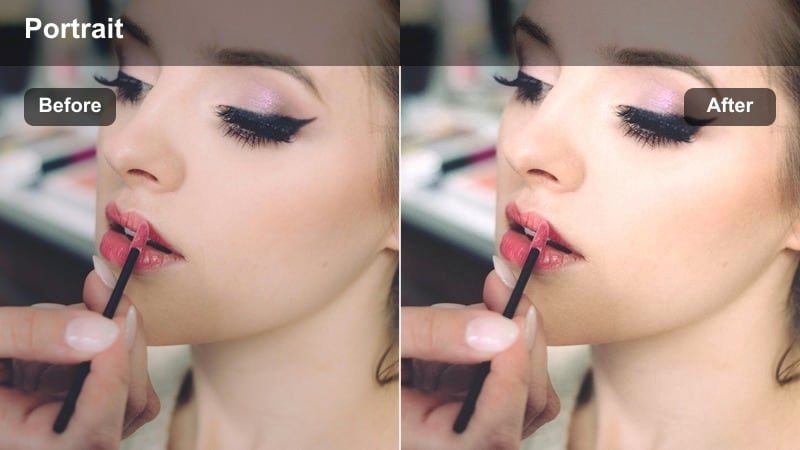
- Effect look: Rich amber highlights with soft, cool shadows for a dramatic yet inviting cinematic portrait.
- Best for: Evening conversations, intimate podcast close-ups, and character-focused storytelling pieces.
- Editing tip: Boost micro-contrast slightly after the filter to keep texture in hair and eyes while shadows stay soft.
Cinema Amber Shadow plays with complementary warmth and coolness by enriching highlights with amber tones and keeping the shadows gently cool. The result is a close-up portrait with sophisticated color contrast that feels both dramatic and inviting.
Use this filter in Filmora on dialogue scenes or podcast videos shot in dim environments, then nudge micro-contrast and sharpness around the eyes to maintain clarity. Adjust overall saturation subtly so the amber on the face remains the emotional focal point without overpowering the frame.
True-Tone Portraits in Natural Daylight
Neutral Skin Balance
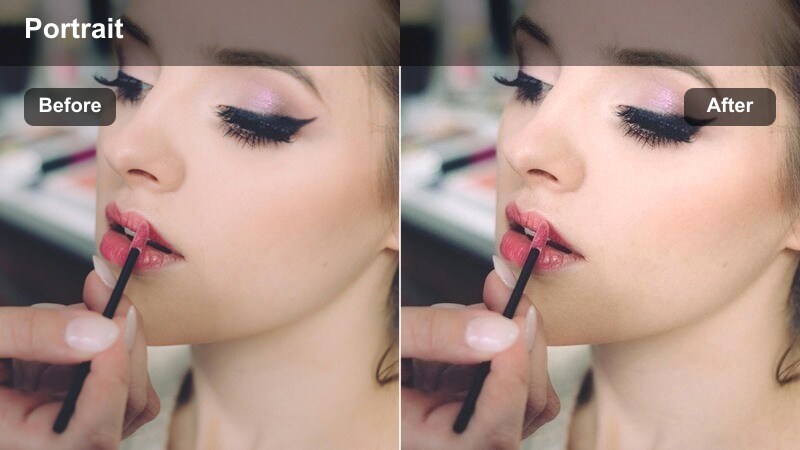
- Effect look: Clean, neutral color profile that subtly evens out skin tones while preserving natural daylight.
- Best for: Educational content, how-to tutorials, and honest, documentary-style close-up shots.
- Editing tip: Fine-tune white balance manually before using the filter so it can refine, not correct, your base color.
Neutral Skin Balance is designed to keep your portraits looking true to life while gently smoothing out small inconsistencies in skin tone. It preserves the character of natural daylight, making it ideal when authenticity and clarity matter more than heavy stylization.
In Filmora, correct exposure and white balance first, then apply the filter to tighten up skin rendering and color consistency between shots. This approach helps educational videos, interviews, and product demos feel professional and trustworthy while still flattering the on-camera talent.
Fresh Air Portrait
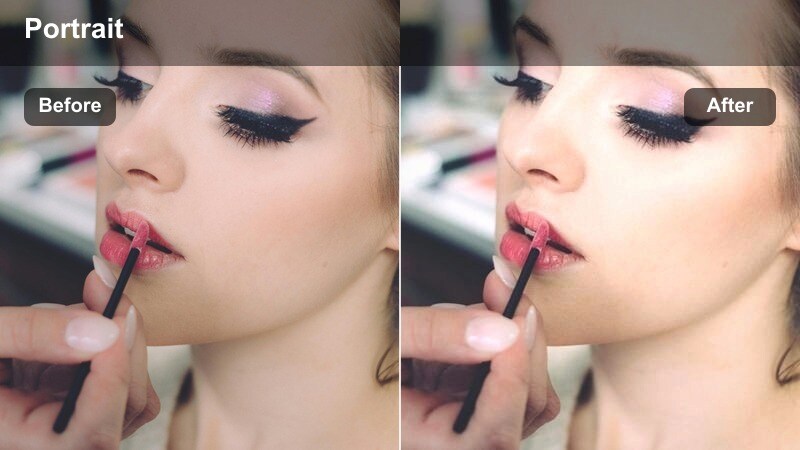
- Effect look: Crisp, cool-leaning daylight look that gently brightens close-up faces and deepens blues.
- Best for: Outdoor sit-down videos, walk-and-talk vlogs, and candid close-up shots in open shade.
- Editing tip: Reduce saturation in the blues if the sky or clothing competes with your subject's face for attention.
Fresh Air Portrait adds a subtle cool cast and a touch of brightness that makes outdoor close-ups feel clean and energetic. Blues in the sky, clothing, or background become slightly richer, while the subject's face remains crisp and well-defined.
Apply this filter in Filmora to walk-and-talk vlogs or park interviews, then manage blue saturation so background elements do not overpower the subject. A light vignette and minor exposure adjustment can further help keep the face as the natural brightest point in the frame.
Sun-Kissed Detail
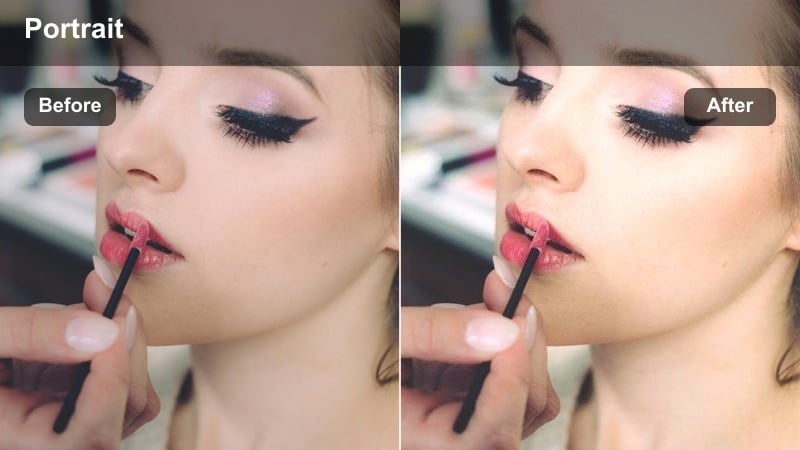
- Effect look: Gentle golden tint with extra micro-contrast that brings out freckles and facial details.
- Best for: Golden hour portraits, travel vlogs, and storytelling close ups shot in backlight or side light.
- Editing tip: Pull back saturation in the oranges if sunlit skin starts to look overly tanned or unrealistic.
Sun-Kissed Detail enhances warm highlights and fine texture, making freckles, hair strands, and subtle features pop under golden hour light. The filter adds a cinematic glow while preserving enough sharpness to keep your portraits feeling tactile and real.
In Filmora, combine this look with footage shot in backlight or side light, then fine-tune orange and yellow saturation so skin stays believable. Slightly lowering highlights while boosting midtone contrast keeps the golden rim light under control and maintains a polished, professional finish.
Stylized Influencer-Ready Portrait Looks
Influencer Soft Glam
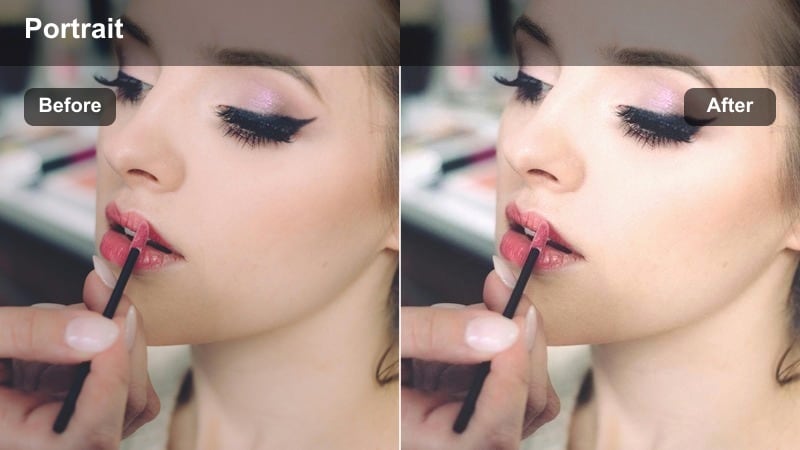
- Effect look: High-key, soft-glam filter with flattering contrast and slightly boosted saturation for skin and lips.
- Best for: Influencer intros, beauty reviews, sponsored content, and any close-Up portrait made for social feeds.
- Editing tip: Add subtle noise or film grain after the filter so the image feels premium instead of overly digital and plastic.
Influencer Soft Glam brightens your frame and lifts skin tones with polished contrast and gentle saturation, tailoring close-ups for mobile-first social platforms. It smooths the overall impression without fully hiding detail, ideal for makeup, skincare, and lifestyle content.
Within Filmora, apply this filter to vertically framed shots, then slightly increase exposure and add a touch of grain for a high-end, editorial feel. You can refine the look further with skin-softening tools and eye-sharpening masks so the subject looks glamorous yet still real on every screen size.
Studio Color Pop
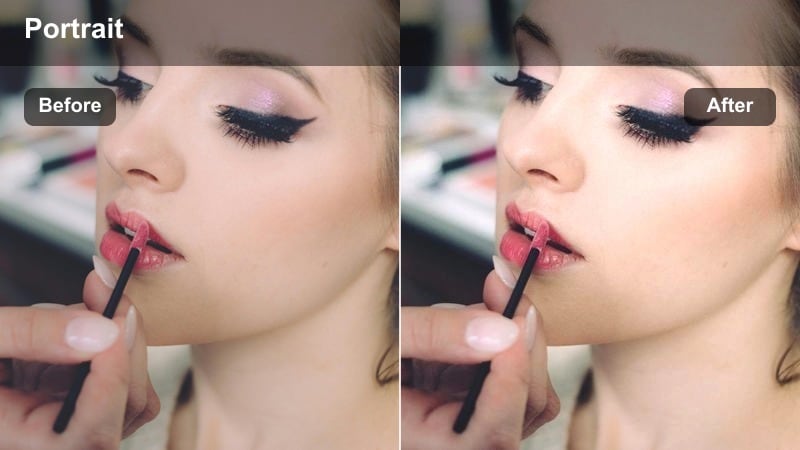
- Effect look: Punchy color treatment that deepens midtones and makes wardrobe colors pop around a clean, sharp face.
- Best for: Studio-based portrait reels, brand announcements, and close-up hooks at the start of videos.
- Editing tip: Lower saturation on the background hue if it overwhelms the face after the color boost.
Studio Color Pop intensifies wardrobe and backdrop colors while maintaining a sharp, well-defined face at the center of the frame. Deeper midtones add a sense of polish and contrast that works perfectly for bold hooks, brand reveals, and eye-catching intros.
In Filmora, apply this filter to studio-lit close-ups, then adjust HSL controls to keep your brand colors strong without stealing focus from skin tones. A slight reduction of background saturation and a small vignette ensure the viewer is always drawn to the subject's eyes and expression.
Retro Portrait Cinema
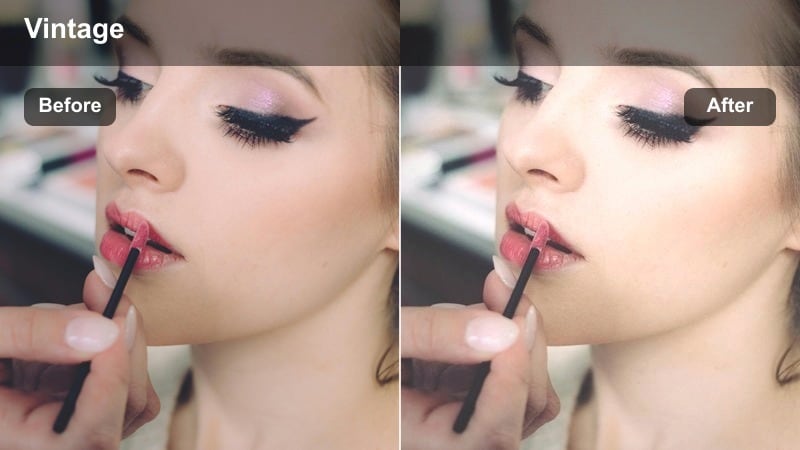
- Effect look: Soft halation-style glow with slightly shifted vintage tones for a nostalgic portrait cinema vibe.
- Best for: Throwback storytimes, reflective monologues, and stylized influencer edits with a retro twist.
- Editing tip: Lower sharpness just a touch and add a small vignette to make the retro effect feel cohesive.
Retro Portrait Cinema wraps your close-ups in a gentle glow and subtle vintage color shifts, giving them a nostalgic, film-inspired character. Highlights bloom softly while overall contrast relaxes, creating a dreamy mood suited to reflective or storytelling content.
Apply this filter in Filmora when you want a throwback or diary-like feel, then slightly reduce global sharpness and introduce a bit of grain for authenticity. Keep the eyes and mouth region clearer by using masks, so the emotional core of the performance remains crisp inside the vintage softness.
Tips for Using Close Up Portrait Cinematic Lut Filters in Filmora
- Shoot close-up portraits in soft, directional light so cinematic filters enhance your footage instead of trying to fix harsh shadows.
- Leave extra room around the face when framing so you can crop for vertical or horizontal formats without losing important details.
- Always correct exposure and white balance before applying a close up portrait cinematic LUT-style filter for more predictable results.
- Use Filmora masks to keep eyes and lips sharper than the rest of the face when working with soft, dreamy portrait filters.
- Lower filter intensity on high-resolution footage to avoid over-processing and keep skin texture looking natural.
- Experiment with stacking subtle filters and LUTs at low opacity instead of relying on a single heavy effect.
- Save your favorite portrait grades as custom presets in Filmora so you can apply a consistent look across entire series or channels.
Close up portrait cinematic LUT-inspired filters give content creators a fast way to shape mood, guide attention, and elevate the emotional impact of tight shots. With the right combination of light, framing, and grading, even simple talking-head clips can feel like scenes from a polished film.
Experiment with different combinations of filters, LUTs, and subtle masking in Filmora until you find a signature portrait look that viewers instantly recognize as yours. Once dialed in, you can apply that style consistently across interviews, vlogs, and branded content to build a cohesive visual identity.
secure download