

 100% Security Verified | No Subscription Required | No Malware


 ChatGPT
 Perplexity
 Gemini
 Claude
 Grok
Grok
If you film a lot of vlogs inside cozy cafes, you know how tricky it is to balance warm lighting, mixed color temperatures, and busy backgrounds. A dedicated coffee shop interior vlog filter can instantly give your footage a consistent, cinematic look without hours of manual color grading.
Below you will find a curated set of Filmora filters designed specifically for coffee shop interiors, from soft morning light to moody late-night edits. Use them as one-click looks or as starting points to build your own Coffee Shop Interior Vlog Filter preset for your channel.
In this article
Soft Morning Light Cafe Scenes
Warm Brunch Glow
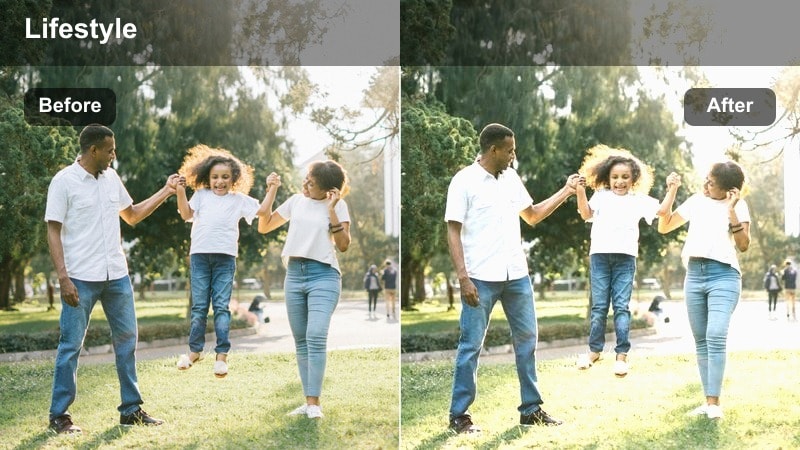
- Effect look: Soft, bright warmth that lifts exposure while keeping whites creamy for a relaxed brunch vibe.
- Best for: Vlogs shot near large front windows in the morning, latte-making B-roll, and casual talking segments.
- Editing tip: Reduce highlights slightly if your table or mugs are clipping, and add a gentle vignette to pull focus to your face.
Warm Brunch Glow is ideal when you want your coffee shop interiors to feel light, airy, and inviting without blowing out details on white mugs, plates, or tabletops. In Filmora, this filter adds a gentle lift to exposure and warmth to midtones so skin looks soft and flattering while whites stay creamy instead of harsh.
Use it as a one-click solution for morning vlogs filmed by big cafe windows, or tweak exposure and highlights first so the preset can focus on styling, not fixing, your footage. For a more cinematic look, combine it with a subtle vignette and a touch of sharpening on your face, while keeping overall contrast moderate to maintain that relaxed brunch atmosphere.
Let Filmora's AI polish your coffee shop color palette
Coffee shops mix daylight, warm bulbs, and bright signage, which can easily confuse your camera and leave your clips looking mismatched from shot to shot. Filmora's AI-powered color tools help you quickly even out exposure and color temperature before you add any creative filter.
Normalize your base look with AI, then apply your favorite Coffee Shop Interior Vlog Filter to lock in a consistent, cozy grade across your entire cafe vlog.
 secure download

Fine-tune colors with HSL controls in Filmora
After applying a coffee shop interior filter, you can use Filmora's HSL and color correction tools to selectively adjust tricky tones like orange skin or overly yellow lights. This lets you keep the cozy look of your preset while still matching the real ambience of each cafe.
Target specific hues in your latte art, wood grain, or decor so they pop just enough without breaking the overall mood you have created with your filter.
secure downloadExplore 1000+ video filters and 3D LUTs in Filmora
Beyond these coffee shop interior vlog filters, Filmora includes an extensive library of creative effects, filters, and 3D LUTs for every mood and genre. You can stack subtle film grain, vignettes, and cinematic LUTs on top of your base cafe look for even more personality.
Test different combinations on a short sequence before committing so your entire vlog series shares a polished, signature style without extra effort.
secure downloadFlat White Soft Matte
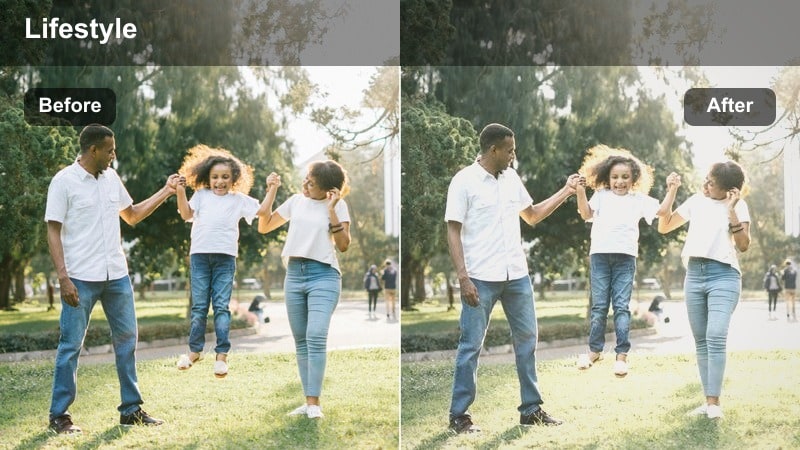
- Effect look: Low-contrast matte finish with muted highlights and pastel browns for a minimalist cafe aesthetic.
- Best for: Clean, neutral coffee shop interiors, beige or white decor, and aesthetic desk-style cafe shots.
- Editing tip: Lower saturation on any harsh color accents so the matte browns and creams stay the visual focus of the frame.
Flat White Soft Matte smooths out harsh contrast and pulls your coffee shop footage into a calm, understated palette. It works especially well in cafes with white walls, beige decor, and light wood, turning them into soft backdrops that keep attention on your face, drinks, and desk setups.
In Filmora, apply this filter after basic exposure correction, then gently reduce saturation on any stray bright colors like neon signs or bold packaging. This keeps the frame cohesive and lets the soft browns, creams, and matte finish define your channel's minimalist cafe vlog style.
Window Seat Glow
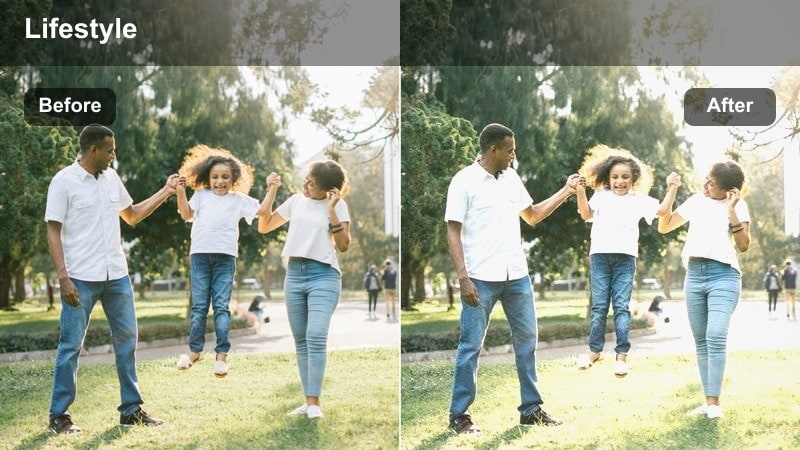
- Effect look: Gentle bloom around bright areas with slightly lifted shadows, giving a dreamy morning window-seat feel.
- Best for: Talking-head clips by the window, casual reading shots, and handheld B-roll of pouring coffee.
- Editing tip: Stabilize your clips before adding the filter so the soft bloom effect feels cinematic rather than shaky or hazy.
Window Seat Glow introduces a romantic, dreamy softness to bright areas such as windows, cups, and tabletops while lifting shadows so your features remain visible. It is great for cozy, reflective moments where you are journaling, reading, or chatting with the camera by a cafe window.
In Filmora, stabilize any handheld clips first so the glow feels intentional and cinematic, not like motion blur. Then apply the preset and, if necessary, dial down intensity slightly if ceiling lights or bright reflections start to look too hazy, adding a bit of clarity to bring back texture in hair and clothing.
Cozy Afternoon Study Vibes
Latte Studio Warmth
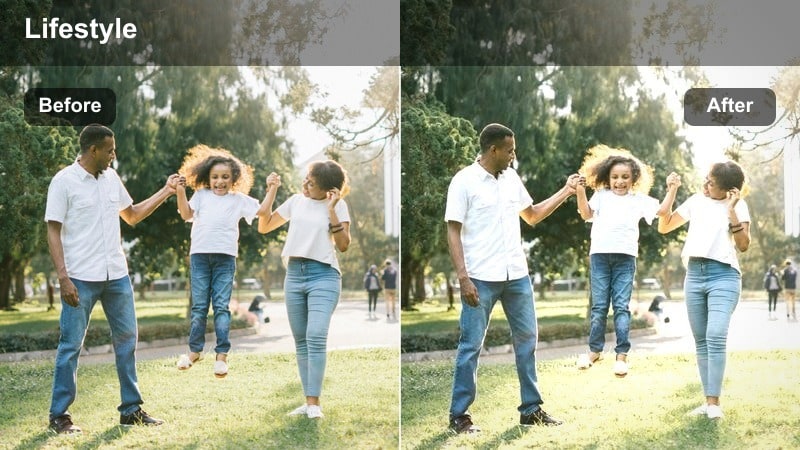
- Effect look: Rich golden warmth with deeper shadows that make laptops, notebooks, and wooden tables feel cinematic.
- Best for: Study-with-me vlogs, laptop work sessions, and long-form productivity content filmed in coffee shops.
- Editing tip: Lower the blacks just a touch for more depth, then slightly brighten midtones to keep your face readable in darker corners.
Latte Studio Warmth gives afternoon cafe sessions a cinematic, focused feeling by adding golden warmth and slightly deepening the shadows. It is perfect for productivity and study vlogs where your laptop, notes, and coffee cup are the stars of the frame, turning an ordinary table into a visually rich workspace.
In Filmora, use this filter on clips where you want to emphasize concentration and cozy ambience. Adjust black levels subtly to add depth without losing detail in dark corners, and if skin starts leaning too orange, reduce saturation in the orange range while keeping the overall warm tone that unifies your coffee shop series.
Amber Desk Focus
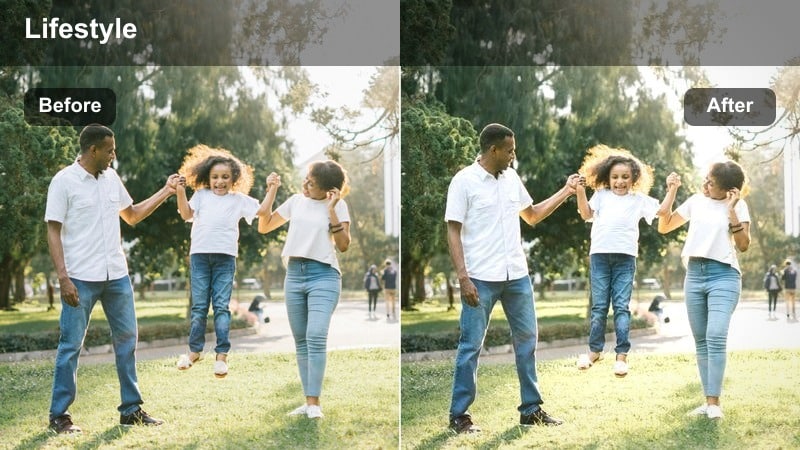
- Effect look: Selective warmth on midtones with gently darkened edges to draw the eye to your workspace setup.
- Best for: Top-down desk shots, note-taking B-roll, and product close-ups in cafe interiors.
- Editing tip: Combine this filter with a subtle vignette and sharpen only the central area for extra focus on your hands and keyboard.
Amber Desk Focus is designed to spotlight the center of your frame, making hands, notebooks, keyboards, and cups stand out against subtly darkened edges. The soft amber warmth on midtones enhances wood textures and paper while keeping the overall contrast comfortable for long-viewing productivity videos.
In Filmora, apply this filter to overhead or close-up desk shots, then add a light vignette to reinforce the natural focus zone. You can also selectively sharpen the central area using masks or adjustment layers so that pens, keys, and product details look crisp while the background fades gently into a cozy blur.
Soft Booth Contrast
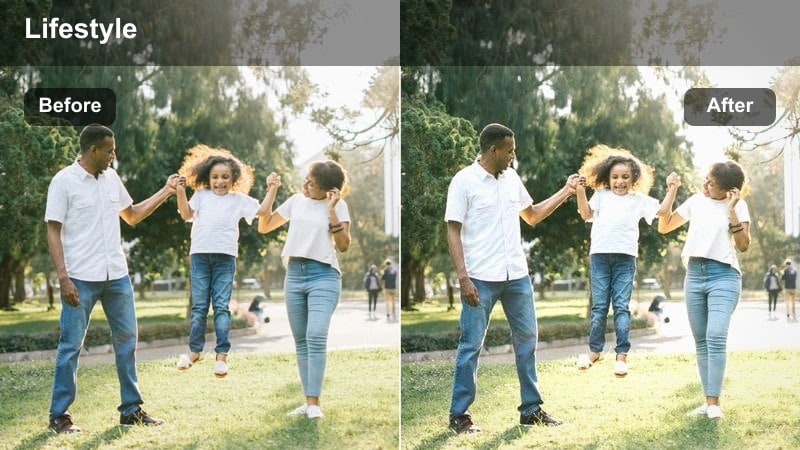
- Effect look: Gentle contrast boost with neutral color balance that keeps booth seating and interior textures clear but not harsh.
- Best for: Talking segments in booth seating, mid-day interviews, and clips with textured walls or cushions.
- Editing tip: If shadows appear too dense, lift them slightly and reduce overall contrast by 5-10 percent while keeping the filter active.
Soft Booth Contrast gives your mid-day cafe interviews and talking segments a clean, polished look by gently enhancing contrast without pushing colors too far. Textures in booth seating, walls, and cushions become more defined, helping separate you from the background while still feeling natural.
In Filmora, this filter works especially well when your lighting is already fairly even but lacks punch. Apply it, then fine-tune shadows and contrast so details in darker fabrics remain visible. Use minimal sharpening to avoid making textiles or hair look crunchy, and combine with light noise reduction if your booth area is dim.
Moody Evening Coffee Shots
Tungsten Night Amber
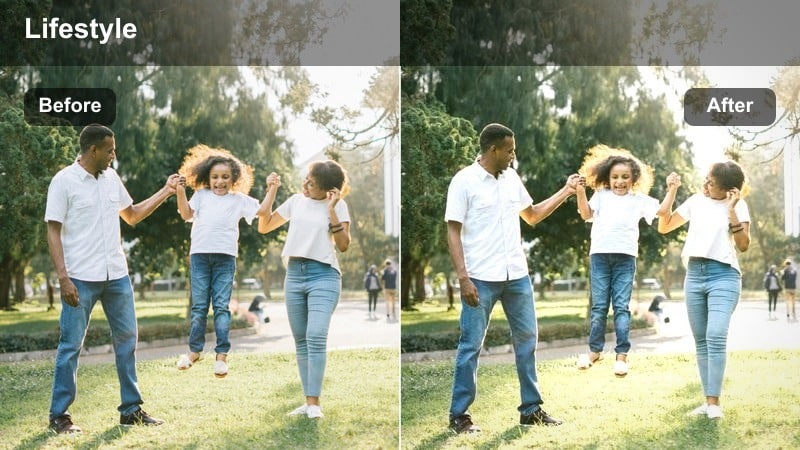
- Effect look: Deep amber tones with softly crushed blacks that turn dim tungsten cafe lighting into a cinematic evening glow.
- Best for: Night vlogs, low-light B-roll, and intimate storytime sessions in warm, dim coffee shops.
- Editing tip: If your footage is too noisy, reduce ISO in-camera and apply a touch of Filmora noise reduction before this filter.
Tungsten Night Amber transforms standard warm bulbs into rich, cinematic pools of light, ideal for late-night chats and moody b-roll. The filter deepens blacks while bathing midtones and highlights in amber, giving your evening cafe scenes a cozy but dramatic feel.
In Filmora, apply this preset to clips that are properly exposed or slightly bright to maintain cleaner shadows. Add mild noise reduction before the filter if you shot at high ISO, then let the preset handle the mood by darkening blacks. This workflow keeps your night vlogs looking intentional and filmic rather than simply underexposed.
Espresso Noir Matte
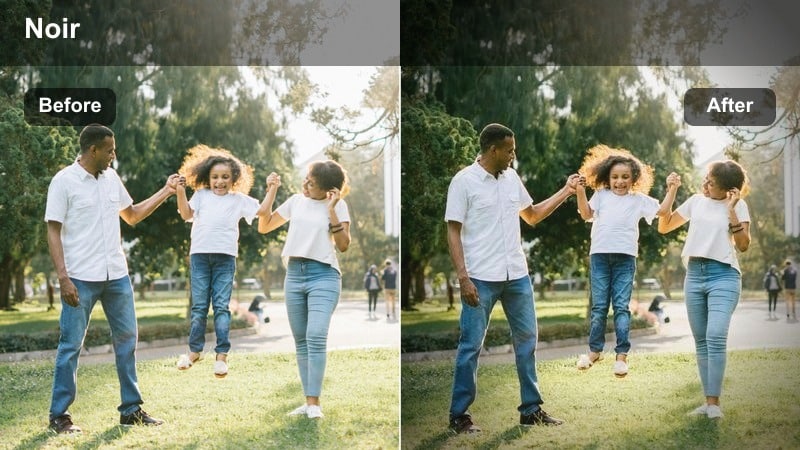
- Effect look: Cinematic, low-saturation look with matte blacks and slight cool shadows mixed with warm highlights for contrast.
- Best for: Story-driven vlogs, reflective monologues, and moody walk-into-the-cafe sequences at night.
- Editing tip: Reduce overall saturation a bit more if your cafe has strong colored decor that distracts from your storytelling.
Espresso Noir Matte leans into cinematic drama by combining warm highlights with cooler shadows and matte blacks, creating a subtle teal-and-orange contrast in a low-saturation style. It is suited to narrative sequences, reflective monologues, or any moment where you want the cafe to feel like a movie set.
In Filmora, use this filter on well-framed shots with intentional negative space and side lighting to emphasize the mood. If bright colored decor pulls attention, lower overall saturation slightly and fine-tune individual hues so your face and the pools of warm light remain the central focus of the scene.
Neon Window Reflection
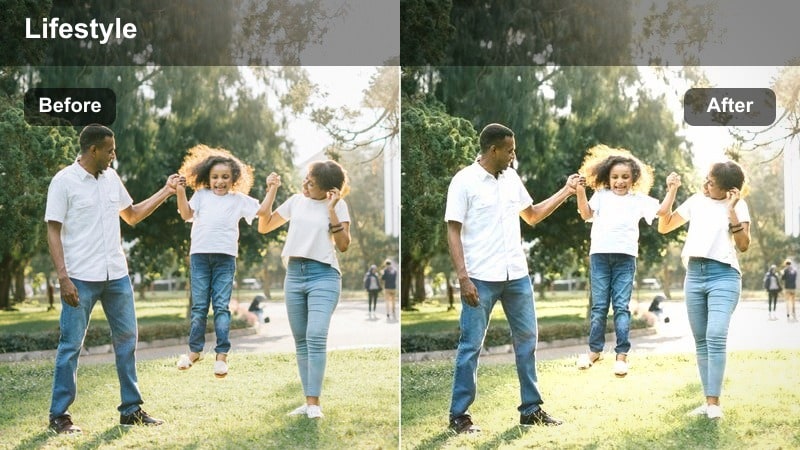
- Effect look: Subtle teal in shadows with boosted warm highlights that emphasize neon signs and street reflections on cafe windows.
- Best for: Shooting from inside the cafe toward the street, capturing reflections, signs, and night traffic light bokeh.
- Editing tip: Increase saturation slightly on blues and cyans if your street lights or signs look too flat after applying the filter.
Neon Window Reflection is built for night shots that look out toward the street, where passing cars, signs, and city lights create bokeh and reflections on the glass. The filter adds a teal tint to shadows and boosts warm highlights, making neon details pop without overpowering your face.
In Filmora, position yourself so reflections and light trails overlap your silhouette, then apply this preset to enhance those layered visuals. If blues and cyans feel dull, increase their saturation slightly in the color panel, and adjust contrast so reflections stay visible while your features remain clearly readable inside the cafe.
Brand-Consistent Channel Looks
Signature Coffee Journal
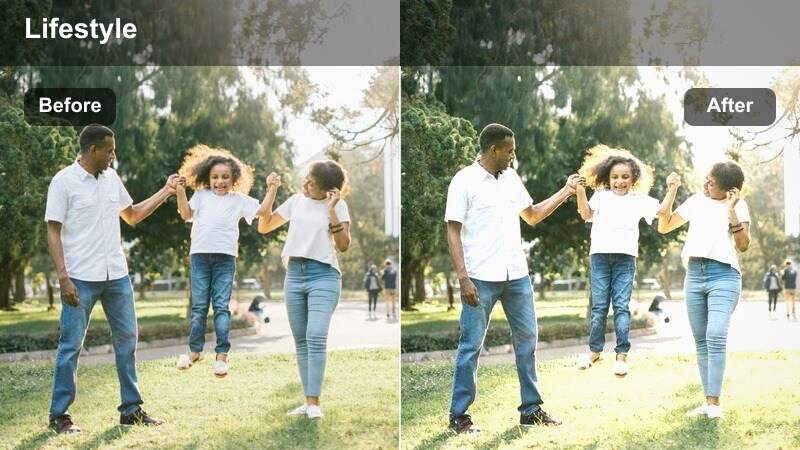
- Effect look: Balanced warmth, soft contrast, and natural skin tones designed to be a flexible everyday coffee shop vlog base.
- Best for: Creators who vlog from different cafes but want a consistent, repeatable look across all episodes.
- Editing tip: Save this filter with your own exposure tweaks as a custom preset in Filmora and apply it to every new cafe vlog first.
Signature Coffee Journal is a versatile base filter that gently warms your footage, softens contrast, and preserves natural skin tones. It is designed for creators who film in many different cafes but still want a recognizable, cohesive look across their upload schedule.
In Filmora, apply this preset as your first creative grade after basic correction, then adjust exposure and white balance per clip. Save the result as your own Coffee Shop Interior Vlog Filter preset so every new episode starts from the same visual foundation, reinforcing your channel's identity over time.
Creator Cafe Neutral
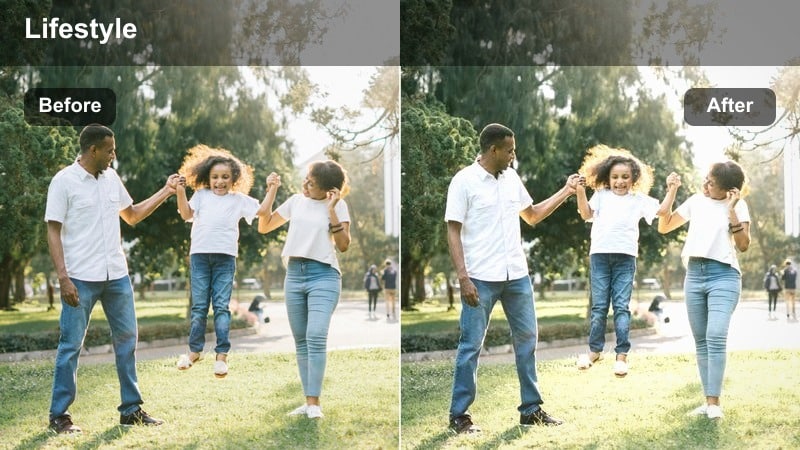
- Effect look: Clean, neutral color grade with gentle midtone lift that keeps different cafe color schemes accurate but flattering.
- Best for: Brand partnerships, product features, and sponsorship segments filmed in coffee shops where color accuracy matters.
- Editing tip: Check white balance on your skin and props first, then apply this filter so it enhances rather than fights your base correction.
Creator Cafe Neutral focuses on accurate, flattering color rather than heavy stylization, making it ideal for sponsored segments, product showcases, and branded content. Midtones get a subtle lift so faces and products stay bright and clear, while cafe decor is rendered true-to-life.
In Filmora, correct your white balance and exposure before adding this filter to avoid any color clashes with brand assets or packaging. After applying the preset, verify that logos, product colors, and your overlays match your style guide, adjusting individual color channels only as needed to maintain viewers' trust and sponsor expectations.
Channel Intro Cafe Cinematic
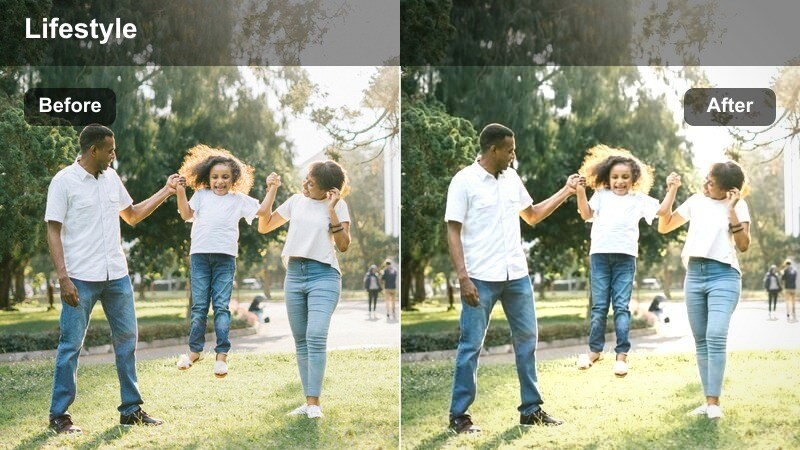
- Effect look: Slightly cooler shadows, warm highlights, and crisp contrast tuned for opening montages and channel intro sequences.
- Best for: Opening sequences, b-roll montages of making coffee, and quick cuts showing different coffee shop corners.
- Editing tip: Cut to the beat and use speed ramping in Filmora while this filter is applied to make your cafe intro feel energetic and polished.
Channel Intro Cafe Cinematic is tailored for fast-paced montages and intros that mix shots of pouring coffee, entering the cafe, and quick glimpses of the interior. It uses cooler shadows and warm highlights with crisp contrast to create an energetic, polished opening that grabs attention.
In Filmora, apply this filter to a short sequence of b-roll clips, then edit to the beat of your intro music using jump cuts and speed ramps. Consider adding a cinematic aspect ratio bar overlay and motion graphics on top, saving the whole intro as a reusable template so every vlog can open with the same professional cafe montage.
Tips for Using Coffee Shop Interior Vlog Filter Filters in Filmora
- Lock your white balance in-camera when filming in coffee shops so your Coffee Shop Interior Vlog Filter stays consistent between angles.
- Shoot slightly flatter and a bit brighter than you want the final image, then let the filter add contrast and mood in Filmora.
- Capture a quick reference clip in each new cafe you visit and test a few filters on it before filming your full vlog.
- Use a simple color card or a plain white napkin at your table to help you correct any extreme color casts before applying presets.
- Keep ISO as low as possible in dim cafes so moody evening filters do not exaggerate noise in the shadows.
- Save your favorite coffee shop grades as custom presets in Filmora to speed up editing and keep your channel visually consistent.
- Test filters on both talking-head and b-roll clips to make sure the look works well across different types of shots.
With the right coffee shop interior vlog filter, you can turn mixed cafe lighting and busy backgrounds into a consistent, cinematic look that fits your channel.
Save your favorite Filmora presets, test them on a few different cafes, and you will quickly build a recognizable visual style that viewers associate with your coffee-fueled stories.
secure download