

 100% Security Verified | No Subscription Required | No Malware


 ChatGPT
 Perplexity
 Gemini
 Claude
 Grok
Grok
Turn your everyday clips into cinematic stories with a dedicated Daily Routine Cinematic LUT filter set designed for content creators who film real life as it happens.
From slow mornings and work-from-home scenes to gym check-ins and night routines, these Filmora-friendly filters keep your daily footage consistent, polished, and ready to post in minutes.
In this article
Soft Morning Light & Wake-Up Routines
Warm Sunrise Glow
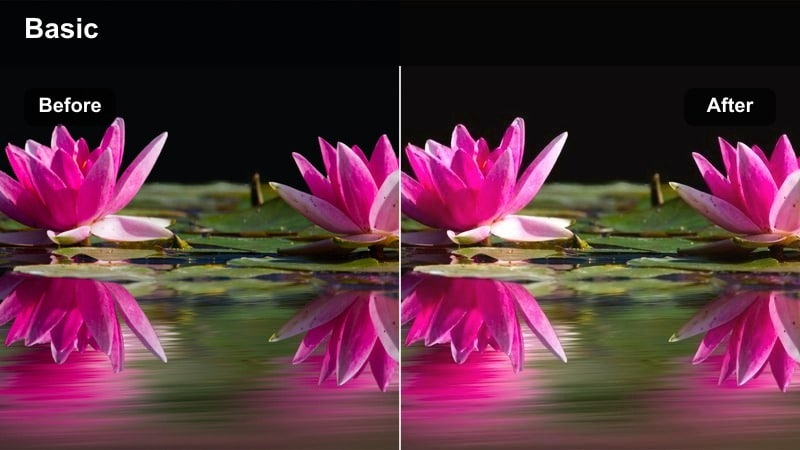
- Effect look: Soft, golden, low-contrast morning warmth that mimics first light through a window.
- Best for: Bedside shots, making coffee, journaling, and quiet early morning b-roll.
- Editing tip: Slightly lower highlights and bump saturation +5 to keep skin tones flattering without looking orange.
Warm Sunrise Glow wraps your morning clips in gentle, cinematic warmth that feels like real sunrise light. In Filmora, this LUT smooths out harsh shadows and adds a soft golden cast that flatters skin tones, bedding, and wood textures without pushing colors into an unrealistic orange.
Apply it to wake-up shots, cozy coffee angles, and slow pan b-roll to instantly unify your morning sequence. You can fine-tune exposure with Filmora s basic color tools, then save the combination as a preset so every new morning vlog starts with the same inviting, on-brand look.
Match Your Daily Routine Aesthetic with AI Color Tools
Pair your favorite daily routine cinematic LUT with Filmora s AI color tools to keep every scene, from wake-up to wind-down, visually consistent. AI color matching analyzes a reference clip and automatically adjusts other shots to share the same mood and tone.
This is especially useful when your daily vlogs are filmed across multiple days, cameras, or lighting conditions. Instead of manually chasing color shifts, you can let AI quickly align everything to your chosen morning or evening aesthetic.
 secure download

Preview Daily Routine Filters in Real Time
Filmora s real-time preview lets you quickly scroll through multiple daily routine LUTs on a single clip and immediately see which one fits your story. You can audition soft morning looks, neutral workday tones, or cozy evening filters without committing.
By testing several options on the same footage, you get a clear sense of how each filter interacts with your lighting, wardrobe, and background, helping you lock in a style that matches your music and pacing.
secure download1000+ Video Filters and 3D LUTs
Beyond daily routine LUTs, Filmora includes a large library of filters, looks, and 3D LUTs you can stack to design a unique vlog style. Mix cinematic color grades with subtle film grain, light leaks, or glow effects to build a signature aesthetic.
Once you find a combination that fits your channel, save it as a custom preset so every future daily vlog can match in just a few clicks, keeping your brand consistent across all uploads.
secure downloadClean Minimal Morning
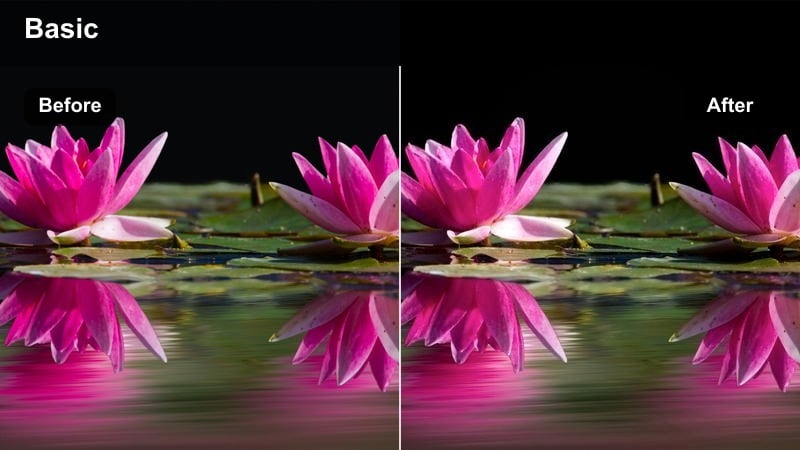
- Effect look: Bright, airy whites with soft contrast for a minimalist, lifestyle aesthetic.
- Best for: Making the bed, skincare routines, and tidy apartment walkthroughs.
- Editing tip: Increase exposure slightly and reduce clarity or sharpness to keep the image smooth and gentle.
Clean Minimal Morning is perfect for creators who love tidy, magazine-style morning visuals. The LUT brightens whites, softens contrast, and gently mutes distractions so clean lines, neutral decor, and skincare details look polished but still natural.
In Filmora, apply this filter across all your bedroom and bathroom clips to give viewers a cohesive, fresh start-of-day feeling. Pair it with slower camera moves and gentle transitions, then save the grade as a preset to quickly match future morning routines to the same calm, editorial mood.
Foggy Coffee Intro
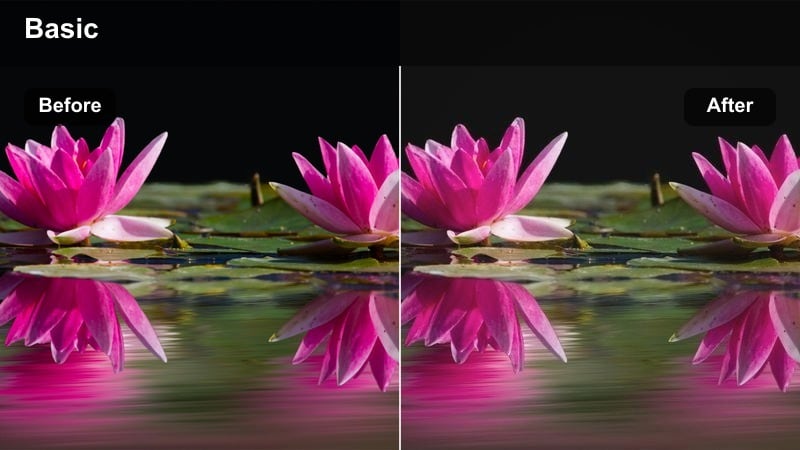
- Effect look: Muted tones with a slight fade and cool shadows for a moody early-start vibe.
- Best for: Pour-over coffee, desk setups, and moody pre-sunrise clips.
- Editing tip: Lower contrast gently and add a touch of vignette to draw focus to the center of the frame.
Foggy Coffee Intro gives your earliest clips a cinematic, slightly nostalgic tone, perfect for days that start before sunrise. The LUT cools shadows, softens highlights, and adds a faded feel that makes steam, reflections, and small details stand out.
Use it in Filmora on close-ups of coffee pours, quiet kitchen counters, and dim desk setups to create a film-like opening sequence. With a subtle vignette and stabilized footage, your simple morning routine becomes a mood-setting intro that hooks viewers immediately.
Workday, Commute, and Productivity Focus
Desk Setup Cinema
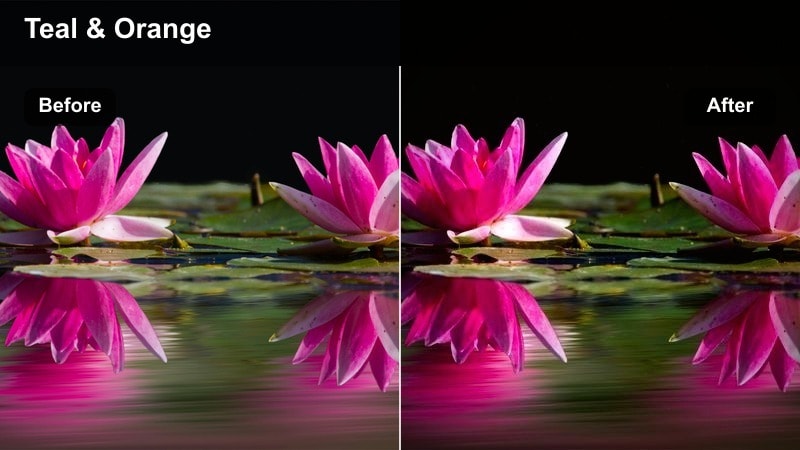
- Effect look: Balanced, neutral cinematic contrast with clean whites and subtle teal shadows.
- Best for: Work-from-home desk scenes, typing shots, and screen-focused sequences.
- Editing tip: Reduce saturation of blues slightly to avoid oversaturated screens and keep the frame easy on the eyes.
Desk Setup Cinema adds a modern, commercial-style finish to your workday clips. Whites stay clean, skin tones remain accurate, and subtle teal shadows bring a cinematic polish that feels like a tech ad rather than a casual vlog.
Apply it in Filmora to all of your laptop, keyboard, and mouse movement shots so your productivity sequences feel intentional and branded. If your monitor looks too intense, use the color controls to pull back saturation in the blue channel while keeping the LUTs contrast curve intact.
City Commute Soft
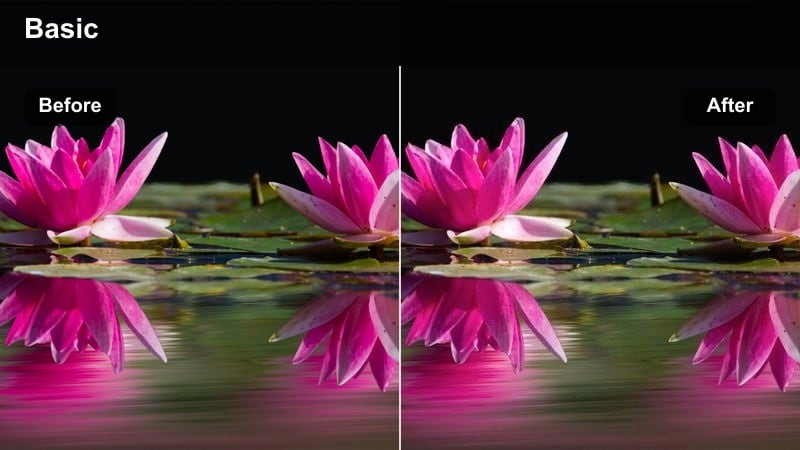
- Effect look: Soft, slightly cool tones with gentle highlight roll-off for on-the-go shots.
- Best for: Walking through streets, bus or train rides, and bike commutes.
- Editing tip: Stabilize handheld footage and add a small amount of motion blur to enhance the cinematic travel feel.
City Commute Soft is designed to smooth out the chaos of real-world movement while keeping your colors cohesive. It adds a mild cool shift and softens bright skies, glass reflections, and pavement so the viewer focuses on your journey, not blown-out highlights.
In Filmora, combine this LUT with stabilization and gentle motion blur for walking, transit, and cycling clips. By applying it to every commute segment, you can cut quickly between locations while maintaining a relaxed, unified urban aesthetic across your vlog.
Productive Afternoon Neutral
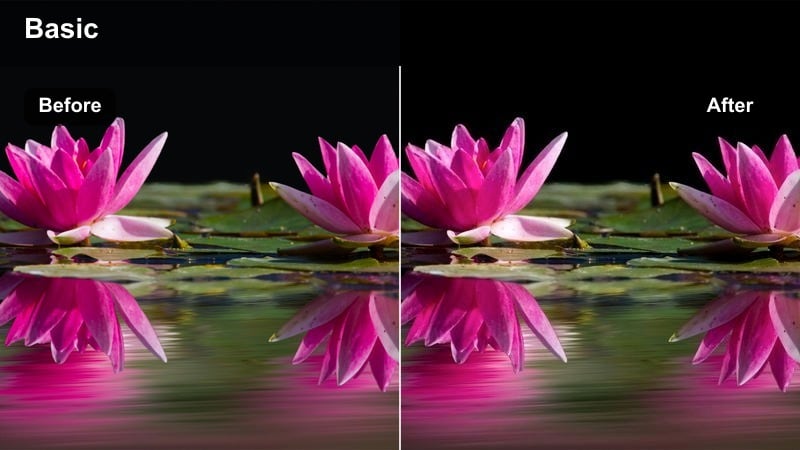
- Effect look: True-to-life color with a slight cinematic curve that keeps skin and paper tones accurate.
- Best for: Planning sessions, writing, remote meetings, and realistic day-in-the-life segments.
- Editing tip: Use subtle color adjustments only; let the filter carry most of the look to keep your workflow fast.
Productive Afternoon Neutral is ideal when you want your footage to look honest and documentary-style, but still polished. It preserves natural colors in notebooks, screens, and faces while gently shaping contrast for a cinematic feel.
Use this LUT across your mid-day planning, studying, and call clips in Filmora to keep color grading minimal and efficient. Because the look is subtle, you can batch-apply it, make minor global tweaks to exposure, and move straight into cutting and storytelling.
Movement, Errands, and Self-Care Moments
Gym Boost Contrast
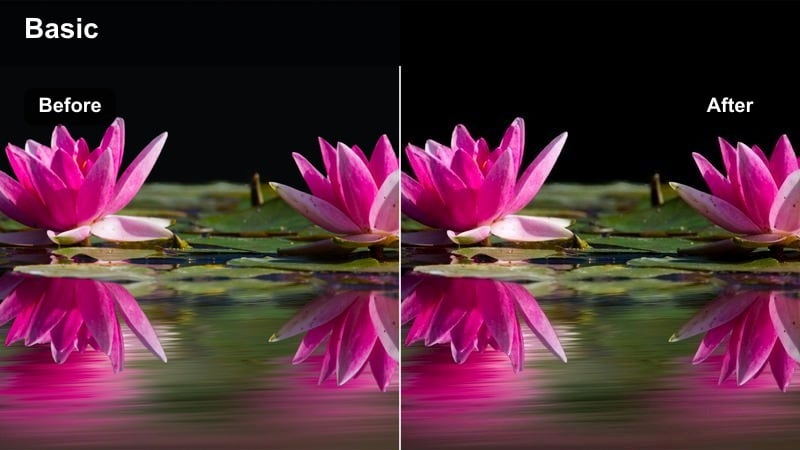
- Effect look: Punchy contrast with deeper shadows and slightly cooler tones that emphasize energy.
- Best for: Gym clips, outdoor runs, stretching routines, and active daily check-ins.
- Editing tip: Increase contrast slightly and use speed ramps on small movements to highlight effort and intensity.
Gym Boost Contrast is built to make every rep and sprint feel more powerful on screen. The LUT deepens shadows, sharpens perceived detail, and shifts tones a touch cooler, echoing the look of athletic and fitness campaigns.
In Filmora, apply it across your workout sequences, then add speed ramps and beat-synced cuts to emphasize effort. Use this LUT on both indoor gym shots and outdoor runs to visually tie your fitness story together, even when the lighting conditions change.
Errand Day Handheld
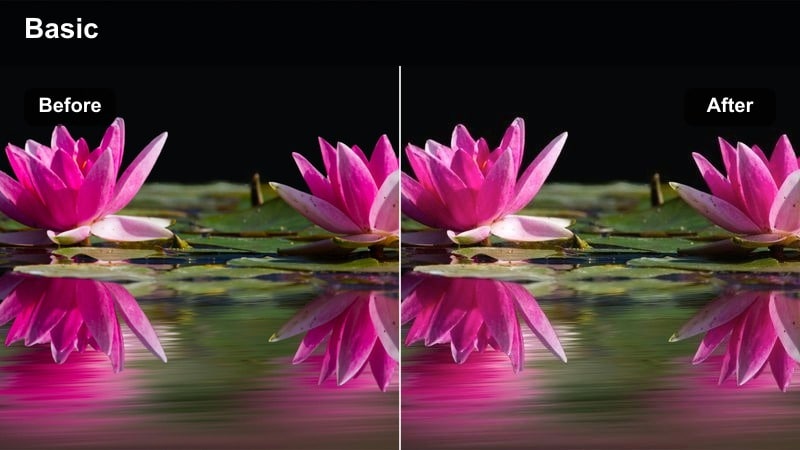
- Effect look: Slightly desaturated tones with a soft film-like grain feel for casual moments.
- Best for: Grocery runs, quick stops in the city, car dashboard clips, and everyday b-roll.
- Editing tip: Keep shutter speed at double frame rate and apply subtle stabilization to make handheld shots look intentional.
Errand Day Handheld adds a relaxed, documentary-style finish to the most ordinary parts of your day. With muted colors and a gentle, filmic softness, it turns quick grab shots and car-window views into cohesive b-roll that bridges your main scenes.
Use it in Filmora whenever you cut to handheld clips of shopping, driving, or walking into stores. By keeping saturation slightly lower across these segments, your vlog feels grounded and cinematic without overwhelming viewers with constant high-intensity color.
Slow Self-Care Evening
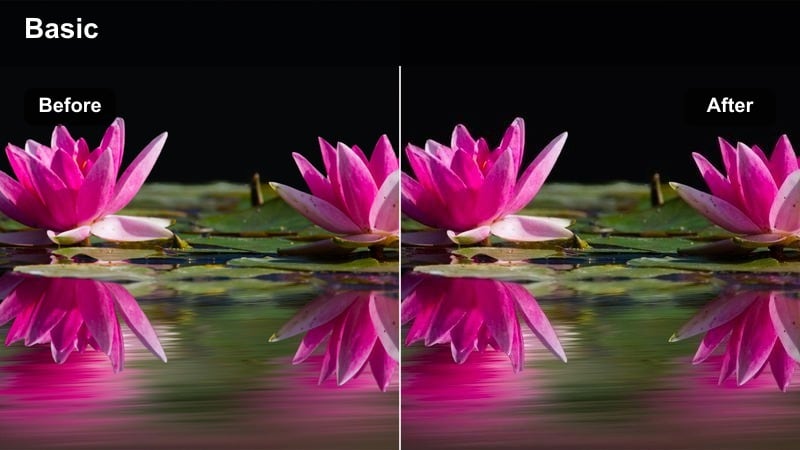
- Effect look: Warm, low-contrast tones with slightly lifted blacks for a relaxed, cozy mood.
- Best for: Skincare, reading on the couch, stretching, and calm solo time.
- Editing tip: Lower sharpness and add slow push-in keyframes to create gentle, soothing motion.
Slow Self-Care Evening wraps your night routine in soft, comforting warmth. The LUT lowers contrast and lifts blacks, smoothing harsh shadows and giving your clips a dreamy, end-of-day glow that feels intimate and restful.
In Filmora, apply it to skincare, reading, and stretching segments, then use slow zooms and longer crossfades to mirror the calm energy of the grade. Keeping this look reserved for your quieter moments helps viewers feel the transition from busy to slow within a single vlog.
Night Routine and Wind-Down Cinematic Looks
Blue Hour Transition
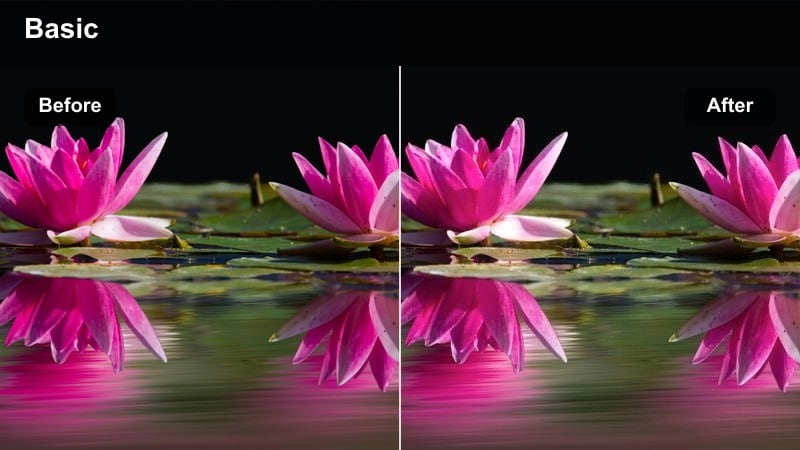
- Effect look: Cool, cinematic blues with gentle contrast for the shift from day to night.
- Best for: City window views, evening walks, and closing laptop shots as daylight fades.
- Editing tip: Expose slightly brighter in-camera, then let the filter pull tones cooler for a natural dusk atmosphere.
Blue Hour Transition is made to capture that short, cinematic window when the sky turns deep blue and city lights start to glow. The LUT cools overall tones, especially in shadows and skies, while maintaining soft contrast so dusk feels calm, not harsh.
Use it in Filmora on skyline views, balcony shots, and end-of-work moments like shutting a laptop. By putting this LUT on a short sequence of clips, you can visually mark the shift from day into night in your daily vlog without saying a word.
Cozy Lamp Glow
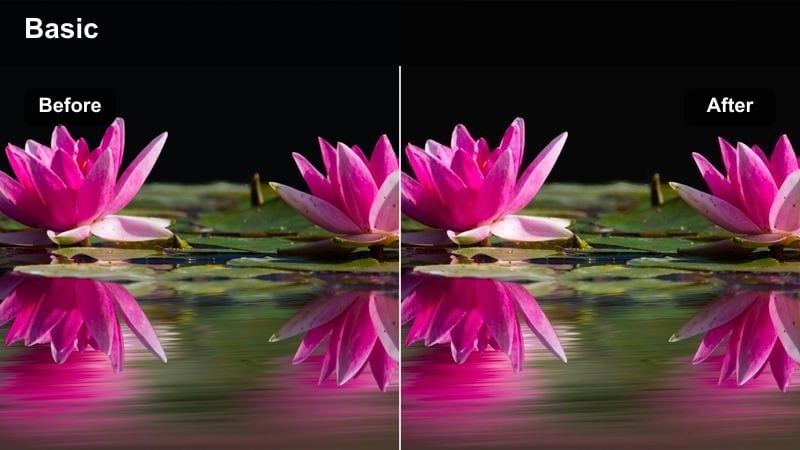
- Effect look: Rich, warm oranges and balanced midtones for intimate indoor evenings.
- Best for: Bedtime reading, late-night editing, and winding down in the living room.
- Editing tip: Drop highlights slightly and add a touch of vignette to keep attention on faces and hands.
Cozy Lamp Glow leans into warm, lamp-lit nights by enriching oranges and gently balancing midtones. It makes bedside tables, blankets, and book pages feel cinematic yet safe, like a quiet scene from a story-driven film.
In Filmora, apply this LUT to clips where lamps or candles are visible in frame, then slightly dim the highlights so the glow does not overpower your subject. A light vignette around the edges will further guide the viewer s eye toward faces and hands as you close out the day.
Late Night Desk Cool
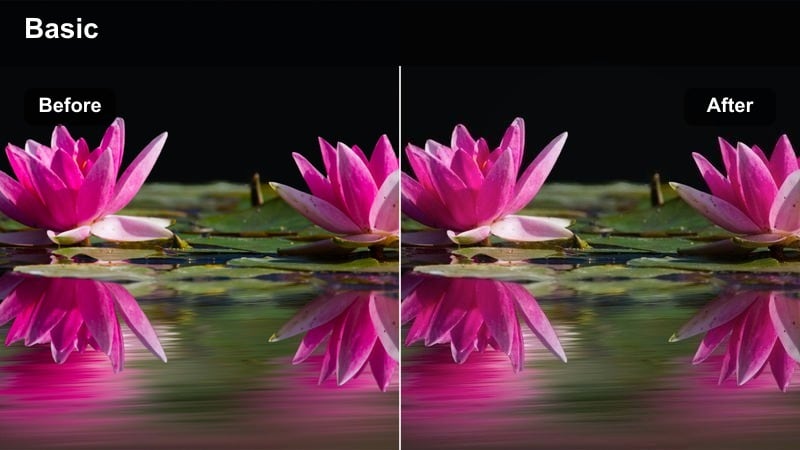
- Effect look: Cool, slightly desaturated tones with subtle contrast for focused late-night work.
- Best for: Late editing sessions, coding, or studying clips lit by screens and small lamps.
- Editing tip: Keep exposure darker than daytime scenes and add slight noise reduction to manage low-light grain.
Late Night Desk Cool captures the focused, solitary feel of working by screen light after dark. The LUT cools down tones, tames saturation, and adds just enough contrast to keep your subject defined without lifting the whole scene too bright.
Apply it in Filmora to computer, tablet, and notebook clips filmed at night, and keep the overall exposure lower than your daytime footage to maintain the mood. With a bit of noise reduction on high-ISO shots, your late-night productivity segments will look clean, calm, and cinematic.
Tips for Using Daily Routine Cinematic Lut Filters in Filmora
- Plan a few repeatable shots for each part of your day so your daily routine cinematic LUT filters have consistent compositions to work with.
- Lock white balance and exposure in-camera whenever possible to make your LUT filters look cleaner and reduce the need for heavy corrections.
- Batch-apply the same filter to similar scenes, like all morning clips or all night clips, to keep the color story of your daily vlog cohesive.
- Use slower, smoother camera movements for soft, cinematic filters and pair fast handheld shots with higher-contrast, punchier LUTs.
- Record natural ambient sounds from each location and layer them under music so your cinematic grades still feel grounded in real life.
- Save your favorite LUT plus exposure combo as a custom preset in Filmora so you can apply your daily routine look to new projects in seconds.
- Preview several LUTs in real time on the same clip to quickly compare how each one supports your vlog s pacing and narrative.
- Mix no more than two or three core looks per video morning, day, and night to avoid visual overload and keep your style recognizable.
With a focused set of daily routine cinematic LUT filters, you can turn simple everyday clips into a cohesive story that feels intentional and on-brand. The right morning, workday, and night looks help your viewers instantly understand where they are in your day without extra explanation.
Choose one or two core looks for morning, day, and night, save them as Filmora presets, and apply them across your vlogs to build a recognizable daily routine aesthetic. Use these filters to enhance the natural mood of your routines, not hide them, so your audience feels like they are really there with you from wake-up to wind-down.
secure downloadNext: Simple Living Vlog Filter Ideas for Calm, Minimal Aesthetics
