

 100% Security Verified | No Subscription Required | No Malware


 ChatGPT
 Perplexity
 Gemini
 Claude
 Grok
Grok
If you love the clean, glass-and-steel look of a downtown office district LUT, these Filmora filters will help you give any city footage the same polished, cinematic vibe without complex color grading.
Designed for content creators filming in urban streets, corporate offices, and co-working spaces, these presets balance cool tones, crisp contrast, and subtle highlights so your city stories always feel sharp and professional.
In this article
Glass Towers and Morning Commute
Steel Blue Commuter
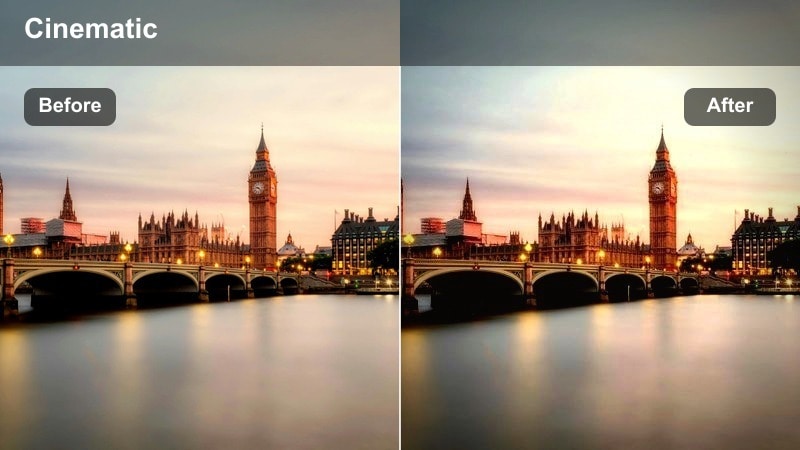
- Effect look: Cool, desaturated office district vibe that leans into steel and glass reflections while keeping skin tones natural.
- Best for: Morning commute B-roll, walking-and-talking intros near skyscrapers, and corporate vlog openers.
- Editing tip: Lower saturation slightly and add a subtle vignette to keep focus on the subject against busy city backgrounds.
Steel Blue Commuter gives your footage the crisp, metallic feel of a downtown office district LUT, ideal for early-morning street shots surrounded by glass and steel. The cool midtones and controlled saturation help streets, towers, and reflections feel unified while preserving believable skin tones for on-camera hosts and clients.
In Filmora, apply this filter to your A-roll intros and cutaway commute B-roll, then fine-tune exposure so faces stay readable against bright sky and windows. If the scene feels overly busy, combine the filter with a soft vignette and a touch of blur or bokeh effects on the background to keep the viewer locked on your subject as they move through the business district.
Match Your Downtown Office District LUT with AI Color Tools
If you already rely on a custom downtown office district LUT in other software, Filmora's AI color tools make it easy to get a similar look with these filters. You can quickly align temperature, contrast, and saturation so your glass and steel shots feel consistent across platforms.
Drop in a reference clip, enable your preferred filter, and then use AI-driven adjustments to nudge tones until city reflections, office interiors, and skin tones closely match your existing brand visuals.
 secure download

Preview Filters on Real Office District Footage
Before committing to a full grade, test these downtown office filters on a few seconds of real footage from your route, lobby, or boardroom. Switching filters in Filmora's preview lets you see how each preset handles glass reflections, crosswalk lines, and skyline details.
Compare how skin tones look in sun, shade, and artificial office light while you cycle through options, then lock in a small set of favorites you can use across your entire edit.
secure download1000+ Video Filters and 3D LUTs
Filmora includes a large library of filters and 3D LUTs so you can go beyond a single downtown office district LUT and build a complete visual system for your channel. Combine these office-inspired looks with cinematic, lifestyle, or creator presets to cover every scene from commute to client pitch.
If you want even more control, stack LUTs lightly over your favorite filters and adjust intensity until your footage feels polished but not over-processed.
secure downloadSunrise Lobby Glow
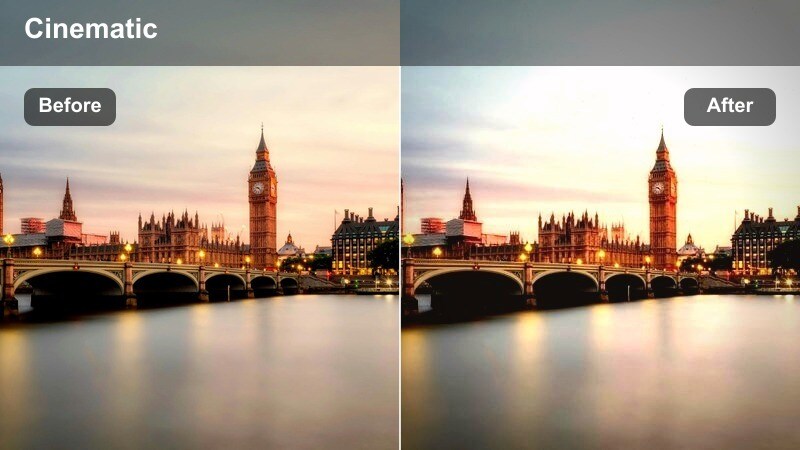
- Effect look: Soft golden highlights with clean shadows that turn glass lobbies and reception areas into warm, welcoming spaces.
- Best for: Office building entrances, lobby walkthroughs, and establishing shots of corporate interiors shot in the morning.
- Editing tip: Add a slight highlight roll-off and reduce contrast if windows are blowing out, keeping detail in glass reflections.
Sunrise Lobby Glow wraps your lobby and reception shots in a gentle warmth while preserving the modern, sharp feel of a downtown office district LUT. The filter smooths bright sunbeams coming through glass walls and softens the contrast between interior shadows and exterior highlights.
In Filmora, use this filter as your go-to for welcoming intros, brand arrivals, or elevator exits into a lobby. If your windows clip to pure white, bring highlights down and reduce contrast a touch, then layer in gentle camera moves or speed-ramped walkthroughs for an inviting, cinematic entrance to your story.
Metro Entry Cool Contrast
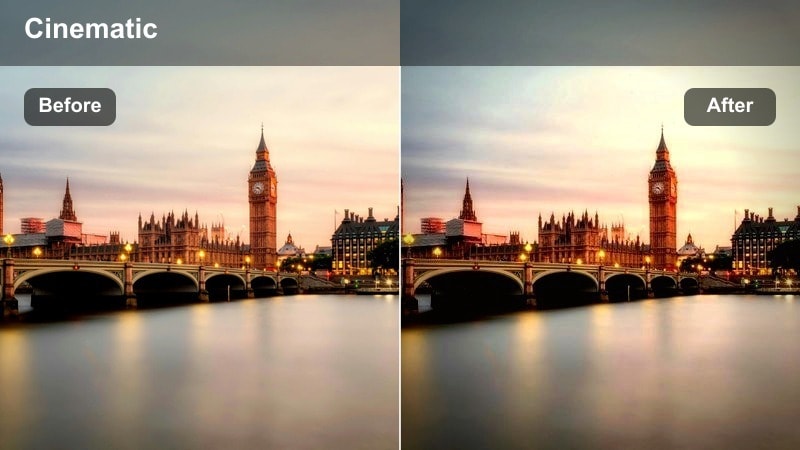
- Effect look: Punchy contrast with cool midtones that make metro station entrances and street-level offices feel sleek and modern.
- Best for: Street-level entrances, escalators to underground transit, and dynamic B-roll of people moving through the district.
- Editing tip: Dial down clarity slightly if the scene feels too crunchy, especially when there are many tiny details like tiles or railings.
Metro Entry Cool Contrast is designed to emphasize lines, edges, and movement around metro entrances, escalators, and busy building fronts. The cool palette and stronger contrast help concrete, glass, and metal structures feel precise and urban, enhancing that corporate city rhythm.
Apply this filter to fast-paced B-roll in Filmora, such as escalator rides, station exits, or quick cuts of commuters. If your footage includes lots of fine detail like tiles or railings, slightly lower clarity or sharpness so the image remains punchy without becoming visually harsh, and consider adding speed ramps or whip transitions to amplify the energy.
Open-Plan Offices and Meeting Rooms
Boardroom Neutral Pro
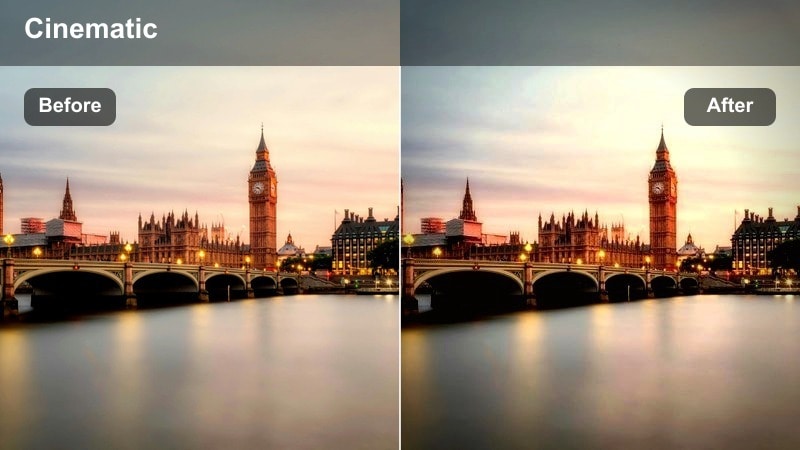
- Effect look: Balanced neutral contrast with slightly cool shadows that give meeting rooms a clean, corporate finish.
- Best for: Client meetings, team discussions, and talking-head videos filmed in conference rooms or glass-walled offices.
- Editing tip: Lift the blacks gently to avoid harsh shadows on faces, especially if you are using strong overhead lighting.
Boardroom Neutral Pro keeps your meeting and conference room footage looking polished and color-accurate, ideal when you want a straightforward downtown office district LUT feel without strong stylistic pushes. The slightly cool shadows keep the scene feeling modern, while neutral midtones help presentations, whiteboards, and documents remain readable.
In Filmora, apply this filter across all angles of the same meeting so your multi-camera edit looks consistent. If harsh downlights create dark eye sockets or sharp shadows, raise blacks a little and fine-tune the exposure on faces, then save the combination as a custom preset to reuse in future boardroom shoots.
Open Desk Daylight Soft
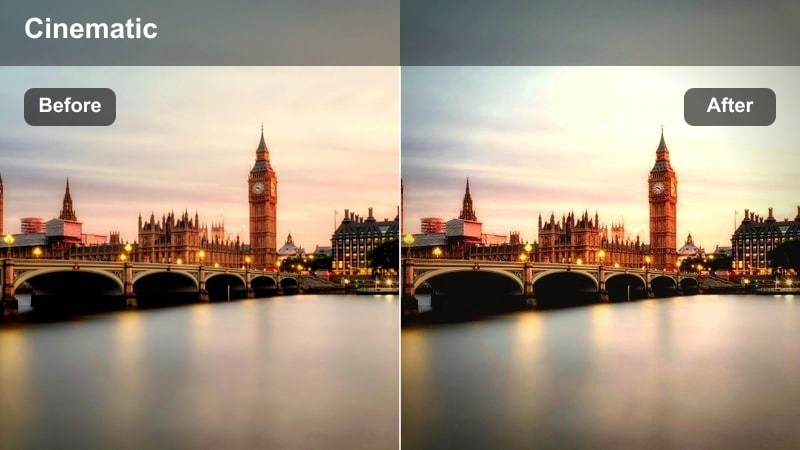
- Effect look: Gentle, low-contrast finish that keeps open-plan desks bright and airy with soft highlights from large windows.
- Best for: Coworking spaces, laptop B-roll, and behind-the-scenes clips of creators and teams working together.
- Editing tip: Add a touch of film grain or subtle blur to background elements to separate your subject from busy desk clutter.
Open Desk Daylight Soft is great for co-working spaces and open offices where large windows wash the room in natural light. The filter smooths contrast and softens highlights so your scene stays bright and inviting without losing the professional mood of a downtown office district LUT style.
Use this look in Filmora for workday montages, typing and mouse-click B-roll, and candid teamwork moments. If the background feels cluttered with monitors, mugs, and cables, add a bit of blur or shallow depth-of-field effects and a small amount of film grain, so your subject stands out while the workspace still feels alive and authentic.
Glass Partition Focus
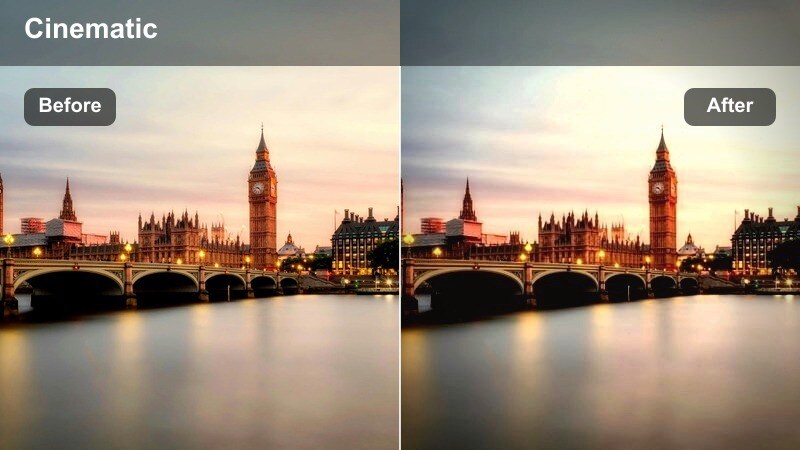
- Effect look: Cool, clean tones with subtle blur emphasis that keeps attention on the subject through glass partitions and windows.
- Best for: Filming through meeting room glass, candid office moments, and cinematic B-roll of coworkers in discussion.
- Editing tip: Combine with a shallow depth-of-field shot and a slight vignette to turn reflections into soft, cinematic texture.
Glass Partition Focus helps you turn glass walls and reflections into a cinematic storytelling layer without distracting from your subject. The cool, controlled palette keeps your shots aligned with a downtown office district LUT, while the emphasis on clarity around your subject draws the eye through reflections and smudges.
In Filmora, apply this filter to clips shot through windows or partitions, then add a subtle vignette and maybe a touch of blur to the edges using masks. This setup lets you showcase both the internal office activity and the external skyline, creating depth and context for interviews, voiceover B-roll, or contemplative storytelling moments.
City Sidewalk Lunch Break
Sidewalk Neutral Vlog
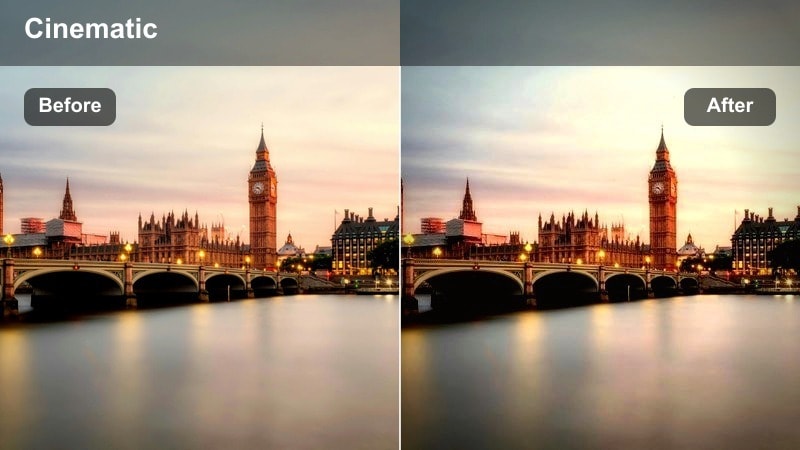
- Effect look: Straightforward, vlog-friendly tone curve that evens out harsh midday sun and keeps downtown sidewalks looking natural.
- Best for: Daily vlogs, handheld walk-and-talk segments, and casual B-roll filmed on busy office district sidewalks.
- Editing tip: Lower highlights and slightly raise shadows to smooth out contrast on faces when you move from shade to direct sun.
Sidewalk Neutral Vlog is tuned for run-and-gun creators filming among tall towers, crosswalks, and storefronts during lunch breaks or midday walks. It smooths harsh sunlight and deep sidewalk shadows so your face and the surrounding city both look balanced and natural.
In Filmora, apply this filter across your entire walk-and-talk sequence, then adjust highlights and shadows to maintain a consistent look as you move between shade, open sun, and reflective glass. Pair it with stabilization and subtle sharpening so your city vlog feels dynamic yet polished with a downtown office district LUT-style finish.
Crosswalk Motion Freeze
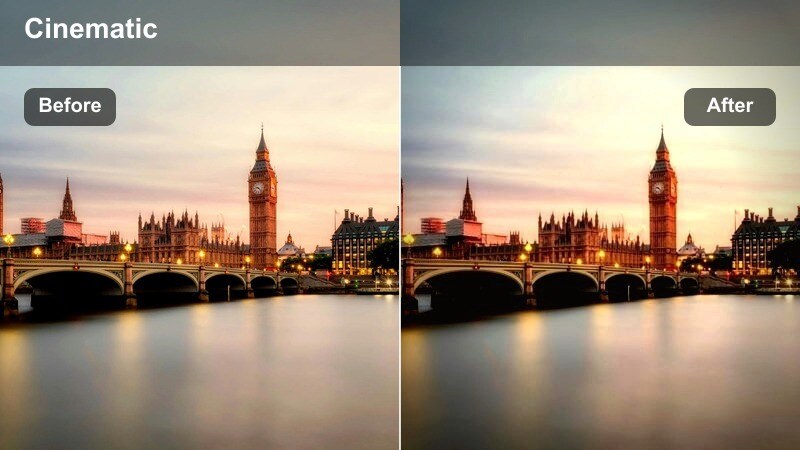
- Effect look: Cool, contrasty look that sharpens edges and emphasizes motion in crosswalks, intersections, and busy street corners.
- Best for: Transition shots at intersections, time-lapses of traffic and pedestrians, and dynamic office district B-roll.
- Editing tip: Add a slight speed ramp or motion blur effect to highlight movement while this filter keeps lines and edges crisp.
Crosswalk Motion Freeze gives intersection shots a bold, energetic feel, reinforcing the geometry of road markings, curbs, and tower lines. The cool tones and pronounced contrast echo a cinematic downtown office district LUT and work especially well in time-lapses or fast-paced montage sequences.
Use this filter in Filmora on clips of people crossing streets, traffic flowing through junctions, or wide shots of intersections between towers. Combine it with speed ramps, motion blur, or time-lapse to highlight movement, then place these clips as transitions between office interiors, commutes, or lunch breaks to keep your edit moving.
Coffee Run Urban Soft
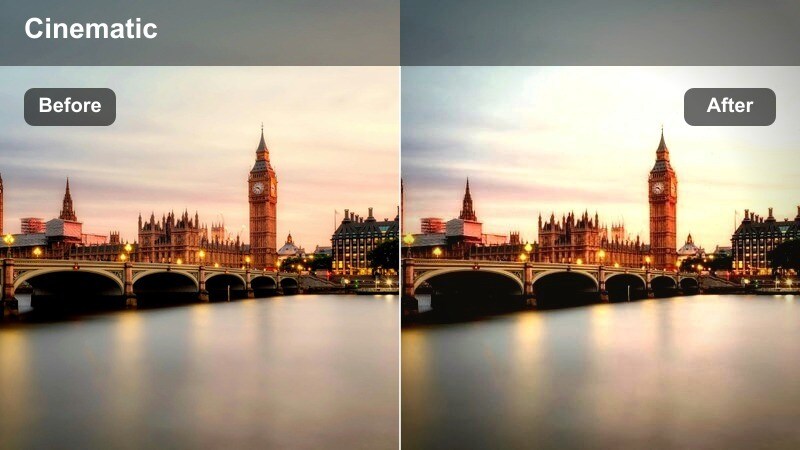
- Effect look: Softened contrast with a slight warm lift in midtones that makes quick city coffee runs feel friendly and approachable.
- Best for: Casual vlog segments grabbing coffee, chatting with coworkers outdoors, and B-roll of storefronts in the office district.
- Editing tip: Balance warmth by slightly cooling the shadows so pavement, glass, and steel still feel like a true downtown setting.
Coffee Run Urban Soft adds a gentle warmth and friendliness to your quick mid-day breaks without losing the sense of a modern city backdrop. It keeps the corporate surroundings recognizable but softens contrast and midtones so faces, coffee cups, and storefront details feel inviting.
In Filmora, apply this filter to chill segments like grabbing a drink, chatting with coworkers, or filming street-level cafes among towers. If the frame becomes too warm overall, cool the shadows slightly to keep concrete and steel neutral, and use vibrance instead of saturation so colors stay rich without overpowering your downtown office district LUT-style grade.
Night Shifts and City Lights
After Hours Glass Neon
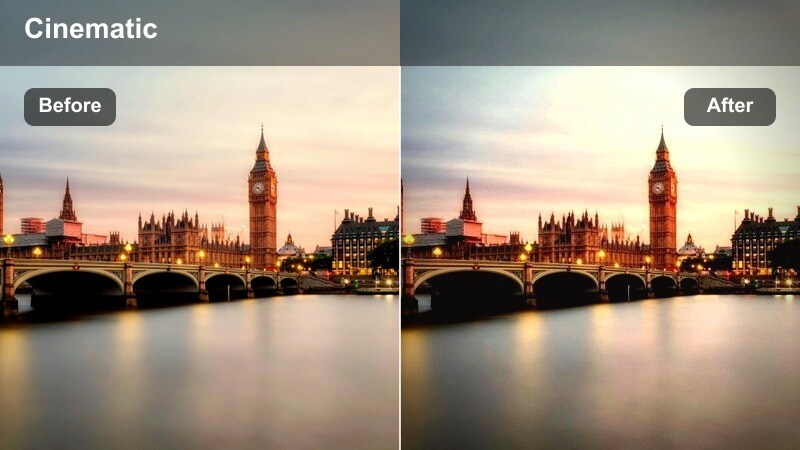
- Effect look: Deep, cool shadows with boosted neon and window highlights that turn after-hours office shots into cinematic urban scenes.
- Best for: Night office vlogs, late editing sessions by the window, and B-roll of lit-up towers in the downtown district.
- Editing tip: Push saturation gently on blues and cyans while avoiding oversaturation of reds to keep the look modern, not retro.
After Hours Glass Neon amplifies the cool blues and cyans of city lights outside office windows, giving your night shots a stylish, cinematic twist. Deep shadows keep the mood dramatic while neon accents and screen glow link naturally to a sleek downtown office district LUT aesthetic.
Use this filter in Filmora for late-night editing scenes, window reflections of the skyline, or B-roll of illuminated towers. Underexpose a little in-camera, then in the editor gently boost cool colors while keeping reds under control so your footage stays modern and crisp rather than vintage neon.
Parking Garage Corporate Grit
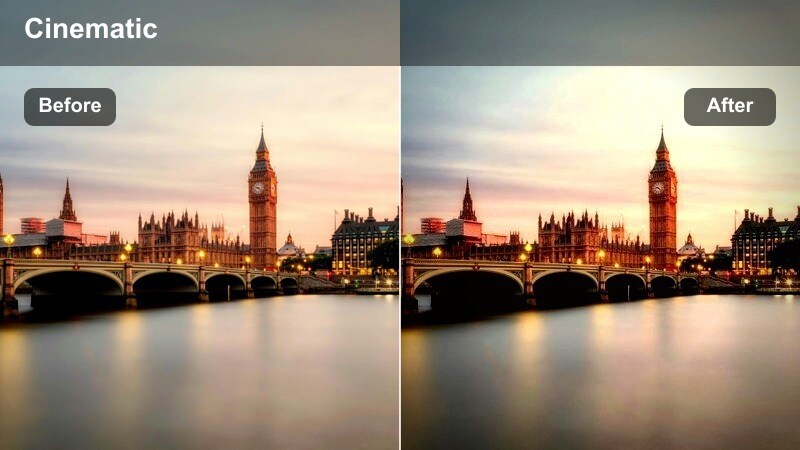
- Effect look: Gritty, high-contrast treatment that keeps fluorescent lights harsh and concrete textures prominent for edgy night sequences.
- Best for: Parking garage walk-ins, moody cinematic intros, and creator monologues with a tougher urban office vibe.
- Editing tip: Reduce noise in shadows and add a subtle fade to blacks if the harshness feels too intense for your brand.
Parking Garage Corporate Grit embraces the rougher side of the office district, emphasizing harsh fluorescence and hard concrete textures. The strong contrast and cool tones give your footage a dramatic, slightly edgy tone that still fits within an urban corporate environment.
In Filmora, apply this filter for nighttime walk-ins, intros, or monologues shot in garages and service areas beneath office towers. If the result feels too aggressive, run noise reduction on the shadows and add a small fade to the blacks so the scene remains intense but still watchable and on-brand.
City View Overtime Soft Glow
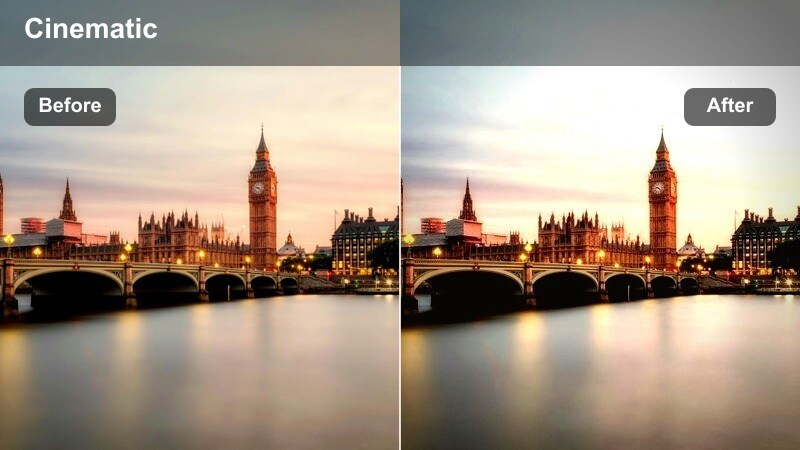
- Effect look: Soft bloom on highlights with gentle contrast that makes overtime sequences at the office feel calm and reflective.
- Best for: Night desk setups near windows, reflective monologues, and B-roll of screens against the glowing city skyline.
- Editing tip: Add a slight blur or glow to window highlights and keep midtones clean so your subject stays the emotional focus.
City View Overtime Soft Glow transforms late-night office scenes into calm, introspective moments framed by a glowing skyline. Soft highlight bloom and gentle contrast echo the polish of a downtown office district LUT while shifting the mood from high-energy to reflective and personal.
Apply this filter in Filmora to closing monologues, end-of-day recaps, or B-roll of screens and windows late at night. Combine it with slower cuts, gentle camera moves, and slightly softened highlights around the city lights so your subject remains at the emotional center while the skyline becomes a serene backdrop.
Tips for Using Downtown Office District Lut Filters in Filmora
- Shoot a short test sequence along your usual downtown route and apply multiple filters side by side in Filmora to quickly see which ones best match your channel aesthetic.
- Lock white balance in camera when filming offices, sidewalks, and night scenes so each downtown office district LUT-style filter responds consistently across your timeline.
- Group clips by location, such as lobby, boardroom, sidewalk, and skyline, then apply the same preset to each group for a cohesive, series-ready look.
- Use Filmora's scopes and color tools to double-check skin tones whenever you push cool blues in glass and steel, keeping faces natural while the city stays sleek.
- If glass reflections or bright windows become distracting, lower highlights and whites slightly before or after applying your chosen filter.
- Save custom versions of these presets with your exposure and saturation tweaks, so you can reuse the same downtown office style in future vlogs or brand videos.
- Combine these filters with Filmora stabilization, subtle vignettes, and shallow depth-of-field effects to keep attention on your subject amid busy city details.
With the right combination of Filmora filters, you can capture the sleek, modern mood of a downtown office district LUT without getting lost in complex color grading.
Pick two or three presets that fit your daytime, sidewalk, and night scenes, save them as custom styles, and your next city vlog or office series will look polished and consistent from the very first frame.
secure download