

 100% Security Verified | No Subscription Required | No Malware

ARRI LogC3 footage delivers exceptional dynamic range and color fidelity, making it a favorite among cinematographers and post-production teams. However, transforming LogC3 into a viewable Rec.709 color space requires precise color grading. That's where our Free ARRI LogC3 LUT Pack comes in.
Designed specifically for Filmora users, this LUT pack simplifies the conversion process, ensuring your ARRI footage looks cinematic and professional across narrative films, commercials, and high-end productions. Whether you're working on set or in post, these LUTs deliver consistent, broadcast-ready results.
In this article
Neon Cityscapes at Night
Neon Glow
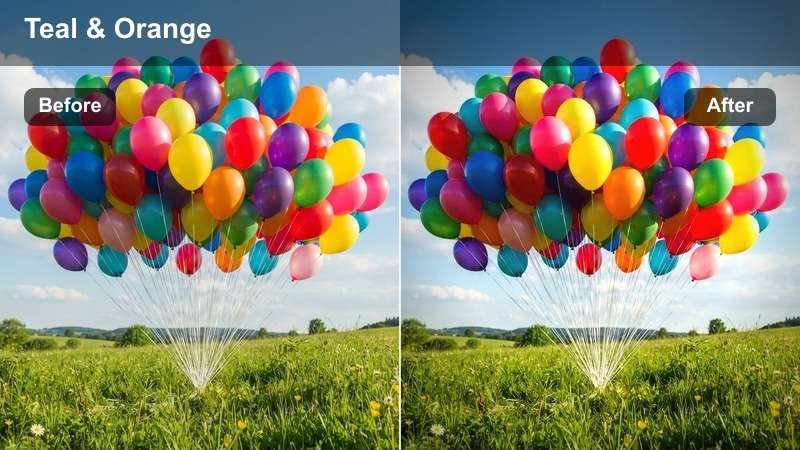
- Effect look: High-contrast teal and orange tones with vibrant neon highlights
- Best for: Urban night scenes, car chases, noir-style commercials
- Editing tip: Apply at 80% opacity and layer with a slight vignette for dramatic depth
The Neon Glow LUT enhances the electric energy of cityscapes at night by boosting teal and orange contrast, making neon signs pop against dark backgrounds. This look is ideal for projects aiming to capture the pulse of metropolitan life after dark.
In Filmora, use this LUT to instantly transform flat LogC3 footage into a stylized night scene. Combine it with contrast and saturation adjustments to fine-tune the mood, perfect for music videos or action sequences set in urban environments.
 secure download
 secure downloadsecure download
Cyber Dusk
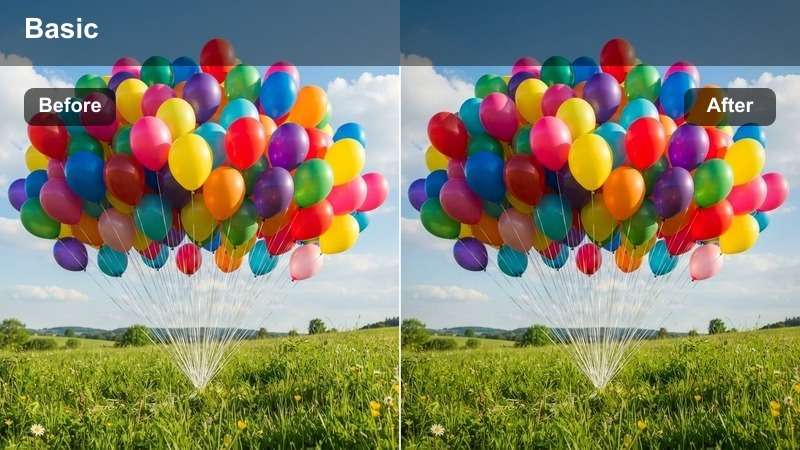
- Effect look: Cool magenta and cyan tones with soft glow diffusion
- Best for: Futuristic scenes, tech commercials, sci-fi sequences
- Editing tip: Combine with a grain overlay to enhance the digital film look
The Cyber Dusk LUT creates a sleek, high-tech atmosphere with cool-toned highlights and a subtle glow effect, ideal for sci-fi and futuristic storytelling. It emphasizes digital aesthetics while maintaining depth and clarity in complex compositions.
In Filmora, this LUT works exceptionally well for branding tech products or creating immersive world-building in narrative projects. Pair it with motion graphics and ambient sound design to elevate the futuristic vibe in your commercial or short film.
Midtown Mist
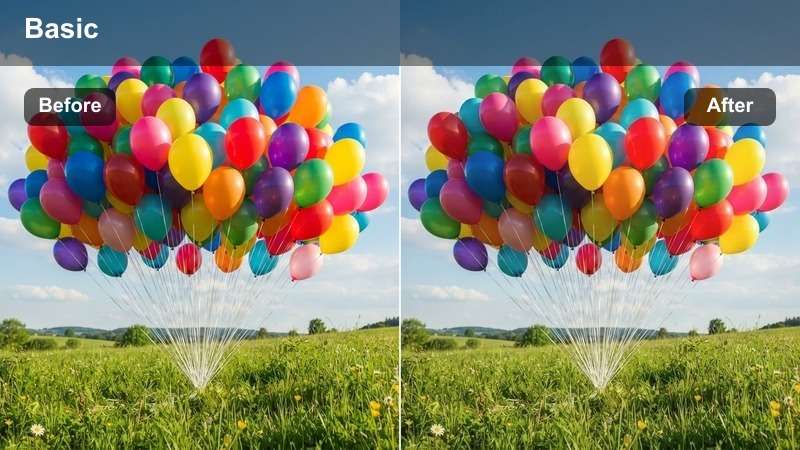
- Effect look: Soft blue-gray palette with low saturation and gentle contrast
- Best for: Dramatic intros, melancholic scenes, atmospheric storytelling
- Editing tip: Use with a slow fade-in to amplify mood during scene transitions
Midtown Mist delivers a somber, reflective tone perfect for emotional or introspective sequences. The desaturated blue-gray tones evoke loneliness and contemplation, ideal for opening scenes or transitional moments.
In Filmora, apply this LUT to enhance mood-driven narratives. Combine with ambient audio and slow camera movements to draw viewers into the emotional landscape of your story, especially effective in indie films and dramatic shorts.
Sunlit Narrative Films
Golden Hour
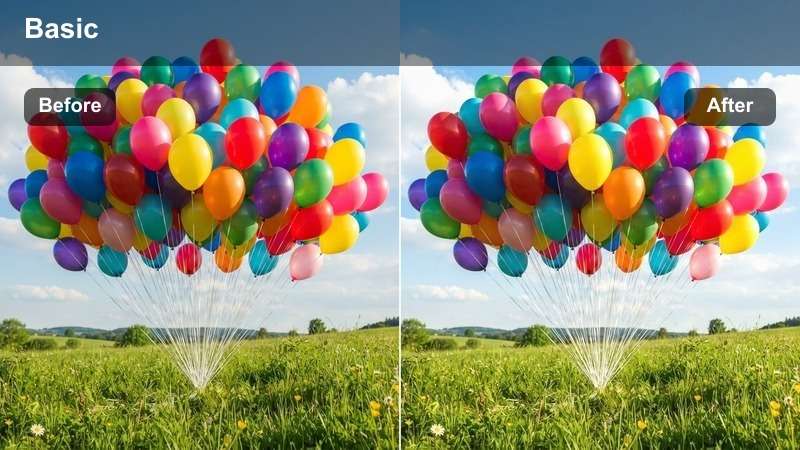
- Effect look: Warm amber highlights with soft shadows and natural skin tones
- Best for: Romantic scenes, outdoor interviews, lifestyle commercials
- Editing tip: Slightly increase saturation to enhance golden tones without clipping
The Golden Hour LUT captures the magic of late afternoon sunlight with warm, inviting tones that enhance skin and natural environments. It brings a romantic, heartfelt quality to daylight footage.
In Filmora, this LUT is perfect for wedding videos, travel vlogs, or brand content shot outdoors. Use it to create a feel-good atmosphere that resonates emotionally with audiences, especially in lifestyle and human-interest stories.
Clear Sky
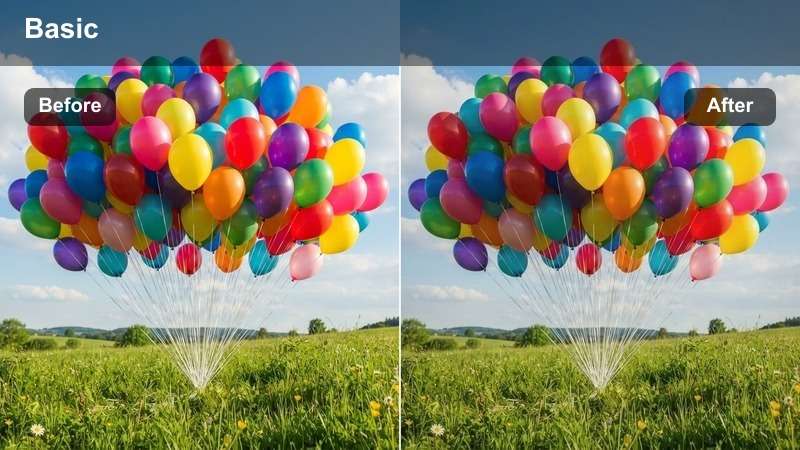
- Effect look: Crisp whites, vibrant blues, and balanced midtones
- Best for: Daytime commercials, travel content, product showcases
- Editing tip: Apply sharpening after the LUT to enhance clarity in daylight footage
Clear Sky delivers a clean, professional look with vibrant yet natural colors, ideal for showcasing products or locations in bright conditions. It ensures footage looks polished and broadcast-ready.
In Filmora, use this LUT for corporate videos, real estate tours, or travel documentaries. Its balanced contrast and clarity make it a go-to choice for content that needs to look fresh and professional without heavy stylization.
Soft Focus
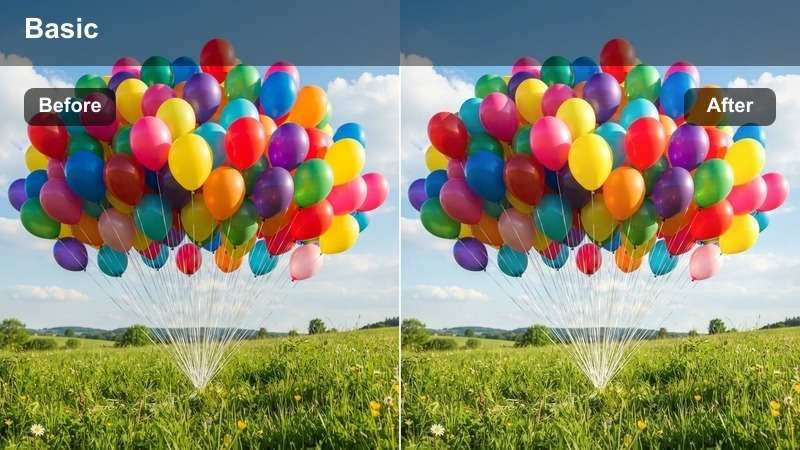
- Effect look: Slightly diffused highlights with gentle contrast and warm undertones
- Best for: Emotional flashbacks, dream sequences, character close-ups
- Editing tip: Layer with a light glow filter for a nostalgic, ethereal effect
Soft Focus adds a tender, dreamlike quality to footage, making it ideal for moments of memory, innocence, or emotional introspection. The gentle diffusion enhances warmth without losing detail.
In Filmora, this LUT excels in character-driven storytelling. Use it during flashback scenes or intimate close-ups to soften the visual tone and deepen emotional connection with the audience.
High-Impact Commercials
Bold Pop
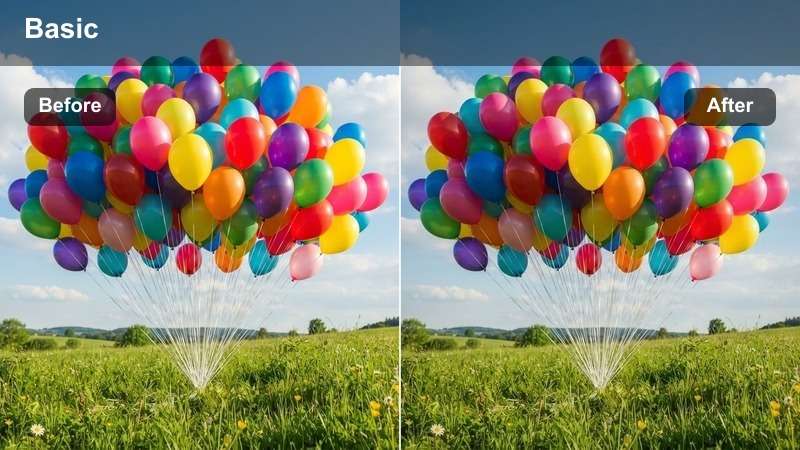
- Effect look: High saturation, deep blacks, and vibrant color separation
- Best for: Product launches, fashion ads, energetic brand campaigns
- Editing tip: Use with fast cuts and dynamic transitions for maximum impact
Bold Pop makes colors leap off the screen with intense saturation and deep contrast, perfect for grabbing attention in fast-paced ads. It ensures your visuals stand out in crowded media environments.
In Filmora, apply this LUT to fashion, sports, or youth-oriented campaigns. Pair it with bold typography and energetic music to create a high-octane viewing experience that resonates with younger audiences.
Monochrome Edge
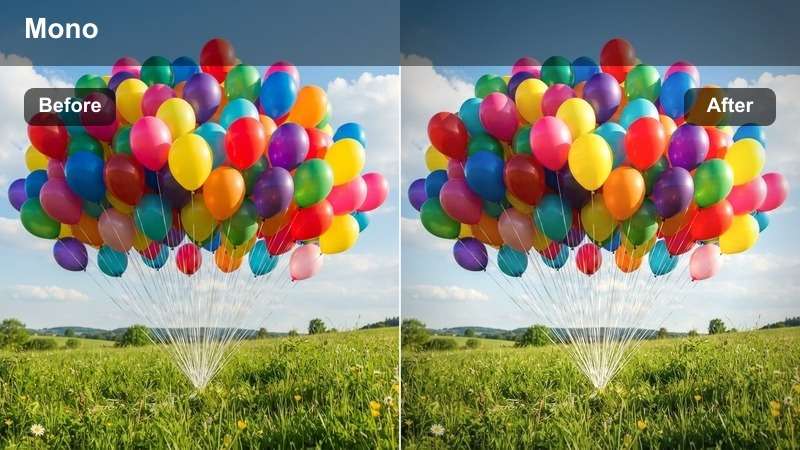
- Effect look: Near-black and white with selective color emphasis on key elements
- Best for: Luxury brands, automotive ads, minimalist storytelling
- Editing tip: Use color keying to isolate and enhance the focal point's hue
Monochrome Edge creates a powerful visual hierarchy by stripping away color except for a single focal point, drawing immediate attention to the subject. It’s perfect for luxury and premium branding.
In Filmora, use this LUT to highlight product features like a red handbag or a car’s taillights. Combine with slow motion and dramatic lighting to amplify sophistication and exclusivity in your commercial.
Chrome Flash
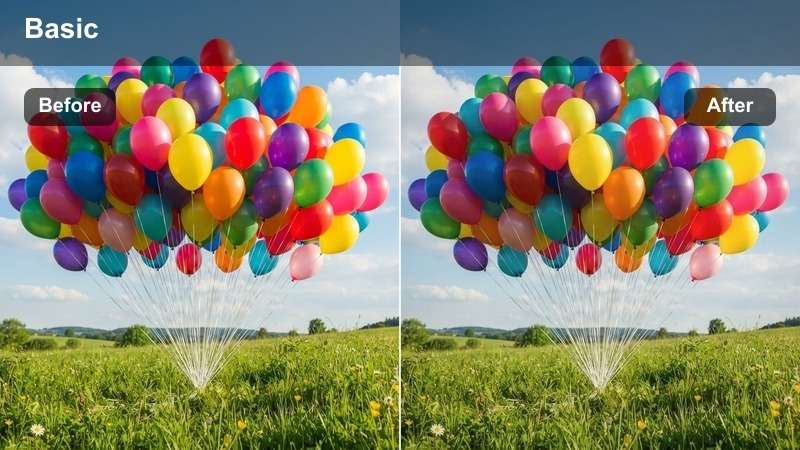
- Effect look: Metallic sheen, high reflectivity, and cool-toned highlights
- Best for: Tech gadgets, automotive reveals, sleek brand identities
- Editing tip: Add a specular highlight overlay for enhanced metallic realism
Chrome Flash gives products a high-gloss, futuristic finish with cool-toned highlights and enhanced reflectivity. It’s designed to make tech and luxury items look cutting-edge and premium.
In Filmora, this LUT is ideal for product reveals and tech demos. Use it in studio shoots with controlled lighting to maximize the metallic effect and create a sleek, modern brand image.
Cinematic Narrative Looks
Film Noir
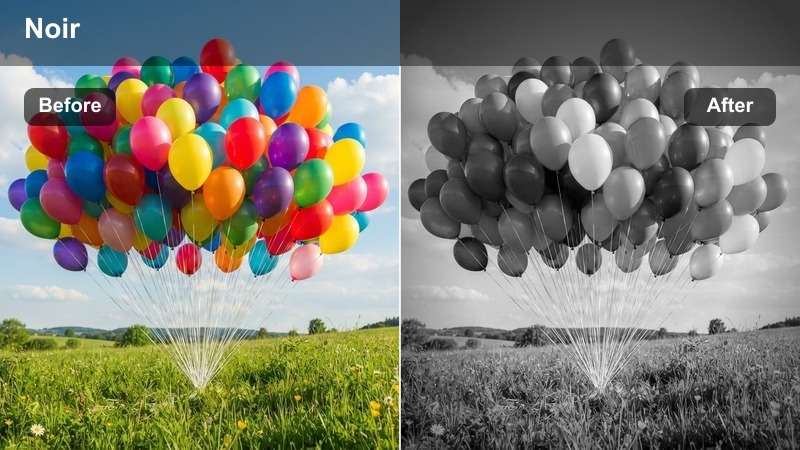
- Effect look: High-contrast black and white with deep shadows and dramatic lighting
- Best for: Detective stories, period dramas, suspenseful scenes
- Editing tip: Use directional lighting effects to enhance the noir atmosphere
Film Noir evokes the classic look of 1940s detective films with stark shadows, high contrast, and moody lighting. It transforms modern footage into timeless cinematic art.
In Filmora, apply this LUT to crime dramas or mystery content. Pair it with fog effects and low-angle shots to deepen the noir aesthetic and immerse viewers in a world of intrigue and suspense.
Desaturated Drama
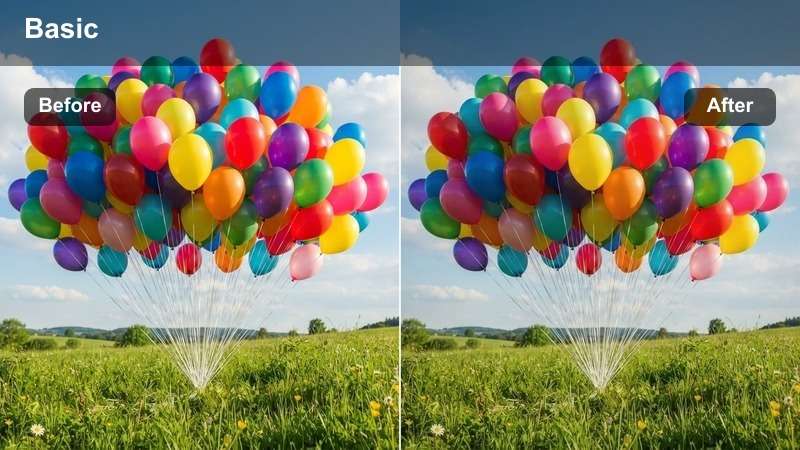
- Effect look: Muted colors, low contrast, and natural skin tones
- Best for: Realistic dramas, indie films, character-driven narratives
- Editing tip: Use subtle color grading to guide emotional tone without distraction
Desaturated Drama focuses attention on performance by minimizing color distractions. The muted palette creates a sense of realism, ideal for stories centered on human emotion and conflict.
In Filmora, this LUT is perfect for indie filmmakers and documentary creators. Use it to keep the audience engaged with the characters’ expressions and dialogue, rather than flashy visuals.
Cinema Contrast
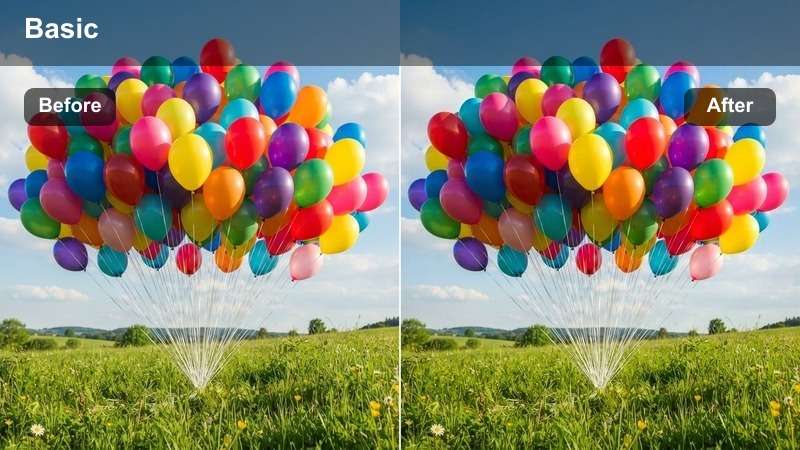
- Effect look: Rich blacks, lifted shadows, and cinematic color balance
- Best for: Feature films, festival entries, theatrical releases
- Editing tip: Grade in stages: apply LUT first, then fine-tune with secondary corrections
Cinema Contrast delivers a professional, theater-ready finish with deep blacks and balanced highlights. It’s engineered for long-form narratives that demand visual consistency and depth.
In Filmora, use this LUT as a foundation for feature films or festival submissions. Build your grade around it using color wheels and curves to achieve a polished, cinematic standard.
Tips for Using Arri Logc3 Lut Download Filters in Filmora
- Always shoot in ARRI LogC3 mode to maximize dynamic range for grading.
- Use a color checker chart on set to ensure accurate LUT application.
- Apply LUTs early in the timeline to build additional effects on top.
- Save custom presets after adjusting a LUT to reuse across projects.
The Free ARRI LogC3 LUT Pack is an essential tool for cinematographers and post-production teams working with ARRI footage. It simplifies the transition from LogC3 to Rec.709, ensuring your narrative films and commercials maintain a professional, cinematic look.
With 12 expertly crafted filters tailored for real-world scenarios—from neon-lit cityscapes to sun-drenched dramas—this pack empowers you to tell compelling visual stories directly in Filmora.
secure downloadNext: Free ARRI LogC4 LUT Pack
