

 100% Security Verified | No Subscription Required | No Malware

Elevate your cinematic projects with the Free ARRI LogC4 LUT Pack, designed specifically for professional editors and cinema crews working with ARRI ALEXA 35 footage. These LUTs transform flat LogC4 footage into rich, filmic images with minimal effort.
Whether you're grading commercials, documentaries, or feature films, this pack delivers consistent, wide-gamut color science that honors ARRI's renowned dynamic range and skin tone accuracy.
In this article
Neo-Noir Cityscapes
Neon Gloom
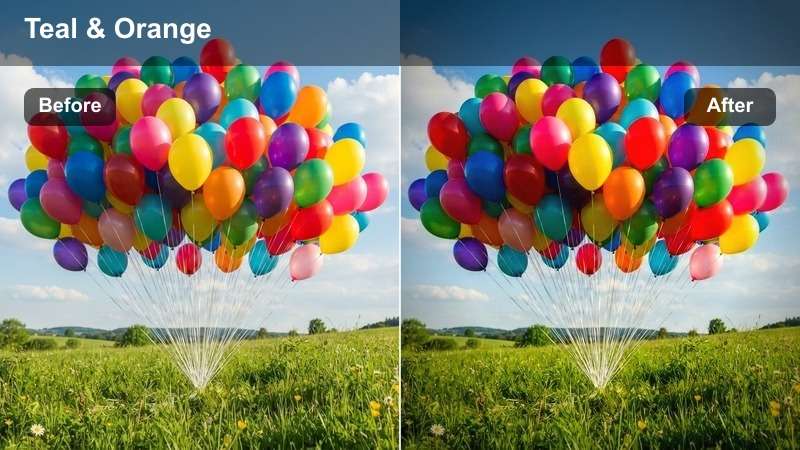
- Effect look: High-contrast teal and orange with crushed blacks
- Best for: Night scenes in urban environments
- Editing tip: Use with slight exposure lift to preserve shadow detail
The Neon Gloom LUT delivers a bold, cinematic aesthetic perfect for transforming flat ARRI LogC4 night footage into a visually striking scene. With its deep shadows and vibrant teal-orange contrast, it enhances the mood of cityscapes lit by neon signs and streetlights, making it ideal for crime dramas or stylish commercials.
In Filmora, apply Neon Gloom to instantly elevate dark urban scenes. Pair it with minor exposure adjustments to maintain detail in clothing and facial features, ensuring your subjects remain visible while the environment stays dramatically stylized.
AI-Powered Color Harmony
Filmora's AI Color Palette analyzes your ARRI LogC4 footage and suggests complementary tones that enhance emotional impact.
Whether you're going for realism or stylization, the AI adapts to your scene's lighting and composition.
Discover how AI can streamline your grading workflow.
 secure download

Try Before You Export
Preview every LUT in real time with Filmora's high-performance playback engine, even with 4K ARRI ALEXA 35 footage.
Switch between looks instantly and compare side-by-side with split-screen tools.
Experience seamless LUT auditioning in your timeline.
secure download One-Click Cinema Grading
Apply the Free ARRI LogC4 LUT Pack with a single click and achieve broadcast-ready color in seconds.
Each LUT is calibrated for wide gamut cinema and maintains ARRI's signature dynamic range.
Transform flat Log footage into cinematic gold.
secure download Cyber Dusk
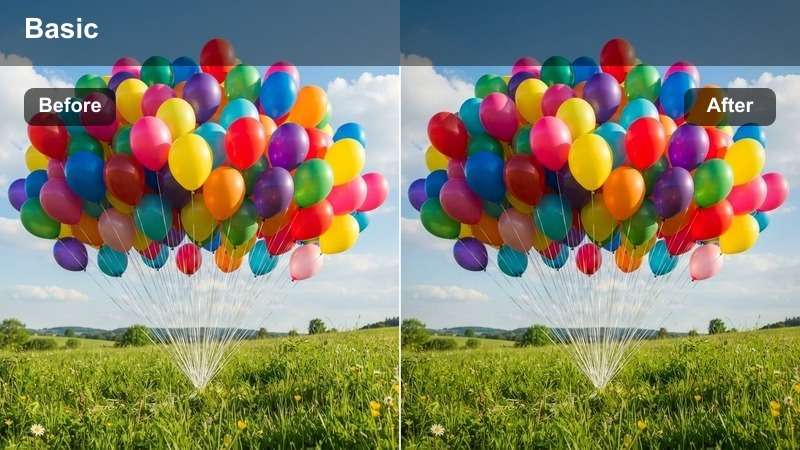
- Effect look: Magenta-cyan gradient with lifted midtones
- Best for: Sunset city transitions and futuristic scenes
- Editing tip: Boost saturation slightly for sci-fi intensity
The Cyber Dusk LUT blends warm and cool tones to create a futuristic atmosphere, ideal for scenes that transition from natural daylight to artificial urban lighting. Its magenta-cyan gradient enhances the contrast between sky and structure, making it perfect for sci-fi or high-tech narratives.
In Filmora, use Cyber Dusk to elevate golden hour shots with a modern edge. Apply split toning to deepen the gradient effect and emphasize the shift from warm to cool zones, especially effective in drone or wide-angle city shots.
Metro Glow
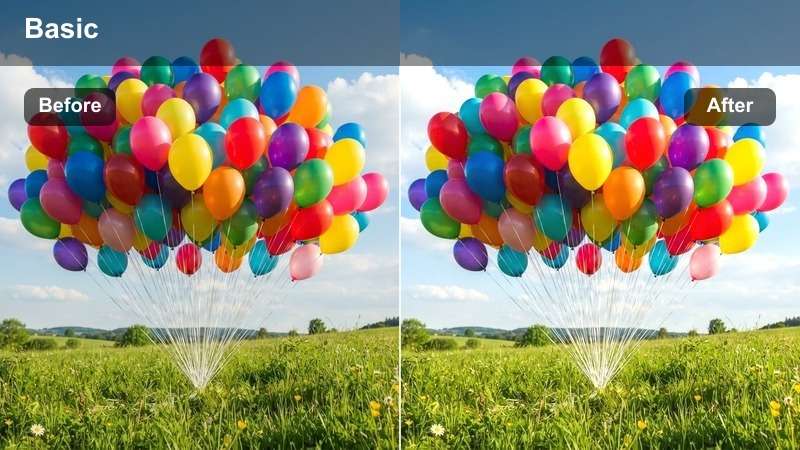
- Effect look: Warm amber highlights with cool blue shadows
- Best for: Underground subway scenes and transit hubs
- Editing tip: Adjust contrast to avoid muddiness in low light
Metro Glow excels in environments with mixed lighting, balancing warm overhead fixtures with cool ambient shadows. This LUT is perfect for capturing the layered look of underground stations or indoor public spaces where artificial light dominates.
When using Metro Glow in Filmora, fine-tune skin tones with secondary correction to keep faces natural. This ensures that while the environment takes on a stylized tone, your subjects remain grounded and realistic.
Natural Daylight Realism
True Sunlight
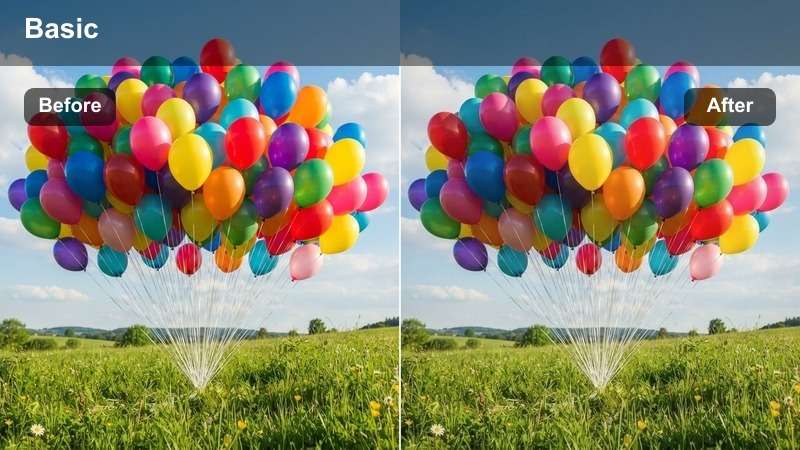
- Effect look: Neutral daylight balance with accurate skin tones
- Best for: Outdoor interviews and natural light scenes
- Editing tip: Use minimal sharpening to retain organic texture
True Sunlight delivers a clean, natural look that preserves the authenticity of daylight footage. It's optimized for scenes where color accuracy is critical, such as documentaries or corporate videos shot in parks or open-air environments.
In Filmora, apply True Sunlight to maintain realism. Fine-tune white balance to match the time of day and avoid over-saturation, ensuring your footage looks professional without appearing over-processed.
Open Sky
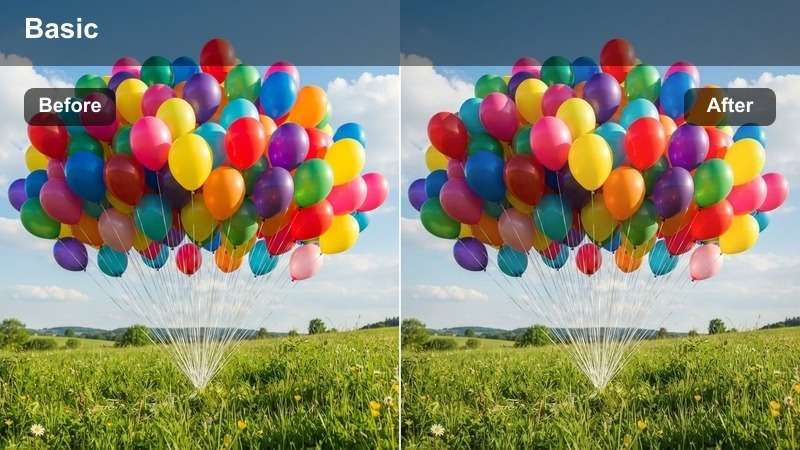
- Effect look: Crisp whites with enhanced sky blue
- Best for: Wide landscape shots and aerial footage
- Editing tip: Use with exposure roll-off to protect cloud detail
Open Sky enhances the clarity and vibrancy of outdoor scenes, especially those featuring expansive skies. It lifts blue tones without oversaturating, making clouds pop while preserving highlight detail in bright areas.
When grading aerial shots in Filmora, pair Open Sky with a subtle dehaze filter to increase depth. Monitor your waveform to ensure sky values stay within broadcast-safe limits and avoid clipping.
Soft Morning
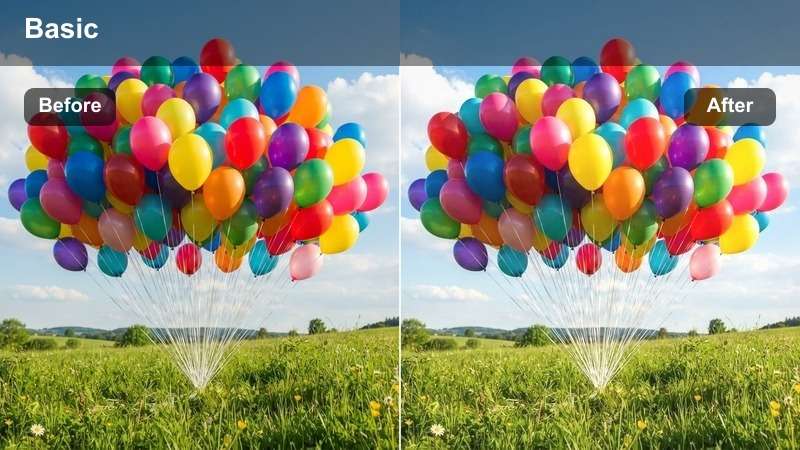
- Effect look: Warm pastel tones with gentle contrast
- Best for: Early morning scenes and lifestyle content
- Editing tip: Add slight glow effect for dreamy ambiance
Soft Morning creates a gentle, inviting atmosphere perfect for lifestyle videos, morning vlogs, or romantic sequences. The warm pastel tones and soft contrast evoke a peaceful, sunlit mood without overpowering the scene.
In Filmora, enhance this look by boosting amber in the midtones slightly. Keep shadows neutral to prevent color casts, and consider adding a soft glow filter to highlight steam, sunlight, or reflective surfaces.
High-Contrast Interiors
Cinema Noir
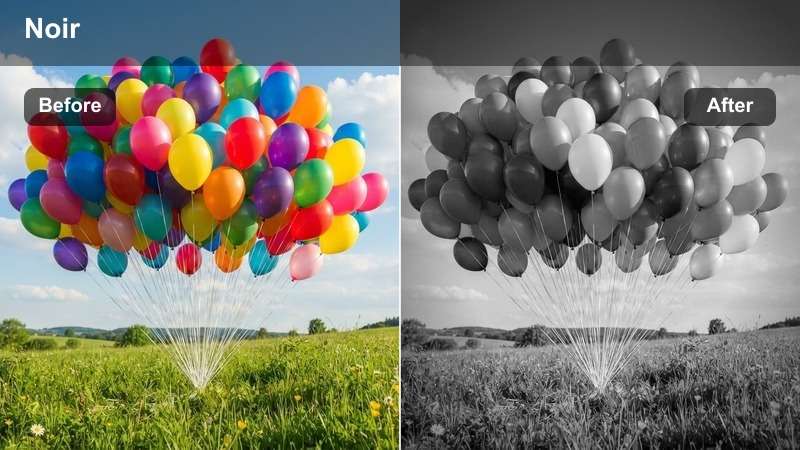
- Effect look: Deep blacks with single-source lighting
- Best for: Dramatic dialogue scenes and suspense sequences
- Editing tip: Use with precise keyframing for light transitions
Cinema Noir brings classic film noir aesthetics into the digital age, using deep shadows and high contrast to create tension and drama. It's ideal for scenes lit by a single lamp or window, emphasizing facial expressions and mood.
In Filmora, use power windows to control light spill and maintain shadow detail. This helps preserve texture in dark areas while keeping the focus on illuminated parts of the frame.
Industrial Raw
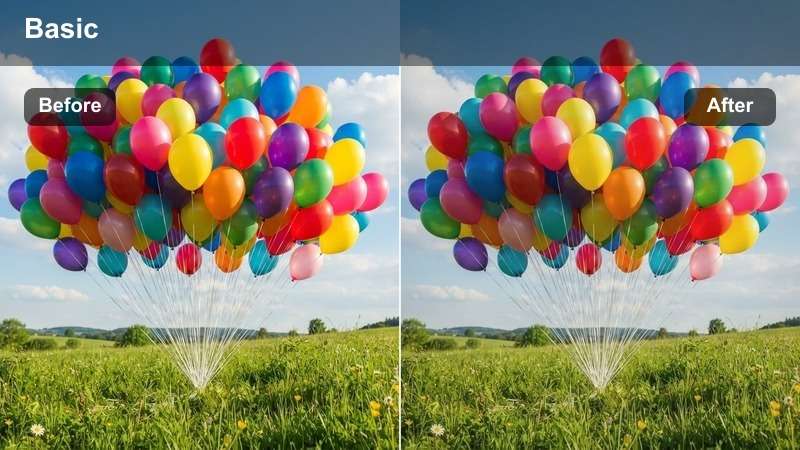
- Effect look: Desaturated with metallic gray tones
- Best for: Factory settings and gritty realism
- Editing tip: Add grain for texture authenticity
Industrial Raw strips away color to emphasize structure, texture, and materiality. It's perfect for scenes set in factories, warehouses, or post-apocalyptic environments where realism and rawness are key.
Enhance this look in Filmora by overlaying a subtle film grain at 15% opacity. Match the grain size to your footage resolution and motion level to maintain a natural, analog feel.
Luxury Amber
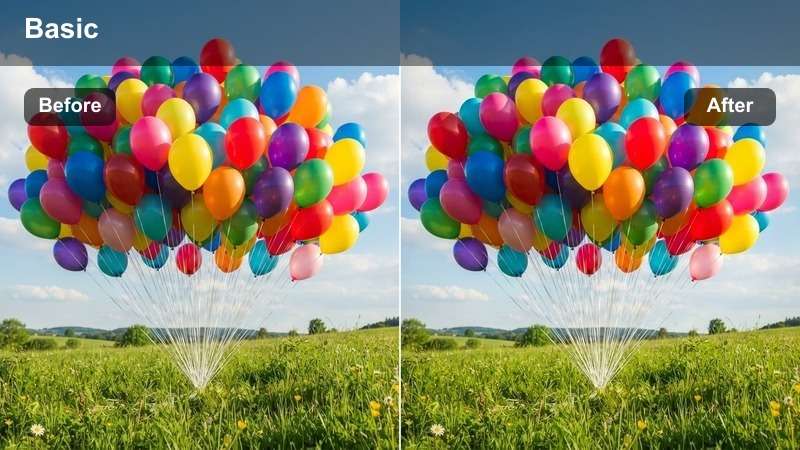
- Effect look: Rich amber highlights with deep chocolate shadows
- Best for: High-end product shots and luxury interiors
- Editing tip: Use with lens flares for added elegance
Luxury Amber adds warmth and opulence to premium visuals, making it ideal for high-end commercials, real estate videos, or fashion content set in elegant spaces. The rich amber tones highlight wood, leather, and metal finishes beautifully.
In Filmora, use specular enhancement to bring out reflections on glass and metal surfaces. Balance brightness carefully to avoid overexposure on glossy finishes while maintaining a luxurious glow.
Stylized Creative Looks
Vintage Film
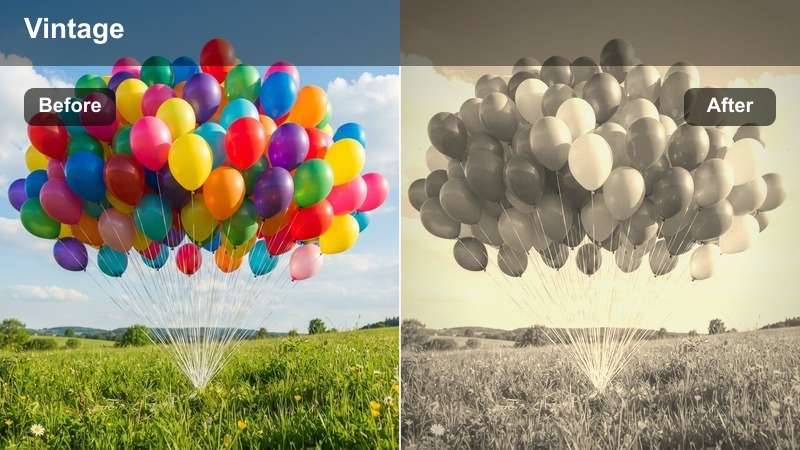
- Effect look: Faded contrast with slight color drift
- Best for: Period pieces and nostalgic montages
- Editing tip: Add film scratch overlay for authenticity
Vintage Film emulates the look of aged celluloid, complete with faded contrast and subtle color shifts. It's perfect for period dramas, music videos, or any project aiming for a nostalgic, analog feel.
In Filmora, layer a 16mm film noise overlay and slightly jitter the frame timing to enhance authenticity. Combine with a film scratch effect for a convincing vintage aesthetic.
Cool Matrix
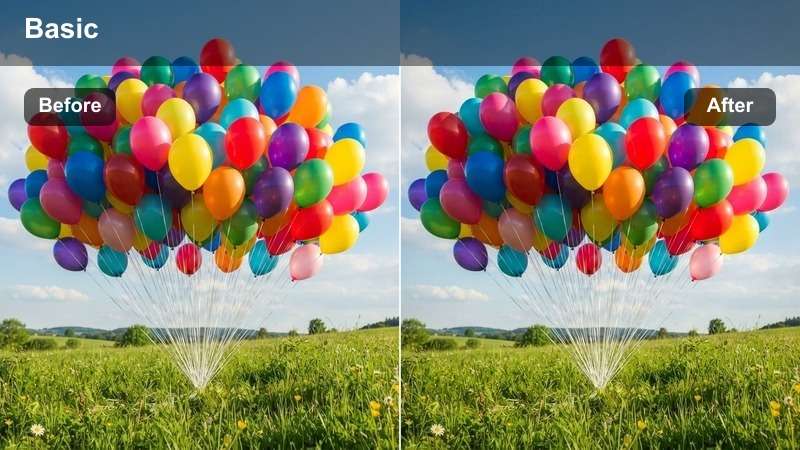
- Effect look: Green-tinted shadows with high digital contrast
- Best for: Tech thrillers and cyberpunk narratives
- Editing tip: Use with RGB curves for precise tint control
Cool Matrix delivers a futuristic, data-driven look with dominant green shadows and high contrast. It's ideal for scenes involving hacking, surveillance, or high-tech environments where a digital aesthetic is key.
In Filmora, use hue selection to isolate and enhance green monitor glows. Keep background shadows deep to maximize screen contrast and immerse viewers in the digital atmosphere.
Pastel Dream
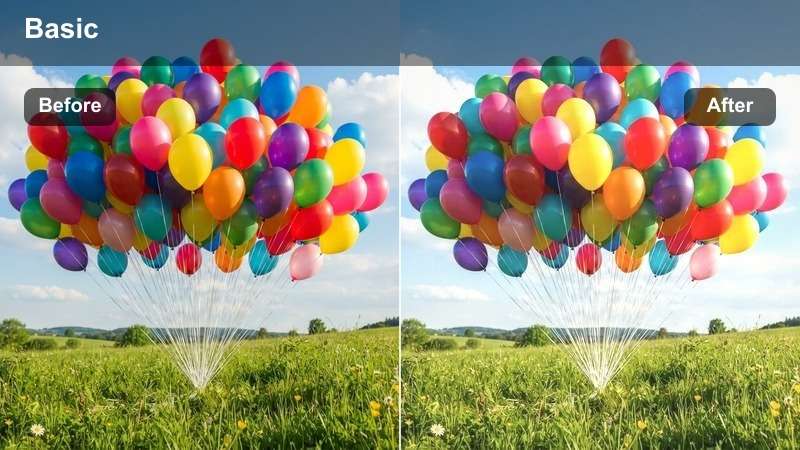
- Effect look: Soft saturation with lifted blacks
- Best for: Music videos and fashion editorials
- Editing tip: Pair with soft focus filters
Pastel Dream creates an ethereal, romantic mood with soft colors and lifted blacks. It's perfect for fashion shoots, music videos, or any project aiming for a dreamy, otherworldly aesthetic.
In Filmora, apply a subtle Gaussian blur to highlights and use diffusion filters to soften facial features. This enhances the romantic feel while maintaining clarity in composition.
Tips for Using Arri Logc4 Lut Download Filters in Filmora
- Always shoot in ARRI LogC4 for maximum grading flexibility.
- Use LUTs as a starting point, then fine-tune with primary color wheels.
- Group clips by scene before applying LUTs to maintain consistency.
- Monitor with waveform and vectorscope to ensure color accuracy.
The Free ARRI LogC4 LUT Pack is an essential tool for cinema crews and professional editors seeking fast, filmic results from ARRI ALEXA 35 footage.
With 12 expertly crafted looks for commercials, features, and high-end productions, Filmora delivers cinematic color grading at your fingertips.
secure download 