

 100% Security Verified | No Subscription Required | No Malware

Sony's S-Gamut3.Cine is a wide-gamut color space designed for maximum dynamic range and cinematic color fidelity. When paired with S-Log profiles, it captures rich, flat footage ideal for professional color grading.
This free LUT pack brings the full power of S-Gamut3.Cine to Filmora, offering precise transforms for filmmakers and colorists working on cinematic interviews and narrative projects shot on Sony cameras.
In this article
Moody Cityscapes & Night Scenes
Neon Noir
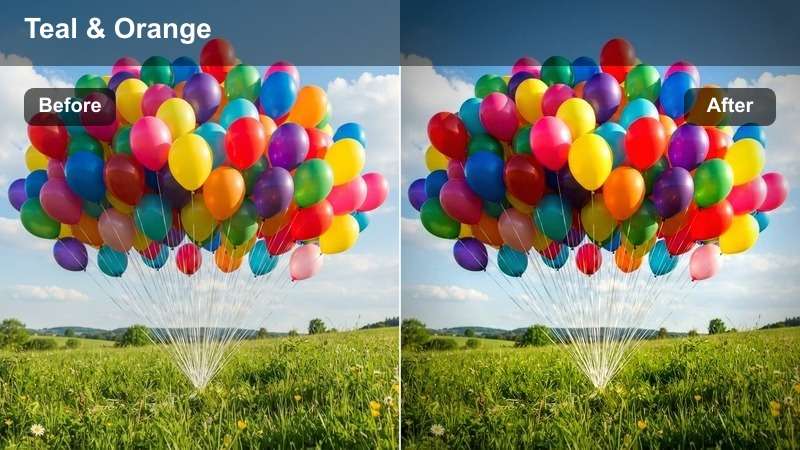
- Effect look: High-contrast teal and orange tones with deep shadows
- Best for: Urban night scenes, dramatic interviews
- Editing tip: Apply at 80% opacity and add grain for filmic texture
The Neon Noir LUT transforms flat S-Log footage into a stylized, cinematic noir aesthetic with bold contrast and rich color separation. It emphasizes teal in shadow areas and introduces warm orange highlights, mimicking the look of classic crime films.
In Filmora, use this LUT to enhance urban night scenes where neon signs and streetlights create dynamic lighting. Adjust opacity to blend naturally with skin tones, and pair with film grain to achieve a textured, analog feel perfect for dramatic storytelling.
 secure download
 secure download secure download
 Cyber Dusk
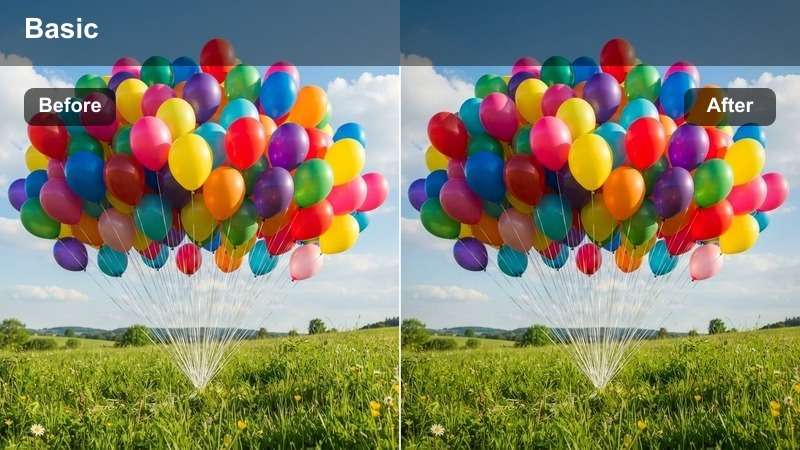
- Effect look: Cool magenta and cyan highlights with desaturated midtones
- Best for: Futuristic city scenes, tech interviews
- Editing tip: Boost saturation slightly in secondary color wheels for neon elements
The Cyber Dusk LUT delivers a futuristic, dystopian atmosphere by emphasizing cool magenta and cyan tones in light sources while maintaining neutral midtones. It’s ideal for transforming flat S-Log footage into a sleek, high-tech visual style.
In Filmora, this LUT works exceptionally well for tech-focused content shot in urban environments at twilight. Use secondary color grading to enhance digital signage or LED lighting, creating a vivid contrast against desaturated backgrounds for maximum visual impact.
Midnight Drive
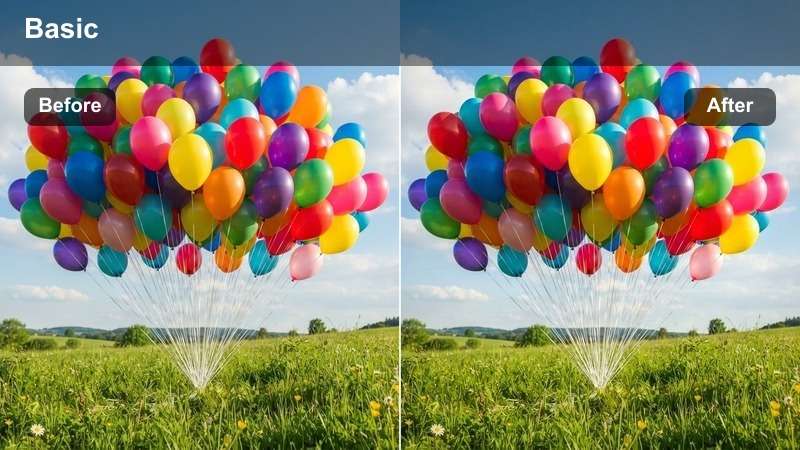
- Effect look: Warm dashboard glow against cool exterior blues
- Best for: Car interiors at night, reflective surfaces
- Editing tip: Use a vignette to emphasize the central light source
The Midnight Drive LUT balances warm interior lighting with cool exterior environments, creating a cinematic contrast perfect for nighttime automotive scenes. It enhances the natural separation between dashboard warmth and city light reflections.
In Filmora, apply this LUT to footage shot inside vehicles at night. Pair with a subtle vignette to draw focus to the driver or dashboard, and adjust contrast to preserve detail in both bright lights and dark shadows for a polished, narrative-ready look.
Natural Daylight & Outdoor Interviews
Golden Hour
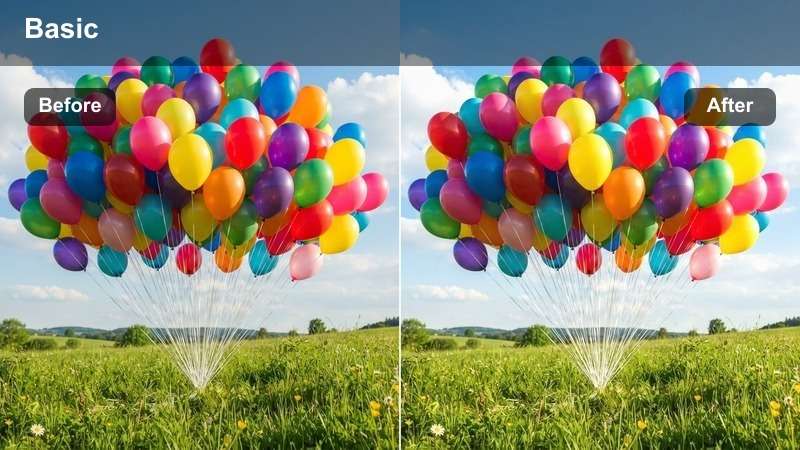
- Effect look: Warm amber highlights with soft shadow roll-off
- Best for: Outdoor interviews, park scenes
- Editing tip: Slightly lift the blacks for a softer, filmic look
The Golden Hour LUT enhances natural sunlight to produce warm, inviting tones that mimic the soft glow of late afternoon light. It brings out rich amber highlights while maintaining smooth transitions in shadow areas.
In Filmora, this LUT is perfect for outdoor interviews and lifestyle content shot during sunrise or sunset. Use it to elevate flat S-Log footage into emotionally resonant visuals, and fine-tune black levels to achieve a filmic softness without losing depth.
Soft Nature
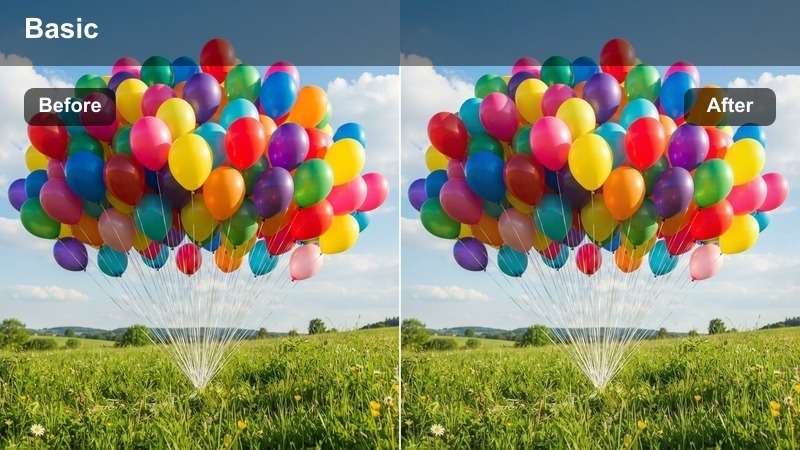
- Effect look: Muted greens and earth tones with lifted midtones
- Best for: Forest scenes, garden interviews
- Editing tip: Reduce sharpness slightly to avoid harsh foliage detail
The Soft Nature LUT creates a gentle, organic aesthetic by desaturating greens and lifting midtones for a dreamy, airy appearance. It’s designed to soften natural environments without losing color distinction.
In Filmora, use this LUT for footage shot in forests, gardens, or meadows under diffused light. It’s ideal for nature documentaries or serene interviews, and works best when paired with reduced sharpness to prevent unnatural texture in foliage.
Clear Sky
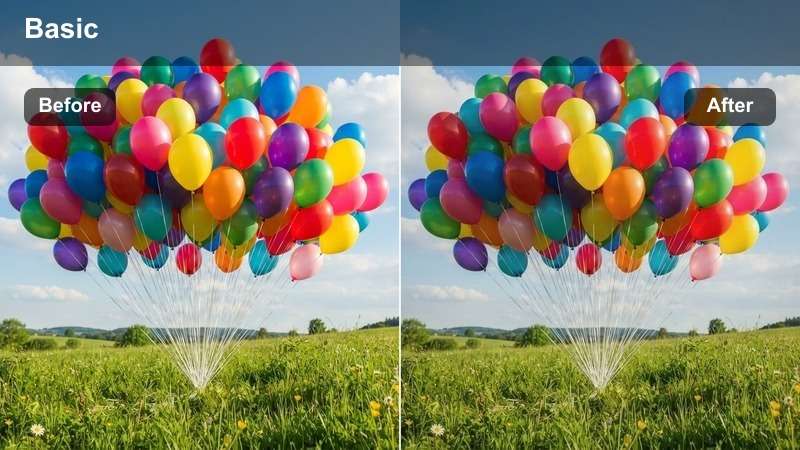
- Effect look: Vibrant but natural blue skies and greenery
- Best for: Bright daylight scenes, outdoor documentaries
- Editing tip: Use HSL to fine-tune sky blue without affecting skin tones
The Clear Sky LUT enhances natural color fidelity by boosting blues and greens while maintaining realistic saturation levels. It adds clarity and contrast to daytime footage without introducing artificial-looking tones.
In Filmora, this LUT is ideal for outdoor documentaries and bright daylight scenes. Use HSL controls to selectively adjust sky hues, ensuring skin tones remain untouched while achieving deep, cinematic skies and lush vegetation.
Indoor Drama & Low-Light Scenes
Dim Room
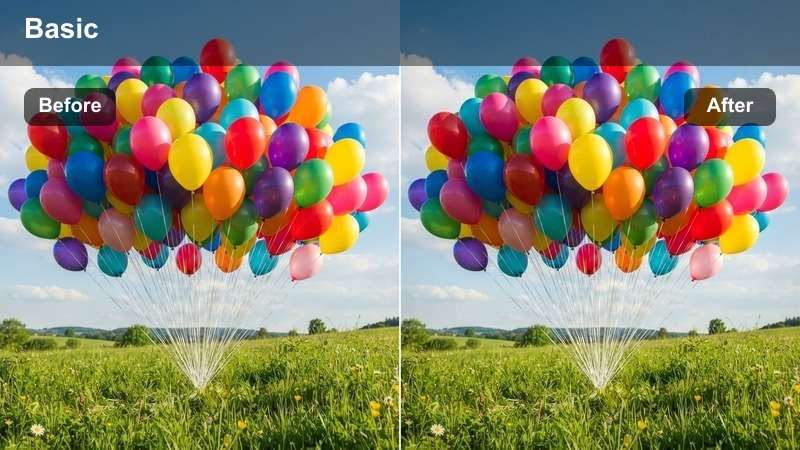
- Effect look: Low-key lighting with warm tungsten accents
- Best for: Intimate interviews, dramatic monologues
- Editing tip: Add subtle film grain to mask noise in dark areas
The Dim Room LUT creates a cinematic, low-key atmosphere by enhancing warm tungsten lighting and deepening shadows. It’s perfect for transforming flat indoor footage into emotionally charged scenes.
In Filmora, apply this LUT to intimate interviews or dramatic monologues shot in low light. Pair with subtle film grain to hide compression artifacts and noise, achieving a textured, filmic look that emphasizes mood and emotion.
Candlelight
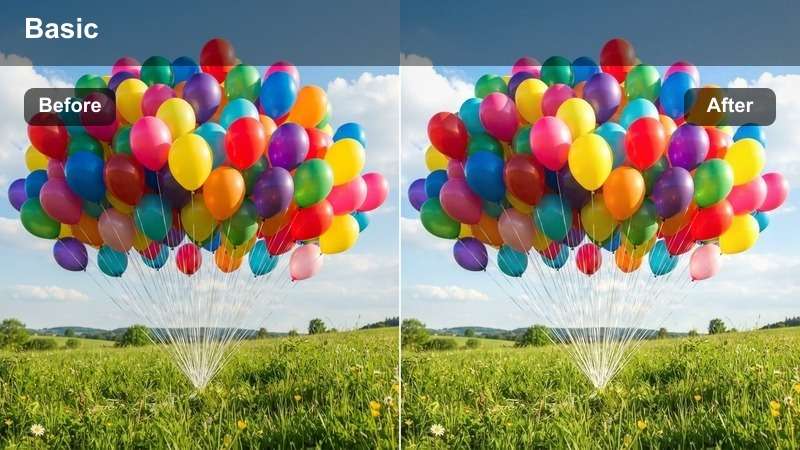
- Effect look: Flickering warm glow with deep, rich shadows
- Best for: Romantic scenes, historical reenactments
- Editing tip: Animate brightness slightly to simulate flame movement
The Candlelight LUT recreates the soft, flickering warmth of candlelit environments, enhancing warm tones and deepening shadows for a romantic, intimate feel. It’s ideal for period pieces and emotionally driven scenes.
In Filmora, use this LUT for romantic dinners or historical reenactments. Animate brightness subtly over time to mimic natural flame movement, and pair with soft focus to enhance the dreamy, nostalgic atmosphere.
Studio Drama
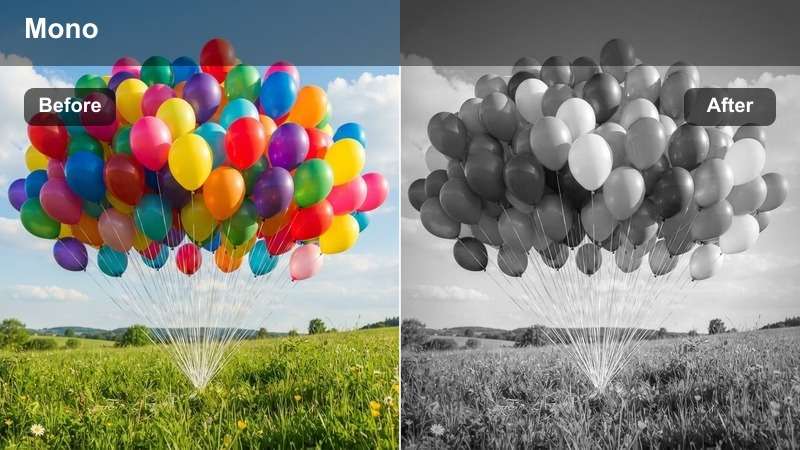
- Effect look: High-contrast black and white with selective color
- Best for: Monochrome interviews, artistic storytelling
- Editing tip: Use color keying to isolate and enhance specific hues
The Studio Drama LUT delivers a powerful monochrome base with selective color retention, creating strong visual contrast and emotional impact. It’s perfect for artistic interviews and narrative-driven content.
In Filmora, apply this LUT to highlight specific elements like clothing or props in color while the rest of the scene remains black and white. Use color keying tools to refine the colored areas and create a compelling focal point.
Creative & Stylized Interpretations
Vintage Film
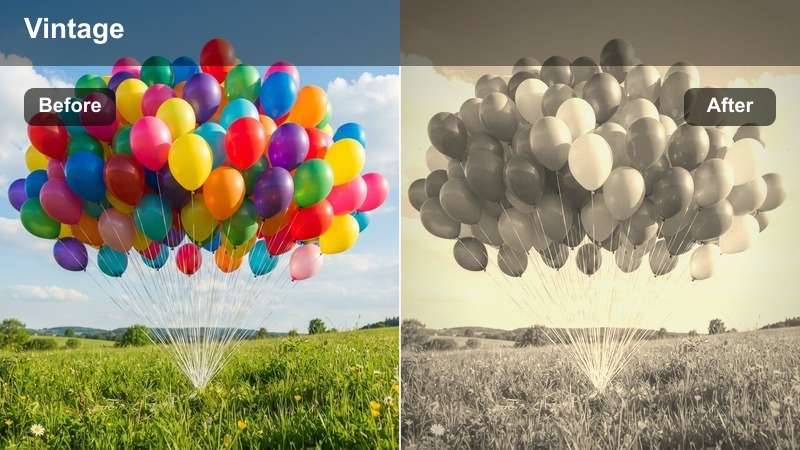
- Effect look: Faded highlights and lifted blacks with slight sepia tint
- Best for: Period pieces, nostalgic storytelling
- Editing tip: Add a film grain overlay for authenticity
The Vintage Film LUT mimics the look of aged 35mm film by fading highlights, lifting blacks, and adding a subtle sepia tone. It creates a timeless, nostalgic aesthetic perfect for period content.
In Filmora, use this LUT for storytelling that evokes the past. Combine with a film grain overlay and slight vignette to enhance authenticity, and adjust contrast to match the soft dynamic range of classic film stocks.
Desaturated Drama
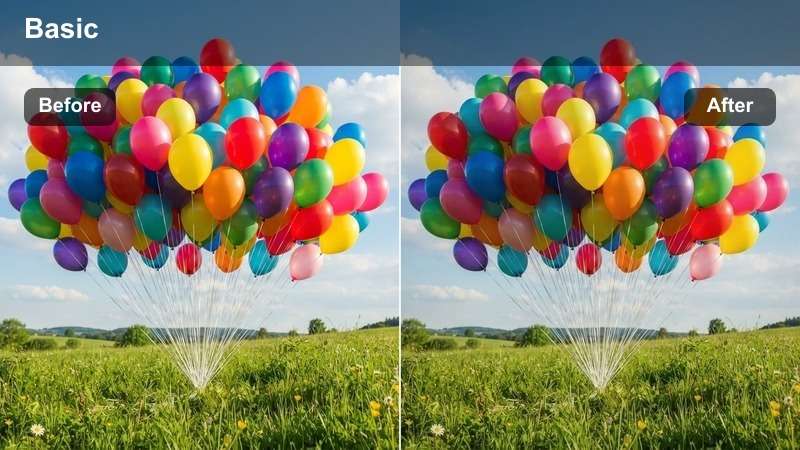
- Effect look: Near-monochrome with subtle blue undertones
- Best for: Emotional interviews, somber narratives
- Editing tip: Use curves to deepen shadows without crushing blacks
The Desaturated Drama LUT conveys emotional weight through minimal color and deep contrast. It removes most saturation while introducing cool blue undertones for a somber, introspective mood.
In Filmora, this LUT is ideal for serious interviews or dramatic narratives. Use shadow recovery curves to maintain detail in dark clothing and backgrounds, preventing the image from appearing flat or overly crushed.
Electric Pop
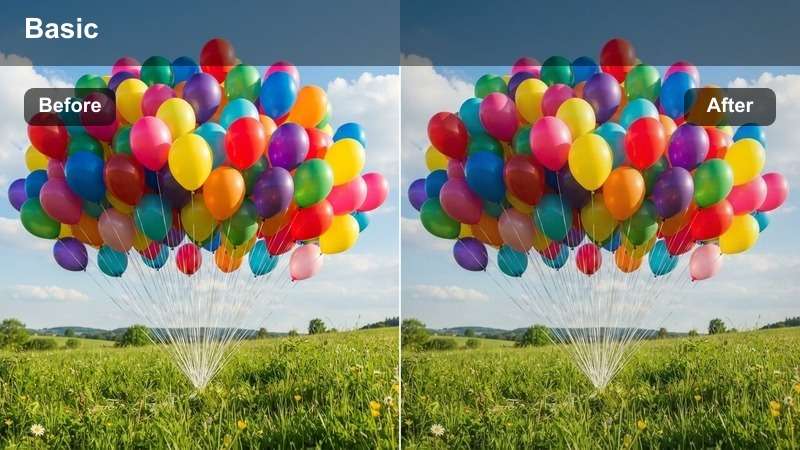
- Effect look: Hyper-saturated colors with crushed blacks
- Best for: Music videos, energetic interviews
- Editing tip: Use selectively with masks to avoid over-processing skin
The Electric Pop LUT delivers bold, high-energy visuals with intense saturation and deep blacks. It’s designed for dynamic content that demands attention and visual impact.
In Filmora, apply this LUT to music videos or high-octane interviews. Use masking or qualifiers to protect skin tones from oversaturation, and fine-tune reds in the hue vs. saturation curve to maintain natural-looking complexions.
Tips for Using S Gamut3 Cine Lut Download Filters in Filmora
- Always shoot in S-Log3 for best results with S-Gamut3.Cine LUTs.
- Use a waveform monitor to ensure proper exposure before grading.
- Apply LUTs as adjustment layers for non-destructive editing.
- Fine-tune white balance before applying any LUT for accurate color rendering.
The Free Sony S-Gamut3.Cine LUT Pack unlocks professional cinematic color grading for Sony filmmakers and colorists working with wide-gamut footage.
Whether you're shooting interviews, documentaries, or narrative films, these LUTs streamline your S-Log workflow and deliver stunning, consistent results.
secure download 