

 100% Security Verified | No Subscription Required | No Malware

Shooting with Sony FX cameras in S-Gamut3 delivers exceptional dynamic range and color fidelity, but requires precise conversion to standard color spaces for post-production. Without proper grading, footage can appear flat or oversaturated.
Our Free Sony S-Gamut3 LUT Pack simplifies this process, offering 12 expertly crafted filters tailored for real-world shooting scenarios. Whether you're editing day exteriors or low-light night scenes, these LUTs ensure natural skin tones, balanced highlights, and cinematic contrast.
In this article
Daylight Naturalism
Golden Hour Glow
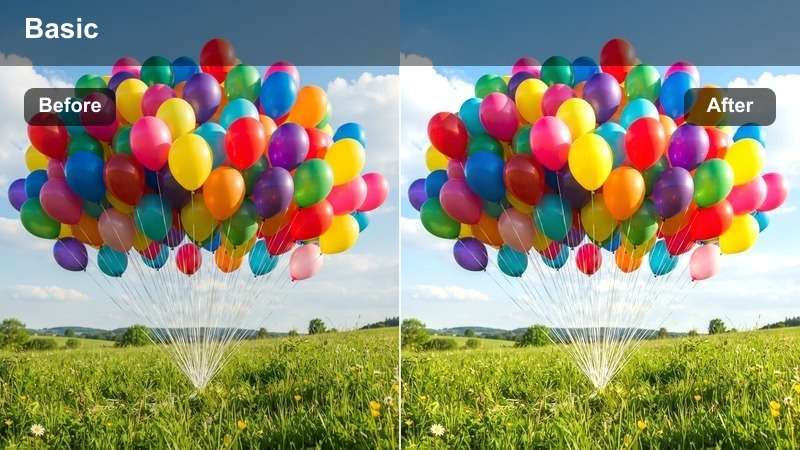
- Effect look: Warm, sun-kissed tones with soft highlights
- Best for: Day exteriors, golden hour footage
- Editing tip: Reduce opacity to 80% for subtler warmth
This LUT enhances natural sunlight by adding gentle warmth and improving shadow detail, making it ideal for footage captured during golden hour. The subtle tonal shift brings out the richness of outdoor environments without overpowering skin tones.
In Filmora, apply the Golden Hour Glow LUT to footage shot in late afternoon light to instantly elevate the mood. Use it on walking shots or interviews in outdoor settings to achieve a cinematic, emotionally resonant look with minimal adjustments.
 secure download

Clear Skies
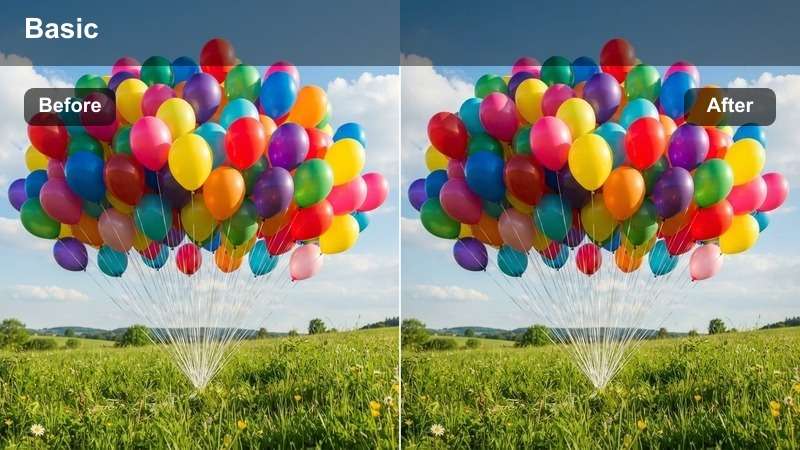
- Effect look: Crisp, cool daylight with enhanced blue skies
- Best for: Midday exteriors, overcast scenes
- Editing tip: Boost saturation slightly for vivid outdoor color
The Clear Skies LUT optimizes midday footage by delivering balanced contrast and clean rendering of blue skies and white surfaces. It corrects the flatness often seen in overcast conditions, bringing clarity and visual punch to urban or landscape shots.
In Filmora, use this LUT for aerial drone footage or cityscapes captured under bright daylight. Pair it with minor saturation boosts to make outdoor elements like foliage and signage stand out while maintaining natural-looking skin tones in on-camera subjects.
Soft Daylight
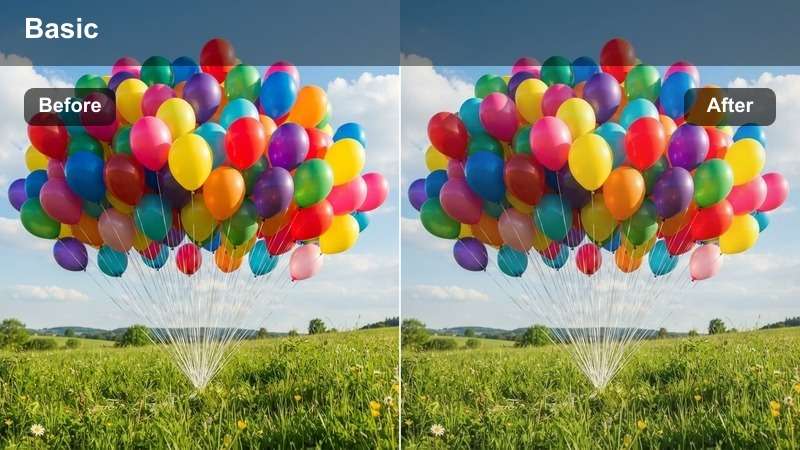
- Effect look: Muted contrast with soft highlights and even skin tones
- Best for: Indoor daylight, window-lit interviews
- Editing tip: Pair with a slight sharpening filter for clarity
Soft Daylight is designed for scenes lit naturally through windows, delivering even exposure and flattering skin tones. It reduces harsh contrasts while preserving detail in both highlights and shadows, making it perfect for professional interview setups.
Apply this LUT in Filmora when editing talking-head videos or documentary segments shot near windows. Its subtle enhancement ensures subjects look natural and well-lit, and when combined with light sharpening, it maintains crispness without introducing noise.
Urban Nightscapes
Neon Noir
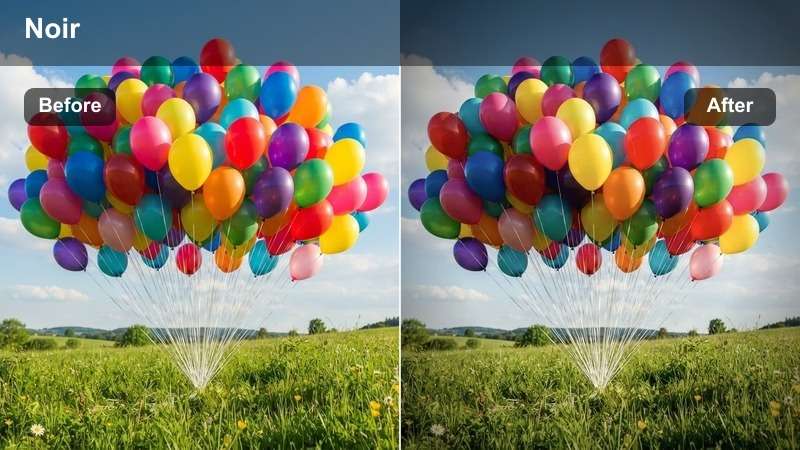
- Effect look: High contrast with deep blacks and vibrant neon accents
- Best for: City night scenes, neon-lit streets
- Editing tip: Use with noise reduction for clean low-light footage
Neon Noir transforms dark urban environments into cinematic night sequences with punchy colors and rich shadows. It enhances the vibrancy of neon signs and street lighting while maintaining deep, controlled blacks for a dramatic effect.
In Filmora, this LUT works exceptionally well for night walks, dolly shots, or establishing city scenes. Combine it with noise reduction tools to keep low-light footage clean, especially when shooting at high ISOs on Sony FX cameras.
Midnight Blue
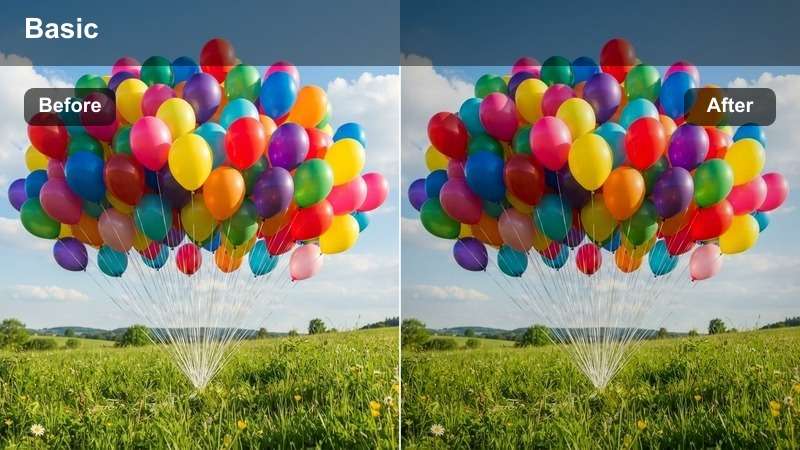
- Effect look: Cool-toned shadows with subtle blue highlights
- Best for: Low-light exteriors, moody night shots
- Editing tip: Add a slight grain overlay for filmic texture
Midnight Blue creates a modern, cool-toned aesthetic ideal for moody night scenes. It balances exposure across dark areas while introducing a cinematic blue tint that enhances the atmosphere of urban or park environments at night.
Use this LUT in Filmora for wide shots where ambient lighting dominates. For added realism, layer in a subtle grain effect to emulate film stock and deepen the visual storytelling impact of your nighttime sequences.
Street Glow
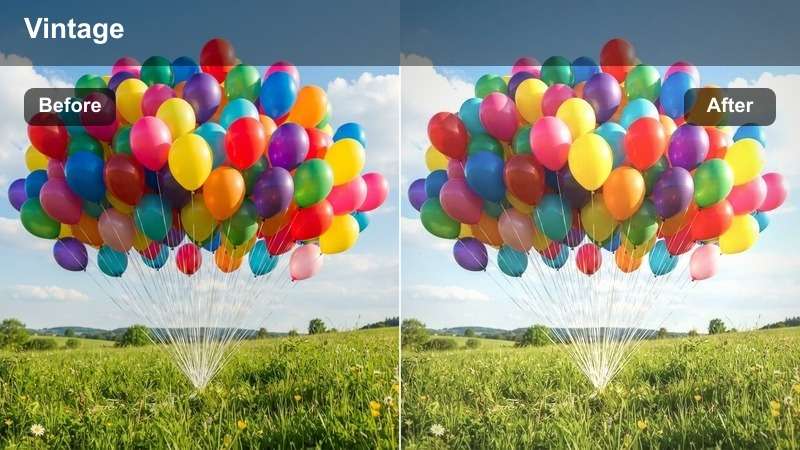
- Effect look: Warm streetlight ambiance with soft halation
- Best for: Pedestrian night scenes, urban walks
- Editing tip: Blend with a vignette for added depth
Street Glow simulates the warmth of traditional sodium-vapor street lamps, creating a cozy and authentic urban nighttime feel. It introduces soft halation around light sources, mimicking natural lens flare and light diffusion in low-light conditions.
In Filmora, apply this LUT to tracking shots of people walking through historic districts or cobblestone streets. Pair it with a vignette to draw focus to the subject and enhance the immersive quality of the scene.
Indoor Realism
Tungsten Balance
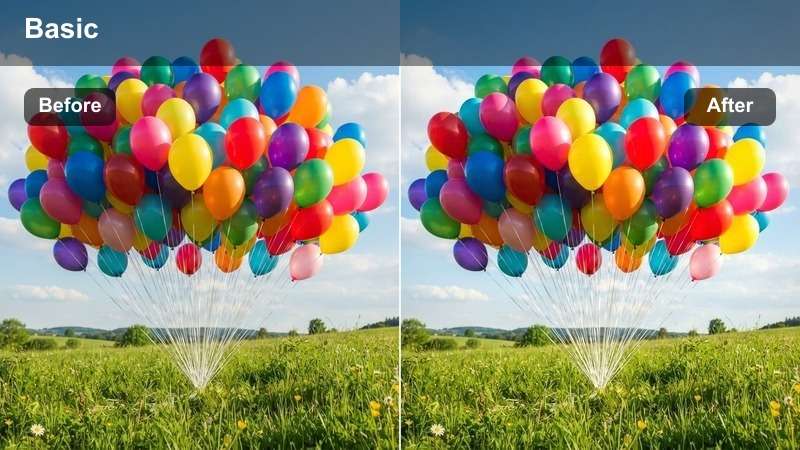
- Effect look: Neutralizes warm indoor lighting for natural color
- Best for: Indoor interviews, office environments
- Editing tip: Adjust white balance to 3200K before applying
Tungsten Balance corrects the excessive warmth typical of indoor lighting setups, producing lifelike colors and neutral whites. It ensures that scenes shot under incandescent bulbs don't appear overly yellow or orange.
In Filmora, use this LUT for corporate videos or sit-down interviews in warmly lit rooms. Set your white balance to 3200K before applying the LUT to achieve accurate color reproduction and professional-grade results.
Fluorescent Fix
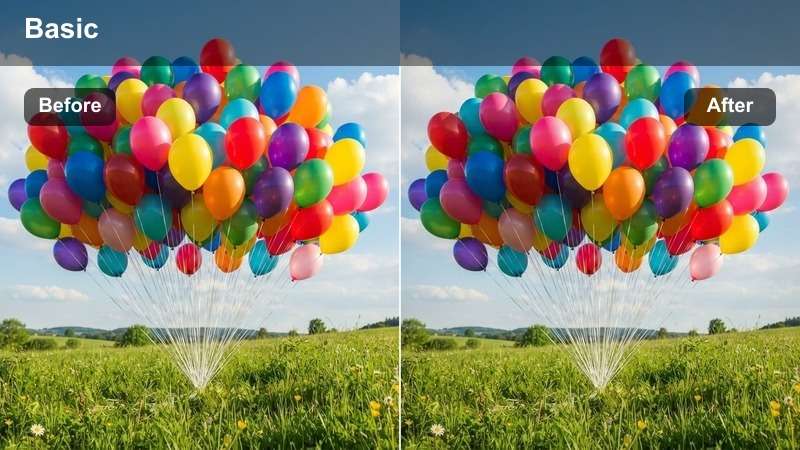
- Effect look: Removes green cast from fluorescent lighting
- Best for: Retail spaces, hospitals, offices
- Editing tip: Apply secondary correction for skin tone refinement
Fluorescent Fix eliminates the unnatural green tint common in artificial lighting, delivering clean, neutral indoor tones. It’s essential for footage captured in environments dominated by overhead fluorescent fixtures.
Apply this LUT in Filmora when editing content shot in retail stores, clinics, or offices. Follow up with a secondary color correction to fine-tune skin tones and ensure subjects look healthy and natural under corrected lighting.
Mixed Light Harmony
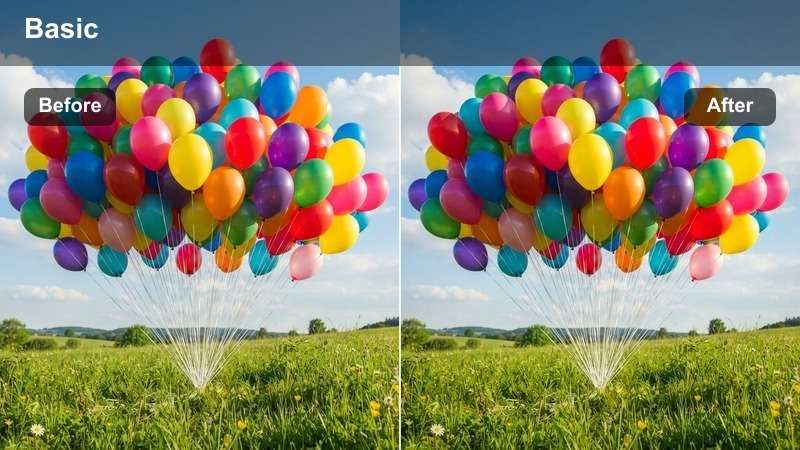
- Effect look: Balances mixed lighting sources for cohesive color
- Best for: Scenes with window + artificial light
- Editing tip: Use power windows to isolate light zones
Mixed Light Harmony manages the challenge of conflicting light sources, such as daylight from windows and warm indoor lamps. It creates a unified color grade that prevents color casts and ensures visual consistency across the frame.
In Filmora, use this LUT for interior scenes with both natural and artificial light. Leverage power windows or masks to apply targeted corrections, ensuring both light zones appear natural and seamlessly integrated.
Cinematic Styles
Cine Contrast
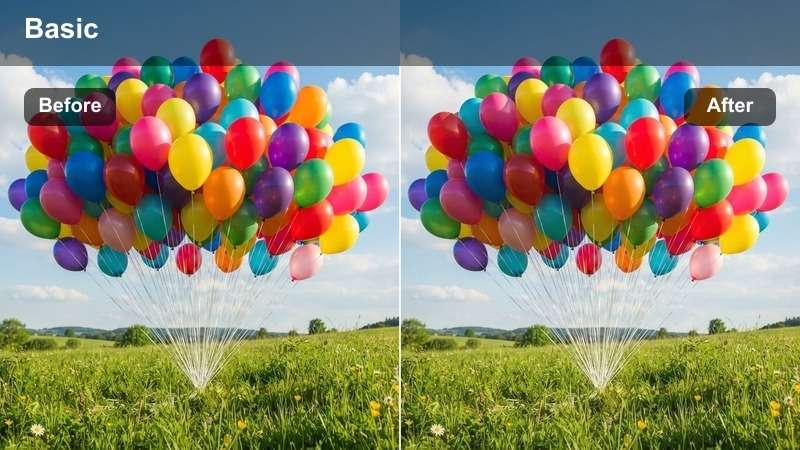
- Effect look: Film-like contrast with lifted blacks and soft highlights
- Best for: Narrative scenes, dramatic shots
- Editing tip: Use with dehaze for added depth
Cine Contrast delivers a professional cinematic look with organic tonal transitions, lifted blacks, and soft highlight roll-off. It enhances narrative depth and emotional intensity without sacrificing detail.
Apply this LUT in Filmora for dramatic close-ups or dialogue scenes. Pair it with the dehaze tool to add atmospheric depth, making interiors feel more immersive and visually compelling.
Vintage Fade
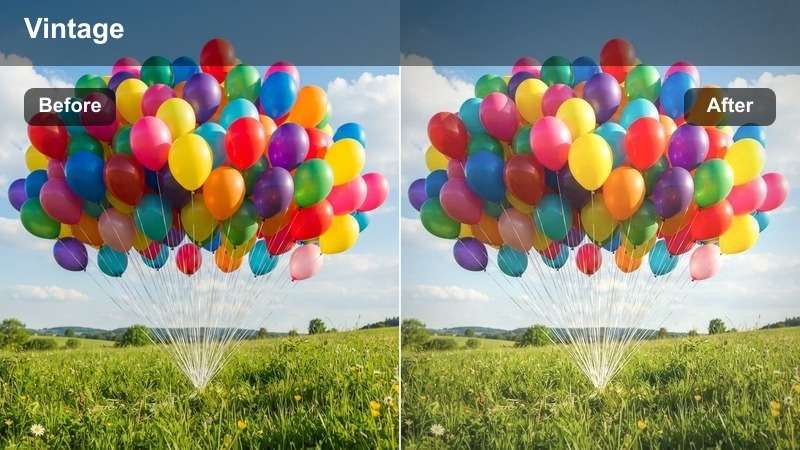
- Effect look: Desaturated tones with slight color fade and warm base
- Best for: Period pieces, nostalgic scenes
- Editing tip: Add subtle grain for authentic texture
Vintage Fade emulates the look of aged film by gently desaturating colors and introducing a warm base tone. It creates a nostalgic atmosphere ideal for historical reenactments or memory sequences.
In Filmora, use this LUT for 1970s-style street scenes or family flashback moments. Enhance authenticity by layering in subtle grain and selectively boosting reds to guide viewer attention.
Modern Matte
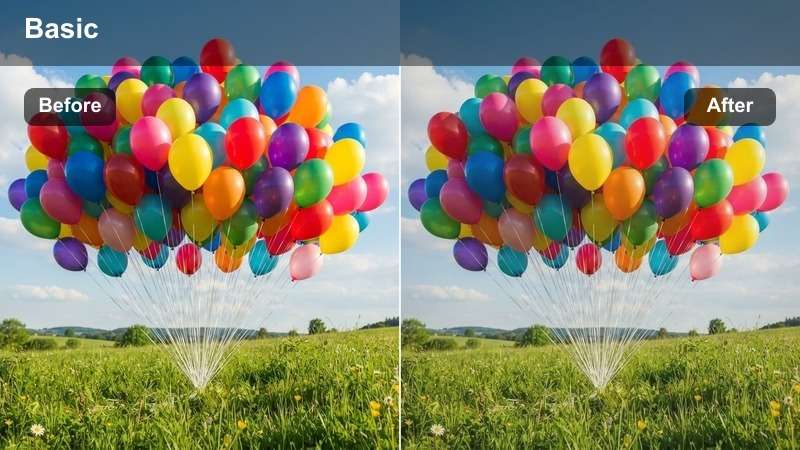
- Effect look: Flat contrast with desaturated shadows and clean highlights
- Best for: Commercial shoots, fashion videos
- Editing tip: Increase contrast slightly for dynamic range
Modern Matte produces a sleek, editorial look with controlled tonal distribution and neutral shadows. It’s perfect for high-end commercial content where clarity and modern aesthetics are key.
Apply this LUT in Filmora for fashion runways or product showcases. Use skin tone masks to protect facial tones from oversaturation, ensuring models look polished and professional.
secure downloadTips for Using S Gamut3 Lut Download Filters in Filmora
- Always shoot in S-Log3 with S-Gamut3 for maximum dynamic range.
- Use a color checker chart on set for precise LUT calibration.
- Apply LUTs as adjustment layers to maintain non-destructive editing.
- Fine-tune white balance before applying any LUT for best results.
The Free Sony S-Gamut3 LUT Pack is an essential tool for Sony FX users and post-production editors working with wide-gamut footage.
From day exteriors to night scenes, these 12 filters deliver professional color grading with minimal effort.
secure download