

 100% Security Verified | No Subscription Required | No Malware

Elevate your Blackmagic footage with the Free Blackmagic Film Gen 4 LUT Pack, designed specifically for editors seeking cinematic color grading precision. Whether you're shooting short films or studio projects, these LUTs bring film-like depth and mood to your visuals.
Crafted for Blackmagic editors and short film creators, this LUT pack works seamlessly with Gen 4 footage, offering consistent color science and dynamic range. Download now and transform your raw footage into cinematic storytelling.
In this article
Neon Cityscapes & Night Scenes
Neon Noir
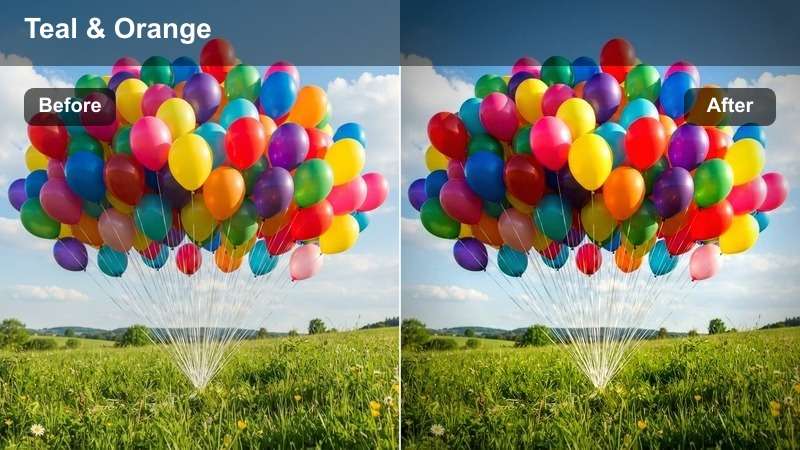
- Effect look: High contrast with deep blacks and vibrant cyan highlights
- Best for: Urban night shoots, crime dramas, neon-lit streets
- Editing tip: Use with slight exposure lift to preserve shadow detail
This LUT delivers a moody, noir-inspired look that enhances the cinematic feel of nighttime urban scenes. The deep shadows and vivid cyan highlights create a dramatic contrast, ideal for storytelling with tension and mystery.
In Filmora, apply the Neon Noir LUT to footage shot in low-light city environments to instantly elevate the atmosphere. Pair it with minor exposure adjustments to retain detail in dark areas while letting the neon elements pop.
 secure download

AI-Powered Color Matching
Filmora's AI color palette analyzes your scene and suggests the best LUT match based on lighting and mood.
Save time by automatically applying the most compatible look from the Blackmagic Film Gen 4 LUT pack.
Try AI Color Match in Filmora today.
See the LUTs in Action
Watch real-time demos of each LUT applied to Blackmagic Gen 4 footage across different scenarios.
Compare side-by-side results for urban, studio, and natural light environments.
Explore the filter demo gallery.
One-Click LUT Import
Import the entire Free Blackmagic Film Gen 4 LUT Pack directly into Filmora with a single click.
Organized by scene type, these LUTs integrate seamlessly into your editing timeline.
Download and install now.
Cyber Dusk
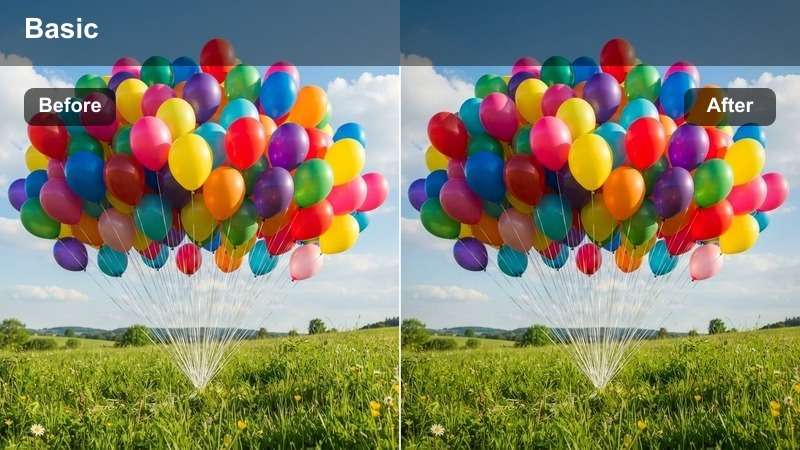
- Effect look: Cool blue tones with magenta undertones and soft highlights
- Best for: Futuristic scenes, sci-fi shorts, twilight city shots
- Editing tip: Pair with a slight vignette to focus on central subjects
Cyber Dusk creates a futuristic, atmospheric look that evokes dystopian cityscapes and sci-fi narratives. The cool blue base with magenta accents adds a modern, otherworldly tone to twilight footage.
In Filmora, this LUT works best when combined with subtle effects like vignettes or fog overlays. Use it on shots with artificial lighting to enhance the contrast between warm and cool elements in the scene.
Metro Gloom
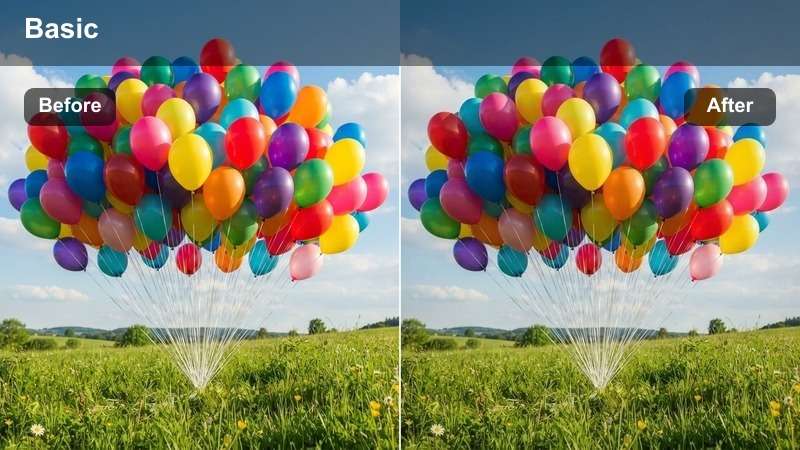
- Effect look: Desaturated with green-gray shadows and muted highlights
- Best for: Documentary-style shoots, gritty urban narratives
- Editing tip: Use with low-contrast lighting for maximum realism
Metro Gloom delivers a raw, desaturated aesthetic that emphasizes realism and emotional weight. The green-gray shadows and flat highlights mimic the look of analog documentary footage.
Apply this LUT in Filmora to urban scenes shot under fluorescent or overcast lighting. It’s especially effective for storytelling that aims to feel authentic and grounded, such as indie dramas or social documentaries.
Sunset Drives & Golden Hour
Golden Road
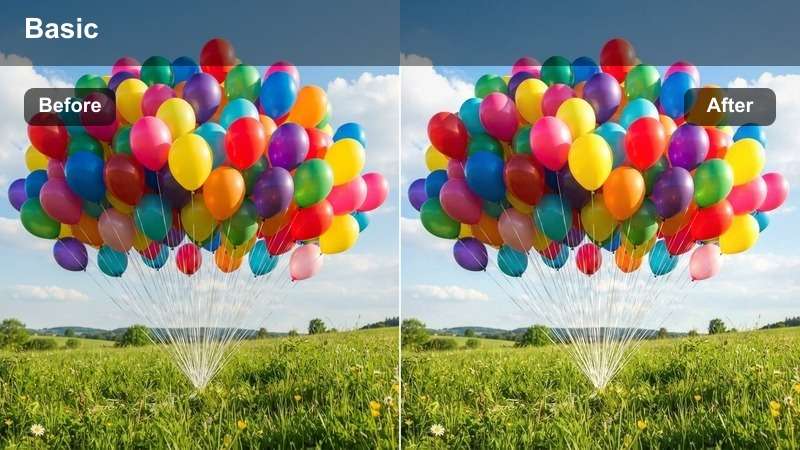
- Effect look: Warm amber tones with soft orange highlights and rich shadows
- Best for: Road trip scenes, romantic dramas, outdoor golden hour
- Editing tip: Slightly reduce highlights to preserve sky detail
Golden Road enhances the natural warmth of sunset lighting, making it perfect for emotionally resonant outdoor scenes. The rich amber tones and soft highlights evoke a sense of journey and nostalgia.
In Filmora, use this LUT on golden hour footage to bring out the warmth of skin tones and landscapes. Adjust the highlight levels slightly to prevent overexposure in the sky while maintaining vibrant color depth.
Amber Silence
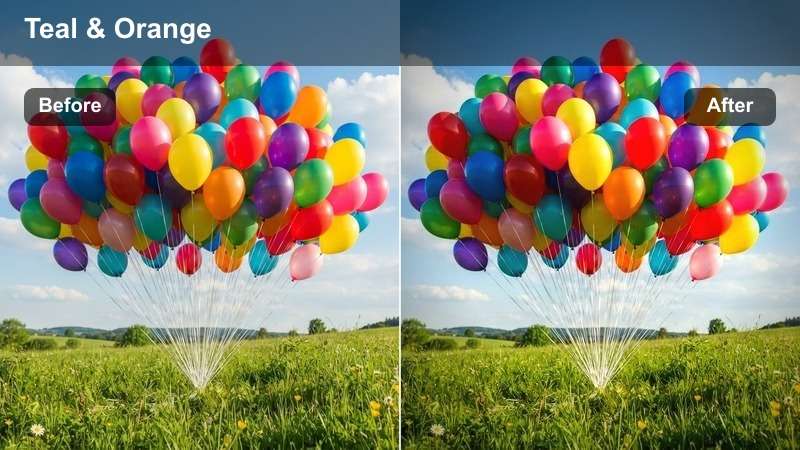
- Effect look: Soft golden midtones with subtle teal shadows
- Best for: Contemplative scenes, solo character moments, rural landscapes
- Editing tip: Use with slow-motion for emotional impact
Amber Silence adds a poetic warmth to quiet, introspective scenes. The gentle contrast and teal undertones in the shadows create a cinematic push-pull effect that enhances visual depth.
Apply this LUT in Filmora to solo character shots or serene natural environments. It works exceptionally well when paired with slow-motion footage to amplify emotional storytelling.
Dusty Horizon
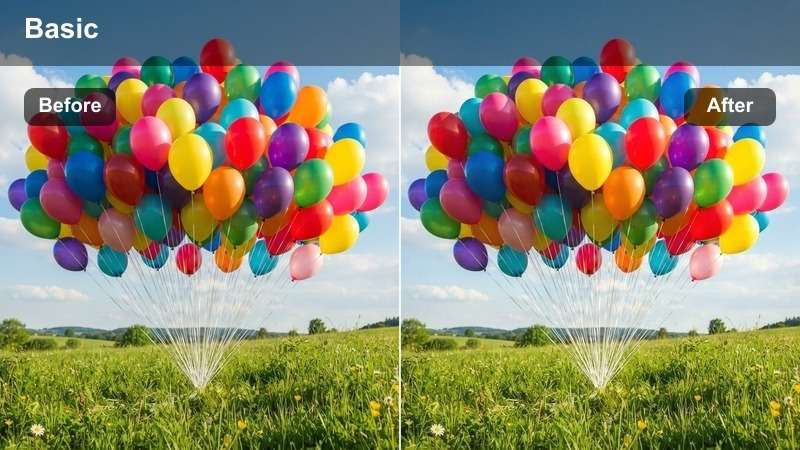
- Effect look: Warm sepia base with lifted blacks and hazy highlights
- Best for: Westerns, desert scenes, vintage aesthetics
- Editing tip: Add lens flare for enhanced period authenticity
Dusty Horizon delivers a nostalgic, sun-bleached look that’s ideal for period films and western genres. The lifted blacks and hazy highlights simulate the effect of aged film stock exposed to intense sunlight.
In Filmora, pair this LUT with lens flares and subtle grain overlays to enhance the vintage feel. It’s especially effective for scenes shot in arid, open landscapes during late afternoon.
Studio Portraits & Dialogue Scenes
Studio Classic
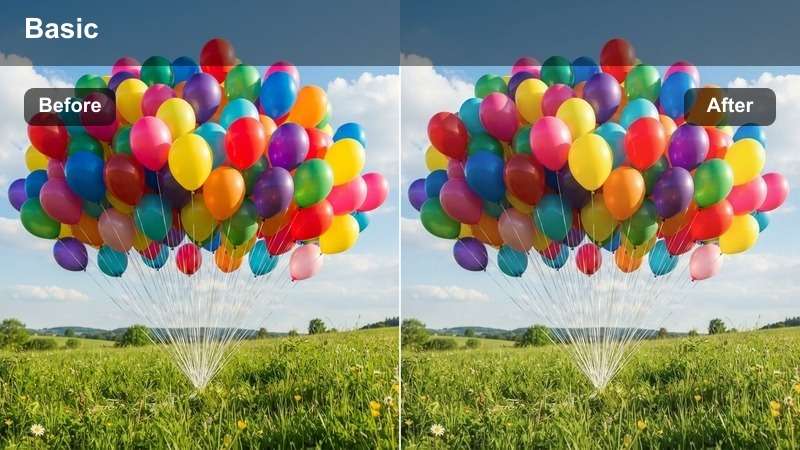
- Effect look: Neutral skin tones with soft contrast and even highlights
- Best for: Interviews, close-up dialogues, studio shoots
- Editing tip: Use with three-point lighting for optimal results
Studio Classic provides a clean, broadcast-ready look with accurate skin tones and balanced contrast. It’s designed for professional studio content where clarity and consistency are essential.
In Filmora, this LUT is ideal for interview footage or dialogue-heavy scenes. Use it with properly lit setups to maintain natural skin tones and avoid color casts in controlled environments.
Drama Focus
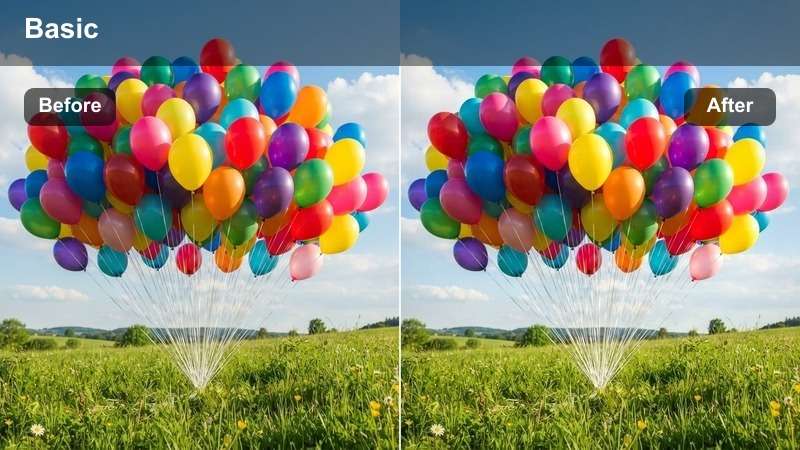
- Effect look: Slightly desaturated with deepened shadows and warm highlights
- Best for: Emotional scenes, dramatic reveals, low-key lighting
- Editing tip: Use with shallow depth of field for intensity
Drama Focus intensifies emotional scenes with controlled contrast and warm highlights. The desaturated base and deep shadows help focus attention on facial expressions and subtle lighting.
Apply this LUT in Filmora to dramatic close-ups or low-key studio shots. It enhances the mood without overpowering the performance, making it ideal for serious narratives.
Mono Soul
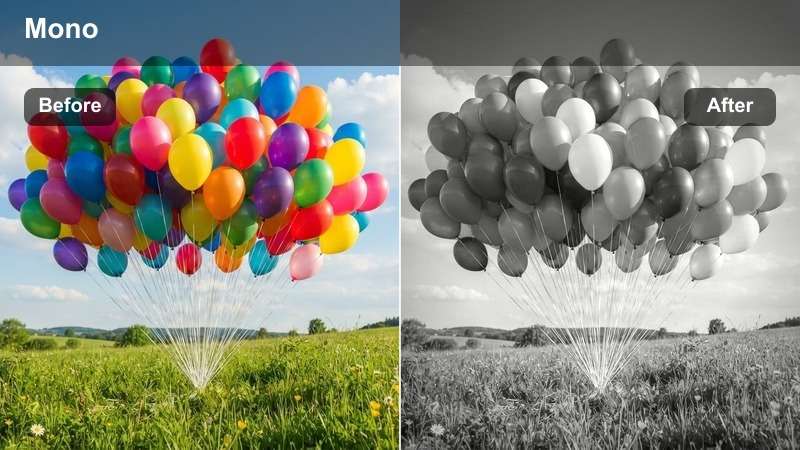
- Effect look: High-contrast black and white with textured midtones
- Best for: Monologues, artistic shorts, dramatic portraits
- Editing tip: Use channel mixing to control tonal separation
Mono Soul transforms footage into timeless black-and-white visuals with rich texture and dynamic contrast. The high-contrast look emphasizes form, light, and shadow for artistic impact.
In Filmora, use this LUT for monologues or performance-based content. Fine-tune the Luma curve and channel mixer to achieve optimal tonal separation and avoid crushed blacks.
Outdoor Natural Light
Clear Day
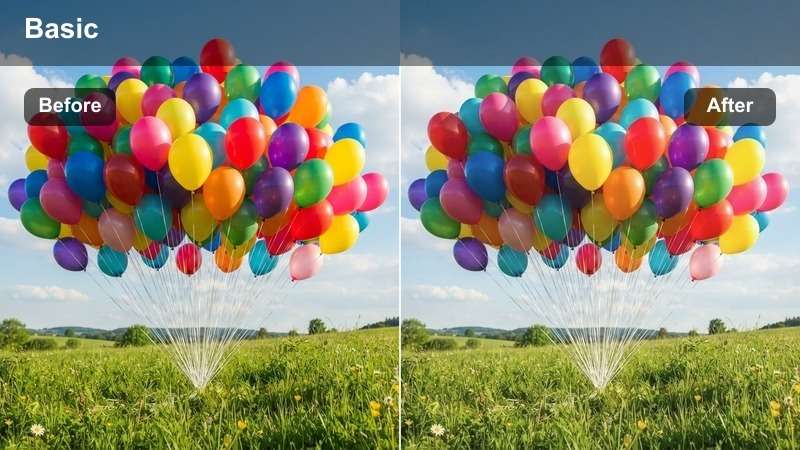
- Effect look: Balanced daylight with natural skin tones and crisp highlights
- Best for: Daylight interviews, park scenes, outdoor documentaries
- Editing tip: Use polarizing filter in-camera for better sky contrast
Clear Day optimizes footage shot under natural sunlight, delivering vibrant colors and accurate skin tones. The crisp highlights and balanced exposure make it ideal for daylight storytelling.
In Filmora, this LUT works well for outdoor interviews or documentary shoots. Combine it with minor saturation tweaks to enhance greenery and sky without oversaturation.
Soft Meadow
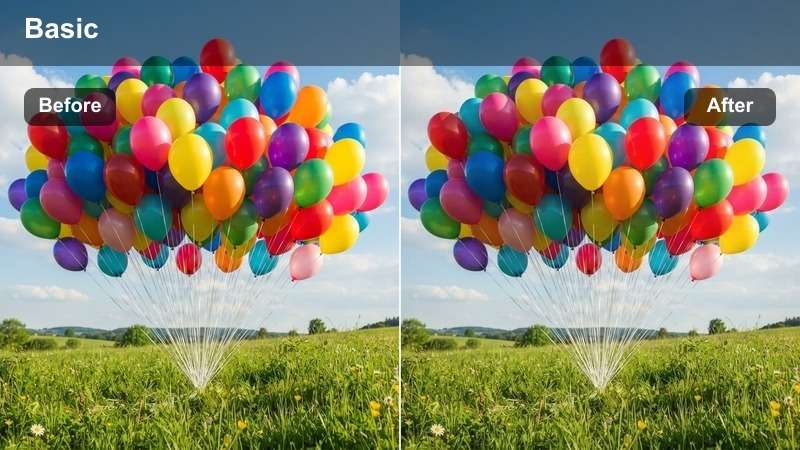
- Effect look: Slightly cooled shadows with lifted blacks and soft highlights
- Best for: Romantic scenes, morning shoots, countryside visuals
- Editing tip: Use with wide aperture for dreamy background blur
Soft Meadow creates an airy, gentle aesthetic perfect for pastoral and romantic scenes. The lifted blacks and cooled shadows add a soft, ethereal quality to natural light footage.
Apply this LUT in Filmora to morning or early afternoon shots in open fields. Pair it with wide aperture footage to enhance the dreamy, out-of-focus background effect.
Foggy Morning
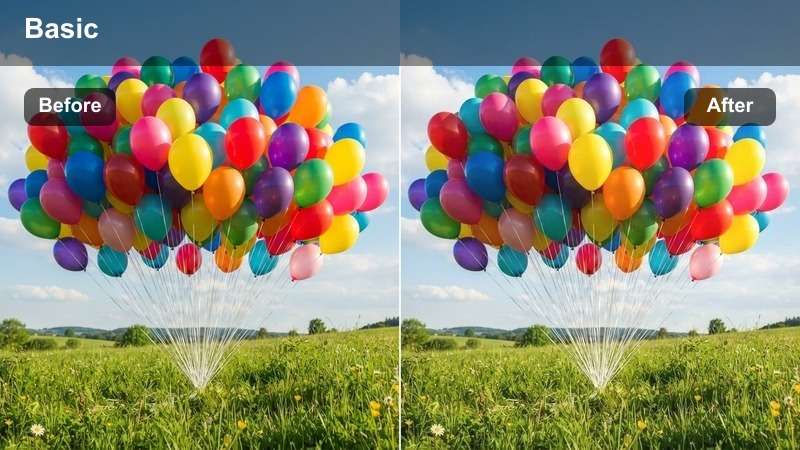
- Effect look: Muted tones with cool gray base and soft diffusion
- Best for: Mystery scenes, early morning shoots, forest visuals
- Editing tip: Use with low contrast lighting for authentic fog simulation
Foggy Morning adds a quiet, mysterious atmosphere to dawn and forest scenes. The muted tones and soft diffusion mimic the natural look of morning fog, enhancing the sense of isolation and calm.
In Filmora, use this LUT for mystery or contemplative scenes shot in wooded areas. Layer it with subtle fog effects in post to deepen the sense of depth and realism.
Tips for Using Blackmagic Film Gen 4 Lut Download Filters in Filmora
- Always shoot in Log mode for maximum flexibility when applying LUTs.
- Use adjustment layers to apply LUTs non-destructively across multiple clips.
- Fine-tune white balance before applying any LUT for consistent results.
- Combine LUTs with Filmora's color correction tools for custom looks.
The Free Blackmagic Film Gen 4 LUT Pack is an essential tool for Blackmagic editors and short film creators aiming for cinematic color grading.
With 12 expertly crafted filters tailored for Gen 4 footage, studio shoots, and real-world scenarios, you can achieve professional results in minutes.
secure download