

 100% Security Verified | No Subscription Required | No Malware

RED Log3G10 is a powerful gamma curve used in professional cinema cameras, delivering exceptional dynamic range and color fidelity. Converting this log footage to a viewable gamma like Rec.709 requires precise LUTs for accurate results.
Our Free RED Log3G10 LUT Pack simplifies this process, offering 12 expertly crafted filters designed specifically for RED cinema users and professional colorists. Whether you're editing commercials, music videos, or narrative films, these LUTs ensure consistent, cinematic color right from the start.
In this article
Neon Cityscapes at Night
Neon Glow
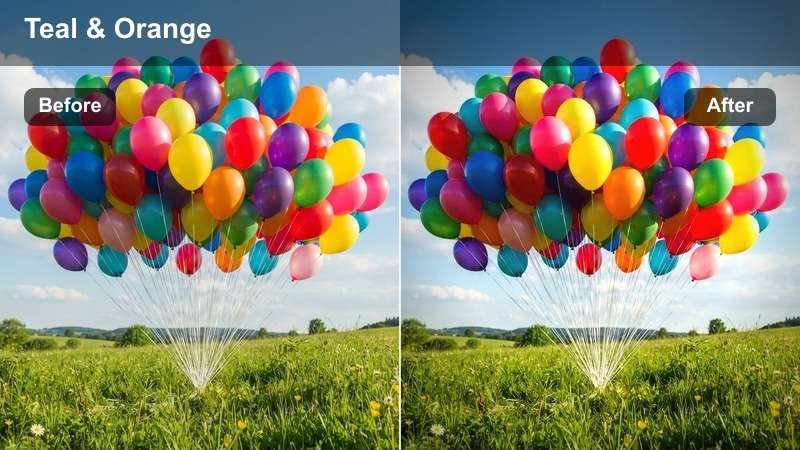
- Effect look: High-contrast teal and orange tones with vibrant neon highlights
- Best for: Nighttime city scenes, car commercials, urban music videos
- Editing tip: Boost saturation slightly and add glow effects to neon signs for enhanced realism
The Neon Glow LUT delivers a bold, stylized look perfect for capturing the energy of urban nightlife. With its signature teal and orange contrast, this preset enhances artificial lighting and adds cinematic depth to dark scenes.
In Filmora, apply this LUT to footage shot under neon or street lighting for instant mood enhancement. Pair it with glow effects and subtle sharpening to make headlights and signage pop, ideal for fast-paced edits in commercials or music videos.
 secure download

AI-Powered Color Matching
Filmora's AI Color Palette analyzes your RED Log3G10 footage and suggests complementary color schemes based on the scene's dominant hues.
Automatically generate palettes for skin tones, backgrounds, and lighting conditions to maintain consistency across shots.
secure downloadTry Before You Apply
Preview each LUT in real-time with Filmora's instant filter demo feature.
Compare up to four looks side-by-side to find the perfect match for your project's mood.
secure downloadOne-Click LUT Import
Import the Free RED Log3G10 LUT Pack directly into Filmora with a single click.
Organize, tag, and apply LUTs across timelines with intuitive drag-and-drop controls.
secure downloadCyber Dusk
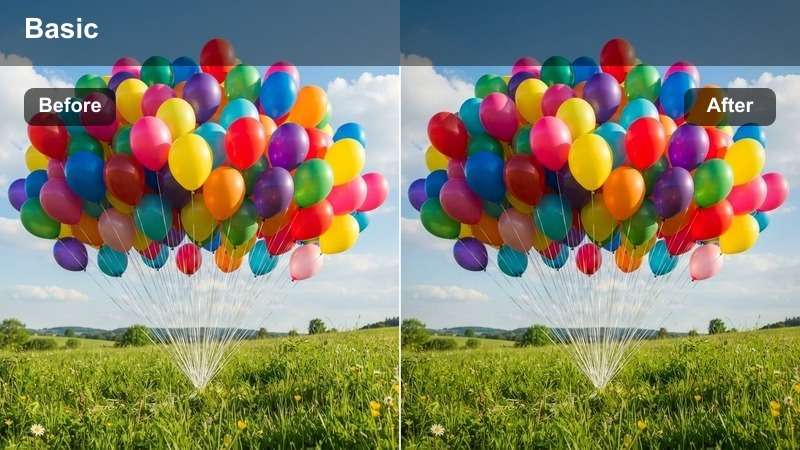
- Effect look: Cool magenta base with cyan highlights and desaturated midtones
- Best for: Sci-fi scenes, futuristic commercials, dystopian music videos
- Editing tip: Apply a slight vignette and increase clarity to emphasize textures in dark suits or metallic surfaces
The Cyber Dusk LUT creates a sleek, otherworldly atmosphere with its cool magenta foundation and bright cyan accents. This look is ideal for projects aiming to evoke a high-tech, futuristic mood.
In Filmora, use this LUT for sci-fi sequences or tech-focused ads. Combine it with clarity adjustments and subtle vignetting to bring out fine details in costumes or set designs, enhancing the overall sense of realism in digital environments.
Metro Pulse
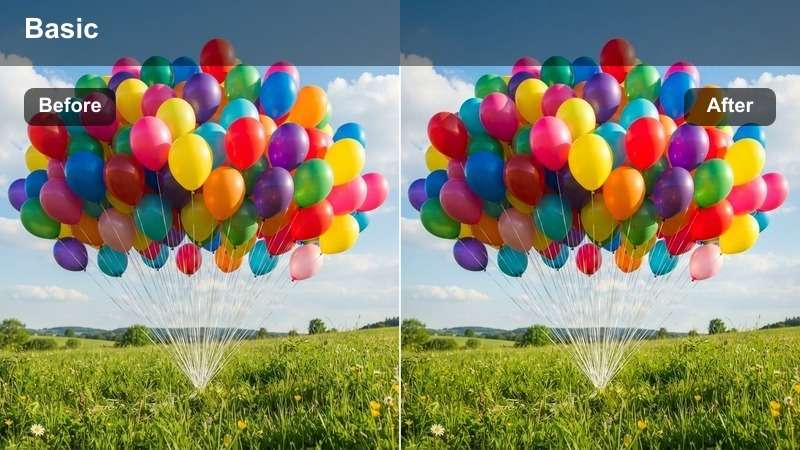
- Effect look: Warm amber shadows with electric blue highlights and moderate contrast
- Best for: Fast-paced urban edits, dance sequences, lifestyle commercials
- Editing tip: Use dynamic keyframing on exposure to sync with music beats
The Metro Pulse LUT delivers an energetic, rhythm-driven aesthetic with warm shadows and vibrant blue highlights. It’s designed to match the pace of dynamic urban storytelling.
In Filmora, pair this LUT with beat-synced edits and animated exposure changes to create a pulsing visual effect. Perfect for music videos or lifestyle content where timing and energy are key to audience engagement.
Golden Hour Landscapes
Sun-Kissed
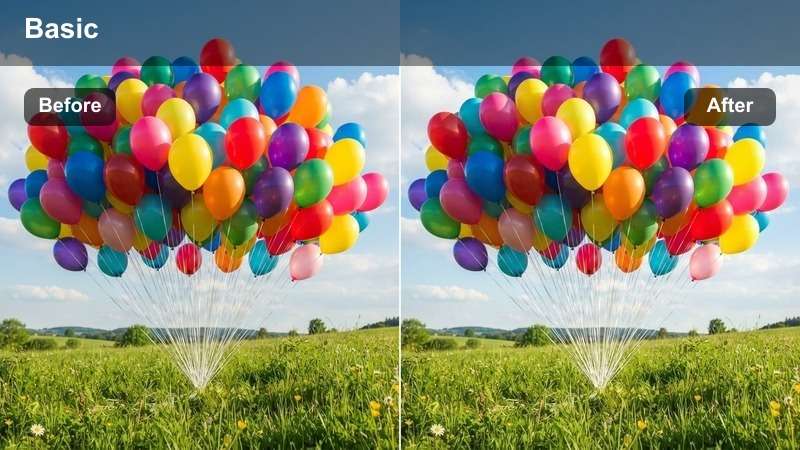
- Effect look: Warm golden tones with soft highlights and lifted blacks
- Best for: Golden hour exteriors, romantic scenes, travel commercials
- Editing tip: Slightly increase skin warmth using the color wheels for natural-looking tones
The Sun-Kissed LUT enhances natural warmth and soft light, making it perfect for romantic or travel-focused content shot during golden hour.
In Filmora, apply this LUT to outdoor scenes to bring out golden hues in skin and environment. Use color wheels to fine-tune skin tones, ensuring they remain flattering under strong backlighting.
Desert Glow
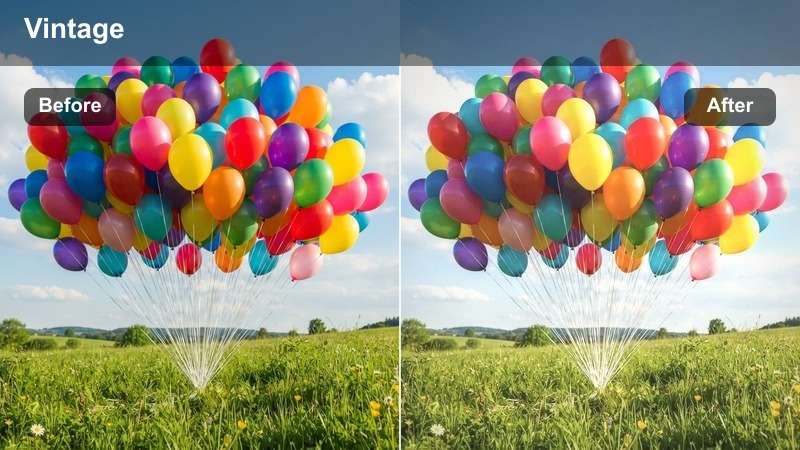
- Effect look: Amber-rich tones with deep orange shadows and soft contrast
- Best for: Desert landscapes, adventure films, automotive commercials
- Editing tip: Use a graduated filter to darken the sky and enhance the horizon glow
The Desert Glow LUT emphasizes rich amber and orange tones, ideal for capturing the vast, warm beauty of arid environments at sunset.
In Filmora, combine this LUT with graduated filters to balance exposure between sky and ground. Add subtle dust effects tinted to match the palette for a more immersive desert experience.
Horizon Flare
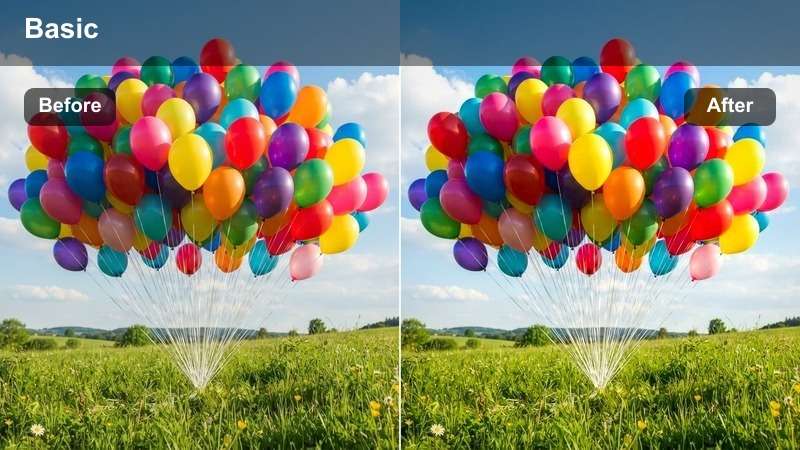
- Effect look: High dynamic range with lens flare simulation and golden halation
- Best for: Sunrise/sunset sequences, dramatic reveals, cinematic openings
- Editing tip: Use an anamorphic flare overlay to enhance cinematic feel
The Horizon Flare LUT delivers a bold, cinematic look with intense light effects and radiant halos, perfect for dramatic sky transitions.
In Filmora, layer anamorphic flares and animate their intensity to match the sun's movement. This LUT works exceptionally well for opening scenes or emotional climaxes where visual impact is paramount.
Moody Interior Scenes
Shadow Depth
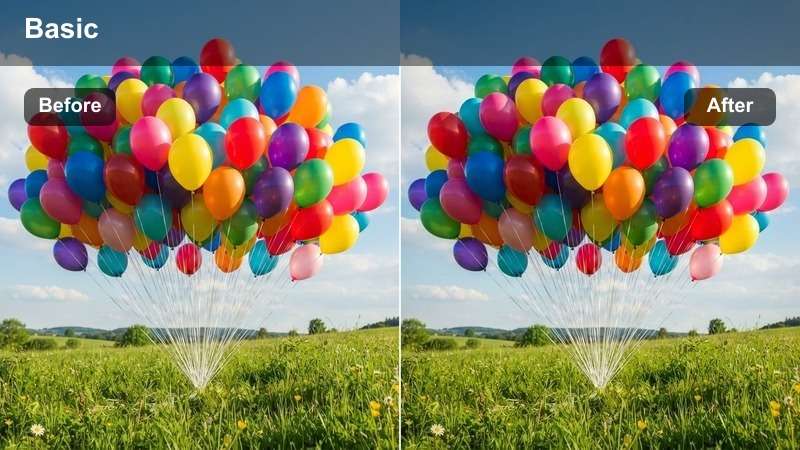
- Effect look: Deep blacks with cool blue undertones and minimal highlight bleed
- Best for: Dramatic interviews, noir-style scenes, suspenseful moments
- Editing tip: Use selective desaturation to draw focus to key subjects
The Shadow Depth LUT creates a high-contrast, noir-inspired look with rich blacks and cool shadows, ideal for dramatic or suspenseful content.
In Filmora, use masks and power windows to control light spill and maintain shadow integrity. This LUT excels in low-light scenarios where mood and tension are central to the narrative.
Candle Glow
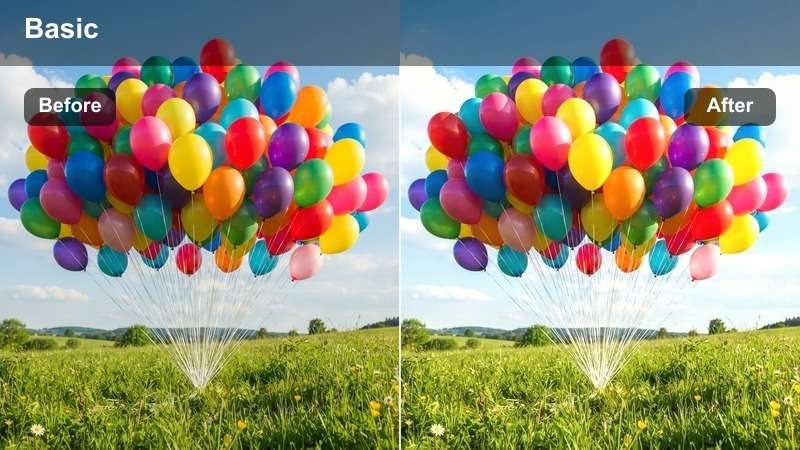
- Effect look: Warm flickering tones with soft shadows and low saturation
- Best for: Intimate scenes, period dramas, romantic dinners
- Editing tip: Add a subtle flicker effect to brightness to simulate real candlelight
The Candle Glow LUT delivers a soft, organic warmth that mimics the gentle flicker of candlelight, perfect for intimate or emotionally charged scenes.
In Filmora, animate brightness with a noise-based pattern to simulate natural flame movement. Keep flicker intensity subtle to maintain realism without distracting the viewer.
Steel Mood
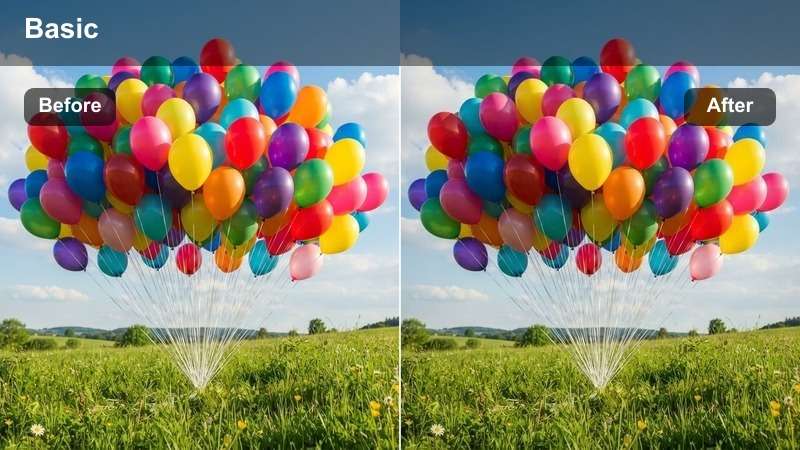
- Effect look: Desaturated cool gray base with sharp contrast and metallic sheen
- Best for: Corporate interviews, tech product reveals, industrial settings
- Editing tip: Enhance edge sharpness slightly to emphasize metal textures
The Steel Mood LUT offers a clean, modern aesthetic with cool grays and high precision, ideal for professional or technical content.
In Filmora, use this LUT for corporate videos or product showcases. Enhance metal textures with subtle sharpening and incorporate reflective surfaces to add depth without compromising a polished look.
Natural Daylight Scenes
Clear Day
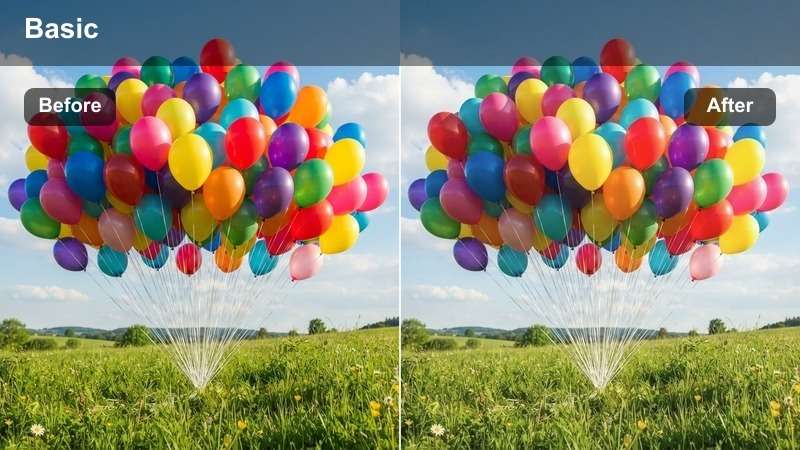
- Effect look: Balanced daylight with true whites and natural skin tones
- Best for: Documentaries, outdoor interviews, lifestyle content
- Editing tip: Use a polarizing filter effect to reduce glare on water or glass
The Clear Day LUT provides a clean, accurate representation of natural daylight, preserving true colors and skin tones for authentic-looking footage.
In Filmora, apply this LUT to documentary or interview footage shot in direct sunlight. Use highlight recovery tools to retain detail in bright areas and avoid over-sharpening to keep skin textures natural.
Cloud Soft
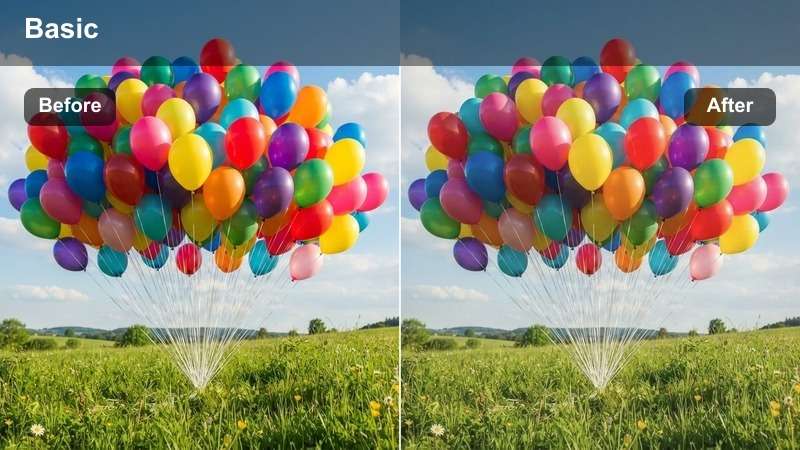
- Effect look: Diffused lighting with soft contrast and neutral whites
- Best for: Overcast shoots, fashion editorials, soft-focus storytelling
- Editing tip: Add a slight haze overlay to enhance the soft, even lighting
The Cloud Soft LUT creates a gentle, even look ideal for overcast conditions or fashion content requiring a soft, flattering light.
In Filmora, layer multiple haze effects at varying opacities to build depth. This LUT works well for editorial shoots where smooth gradients and minimal contrast enhance the subject’s presence.
Morning Fresh
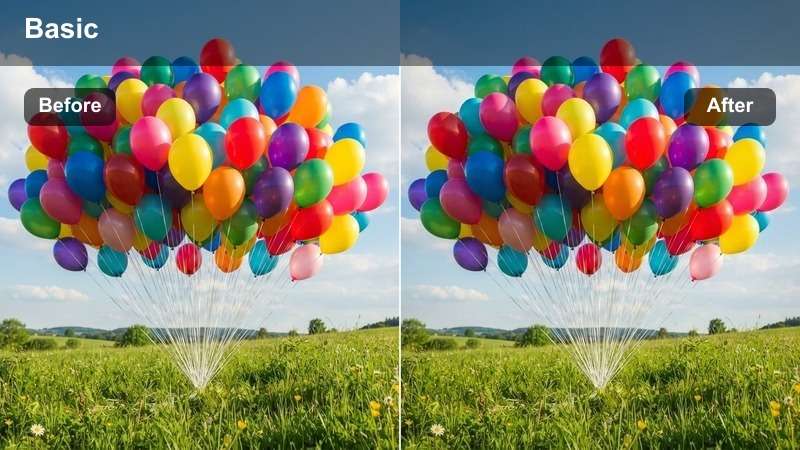
- Effect look: Cool blue start with rising warmth in highlights and clean shadows
- Best for: Morning scenes, fitness content, wellness videos
- Editing tip: Boost blue in shadows and gradually warm highlights as the scene progresses
The Morning Fresh LUT captures the invigorating transition from dawn to day, with cool shadows giving way to warm, energizing highlights.
In Filmora, use time remapping and color grading keyframes to animate the shift from cool to warm tones, simulating the natural progression of morning light for fitness or wellness content.
Tips for Using Red Log3g10 Lut Download Filters in Filmora
- Always shoot in REDWideGamutRGB and Log3G10 for best color fidelity.
- Use a color checker chart on set to ensure accurate LUT application.
- Apply LUTs on adjustment layers for non-destructive editing.
- Fine-tune white balance after applying the LUT for natural skin tones.
The Free RED Log3G10 LUT Pack is an essential tool for RED cinema users and professional colorists seeking consistent, cinematic results.
With 12 expertly crafted filters tailored for real-world scenarios—from neon-lit cities to golden hour landscapes—this pack elevates your footage with precision and style.
secure downloadNext: Free ARRI LogC3 LUT Pack
