

 100% Security Verified | No Subscription Required | No Malware

Blackmagic Film Gen 5 delivers rich, cinematic footage, but unlocking its full potential requires precise color grading. That's where the Free Blackmagic Film Gen 5 LUT Pack comes in—designed specifically to streamline your post-production workflow.
Whether you're editing narrative scenes, commercials, or indie films, these professionally crafted LUTs help you achieve a filmic look with minimal effort. Compatible with Filmora and other major editing platforms, this pack transforms your Gen 5 footage into broadcast-ready visuals.
In this article
Moody Cityscapes & Night Scenes
Neon Noir
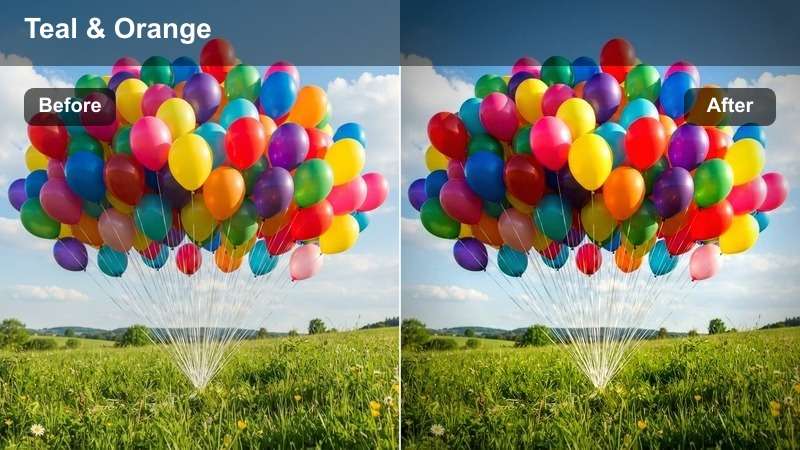
- Effect look: High-contrast shadows with vibrant neon highlights
- Best for: Urban night scenes, detective narratives, moody commercials
- Editing tip: Lower exposure slightly to deepen blacks and enhance the noir atmosphere
The Neon Noir LUT delivers a cinematic edge with deep blacks and vivid neon pops, perfect for creating tension and mood in nighttime urban environments. It emphasizes contrast and color separation, making city lights stand out against shadowy alleyways.
In Filmora, apply this LUT to footage shot in low light for instant noir styling. Use it in narrative scenes where atmosphere drives emotion, such as a detective’s late-night investigation or a dramatic confrontation under flickering streetlights.
 secure download
 secure downloadsecure download
Midnight Drive
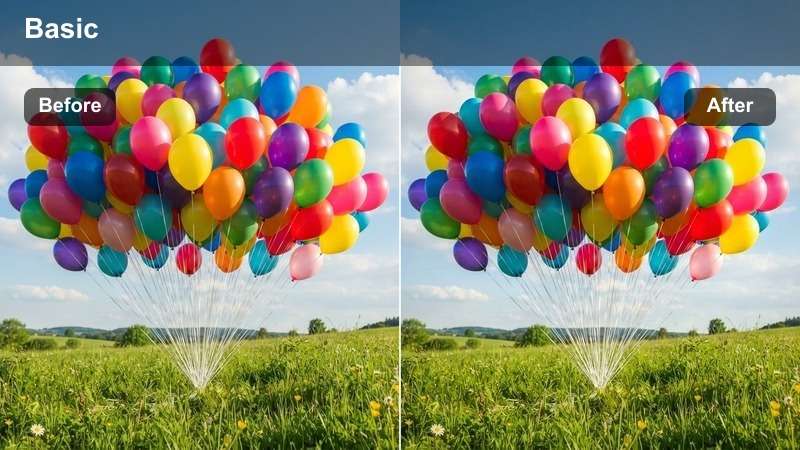
- Effect look: Cool blue tones with soft highlights and deep shadows
- Best for: Car chase sequences, late-night dialogue scenes, atmospheric promos
- Editing tip: Boost saturation slightly to emphasize city lights without overexposing
The Midnight Drive LUT captures the essence of a nocturnal journey through the city, with cool tones and smooth gradients that enhance motion and atmosphere. It’s ideal for sequences involving movement, especially when light trails and reflections play a key visual role.
In Filmora, this LUT works exceptionally well with footage from moving vehicles or drone shots over wet streets. Pair it with stabilization tools to keep the focus on mood and motion, perfect for music videos or high-end automotive commercials.
Urban Gloom
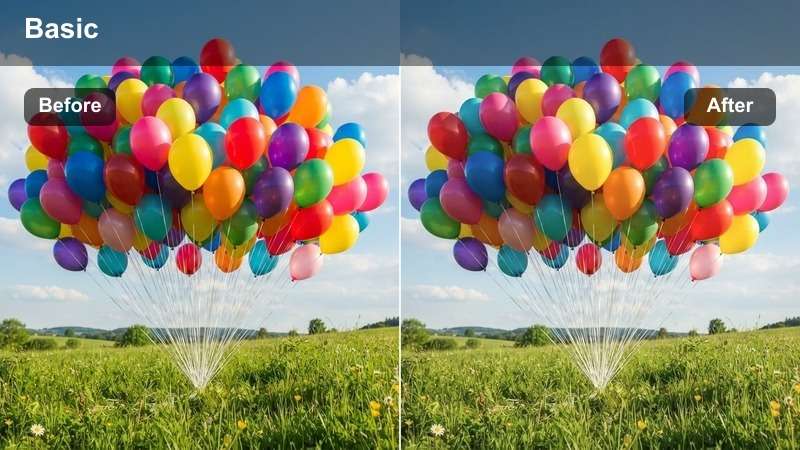
- Effect look: Desaturated with greenish-gray tones and soft contrast
- Best for: Dystopian themes, dramatic monologues, industrial settings
- Editing tip: Increase clarity slightly to add texture to concrete and metal surfaces
Urban Gloom delivers a bleak, futuristic aesthetic with muted colors and a cold tonal palette. It’s engineered for storytelling that leans into isolation, decay, or societal tension, making it a go-to for sci-fi or post-apocalyptic content.
In Filmora, use this LUT to unify shots from industrial locations or foggy exteriors. Combine it with subtle noise overlays to enhance realism, especially in scenes meant to feel gritty or emotionally heavy.
Natural Light & Daytime Narratives
Sunlit Soft
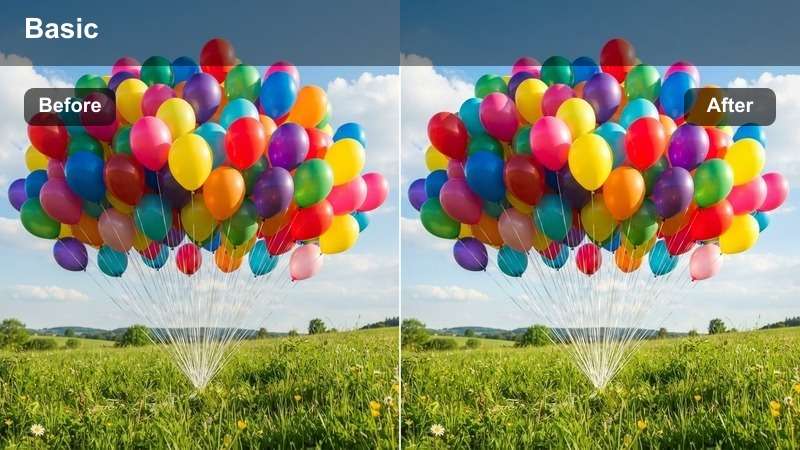
- Effect look: Warm highlights with gentle contrast and lifted blacks
- Best for: Outdoor dialogue, romantic scenes, lifestyle commercials
- Editing tip: Reduce highlights slightly to preserve skin tones in bright sunlight
Sunlit Soft brings warmth and emotional depth to daytime footage, balancing golden-hour glow with natural skin tones. It lifts shadows just enough to maintain detail without flattening contrast, ideal for heartfelt or romantic visuals.
In Filmora, apply this LUT to park scenes, outdoor interviews, or lifestyle shoots. It pairs well with soft focus effects to create a dreamy, inviting atmosphere that resonates with audiences.
Clear Day
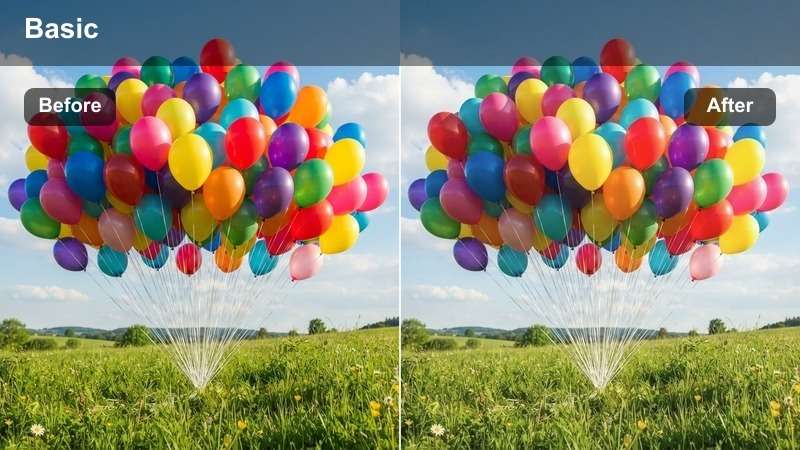
- Effect look: Crisp whites, vibrant colors, and balanced contrast
- Best for: Product shots, outdoor interviews, travel content
- Editing tip: Use sharpening moderately to enhance detail without introducing noise
Clear Day ensures your daylight footage looks clean, professional, and broadcast-ready. With accurate whites and lively color reproduction, it’s perfect for content that demands clarity and precision.
In Filmora, use this LUT for travel vlogs, product showcases, or corporate videos shot outdoors. It maintains dynamic range and color fidelity, helping your visuals stand out on any platform.
Golden Hour
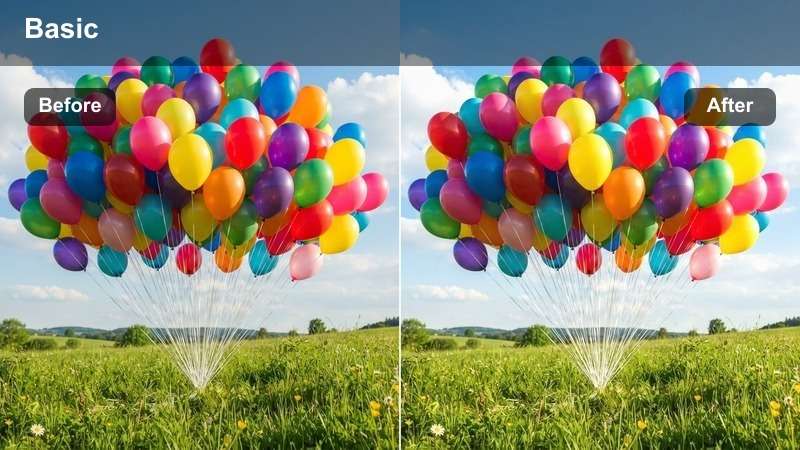
- Effect look: Rich amber tones with soft shadows and glowing highlights
- Best for: Romantic sequences, emotional close-ups, wedding films
- Editing tip: Add a warm tint to shadows for a cohesive golden palette
Golden Hour enhances the natural beauty of sunrise and sunset lighting, wrapping subjects in a warm, cinematic glow. It preserves highlight detail while enriching midtones for a lush, emotional look.
In Filmora, this LUT is ideal for wedding films or intimate character moments. Use it with slow motion and gentle transitions to amplify the emotional impact of golden-hour scenes.
Indoor & Studio Scenes
Warm Interior
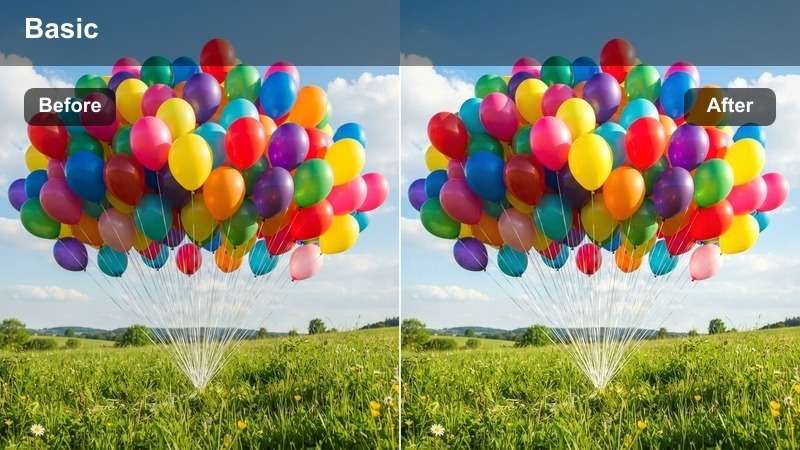
- Effect look: Slightly warm midtones with soft highlights and rich shadows
- Best for: Home settings, intimate conversations, character-driven scenes
- Editing tip: Adjust white balance to match practical lights in the scene
Warm Interior creates a cozy, lived-in feel by enhancing warm tones from lamps, candles, or window light. It balances ambient warmth with shadow depth, making interiors feel inviting and authentic.
In Filmora, use this LUT for family scenes, home tours, or dialogue-heavy sequences. It helps unify mixed lighting sources and brings emotional warmth to character moments.
Cool Office
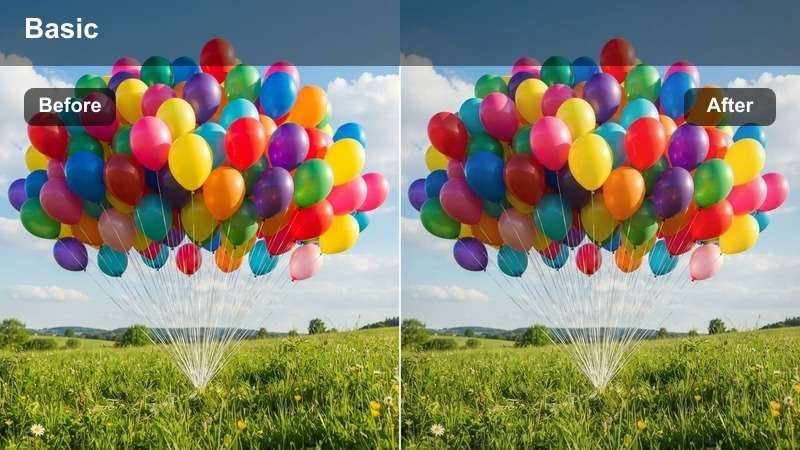
- Effect look: Neutral whites with a slight blue undertone and crisp contrast
- Best for: Corporate interviews, tech commercials, modern office scenes
- Editing tip: Desaturate reds slightly to reduce skin redness under fluorescent lighting
Cool Office delivers a modern, professional aesthetic with clean whites and sharp detail. It corrects common fluorescent lighting issues while maintaining a sleek, contemporary look.
In Filmora, this LUT is perfect for business videos, product demos, or tech content. Use it to ensure your subject appears polished and your environment feels high-tech and organized.
Dramatic Low-Key
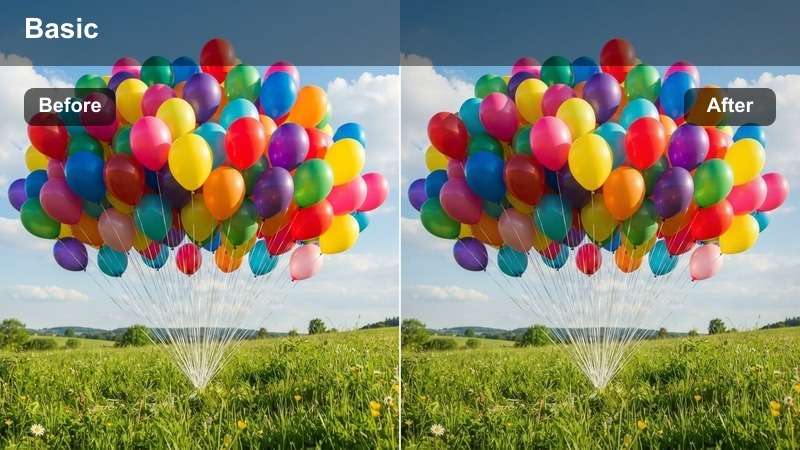
- Effect look: High contrast with deep blacks and focused highlights
- Best for: Thriller scenes, interrogations, suspenseful moments
- Editing tip: Use a spotlight effect to isolate the subject's face
Dramatic Low-Key intensifies mood through extreme contrast and shadow play. It’s designed for scenes where tension and mystery are paramount, drawing focus through light and darkness.
In Filmora, pair this LUT with precise masking and power windows to control light placement. Ideal for film noir, psychological thrillers, or dramatic monologues with minimal lighting.
High-Impact Commercial Styles
Bold Brand
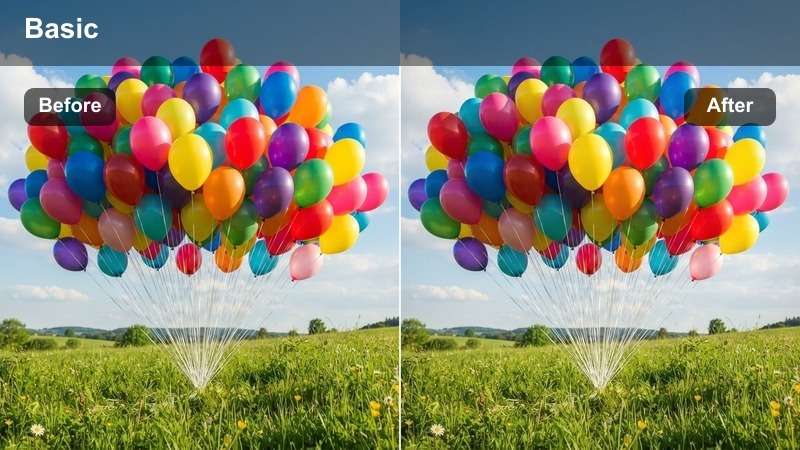
- Effect look: Vibrant saturation with punchy contrast and clean whites
- Best for: Product launches, brand promos, social media ads
- Editing tip: Use selective color to emphasize brand-specific hues
Bold Brand makes visuals pop with intense color and sharp contrast, ensuring your product or message stands out in fast-paced content. It’s optimized for platforms where attention is fleeting and impact is key.
In Filmora, use this LUT for YouTube ads, Instagram reels, or product reveal videos. Combine it with text animations and dynamic cuts to maximize engagement and brand recall.
Minimal Luxury
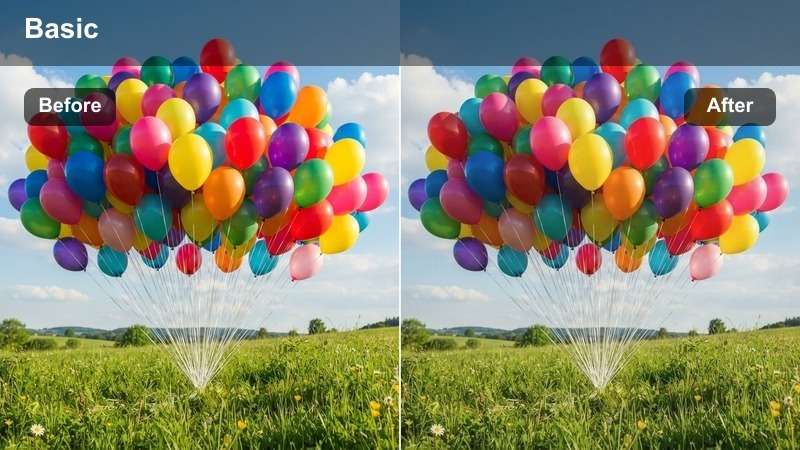
- Effect look: Low saturation, high dynamic range, and elegant tonal balance
- Best for: Luxury goods, fashion films, premium service ads
- Editing tip: Use a soft glow effect to add refinement to highlights
Minimal Luxury exudes sophistication through restrained color and refined contrast. It highlights texture and detail without distraction, perfect for high-end branding and aspirational content.
In Filmora, apply this LUT to fashion shoots, jewelry ads, or luxury real estate videos. Pair it with slow pans and subtle transitions to match the premium aesthetic.
Retro Commercial
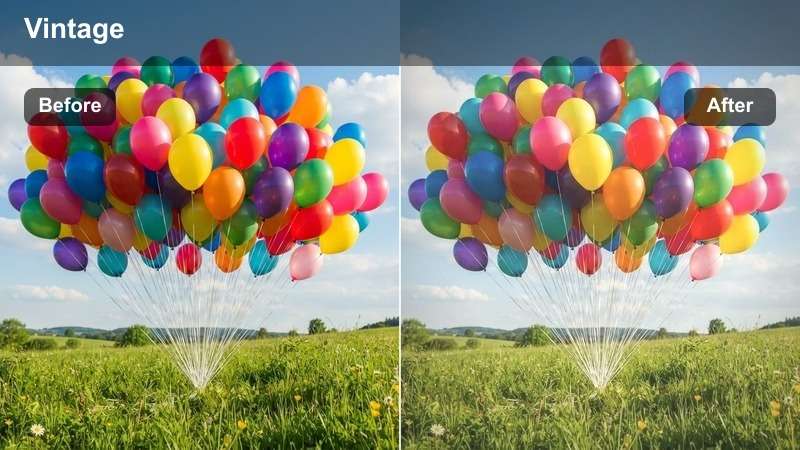
- Effect look: Warm vintage tones with slight grain and faded highlights
- Best for: Nostalgic ads, throwback branding, period-specific content
- Editing tip: Overlay a 16mm film grain for authentic texture
Retro Commercial evokes the charm of 80s and 90s advertising with warm tones, soft contrast, and subtle degradation. It brings authenticity to nostalgic campaigns and vintage-themed content.
In Filmora, use this LUT with classic typography and analog sound effects for full retro immersion. Ideal for beverage ads, throwback fashion lines, or music videos with a vintage vibe.
Tips for Using Blackmagic Film Gen 5 Lut Download Filters in Filmora
- Always shoot in Log mode for maximum dynamic range when using LUTs.
- Apply LUTs on adjustment layers to maintain non-destructive editing.
- Use the waveform and vectorscope to verify color balance after applying a LUT.
- Combine LUTs with secondary corrections for scene-specific refinement.
- Adjust exposure before applying a LUT to ensure optimal tonal range.
- Use Filmora’s AI Color Match to maintain consistency across multiple clips.
- Preview LUTs in full screen to evaluate their impact on final output.
- Save custom presets after tweaking a LUT for faster reuse in future projects.
The Free Blackmagic Film Gen 5 LUT Pack is an essential tool for indie filmmakers and Blackmagic users who want to achieve professional color grading without complexity.
With 12 expertly crafted filters tailored for narrative scenes, commercials, and real-world lighting, you can transform your Gen 5 footage into cinematic gold—fast and free.
secure download