

 100% Security Verified | No Subscription Required | No Malware

Matching colors across multiple camera feeds is a common challenge for editors and production teams. Inconsistent color tones can break the visual flow, especially in interviews, events, and commercial shoots where seamless transitions are crucial.
Our Free Color Matching LUT Collection is designed to solve this problem. These professional-grade filters help you achieve consistent, cinematic color grading across different cameras and lighting conditions—saving time and elevating your final output.
In this article
Studio Interviews & Talking Heads
Warm Studio Balance
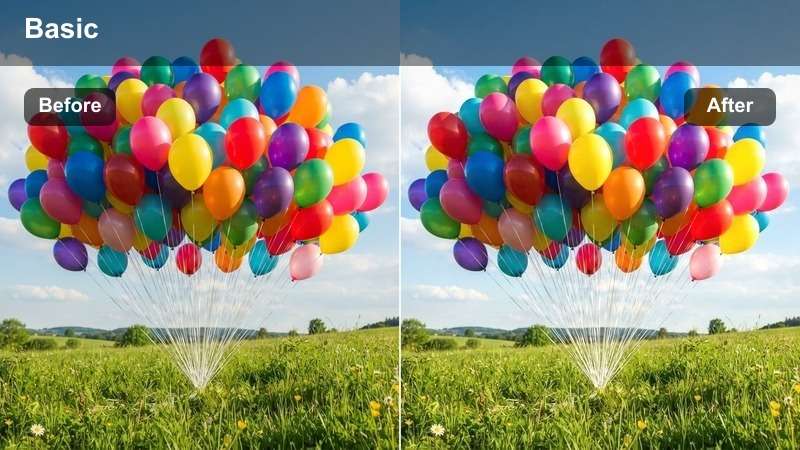
- Effect look: Balanced warmth with soft highlights and natural skin tones
- Best for: Indoor interviews under fluorescent or mixed lighting
- Editing tip: Apply at 80% opacity and use secondary correction for skin tone refinement
The Warm Studio Balance LUT delivers a smooth, natural look that enhances skin tones without oversaturation, making it ideal for professional talking head videos. It corrects common color imbalances from artificial lighting while preserving facial detail.
In Filmora, apply this LUT to footage shot under mixed lighting conditions to unify the color temperature across multiple cameras. Adjust opacity to blend subtly with your original footage for a polished, broadcast-ready appearance.
 secure download
 secure downloadsecure download
Neutral Match Pro
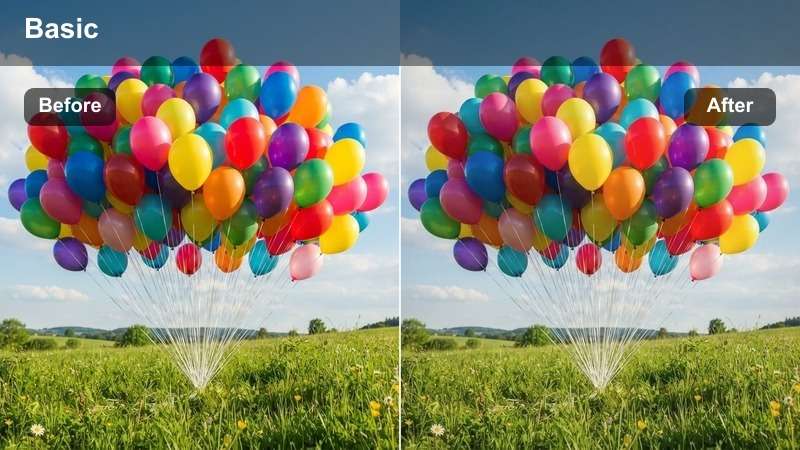
- Effect look: Flat, neutral base with minimal contrast for maximum flexibility
- Best for: Multi-camera shoots requiring post-color flexibility
- Editing tip: Use as a base LUT before applying creative grades
The Neutral Match Pro LUT provides a clean, flat color profile that preserves dynamic range and prepares footage for further creative grading. It removes camera-specific color casts without introducing strong tonal shifts.
In Filmora, this LUT is perfect for projects where you plan to apply additional color effects or match to a specific brand palette. Use it as a foundation to ensure all camera sources start from the same neutral point, simplifying the final color grading process.
Cool Clinical Tone
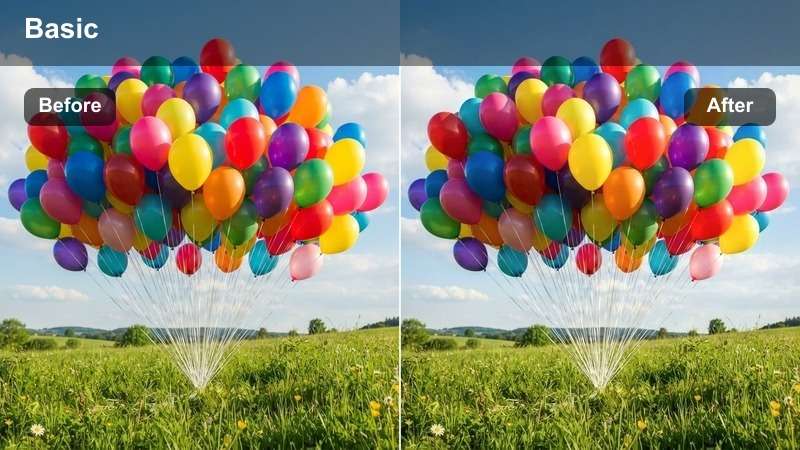
- Effect look: Slightly desaturated with cool undertones and crisp whites
- Best for: Medical, tech, or corporate interviews needing a modern feel
- Editing tip: Boost midtone contrast slightly to enhance facial definition
The Cool Clinical Tone LUT delivers a modern, professional aesthetic with a clean, slightly cool color balance. It enhances clarity and sharpness, making it ideal for content that requires a precise, technical look.
In Filmora, apply this LUT to corporate or medical interview footage to achieve a consistent, high-end appearance across multiple cameras. Adjust midtones to bring out facial features while maintaining the cool, polished tone.
Live Events & Stage Performances
Stage Glow Match
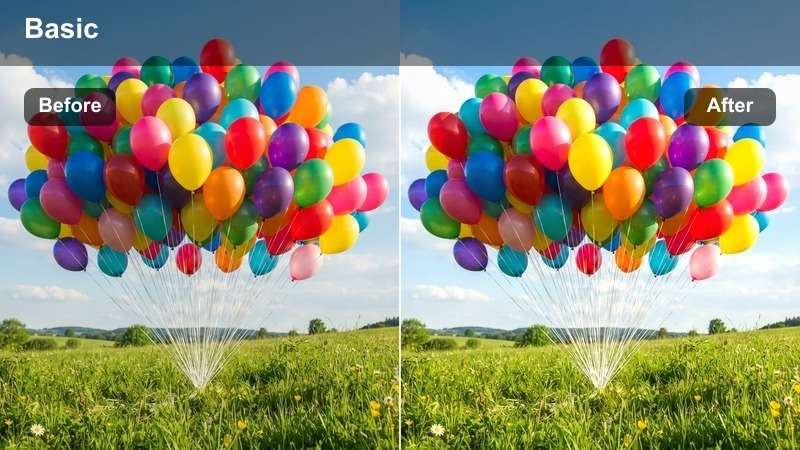
- Effect look: Enhanced warm highlights with controlled shadow lift
- Best for: Concerts, award shows, and stage events with dynamic lighting
- Editing tip: Use power windows to protect overexposed stage lights from clipping
The Stage Glow Match LUT enhances warm stage lighting while balancing shadows to prevent loss of detail. It maintains vibrant highlights without blowing out bright areas, preserving the energy of live performances.
In Filmora, use this LUT to unify footage from multiple cameras capturing concerts or award shows. Combine with power windows to selectively protect bright stage lights, ensuring consistent exposure and color across all angles.
Ambient Harmony
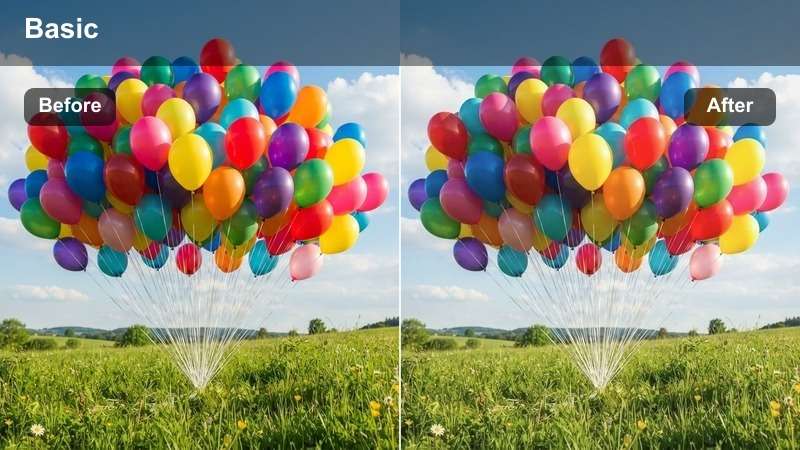
- Effect look: Soft contrast with natural color blending under ambient stage lights
- Best for: Theater performances and panel discussions with ambient lighting
- Editing tip: Apply noise reduction after grading to clean up low-light footage
The Ambient Harmony LUT creates a natural, balanced look under low or ambient stage lighting. It reduces harsh contrasts while maintaining visibility and color accuracy, ideal for theatrical or dramatic content.
In Filmora, apply this LUT to footage from theater productions or panel discussions to achieve consistent color across different camera feeds. Follow up with noise reduction to enhance image quality in dimly lit scenes.
Vibrant Sync Tone
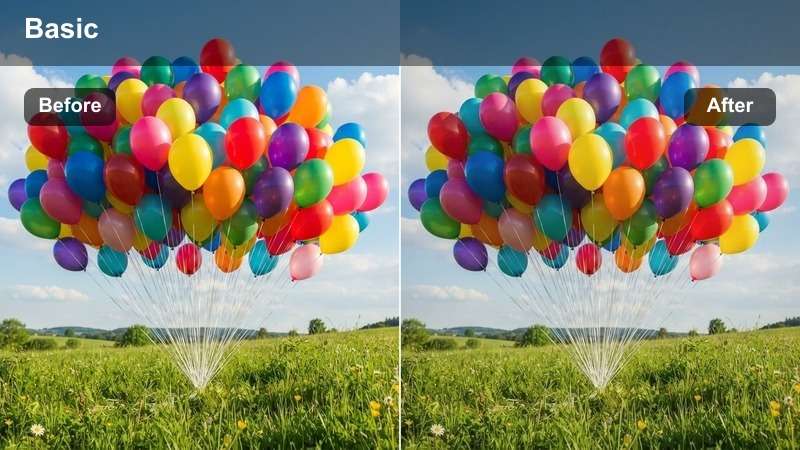
- Effect look: Rich saturation with balanced whites and deep shadows
- Best for: Festivals, product launches, and colorful live events
- Editing tip: Use color blur to soften harsh transitions between light zones
The Vibrant Sync Tone LUT ensures bold, saturated colors remain consistent across multiple cameras at lively events. It preserves detail in both highlights and shadows, delivering a dynamic yet balanced image.
In Filmora, use this LUT for festival or product launch footage to maintain color harmony despite varying lighting conditions. Apply color blur to smooth out abrupt light changes and create a seamless viewing experience.
Commercial & Brand Shoots
Crisp Brand Match
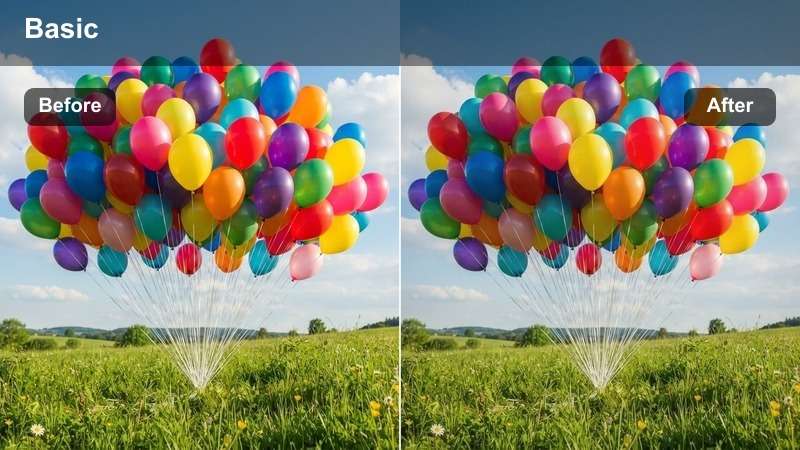
- Effect look: High clarity with brand-safe color fidelity and neutral whites
- Best for: Product commercials and brand storytelling videos
- Editing tip: Use color blur to maintain consistency on reflective surfaces
The Crisp Brand Match LUT ensures accurate color reproduction, making it perfect for maintaining brand identity across multiple shots. It delivers sharp detail and neutral whites without oversaturation.
In Filmora, apply this LUT to commercial footage to guarantee consistent color on logos, packaging, and brand elements. Use color blur to smooth reflections and avoid mismatches on shiny surfaces.
Luxury Tone Sync
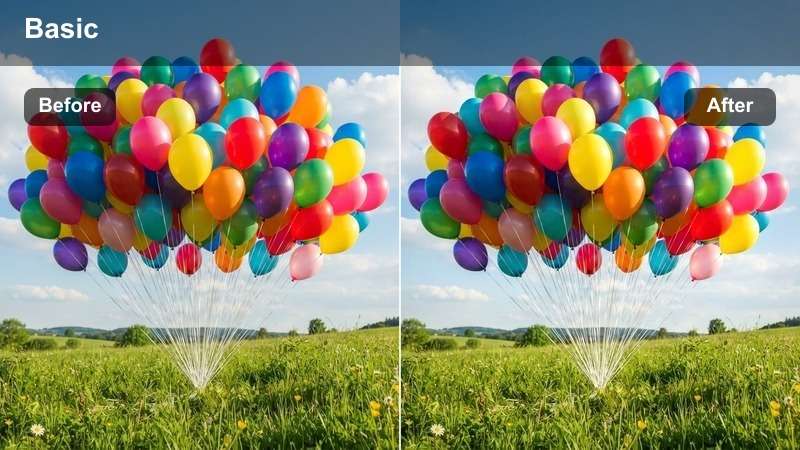
- Effect look: Subtle contrast with rich blacks and warm highlights
- Best for: High-end fashion, automotive, and luxury brand videos
- Editing tip: Add a slight vignette to draw focus after color matching
The Luxury Tone Sync LUT delivers a refined, cinematic look with deep blacks and warm highlights. It enhances the premium feel of high-end brand content while maintaining natural skin tones.
In Filmora, use this LUT for luxury product videos to create an elegant, high-production-value aesthetic. Apply a subtle vignette in post to focus attention on the subject and elevate the overall composition.
Clean Balance Pro
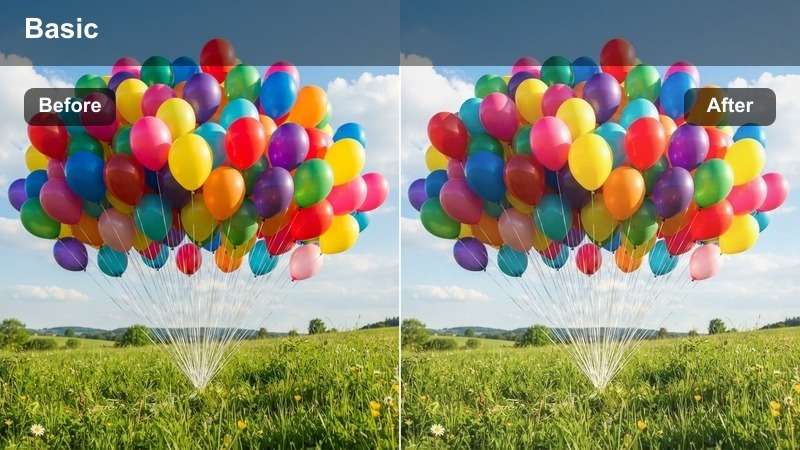
- Effect look: Bright, airy tones with soft contrast and natural skin rendering
- Best for: Lifestyle brands, wellness, and clean aesthetic commercials
- Editing tip: Use dehaze to enhance clarity without affecting color balance
The Clean Balance Pro LUT creates a fresh, light-filled look that’s ideal for wellness and lifestyle brands. It lifts shadows gently and maintains soft contrast for a natural, inviting appearance.
In Filmora, apply this LUT to commercials that aim for a bright, positive tone. Use the dehaze tool to improve clarity in flat lighting without shifting the color balance, ensuring a clean, professional finish.
Outdoor & Natural Light Scenarios
Golden Hour Sync
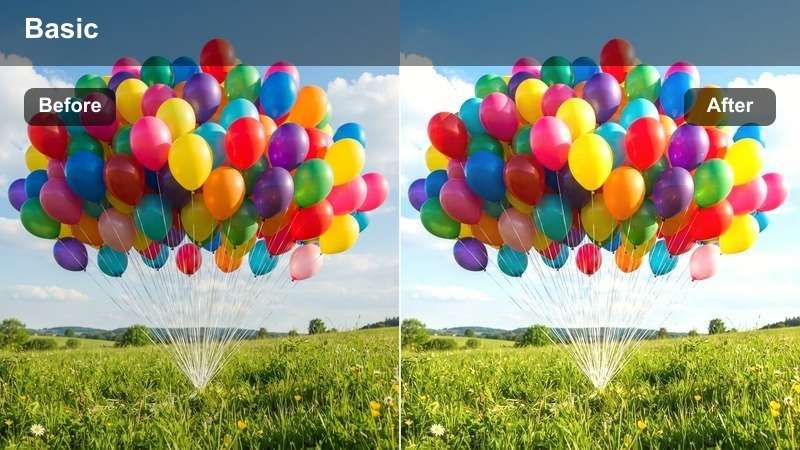
- Effect look: Warm golden tones with soft shadows and enhanced skin glow
- Best for: Outdoor interviews and lifestyle shoots during golden hour
- Editing tip: Use exposure tracking to maintain consistency as light changes
The Golden Hour Sync LUT captures the warm, flattering light of sunset, enhancing skin tones and creating a magical atmosphere. It balances exposure to retain detail in both highlights and shadows.
In Filmora, use this LUT for outdoor interviews shot during golden hour to achieve a consistent, cinematic glow across multiple cameras. Enable exposure tracking to adapt to changing light conditions smoothly.
Natural Daylight Match
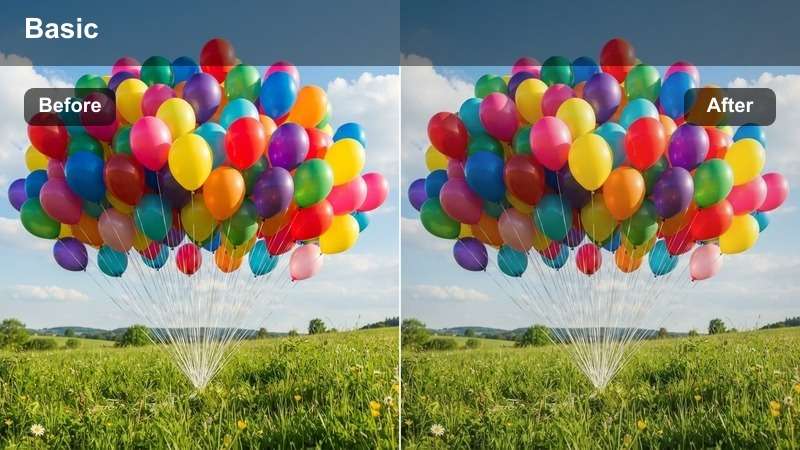
- Effect look: True-to-life colors with balanced exposure and minimal contrast
- Best for: Documentary shoots and outdoor events under natural light
- Editing tip: Use color temperature sliders to fine-tune after LUT application
The Natural Daylight Match LUT preserves authentic colors under real-world lighting conditions. It avoids oversaturation and maintains a documentary-style realism that feels genuine and unprocessed.
In Filmora, apply this LUT to outdoor documentary footage to ensure all cameras display the same natural color balance. Fine-tune using color temperature sliders for perfect alignment with the scene’s ambient light.
Cool Shade Harmony
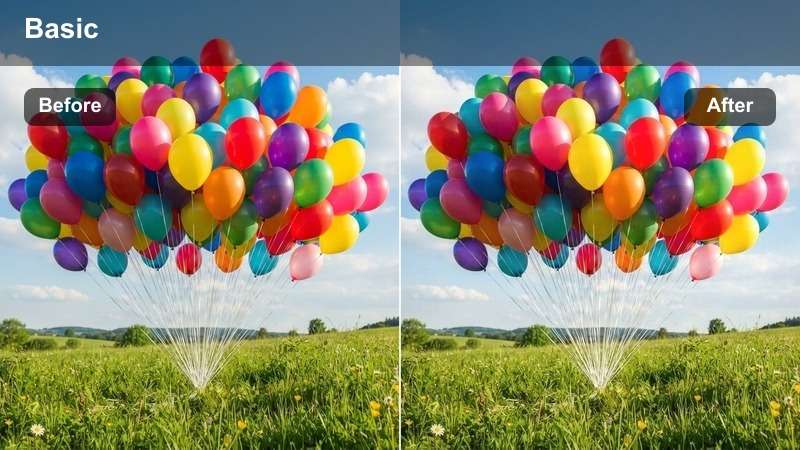
- Effect look: Slight blue correction with lifted shadows and neutral skin tones
- Best for: Overcast days or shaded outdoor interviews
- Editing tip: Add a subtle warmth boost to skin tones using HSL
The Cool Shade Harmony LUT corrects the blue cast common in shaded or overcast conditions while lifting shadows to improve visibility. It maintains neutral skin tones for a natural appearance.
In Filmora, use this LUT for interviews shot under tree cover or on cloudy days. After applying, use HSL adjustments to gently warm skin tones, ensuring subjects look healthy and vibrant despite the cool environment.
Tips for Using Color Matching Lut Download Filters in Filmora
- Always shoot with a color chart or gray card for accurate matching.
- Use Filmora's scopes to verify color and luminance consistency across cameras.
- Apply LUTs to proxy files first to speed up editing workflow.
- Save your graded look as a preset for reuse across projects.
- Shoot in Log when possible to retain more dynamic range for better LUT matching.
- Match white balance on set using a gray or white card to reduce post work.
- Avoid layering multiple LUTs, as this can cause color drift between cameras.
- Use ND filters to maintain consistent exposure and motion blur across cameras.
The Free Color Matching LUT Collection is an essential tool for editors and production teams aiming for professional, consistent results in multi-camera workflows.
Download now and bring cinematic color harmony to your interviews, events, and commercial shoots with ease.
secure download