

 100% Security Verified | No Subscription Required | No Malware

DJI's D-Log M profile captures flat, low-contrast footage ideal for professional color grading, but it requires precise LUTs to unlock its full potential. Whether you're filming sweeping travel vistas or high-energy action scenes, accurate color transformation is essential.
This Free DJI D-Log M LUT Pack is designed specifically for 10-bit footage from DJI drones and cameras. With optimized looks for aerial cinematography and dynamic action, these LUTs streamline your post-production workflow in Filmora and other editors.
In this article
Lush Landscapes & Aerial Nature
Emerald Canopy
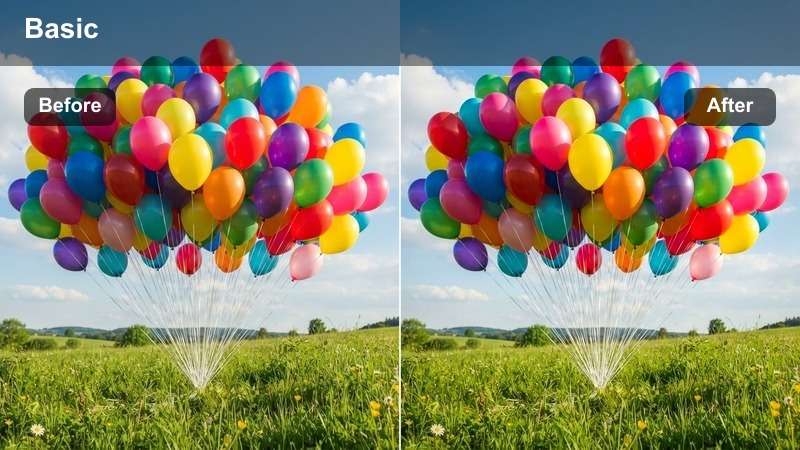
- Effect look: Rich greens with enhanced depth and natural contrast
- Best for: Forest flyovers, jungle canopies, mountain valleys
- Editing tip: Boost shadows slightly to reveal terrain details without losing richness
The Emerald Canopy LUT is engineered to restore vibrant, lifelike greens in dense foliage captured with DJI's D-Log M profile. It lifts the flat log footage into a dynamic range that highlights subtle variations in vegetation, making forests appear lush and immersive.
In Filmora, apply this LUT to aerial sequences where natural color fidelity is key. Pair it with minor shadow adjustments to preserve detail in shaded areas, ensuring your forest flyovers maintain depth and realism without oversaturation.
 secure download
 secure downloadsecure download
Golden Horizon
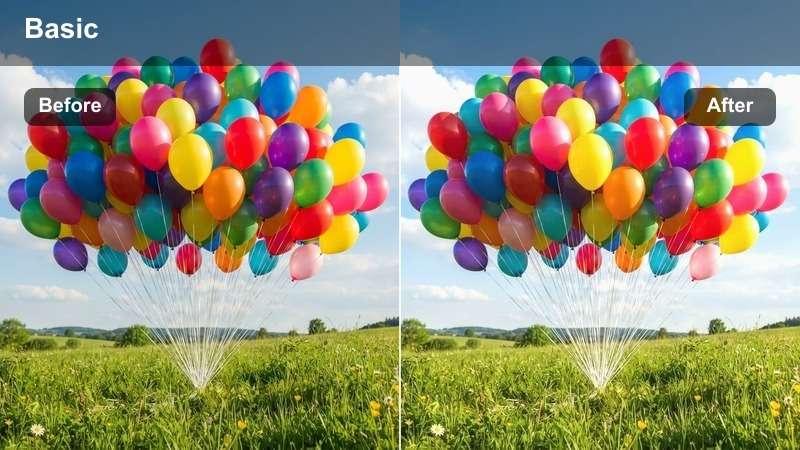
- Effect look: Warm golden tones with soft highlights and cinematic glow
- Best for: Sunrise flights, desert dunes, coastal cliffs at dawn
- Editing tip: Slightly increase exposure to enhance the golden warmth without clipping
The Golden Horizon LUT enhances early morning light by emphasizing warm tones and softening highlights for a cinematic sunrise effect. It transforms flat D-Log M footage into a visually rich sequence that captures the magic of dawn from an aerial perspective.
In Filmora, use this LUT for desert or coastal flights at first light. Combine it with a slight exposure boost to bring out the golden glow while preserving sky detail. It's perfect for travel films where mood and atmosphere define the storytelling.
Alpine Clarity
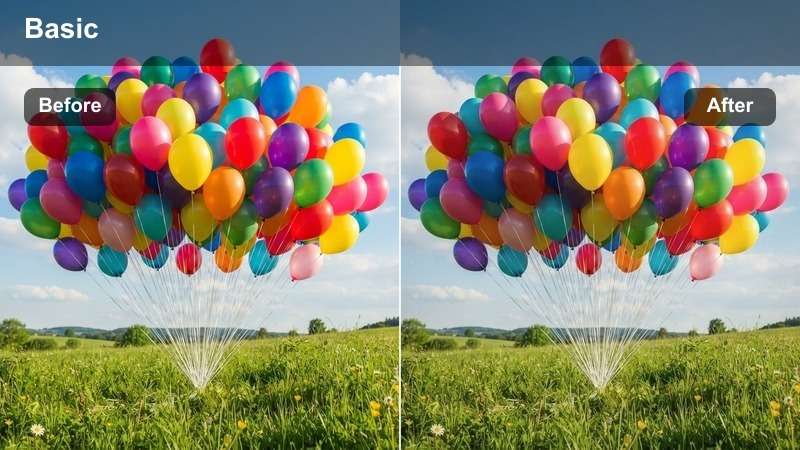
- Effect look: Crisp whites, cool blues, and enhanced detail in snow and sky
- Best for: Snowy peaks, alpine lakes, high-altitude flights
- Editing tip: Use dehaze sparingly to maintain natural atmosphere without flattening depth
Alpine Clarity delivers sharp, clean visuals ideal for high-altitude drone shots. It restores natural contrast in snow and sky while preserving delicate details in bright areas, making it perfect for mountain and glacial footage.
In Filmora, apply this LUT to footage captured above the tree line. Avoid over-sharpening, as the LUT already enhances texture. Use it with subtle dehaze to add clarity without losing the atmospheric depth of crisp mountain air.
Cityscapes & Urban Motion
Neon Pulse
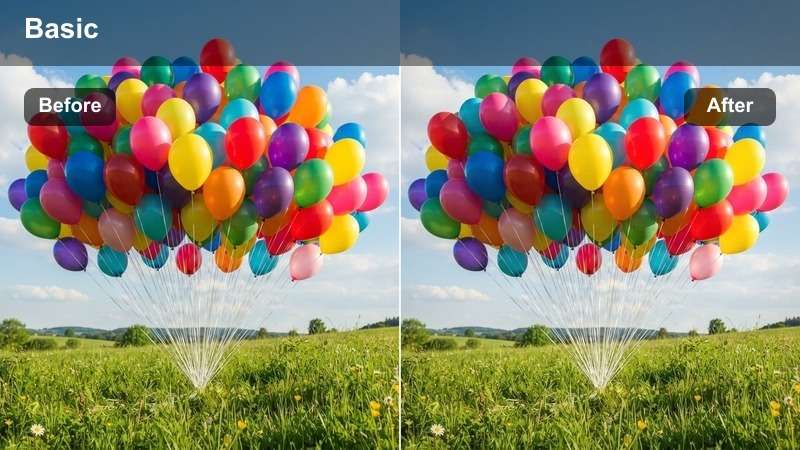
- Effect look: Vibrant city lights with deep blacks and punchy contrast
- Best for: Nighttime city flights, urban highways, neon-lit streets
- Editing tip: Lower midtones slightly to deepen the urban mood without losing light detail
Neon Pulse brings energy to nighttime urban drone footage by intensifying contrast and color vibrancy. It transforms flat log footage into a dynamic cityscape with glowing lights and rich shadows.
In Filmora, use this LUT for night flythroughs in dense city centers. Apply mild noise reduction selectively to clean up dark areas while preserving the brilliance of illuminated signs and vehicle trails.
Concrete Rush
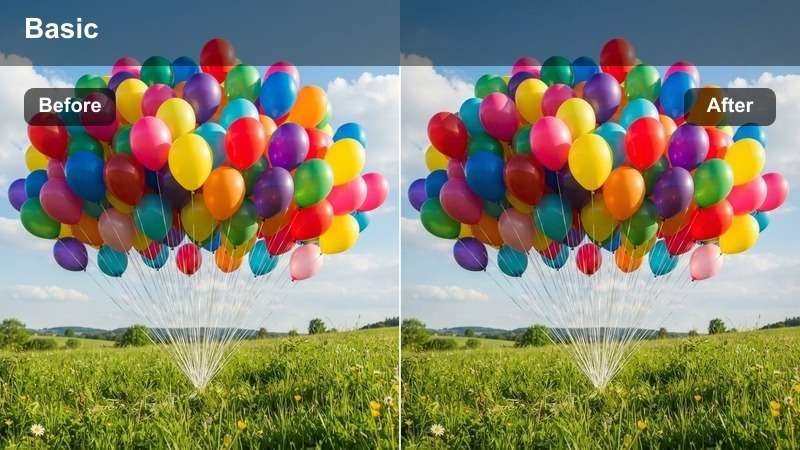
- Effect look: Gritty urban tones with boosted contrast and desaturated grays
- Best for: Fast-paced city flythroughs, bridge crossings, industrial zones
- Editing tip: Add slight motion blur in post to enhance speed perception
Concrete Rush adds a cinematic edge to high-speed urban drone sequences. It emphasizes contrast and desaturates grays to create a bold, modern look that matches fast-paced edits.
In Filmora, pair this LUT with speed ramps and motion blur. Time your cuts to the beat of the soundtrack to amplify the adrenaline and match the rhythm of city motion.
Metropolitan Glow
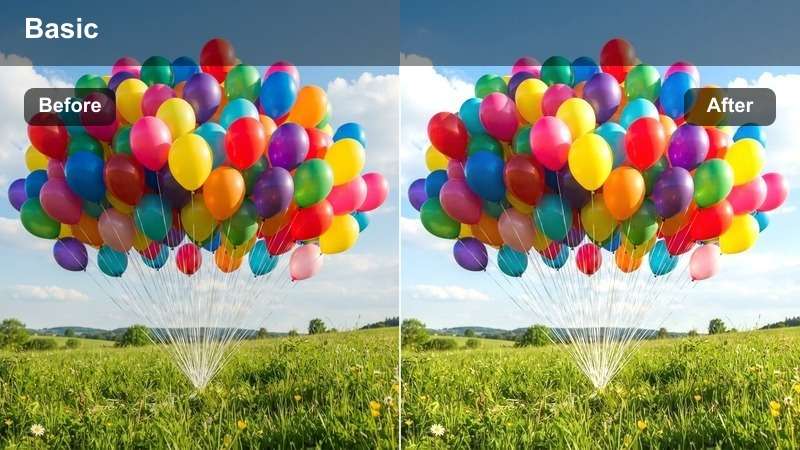
- Effect look: Soft highlights with warm city ambiance and balanced exposure
- Best for: Golden hour city flights, rooftop views, harbor scenes
- Editing tip: Use a vignette to draw focus to the central skyline or landmark
Metropolitan Glow elevates golden hour city footage with a polished, cinematic finish. It balances warm light on buildings with smooth exposure transitions, ideal for reflective water scenes.
In Filmora, use this LUT for harbor or rooftop flights at dusk. Enhance water reflections by duplicating and flipping the lower frame section with a gradient mask for a realistic mirror effect.
High-Intensity Action Scenes
Adrenaline Rush
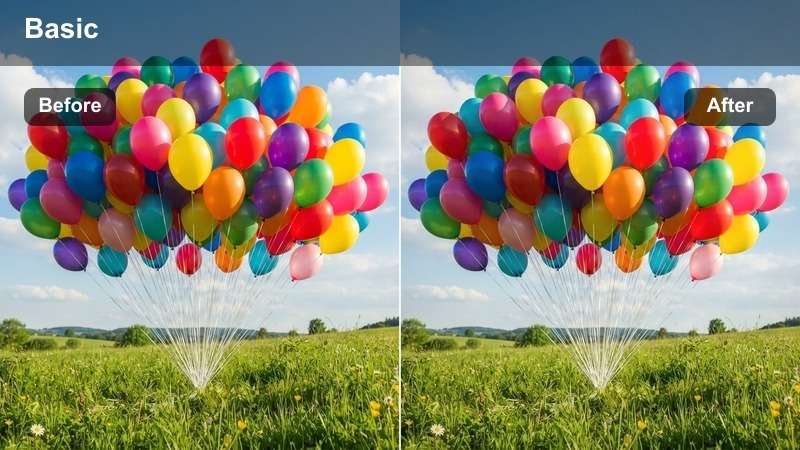
- Effect look: High contrast with boosted reds and oranges for intensity
- Best for: Motocross, mountain biking, extreme sports from drone angles
- Editing tip: Use quick cuts and speed ramps to match the energetic tone
Adrenaline Rush delivers dramatic punch to outdoor action sequences. It enhances reds and oranges to emphasize heat, dust, and motion, making sports footage feel more intense.
In Filmora, apply this LUT to motocross or mountain biking clips. Layer sound effects like engine roars and tire screeches, syncing them with visual cuts to maximize impact.
Storm Chaser
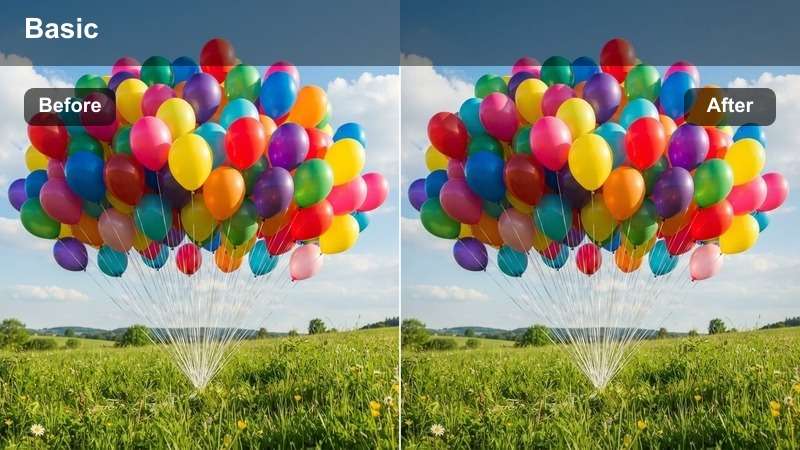
- Effect look: Dark, moody tones with enhanced cloud texture and dramatic lighting
- Best for: Storm footage, dramatic weather, coastal cliffs in wind
- Editing tip: Increase clarity to emphasize cloud movement and wave spray
Storm Chaser captures the raw power of nature with deep shadows and textured clouds. It transforms flat log footage into a cinematic portrayal of weather extremes.
In Filmora, use this LUT for storm or coastal footage. Apply slow motion selectively to wave impacts, keeping surrounding clips at normal speed for dynamic contrast.
Velocity Trail
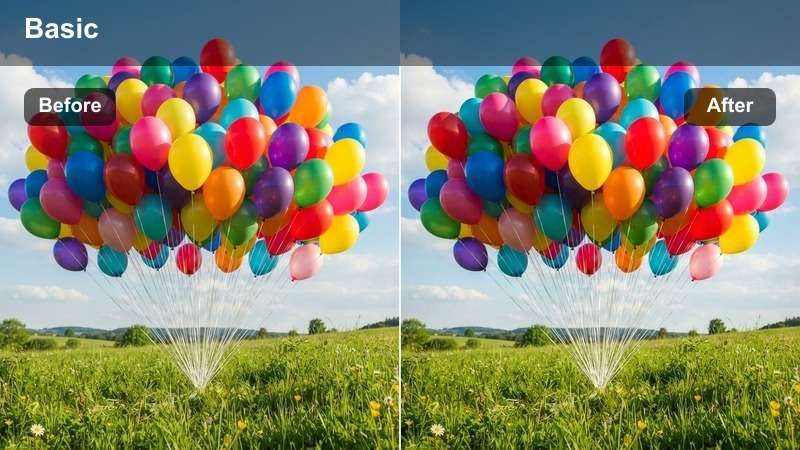
- Effect look: Motion-blurred background with sharp subject focus and cool highlights
- Best for: Car chases, racing drones, high-speed flybys
- Editing tip: Apply directional blur to simulate extreme speed
Velocity Trail creates a sense of blistering speed by blurring the background while keeping the subject sharply defined. Cool highlights add a modern, high-tech feel.
In Filmora, stabilize the footage first to keep the subject steady, then apply directional blur to the background. This technique enhances perceived speed without sacrificing clarity.
Cinematic Travel Journeys
Wanderlust Tone
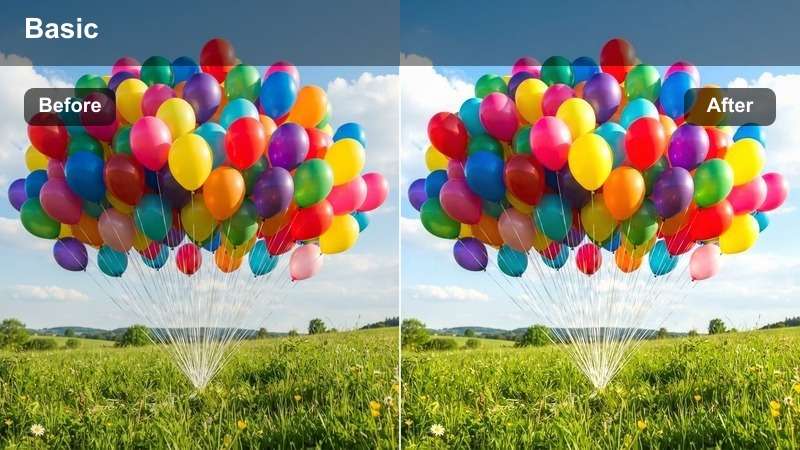
- Effect look: Balanced warmth with soft contrast and natural skin tones
- Best for: Travel vlogs, cultural sites, scenic transitions
- Editing tip: Use crossfades between locations to create a smooth narrative flow
Wanderlust Tone is perfect for storytelling-focused travel films. It delivers natural warmth and soft contrast, preserving authentic colors and skin tones in diverse environments.
In Filmora, use this LUT for cultural or scenic transitions. Enhance immersion by matching ambient sounds like footsteps or local music to the visuals for a cohesive narrative.
Sunset Voyage
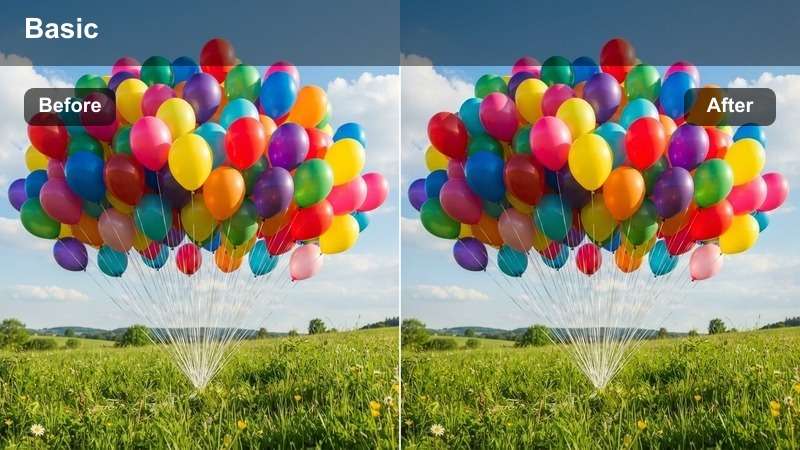
- Effect look: Rich oranges, deep purples, and smooth gradient transitions
- Best for: Beach sunsets, ocean flights, mountain silhouettes
- Editing tip: Preserve highlight detail to avoid clipping in bright sky areas
Sunset Voyage enhances golden hour travel footage with cinematic warmth and vibrant gradients. It brings out the full spectrum of sunset colors while maintaining smooth transitions.
In Filmora, apply this LUT to ocean or mountain sunset shots. Simulate a polarizing filter effect by reducing glare on water surfaces to boost color saturation and reflection clarity.
Heritage Glow
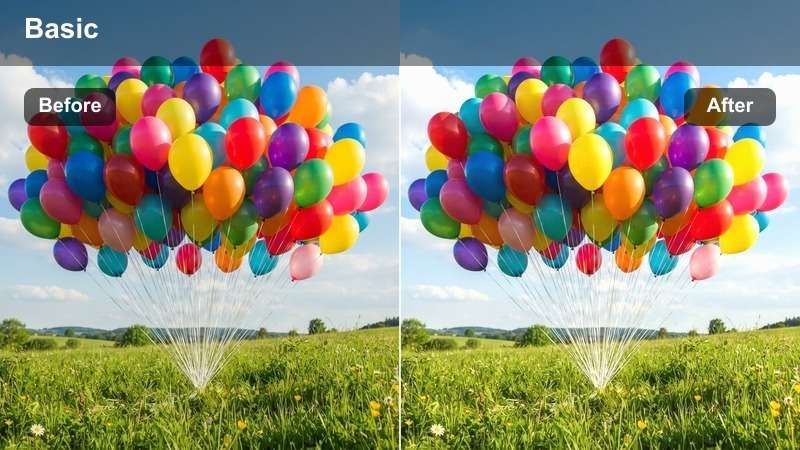
- Effect look: Slightly desaturated with warm undertones and soft highlights
- Best for: Historic sites, cultural festivals, ancient architecture
- Editing tip: Add a subtle film grain to enhance the timeless, documentary feel
Heritage Glow adds a nostalgic, cinematic touch to historical and cultural footage. It uses warm undertones and soft highlights to evoke a sense of timelessness.
In Filmora, apply this LUT to ancient architecture or festival scenes. Use radial blur around the edges to simulate shallow depth of field, drawing focus to the central subject.
Tips for Using D Log M Lut Download Filters in Filmora
- Always shoot in 10-bit D-Log M for maximum color grading flexibility.
- Apply LUTs on adjustment layers to maintain non-destructive editing.
- Use exposure compensation before applying LUTs to avoid clipped highlights.
- Combine LUTs with Filmora's color wheels for fine-tuned results.
The Free DJI D-Log M LUT Pack is an essential tool for travel filmmakers and drone operators who want to transform flat log footage into cinematic visuals with minimal effort.
With scene-specific styles for aerial nature, urban motion, action extremes, and travel storytelling, these LUTs bring professional color grading within reach for every DJI camera user.
secure download