

 100% Security Verified | No Subscription Required | No Malware

Starting out in video editing can be overwhelming, especially when it comes to color grading. That's why we created the Free Creator Starter LUT Bundle — a curated selection of beginner-friendly filters that make your footage look professional in one click.
Whether you're editing your first vlog, social media clip, or travel montage, these starter LUTs simplify the grading process so you can focus on storytelling. Designed for new creators using Filmora, this pack delivers consistent, cinematic results without the learning curve.
In this article
Bright City Adventures
City Pop
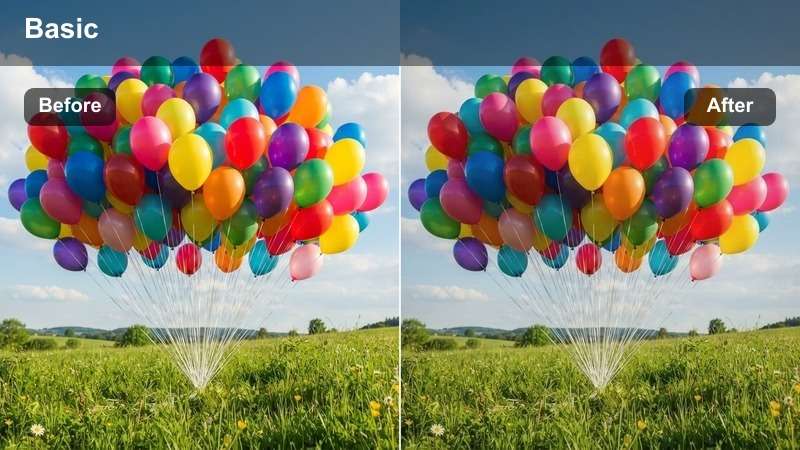
- Effect look: Vibrant, high-contrast urban pop with boosted blues and pinks
- Best for: Daytime city walks, street fashion, urban vlogs
- Editing tip: Use at 80–100% intensity for full effect; pair with slight sharpening
The City Pop LUT delivers a bold, energetic look inspired by neon-lit cityscapes and modern street culture. With enhanced blues and pinks, it transforms ordinary urban footage into visually striking content that grabs attention.
In Filmora, apply the City Pop LUT to clips shot in well-lit conditions for maximum impact. Adjust the intensity slider to fine-tune the vibrancy and use the clarity tool to bring out textures in buildings and clothing, perfect for fashion or lifestyle vlogs.
Metro Glow
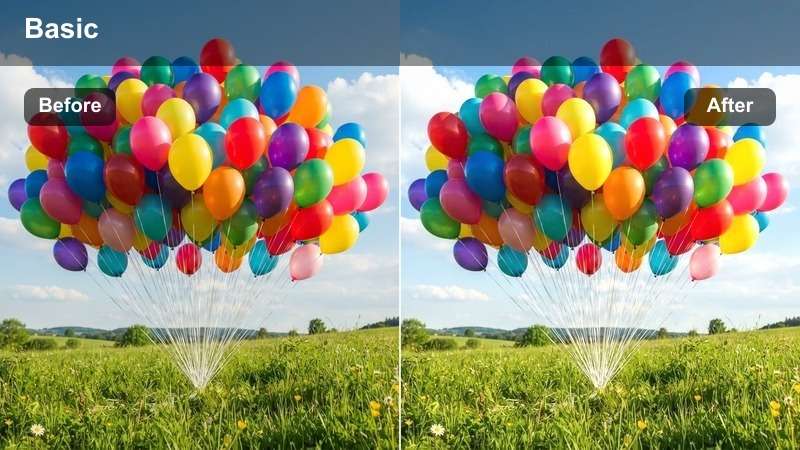
- Effect look: Soft highlights with warm amber tones and subtle haze
- Best for: Sunrise commutes, transit timelapses, morning routines
- Editing tip: Lower saturation slightly if footage appears too golden
Metro Glow creates a dreamy morning aesthetic with gentle warmth and soft contrast, ideal for content that captures the quiet energy of early urban life. The amber tones evoke a cozy, cinematic feel without overpowering the scene.
When using Metro Glow in Filmora, monitor the saturation levels—especially in skin tones—to avoid an overly golden look. Pair it with the dehaze tool if the footage feels too foggy, and use noise reduction for cleaner results in low-light shots.
Urban Contrast
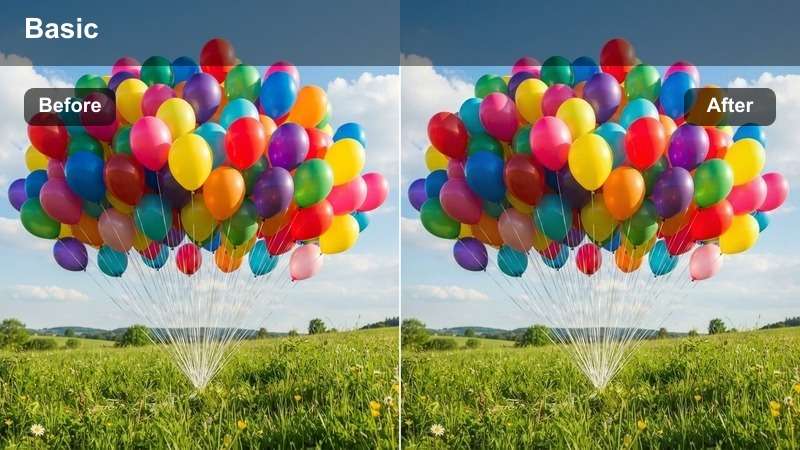
- Effect look: Deep shadows, punchy midtones, and crisp highlights
- Best for: Architectural shots, cityscapes, walking tours
- Editing tip: Works best with well-exposed footage; avoid overusing on low-light clips
Urban Contrast emphasizes structure and movement in city environments with a high-impact look that enhances depth and dimension. It’s perfect for showcasing architectural details and dynamic urban motion.
For best results in Filmora, apply Urban Contrast to properly exposed clips. Boost clarity slightly to highlight textures in buildings and streets, and use masking to protect overexposed areas like bright windows when applying the LUT globally.
Everyday Indoor Moments
Cozy Room
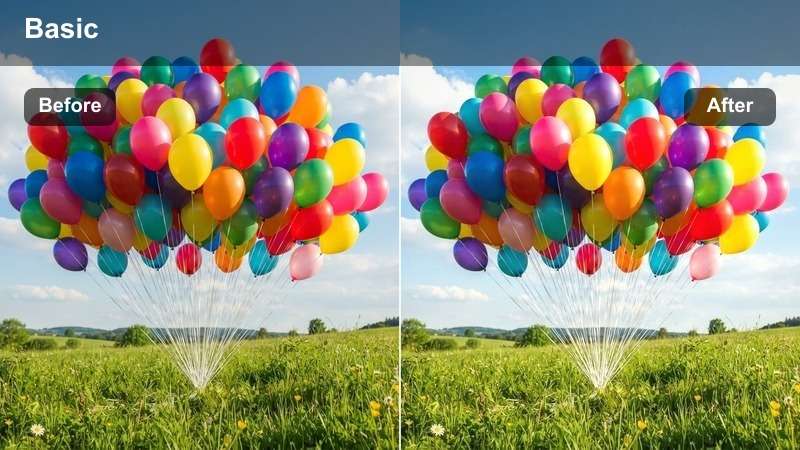
- Effect look: Warm amber base with soft shadows and muted greens
- Best for: Home vlogs, talking heads, morning routines
- Editing tip: Ideal for footage shot under warm indoor lighting
Cozy Room creates a welcoming, intimate atmosphere perfect for personal content like home vlogs and daily check-ins. The warm amber tones make indoor scenes feel inviting and emotionally engaging.
In Filmora, set your white balance to incandescent or warm fluorescent before applying Cozy Room. Use the tint control to correct any green cast from mixed lighting, ensuring natural skin tones and a consistent mood.
 secure download

Discover Your Palette with AI
Filmora's AI Color Palette analyzes your footage and suggests complementary LUTs based on scene tone and lighting.
Let AI guide your grading decisions and speed up your workflow with smart suggestions tailored to your content.
See the Starter LUTs in Action
Watch real-time demos of the Free Creator Starter LUT Bundle applied to various scenes — from city walks to cozy home vlogs.
Each filter is designed to deliver instant improvement with minimal adjustments.
One-Click Grading Made Simple
No color science degree needed. These LUTs are optimized for Filmora's editor to work seamlessly with your clips.
Just drag, drop, and adjust intensity — perfect for beginner editors and new creators building their style.
Clean Desk
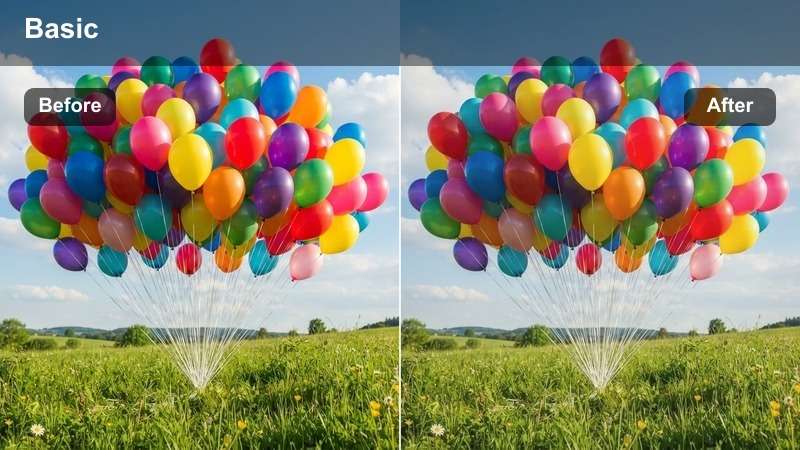
- Effect look: Bright whites, neutral tones, and soft contrast
- Best for: Study vlogs, workspace tours, productivity content
- Editing tip: Apply at 90% to maintain natural skin tones
Clean Desk gives your footage a crisp, modern look that enhances organization and clarity—ideal for study vlogs, desk setups, or productivity content where a clean aesthetic matters.
In Filmora, use this LUT at 90% intensity to preserve natural skin tones. It works especially well when blending screen recordings with talking head footage, helping both elements feel visually cohesive.
Soft Indoor
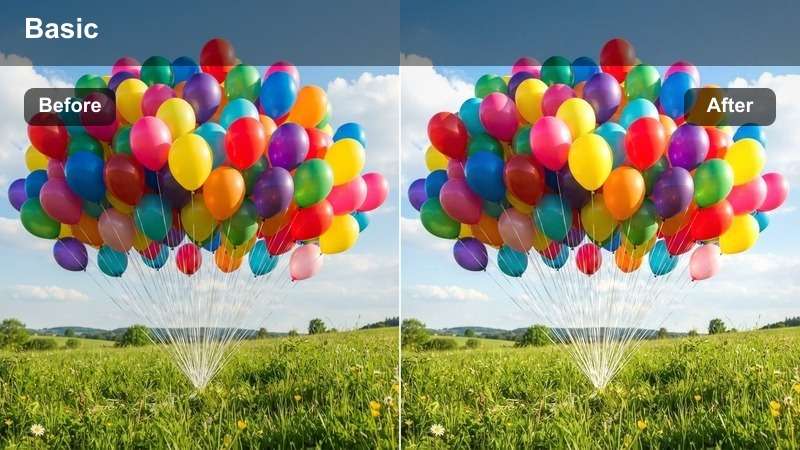
- Effect look: Low contrast with creamy highlights and gentle warmth
- Best for: Candid moments, family clips, relaxed vlogs
- Editing tip: Great for overexposed window-lit scenes
Soft Indoor smooths harsh lighting and creates a gentle, film-like tone perfect for candid family moments or laid-back vlogs shot near windows with strong natural light.
For best results in Filmora, use highlight recovery before applying Soft Indoor to prevent blown-out areas. Add a subtle vignette to draw focus to your subject and enhance the intimate mood.
Natural Outdoor Scenes
Sunlit Path
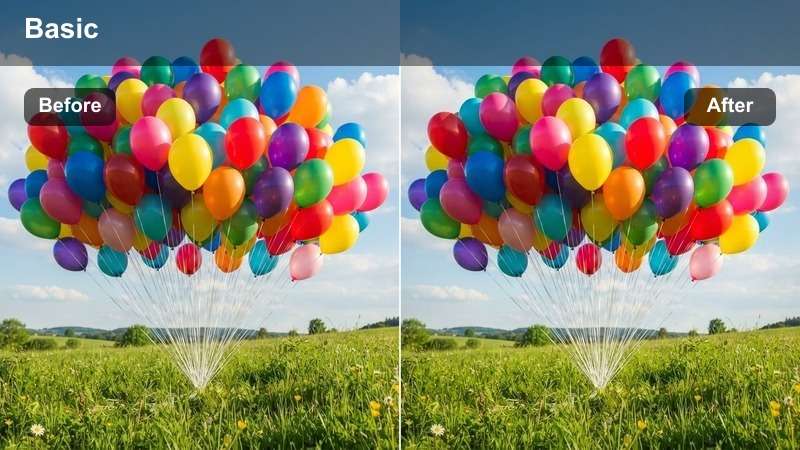
- Effect look: Golden midtones, lifted shadows, and vibrant greens
- Best for: Park walks, travel vlogs, outdoor adventures
- Editing tip: Works best in mid-morning or late afternoon light
Sunlit Path enhances natural sunlight to create a fresh, uplifting mood, making it ideal for travel vlogs, park walks, or any outdoor adventure filmed in daylight.
In Filmora, apply Sunlit Path to clips shot during golden hours for optimal results. Use the color correction tool to slightly reduce green hue if foliage appears oversaturated, and apply a radial filter to spotlight your subject.
Misty Morning
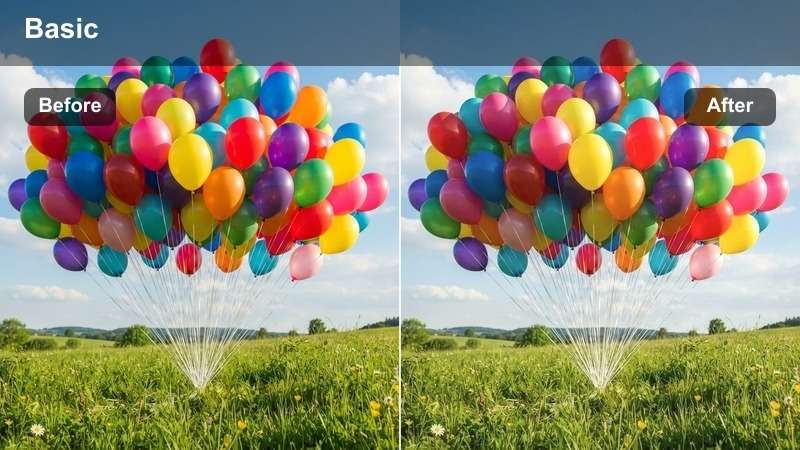
- Effect look: Cool blue base with soft fog and desaturated midtones
- Best for: Early hikes, lakeside clips, serene nature shots
- Editing tip: Increase exposure slightly if the scene feels too dark
Misty Morning evokes calm and solitude with a cool, ethereal tone, perfect for serene nature shots like lakesides at dawn or foggy forest trails.
In Filmora, use a graduated filter to darken the sky slightly and enhance the moody atmosphere. Pair the visual with ambient nature sound effects to deepen the emotional impact of your scene.
Golden Hour
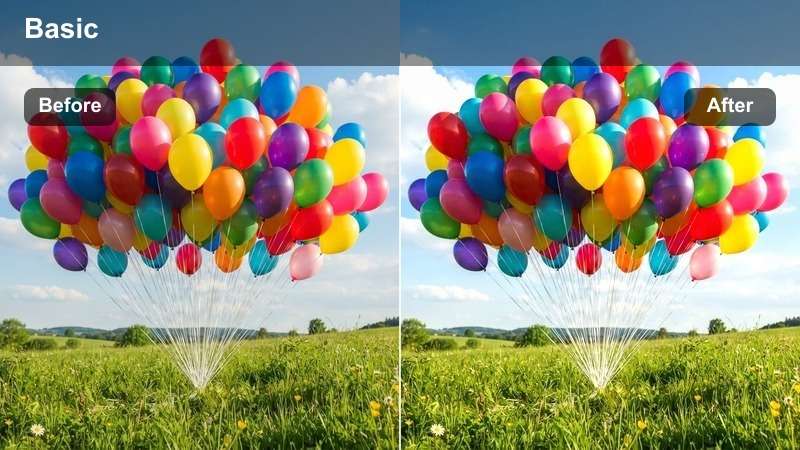
- Effect look: Rich amber highlights, warm skin tones, and soft shadows
- Best for: Sunset clips, romantic moments, travel montages
- Editing tip: Apply before adding lens flare effects for realism
Golden Hour captures the magic of sunset with warm, cinematic grading that enhances skin tones and sky colors, ideal for romantic moments or travel montages.
Use highlight recovery in Filmora to preserve cloud texture in bright skies. Slightly increase saturation for a more dramatic sunset effect, and layer lens flares after applying the LUT for a natural look.
Engaging Social Clips
Trendy Vibe
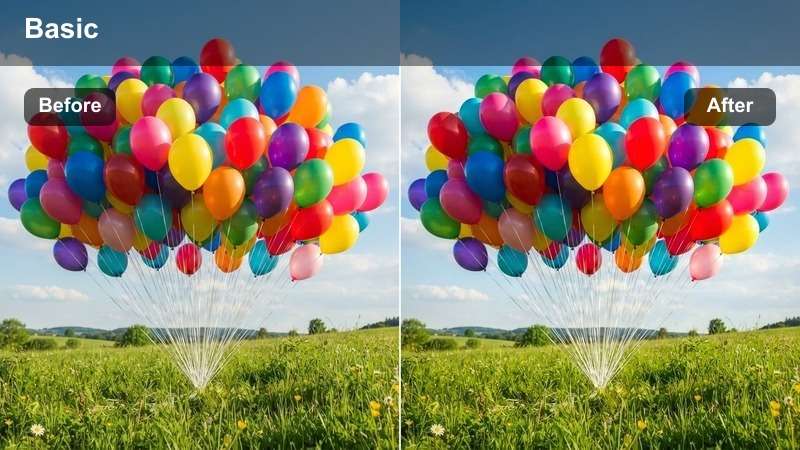
- Effect look: Muted base with teal shadows and warm highlights
- Best for: TikTok clips, Instagram Reels, YouTube Shorts
- Editing tip: Pair with upbeat music and quick cuts
Trendy Vibe delivers a modern social media aesthetic with balanced contrast and stylish color tones that stand out on fast-scrolling feeds.
In Filmora, center key visual elements to ensure visibility on mobile screens. Use bold captions with high contrast against the teal shadows to improve readability and engagement.
Vlog Pop
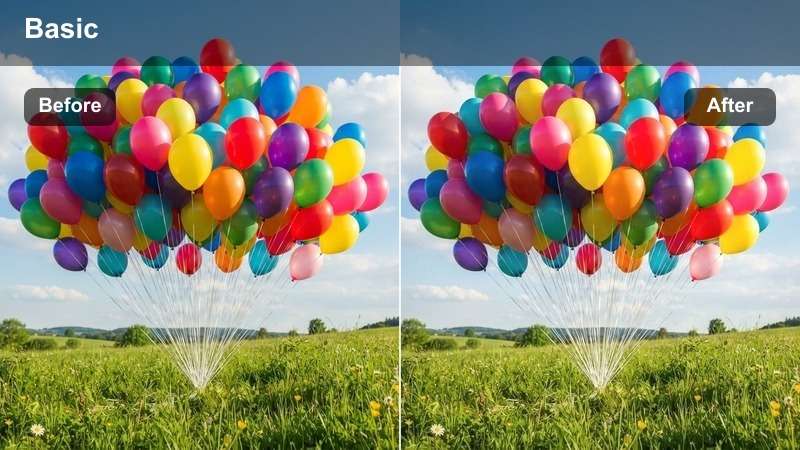
- Effect look: Brightened midtones, slightly desaturated background, enhanced skin tones
- Best for: Daily vlogs, outfit checks, personal updates
- Editing tip: Use with a subtle zoom-in effect on key moments
Vlog Pop makes the creator stand out with clean, vibrant visuals by brightening midtones and enhancing skin tones while softly desaturating the background.
Apply skin smoothing selectively in Filmora to avoid over-processing. For best results, use a ring light or reflector during filming to boost facial brightness before grading.
Social Glow
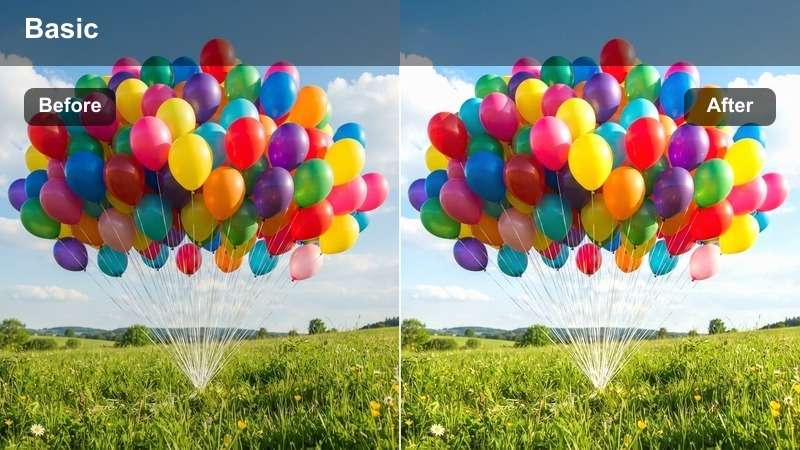
- Effect look: Soft vignette, warm highlights, and gentle bloom
- Best for: Behind-the-scenes, candid moments, lifestyle clips
- Editing tip: Ideal for clips with natural backlighting
Social Glow adds a flattering glow that enhances emotional connection, making it perfect for behind-the-scenes clips or candid lifestyle moments.
Shoot with the sun behind your subject to create natural rim lighting. In Filmora, enhance the glow with a low-intensity bloom effect for a soft, cinematic finish.
Tips for Using Starter Lut Download Filters in Filmora
- Always shoot in the highest quality your device allows for best LUT results.
- Use Filmora's preview window to compare before and after with one click.
- Adjust LUT intensity between 70–100% to avoid oversaturation.
- Combine LUTs with Filmora's light leaks or grain effects for added texture.
The Free Creator Starter LUT Bundle is your gateway to professional-looking videos without the complexity. With 12 expertly crafted filters tailored for real-world scenarios — from urban adventures to cozy indoor moments — you can elevate your first videos, vlogs, and social clips in seconds.
Whether you're a beginner editor or a new creator finding your voice, these easy grading presets help you build confidence and consistency. Download the bundle today and make every frame count.
secure download